Disk Scheduling
Dr.VIDHYA B
ASSISTANT PROFESSOR & HEAD
Department of Computer Technology
Sri Ramakrishna College of Arts and Science
Coimbatore - 641 006
Tamil Nadu, India
1
2
Chapter Goals
• Describe the purpose of files, file systems, and
directories
• Distinguish between text and binary files
• Identify various file types by their extensions
• Explain how file types improve file usage
• Define the basic operations on a file
3
Chapter Goals
• Compare and contrast sequential and direct file
access
• Discuss the issues related to file protection
• Describe a directory tree
• Create absolute and relative paths for a directory
tree
• Describe several disk-scheduling algorithms
4
File Systems
File
A named collection of related data, used for organizing
secondary memory
File system
The operating system's logical view of the files it
manages
Directory
A named group of files
5
Text and Binary Files
Text file
A file that contains characters from the ASCII or
Unicode character sets
Binary file
A file that contains data in a specific format,
requiring special interpretation of its bits
6
Text and Binary Files
The terms text file and binary file are somewhat
misleading
Ultimately, all information on a computer is
stored as binary digits
Text files are formatted as chunks of 8 or 16 bits,
interpreted as characters
Binary files are formatted in some other special
format
7
File Types
File Type
The kind of information contained in a document
Most files, regardless of format, contain a specific type
of information
File extension
Part of a file name that indicates the type
File names are often in two parts:
File name . File Extension
8
File Types
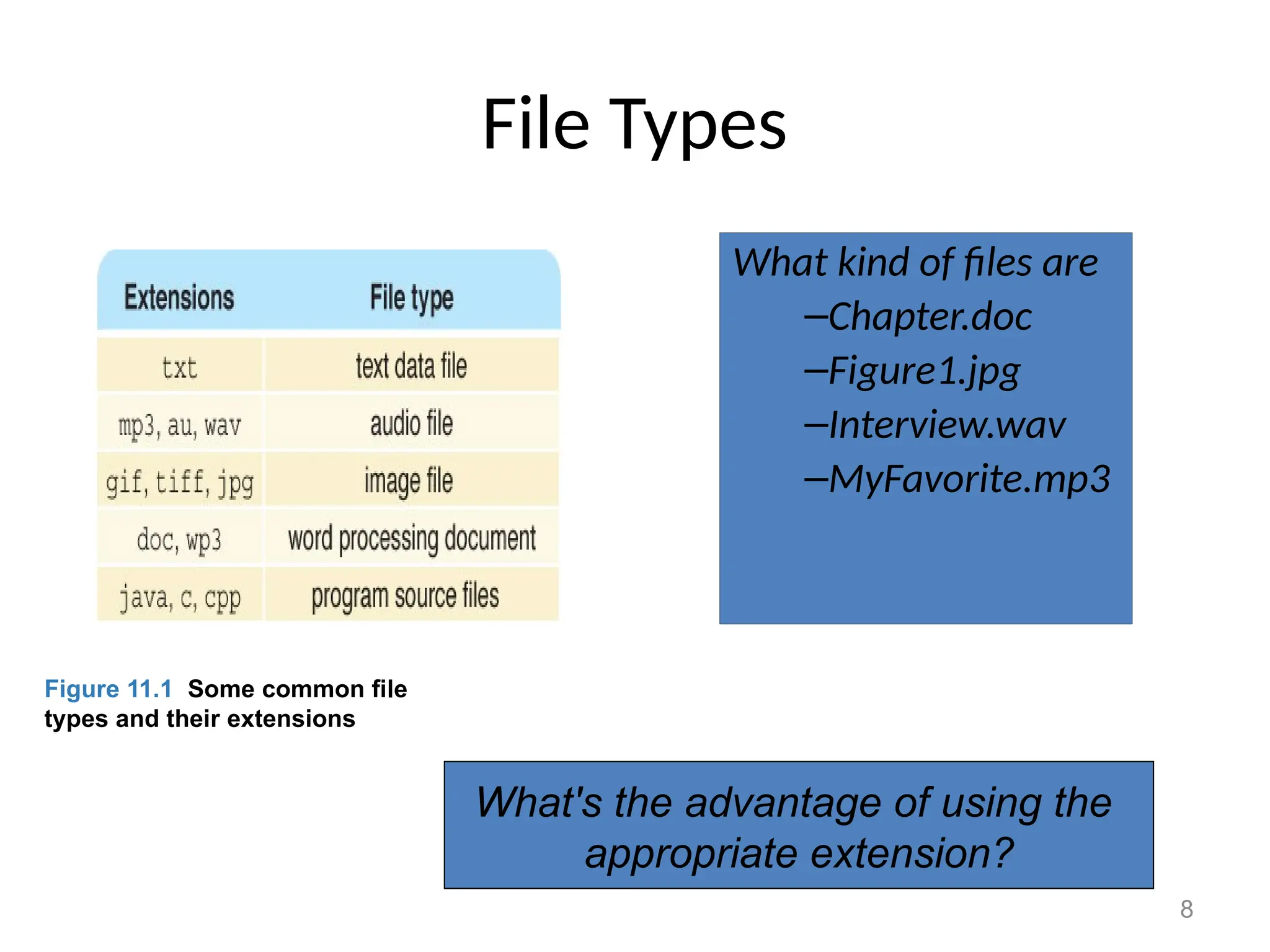
What kind of files are
–Chapter.doc
–Figure1.jpg
–Interview.wav
–MyFavorite.mp3
Figure 11.1 Some common file
types and their extensions
What's the advantage of using the
appropriate extension?
9
File Operations
What operations do you think you might
want to perform on or with a file?
10
File Access
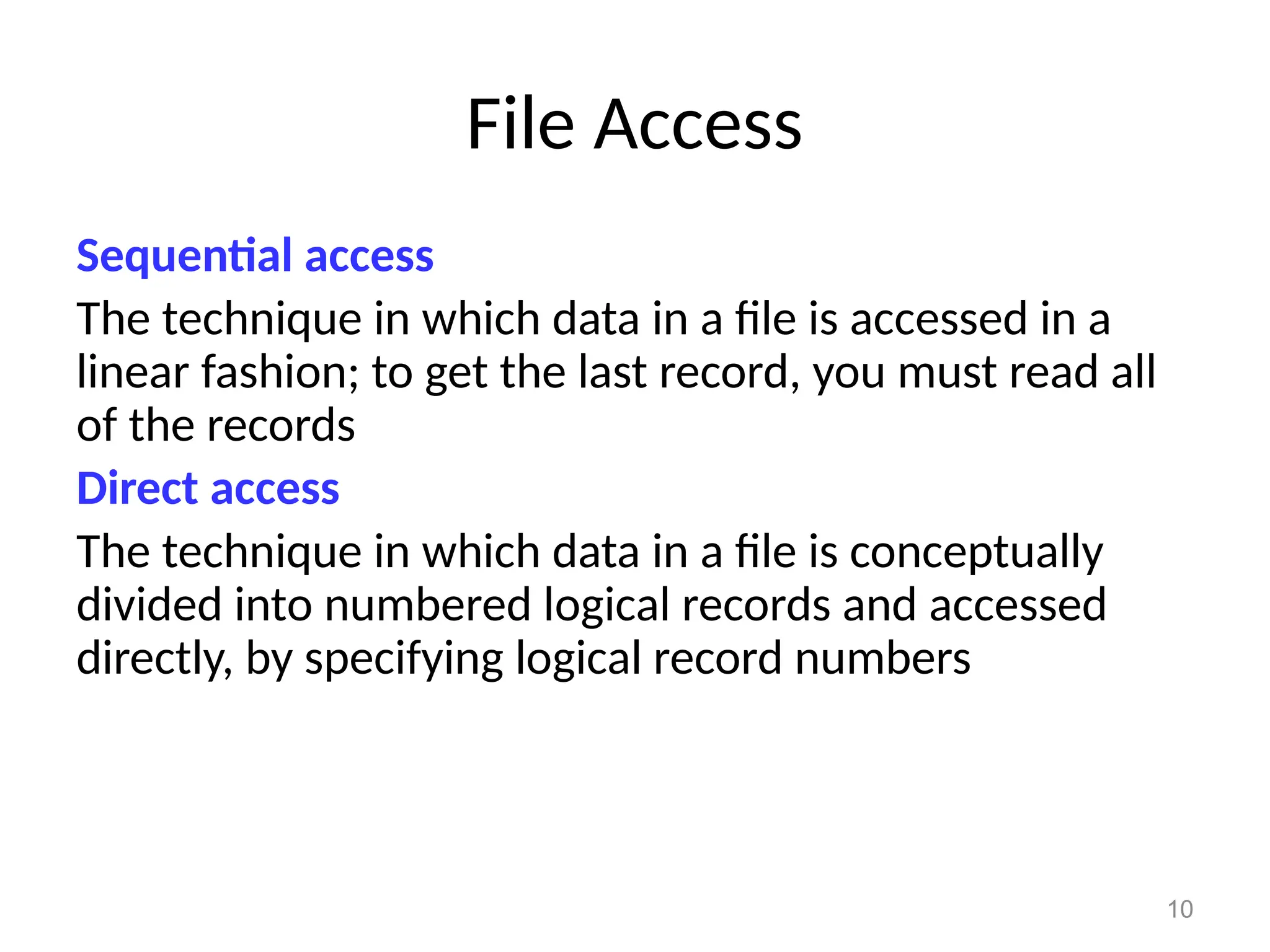
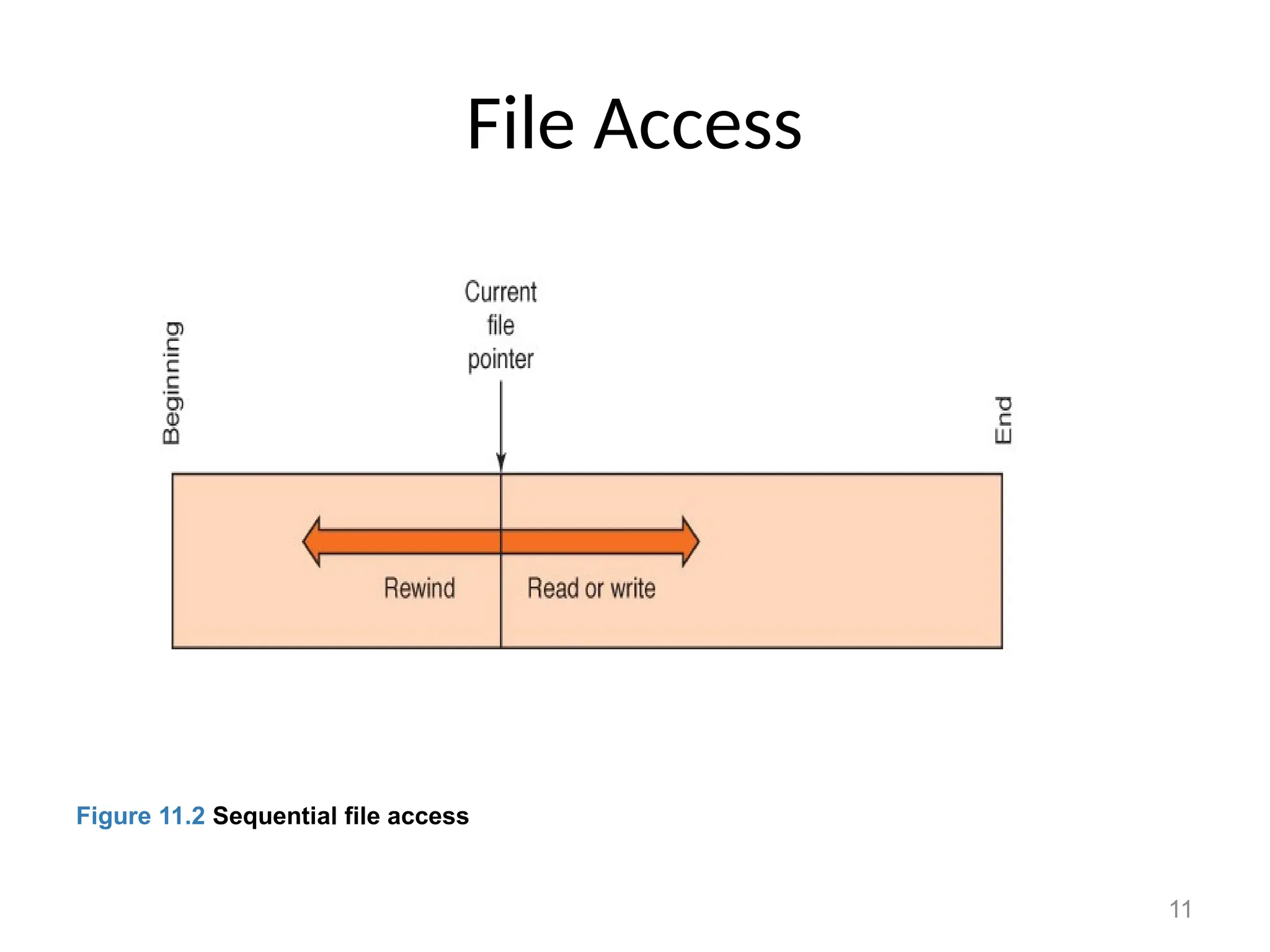
Sequential access
The technique in which data in a file is accessed in a
linear fashion; to get the last record, you must read all
of the records
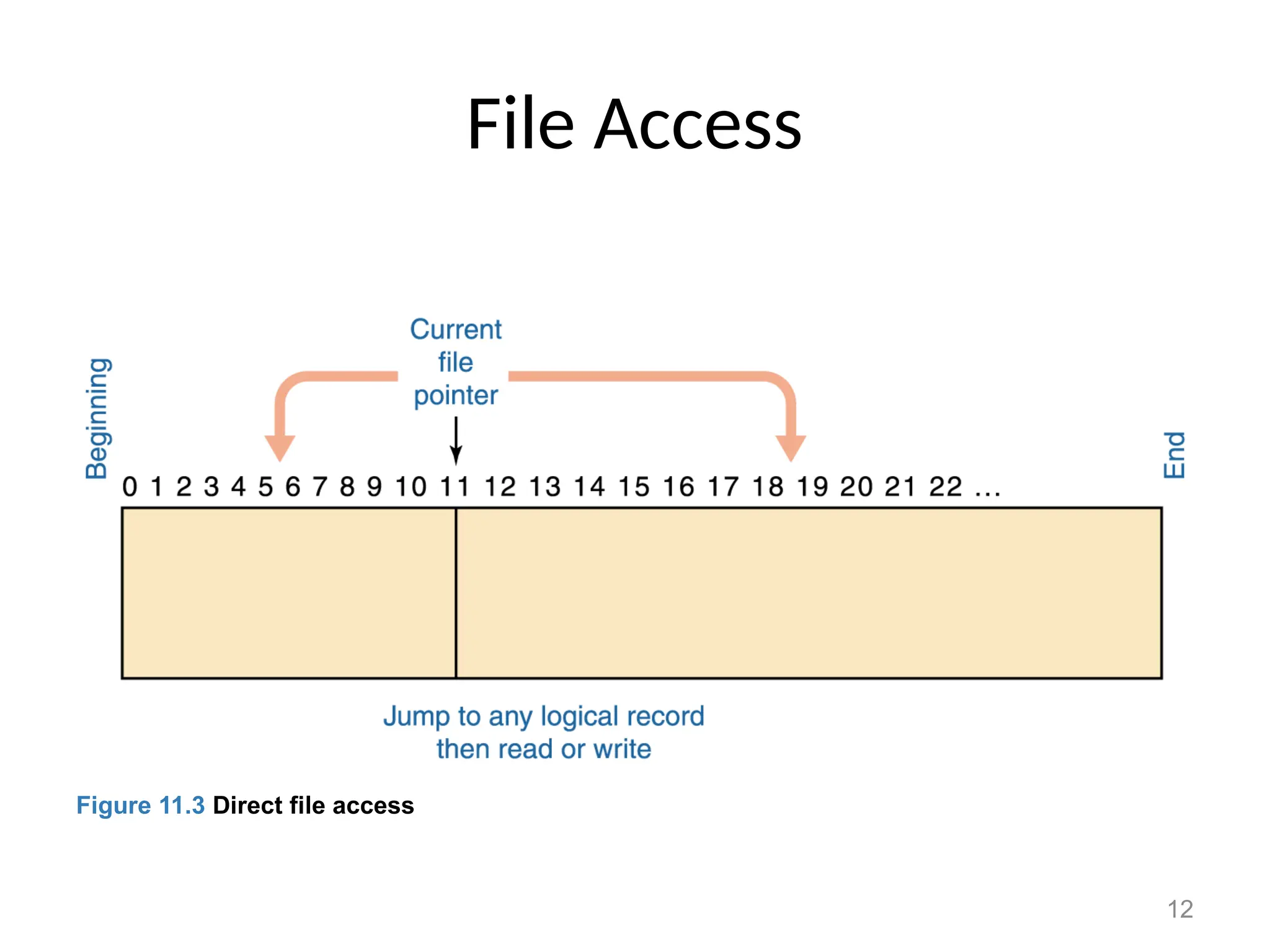
Direct access
The technique in which data in a file is conceptually
divided into numbered logical records and accessed
directly, by specifying logical record numbers
11
File Access
Figure 11.2 Sequential file access
12
File Access
Figure 11.3 Direct file access
13
File Access
Which file access do you think is easier to
implement: sequential access or direct
access?
14
File Protection
File protection
The process of limiting file access
– In multiuser systems, file protection is of primary
importance
– We don’t want one user to be able to access another
user’s files unless the access is specifically allowed
– A file protection mechanism determines who can use a file
and for what general purpose
Why is file protection important?
Give two examples
15
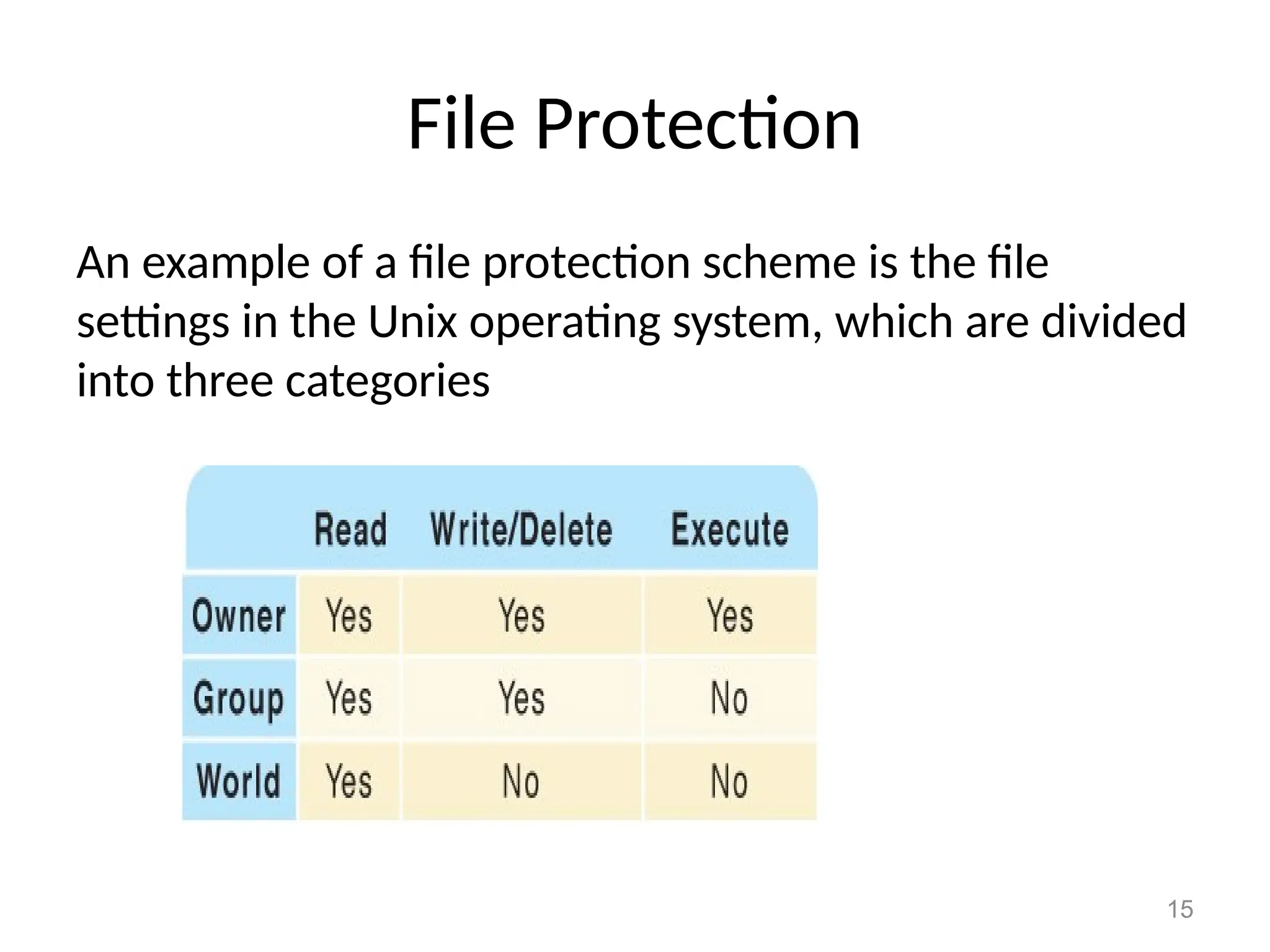
File Protection
An example of a file protection scheme is the file
settings in the Unix operating system, which are divided
into three categories
16
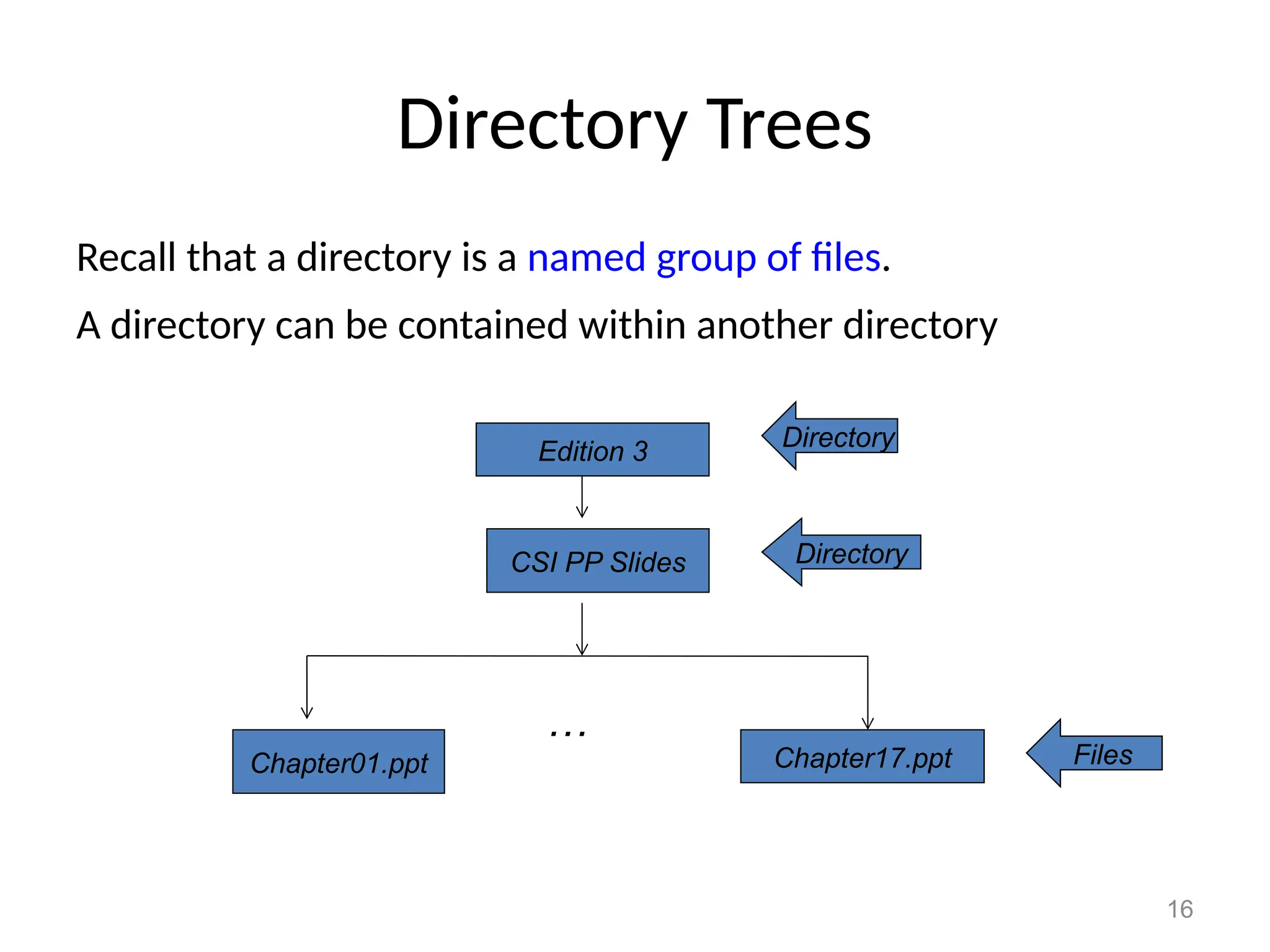
Directory Trees
Recall that a directory is a named group of files.
A directory can be contained within another directory
CSI PP Slides
Chapter01.ppt Chapter17.ppt
…
Edition 3 Directory
Directory
Files
17
Directory Trees
Parent directory
The containing directory
Subdirectory
The directory being contained
Directory tree
A logical view of a file system; a structure showing the nested
directory organization of a file system
Root directory
The directory at the highest level
18
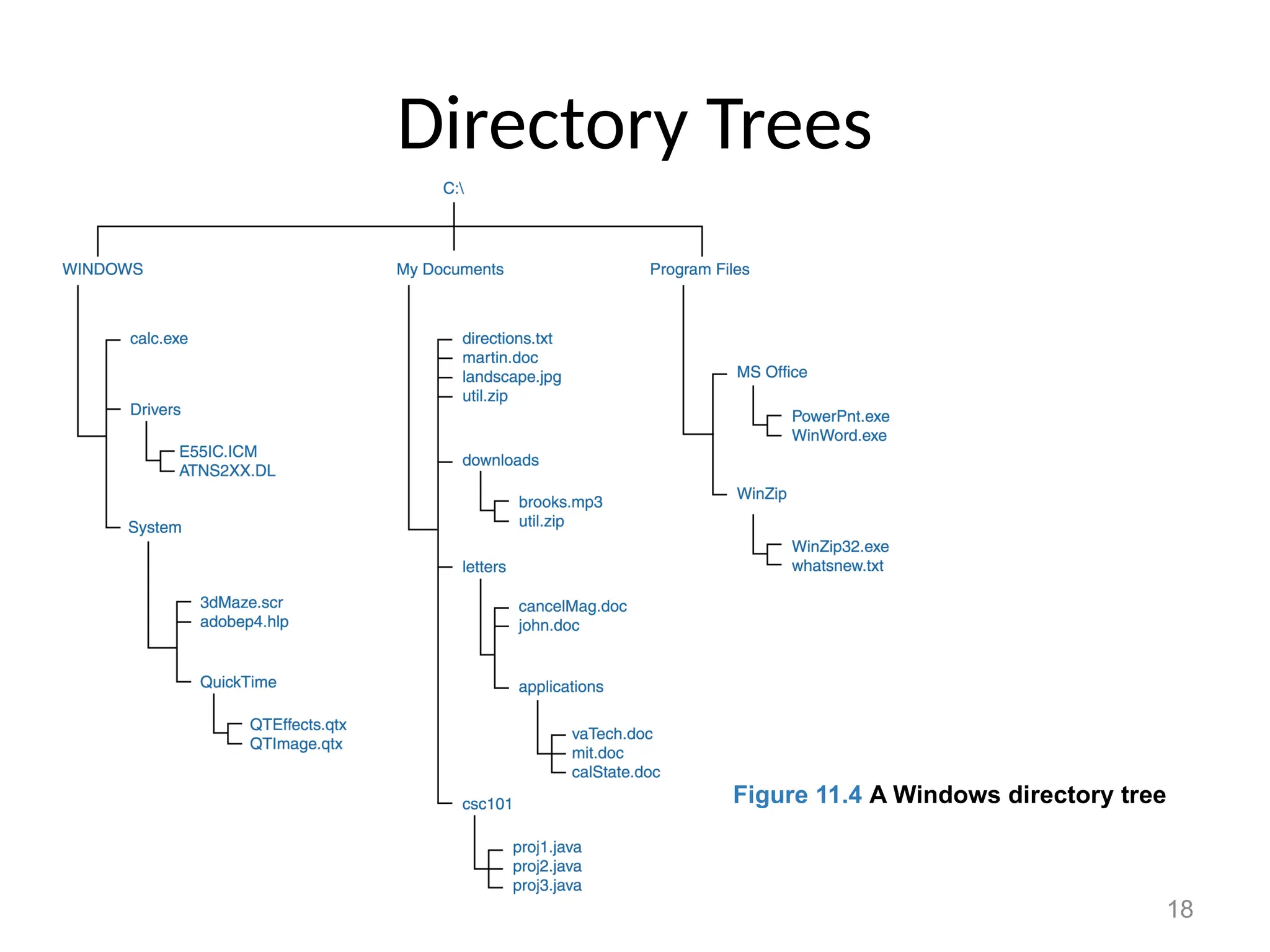
Directory Trees
Figure 11.4 A Windows directory tree
19
Directory Trees
At any point in time, you can be thought of as
working in a particular location (that is, a
particular subdirectory)
Working directory
The subdirectory in which you are working
20
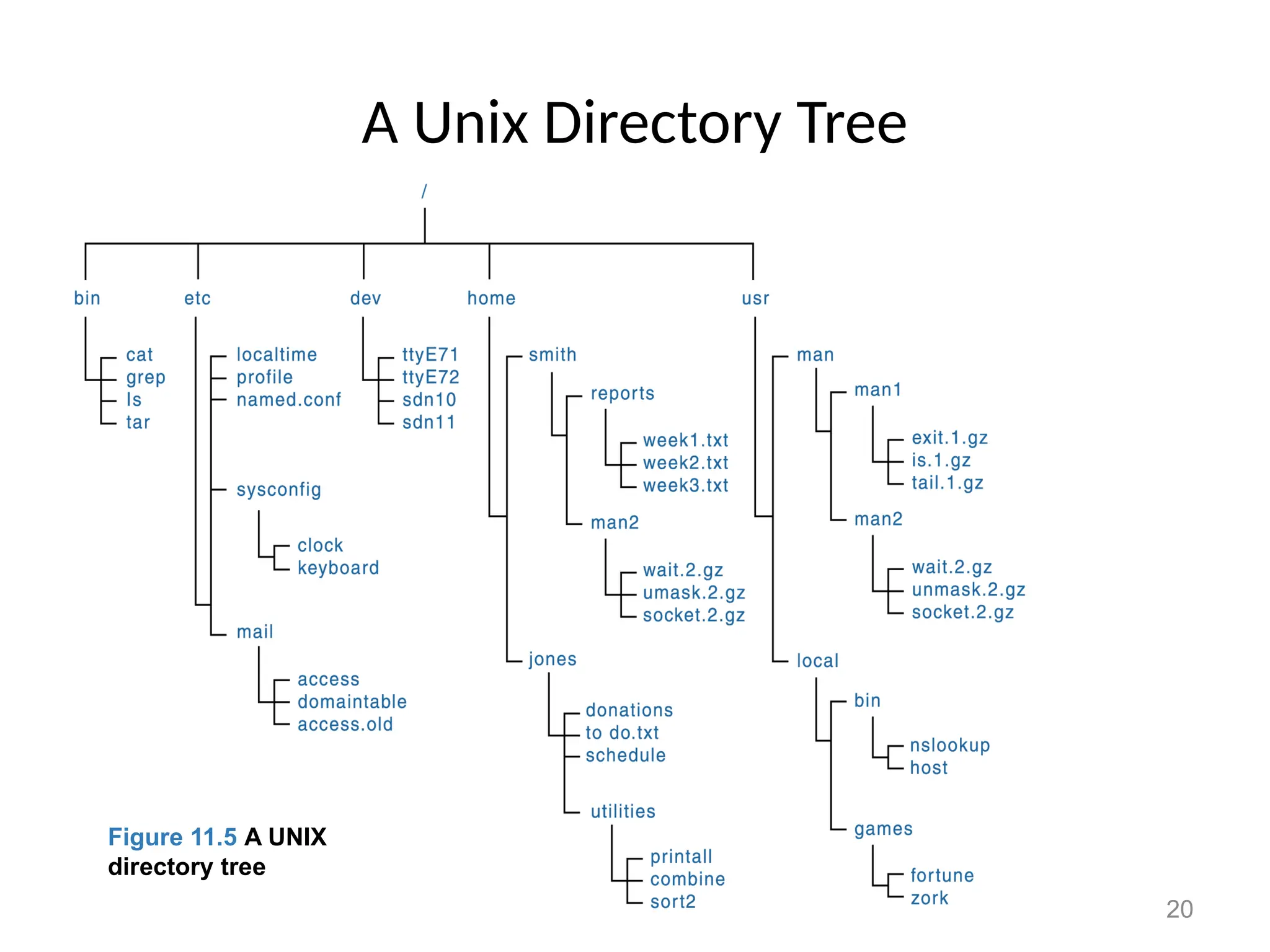
A Unix Directory Tree
Figure 11.5 A Unix directory
tree
Figure 11.5 A UNIX
directory tree
21
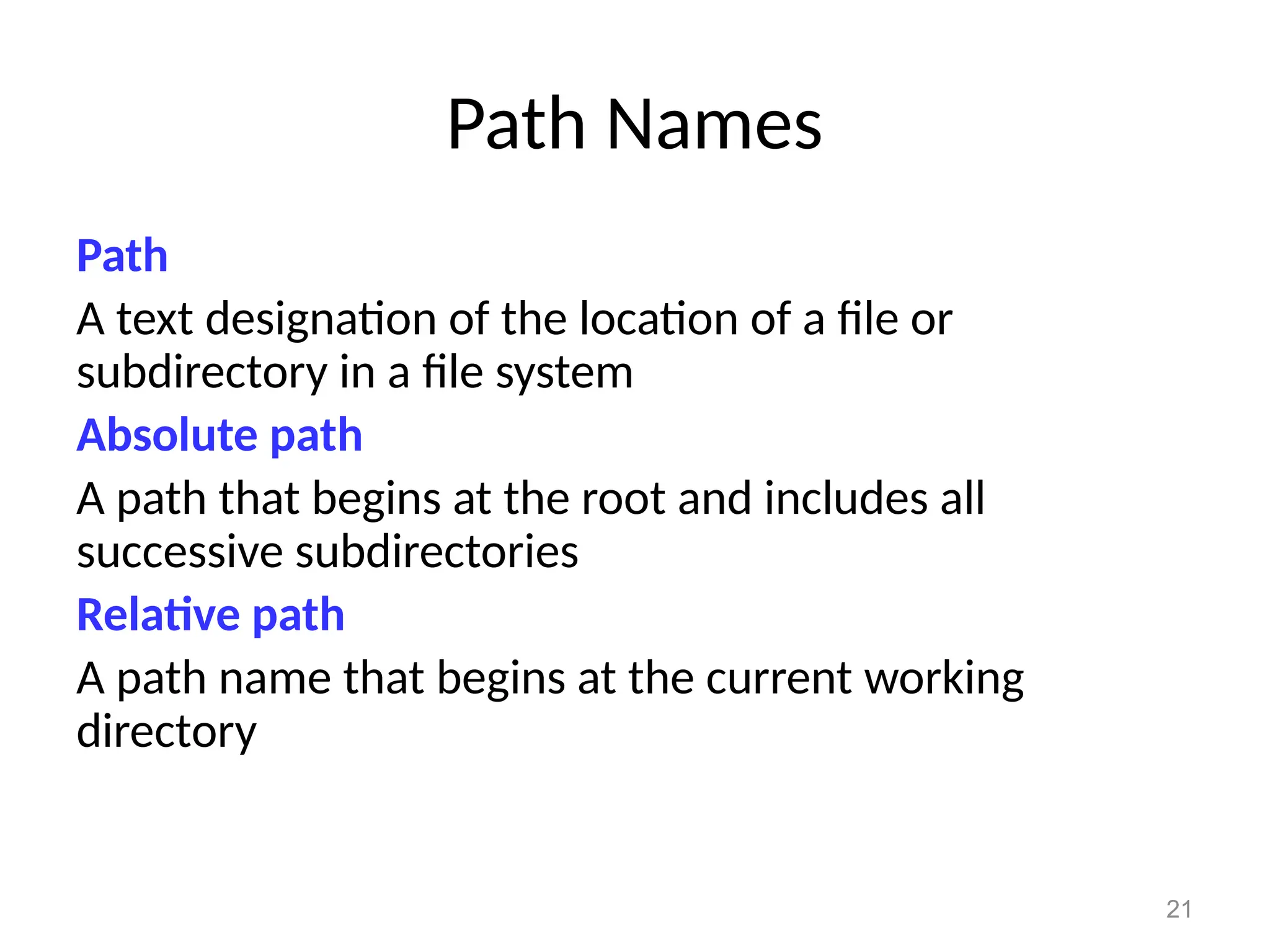
Path Names
Path
A text designation of the location of a file or
subdirectory in a file system
Absolute path
A path that begins at the root and includes all
successive subdirectories
Relative path
A path name that begins at the current working
directory
22
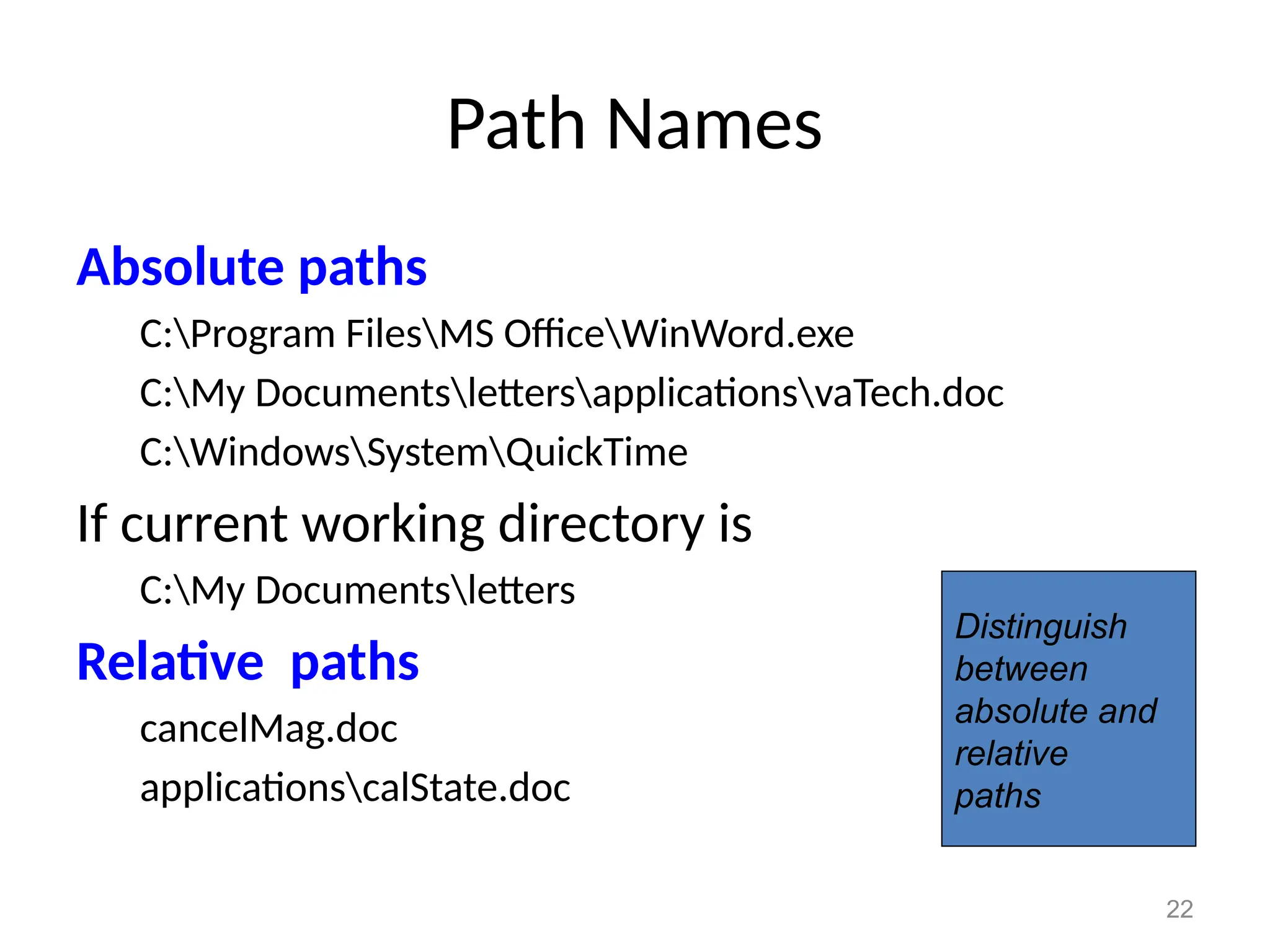
Path Names
Absolute paths
C:Program FilesMS OfficeWinWord.exe
C:My DocumentslettersapplicationsvaTech.doc
C:WindowsSystemQuickTime
If current working directory is
C:My Documentsletters
Relative paths
cancelMag.doc
applicationscalState.doc
Distinguish
between
absolute and
relative
paths
23
Disk Scheduling
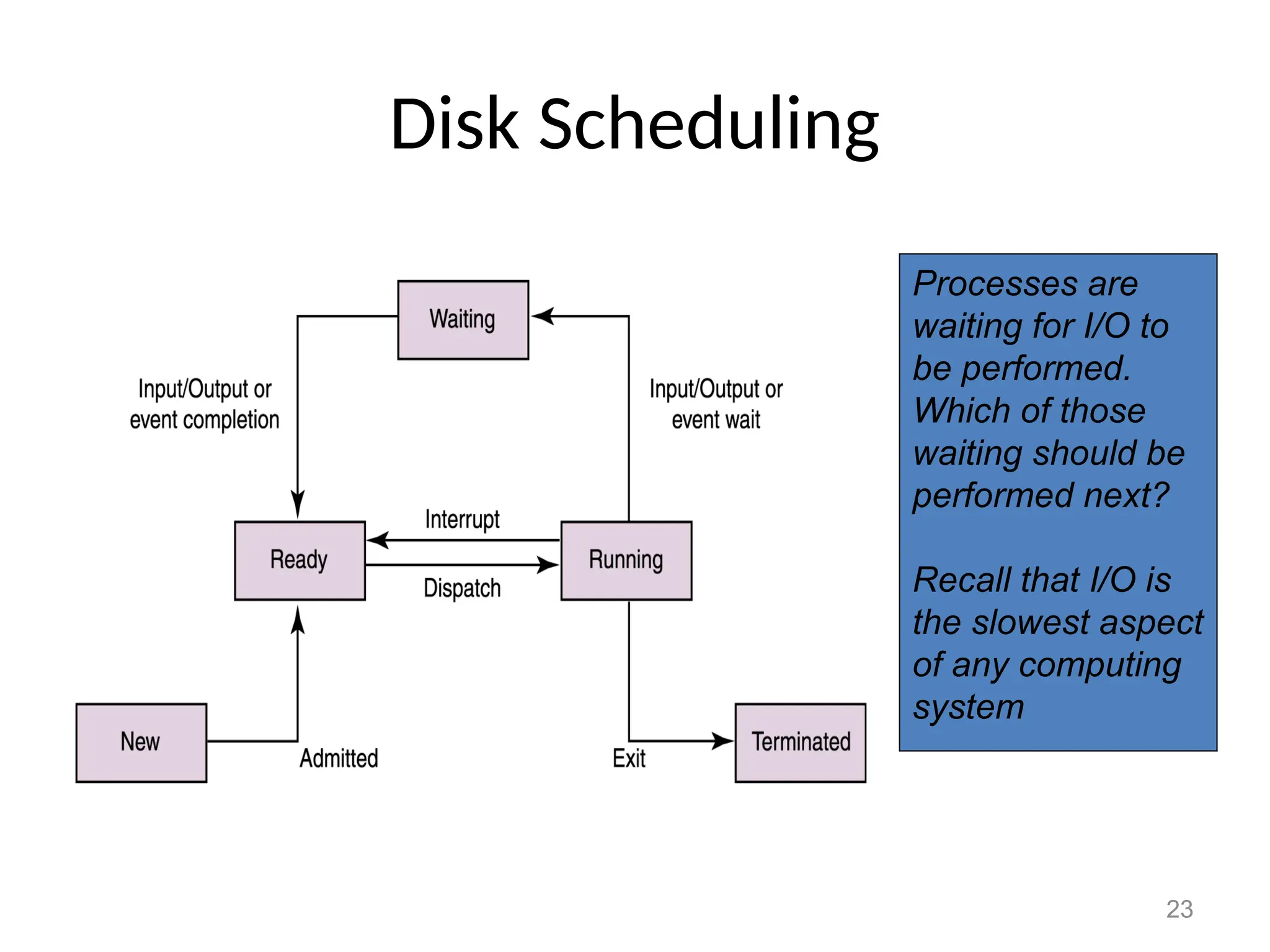
Processes are
waiting for I/O to
be performed.
Which of those
waiting should be
performed next?
Recall that I/O is
the slowest aspect
of any computing
system
24
Disk Scheduling
As a computer deals with multiple processes over a
period of time, a list of requests to access the disk
builds up
Disk scheduling
The technique that the operating system uses to
determine which requests to satisfy first
Disk Scheduling
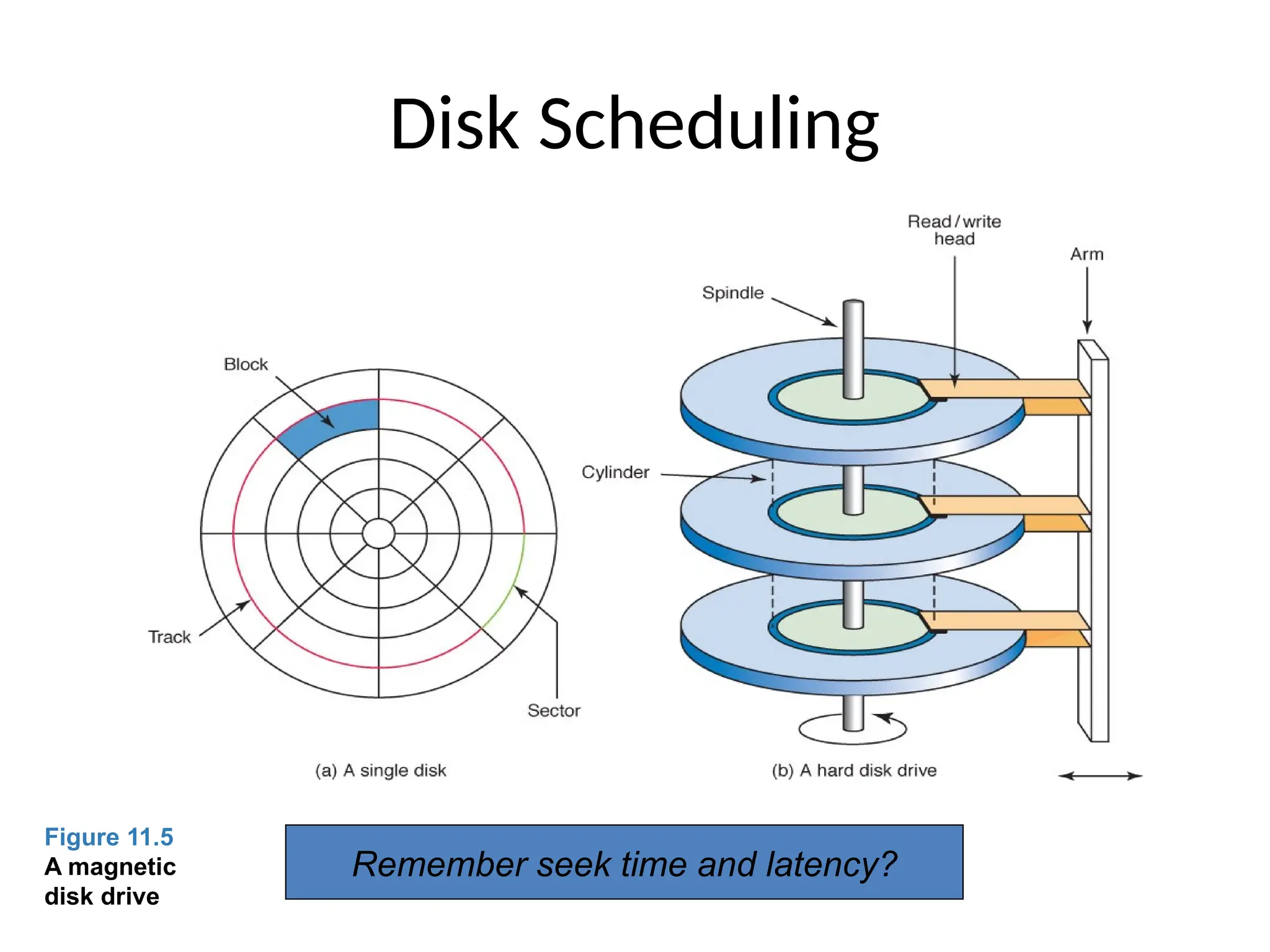
Figure 11.5
A magnetic
disk drive
Remember seek time and latency?
26
Disk Scheduling
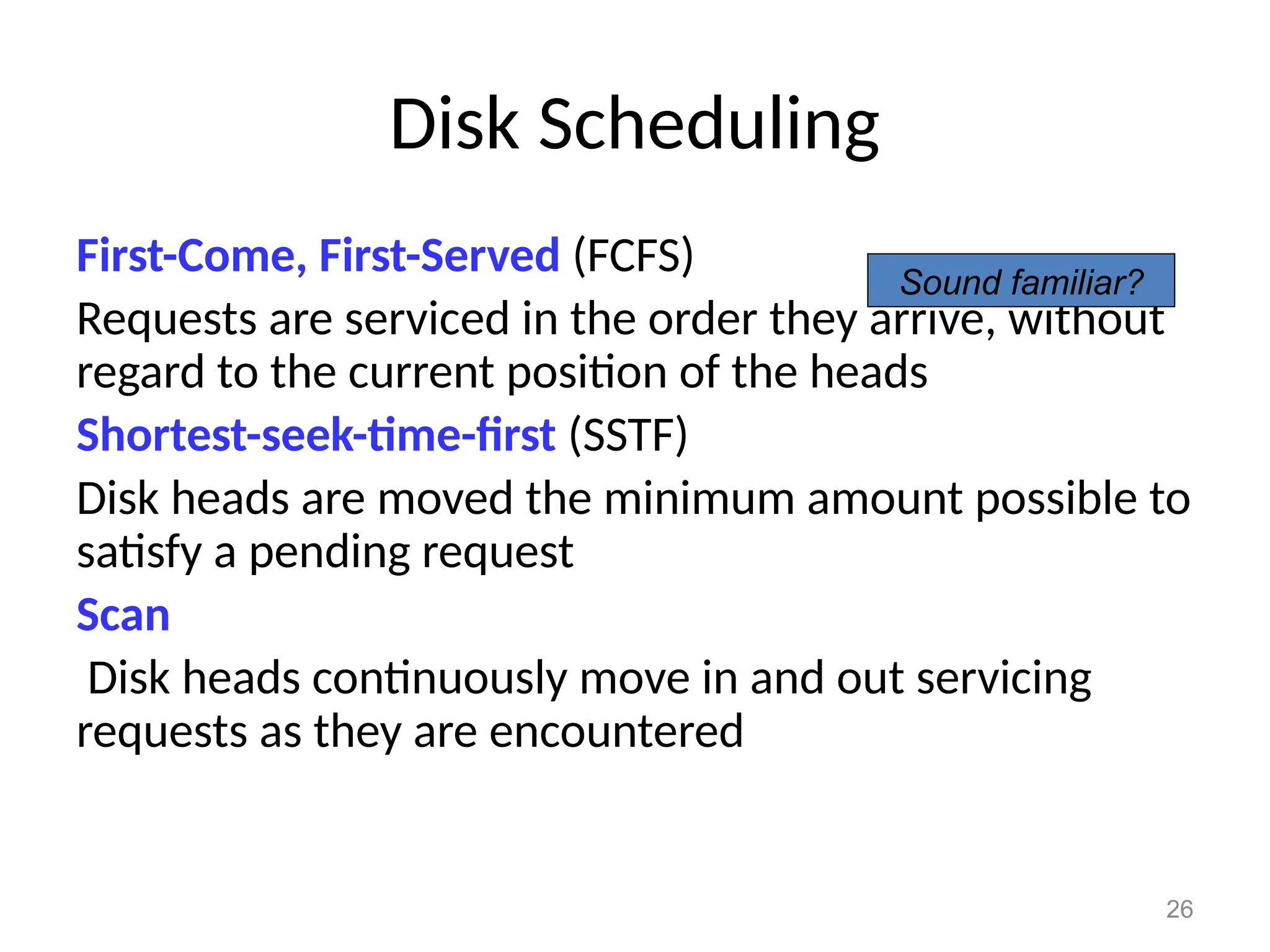
First-Come, First-Served (FCFS)
Requests are serviced in the order they arrive, without
regard to the current position of the heads
Shortest-seek-time-first (SSTF)
Disk heads are moved the minimum amount possible to
satisfy a pending request
Scan
Disk heads continuously move in and out servicing
requests as they are encountered
Sound familiar?
27
Disk Scheduling
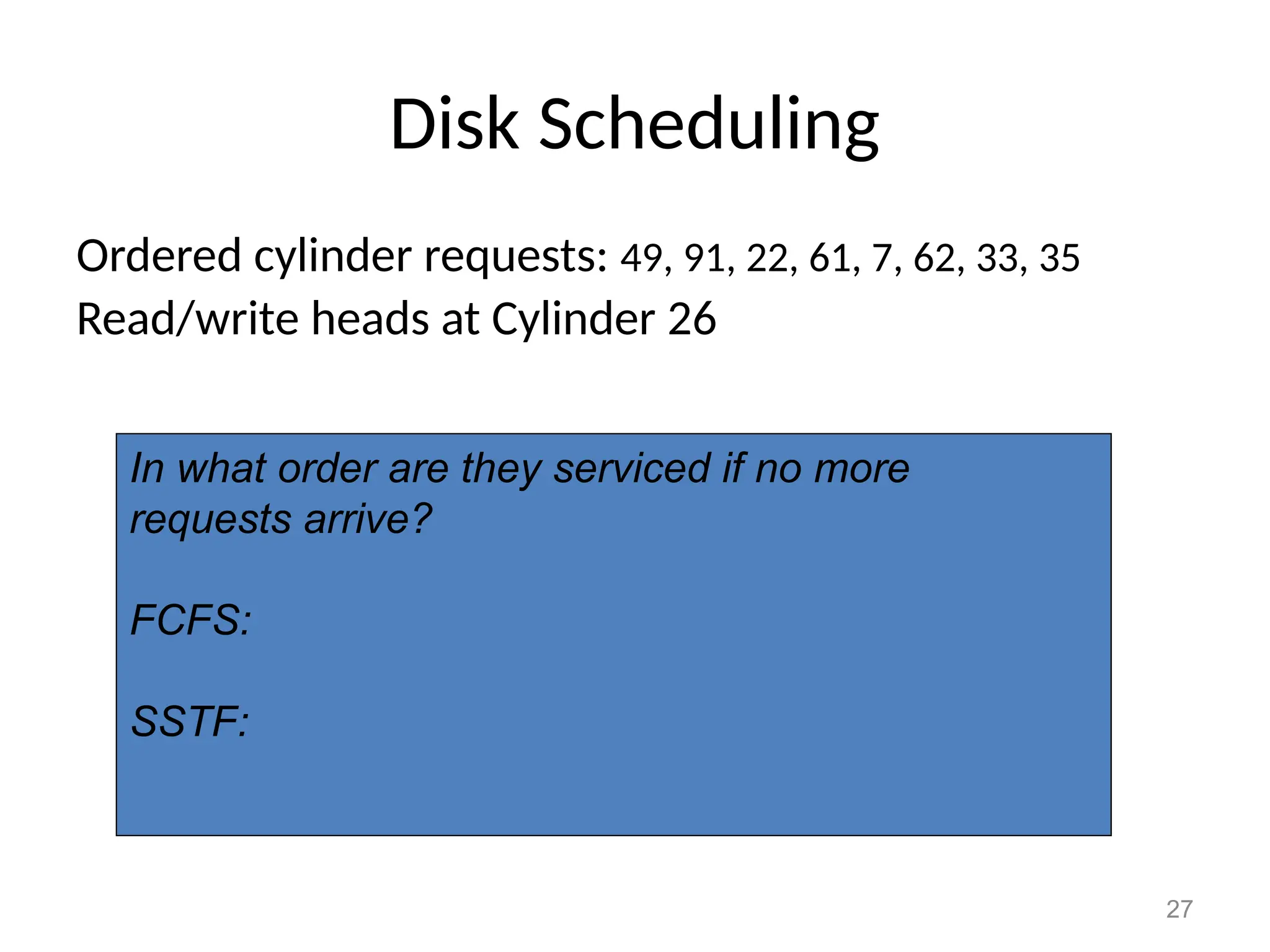
Ordered cylinder requests: 49, 91, 22, 61, 7, 62, 33, 35
Read/write heads at Cylinder 26
In what order are they serviced if no more
requests arrive?
FCFS:
SSTF:
28
Disk Scheduling
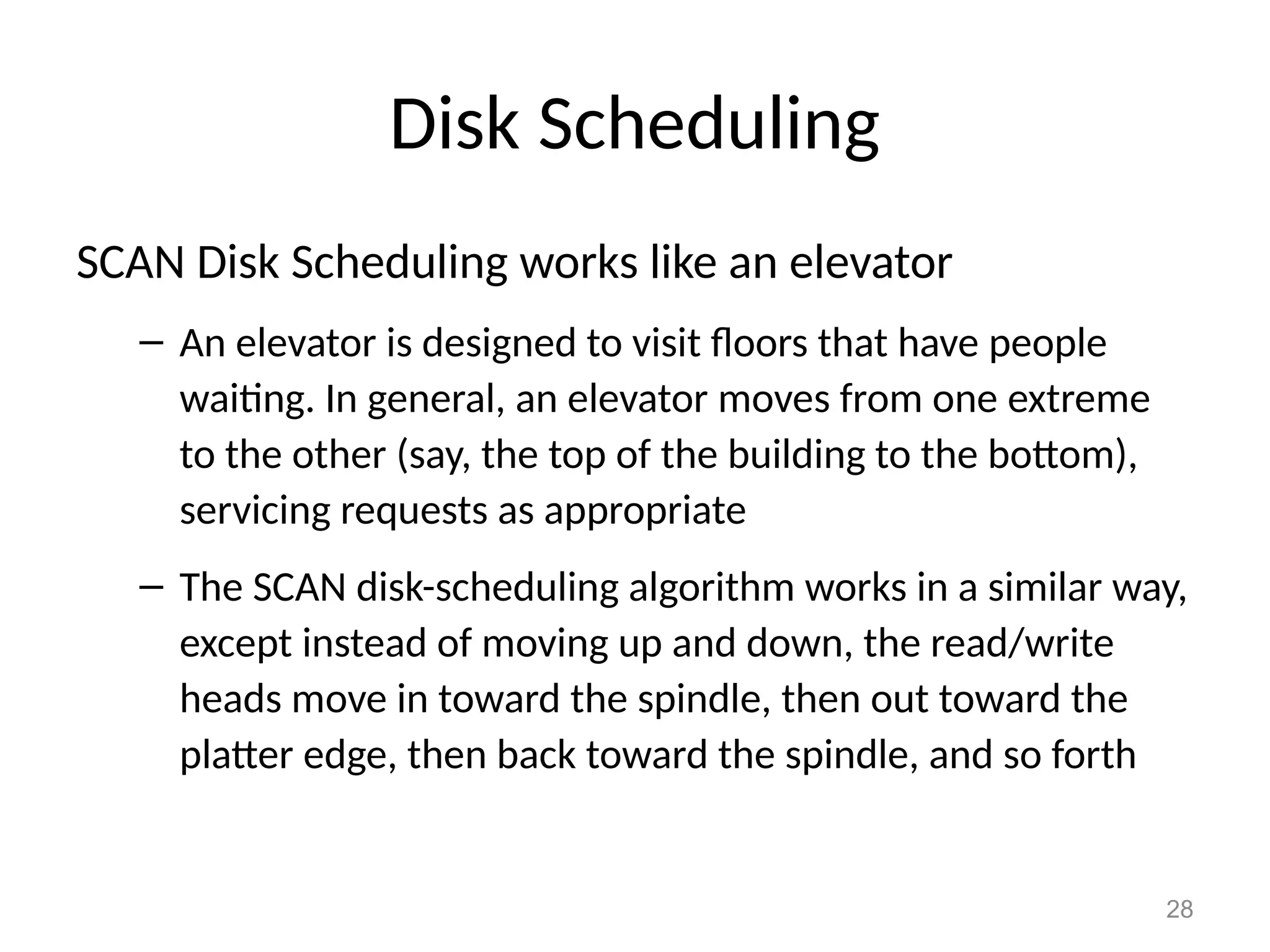
SCAN Disk Scheduling works like an elevator
– An elevator is designed to visit floors that have people
waiting. In general, an elevator moves from one extreme
to the other (say, the top of the building to the bottom),
servicing requests as appropriate
– The SCAN disk-scheduling algorithm works in a similar way,
except instead of moving up and down, the read/write
heads move in toward the spindle, then out toward the
platter edge, then back toward the spindle, and so forth
29
Disk Scheduling
Ordered cylinder requests: 49, 91, 22, 61, 7, 62, 33, 35
Read/write heads at Cylinder 26 moving toward
cylinder 1
In what order are they serviced if no more
requests arrive?
SCAN
30
Ethical Issues
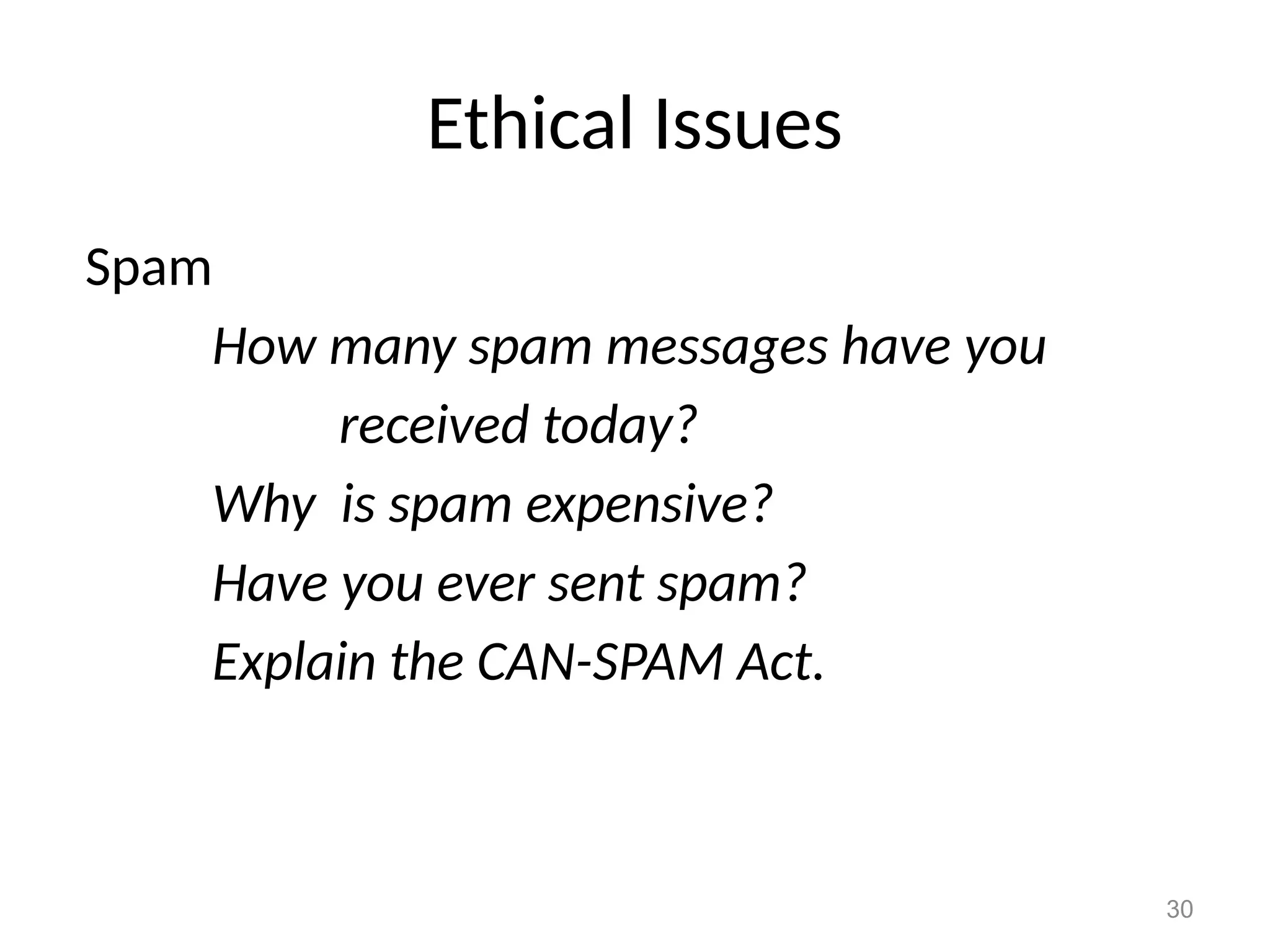
Spam
How many spam messages have you
received today?
Why is spam expensive?
Have you ever sent spam?
Explain the CAN-SPAM Act.

Files in OS

  • 1.
    Disk Scheduling Dr.VIDHYA B ASSISTANTPROFESSOR & HEAD Department of Computer Technology Sri Ramakrishna College of Arts and Science Coimbatore - 641 006 Tamil Nadu, India 1
  • 2.
    2 Chapter Goals • Describethe purpose of files, file systems, and directories • Distinguish between text and binary files • Identify various file types by their extensions • Explain how file types improve file usage • Define the basic operations on a file
  • 3.
    3 Chapter Goals • Compareand contrast sequential and direct file access • Discuss the issues related to file protection • Describe a directory tree • Create absolute and relative paths for a directory tree • Describe several disk-scheduling algorithms
  • 4.
    4 File Systems File A namedcollection of related data, used for organizing secondary memory File system The operating system's logical view of the files it manages Directory A named group of files
  • 5.
    5 Text and BinaryFiles Text file A file that contains characters from the ASCII or Unicode character sets Binary file A file that contains data in a specific format, requiring special interpretation of its bits
  • 6.
    6 Text and BinaryFiles The terms text file and binary file are somewhat misleading Ultimately, all information on a computer is stored as binary digits Text files are formatted as chunks of 8 or 16 bits, interpreted as characters Binary files are formatted in some other special format
  • 7.
    7 File Types File Type Thekind of information contained in a document Most files, regardless of format, contain a specific type of information File extension Part of a file name that indicates the type File names are often in two parts: File name . File Extension
  • 8.
    8 File Types What kindof files are –Chapter.doc –Figure1.jpg –Interview.wav –MyFavorite.mp3 Figure 11.1 Some common file types and their extensions What's the advantage of using the appropriate extension?
  • 9.
    9 File Operations What operationsdo you think you might want to perform on or with a file?
  • 10.
    10 File Access Sequential access Thetechnique in which data in a file is accessed in a linear fashion; to get the last record, you must read all of the records Direct access The technique in which data in a file is conceptually divided into numbered logical records and accessed directly, by specifying logical record numbers
  • 11.
    11 File Access Figure 11.2Sequential file access
  • 12.
    12 File Access Figure 11.3Direct file access
  • 13.
    13 File Access Which fileaccess do you think is easier to implement: sequential access or direct access?
  • 14.
    14 File Protection File protection Theprocess of limiting file access – In multiuser systems, file protection is of primary importance – We don’t want one user to be able to access another user’s files unless the access is specifically allowed – A file protection mechanism determines who can use a file and for what general purpose Why is file protection important? Give two examples
  • 15.
    15 File Protection An exampleof a file protection scheme is the file settings in the Unix operating system, which are divided into three categories
  • 16.
    16 Directory Trees Recall thata directory is a named group of files. A directory can be contained within another directory CSI PP Slides Chapter01.ppt Chapter17.ppt … Edition 3 Directory Directory Files
  • 17.
    17 Directory Trees Parent directory Thecontaining directory Subdirectory The directory being contained Directory tree A logical view of a file system; a structure showing the nested directory organization of a file system Root directory The directory at the highest level
  • 18.
    18 Directory Trees Figure 11.4A Windows directory tree
  • 19.
    19 Directory Trees At anypoint in time, you can be thought of as working in a particular location (that is, a particular subdirectory) Working directory The subdirectory in which you are working
  • 20.
    20 A Unix DirectoryTree Figure 11.5 A Unix directory tree Figure 11.5 A UNIX directory tree
  • 21.
    21 Path Names Path A textdesignation of the location of a file or subdirectory in a file system Absolute path A path that begins at the root and includes all successive subdirectories Relative path A path name that begins at the current working directory
  • 22.
    22 Path Names Absolute paths C:ProgramFilesMS OfficeWinWord.exe C:My DocumentslettersapplicationsvaTech.doc C:WindowsSystemQuickTime If current working directory is C:My Documentsletters Relative paths cancelMag.doc applicationscalState.doc Distinguish between absolute and relative paths
  • 23.
    23 Disk Scheduling Processes are waitingfor I/O to be performed. Which of those waiting should be performed next? Recall that I/O is the slowest aspect of any computing system
  • 24.
    24 Disk Scheduling As acomputer deals with multiple processes over a period of time, a list of requests to access the disk builds up Disk scheduling The technique that the operating system uses to determine which requests to satisfy first
  • 25.
    Disk Scheduling Figure 11.5 Amagnetic disk drive Remember seek time and latency?
  • 26.
    26 Disk Scheduling First-Come, First-Served(FCFS) Requests are serviced in the order they arrive, without regard to the current position of the heads Shortest-seek-time-first (SSTF) Disk heads are moved the minimum amount possible to satisfy a pending request Scan Disk heads continuously move in and out servicing requests as they are encountered Sound familiar?
  • 27.
    27 Disk Scheduling Ordered cylinderrequests: 49, 91, 22, 61, 7, 62, 33, 35 Read/write heads at Cylinder 26 In what order are they serviced if no more requests arrive? FCFS: SSTF:
  • 28.
    28 Disk Scheduling SCAN DiskScheduling works like an elevator – An elevator is designed to visit floors that have people waiting. In general, an elevator moves from one extreme to the other (say, the top of the building to the bottom), servicing requests as appropriate – The SCAN disk-scheduling algorithm works in a similar way, except instead of moving up and down, the read/write heads move in toward the spindle, then out toward the platter edge, then back toward the spindle, and so forth
  • 29.
    29 Disk Scheduling Ordered cylinderrequests: 49, 91, 22, 61, 7, 62, 33, 35 Read/write heads at Cylinder 26 moving toward cylinder 1 In what order are they serviced if no more requests arrive? SCAN
  • 30.
    30 Ethical Issues Spam How manyspam messages have you received today? Why is spam expensive? Have you ever sent spam? Explain the CAN-SPAM Act.