Disaster  Planning:  Backup , Backup, Backup!   Audio is only available by calling this number: Conference Call: 866-740-1260  Access Code: 6339392 Sponsored by
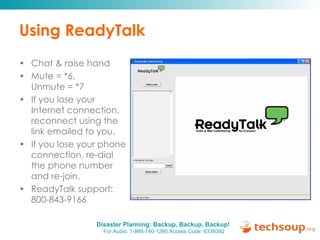
Using ReadyTalk Chat & raise hand  Mute = *6,  Unmute = *7 If you lose your Internet connection, reconnect using the link emailed to you. If you lose your phone connection, r e-dial the phone number and re-join. ReadyTalk support:  800-843-9166
You are being recorded… This seminar will be available on the TechSoup website along with past webinar presentations: www.techsoup.org/go/webinars   You will receive a link to this presentation, material and links. Twitter hashtag: #tsdp  Ask follow-up questions in the Tech Planning Forum:  http://ow.ly/lvP8
Facilitator: Becky Wiegand  (TechSoup) Presenters:  Ana-Marie Jones, Zac Mutrux,  Chris Shipley Disaster  Planning: Backup, Backup, Backup! Sponsored by
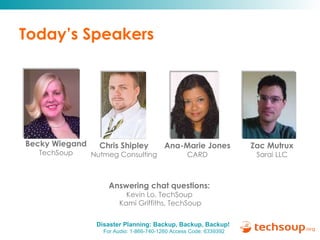
Today’s Speakers Answering chat questions:  Kevin Lo, TechSoup  Kami Griffiths, TechSoup Becky Wiegand TechSoup Ana-Marie Jones CARD Chris Shipley Nutmeg Consulting Zac Mutrux Sarai LLC
Agenda Why is backup important? - Especially for nonprofits & libraries Backup best practices - Process & policies Overview of backup options - Hardware, software, hosted, sync Examples & resources - Success stories and more Q&A
Why Is Backup Important? Sponsored by
Why does it matter to nonprofits & libraries?  flickr.com/ministrylink (Creative Commons) Nonprofits and libraries have different business models from companies. When serving community members, vulnerable populations, or rapidly responding to societal needs, shut down is sometimes dangerous! When reliant on donations and grant funds, keeping operations running is critical. Your clients, members, and communities depend on you for services.
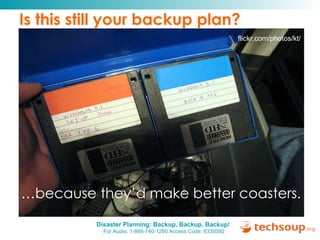
Is this still your backup plan?  flickr.com/ministrylink (Creative Commons) … because they’d make better coasters.   flickr.com/photos/kt/
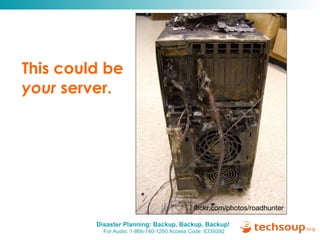
This could be  your  server.   flickr.com/ministrylink (Creative Commons) flickr.com/photos/roadhunter
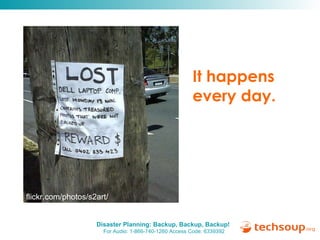
It happens every day.  flickr.com/ministrylink (Creative Commons) flickr.com/photos/s2art/
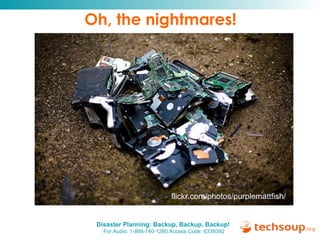
Oh, the nightmares!  flickr.com/photos/purplemattfish/
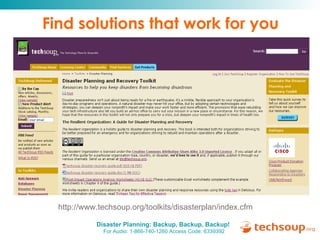
http://www.techsoup.org/toolkits/disasterplan/index.cfm
Find solutions that work for you  http://www.techsoup.org/toolkits/disasterplan/index.cfm
Backup Best Practices Sponsored by
What to backup Secure backup strategies include onsite and offsite backups, with the critical components updated frequently. What to back up User data on all computers Home computers and handheld devices If working on personal computers or other device, include work files in the backup plan. Website Find out how frequently your web hosting service performs backups Even if your web host performs regular backups, there are benefits to storing a local copy of your site.
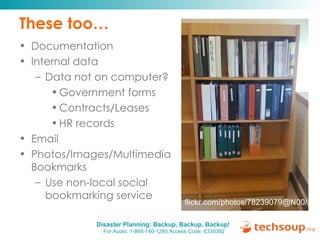
These too… Documentation Internal data Data not on computer? Government forms Contracts/Leases HR records Email Photos/Images/Multimedia Bookmarks Use non-local social bookmarking service flickr.com/photos/78239079@N00/
Where is your data? Know where your data is located and document. Cross-train staff and document where and how to access backup when needed. Your city is a potential disaster center so local and hosted duplication is recommended. If data is stored on personal devices, make sure you include those in your backup policies and practices.
Test Your Backups Test your backups before you need them. Test your backups before you need them. Test your backups before you need them. Where to back up Local Backup “ The 2x2 Rule” Remote Backup Keep Your Friends Close and Your Backups Distant In the wake of Hurricane Ike, one organization we spoke with had displaced staff working remotely in four different cities. One staff person reminded us that if you’re storing your backups in the same city as your office computers, there’s a danger that one catastrophe will destroy both: “Consider your entire city a potential point of failure!” This advice can also apply to remote backup and web hosting services. The Resilient Organization , page 25 
Training, Security, Office Layout Test backup with key staff regularly. Train staff to backup – make it easy or automated - - Shortcuts to network files - VPN  - Online backup Keep sensitive data secure (not online)  Thoughtfully store backup tapes, disks, documentation, external hard drives Office layout - Elevate servers, don’t place near sprinklers, and keep backup disks safely off-site.
Different Backup Options Sponsored by
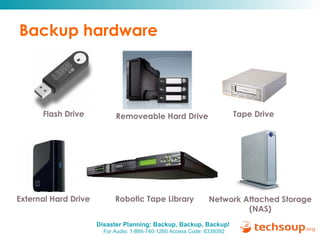
Backup hardware Flash Drive Removeable Hard Drive Tape Drive External Hard Drive Robotic Tape Library Network Attached Storage (NAS)
Donated backup products CrashPlan   http://www.crashplan.com   Microsoft Windows System Data Protection Mgr 2007    http://ow.ly/luKQ   Microsoft Windows Server 2008   http://ow.ly/lvqN Norton Save and Restore   http://ow.ly/luKk   Symantec Backup Exec   http://ow.ly/luJG
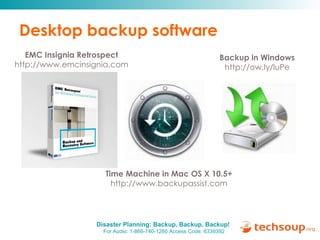
Desktop backup software EMC Insignia Retrospect http://www.emcinsignia.com Time Machine in Mac OS X 10.5+ http://www.backupassist.com Backup in Windows http://ow.ly/luPe
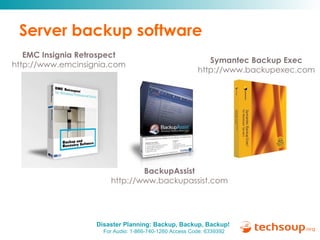
Server backup software EMC Insignia Retrospect http://www.emcinsignia.com BackupAssist http://www.backupassist.com Symantec Backup Exec http://www.backupexec.com
Microsoft Windows Server Backup Includes Features to Back Itself Up Backup (aka “ntbackup”) Volume Shadow Copy (Server 2003+)  Includes Features to Back Up PCs Folder Redirection (Server 2000+) Roaming Profiles
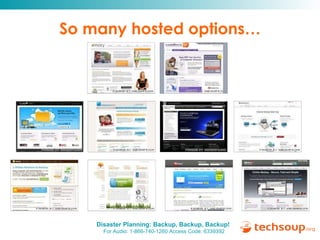
So many hosted options…
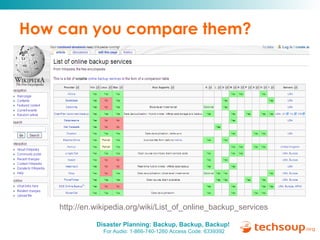
How can you compare them? http://en.wikipedia.org/wiki/List_of_online_backup_services
Hosted backup resources Wikipedia Comparison Chart http://en.wikipedia.org/wiki/List_of_online_backup_services PC Magazine Online Backup Reviews   http://www.pcmag.com/article2/0,2817,2288755,00.asp   Online Backup Comparisons, Blog, Reviews, and Trials   http://www.onlinebackupsreview.com/reviews.php   Google Docs, Microsoft Office Live Workspace, Salesforce, Zoho, Flickr, YouTube, online databases, donor management systems, CRMs, online advocacy toolsets, email blast tools, can also be used to “backup” certain types of data online.
Free synchronization tools Rsync, the ultimate command-line sync tool (most powerful) - Built-in for Mac and Linux - CWrsync for Windows, free download:  http://ow.ly/lzCX   Tools you can use with a mouse (some are easier to schedule than others) - SyncToy 2.0 from Microsoft for Windows  http://ow.ly/lzCy - SilverKeeper from LaCie for Mac  http://ow.ly/lzDi   - GRsync for Gnome on Linux (included in Ubuntu)  http://ow.ly/lzDV
Examples and Resources Sponsored by
What worked for one “ One of the most critical purchases that we made was the Data Protection Manager (DPM) software for doing shadow copy/replica backups of our files. It allowed us to take our data and save it off-site by having each site have its own DPM server located at the opposite site. It also allowed our user base to recover different versions of documents if they were accidentally overwritten or deleted.“ -- Freestore Food Bank  http:// www.showyourimpact.org /raising-bar   Winner of the TechSoup-Microsoft Show Your Impact Story Contest
Do it! Success stories Do what you can with your resources.  Backup is more about the methodology than about the cost!  Examples: - Volume shadow - Mozy overnight shipping of backup  DVDs - Backup Exec restored mailbox for  user
More resources Disaster Planning and Recovery Toolkit http://www.techsoup.org/toolkits/disasterplan/index.cfm Backing Up Your Data http://www.techsoup.org/learningcenter/software/page6089.cfm The No-Excuses Guide to Automated Online Backup http://www.techsoup.org/learningcenter/software/page6089.cfm Share your own resources with the tsdp tag http://delicious.com/tag/tsdp
Questions? Submit your questions using the chat box.
Archived Webinar Disaster Planning: What Organizations Need to Know to Protect Their Tech http://ow.ly/lvOO
Continue the Discussion… Thanks to our presenters, Chris, Ana-Marie, and Zac! Thanks to Kevin Lo and Kami Griffiths for managing the chat! Twitter hashtag: #tsdp Ask follow-up questions in the Tech Planning Forum:  http://ow.ly/lvP8
Thanks to our planning partners! Cisco  http:// www.cisco.com /   Collaborating Agencies Responding to Disasters  http://www.cardcanhelp.org/ One/Northwest  http:// www.onenw.org /
Get the most out of TechSoup At TechSoup, you’ll find a range of technology services to help your nonprofit: Read helpful articles  in our Learning Center Request donated software , hardware, and online services Join our community forums  to learn from your colleagues Browse upcoming events  and conferences
Thank you to our webinar sponsor! ReadyTalk offers dedicated product demos for  TechSoup organizations 4 times per week: Monday   1:00 pm Mountain Standard Time (MST) Wednesday   9:00 am MST Thursday   1:00 pm MST Friday   9:00 am MST For more information:   pages.readytalk.com/techsoup.html
Thank you!  Please complete the post event  survey. For more information contact: Becky Wiegand [email_address]

Disaster Planning Backup, Backup, Backup

  • 1.
    Disaster Planning: Backup , Backup, Backup! Audio is only available by calling this number: Conference Call: 866-740-1260 Access Code: 6339392 Sponsored by
  • 2.
    Using ReadyTalk Chat& raise hand Mute = *6, Unmute = *7 If you lose your Internet connection, reconnect using the link emailed to you. If you lose your phone connection, r e-dial the phone number and re-join. ReadyTalk support: 800-843-9166
  • 3.
    You are beingrecorded… This seminar will be available on the TechSoup website along with past webinar presentations: www.techsoup.org/go/webinars You will receive a link to this presentation, material and links. Twitter hashtag: #tsdp Ask follow-up questions in the Tech Planning Forum: http://ow.ly/lvP8
  • 4.
    Facilitator: Becky Wiegand (TechSoup) Presenters: Ana-Marie Jones, Zac Mutrux, Chris Shipley Disaster Planning: Backup, Backup, Backup! Sponsored by
  • 5.
    Today’s Speakers Answeringchat questions: Kevin Lo, TechSoup Kami Griffiths, TechSoup Becky Wiegand TechSoup Ana-Marie Jones CARD Chris Shipley Nutmeg Consulting Zac Mutrux Sarai LLC
  • 6.
    Agenda Why isbackup important? - Especially for nonprofits & libraries Backup best practices - Process & policies Overview of backup options - Hardware, software, hosted, sync Examples & resources - Success stories and more Q&A
  • 7.
    Why Is BackupImportant? Sponsored by
  • 8.
    Why does itmatter to nonprofits & libraries? flickr.com/ministrylink (Creative Commons) Nonprofits and libraries have different business models from companies. When serving community members, vulnerable populations, or rapidly responding to societal needs, shut down is sometimes dangerous! When reliant on donations and grant funds, keeping operations running is critical. Your clients, members, and communities depend on you for services.
  • 9.
    Is this stillyour backup plan? flickr.com/ministrylink (Creative Commons) … because they’d make better coasters. flickr.com/photos/kt/
  • 10.
    This could be your server. flickr.com/ministrylink (Creative Commons) flickr.com/photos/roadhunter
  • 11.
    It happens everyday. flickr.com/ministrylink (Creative Commons) flickr.com/photos/s2art/
  • 12.
    Oh, the nightmares! flickr.com/photos/purplemattfish/
  • 13.
  • 14.
    Find solutions thatwork for you http://www.techsoup.org/toolkits/disasterplan/index.cfm
  • 15.
  • 16.
    What to backupSecure backup strategies include onsite and offsite backups, with the critical components updated frequently. What to back up User data on all computers Home computers and handheld devices If working on personal computers or other device, include work files in the backup plan. Website Find out how frequently your web hosting service performs backups Even if your web host performs regular backups, there are benefits to storing a local copy of your site.
  • 17.
    These too… DocumentationInternal data Data not on computer? Government forms Contracts/Leases HR records Email Photos/Images/Multimedia Bookmarks Use non-local social bookmarking service flickr.com/photos/78239079@N00/
  • 18.
    Where is yourdata? Know where your data is located and document. Cross-train staff and document where and how to access backup when needed. Your city is a potential disaster center so local and hosted duplication is recommended. If data is stored on personal devices, make sure you include those in your backup policies and practices.
  • 19.
    Test Your BackupsTest your backups before you need them. Test your backups before you need them. Test your backups before you need them. Where to back up Local Backup “ The 2x2 Rule” Remote Backup Keep Your Friends Close and Your Backups Distant In the wake of Hurricane Ike, one organization we spoke with had displaced staff working remotely in four different cities. One staff person reminded us that if you’re storing your backups in the same city as your office computers, there’s a danger that one catastrophe will destroy both: “Consider your entire city a potential point of failure!” This advice can also apply to remote backup and web hosting services. The Resilient Organization , page 25 
  • 20.
    Training, Security, OfficeLayout Test backup with key staff regularly. Train staff to backup – make it easy or automated - - Shortcuts to network files - VPN - Online backup Keep sensitive data secure (not online) Thoughtfully store backup tapes, disks, documentation, external hard drives Office layout - Elevate servers, don’t place near sprinklers, and keep backup disks safely off-site.
  • 21.
  • 22.
    Backup hardware FlashDrive Removeable Hard Drive Tape Drive External Hard Drive Robotic Tape Library Network Attached Storage (NAS)
  • 23.
    Donated backup productsCrashPlan http://www.crashplan.com Microsoft Windows System Data Protection Mgr 2007 http://ow.ly/luKQ Microsoft Windows Server 2008 http://ow.ly/lvqN Norton Save and Restore http://ow.ly/luKk Symantec Backup Exec http://ow.ly/luJG
  • 24.
    Desktop backup softwareEMC Insignia Retrospect http://www.emcinsignia.com Time Machine in Mac OS X 10.5+ http://www.backupassist.com Backup in Windows http://ow.ly/luPe
  • 25.
    Server backup softwareEMC Insignia Retrospect http://www.emcinsignia.com BackupAssist http://www.backupassist.com Symantec Backup Exec http://www.backupexec.com
  • 26.
    Microsoft Windows ServerBackup Includes Features to Back Itself Up Backup (aka “ntbackup”) Volume Shadow Copy (Server 2003+) Includes Features to Back Up PCs Folder Redirection (Server 2000+) Roaming Profiles
  • 27.
    So many hostedoptions…
  • 28.
    How can youcompare them? http://en.wikipedia.org/wiki/List_of_online_backup_services
  • 29.
    Hosted backup resourcesWikipedia Comparison Chart http://en.wikipedia.org/wiki/List_of_online_backup_services PC Magazine Online Backup Reviews http://www.pcmag.com/article2/0,2817,2288755,00.asp Online Backup Comparisons, Blog, Reviews, and Trials http://www.onlinebackupsreview.com/reviews.php Google Docs, Microsoft Office Live Workspace, Salesforce, Zoho, Flickr, YouTube, online databases, donor management systems, CRMs, online advocacy toolsets, email blast tools, can also be used to “backup” certain types of data online.
  • 30.
    Free synchronization toolsRsync, the ultimate command-line sync tool (most powerful) - Built-in for Mac and Linux - CWrsync for Windows, free download: http://ow.ly/lzCX Tools you can use with a mouse (some are easier to schedule than others) - SyncToy 2.0 from Microsoft for Windows http://ow.ly/lzCy - SilverKeeper from LaCie for Mac http://ow.ly/lzDi - GRsync for Gnome on Linux (included in Ubuntu) http://ow.ly/lzDV
  • 31.
  • 32.
    What worked forone “ One of the most critical purchases that we made was the Data Protection Manager (DPM) software for doing shadow copy/replica backups of our files. It allowed us to take our data and save it off-site by having each site have its own DPM server located at the opposite site. It also allowed our user base to recover different versions of documents if they were accidentally overwritten or deleted.“ -- Freestore Food Bank http:// www.showyourimpact.org /raising-bar Winner of the TechSoup-Microsoft Show Your Impact Story Contest
  • 33.
    Do it! Successstories Do what you can with your resources. Backup is more about the methodology than about the cost! Examples: - Volume shadow - Mozy overnight shipping of backup DVDs - Backup Exec restored mailbox for user
  • 34.
    More resources DisasterPlanning and Recovery Toolkit http://www.techsoup.org/toolkits/disasterplan/index.cfm Backing Up Your Data http://www.techsoup.org/learningcenter/software/page6089.cfm The No-Excuses Guide to Automated Online Backup http://www.techsoup.org/learningcenter/software/page6089.cfm Share your own resources with the tsdp tag http://delicious.com/tag/tsdp
  • 35.
    Questions? Submit yourquestions using the chat box.
  • 36.
    Archived Webinar DisasterPlanning: What Organizations Need to Know to Protect Their Tech http://ow.ly/lvOO
  • 37.
    Continue the Discussion…Thanks to our presenters, Chris, Ana-Marie, and Zac! Thanks to Kevin Lo and Kami Griffiths for managing the chat! Twitter hashtag: #tsdp Ask follow-up questions in the Tech Planning Forum: http://ow.ly/lvP8
  • 38.
    Thanks to ourplanning partners! Cisco http:// www.cisco.com / Collaborating Agencies Responding to Disasters http://www.cardcanhelp.org/ One/Northwest http:// www.onenw.org /
  • 39.
    Get the mostout of TechSoup At TechSoup, you’ll find a range of technology services to help your nonprofit: Read helpful articles in our Learning Center Request donated software , hardware, and online services Join our community forums to learn from your colleagues Browse upcoming events and conferences
  • 40.
    Thank you toour webinar sponsor! ReadyTalk offers dedicated product demos for TechSoup organizations 4 times per week: Monday   1:00 pm Mountain Standard Time (MST) Wednesday   9:00 am MST Thursday   1:00 pm MST Friday   9:00 am MST For more information: pages.readytalk.com/techsoup.html
  • 41.
    Thank you! Please complete the post event survey. For more information contact: Becky Wiegand [email_address]