After the Crash: Minimize your Downtime   February 25, 2010 Audio is only available by calling this number: Conference Call: 866-740-1260; Access Code: 6339392 Sponsored by
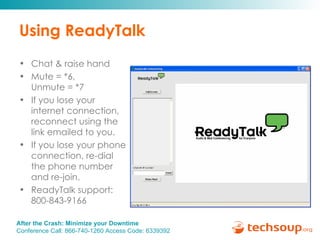
Using ReadyTalk Chat & raise hand  Mute = *6,  Unmute = *7 If you lose your internet connection, reconnect using the link emailed to you. If you lose your phone connection, re-dial the phone number and re-join. ReadyTalk support:  800-843-9166
You are being recorded… This seminar will be available on the TechSoup website along with past webinar presentations: www.techsoup.org/go/webinars You will receive a link to this presentation, material and links.  After the webinar, you can ask follow-up questions in the Viruses & Security Community Forum: tinyurl.com/yfw8f33  Twitter hashtags: #techsoup
After the Crash: Minimize your Downtime Presenter:   Laura Richardson, Uptime Resources Gregory Seeley, TechSoup Global Sponsored by
Today’s Speakers Gregory Seeley TechSoup Global Facilitator: Kami Griffiths , TechSoup Assisting with chat questions: Becky Wiegand, TechSoup Laura Richardson Uptime Resources
Agenda Do what you can to prevent problems   Document your PC or Server  Back up your data Hiring a techie What to expect during a restore Q&A
Scenarios Brian’s laptop No backup, no antivirus protection and his son tried to visit disney.com Glaucoma Research Foundation Exchange Server hardware failure Failing backups, Tombstone policy for Active Directory required recreation of domain Restore was successful but data was lost
Problem Prevention Anti-virus software Windows Updates / Server maintenance Keep work systems away from your kids Power protection Be suspicious of all software and only buy from reputable sources Hire a techie when you are out of your comfort zone
Identify your data – then back it up Desktops/laptops Photos, music, files.  Do you store important data on your desktop? Run the Recovery Disk Creator and burn to a DVD  Create system documentation including:  Hardware serial numbers or service tag info List of installed applications and install keys List of service provider info including ISP account info, hosted services etc.
Identify your data – then back it up Servers Files –  are you backing up the right stuff? How often? How long is your historical archive? SQL database –  do you have an agent? Have you set your application to output a backup file that you can include in backup job? System state and AD  Exchange –  message level backup vs Mailbox store Network Documentation  – create it and back that up too
Software Requested Through TechSoup Lack of warehouse space = no physical product  It’s important to: access your product from TechSoup ASAP once you’ve received the fulfillment email[s]. back up the software incase of computer failure/crash. keep a record of the links, websites and other important information in case you should need  to re-access your product which may not be  available later.
Microsoft  Microsoft products remain available for good if you print out the Volume License Key and hang on to the disc. They are also available via download for 2 years after first purchase on their Volume License Center website.
Adobe Visit the Release Archive tab Older versions are relatively easy to access Have your product key available from your fulfillment email
Intuit Once a new version comes out the  link we supply the customer in the fulfillment email is deactivated.  We can usually find a replacement link but back up is highly suggested.
Symantec As long as the version is still in use  we can normally re-access it, but definition subscriptions expire.
Identify your data – then back it up Backups Backups are a combination of software and target Software –  keep a current support contract Symantec Ghost for PCs Symantec Backup Exec for Servers Windows NT Backup Many more
Identify your data – then back it up Target Tape drives are still a prevalent target keep enough tapes for a good historical record Encrypt tapes for offsite storage Disk based backups Barracuda Live Vault with the local appliance Automated offsite services PCs: Connected, iBackUp, Mozy Servers: LiveVault, Backup Exec, Barracuda Make sure an agent is available for your application e.g SQL, Exchange
When to hire a techie? Setting up backups puts you out of your comfort zone Test file restores are failing or you are not sure how to test Red lights or errors on your server and you are unsure what to do Audit and get an opinion about restorability
What to expect during a restore Timeline Step 1: identify problem, repair hardware Duration: depends on warranty or availability of parts but 24 hours is common Step 2: reinstall OS and backup software Duration: assuming you have media and keys, 2 – 4 hours Step 3: restore data from backup Duration: assuming you backed up AD/System state, about the same amount of time your backup takes to run, 4 – 6 hours is common
What to expect during a restore Data loss PCs Real-time backup is nearly possible.  Services like Mozy backup data while your PC is idle Servers  Most companies do not backup more frequently than once a day Volume Shadow Copy – can help with minor failures Expect data loss but know what you can tolerate  Delta between your last backup and the moment of failure
Reduce the time to restore Spare hardware Upgraded warranties and maintenance agreements Avoid white box servers Faster Internet connections Local backup copies Good documentation and install keys
Reduce the time to restore  (cont.) Safety nets for critical apps Exchange  MEHS Continuity Hosted Exchange Files Offsite backup that provides web based single file restore Backup DNS / Domain Controller Upgraded warranties
Questions? Submit your questions using the chat box.
Continue the Discussion… Additional questions can be answered by posting in the Viruses & Security Community Forum: tinyurl.com/yfw8f33
Get the Most Out of TechSoup At TechSoup, you’ll find a range of technology services to help your nonprofit: Read helpful articles  in our Learning Center Request donated software , hardware, and online services Join our community forums  to learn from your colleagues Browse upcoming events  and conferences
Upcoming Webinars Creating a Successful Computer Refurbishing Program  Thursday, March 4, 11 a.m. Pacific time  Get Your Organization Started on Facebook  Thursday, March 11, 10 a.m. Pacific time  Finding the Perfect Donor Database in an Imperfect World  Thursday, April 15, 11 a.m. Pacific time
Thank you to our Webinar Sponsor! ReadyTalk offers dedicated product demos for  TechSoup organizations 4 times per week. For more information:   pages.readytalk.com/techsoup.html
Thank you!   Please complete the post event survey! Kami Griffiths, kami@techsoup.org, 415-633-9392

After The Crash Minimize Your Downtime

  • 1.
    After the Crash:Minimize your Downtime February 25, 2010 Audio is only available by calling this number: Conference Call: 866-740-1260; Access Code: 6339392 Sponsored by
  • 2.
    Using ReadyTalk Chat& raise hand Mute = *6, Unmute = *7 If you lose your internet connection, reconnect using the link emailed to you. If you lose your phone connection, re-dial the phone number and re-join. ReadyTalk support: 800-843-9166
  • 3.
    You are beingrecorded… This seminar will be available on the TechSoup website along with past webinar presentations: www.techsoup.org/go/webinars You will receive a link to this presentation, material and links. After the webinar, you can ask follow-up questions in the Viruses & Security Community Forum: tinyurl.com/yfw8f33 Twitter hashtags: #techsoup
  • 4.
    After the Crash:Minimize your Downtime Presenter: Laura Richardson, Uptime Resources Gregory Seeley, TechSoup Global Sponsored by
  • 5.
    Today’s Speakers GregorySeeley TechSoup Global Facilitator: Kami Griffiths , TechSoup Assisting with chat questions: Becky Wiegand, TechSoup Laura Richardson Uptime Resources
  • 6.
    Agenda Do whatyou can to prevent problems  Document your PC or Server Back up your data Hiring a techie What to expect during a restore Q&A
  • 7.
    Scenarios Brian’s laptopNo backup, no antivirus protection and his son tried to visit disney.com Glaucoma Research Foundation Exchange Server hardware failure Failing backups, Tombstone policy for Active Directory required recreation of domain Restore was successful but data was lost
  • 8.
    Problem Prevention Anti-virussoftware Windows Updates / Server maintenance Keep work systems away from your kids Power protection Be suspicious of all software and only buy from reputable sources Hire a techie when you are out of your comfort zone
  • 9.
    Identify your data– then back it up Desktops/laptops Photos, music, files. Do you store important data on your desktop? Run the Recovery Disk Creator and burn to a DVD Create system documentation including: Hardware serial numbers or service tag info List of installed applications and install keys List of service provider info including ISP account info, hosted services etc.
  • 10.
    Identify your data– then back it up Servers Files – are you backing up the right stuff? How often? How long is your historical archive? SQL database – do you have an agent? Have you set your application to output a backup file that you can include in backup job? System state and AD Exchange – message level backup vs Mailbox store Network Documentation – create it and back that up too
  • 11.
    Software Requested ThroughTechSoup Lack of warehouse space = no physical product It’s important to: access your product from TechSoup ASAP once you’ve received the fulfillment email[s]. back up the software incase of computer failure/crash. keep a record of the links, websites and other important information in case you should need to re-access your product which may not be available later.
  • 12.
    Microsoft Microsoftproducts remain available for good if you print out the Volume License Key and hang on to the disc. They are also available via download for 2 years after first purchase on their Volume License Center website.
  • 13.
    Adobe Visit theRelease Archive tab Older versions are relatively easy to access Have your product key available from your fulfillment email
  • 14.
    Intuit Once anew version comes out the link we supply the customer in the fulfillment email is deactivated. We can usually find a replacement link but back up is highly suggested.
  • 15.
    Symantec As longas the version is still in use we can normally re-access it, but definition subscriptions expire.
  • 16.
    Identify your data– then back it up Backups Backups are a combination of software and target Software – keep a current support contract Symantec Ghost for PCs Symantec Backup Exec for Servers Windows NT Backup Many more
  • 17.
    Identify your data– then back it up Target Tape drives are still a prevalent target keep enough tapes for a good historical record Encrypt tapes for offsite storage Disk based backups Barracuda Live Vault with the local appliance Automated offsite services PCs: Connected, iBackUp, Mozy Servers: LiveVault, Backup Exec, Barracuda Make sure an agent is available for your application e.g SQL, Exchange
  • 18.
    When to hirea techie? Setting up backups puts you out of your comfort zone Test file restores are failing or you are not sure how to test Red lights or errors on your server and you are unsure what to do Audit and get an opinion about restorability
  • 19.
    What to expectduring a restore Timeline Step 1: identify problem, repair hardware Duration: depends on warranty or availability of parts but 24 hours is common Step 2: reinstall OS and backup software Duration: assuming you have media and keys, 2 – 4 hours Step 3: restore data from backup Duration: assuming you backed up AD/System state, about the same amount of time your backup takes to run, 4 – 6 hours is common
  • 20.
    What to expectduring a restore Data loss PCs Real-time backup is nearly possible. Services like Mozy backup data while your PC is idle Servers Most companies do not backup more frequently than once a day Volume Shadow Copy – can help with minor failures Expect data loss but know what you can tolerate Delta between your last backup and the moment of failure
  • 21.
    Reduce the timeto restore Spare hardware Upgraded warranties and maintenance agreements Avoid white box servers Faster Internet connections Local backup copies Good documentation and install keys
  • 22.
    Reduce the timeto restore (cont.) Safety nets for critical apps Exchange MEHS Continuity Hosted Exchange Files Offsite backup that provides web based single file restore Backup DNS / Domain Controller Upgraded warranties
  • 23.
    Questions? Submit yourquestions using the chat box.
  • 24.
    Continue the Discussion…Additional questions can be answered by posting in the Viruses & Security Community Forum: tinyurl.com/yfw8f33
  • 25.
    Get the MostOut of TechSoup At TechSoup, you’ll find a range of technology services to help your nonprofit: Read helpful articles in our Learning Center Request donated software , hardware, and online services Join our community forums to learn from your colleagues Browse upcoming events and conferences
  • 26.
    Upcoming Webinars Creatinga Successful Computer Refurbishing Program Thursday, March 4, 11 a.m. Pacific time Get Your Organization Started on Facebook Thursday, March 11, 10 a.m. Pacific time Finding the Perfect Donor Database in an Imperfect World Thursday, April 15, 11 a.m. Pacific time
  • 27.
    Thank you toour Webinar Sponsor! ReadyTalk offers dedicated product demos for TechSoup organizations 4 times per week. For more information: pages.readytalk.com/techsoup.html
  • 28.
    Thank you! Please complete the post event survey! Kami Griffiths, kami@techsoup.org, 415-633-9392