Digital Safety
   Rose Marie Cruz
    Celia Chavez
Introduction

✜ Background
on
Social
Net‐

    
working
Sites


✜ Role
Playing
Games


✜
Cell
Phone
Safety


✜
Parental
Control


✜ Conclusion

The MySpace Generation

⌘ The school-age generation- saturated in
technological communication via the internet,
cell phones, and most recently, social
networking websites.

⌘ Parents and teachers must keep in mind
the social, functional, and entertainment-
related implications of technology


⌘ Parents must guard students by using
tips and software designed for net safety


Did you know:
★ 72% of kids don’t tell their parents
  what they do online

★ 61% admit using the Internet
  unsafely or inappropriately

★ 55% have given out personal info to a
  stranger

★ 12% met in person with someone they
  first met online

★ 50% have been bullied online

⌘ Tips on Computer and SNW Usage:

    

Only
parents
should
have
the
password
to


the
computer



The
computer
should
be
placed
in
the


common
area
of
the
house,
facing
the


center
of

the
room
and
not
the
walls.



If
your
child
has
a
camera,


monitor
the

pictures
closely.

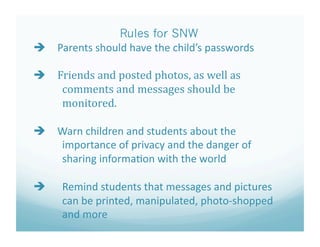
Rules for SNW
   Parents
should
have
the
child’s
passwords


   Friends
and
posted
photos,
as
well
as


comments
and
messages
should
be


monitored.


   Warn
children
and
students
about
the


importance
of
privacy
and
the
danger
of


sharing
informa?on
with
the
world


    "Remind
students
that
messages
and
pictures


can
be
printed,
manipulated,
photo‐shopped

    
and
more


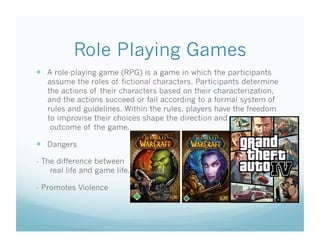
Role Playing Games
  A role-playing game (RPG) is a game in which the participants
   assume the roles of fictional characters. Participants determine
   the actions of their characters based on their characterization,
   and the actions succeed or fail according to a formal system of
   rules and guidelines. Within the rules, players have the freedom
   to improvise their choices shape the direction and
    outcome of the game.

  Dangers

- The difference between
    real life and game life.

- Promotes Violence
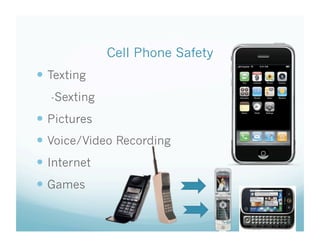
Cell Phone Safety
  Texting
  -Sexting
  Pictures
  Voice/Video Recording
  Internet
  Games
Parental Control Tools
★ Net
Nanny:
       Filters
allow
adults
to
choose


categories
that
are
not
allowed


 including
adult
web
sites,
topics,


and
more





Monitors
web
browsing,
instant


messaging
and
SNW





Block
games
for
study‐only
sessions


    Cyber
Nanny



Also
includes
a
?mer
that
shuts
the


computer
off
aLer
a
certain
amount
of
?me


Cyber
Patrol


►     
Download
and
install
soLware
on
up
to
3
PCs

►     
Select
filtering
levels
with
ready‐to
 
go

      
profiles
like
adult,
teen,
young
teen,
child


►     
Block
inten?onal
or


accidental
access
to
bad


web
sites


►         
Set
?me
limits
on


computer
use


($40‐500) 


Conclusion


   Parents
and
teachers
should
be
aware
of
?ps
&

     
tools
for
safe
internet
voyage


 Cell
phones,
computers,
social
sites,
and
the

   
internet
are
possibly
dangerous;
edu.
Is
key.


 Real
Player
games
can
also
be
a
danger


 There
is
a
difference
between
privacy
and
safety


 Open
communica?on
is
encouraged


Digital Safety

  • 1.
    Digital Safety Rose Marie Cruz Celia Chavez
  • 2.
    Introduction ✜ Background
on
Social
Net‐
 
working
Sites
 ✜ Role
Playing
Games
 ✜
Cell
Phone
Safety
 ✜
Parental
Control
 ✜ Conclusion

  • 3.
    The MySpace Generation ⌘The school-age generation- saturated in technological communication via the internet, cell phones, and most recently, social networking websites. ⌘ Parents and teachers must keep in mind the social, functional, and entertainment- related implications of technology
 ⌘ Parents must guard students by using tips and software designed for net safety
  • 4.
    
 
Did you know: ★ 72% of kids don’t tell their parents what they do online ★ 61% admit using the Internet unsafely or inappropriately ★ 55% have given out personal info to a stranger ★ 12% met in person with someone they first met online ★ 50% have been bullied online

  • 5.
    ⌘ Tips onComputer and SNW Usage:
 
Only
parents
should
have
the
password
to

 
the
computer
 
 

The
computer
should
be
placed
in
the

 
common
area
of
the
house,
facing
the


center
of

the
room
and
not
the
walls.



If
your
child
has
a
camera,
 
 
monitor
the

pictures
closely.

  • 6.
    Rules for SNW  Parents
should
have
the
child’s
passwords
  Friends
and
posted
photos,
as
well
as

 
comments
and
messages
should
be

 
monitored.
  Warn
children
and
students
about
the

 
importance
of
privacy
and
the
danger
of

 
sharing
informa?on
with
the
world
  "Remind
students
that
messages
and
pictures

 
can
be
printed,
manipulated,
photo‐shopped
 
and
more


  • 7.
    Role Playing Games  A role-playing game (RPG) is a game in which the participants assume the roles of fictional characters. Participants determine the actions of their characters based on their characterization, and the actions succeed or fail according to a formal system of rules and guidelines. Within the rules, players have the freedom to improvise their choices shape the direction and outcome of the game.   Dangers - The difference between real life and game life. - Promotes Violence
  • 8.
    Cell Phone Safety  Texting -Sexting   Pictures   Voice/Video Recording   Internet   Games
  • 9.
    Parental Control Tools ★Net
Nanny:  Filters
allow
adults
to
choose


categories
that
are
not
allowed


 including
adult
web
sites,
topics,


and
more
 
 



Monitors
web
browsing,
instant


messaging
and
SNW





Block
games
for
study‐only
sessions
  Cyber
Nanny
 
 

Also
includes
a
?mer
that
shuts
the


computer
off
aLer
a
certain
amount
of
?me

  • 10.


Cyber
Patrol
 ► 
Download
and
install
soLware
on
up
to
3
PCs ► 
Select
filtering
levels
with
ready‐to
 
go
 
profiles
like
adult,
teen,
young
teen,
child
 ► 
Block
inten?onal
or

 
accidental
access
to
bad


web
sites
 ► 
Set
?me
limits
on


computer
use
 ($40‐500) 


  • 11.
    
 
Conclusion
  Parents
and
teachers
should
be
aware
of
?ps
&
 
tools
for
safe
internet
voyage
  Cell
phones,
computers,
social
sites,
and
the
 
internet
are
possibly
dangerous;
edu.
Is
key.
  Real
Player
games
can
also
be
a
danger
  There
is
a
difference
between
privacy
and
safety
  Open
communica?on
is
encouraged