Inform employees worldwide
Completely web-based product
What DeskAlerts is?
• DeskAlerts messages cannot be missed
• Can be delivered to everyone worldwide
• Provides a dedicated channel for critical
information
• Reduces staff load and call volume
• Module system enables to build your own
communications strategy
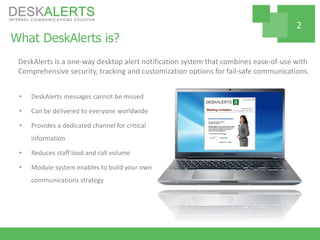
DeskAlerts is a one-way desktop alert notification system that combines ease-of-use with
Comprehensive security, tracking and customization options for fail-safe communications.
2
How it works?
• DeskAlerts Console is a web-based
interface to send all types of content,
track statistics, manage publisher
accounts etc. It is hosted inside the
company and can share the server with
other web applications
• DeskAlerts Agents are deployed to end
users’ machines in order to receive
desktop notifications
DeskAlerts is a client-server software. That means it consists of two parts:
3
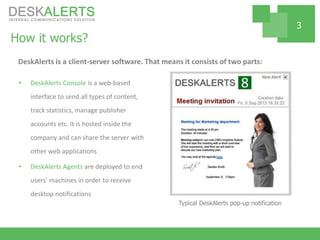
Typical DeskAlerts pop-up notification
Reach employees worldwide
• Messages can be delivered across
corporate network and outside of it
• Notify employees away from their
desktops via SMS or mobile alerts
• Multiple OS support
• Multiple languages support
• Special feature to send the same message
with different translations
4
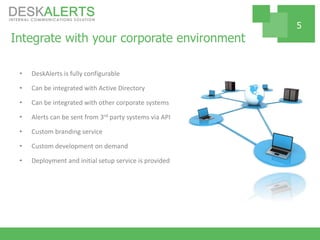
Integrate with your corporate environment
• DeskAlerts is fully configurable
• Can be integrated with Active Directory
• Can be integrated with other corporate systems
• Alerts can be sent from 3rd party systems via API
• Custom branding service
• Custom development on demand
• Deployment and initial setup service is provided
5
User-friendly publisher interface
• User interface is intuitive and filled with
hints for beginner users
• Publisher’s console is web-based and can
be accessed from any place
• Publisher’s rights can be limited to the
required scope of activities
• Integrated product help is available
• No special training required
6
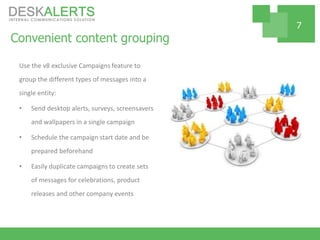
Convenient content grouping
Use the v8 exclusive Campaigns feature to
group the different types of messages into a
single entity:
• Send desktop alerts, surveys, screensavers
and wallpapers in a single campaign
• Schedule the campaign start date and be
prepared beforehand
• Easily duplicate campaigns to create sets
of messages for celebrations, product
releases and other company events
7
Secure solution
• Internal hosting for enhanced control and
protection
• Administrator (full) and publisher (limited)
access policies
• 128-bit strong key message encryption
• Centralized data storage for full data control and
easy backups
• Transparent source code
8
End user comfort ensured
• Automatic user registration mechanisms
are available
• Employees may be allowed to use
“Unobtrusive mode” in which only urgent
alerts will pop up on user’s desktop
• Ability to share custom company manuals
• Optional feedback channel from end users
to product administrators / publishers
9
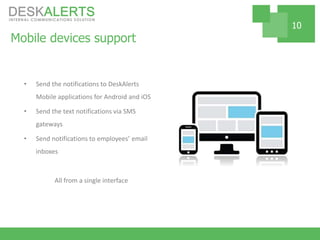
Mobile devices support
• Send the notifications to DeskAlerts
Mobile applications for Android and iOS
• Send the text notifications via SMS
gateways
• Send notifications to employees’ email
inboxes
All from a single interface
10
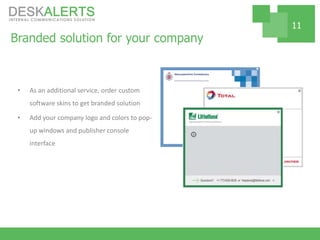
Branded solution for your company
• As an additional service, order custom
software skins to get branded solution
• Add your company logo and colors to pop-
up windows and publisher console
interface
11
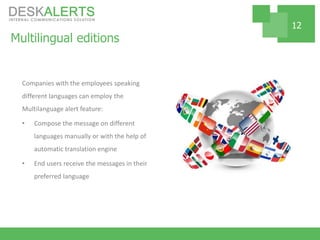
Multilingual editions
Companies with the employees speaking
different languages can employ the
Multilanguage alert feature:
• Compose the message on different
languages manually or with the help of
automatic translation engine
• End users receive the messages in their
preferred language
12
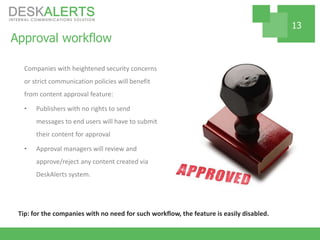
Approval workflow
Companies with heightened security concerns
or strict communication policies will benefit
from content approval feature:
• Publishers with no rights to send
messages to end users will have to submit
their content for approval
• Approval managers will review and
approve/reject any content created via
DeskAlerts system.
13
Tip: for the companies with no need for such workflow, the feature is easily disabled.
Multiple communication channels
• Pop-up messages and scrolling tickers on
employee desktops
• Desktop wallpapers
• Windows Screensavers
• E-mail notifications
• SMS messages
• Social channels – LinkedIn shares, tweets and
blog entries
• Digital signage
Same message can be posted to multiple
channels from a single publisher interface
14
Various types of content
• Text and images
• HTML
• Video, audio, Flash animation
• Attaching documents
• Desktop alerts generated from RSS newsfeeds
• Complex employee surveys, quizzes and polls
• Meeting invitations in iCal format
15
Extensive range of features
• Advanced audience targeting – sending
messages by broadcast or to specific
groups
• Unlimited number of message templates
to define
• Alert appearance skins to display the
message priority
• Customizable message editor
• Reading confirmation
• Delivery confirmation
• Reports generation
and much more
16
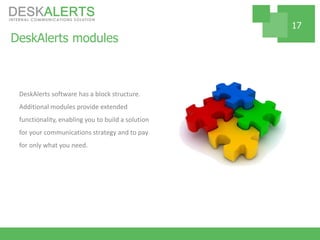
DeskAlerts modules
DeskAlerts software has a block structure.
Additional modules provide extended
functionality, enabling you to build a solution
for your communications strategy and to pay
for only what you need.
17
Modules for fast deployment
• Active Directory module is the single most
used module of all. It enables companies
to integrate their Active Directory
structure with DeskAlerts. As a result,
deployment drastically speeds up and
publishers get convenient groups
structure to target notifications
• Computer Name Registration was
designed for companies with some users
outside of Active Directory domains.
18
Additional communication channels
• Corporate Screensaver notifications
module
• Corporate Wallpaper notifications module
• E-mail alerts
• SMS alerts
• Posting alerts to WordPress blogs
• Posting notifications to corporate Twitter
• Sharing notifications on LinkedIn
19
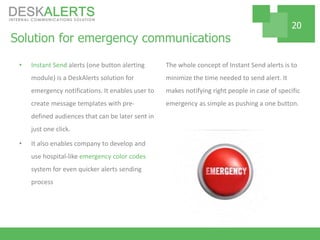
Solution for emergency communications
• Instant Send alerts (one button alerting
module) is a DeskAlerts solution for
emergency notifications. It enables user to
create message templates with pre-
defined audiences that can be later sent in
just one click.
• It also enables company to develop and
use hospital-like emergency color codes
system for even quicker alerts sending
process
The whole concept of Instant Send alerts is to
minimize the time needed to send alert. It
makes notifying right people in case of specific
emergency as simple as pushing a one button.
20
Desktop Alerts Enhancement modules
• Generating alerts from RSS news feeds
• Scrolling News Ticker module – enables to
display information in a less obtrusive way
• Fullscreen Alert module – enables to
deliver fullscreen notifications
• Delivery of pop-up messages to the
screens of Locked machines
21
DeskAlerts Surveying tool
Surveys module enables publishers with
corresponding rights to create and send
different kinds of surveys.
Advanced statistics for checking exact user’s
answers are included. Reports in a convenient
form can be displayed in user’s widgets.
22
Overall system improvement modules
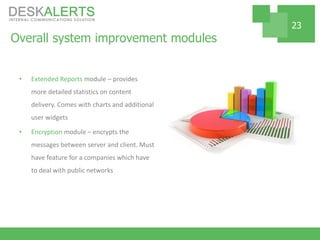
• Extended Reports module – provides
more detailed statistics on content
delivery. Comes with charts and additional
user widgets
• Encryption module – encrypts the
messages between server and client. Must
have feature for a companies which have
to deal with public networks
23
DeskAlerts System Requirements
Server Requirements:
Windows 2003 Server or higher
IIS 5.1 or higher (ASP required)
MSSQL 2008 or higher
2GHz CPU or faster
1024 MB RAM
200 MB free hard drive space
Workstation requirements:
256 MB RAM
20 MB free hard drive space
Windows Vista and higher or
OS X 10.6.4 and higher or
Linux (Ubuntu 10.4+)
24
Performance & Traffic
DeskAlerts desktop agent take ~0.01% of CPU time on systems with medium configurations
(Celeron 1,8 GHz / 512 MB RAM).
On average, 1 workstation generates 33Kb of traffic per hour with 1min delay between
requests.
Tip: server requirements may vary depending on the number of users connected. Actual
requirements may be obtained from the deskalerts.com website or from technical support.
Our clients
25
Avoid critical information loss in a clutter of internal emails
Sign up for 1-on-1 product presentation:
http://alert-software.com/schedule-product-presentation/
Just 30 min to learn how to keep employees informed at all times –
dramatically reducing workload.
Contact us:
http://alert-software.com/
inna@deskalerts.com
+1 804 592 19 17
Inna Yudina
https://www.linkedin.com/in/innayudina
26

DeskAlerts 8 presentation

  • 1.
  • 2.
    What DeskAlerts is? •DeskAlerts messages cannot be missed • Can be delivered to everyone worldwide • Provides a dedicated channel for critical information • Reduces staff load and call volume • Module system enables to build your own communications strategy DeskAlerts is a one-way desktop alert notification system that combines ease-of-use with Comprehensive security, tracking and customization options for fail-safe communications. 2
  • 3.
    How it works? •DeskAlerts Console is a web-based interface to send all types of content, track statistics, manage publisher accounts etc. It is hosted inside the company and can share the server with other web applications • DeskAlerts Agents are deployed to end users’ machines in order to receive desktop notifications DeskAlerts is a client-server software. That means it consists of two parts: 3 Typical DeskAlerts pop-up notification
  • 4.
    Reach employees worldwide •Messages can be delivered across corporate network and outside of it • Notify employees away from their desktops via SMS or mobile alerts • Multiple OS support • Multiple languages support • Special feature to send the same message with different translations 4
  • 5.
    Integrate with yourcorporate environment • DeskAlerts is fully configurable • Can be integrated with Active Directory • Can be integrated with other corporate systems • Alerts can be sent from 3rd party systems via API • Custom branding service • Custom development on demand • Deployment and initial setup service is provided 5
  • 6.
    User-friendly publisher interface •User interface is intuitive and filled with hints for beginner users • Publisher’s console is web-based and can be accessed from any place • Publisher’s rights can be limited to the required scope of activities • Integrated product help is available • No special training required 6
  • 7.
    Convenient content grouping Usethe v8 exclusive Campaigns feature to group the different types of messages into a single entity: • Send desktop alerts, surveys, screensavers and wallpapers in a single campaign • Schedule the campaign start date and be prepared beforehand • Easily duplicate campaigns to create sets of messages for celebrations, product releases and other company events 7
  • 8.
    Secure solution • Internalhosting for enhanced control and protection • Administrator (full) and publisher (limited) access policies • 128-bit strong key message encryption • Centralized data storage for full data control and easy backups • Transparent source code 8
  • 9.
    End user comfortensured • Automatic user registration mechanisms are available • Employees may be allowed to use “Unobtrusive mode” in which only urgent alerts will pop up on user’s desktop • Ability to share custom company manuals • Optional feedback channel from end users to product administrators / publishers 9
  • 10.
    Mobile devices support •Send the notifications to DeskAlerts Mobile applications for Android and iOS • Send the text notifications via SMS gateways • Send notifications to employees’ email inboxes All from a single interface 10
  • 11.
    Branded solution foryour company • As an additional service, order custom software skins to get branded solution • Add your company logo and colors to pop- up windows and publisher console interface 11
  • 12.
    Multilingual editions Companies withthe employees speaking different languages can employ the Multilanguage alert feature: • Compose the message on different languages manually or with the help of automatic translation engine • End users receive the messages in their preferred language 12
  • 13.
    Approval workflow Companies withheightened security concerns or strict communication policies will benefit from content approval feature: • Publishers with no rights to send messages to end users will have to submit their content for approval • Approval managers will review and approve/reject any content created via DeskAlerts system. 13 Tip: for the companies with no need for such workflow, the feature is easily disabled.
  • 14.
    Multiple communication channels •Pop-up messages and scrolling tickers on employee desktops • Desktop wallpapers • Windows Screensavers • E-mail notifications • SMS messages • Social channels – LinkedIn shares, tweets and blog entries • Digital signage Same message can be posted to multiple channels from a single publisher interface 14
  • 15.
    Various types ofcontent • Text and images • HTML • Video, audio, Flash animation • Attaching documents • Desktop alerts generated from RSS newsfeeds • Complex employee surveys, quizzes and polls • Meeting invitations in iCal format 15
  • 16.
    Extensive range offeatures • Advanced audience targeting – sending messages by broadcast or to specific groups • Unlimited number of message templates to define • Alert appearance skins to display the message priority • Customizable message editor • Reading confirmation • Delivery confirmation • Reports generation and much more 16
  • 17.
    DeskAlerts modules DeskAlerts softwarehas a block structure. Additional modules provide extended functionality, enabling you to build a solution for your communications strategy and to pay for only what you need. 17
  • 18.
    Modules for fastdeployment • Active Directory module is the single most used module of all. It enables companies to integrate their Active Directory structure with DeskAlerts. As a result, deployment drastically speeds up and publishers get convenient groups structure to target notifications • Computer Name Registration was designed for companies with some users outside of Active Directory domains. 18
  • 19.
    Additional communication channels •Corporate Screensaver notifications module • Corporate Wallpaper notifications module • E-mail alerts • SMS alerts • Posting alerts to WordPress blogs • Posting notifications to corporate Twitter • Sharing notifications on LinkedIn 19
  • 20.
    Solution for emergencycommunications • Instant Send alerts (one button alerting module) is a DeskAlerts solution for emergency notifications. It enables user to create message templates with pre- defined audiences that can be later sent in just one click. • It also enables company to develop and use hospital-like emergency color codes system for even quicker alerts sending process The whole concept of Instant Send alerts is to minimize the time needed to send alert. It makes notifying right people in case of specific emergency as simple as pushing a one button. 20
  • 21.
    Desktop Alerts Enhancementmodules • Generating alerts from RSS news feeds • Scrolling News Ticker module – enables to display information in a less obtrusive way • Fullscreen Alert module – enables to deliver fullscreen notifications • Delivery of pop-up messages to the screens of Locked machines 21
  • 22.
    DeskAlerts Surveying tool Surveysmodule enables publishers with corresponding rights to create and send different kinds of surveys. Advanced statistics for checking exact user’s answers are included. Reports in a convenient form can be displayed in user’s widgets. 22
  • 23.
    Overall system improvementmodules • Extended Reports module – provides more detailed statistics on content delivery. Comes with charts and additional user widgets • Encryption module – encrypts the messages between server and client. Must have feature for a companies which have to deal with public networks 23
  • 24.
    DeskAlerts System Requirements ServerRequirements: Windows 2003 Server or higher IIS 5.1 or higher (ASP required) MSSQL 2008 or higher 2GHz CPU or faster 1024 MB RAM 200 MB free hard drive space Workstation requirements: 256 MB RAM 20 MB free hard drive space Windows Vista and higher or OS X 10.6.4 and higher or Linux (Ubuntu 10.4+) 24 Performance & Traffic DeskAlerts desktop agent take ~0.01% of CPU time on systems with medium configurations (Celeron 1,8 GHz / 512 MB RAM). On average, 1 workstation generates 33Kb of traffic per hour with 1min delay between requests. Tip: server requirements may vary depending on the number of users connected. Actual requirements may be obtained from the deskalerts.com website or from technical support.
  • 25.
  • 26.
    Avoid critical informationloss in a clutter of internal emails Sign up for 1-on-1 product presentation: http://alert-software.com/schedule-product-presentation/ Just 30 min to learn how to keep employees informed at all times – dramatically reducing workload. Contact us: http://alert-software.com/ inna@deskalerts.com +1 804 592 19 17 Inna Yudina https://www.linkedin.com/in/innayudina 26