Desktop Alert is multi-media enabled mass notification platform used to deliver rich media such as live  surveillance  video, images, music, copy, interactive Flash files and other applications to desktops and other devices such as telephones, cell phones, e-mail and mobile devices.  Message windows display text, images and links, play videos and even audio files.   Click here  to see a audio-visual of Desktop Alert.
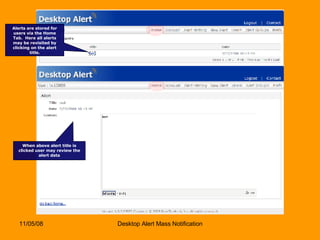
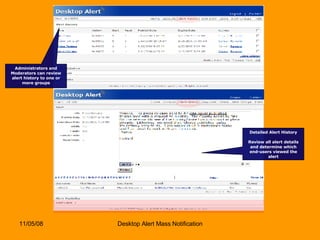
Alerts are stored for users via the Home Tab.  Here all alerts may be revisited by clicking on the alert title. When above alert title is clicked user may review the alert data
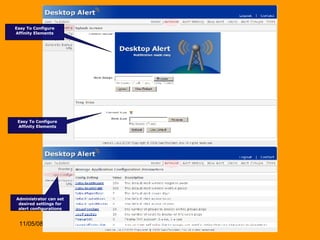
Easy To Configure Affinity Elements Easy To Configure Affinity Elements Administrator can set desired settings for alert configurations
Administrators and Moderators can review alert history to one or more groups Detailed Alert History Review all alert details and determine which end-users viewed the alert
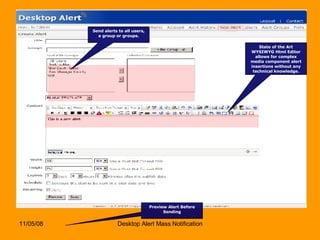
State of the Art WYSIWYG Html Editor allows for complex media component alert insertions without any technical knowledge. Send alerts to all users, a group or groups. Preview Alert Before Sending
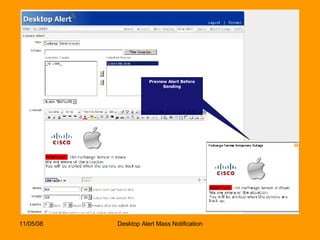
Preview Alert Before Sending
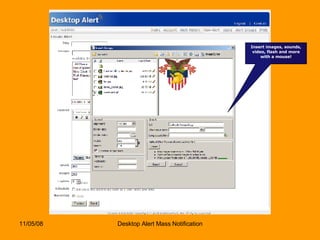
Insert images, sounds, video, flash and more with a mouse!
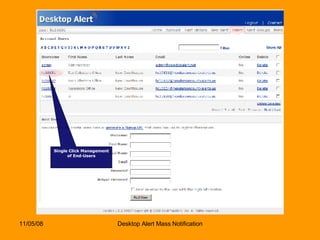
Single Click Management of End-Users
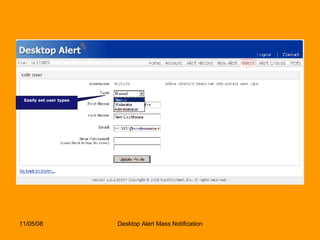
Easily set user types
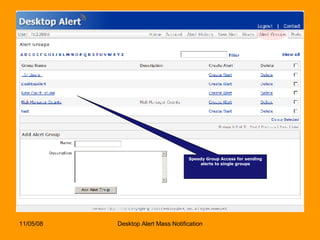
Speedy Group Access for sending alerts to single groups
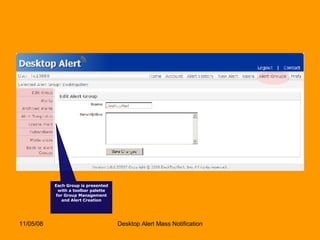
Each Group is presented with a toolbar palette for Group Management and Alert Creation
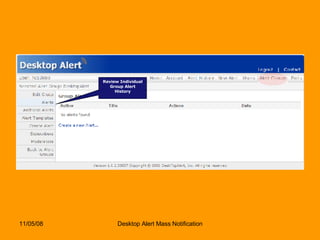
Review Individual Group Alert History
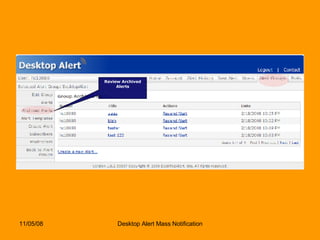
Review Archived Alerts
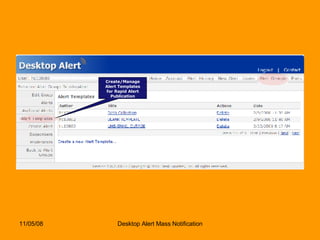
Create/Manage Alert Templates for Rapid Alert Publication
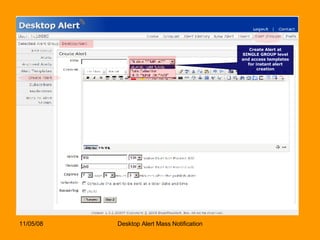
Create Alert at SINGLE GROUP level and access templates for instant alert creation
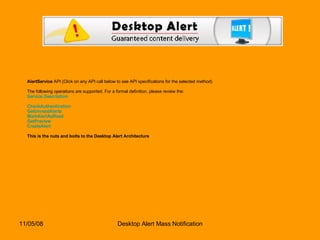
AlertService  API (Click on any API call below to see API specifications for the selected method) The following operations are supported. For a formal definition, please review the: Service Description CheckAuthentication   GetUnreadAlerts   MarkAlertAsRead   GetPreview   CreateAlert   This is the nuts and bolts to the Desktop Alert Architecture
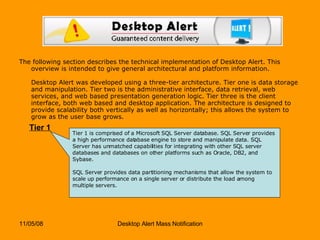
The following section describes the technical implementation of Desktop Alert. This overview is intended to give general architectural and platform information. Desktop Alert was developed using a three-tier architecture. Tier one is data storage and manipulation. Tier two is the administrative interface, data retrieval, web services, and web based presentation generation logic. Tier three is the client interface, both web based and desktop application. The architecture is designed to provide scalability both vertically as well as horizontally; this allows the system to grow as the user base grows.  Tier 1 Tier 1 is comprised of a Microsoft SQL Server database. SQL Server provides a high performance database engine to store and manipulate data. SQL Server has unmatched capabilities for integrating with other SQL server databases and databases on other platforms such as Oracle, DB2, and Sybase.    SQL Server provides data partitioning mechanisms that allow the system to scale up performance on a single server or distribute the load among multiple servers.
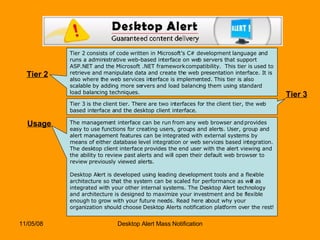
Tier 2 Tier 2 consists of code written in Microsoft’s C# development language and runs a administrative web-based interface on web servers that support ASP.NET and the Microsoft .NET framework compatibility.  This tier is used to retrieve and manipulate data and create the web presentation interface. It is also where the web services interface is implemented. This tier is also scalable by adding more servers and load balancing them using standard load balancing techniques. Tier 3 Tier 3 is the client tier. There are two interfaces for the client tier, the web based interface and the desktop client interface.  Usage The management interface can be run from any web browser and provides easy to use functions for creating users, groups and alerts. User, group and alert management features can be integrated with external systems by means of either database level integration or web services based integration. The desktop client interface provides the end user with the alert viewing and the ability to review past alerts and will open their default web browser to review previously viewed alerts. Desktop Alert is developed using leading development tools and a flexible architecture so that the system can be scaled for performance as well as integrated with your other internal systems. The Desktop Alert technology and architecture is designed to maximize your investment and be flexible enough to grow with your future needs. Read here about why your organization should choose Desktop Alerts notification platform over the rest!
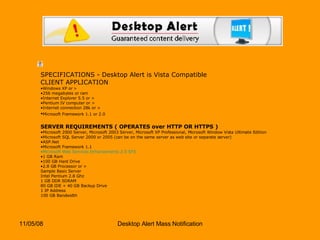
SPECIFICATIONS - Desktop Alert is Vista Compatible CLIENT APPLICATION Windows XP or >  256 megabytes or ram  Internet Explorer 5.5 or >  Pentium IV computer or >  Internet connection 28k or >  Microsoft Framework 1.1 or 2.0   SERVER REQUIREMENTS ( OPERATES over HTTP OR HTTPS ) Microsoft 2000 Server, Microsoft 2003 Server, Microsoft XP Professional, Microsoft Window Vista Ultimate Edition  Microsoft SQL Server 2000 or 2005 (can be on the same server as web site or separate server)  ASP.Net  Microsoft Framework 1.1  Microsoft Web Services Enhancements 2.0 SP3   1 GB Ram  100 GB Hard Drive  2.8 GB Processor or >  Sample Basic Server Intel Pentium 2.8 Ghz 1 GB DDR SDRAM 80 GB IDE + 40 GB Backup Drive 1 IP Address 100 GB Bandwidth
Easily integrates with existing outbound pbx/IVR Systems Desktop Alert Integration with IVR Systems   Desktop Alert delivers carrier-grade telephony products and services for internationally scalable IVR deployments to suit the needs of enterprises across a wide range of industries. Desktop Alert IVR integration generates instant notification and alerting using the Desktop Alert is a single-source network-centric mass notification platform. Create automated notifications and alerts which can be sent to individuals or groups. Include Desktop Alert IVR solutions as part of your automated notifications strategy by integrating phone-based alerts with your automated email, web, fax and pager solutions.   Solutions can be useful for:   Operations Support  Automated Collections  Scheduling and Reminders  Public-Sector Communications  Mobile Enterprise Support and Sales  Transportation and Logistics  Desktop Alert IVR product features include:  Call initiation triggered via various mechanisms  Dynamic VoiceXML dialogues  XML data integration  Enhanced speech components  Integrated email, web, and fax servers
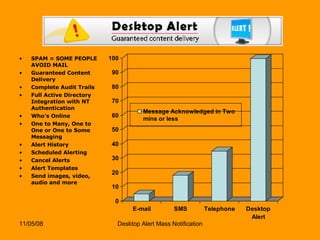
SPAM = SOME PEOPLE AVOID MAIL Guaranteed Content Delivery Complete Audit Trails Full Active Directory Integration with NT Authentication Who’s Online One to Many, One to One or One to Some Messaging Alert History Scheduled Alerting Cancel Alerts Alert Templates Send images, video, audio and more
Guaranteed Content Delivery Enables Immediate Content Distribution Desktop Alerts, Email, SMS, IM, PDA’s No More Sole-Reliance on Email
Seamless Integration Follows Your Rules, not Ours Full Private Labels for your Unit Insignia Web-Based Interface Users, Moderators, Administrators, Owners No Passports, No Proprietary Widgets Security Levels CAC-Enabled – Follows Personnel
Deploy: Active Directory/LDAP Groups Based on existing Active Directory Active Directory/LDAP Group/User Definitions Automatically Authenticate Client Apps  Fast Application Activation
Desktop Alert Inc. http://www.desktopalert.net Howard Ryan (973) 727-0066 Desktop Alert 12 West 27 th  Street 5 th  Floor New York, NY 10001

Desktop Alert Lite 4.0 Presentation

  • 1.
    Desktop Alert ismulti-media enabled mass notification platform used to deliver rich media such as live surveillance video, images, music, copy, interactive Flash files and other applications to desktops and other devices such as telephones, cell phones, e-mail and mobile devices.  Message windows display text, images and links, play videos and even audio files.  Click here to see a audio-visual of Desktop Alert.
  • 2.
    Alerts are storedfor users via the Home Tab. Here all alerts may be revisited by clicking on the alert title. When above alert title is clicked user may review the alert data
  • 3.
    Easy To ConfigureAffinity Elements Easy To Configure Affinity Elements Administrator can set desired settings for alert configurations
  • 4.
    Administrators and Moderatorscan review alert history to one or more groups Detailed Alert History Review all alert details and determine which end-users viewed the alert
  • 5.
    State of theArt WYSIWYG Html Editor allows for complex media component alert insertions without any technical knowledge. Send alerts to all users, a group or groups. Preview Alert Before Sending
  • 6.
  • 7.
    Insert images, sounds,video, flash and more with a mouse!
  • 8.
  • 9.
  • 10.
    Speedy Group Accessfor sending alerts to single groups
  • 11.
    Each Group ispresented with a toolbar palette for Group Management and Alert Creation
  • 12.
  • 13.
  • 14.
    Create/Manage Alert Templatesfor Rapid Alert Publication
  • 15.
    Create Alert atSINGLE GROUP level and access templates for instant alert creation
  • 16.
    AlertService API(Click on any API call below to see API specifications for the selected method) The following operations are supported. For a formal definition, please review the: Service Description CheckAuthentication GetUnreadAlerts MarkAlertAsRead GetPreview CreateAlert This is the nuts and bolts to the Desktop Alert Architecture
  • 17.
    The following sectiondescribes the technical implementation of Desktop Alert. This overview is intended to give general architectural and platform information. Desktop Alert was developed using a three-tier architecture. Tier one is data storage and manipulation. Tier two is the administrative interface, data retrieval, web services, and web based presentation generation logic. Tier three is the client interface, both web based and desktop application. The architecture is designed to provide scalability both vertically as well as horizontally; this allows the system to grow as the user base grows. Tier 1 Tier 1 is comprised of a Microsoft SQL Server database. SQL Server provides a high performance database engine to store and manipulate data. SQL Server has unmatched capabilities for integrating with other SQL server databases and databases on other platforms such as Oracle, DB2, and Sybase.   SQL Server provides data partitioning mechanisms that allow the system to scale up performance on a single server or distribute the load among multiple servers.
  • 18.
    Tier 2 Tier2 consists of code written in Microsoft’s C# development language and runs a administrative web-based interface on web servers that support ASP.NET and the Microsoft .NET framework compatibility. This tier is used to retrieve and manipulate data and create the web presentation interface. It is also where the web services interface is implemented. This tier is also scalable by adding more servers and load balancing them using standard load balancing techniques. Tier 3 Tier 3 is the client tier. There are two interfaces for the client tier, the web based interface and the desktop client interface. Usage The management interface can be run from any web browser and provides easy to use functions for creating users, groups and alerts. User, group and alert management features can be integrated with external systems by means of either database level integration or web services based integration. The desktop client interface provides the end user with the alert viewing and the ability to review past alerts and will open their default web browser to review previously viewed alerts. Desktop Alert is developed using leading development tools and a flexible architecture so that the system can be scaled for performance as well as integrated with your other internal systems. The Desktop Alert technology and architecture is designed to maximize your investment and be flexible enough to grow with your future needs. Read here about why your organization should choose Desktop Alerts notification platform over the rest!
  • 19.
    SPECIFICATIONS - DesktopAlert is Vista Compatible CLIENT APPLICATION Windows XP or > 256 megabytes or ram Internet Explorer 5.5 or > Pentium IV computer or > Internet connection 28k or > Microsoft Framework 1.1 or 2.0 SERVER REQUIREMENTS ( OPERATES over HTTP OR HTTPS ) Microsoft 2000 Server, Microsoft 2003 Server, Microsoft XP Professional, Microsoft Window Vista Ultimate Edition Microsoft SQL Server 2000 or 2005 (can be on the same server as web site or separate server) ASP.Net Microsoft Framework 1.1 Microsoft Web Services Enhancements 2.0 SP3 1 GB Ram 100 GB Hard Drive 2.8 GB Processor or > Sample Basic Server Intel Pentium 2.8 Ghz 1 GB DDR SDRAM 80 GB IDE + 40 GB Backup Drive 1 IP Address 100 GB Bandwidth
  • 20.
    Easily integrates withexisting outbound pbx/IVR Systems Desktop Alert Integration with IVR Systems   Desktop Alert delivers carrier-grade telephony products and services for internationally scalable IVR deployments to suit the needs of enterprises across a wide range of industries. Desktop Alert IVR integration generates instant notification and alerting using the Desktop Alert is a single-source network-centric mass notification platform. Create automated notifications and alerts which can be sent to individuals or groups. Include Desktop Alert IVR solutions as part of your automated notifications strategy by integrating phone-based alerts with your automated email, web, fax and pager solutions.   Solutions can be useful for: Operations Support Automated Collections Scheduling and Reminders Public-Sector Communications Mobile Enterprise Support and Sales Transportation and Logistics Desktop Alert IVR product features include: Call initiation triggered via various mechanisms Dynamic VoiceXML dialogues XML data integration Enhanced speech components Integrated email, web, and fax servers
  • 21.
    SPAM = SOMEPEOPLE AVOID MAIL Guaranteed Content Delivery Complete Audit Trails Full Active Directory Integration with NT Authentication Who’s Online One to Many, One to One or One to Some Messaging Alert History Scheduled Alerting Cancel Alerts Alert Templates Send images, video, audio and more
  • 22.
    Guaranteed Content DeliveryEnables Immediate Content Distribution Desktop Alerts, Email, SMS, IM, PDA’s No More Sole-Reliance on Email
  • 23.
    Seamless Integration FollowsYour Rules, not Ours Full Private Labels for your Unit Insignia Web-Based Interface Users, Moderators, Administrators, Owners No Passports, No Proprietary Widgets Security Levels CAC-Enabled – Follows Personnel
  • 24.
    Deploy: Active Directory/LDAPGroups Based on existing Active Directory Active Directory/LDAP Group/User Definitions Automatically Authenticate Client Apps Fast Application Activation
  • 25.
    Desktop Alert Inc.http://www.desktopalert.net Howard Ryan (973) 727-0066 Desktop Alert 12 West 27 th Street 5 th Floor New York, NY 10001