












1
ICT Skills Development Workshop
Day 2
Train-the-Trainer
Presented by: Ram Basingan during the
ICT Literacy Skills Development Training of Trainers
for the Division of Baguio City, Cordillera Region
Learning Action Cells (LAC)
Outline
•Session 1: Learning from Facilitation Experiences
Review of LACs
What are LACs?
What are the essential elements of a LAC?
The LAC Reflective Action Cycle
How do we create LACs for ICT?
•Session 2: Learning from a Live Facilitation Demo
Session 1 Objective
Share experiences and lessons from
exemplary INSET/LAC/TQC sessions
Session Mechanics
1. You are already divided into subgroups by table. There
should be a maximum of 10 participants per table.
2. We will be using your responses to the homework
assigned to you. Please bring it out now if you wrote some
notes and be ready to share.
3. In your group, please assign a facilitator who will make
sure each will get a turn at sharing and that the sharing is
clear to all, a documenter who will summarize what has
been shared, and a reporter who will share this summary
to the plenary.
4. For 20 minutes, in your subgroups, please take turns
sharing your responses to these questions (questions on
Slide 5).
Guide Questions
1. What was the most satisfying, stimulating, and/or
thought-provoking INSET/LAC/TQC session you have ever
conducted/facilitated (or even observed/participated in, if
you were not the one doing the actual facilitation)? (BLUE
metacards)
2. Why was it satisfying, stimulating, and/or thought-
provoking? (ORANGE metacards)
3. In this particular experience, how did you (or the
facilitator) manage the session, what facilitation skills
were demonstrated, and what helped the teachers to be
more engaged in the discussion? (YELLOW metacards)
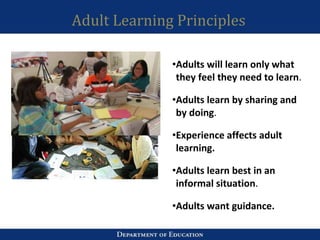
Adult Learning Principles
•Adults will learn only what
they feel they need to learn.
•Adults learn by sharing and
by doing.
•Experience affects adult
learning.
•Adults learn best in an
informal situation.
•Adults want guidance.
Break
COFFEE
BREAK
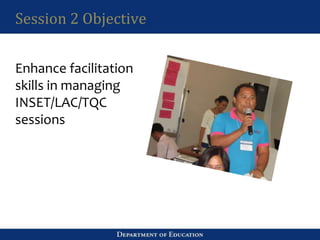
Session 2 Objective
Enhance facilitation
skills in managing
INSET/LAC/TQC
sessions
Review of the LACs
Why the LACs?
• part of expanding the way we think about
Teacher Professional Development
• based on the premise that teachers learn best
through collaboration and work-based learning
K-12 and the need to support teachers
• The need to support teachers in various modes/in
complementary ways is more urgent at this point
in time given the enormous reform that is the K-12.
• It is imperative that we support teachers in
mastering a new curriculum and introducing
student-centered inclusive pedagogy, but we also
need to do it in a way that empowers teachers,
and encourages them to reflect and collaborate
with each other.
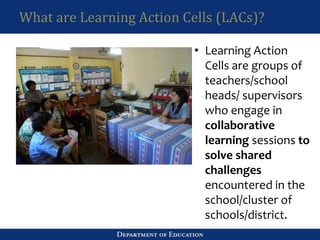
What are Learning Action Cells (LACs)?
• Learning Action
Cells are groups of
teachers/school
heads/ supervisors
who engage in
collaborative
learning sessions to
solve shared
challenges
encountered in the
school/cluster of
schools/district.
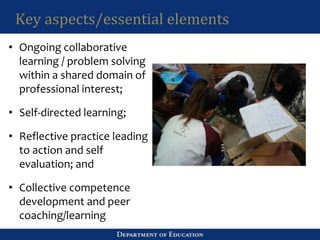
Key aspects/essential elements
• Ongoing collaborative
learning / problem solving
within a shared domain of
professional interest;
• Self-directed learning;
• Reflective practice leading
to action and self
evaluation; and
• Collective competence
development and peer
coaching/learning
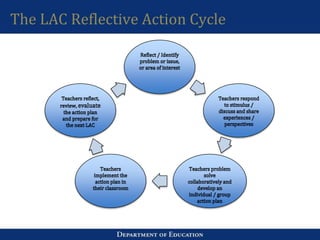
The LAC Reflective Action Cycle
Session 2 Mechanics
• Role play of a LAC session: 2 groups
• Participants have been pre-selected to perform certain roles,
while the rest of the members of the participants will serve as
observers. The role of the observers is to be “fully present,
open the ears, mind, heart and will.”
• Observers need to check Facilitation Checklist features
observed. This Facilitation Checklist list builds on the good
practices that were identified earlier. Ask if these features are
clear.
• Be ready to supply the specific instances wherein the skills
were displayed as this will be discussed during the processing.
In case you observe good practices not on the list, they can add
these features. That’s what the blanks are for.
Facilitation Skills Demonstrated
With your group mates,
Identify 3-5 facilitation skills that you
observed. Specify the situation for each
skill.
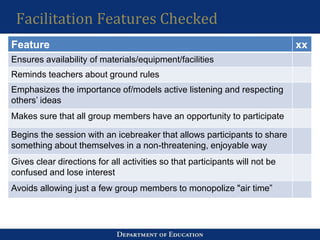
Facilitation Features Checked
Feature xx
Ensures availability of materials/equipment/facilities
Reminds teachers about ground rules
Emphasizes the importance of/models active listening and respecting
others’ ideas
Makes sure that all group members have an opportunity to participate
Begins the session with an icebreaker that allows participants to share
something about themselves in a non-threatening, enjoyable way
Gives clear directions for all activities so that participants will not be
confused and lose interest
Avoids allowing just a few group members to monopolize "air time”
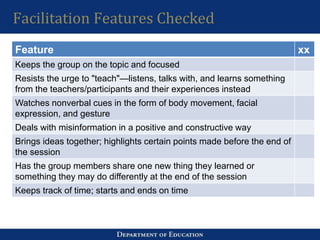
Facilitation Features Checked
Feature xx
Keeps the group on the topic and focused
Resists the urge to "teach"—listens, talks with, and learns something
from the teachers/participants and their experiences instead
Watches nonverbal cues in the form of body movement, facial
expression, and gesture
Deals with misinformation in a positive and constructive way
Brings ideas together; highlights certain points made before the end of
the session
Has the group members share one new thing they learned or
something they may do differently at the end of the session
Keeps track of time; starts and ends on time
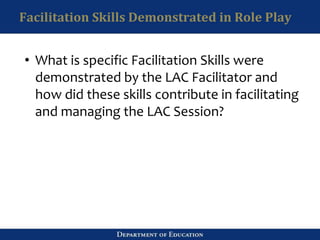
Facilitation Skills Demonstrated in Role Play
• What is specific Facilitation Skills were
demonstrated by the LAC Facilitator and
how did these skills contribute in facilitating
and managing the LAC Session?
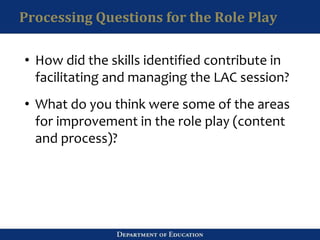
Processing Questions for the Role Play
• How did the skills identified contribute in
facilitating and managing the LAC session?
• What do you think were some of the areas
for improvement in the role play (content
and process)?
Why are these facilitation features/skills important?
• Active Listening & Conveying Acceptance allows the
facilitator to show a strong commitment to the
belief in the importance and value of the individual
and a recognition that each member of the group
has a unique contribution to make and this is crucial
to the participation of members
• Linking allows the group to connect the dots by
linking related ideas and even insights which may
initially appear as disparate thoughts.
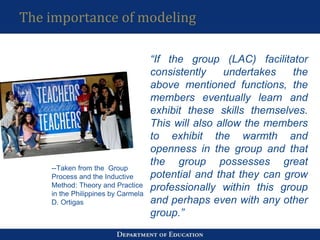
The importance of modeling
“If the group (LAC) facilitator
consistently undertakes the
above mentioned functions, the
members eventually learn and
exhibit these skills themselves.
This will also allow the members
to exhibit the warmth and
openness in the group and that
the group possesses great
potential and that they can grow
professionally within this group
and perhaps even with any other
group.”
--Taken from the Group
Process and the Inductive
Method: Theory and Practice
in the Philippines by Carmela
D. Ortigas
The importance of being concerned about the process
• LAC session is a group process, hence
the LAC facilitator must be concerned
about the content and the process.
Content is about the LAC topic and
what the teachers are talking about in
the actual session.
Process is about ‘how’ thing are being
done, the dynamics being observed
while the interaction is going on. It is
important for the LAC facilitator to be
conscious of these two elements so that
appropriate intervention can be
provided.
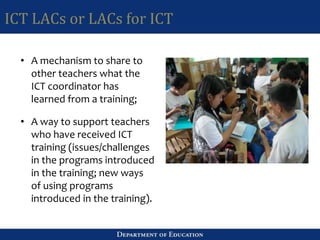
ICT LACs or LACs for ICT
• A mechanism to share to
other teachers what the
ICT coordinator has
learned from a training;
• A way to support teachers
who have received ICT
training (issues/challenges
in the programs introduced
in the training; new ways
of using programs
introduced in the training).
LUNCH
Data Governance Principles
Warm-up Question
•Who among you are involved in the LIS ?
•Who among you are involved in the EBEIS?
•Who among you are involved in updating the LIS and EBEIS
for the entire school?
•Who among you are involved in the development of the SIP
or are part of the SPT?
•What is the objective of the LIS?
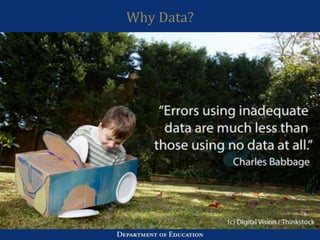
Why data?
“Decisions are
only as good as
the data on which
they are based”
Evidence-led
decisions
Why Data?
Data Governance
“Data will not govern itself”
Data governance (DG) refers to the overall
management of the availability, usability,
integrity, and security of the data employed in
an organization.
It is the Practice of organizing and
implementing policies, procedures and
standards for the effective use of an
organization's structured/unstructured
information assets.
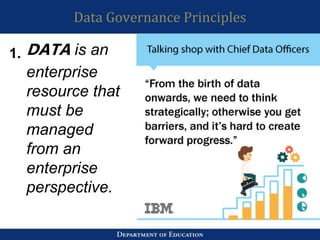
Data Governance Principles
DATA is an
enterprise
resource that
must be
managed
from an
enterprise
perspective.
1.
Data Governance Principles
Organizations (schools) are stewards
of enterprise data rather than owners
of that data.
2.
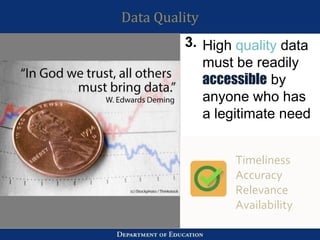
Data Quality
High quality data
must be readily
accessible by
anyone who has
a legitimate need
Timeliness
Accuracy
Relevance
Availability
3.
Data Security
Data must be
secure Data
must be
accurate, reliable
and available
when those with
authorized
access need it.
Data privacy act of
2012 (RA 10173)
Privacy
Integrity
Availability
4.
Data Transparency
Can you value what you cannot see?
Data Transparency is making
relevant, timely and accurate
information available to the public to
promote participation and
accountability
Public
information
must be
published
5.
Data Transparency
• Relevant and accessible: Information should be presented in
plain and readily comprehensible language and formats
appropriate for different stakeholders
• Timely and accurate: Information should be made available in
sufficient time to permit analysis, evaluation and engagement
by relevant stakeholders.
Availability and accessibility is not enough!
Data Transparency
The ability to easily
access and work
with data no matter
where they are
located or what
application created
them Easy Access
Right to access
Effective DG
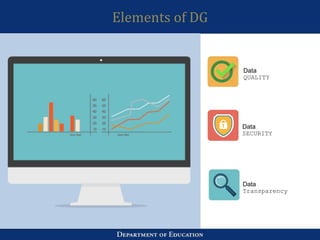
Elements of DG
Data
QUALITY
Data
SECURITY
Data
Transparency
LAC Session
•Topic 1: Discuss the most critical data quality issue in your
school and identify actions to resolve these issues
•Topic 2: Identify at least 5 most important data that needs to
be secured. Discuss security risks and identify strategies to
secure these data
•Topic 3: Assess the school’s level of transparency and define
the content and strategy for data transparency
41
EBEIS & LIS
Data Collection Systems
•Enhanced Basic Educ. Info. System (EBEIS)
–Registry of schools
–Annual school profile
•Learner Information System (LIS)
–Registry of learners
–Enrolment, grades & attendance
•Personnel Tracking System (PTS)
–Registry of personnel
–PDS, movements and deployments
Here are some of the ways data is used
•Enrolment determines resource requirements, existing
inventories determine remaining needs and other data
like buildable space and electricity supply determine
prioritization. We have used this for resource allocation.
•Enrolment and teacher and classroom inventories are
used for MOOE computation.
•Enrolment, programs offered and school locations were
used for SHS planning.
•School addresses are used to determine which schools
will be along the projected typhoon path, must be
reminded to prepare and asked to submit RADAR reports.
Here are some of the ways data is used
•Learner basic profile such as birth date and sex are used
in the computation of participation rate and other EFA
indicators
•Languages/dialects and ethnicity are used to enhance
programs on IPEd and MTB-MLE
•Enrolment in SPED and data on learner exceptionalities
are used to enhance the SPED and other related
programs
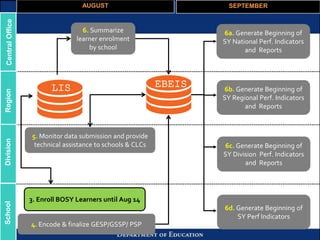
AUGUST SEPTEMBER
6b. Generate Beginning of
SY Regional Perf. Indicators
and Reports
6c. Generate Beginning of
SY Division Perf. Indicators
and Reports
6a. Generate Beginning of
SY National Perf. Indicators
and Reports
6d. Generate Beginning of
SY Perf Indicators
4. Encode & finalize GESP/GSSP/ PSP
5. Monitor data submission and provide
technical assistance to schools & CLCs
6. Summarize
learner enrolment
by school
LIS EBEIS
CentralOfficeRegionDivisionSchool
3. Enroll BOSY Learners until Aug 14
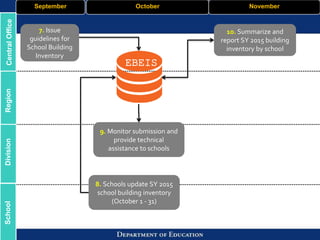
7. Issue
guidelines for
School Building
Inventory
October November
8. Schools update SY 2015
school building inventory
(October 1 - 31)
9. Monitor submission and
provide technical
assistance to schools
10. Summarize and
report SY 2015 building
inventory by school
CentralOfficeRegionDivisionSchool September
EBEIS
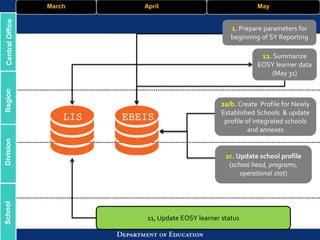
March April May
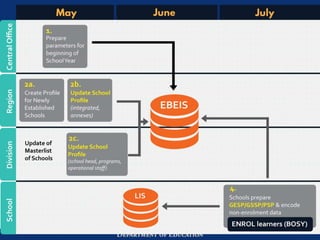
2a/b. Create Profile for Newly
Established Schools & update
profile of integrated schools
and annexes
2c. Update school profile
(school head, programs,
operational stat)
11, Update EOSY learner status
12. Summarize
EOSY learner data
(May 31)
CentralOfficeRegionDivisionSchool
LIS EBEIS
1. Prepare parameters for
beginning of SY Reporting
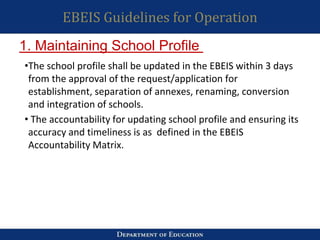
EBEIS Guidelines for Operation
•The school profile shall be updated in the EBEIS within 3 days
from the approval of the request/application for
establishment, separation of annexes, renaming, conversion
and integration of schools.
• The accountability for updating school profile and ensuring its
accuracy and timeliness is as defined in the EBEIS
Accountability Matrix.
1. Maintaining School Profile
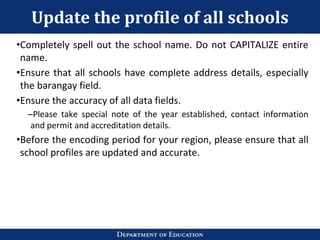
Update the profile of all schools
•Completely spell out the school name. Do not CAPITALIZE entire
name.
•Ensure that all schools have complete address details, especially
the barangay field.
•Ensure the accuracy of all data fields.
–Please take special note of the year established, contact information
and permit and accreditation details.
•Before the encoding period for your region, please ensure that all
school profiles are updated and accurate.
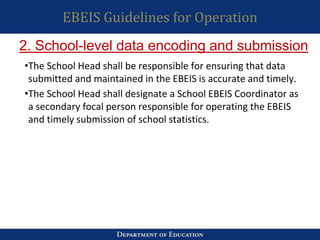
EBEIS Guidelines for Operation
•The School Head shall be responsible for ensuring that data
submitted and maintained in the EBEIS is accurate and timely.
•The School Head shall designate a School EBEIS Coordinator as
a secondary focal person responsible for operating the EBEIS
and timely submission of school statistics.
2. School-level data encoding and submission
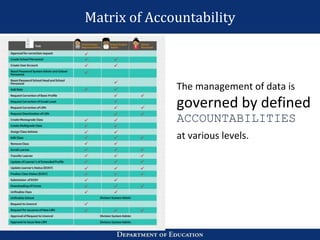
Matrix of Accountability
The management of data is
governed by defined
ACCOUNTABILITIES
at various levels.
LIS Guidelines for Operation
•Monitor the progress of updating in the LIS and “finalize” the
School Register for a given school year
•Ensure that data on learners in the LIS and in any form of
storage is kept secure and protected from any unauthorized
access
•Designate a secondary focal person (School ICT Coord., EBEIS
Coordinator) who shall assist in providing system admin. and
technical support to Class Advisers.
School Head
LIS Guidelines for Operation
•Only nationally-funded and locally-funded teaching
personnel can be assigned as Class Adviser.
Volunteers cannot be assigned as CAs
•The Class Adviser shall be responsible for the
following:
–Enroll and update the profile of all learners in his/her class
in any given school year
–Finalize his/her Class Register
Class Adviser
LIS Guidelines for Operation
•Class adviser shall be responsible for updating the profile of all
learners in his/her class in any given school year
•He/she must ensure that the learner profile is updated and
supported by acceptable documents (e.g. birth certificate, etc)
•The LRN uniquely references a learner in the registry.
–An LRN must refer to one and only one learner
–A learner must have one and only one LRN
Creation and updating of learner profile
LIS Guidelines for Operation
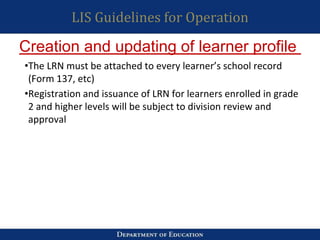
•The LRN must be attached to every learner’s school record
(Form 137, etc)
•Registration and issuance of LRN for learners enrolled in grade
2 and higher levels will be subject to division review and
approval
Creation and updating of learner profile
LIS Guidelines for Operation
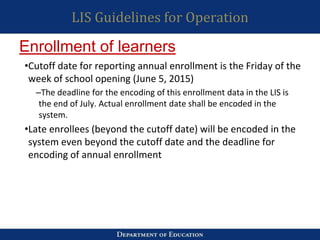
•Cutoff date for reporting annual enrollment is the Friday of the
week of school opening (June 5, 2015)
–The deadline for the encoding of this enrollment data in the LIS is
the end of July. Actual enrollment date shall be encoded in the
system.
•Late enrollees (beyond the cutoff date) will be encoded in the
system even beyond the cutoff date and the deadline for
encoding of annual enrollment
Enrollment of learners
LIS Guidelines for Operation
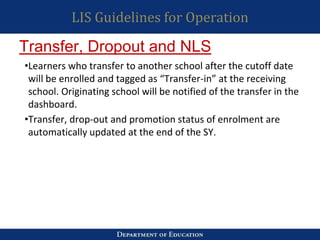
•Learners who transfer to another school after the cutoff date
will be enrolled and tagged as “Transfer-in” at the receiving
school. Originating school will be notified of the transfer in the
dashboard.
•Transfer, drop-out and promotion status of enrolment are
automatically updated at the end of the SY.
Transfer, Dropout and NLS
Guidelines for Operation
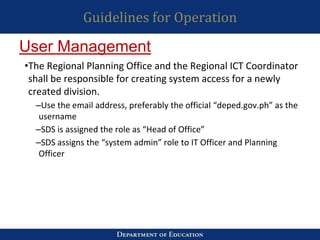
•The Regional Planning Office and the Regional ICT Coordinator
shall be responsible for creating system access for a newly
created division.
–Use the email address, preferably the official “deped.gov.ph” as the
username
–SDS is assigned the role as “Head of Office”
–SDS assigns the “system admin” role to IT Officer and Planning
Officer
User Management
Guidelines for Operation
•The Division Planning Office and the Division ICT Coordinator
shall be responsible for creating/updating access for a newly
established school, a newly deployed school head and one
who had been assigned to another school.
–Use the email address, preferably the official “deped.gov.ph” as the
username
–School Head is assigned the role as “School Representative”
–School ICT Coordinator is assigned the role as “School
Representative Admin”
User Management
Guidelines for Operation
•At the school level, only the School Head shall be responsible
for creating an account for the designated School ICT
Coordinator (or EBEIS Coordinator)
–Use the email address, preferably the official “deped.gov.ph” as the
username
User Management
Enhancements
•School Head creation and account management shall be done
only by a Division System Administrator Account (this is the
Division Planning and the Division ITO only)
•System Administration at any level shall be limited to a
maximum of two accounts, two users only.
User Management
Enhancements
–RO System Administrator can only manage accounts of RO
personnel and DO System Administrator. Apart from these user
accounts he/she does not have user account management privileges
for users outside the regional office.
–DO System Administrator can only manage accounts of DO
personnel and School Heads of schools within his.her division only.
For clustered schools, multiple school access by one SH account shall
only be limited to 3 schools for secondary and 5 schools for
elementary.
User Management
Enhancements
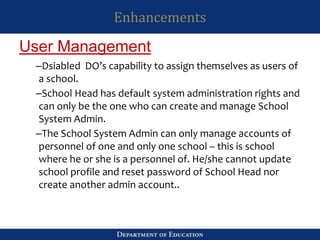
–Dsiabled DO’s capability to assign themselves as users of
a school.
–School Head has default system administration rights and
can only be the one who can create and manage School
System Admin.
–The School System Admin can only manage accounts of
personnel of one and only one school – this is school
where he or she is a personnel of. He/she cannot update
school profile and reset password of School Head nor
create another admin account..
User Management
Best Practice
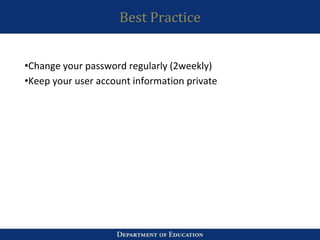
•Change your password regularly (2weekly)
•Keep your user account information private
EBEIS Instructional Video
LIS Review Activity
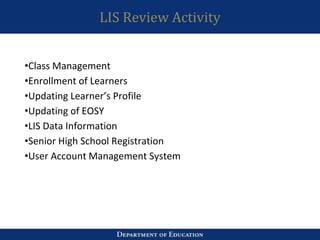
•Class Management
•Enrollment of Learners
•Updating Learner’s Profile
•Updating of EOSY
•LIS Data Information
•Senior High School Registration
•User Account Management System
Recap
Topics discussed today:
● Learning Action Cells
● Data Governance Policy
● EBEIS and LIS
For tomorrow:
• Ice breaker
• Opening Prayer
• Recap
For tomorrow:
• Closing Program
End of day 3
Thank you for your
participation!

DepEd ICT Development Workshop

  • 1.
    1 ICT Skills DevelopmentWorkshop Day 2 Train-the-Trainer Presented by: Ram Basingan during the ICT Literacy Skills Development Training of Trainers for the Division of Baguio City, Cordillera Region
  • 2.
  • 3.
    Outline •Session 1: Learningfrom Facilitation Experiences Review of LACs What are LACs? What are the essential elements of a LAC? The LAC Reflective Action Cycle How do we create LACs for ICT? •Session 2: Learning from a Live Facilitation Demo
  • 4.
    Session 1 Objective Shareexperiences and lessons from exemplary INSET/LAC/TQC sessions
  • 5.
    Session Mechanics 1. Youare already divided into subgroups by table. There should be a maximum of 10 participants per table. 2. We will be using your responses to the homework assigned to you. Please bring it out now if you wrote some notes and be ready to share. 3. In your group, please assign a facilitator who will make sure each will get a turn at sharing and that the sharing is clear to all, a documenter who will summarize what has been shared, and a reporter who will share this summary to the plenary. 4. For 20 minutes, in your subgroups, please take turns sharing your responses to these questions (questions on Slide 5).
  • 6.
    Guide Questions 1. Whatwas the most satisfying, stimulating, and/or thought-provoking INSET/LAC/TQC session you have ever conducted/facilitated (or even observed/participated in, if you were not the one doing the actual facilitation)? (BLUE metacards) 2. Why was it satisfying, stimulating, and/or thought- provoking? (ORANGE metacards) 3. In this particular experience, how did you (or the facilitator) manage the session, what facilitation skills were demonstrated, and what helped the teachers to be more engaged in the discussion? (YELLOW metacards)
  • 7.
    Adult Learning Principles •Adultswill learn only what they feel they need to learn. •Adults learn by sharing and by doing. •Experience affects adult learning. •Adults learn best in an informal situation. •Adults want guidance.
  • 8.
  • 9.
    Session 2 Objective Enhancefacilitation skills in managing INSET/LAC/TQC sessions
  • 10.
    Review of theLACs Why the LACs? • part of expanding the way we think about Teacher Professional Development • based on the premise that teachers learn best through collaboration and work-based learning
  • 11.
    K-12 and theneed to support teachers • The need to support teachers in various modes/in complementary ways is more urgent at this point in time given the enormous reform that is the K-12. • It is imperative that we support teachers in mastering a new curriculum and introducing student-centered inclusive pedagogy, but we also need to do it in a way that empowers teachers, and encourages them to reflect and collaborate with each other.
  • 12.
    What are LearningAction Cells (LACs)? • Learning Action Cells are groups of teachers/school heads/ supervisors who engage in collaborative learning sessions to solve shared challenges encountered in the school/cluster of schools/district.
  • 13.
    Key aspects/essential elements •Ongoing collaborative learning / problem solving within a shared domain of professional interest; • Self-directed learning; • Reflective practice leading to action and self evaluation; and • Collective competence development and peer coaching/learning
  • 14.
    The LAC ReflectiveAction Cycle
  • 15.
    Session 2 Mechanics •Role play of a LAC session: 2 groups • Participants have been pre-selected to perform certain roles, while the rest of the members of the participants will serve as observers. The role of the observers is to be “fully present, open the ears, mind, heart and will.” • Observers need to check Facilitation Checklist features observed. This Facilitation Checklist list builds on the good practices that were identified earlier. Ask if these features are clear. • Be ready to supply the specific instances wherein the skills were displayed as this will be discussed during the processing. In case you observe good practices not on the list, they can add these features. That’s what the blanks are for.
  • 16.
    Facilitation Skills Demonstrated Withyour group mates, Identify 3-5 facilitation skills that you observed. Specify the situation for each skill.
  • 17.
    Facilitation Features Checked Featurexx Ensures availability of materials/equipment/facilities Reminds teachers about ground rules Emphasizes the importance of/models active listening and respecting others’ ideas Makes sure that all group members have an opportunity to participate Begins the session with an icebreaker that allows participants to share something about themselves in a non-threatening, enjoyable way Gives clear directions for all activities so that participants will not be confused and lose interest Avoids allowing just a few group members to monopolize "air time”
  • 18.
    Facilitation Features Checked Featurexx Keeps the group on the topic and focused Resists the urge to "teach"—listens, talks with, and learns something from the teachers/participants and their experiences instead Watches nonverbal cues in the form of body movement, facial expression, and gesture Deals with misinformation in a positive and constructive way Brings ideas together; highlights certain points made before the end of the session Has the group members share one new thing they learned or something they may do differently at the end of the session Keeps track of time; starts and ends on time
  • 19.
    Facilitation Skills Demonstratedin Role Play • What is specific Facilitation Skills were demonstrated by the LAC Facilitator and how did these skills contribute in facilitating and managing the LAC Session?
  • 20.
    Processing Questions forthe Role Play • How did the skills identified contribute in facilitating and managing the LAC session? • What do you think were some of the areas for improvement in the role play (content and process)?
  • 21.
    Why are thesefacilitation features/skills important? • Active Listening & Conveying Acceptance allows the facilitator to show a strong commitment to the belief in the importance and value of the individual and a recognition that each member of the group has a unique contribution to make and this is crucial to the participation of members • Linking allows the group to connect the dots by linking related ideas and even insights which may initially appear as disparate thoughts.
  • 22.
    The importance ofmodeling “If the group (LAC) facilitator consistently undertakes the above mentioned functions, the members eventually learn and exhibit these skills themselves. This will also allow the members to exhibit the warmth and openness in the group and that the group possesses great potential and that they can grow professionally within this group and perhaps even with any other group.” --Taken from the Group Process and the Inductive Method: Theory and Practice in the Philippines by Carmela D. Ortigas
  • 23.
    The importance ofbeing concerned about the process • LAC session is a group process, hence the LAC facilitator must be concerned about the content and the process. Content is about the LAC topic and what the teachers are talking about in the actual session. Process is about ‘how’ thing are being done, the dynamics being observed while the interaction is going on. It is important for the LAC facilitator to be conscious of these two elements so that appropriate intervention can be provided.
  • 24.
    ICT LACs orLACs for ICT • A mechanism to share to other teachers what the ICT coordinator has learned from a training; • A way to support teachers who have received ICT training (issues/challenges in the programs introduced in the training; new ways of using programs introduced in the training).
  • 25.
  • 26.
  • 27.
    Warm-up Question •Who amongyou are involved in the LIS ? •Who among you are involved in the EBEIS? •Who among you are involved in updating the LIS and EBEIS for the entire school? •Who among you are involved in the development of the SIP or are part of the SPT? •What is the objective of the LIS?
  • 28.
    Why data? “Decisions are onlyas good as the data on which they are based” Evidence-led decisions
  • 29.
  • 30.
    Data Governance “Data willnot govern itself” Data governance (DG) refers to the overall management of the availability, usability, integrity, and security of the data employed in an organization. It is the Practice of organizing and implementing policies, procedures and standards for the effective use of an organization's structured/unstructured information assets.
  • 31.
    Data Governance Principles DATAis an enterprise resource that must be managed from an enterprise perspective. 1.
  • 32.
    Data Governance Principles Organizations(schools) are stewards of enterprise data rather than owners of that data. 2.
  • 33.
    Data Quality High qualitydata must be readily accessible by anyone who has a legitimate need Timeliness Accuracy Relevance Availability 3.
  • 34.
    Data Security Data mustbe secure Data must be accurate, reliable and available when those with authorized access need it. Data privacy act of 2012 (RA 10173) Privacy Integrity Availability 4.
  • 35.
    Data Transparency Can youvalue what you cannot see? Data Transparency is making relevant, timely and accurate information available to the public to promote participation and accountability Public information must be published 5.
  • 36.
    Data Transparency • Relevantand accessible: Information should be presented in plain and readily comprehensible language and formats appropriate for different stakeholders • Timely and accurate: Information should be made available in sufficient time to permit analysis, evaluation and engagement by relevant stakeholders. Availability and accessibility is not enough!
  • 37.
    Data Transparency The abilityto easily access and work with data no matter where they are located or what application created them Easy Access Right to access
  • 38.
  • 39.
  • 40.
    LAC Session •Topic 1:Discuss the most critical data quality issue in your school and identify actions to resolve these issues •Topic 2: Identify at least 5 most important data that needs to be secured. Discuss security risks and identify strategies to secure these data •Topic 3: Assess the school’s level of transparency and define the content and strategy for data transparency
  • 41.
  • 42.
    Data Collection Systems •EnhancedBasic Educ. Info. System (EBEIS) –Registry of schools –Annual school profile •Learner Information System (LIS) –Registry of learners –Enrolment, grades & attendance •Personnel Tracking System (PTS) –Registry of personnel –PDS, movements and deployments
  • 43.
    Here are someof the ways data is used •Enrolment determines resource requirements, existing inventories determine remaining needs and other data like buildable space and electricity supply determine prioritization. We have used this for resource allocation. •Enrolment and teacher and classroom inventories are used for MOOE computation. •Enrolment, programs offered and school locations were used for SHS planning. •School addresses are used to determine which schools will be along the projected typhoon path, must be reminded to prepare and asked to submit RADAR reports.
  • 44.
    Here are someof the ways data is used •Learner basic profile such as birth date and sex are used in the computation of participation rate and other EFA indicators •Languages/dialects and ethnicity are used to enhance programs on IPEd and MTB-MLE •Enrolment in SPED and data on learner exceptionalities are used to enhance the SPED and other related programs
  • 46.
    AUGUST SEPTEMBER 6b. GenerateBeginning of SY Regional Perf. Indicators and Reports 6c. Generate Beginning of SY Division Perf. Indicators and Reports 6a. Generate Beginning of SY National Perf. Indicators and Reports 6d. Generate Beginning of SY Perf Indicators 4. Encode & finalize GESP/GSSP/ PSP 5. Monitor data submission and provide technical assistance to schools & CLCs 6. Summarize learner enrolment by school LIS EBEIS CentralOfficeRegionDivisionSchool 3. Enroll BOSY Learners until Aug 14
  • 47.
    7. Issue guidelines for SchoolBuilding Inventory October November 8. Schools update SY 2015 school building inventory (October 1 - 31) 9. Monitor submission and provide technical assistance to schools 10. Summarize and report SY 2015 building inventory by school CentralOfficeRegionDivisionSchool September EBEIS
  • 48.
    March April May 2a/b.Create Profile for Newly Established Schools & update profile of integrated schools and annexes 2c. Update school profile (school head, programs, operational stat) 11, Update EOSY learner status 12. Summarize EOSY learner data (May 31) CentralOfficeRegionDivisionSchool LIS EBEIS 1. Prepare parameters for beginning of SY Reporting
  • 49.
    EBEIS Guidelines forOperation •The school profile shall be updated in the EBEIS within 3 days from the approval of the request/application for establishment, separation of annexes, renaming, conversion and integration of schools. • The accountability for updating school profile and ensuring its accuracy and timeliness is as defined in the EBEIS Accountability Matrix. 1. Maintaining School Profile
  • 50.
    Update the profileof all schools •Completely spell out the school name. Do not CAPITALIZE entire name. •Ensure that all schools have complete address details, especially the barangay field. •Ensure the accuracy of all data fields. –Please take special note of the year established, contact information and permit and accreditation details. •Before the encoding period for your region, please ensure that all school profiles are updated and accurate.
  • 51.
    EBEIS Guidelines forOperation •The School Head shall be responsible for ensuring that data submitted and maintained in the EBEIS is accurate and timely. •The School Head shall designate a School EBEIS Coordinator as a secondary focal person responsible for operating the EBEIS and timely submission of school statistics. 2. School-level data encoding and submission
  • 52.
    Matrix of Accountability Themanagement of data is governed by defined ACCOUNTABILITIES at various levels.
  • 53.
    LIS Guidelines forOperation •Monitor the progress of updating in the LIS and “finalize” the School Register for a given school year •Ensure that data on learners in the LIS and in any form of storage is kept secure and protected from any unauthorized access •Designate a secondary focal person (School ICT Coord., EBEIS Coordinator) who shall assist in providing system admin. and technical support to Class Advisers. School Head
  • 54.
    LIS Guidelines forOperation •Only nationally-funded and locally-funded teaching personnel can be assigned as Class Adviser. Volunteers cannot be assigned as CAs •The Class Adviser shall be responsible for the following: –Enroll and update the profile of all learners in his/her class in any given school year –Finalize his/her Class Register Class Adviser
  • 55.
    LIS Guidelines forOperation •Class adviser shall be responsible for updating the profile of all learners in his/her class in any given school year •He/she must ensure that the learner profile is updated and supported by acceptable documents (e.g. birth certificate, etc) •The LRN uniquely references a learner in the registry. –An LRN must refer to one and only one learner –A learner must have one and only one LRN Creation and updating of learner profile
  • 56.
    LIS Guidelines forOperation •The LRN must be attached to every learner’s school record (Form 137, etc) •Registration and issuance of LRN for learners enrolled in grade 2 and higher levels will be subject to division review and approval Creation and updating of learner profile
  • 57.
    LIS Guidelines forOperation •Cutoff date for reporting annual enrollment is the Friday of the week of school opening (June 5, 2015) –The deadline for the encoding of this enrollment data in the LIS is the end of July. Actual enrollment date shall be encoded in the system. •Late enrollees (beyond the cutoff date) will be encoded in the system even beyond the cutoff date and the deadline for encoding of annual enrollment Enrollment of learners
  • 58.
    LIS Guidelines forOperation •Learners who transfer to another school after the cutoff date will be enrolled and tagged as “Transfer-in” at the receiving school. Originating school will be notified of the transfer in the dashboard. •Transfer, drop-out and promotion status of enrolment are automatically updated at the end of the SY. Transfer, Dropout and NLS
  • 59.
    Guidelines for Operation •TheRegional Planning Office and the Regional ICT Coordinator shall be responsible for creating system access for a newly created division. –Use the email address, preferably the official “deped.gov.ph” as the username –SDS is assigned the role as “Head of Office” –SDS assigns the “system admin” role to IT Officer and Planning Officer User Management
  • 60.
    Guidelines for Operation •TheDivision Planning Office and the Division ICT Coordinator shall be responsible for creating/updating access for a newly established school, a newly deployed school head and one who had been assigned to another school. –Use the email address, preferably the official “deped.gov.ph” as the username –School Head is assigned the role as “School Representative” –School ICT Coordinator is assigned the role as “School Representative Admin” User Management
  • 61.
    Guidelines for Operation •Atthe school level, only the School Head shall be responsible for creating an account for the designated School ICT Coordinator (or EBEIS Coordinator) –Use the email address, preferably the official “deped.gov.ph” as the username User Management
  • 62.
    Enhancements •School Head creationand account management shall be done only by a Division System Administrator Account (this is the Division Planning and the Division ITO only) •System Administration at any level shall be limited to a maximum of two accounts, two users only. User Management
  • 63.
    Enhancements –RO System Administratorcan only manage accounts of RO personnel and DO System Administrator. Apart from these user accounts he/she does not have user account management privileges for users outside the regional office. –DO System Administrator can only manage accounts of DO personnel and School Heads of schools within his.her division only. For clustered schools, multiple school access by one SH account shall only be limited to 3 schools for secondary and 5 schools for elementary. User Management
  • 64.
    Enhancements –Dsiabled DO’s capabilityto assign themselves as users of a school. –School Head has default system administration rights and can only be the one who can create and manage School System Admin. –The School System Admin can only manage accounts of personnel of one and only one school – this is school where he or she is a personnel of. He/she cannot update school profile and reset password of School Head nor create another admin account.. User Management
  • 65.
    Best Practice •Change yourpassword regularly (2weekly) •Keep your user account information private
  • 66.
  • 67.
    LIS Review Activity •ClassManagement •Enrollment of Learners •Updating Learner’s Profile •Updating of EOSY •LIS Data Information •Senior High School Registration •User Account Management System
  • 68.
    Recap Topics discussed today: ●Learning Action Cells ● Data Governance Policy ● EBEIS and LIS
  • 69.
    For tomorrow: • Icebreaker • Opening Prayer • Recap
  • 70.
  • 71.
    End of day3 Thank you for your participation!