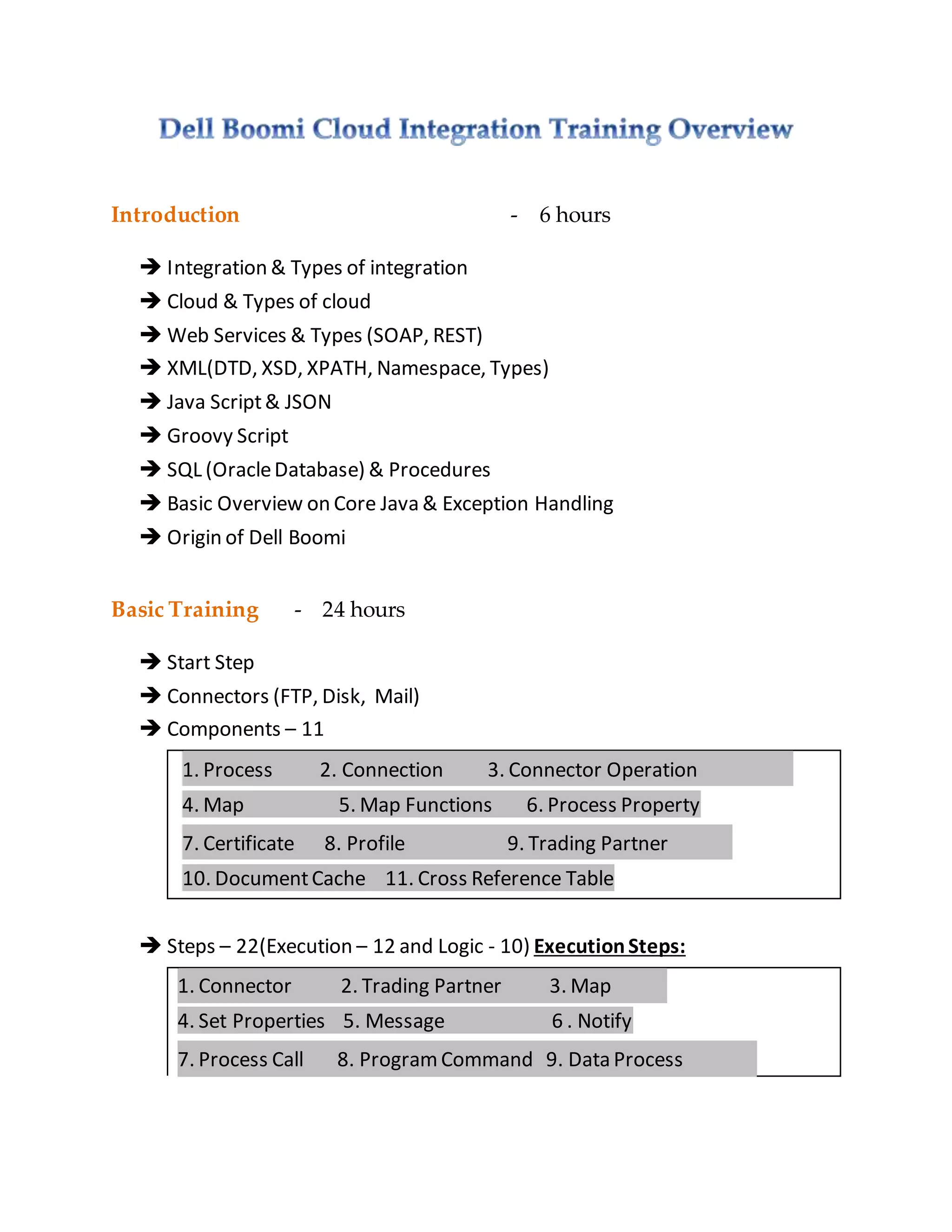
Introduction - 6 hours
 Integration & Types of integration
 Cloud & Types of cloud
 Web Services & Types (SOAP, REST)
 XML(DTD, XSD, XPATH, Namespace, Types)
 Java Script& JSON
 Groovy Script
 SQL (OracleDatabase) & Procedures
 Basic Overview on Core Java & Exception Handling
 Origin of Dell Boomi
Basic Training - 24 hours
 Start Step
 Connectors (FTP, Disk, Mail)
 Components – 11
1. Process 2. Connection 3. Connector Operation
4. Map 5. Map Functions 6. Process Property
7. Certificate 8. Profile 9. Trading Partner
10. DocumentCache 11. Cross Reference Table
 Steps – 22(Execution – 12 and Logic - 10) ExecutionSteps:
1. Connector 2. Trading Partner 3. Map
4. Set Properties 5. Message 6 . Notify
7. Process Call 8. ProgramCommand 9. Data Process
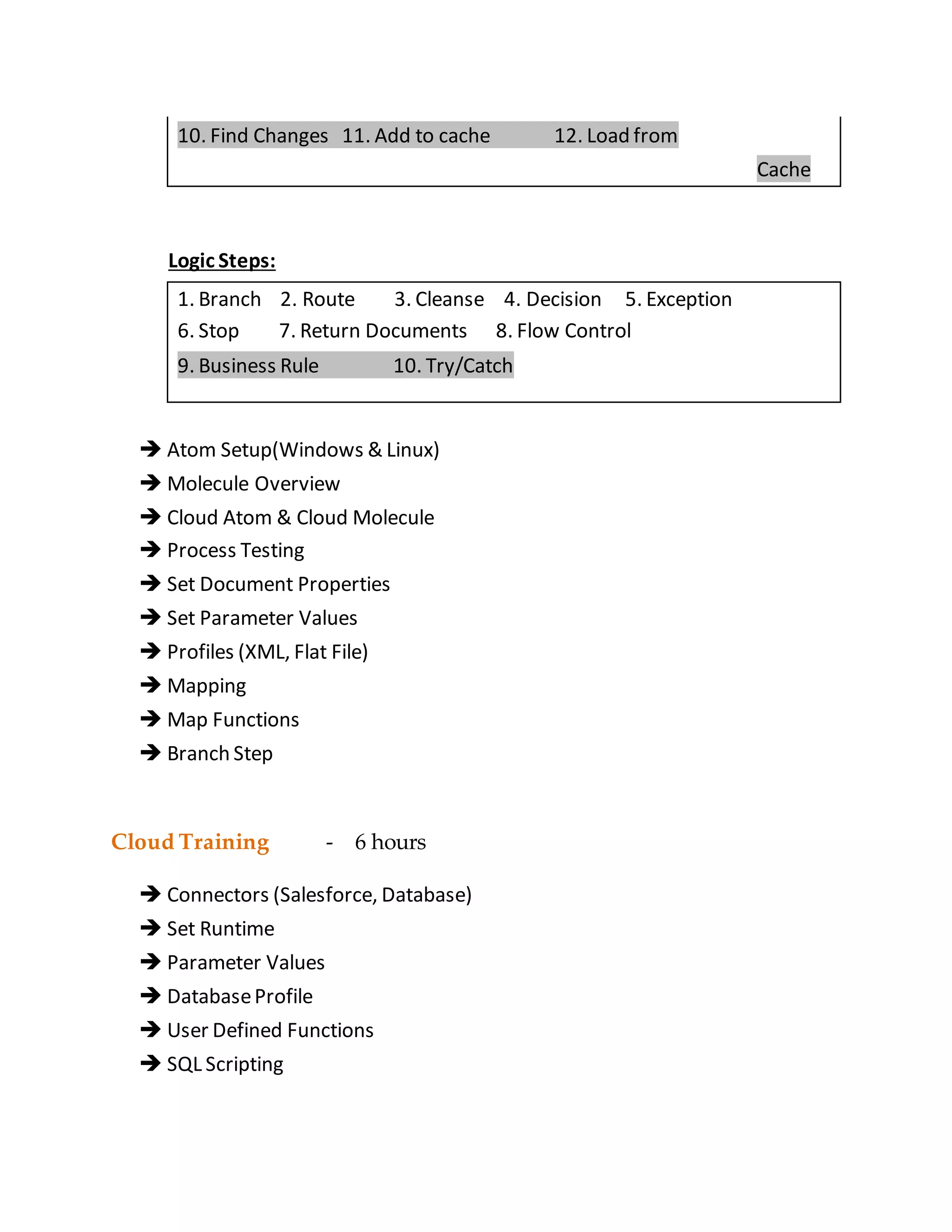
10. Find Changes 11. Add to cache 12. Load from
Cache
Logic Steps:
1. Branch 2. Route 3. Cleanse 4. Decision 5. Exception
6. Stop 7. Return Documents 8. Flow Control
9. Business Rule 10. Try/Catch
 Atom Setup(Windows & Linux)
 Molecule Overview
 Cloud Atom & Cloud Molecule
 Process Testing
 Set Document Properties
 Set Parameter Values
 Profiles (XML, Flat File)
 Mapping
 Map Functions
 Branch Step
Cloud Training - 6 hours
 Connectors (Salesforce, Database)
 Set Runtime
 Parameter Values
 DatabaseProfile
 User Defined Functions
 SQL Scripting
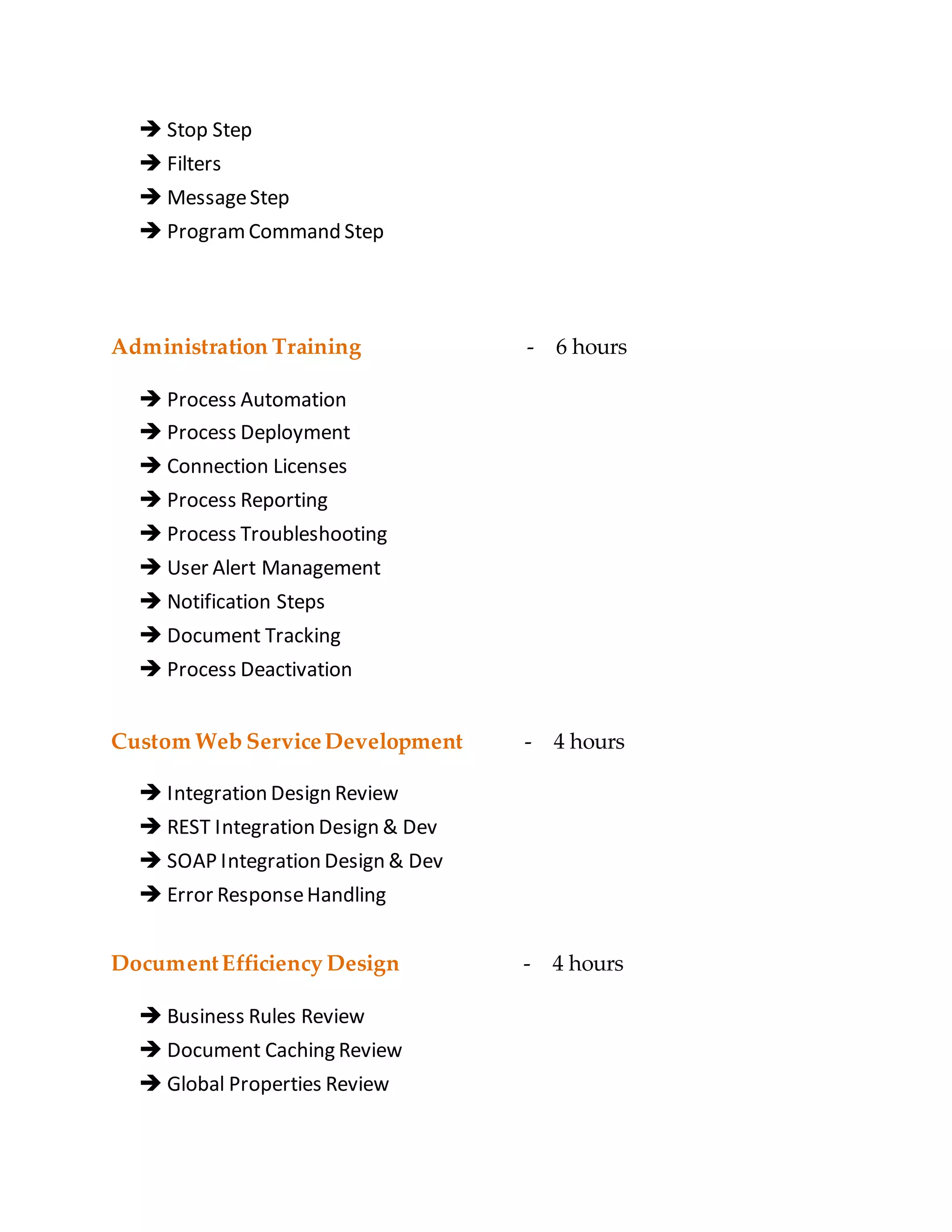
 Stop Step
 Filters
 MessageStep
 ProgramCommand Step
Administration Training - 6 hours
 Process Automation
 Process Deployment
 Connection Licenses
 Process Reporting
 Process Troubleshooting
 User Alert Management
 Notification Steps
 Document Tracking
 Process Deactivation
Custom Web ServiceDevelopment - 4 hours
 Integration Design Review
 REST Integration Design & Dev
 SOAP Integration Design & Dev
 Error ResponseHandling
DocumentEfficiency Design - 4 hours
 Business Rules Review
 Document Caching Review
 Global Properties Review
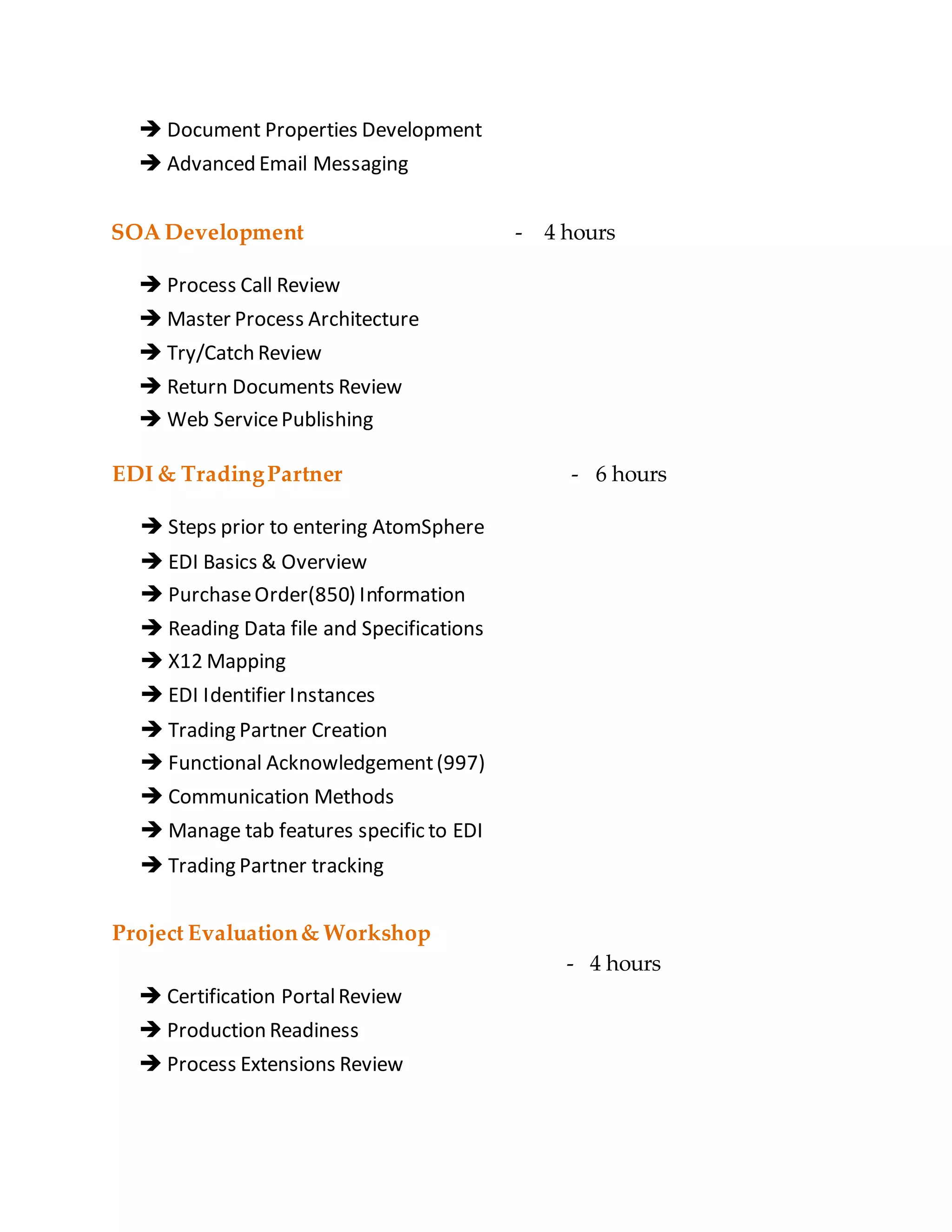
 Document Properties Development
 Advanced Email Messaging
SOA Development - 4 hours
 Process Call Review
 Master Process Architecture
 Try/Catch Review
 Return Documents Review
 Web ServicePublishing
EDI & TradingPartner
 Steps prior to entering AtomSphere
 EDI Basics & Overview
 PurchaseOrder(850) Information
 Reading Data file and Specifications
 X12 Mapping
 EDI Identifier Instances
 Trading Partner Creation
 Functional Acknowledgement(997)
 Communication Methods
 Manage tab features specific to EDI
 Trading Partner tracking
- 6 hours
Project Evaluation& Workshop
- 4 hours
 Certification PortalReview
 Production Readiness
 Process Extensions Review
 High Volume Troubleshooting
 Live ProjectWorkshop
References& ImportantLinks
 Boomi Reference Guide
 Boomi Training (Video) Libraries
 Boomi Overview Documentation Soft Copy

DELL BOOMi CLOUD INTEGRATION ONLINE TRAINING

  • 1.
    Introduction - 6hours  Integration & Types of integration  Cloud & Types of cloud  Web Services & Types (SOAP, REST)  XML(DTD, XSD, XPATH, Namespace, Types)  Java Script& JSON  Groovy Script  SQL (OracleDatabase) & Procedures  Basic Overview on Core Java & Exception Handling  Origin of Dell Boomi Basic Training - 24 hours  Start Step  Connectors (FTP, Disk, Mail)  Components – 11 1. Process 2. Connection 3. Connector Operation 4. Map 5. Map Functions 6. Process Property 7. Certificate 8. Profile 9. Trading Partner 10. DocumentCache 11. Cross Reference Table  Steps – 22(Execution – 12 and Logic - 10) ExecutionSteps: 1. Connector 2. Trading Partner 3. Map 4. Set Properties 5. Message 6 . Notify 7. Process Call 8. ProgramCommand 9. Data Process
  • 2.
    10. Find Changes11. Add to cache 12. Load from Cache Logic Steps: 1. Branch 2. Route 3. Cleanse 4. Decision 5. Exception 6. Stop 7. Return Documents 8. Flow Control 9. Business Rule 10. Try/Catch  Atom Setup(Windows & Linux)  Molecule Overview  Cloud Atom & Cloud Molecule  Process Testing  Set Document Properties  Set Parameter Values  Profiles (XML, Flat File)  Mapping  Map Functions  Branch Step Cloud Training - 6 hours  Connectors (Salesforce, Database)  Set Runtime  Parameter Values  DatabaseProfile  User Defined Functions  SQL Scripting
  • 3.
     Stop Step Filters  MessageStep  ProgramCommand Step Administration Training - 6 hours  Process Automation  Process Deployment  Connection Licenses  Process Reporting  Process Troubleshooting  User Alert Management  Notification Steps  Document Tracking  Process Deactivation Custom Web ServiceDevelopment - 4 hours  Integration Design Review  REST Integration Design & Dev  SOAP Integration Design & Dev  Error ResponseHandling DocumentEfficiency Design - 4 hours  Business Rules Review  Document Caching Review  Global Properties Review
  • 4.
     Document PropertiesDevelopment  Advanced Email Messaging SOA Development - 4 hours  Process Call Review  Master Process Architecture  Try/Catch Review  Return Documents Review  Web ServicePublishing EDI & TradingPartner  Steps prior to entering AtomSphere  EDI Basics & Overview  PurchaseOrder(850) Information  Reading Data file and Specifications  X12 Mapping  EDI Identifier Instances  Trading Partner Creation  Functional Acknowledgement(997)  Communication Methods  Manage tab features specific to EDI  Trading Partner tracking - 6 hours Project Evaluation& Workshop - 4 hours  Certification PortalReview  Production Readiness  Process Extensions Review
  • 5.
     High VolumeTroubleshooting  Live ProjectWorkshop References& ImportantLinks  Boomi Reference Guide  Boomi Training (Video) Libraries  Boomi Overview Documentation Soft Copy