Kompetisi Keamanan Jaringan Model Death Match
Institut Teknologi Del 2014
Team Universitas Sumatera Utara
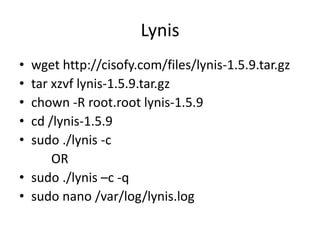
Lynis
• wget http://cisofy.com/files/lynis-1.5.9.tar.gz
• tar xzvf lynis-1.5.9.tar.gz
• chown -R root.root lynis-1.5.9
• cd /lynis-1.5.9
• sudo ./lynis -c
OR
• sudo ./lynis –c -q
• sudo nano /var/log/lynis.log
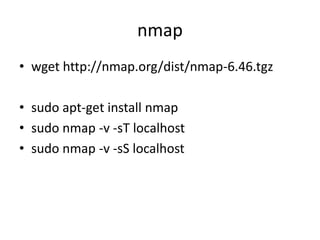
nmap
• wget http://nmap.org/dist/nmap-6.46.tgz
• sudo apt-get install nmap
• sudo nmap -v -sT localhost
• sudo nmap -v -sS localhost
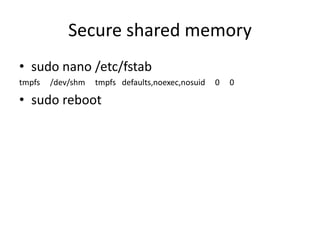
Secure shared memory
• sudo nano /etc/fstab
tmpfs /dev/shm tmpfs defaults,noexec,nosuid 0 0
• sudo reboot
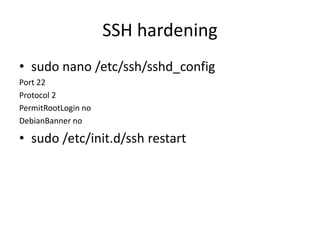
SSH hardening
• sudo nano /etc/ssh/sshd_config
Port 22
Protocol 2
PermitRootLogin no
DebianBanner no
• sudo /etc/init.d/ssh restart
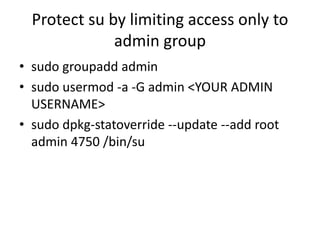
Protect su by limiting access only to
admin group
• sudo groupadd admin
• sudo usermod -a -G admin <YOUR ADMIN
USERNAME>
• sudo dpkg-statoverride --update --add root
admin 4750 /bin/su
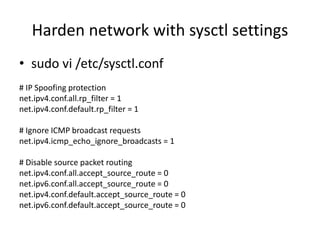
Harden network with sysctl settings
• sudo vi /etc/sysctl.conf
# IP Spoofing protection
net.ipv4.conf.all.rp_filter = 1
net.ipv4.conf.default.rp_filter = 1
# Ignore ICMP broadcast requests
net.ipv4.icmp_echo_ignore_broadcasts = 1
# Disable source packet routing
net.ipv4.conf.all.accept_source_route = 0
net.ipv6.conf.all.accept_source_route = 0
net.ipv4.conf.default.accept_source_route = 0
net.ipv6.conf.default.accept_source_route = 0
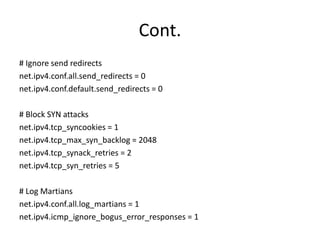
Cont.
# Ignore send redirects
net.ipv4.conf.all.send_redirects = 0
net.ipv4.conf.default.send_redirects = 0
# Block SYN attacks
net.ipv4.tcp_syncookies = 1
net.ipv4.tcp_max_syn_backlog = 2048
net.ipv4.tcp_synack_retries = 2
net.ipv4.tcp_syn_retries = 5
# Log Martians
net.ipv4.conf.all.log_martians = 1
net.ipv4.icmp_ignore_bogus_error_responses = 1
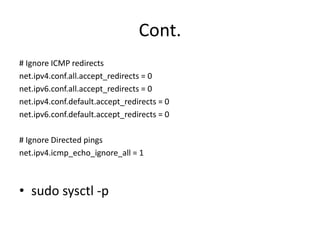
Cont.
# Ignore ICMP redirects
net.ipv4.conf.all.accept_redirects = 0
net.ipv6.conf.all.accept_redirects = 0
net.ipv4.conf.default.accept_redirects = 0
net.ipv6.conf.default.accept_redirects = 0
# Ignore Directed pings
net.ipv4.icmp_echo_ignore_all = 1
• sudo sysctl -p
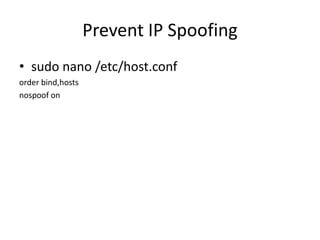
Prevent IP Spoofing
• sudo nano /etc/host.conf
order bind,hosts
nospoof on
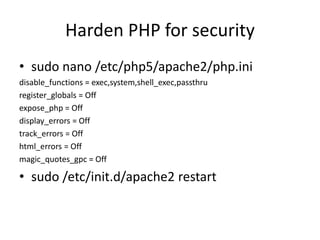
Harden PHP for security
• sudo nano /etc/php5/apache2/php.ini
disable_functions = exec,system,shell_exec,passthru
register_globals = Off
expose_php = Off
display_errors = Off
track_errors = Off
html_errors = Off
magic_quotes_gpc = Off
• sudo /etc/init.d/apache2 restart
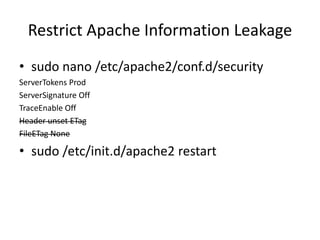
Restrict Apache Information Leakage
• sudo nano /etc/apache2/conf.d/security
ServerTokens Prod
ServerSignature Off
TraceEnable Off
Header unset ETag
FileETag None
• sudo /etc/init.d/apache2 restart
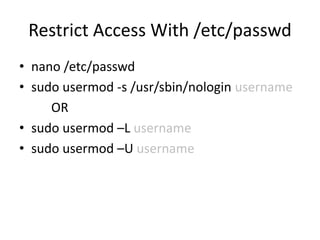
Restrict Access With /etc/passwd
• nano /etc/passwd
• sudo usermod -s /usr/sbin/nologin username
OR
• sudo usermod –L username
• sudo usermod –U username
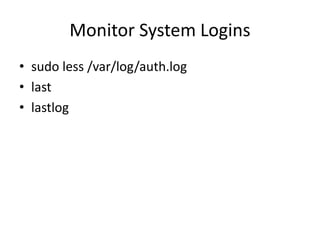
Monitor System Logins
• sudo less /var/log/auth.log
• last
• lastlog
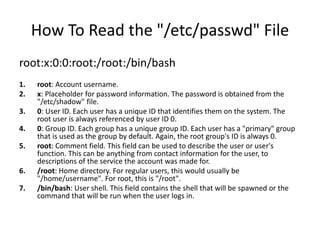
How To Read the "/etc/passwd" File
root:x:0:0:root:/root:/bin/bash
1. root: Account username.
2. x: Placeholder for password information. The password is obtained from the
"/etc/shadow" file.
3. 0: User ID. Each user has a unique ID that identifies them on the system. The
root user is always referenced by user ID 0.
4. 0: Group ID. Each group has a unique group ID. Each user has a "primary" group
that is used as the group by default. Again, the root group's ID is always 0.
5. root: Comment field. This field can be used to describe the user or user's
function. This can be anything from contact information for the user, to
descriptions of the service the account was made for.
6. /root: Home directory. For regular users, this would usually be
"/home/username". For root, this is "/root".
7. /bin/bash: User shell. This field contains the shell that will be spawned or the
command that will be run when the user logs in.
How To Read the "/etc/shadow" File
daemon:*:15455:0:99999:7:::
1. daemon: Account username.
2. *: Salt and hashed password. You can see what this looks like with the root entry above. As noted
above, the asterisk signifies that this account cannot be used to log in.
3. 15455: Last password change. This value is measured in days from the Unix "epoch", which is
January 1, 1970.
4. 0: Days until password change permitted. 0 in this field means there are no restrictions.
5. 99999: Days until password change required. 99999 means that there is no limit to how long the
current password is valid.
6. 7: Days of warning prior to expiration. If there is a password change requirement, this will warn
the user to change their password this many days in advance.
7. [blank]The last three fields are used to denote days before the account is made inactive, days
since the Epoch when the account expires. The last field is unused.
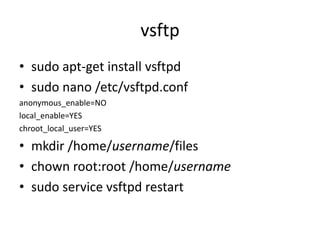
vsftp
• sudo apt-get install vsftpd
• sudo nano /etc/vsftpd.conf
anonymous_enable=NO
local_enable=YES
chroot_local_user=YES
• mkdir /home/username/files
• chown root:root /home/username
• sudo service vsftpd restart
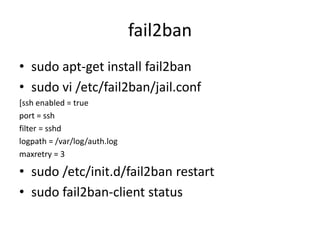
fail2ban
• sudo apt-get install fail2ban
• sudo vi /etc/fail2ban/jail.conf
[ssh enabled = true
port = ssh
filter = sshd
logpath = /var/log/auth.log
maxretry = 3
• sudo /etc/init.d/fail2ban restart
• sudo fail2ban-client status
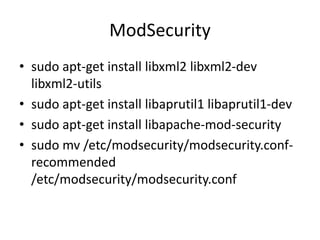
ModSecurity
• sudo apt-get install libxml2 libxml2-dev
libxml2-utils
• sudo apt-get install libaprutil1 libaprutil1-dev
• sudo apt-get install libapache-mod-security
• sudo mv /etc/modsecurity/modsecurity.conf-
recommended
/etc/modsecurity/modsecurity.conf
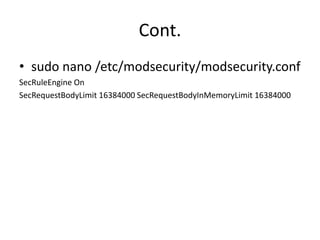
Cont.
• sudo nano /etc/modsecurity/modsecurity.conf
SecRuleEngine On
SecRequestBodyLimit 16384000 SecRequestBodyInMemoryLimit 16384000
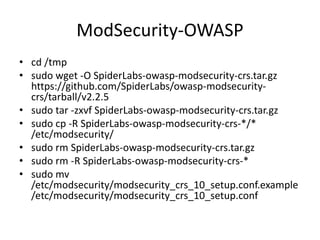
ModSecurity-OWASP
• cd /tmp
• sudo wget -O SpiderLabs-owasp-modsecurity-crs.tar.gz
https://github.com/SpiderLabs/owasp-modsecurity-
crs/tarball/v2.2.5
• sudo tar -zxvf SpiderLabs-owasp-modsecurity-crs.tar.gz
• sudo cp -R SpiderLabs-owasp-modsecurity-crs-*/*
/etc/modsecurity/
• sudo rm SpiderLabs-owasp-modsecurity-crs.tar.gz
• sudo rm -R SpiderLabs-owasp-modsecurity-crs-*
• sudo mv
/etc/modsecurity/modsecurity_crs_10_setup.conf.example
/etc/modsecurity/modsecurity_crs_10_setup.conf
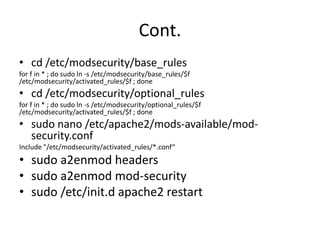
Cont.
• cd /etc/modsecurity/base_rules
for f in * ; do sudo ln -s /etc/modsecurity/base_rules/$f
/etc/modsecurity/activated_rules/$f ; done
• cd /etc/modsecurity/optional_rules
for f in * ; do sudo ln -s /etc/modsecurity/optional_rules/$f
/etc/modsecurity/activated_rules/$f ; done
• sudo nano /etc/apache2/mods-available/mod-
security.conf
Include "/etc/modsecurity/activated_rules/*.conf“
• sudo a2enmod headers
• sudo a2enmod mod-security
• sudo /etc/init.d apache2 restart
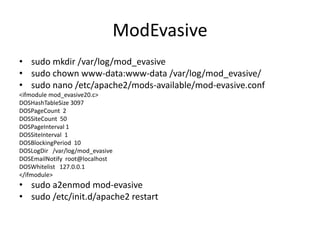
ModEvasive
• sudo mkdir /var/log/mod_evasive
• sudo chown www-data:www-data /var/log/mod_evasive/
• sudo nano /etc/apache2/mods-available/mod-evasive.conf
<ifmodule mod_evasive20.c>
DOSHashTableSize 3097
DOSPageCount 2
DOSSiteCount 50
DOSPageInterval 1
DOSSiteInterval 1
DOSBlockingPeriod 10
DOSLogDir /var/log/mod_evasive
DOSEmailNotify root@localhost
DOSWhitelist 127.0.0.1
</ifmodule>
• sudo a2enmod mod-evasive
• sudo /etc/init.d/apache2 restart
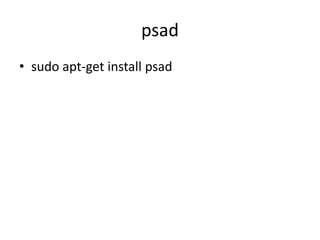
psad
• sudo apt-get install psad
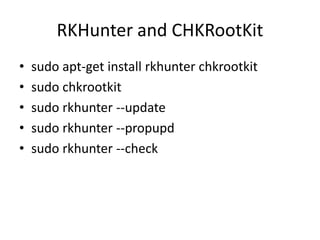
RKHunter and CHKRootKit
• sudo apt-get install rkhunter chkrootkit
• sudo chkrootkit
• sudo rkhunter --update
• sudo rkhunter --propupd
• sudo rkhunter --check
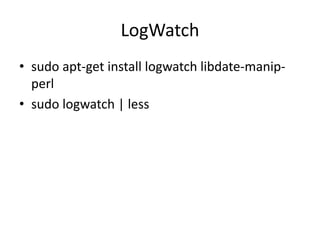
LogWatch
• sudo apt-get install logwatch libdate-manip-
perl
• sudo logwatch | less
apparmor
• sudo apt-get install apparmor apparmor-
profiles
• sudo apparmor_status
tiger
• sudo apt-get install tiger
• sudo tiger
• sudo less /var/log/tiger/security.report.*

Death matchtournament del2014

  • 1.
    Kompetisi Keamanan JaringanModel Death Match Institut Teknologi Del 2014 Team Universitas Sumatera Utara
  • 2.
    Lynis • wget http://cisofy.com/files/lynis-1.5.9.tar.gz •tar xzvf lynis-1.5.9.tar.gz • chown -R root.root lynis-1.5.9 • cd /lynis-1.5.9 • sudo ./lynis -c OR • sudo ./lynis –c -q • sudo nano /var/log/lynis.log
  • 3.
    nmap • wget http://nmap.org/dist/nmap-6.46.tgz •sudo apt-get install nmap • sudo nmap -v -sT localhost • sudo nmap -v -sS localhost
  • 4.
    Secure shared memory •sudo nano /etc/fstab tmpfs /dev/shm tmpfs defaults,noexec,nosuid 0 0 • sudo reboot
  • 5.
    SSH hardening • sudonano /etc/ssh/sshd_config Port 22 Protocol 2 PermitRootLogin no DebianBanner no • sudo /etc/init.d/ssh restart
  • 6.
    Protect su bylimiting access only to admin group • sudo groupadd admin • sudo usermod -a -G admin <YOUR ADMIN USERNAME> • sudo dpkg-statoverride --update --add root admin 4750 /bin/su
  • 7.
    Harden network withsysctl settings • sudo vi /etc/sysctl.conf # IP Spoofing protection net.ipv4.conf.all.rp_filter = 1 net.ipv4.conf.default.rp_filter = 1 # Ignore ICMP broadcast requests net.ipv4.icmp_echo_ignore_broadcasts = 1 # Disable source packet routing net.ipv4.conf.all.accept_source_route = 0 net.ipv6.conf.all.accept_source_route = 0 net.ipv4.conf.default.accept_source_route = 0 net.ipv6.conf.default.accept_source_route = 0
  • 8.
    Cont. # Ignore sendredirects net.ipv4.conf.all.send_redirects = 0 net.ipv4.conf.default.send_redirects = 0 # Block SYN attacks net.ipv4.tcp_syncookies = 1 net.ipv4.tcp_max_syn_backlog = 2048 net.ipv4.tcp_synack_retries = 2 net.ipv4.tcp_syn_retries = 5 # Log Martians net.ipv4.conf.all.log_martians = 1 net.ipv4.icmp_ignore_bogus_error_responses = 1
  • 9.
    Cont. # Ignore ICMPredirects net.ipv4.conf.all.accept_redirects = 0 net.ipv6.conf.all.accept_redirects = 0 net.ipv4.conf.default.accept_redirects = 0 net.ipv6.conf.default.accept_redirects = 0 # Ignore Directed pings net.ipv4.icmp_echo_ignore_all = 1 • sudo sysctl -p
  • 10.
    Prevent IP Spoofing •sudo nano /etc/host.conf order bind,hosts nospoof on
  • 11.
    Harden PHP forsecurity • sudo nano /etc/php5/apache2/php.ini disable_functions = exec,system,shell_exec,passthru register_globals = Off expose_php = Off display_errors = Off track_errors = Off html_errors = Off magic_quotes_gpc = Off • sudo /etc/init.d/apache2 restart
  • 12.
    Restrict Apache InformationLeakage • sudo nano /etc/apache2/conf.d/security ServerTokens Prod ServerSignature Off TraceEnable Off Header unset ETag FileETag None • sudo /etc/init.d/apache2 restart
  • 13.
    Restrict Access With/etc/passwd • nano /etc/passwd • sudo usermod -s /usr/sbin/nologin username OR • sudo usermod –L username • sudo usermod –U username
  • 14.
    Monitor System Logins •sudo less /var/log/auth.log • last • lastlog
  • 15.
    How To Readthe "/etc/passwd" File root:x:0:0:root:/root:/bin/bash 1. root: Account username. 2. x: Placeholder for password information. The password is obtained from the "/etc/shadow" file. 3. 0: User ID. Each user has a unique ID that identifies them on the system. The root user is always referenced by user ID 0. 4. 0: Group ID. Each group has a unique group ID. Each user has a "primary" group that is used as the group by default. Again, the root group's ID is always 0. 5. root: Comment field. This field can be used to describe the user or user's function. This can be anything from contact information for the user, to descriptions of the service the account was made for. 6. /root: Home directory. For regular users, this would usually be "/home/username". For root, this is "/root". 7. /bin/bash: User shell. This field contains the shell that will be spawned or the command that will be run when the user logs in.
  • 16.
    How To Readthe "/etc/shadow" File daemon:*:15455:0:99999:7::: 1. daemon: Account username. 2. *: Salt and hashed password. You can see what this looks like with the root entry above. As noted above, the asterisk signifies that this account cannot be used to log in. 3. 15455: Last password change. This value is measured in days from the Unix "epoch", which is January 1, 1970. 4. 0: Days until password change permitted. 0 in this field means there are no restrictions. 5. 99999: Days until password change required. 99999 means that there is no limit to how long the current password is valid. 6. 7: Days of warning prior to expiration. If there is a password change requirement, this will warn the user to change their password this many days in advance. 7. [blank]The last three fields are used to denote days before the account is made inactive, days since the Epoch when the account expires. The last field is unused.
  • 17.
    vsftp • sudo apt-getinstall vsftpd • sudo nano /etc/vsftpd.conf anonymous_enable=NO local_enable=YES chroot_local_user=YES • mkdir /home/username/files • chown root:root /home/username • sudo service vsftpd restart
  • 18.
    fail2ban • sudo apt-getinstall fail2ban • sudo vi /etc/fail2ban/jail.conf [ssh enabled = true port = ssh filter = sshd logpath = /var/log/auth.log maxretry = 3 • sudo /etc/init.d/fail2ban restart • sudo fail2ban-client status
  • 19.
    ModSecurity • sudo apt-getinstall libxml2 libxml2-dev libxml2-utils • sudo apt-get install libaprutil1 libaprutil1-dev • sudo apt-get install libapache-mod-security • sudo mv /etc/modsecurity/modsecurity.conf- recommended /etc/modsecurity/modsecurity.conf
  • 20.
    Cont. • sudo nano/etc/modsecurity/modsecurity.conf SecRuleEngine On SecRequestBodyLimit 16384000 SecRequestBodyInMemoryLimit 16384000
  • 21.
    ModSecurity-OWASP • cd /tmp •sudo wget -O SpiderLabs-owasp-modsecurity-crs.tar.gz https://github.com/SpiderLabs/owasp-modsecurity- crs/tarball/v2.2.5 • sudo tar -zxvf SpiderLabs-owasp-modsecurity-crs.tar.gz • sudo cp -R SpiderLabs-owasp-modsecurity-crs-*/* /etc/modsecurity/ • sudo rm SpiderLabs-owasp-modsecurity-crs.tar.gz • sudo rm -R SpiderLabs-owasp-modsecurity-crs-* • sudo mv /etc/modsecurity/modsecurity_crs_10_setup.conf.example /etc/modsecurity/modsecurity_crs_10_setup.conf
  • 22.
    Cont. • cd /etc/modsecurity/base_rules forf in * ; do sudo ln -s /etc/modsecurity/base_rules/$f /etc/modsecurity/activated_rules/$f ; done • cd /etc/modsecurity/optional_rules for f in * ; do sudo ln -s /etc/modsecurity/optional_rules/$f /etc/modsecurity/activated_rules/$f ; done • sudo nano /etc/apache2/mods-available/mod- security.conf Include "/etc/modsecurity/activated_rules/*.conf“ • sudo a2enmod headers • sudo a2enmod mod-security • sudo /etc/init.d apache2 restart
  • 23.
    ModEvasive • sudo mkdir/var/log/mod_evasive • sudo chown www-data:www-data /var/log/mod_evasive/ • sudo nano /etc/apache2/mods-available/mod-evasive.conf <ifmodule mod_evasive20.c> DOSHashTableSize 3097 DOSPageCount 2 DOSSiteCount 50 DOSPageInterval 1 DOSSiteInterval 1 DOSBlockingPeriod 10 DOSLogDir /var/log/mod_evasive DOSEmailNotify root@localhost DOSWhitelist 127.0.0.1 </ifmodule> • sudo a2enmod mod-evasive • sudo /etc/init.d/apache2 restart
  • 24.
  • 25.
    RKHunter and CHKRootKit •sudo apt-get install rkhunter chkrootkit • sudo chkrootkit • sudo rkhunter --update • sudo rkhunter --propupd • sudo rkhunter --check
  • 26.
    LogWatch • sudo apt-getinstall logwatch libdate-manip- perl • sudo logwatch | less
  • 27.
    apparmor • sudo apt-getinstall apparmor apparmor- profiles • sudo apparmor_status
  • 28.
    tiger • sudo apt-getinstall tiger • sudo tiger • sudo less /var/log/tiger/security.report.*