DBIx::Class (aka DBIC)
       for (advanced) beginners


    Leo Lapworth @ YAPC::EU 2010

     http://leo.cuckoo.org/projects/
assumptions

   You know a little about Perl
   and using objects

   You know a little bit about
   databases and using foreign
   keys
DBIx::Class?
•   ORM (object relational mapper)

•   SQL <-> OO (using objects instead of SQL)

•   Simple, powerful, complex, fab and confusing

•   There are many ORMs, DBIx::Class just happens to
    be the best in Perl (personal opinion)
why this talk?
• Help avoid mistakes I made!
• Help learn DBIx::Class faster
• Make your coding easier
table setup
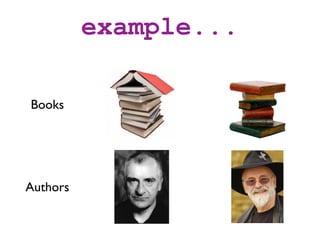
example...

Books


Authors
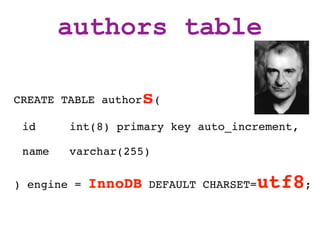
authors table

CREATE TABLE authors(

 id     int(8) primary key auto_increment,

 name   varchar(255)

) engine = InnoDB DEFAULT CHARSET=utf8;
tips

Name tables as simple plurals (add an S) -
makes relationships easier to understand
(issue: Matt Trout "Tables should not be plural as gives you plurals for Result::
package names which represent a single row" - talk may be rewritten in future
to reflect this as this is better once you understand the relationship setup -
either way, consistency is important)


Use a character set (UTF8) from the start
(for international characters)
authors table

CREATE TABLE author   s(
 id     int(8) primary key auto_increment,

 name   varchar(255)

) engine =   InnoDB   DEFAULT CHARSET=   utf8;
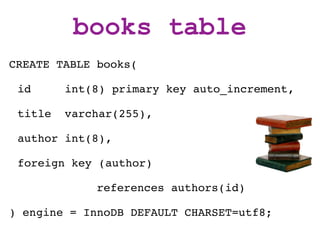
books table
CREATE TABLE books(

 id      int(8) primary key auto_increment,

 title   varchar(255),

 author int(8),

 foreign key (author)

             references authors(id)

) engine = InnoDB DEFAULT CHARSET=utf8;
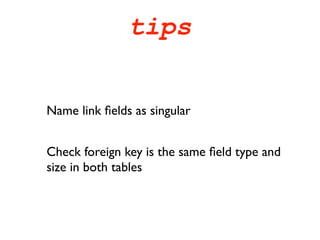
tips


Name link fields as singular


Check foreign key is the same field type and
size in both tables
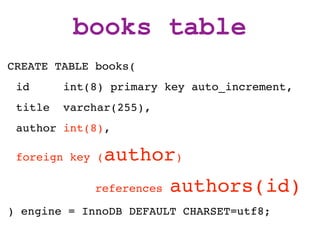
books table
CREATE TABLE books(
 id      int(8) primary key auto_increment,
 title   varchar(255),
 author int(8),

 foreign key (   author)
             references   authors(id)
) engine = InnoDB DEFAULT CHARSET=utf8;
CRUD compared
    C - Create
    R - Retrieve
    U - Update
    D - Delete
Manual (SQL)
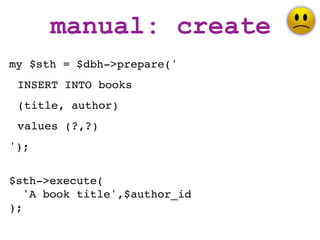
manual: create
my $sth = $dbh->prepare('
 INSERT INTO books
 (title, author)
 values (?,?)
');


$sth->execute(
   'A book title',$author_id
);
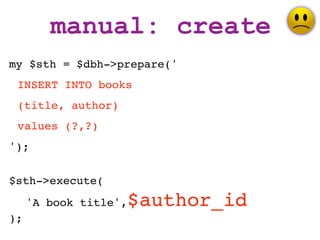
manual: create
my $sth = $dbh->prepare('
 INSERT INTO books
 (title, author)
 values (?,?)
');


$sth->execute(
     'A book title',   $author_id
);
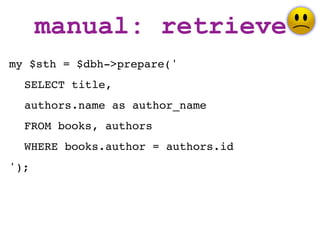
manual: retrieve
my $sth = $dbh->prepare('
  SELECT title,
  authors.name as author_name
  FROM books, authors
  WHERE books.author = authors.id
');
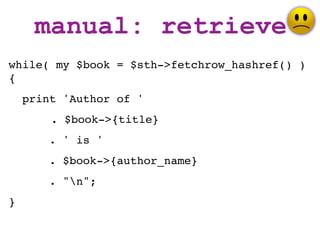
manual: retrieve
while( my $book = $sth->fetchrow_hashref() )
{
    print 'Author of '
        . $book->{title}
       . ' is '
       . $book->{author_name}
       . "n";
}
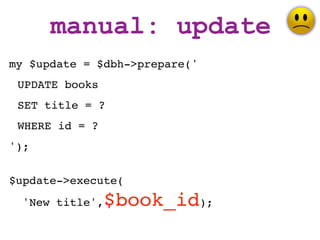
manual: update
my $update = $dbh->prepare('
 UPDATE books
 SET title = ?
 WHERE id = ?
');


$update->execute(
  'New title',   $book_id);
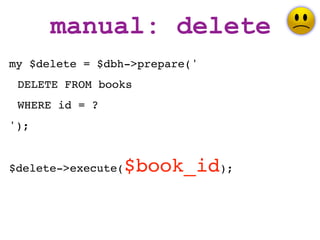
manual: delete
my $delete = $dbh->prepare('
 DELETE FROM books
 WHERE id = ?
');


$delete->execute(   $book_id);
DBIx::Class
DBIC: create
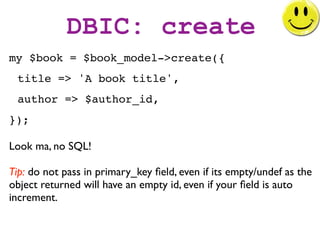
my $book = $book_model->create({
 title => 'A book title',
 author => $author_id,
});

Look ma, no SQL!

Tip: do not pass in primary_key field, even if its empty/undef as the
object returned will have an empty id, even if your field is auto
increment.
DBIC: create
my $book = $book_model->create({
 title => 'A book title',

 author =>   $author_id,
});
DBIC: create
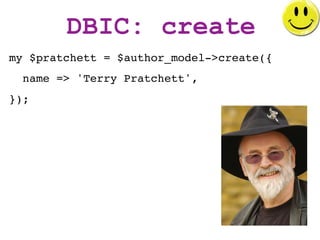
my $pratchett = $author_model->create({
  name => 'Terry Pratchett',
});
DBIC: create
my $book = $pratchett->create_related(
     'books', {
       title => 'Another Discworld book',
});
or
my $book = $pratchett->add_to_books({
       title => 'Another Discworld book',
});
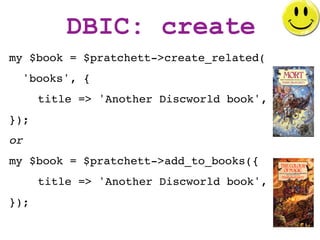
DBIC: create
my $book = $pratchett->create_related(
     'books', {
       title => 'Another Discworld book',
});
or
my $book = $pratchett->add_to_books({
       title => 'Another Discworld book',
});
DBIC: retrieve

DBIx::Class - Lots of ways to do the same thing...

"There is more than one way to do it (TIMTOWTDI,
usually pronounced "Tim Toady") is a Perl motto"
DBIC: retrieve
my $book = $book_model->find($book_id);


my $book = $book_model->search({
 title => 'A book title',
})->single();


my @books = $book_model->search({
 author => $author_id,
})->all();
DBIC: retrieve
while( my $book = $books_rs->next() ) {
    print 'Author of '
        . $book->title()
       . ' is '
       . $book->author()->name()
       . "n";
}
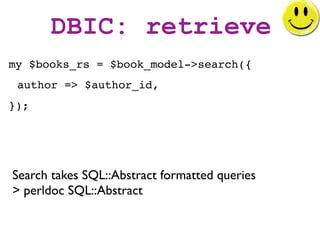
DBIC: retrieve
my $books_rs = $book_model->search({
 author => $author_id,
});


Search takes SQL::Abstract formatted queries
> perldoc SQL::Abstract
DBIC: update
$book->update({
  title => 'New title',
});
DBIC: delete
$book->delete();
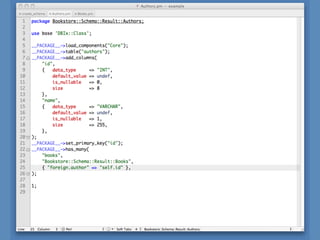
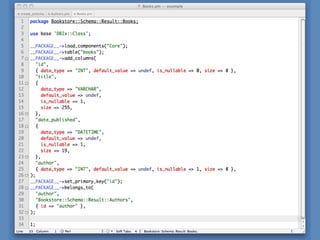
Creating schemas
too much
  typing!

  too much
maintenance!
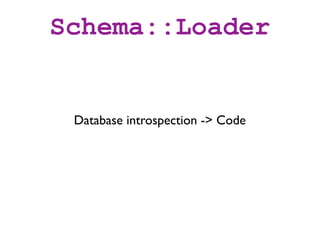
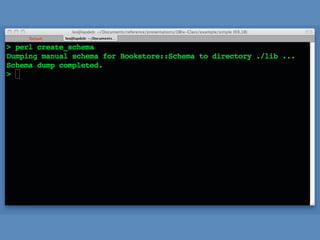
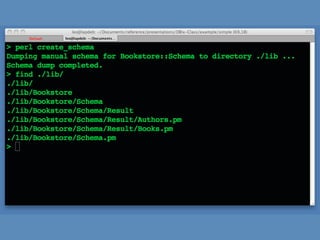
Schema::Loader


 Database introspection -> Code
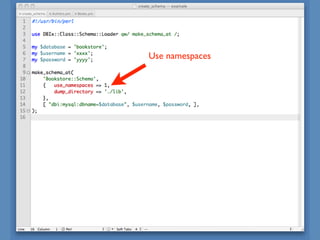
Use namespaces
Use Namespaces
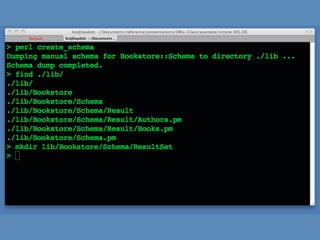
           Splits logic cleanly


Bookstore::Schema::Result::X
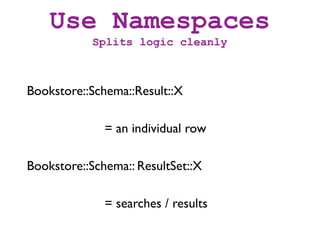
              = an individual row

Bookstore::Schema:: ResultSet::X

              = searches / results
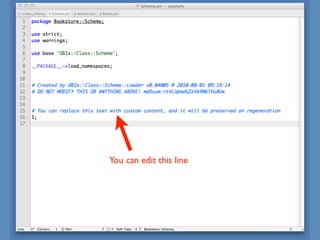
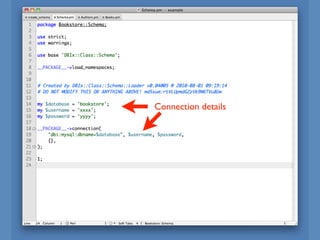
You can edit this line
Connection details
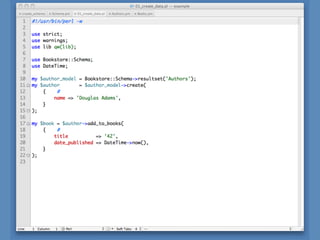
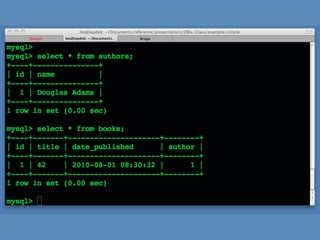
using your Schema
DEBUGGING
DBIC_TRACE=1 ./your_script.pl
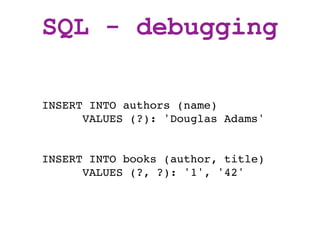
SQL - debugging

INSERT INTO authors (name)
      VALUES (?): 'Douglas Adams'


INSERT INTO books (author, title)
      VALUES (?, ?): '1', '42'
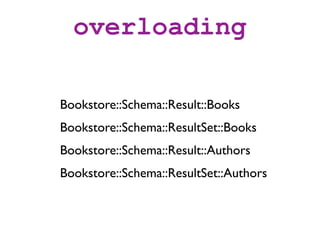
overloading

Bookstore::Schema::Result::Books
Bookstore::Schema::ResultSet::Books
Bookstore::Schema::Result::Authors
Bookstore::Schema::ResultSet::Authors
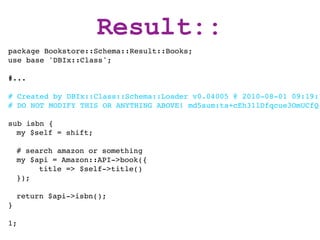
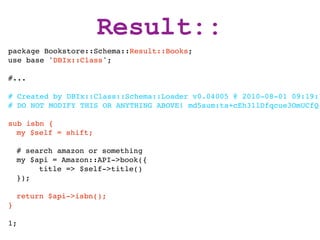
Result::
package Bookstore::Schema::Result::Books;
use base 'DBIx::Class';

#...

# Created by DBIx::Class::Schema::Loader v0.04005 @ 2010-08-01 09:19:1
# DO NOT MODIFY THIS OR ANYTHING ABOVE! md5sum:ta+cEh31lDfqcue3OmUCfQ

sub isbn {
  my $self = shift;

    # search amazon or something
    my $api = Amazon::API->book({
         title => $self->title()
    });

    return $api->isbn();
}

1;
Result::
package Bookstore::Schema::Result::Books;
use base 'DBIx::Class';

#...

# Created by DBIx::Class::Schema::Loader v0.04005 @ 2010-08-01 09:19:1
# DO NOT MODIFY THIS OR ANYTHING ABOVE! md5sum:ta+cEh31lDfqcue3OmUCfQ

sub isbn {
  my $self = shift;

    # search amazon or something
    my $api = Amazon::API->book({
         title => $self->title()
    });

    return $api->isbn();
}

1;
Result::
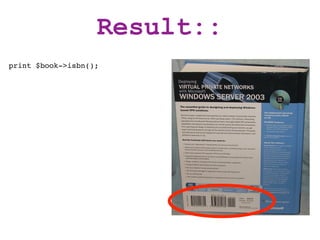
print $book->isbn();
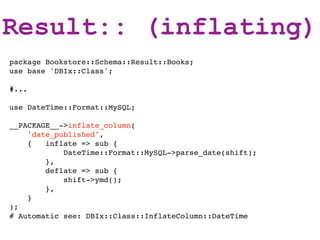
Result:: (inflating)
package Bookstore::Schema::Result::Books;
use base 'DBIx::Class';

#...

use DateTime::Format::MySQL;

__PACKAGE__->inflate_column(
    'date_published',
    {   inflate => sub {
            DateTime::Format::MySQL->parse_date(shift);
        },
        deflate => sub {
            shift->ymd();
        },
    }
);
# Automatic see: DBIx::Class::InflateColumn::DateTime
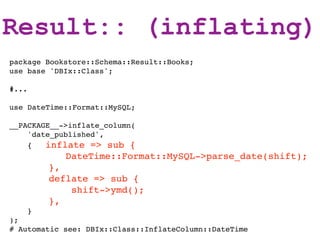
Result:: (inflating)
package Bookstore::Schema::Result::Books;
use base 'DBIx::Class';

#...

use DateTime::Format::MySQL;

__PACKAGE__->inflate_column(
    'date_published',
    {   inflate => sub {
             DateTime::Format::MySQL->parse_date(shift);
           },
           deflate => sub {
               shift->ymd();
           },
       }
);
# Automatic see: DBIx::Class::InflateColumn::DateTime
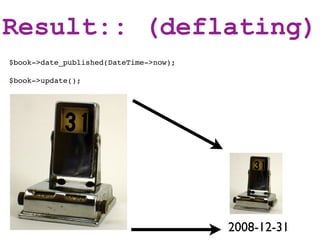
Result:: (deflating)
$book->date_published(DateTime->now);

$book->update();


                                        2008-12-31
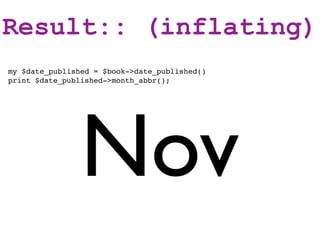
Result:: (inflating)
my $date_published = $book->date_published()
print $date_published->month_abbr();


                Nov
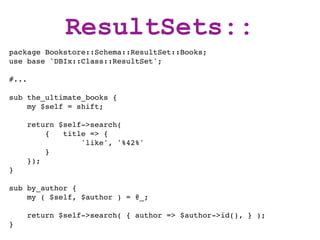
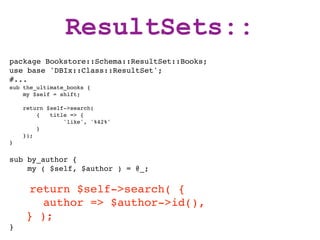
ResultSets::
package Bookstore::Schema::ResultSet::Books;
use base 'DBIx::Class::ResultSet';

#...

sub the_ultimate_books {
    my $self = shift;

       return $self->search(
           {   title => {
                   'like', '%42%'
           }
       });
}

sub by_author {
    my ( $self, $author ) = @_;

       return $self->search( { author => $author->id(), } );
}
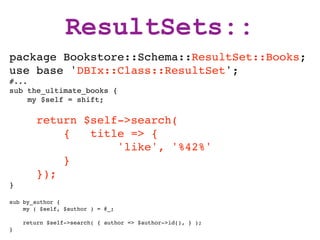
ResultSets::
package Bookstore::Schema::ResultSet::Books;
use base 'DBIx::Class::ResultSet';
#...
sub the_ultimate_books {
     my $self = shift;

        return $self->search(
            {   title => {
                    'like', '%42%'
            }
        });
}

sub by_author {
    my ( $self, $author ) = @_;

    return $self->search( { author => $author->id(), } );
}
ResultSets::
package Bookstore::Schema::ResultSet::Books;
use base 'DBIx::Class::ResultSet';
#...
sub the_ultimate_books {
    my $self = shift;

    return $self->search(
        {   title => {
                'like', '%42%'
        }
    });
}


sub by_author {
    my ( $self, $author ) = @_;

     return $self->search( {
       author => $author->id(),
    } );
}
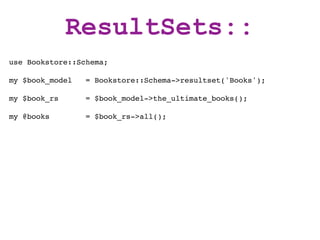
ResultSets::
use Bookstore::Schema;

my $book_model   = Bookstore::Schema->resultset('Books');

my $book_rs      = $book_model->the_ultimate_books();

my @books        = $book_rs->all();
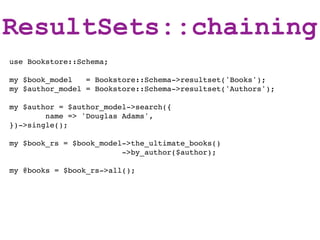
ResultSets::chaining
use Bookstore::Schema;

my $book_model   = Bookstore::Schema->resultset('Books');
my $author_model = Bookstore::Schema->resultset('Authors');

my $author = $author_model->search({
        name => 'Douglas Adams',
})->single();

my $book_rs = $book_model->the_ultimate_books()
                         ->by_author($author);

my @books = $book_rs->all();
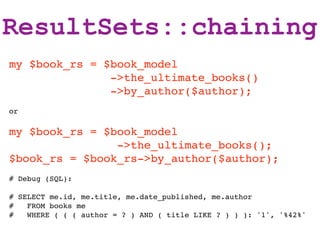
ResultSets::chaining
my $book_rs = $book_model
               ->the_ultimate_books()
               ->by_author($author);
or

my $book_rs = $book_model
                ->the_ultimate_books();
$book_rs = $book_rs->by_author($author);
# Debug (SQL):

# SELECT me.id, me.title, me.date_published, me.author
#   FROM books me
#   WHERE ( ( ( author = ? ) AND ( title LIKE ? ) ) ): '1', '%42%'
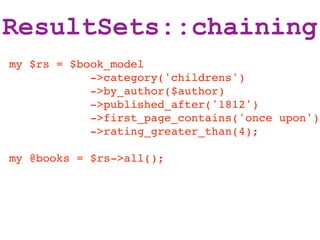
ResultSets::chaining
my $rs = $book_model
            ->category('childrens')
            ->by_author($author)
            ->published_after('1812')
            ->first_page_contains('once upon')
            ->rating_greater_than(4);

my @books = $rs->all();
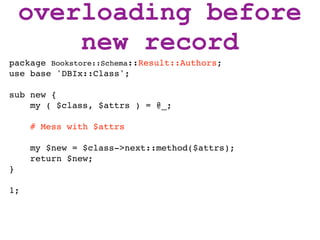
overloading before
    new record
overloading before
        new record
package Bookstore::Schema::Result::Authors;
use base 'DBIx::Class';

sub new {
    my ( $class, $attrs ) = @_;

     # Mess with $attrs

     my $new = $class->next::method($attrs);
     return $new;
}

1;
relationships
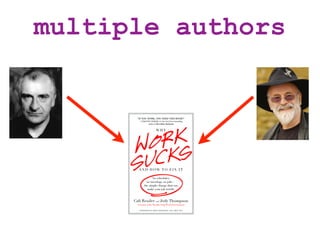
multiple authors
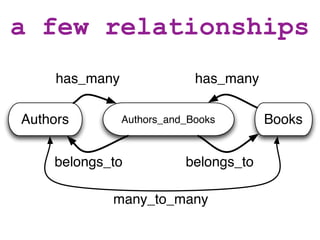
a few relationships
     has_many                has_many

Authors         Authors_and_Books       Books


    belongs_to             belongs_to

            many_to_many
a few relationships


        !
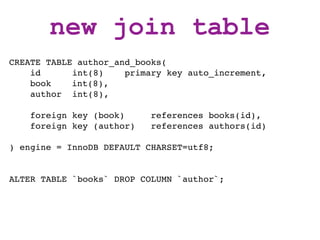
new join table
CREATE TABLE author_and_books(
    id      int(8)    primary key auto_increment,
    book ! int(8),
    author int(8),

    foreign key (book)     references books(id),
    foreign key (author)   references authors(id)

) engine = InnoDB DEFAULT CHARSET=utf8;


ALTER TABLE `books` DROP COLUMN `author`;
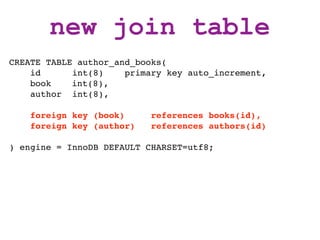
new join table
CREATE TABLE author_and_books(
    id      int(8)    primary key auto_increment,
    book ! int(8),
    author int(8),

    foreign key (book)     references books(id),
    foreign key (author)   references authors(id)

) engine = InnoDB DEFAULT CHARSET=utf8;
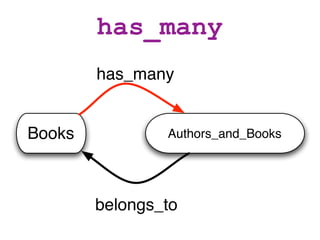
has_many
        has_many


Books           Authors_and_Books


        belongs_to
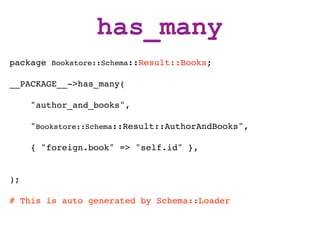
has_many
package Bookstore::Schema::Result::Books;

__PACKAGE__->has_many(

     "author_and_books",

     "Bookstore::Schema::Result::AuthorAndBooks",

     { "foreign.book" => "self.id" },


);

# This is auto generated by Schema::Loader
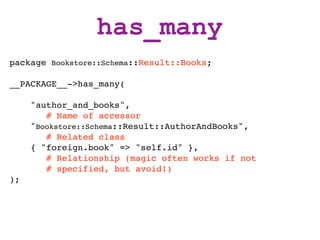
has_many
package Bookstore::Schema::Result::Books;

__PACKAGE__->has_many(

     "author_and_books",
        # Name of accessor
     "Bookstore::Schema::Result::AuthorAndBooks",
        # Related class
     { "foreign.book" => "self.id" },
        # Relationship (magic often works if not
        # specified, but avoid!)
);
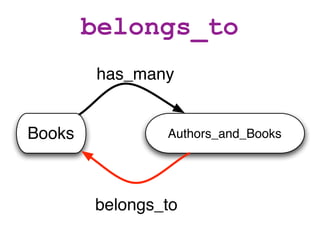
belongs_to
        has_many


Books           Authors_and_Books


        belongs_to
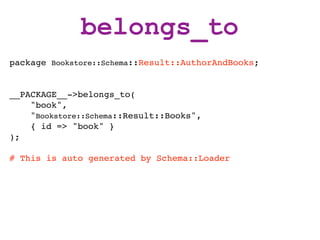
belongs_to
package Bookstore::Schema::Result::AuthorAndBooks;


__PACKAGE__->belongs_to(
    "book",
    "Bookstore::Schema::Result::Books",
    { id => "book" }
);

# This is auto generated by Schema::Loader
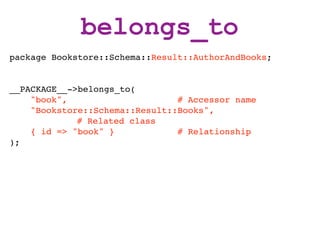
belongs_to
package Bookstore::Schema::Result::AuthorAndBooks;


__PACKAGE__->belongs_to(
    "book",                     # Accessor name
    "Bookstore::Schema::Result::Books",
             # Related class
    { id => "book" }            # Relationship
);
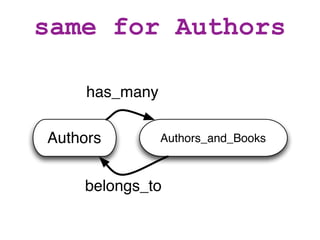
same for Authors

     has_many

Authors         Authors_and_Books


    belongs_to
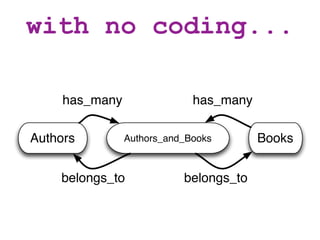
with no coding...

     has_many                has_many

Authors         Authors_and_Books       Books


    belongs_to             belongs_to
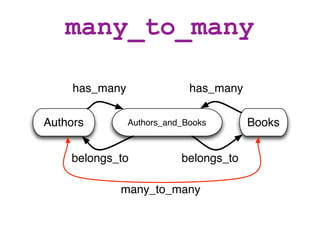
many_to_many

     has_many                has_many

Authors         Authors_and_Books       Books


    belongs_to             belongs_to

            many_to_many
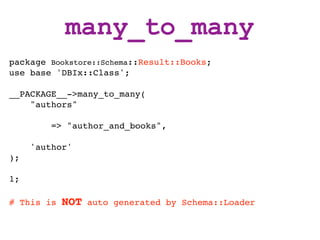
many_to_many
package Bookstore::Schema::Result::Books;
use base 'DBIx::Class';

__PACKAGE__->many_to_many(
    "authors"

         => "author_and_books",

     'author'
);

1;

# This is   NOT   auto generated by Schema::Loader
many_to_many
package Bookstore::Schema::Result::Books;
use base 'DBIx::Class';

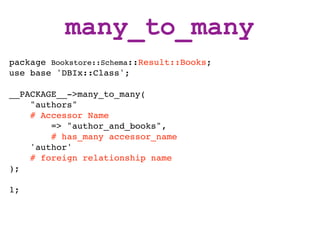
__PACKAGE__->many_to_many(
    "authors"
    # Accessor Name
        => "author_and_books",
        # has_many accessor_name
    'author'
    # foreign relationship name
);

1;
many_to_many
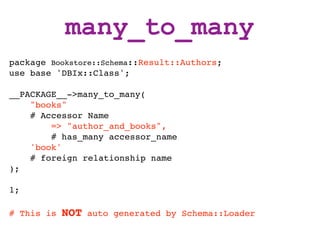
package Bookstore::Schema::Result::Authors;
use base 'DBIx::Class';

__PACKAGE__->many_to_many(
    "books"
    # Accessor Name
        => "author_and_books",
        # has_many accessor_name
    'book'
    # foreign relationship name
);

1;

# This is   NOT   auto generated by Schema::Loader
using many_to_many
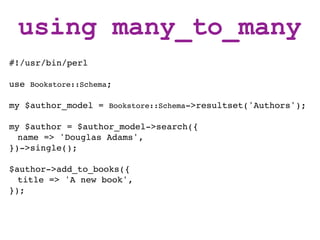
#!/usr/bin/perl

use Bookstore::Schema;

my $author_model = Bookstore::Schema->resultset('Authors');

my $author = $author_model->search({
  name => 'Douglas Adams',
})->single();

$author->add_to_books({
  title => 'A new book',
});
using many_to_many
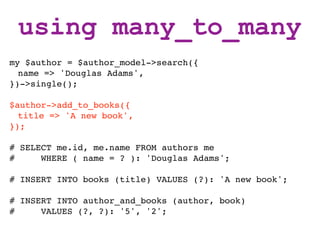
my $author = $author_model->search({
  name => 'Douglas Adams',
})->single();

$author->add_to_books({
  title => 'A new book',
});

# SELECT me.id, me.name FROM authors me
#     WHERE ( name = ? ): 'Douglas Adams';

# INSERT INTO books (title) VALUES (?): 'A new book';

# INSERT INTO author_and_books (author, book)
#     VALUES (?, ?): '5', '2';
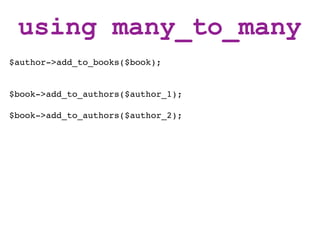
using many_to_many
$author->add_to_books($book);


$book->add_to_authors($author_1);

$book->add_to_authors($author_2);
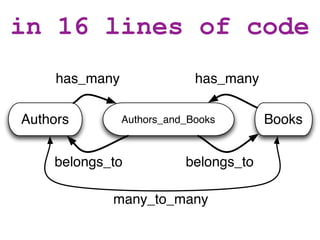
in 16 lines of code
     has_many                has_many

Authors         Authors_and_Books       Books


    belongs_to             belongs_to

            many_to_many
errors


 Read them closely!
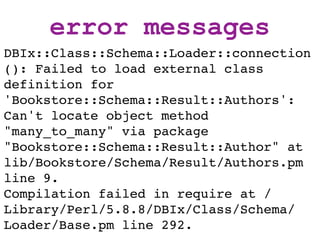
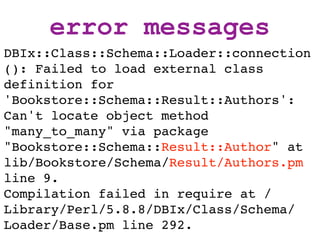
error messages
DBIx::Class::Schema::Loader::connection
(): Failed to load external class
definition for
'Bookstore::Schema::Result::Authors':
Can't locate object method
"many_to_many" via package
"Bookstore::Schema::Result::Author" at
lib/Bookstore/Schema/Result/Authors.pm
line 9.
Compilation failed in require at /
Library/Perl/5.8.8/DBIx/Class/Schema/
Loader/Base.pm line 292.
error messages
DBIx::Class::Schema::Loader::connection
(): Failed to load external class
definition for
'Bookstore::Schema::Result::Authors':
Can't locate object method
"many_to_many" via package
"Bookstore::Schema::Result::Author" at
lib/Bookstore/Schema/Result/Authors.pm
line 9.
Compilation failed in require at /
Library/Perl/5.8.8/DBIx/Class/Schema/
Loader/Base.pm line 292.
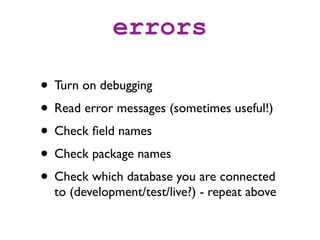
errors

• Turn on debugging
• Read error messages (sometimes useful!)
• Check field names
• Check package names
• Check which database you are connected
  to (development/test/live?) - repeat above
thanks

http://leo.cuckoo.org/projects/

    Time for bonus slides?
Template Toolkit


• [% author.books.count %] not working?
• TT all methods are called in list context
• [% author.books_rs.count %] scalar context
        Available for all relationships
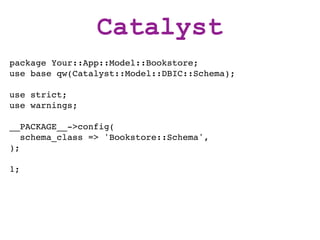
Catalyst
package Your::App::Model::Bookstore;
use base qw(Catalyst::Model::DBIC::Schema);

use strict;
use warnings;

__PACKAGE__->config(
   schema_class => 'Bookstore::Schema',
);

1;
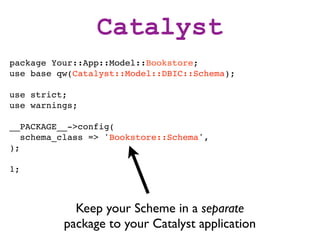
Catalyst
package Your::App::Model::Bookstore;
use base qw(Catalyst::Model::DBIC::Schema);

use strict;
use warnings;

__PACKAGE__->config(
   schema_class => 'Bookstore::Schema',
);

1;


            Keep your Scheme in a separate
          package to your Catalyst application
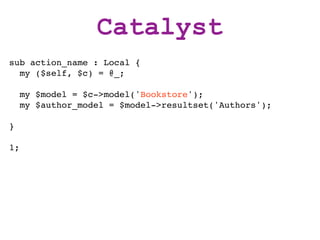
Catalyst
sub action_name : Local {
  my ($self, $c) = @_;

     my $model = $c->model('Bookstore');
     my $author_model = $model->resultset('Authors');

}

1;
thanks!


http://leo.cuckoo.org/projects/

DBIx::Class introduction - 2010