Salesforce Basics for the
Accidental Administrator
Presented by
Who We Are
Nonprofit Starter Pack
An app that sits on top of Salesforce Enterprise
Edition. The Nonprofit Starter Pack pre-configures
Salesforce for nonprofits, and is designed to make
the daily life of nonprofits a little easier. Free
through Power of 10 program.
NGO Connect
A new product built on Salesforce's force.com
platform, designed to help nonprofit organizations
engage constituents by enabling a 360-degree view
of their organization. Generally for larger-scale
orgs.
Corinn Brown, CRM Administrator at Idealist Consulting
Your Trainer
NPSP 3.0
 If you have gotten a Salesforce account in the last 9 months, you are on
NPSP 3.0.
 Automatic updates and bug fixes
 Older versions of NPSP no longer supported
 Update to NPSP 3.0 is straight forward - always test in sandbox first
 Updating to the new household=account model should not be taken
lightly. Thorough sandbox testing with your data required.
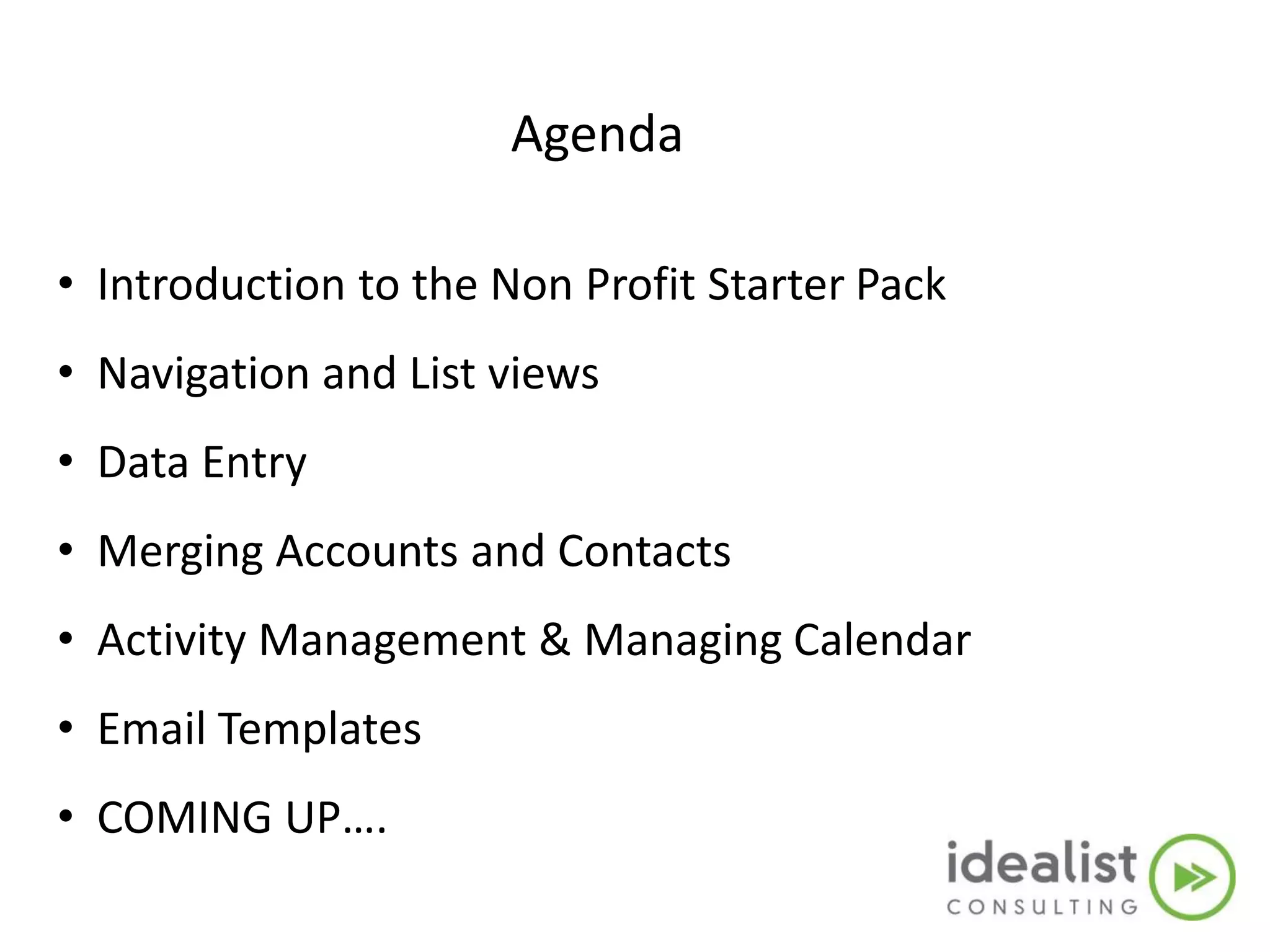
Agenda
• Introduction to the Non Profit Starter Pack
• Navigation and List views
• Data Entry
• Merging Accounts and Contacts
• Activity Management & Managing Calendar
• Wrap Up
CRM: A definition
• Customer Relationship Management
– Is a disciplined business strategy to create and
sustain long-term, profitable customer
relationships
– Salesforce.com is a CRM System
Intro to the NPSP:
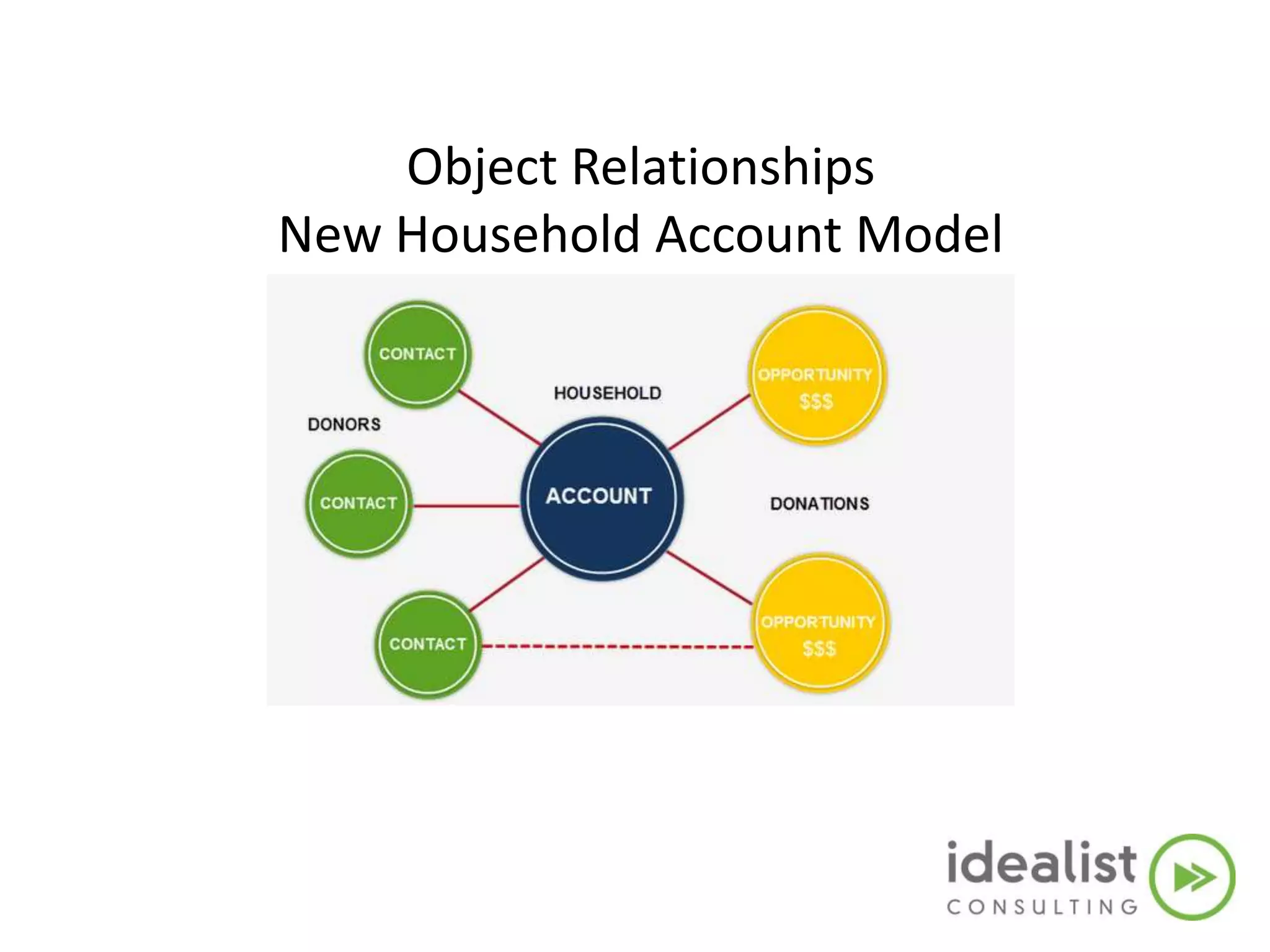
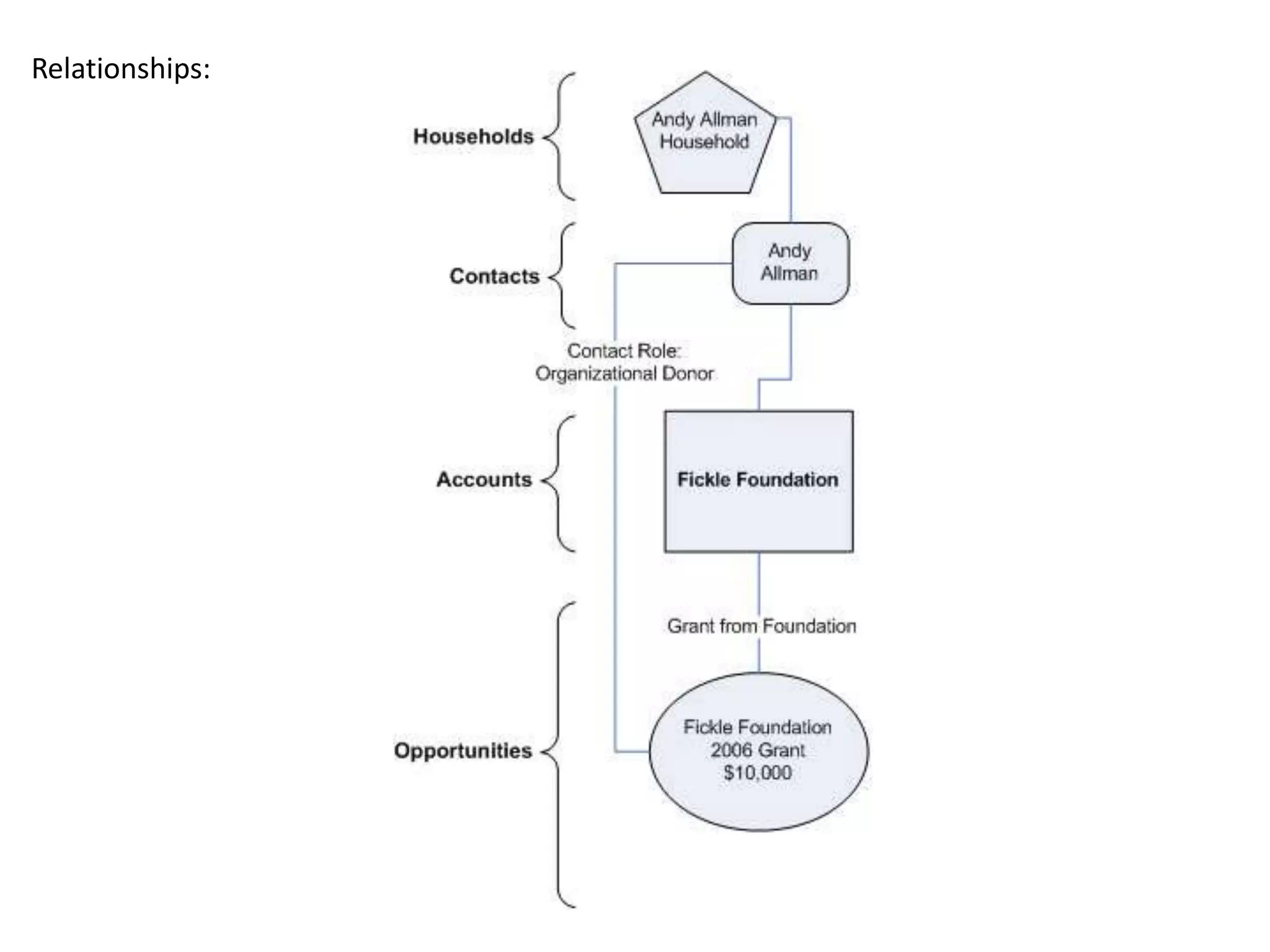
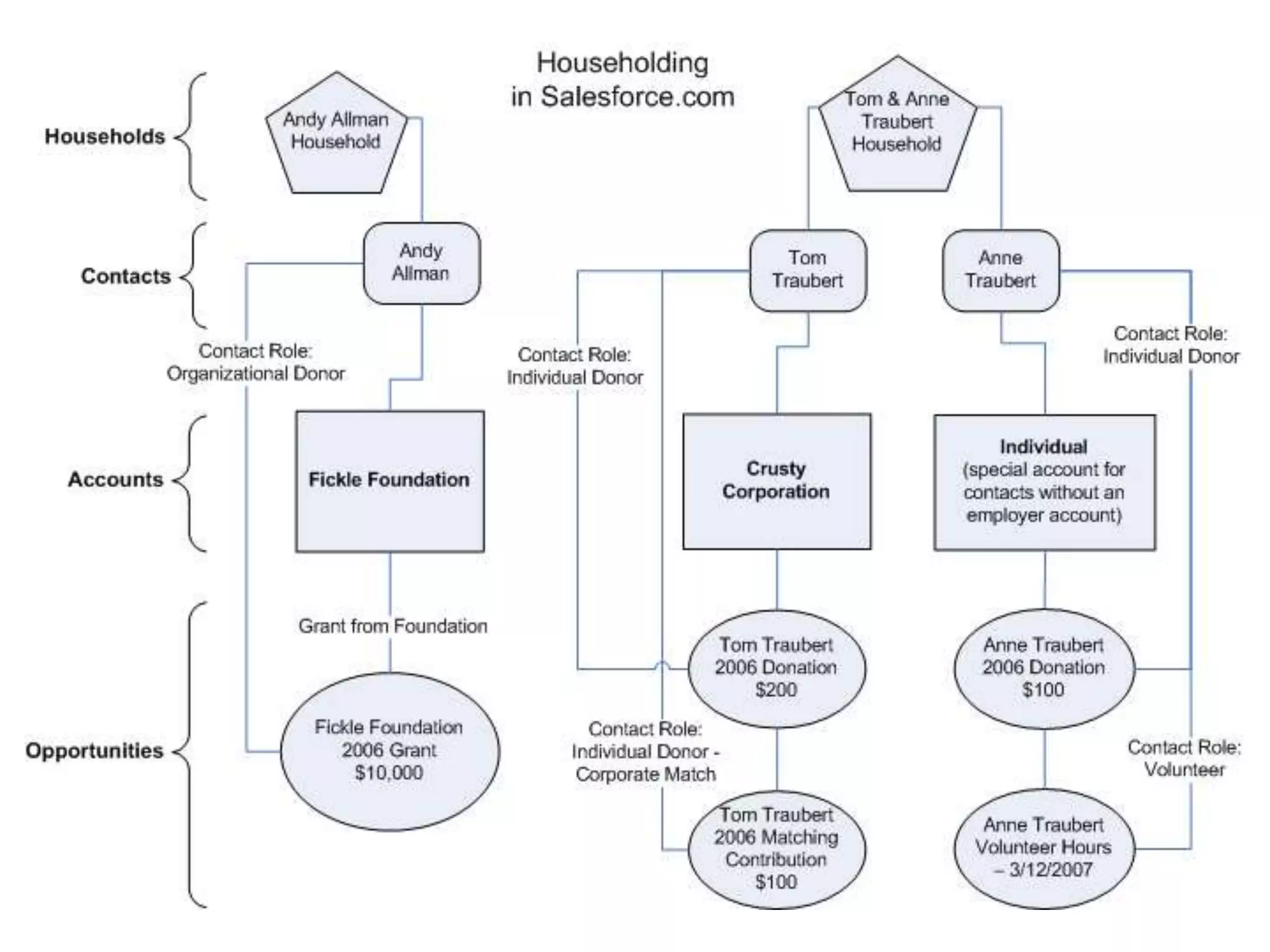
Object Relationships
New Household Account Model
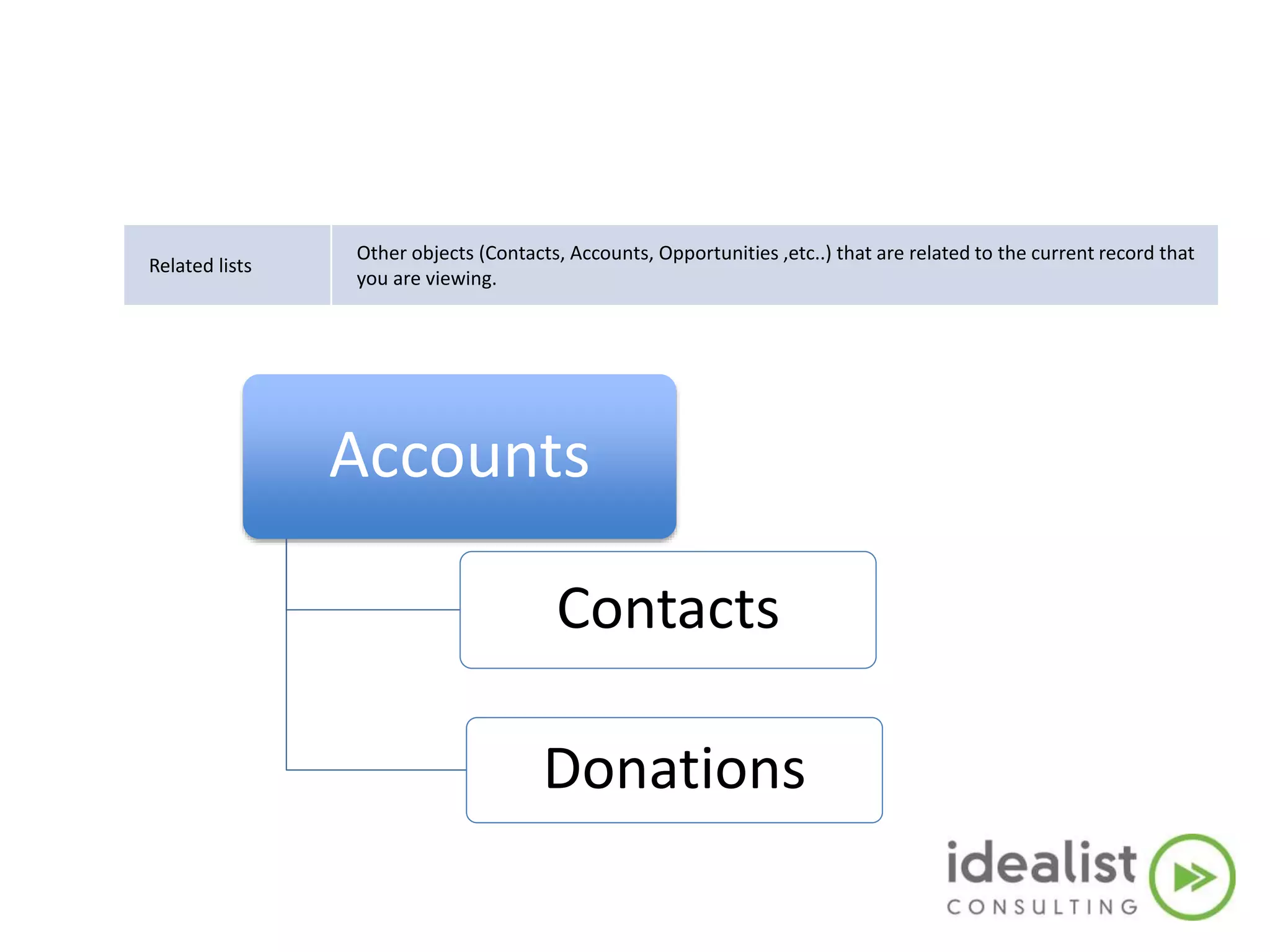
Related lists
Other objects (Contacts, Accounts, Opportunities ,etc..) that are related to the current record that
you are viewing.
Accounts
Contacts
Donations
Live Demo
Agenda
• Introduction to the Non Profit Starter Pack
• Navigation and List views
• Data Entry
• Merging Accounts and Contacts
• Activity Management & Managing Calendar
• Email Templates
• COMING UP….
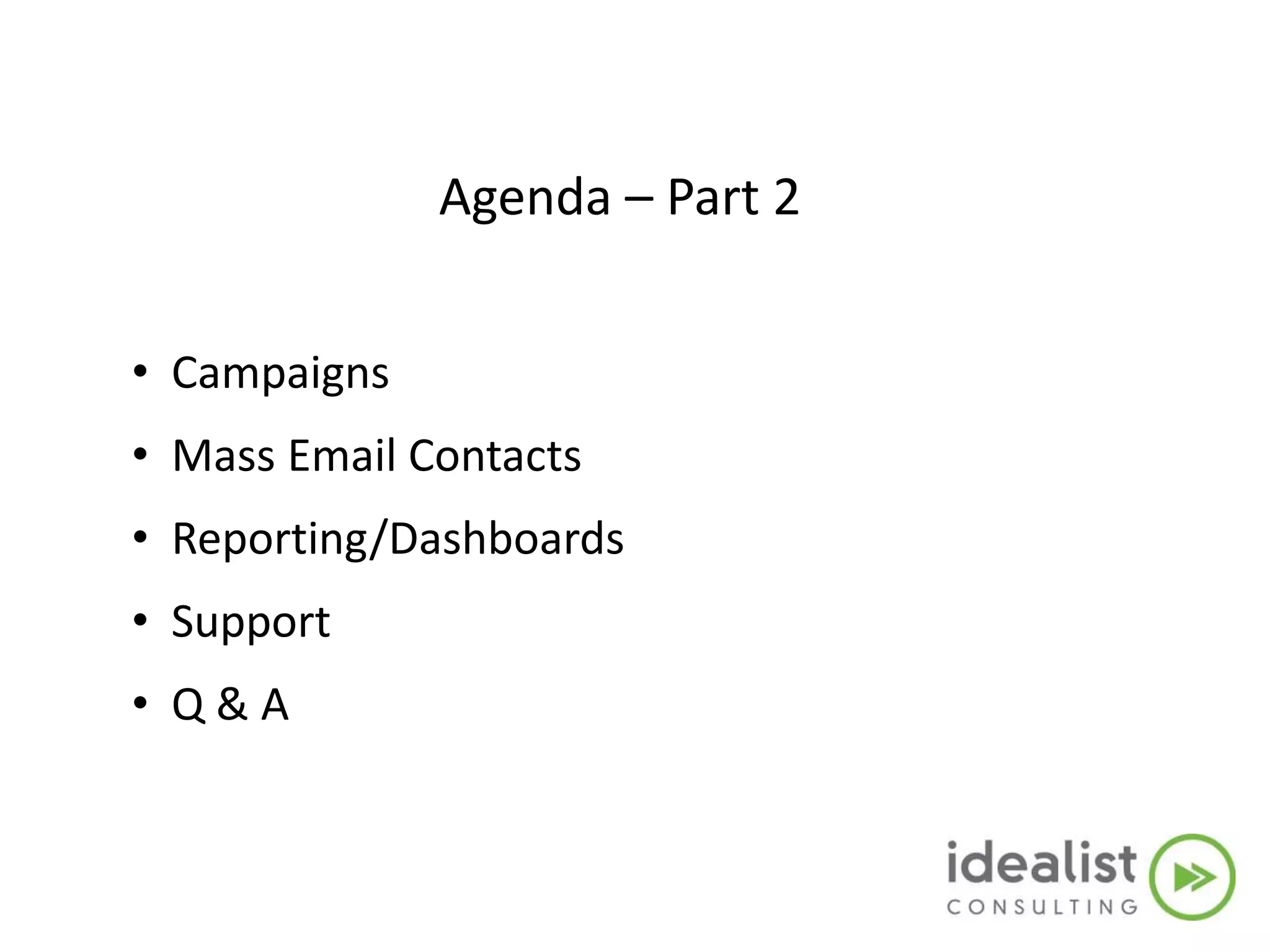
Agenda – Part 2
• Campaigns
• Mass Email Contacts
• Reporting/Dashboards
• Support
• Q & A
Standard Terms & Definitions
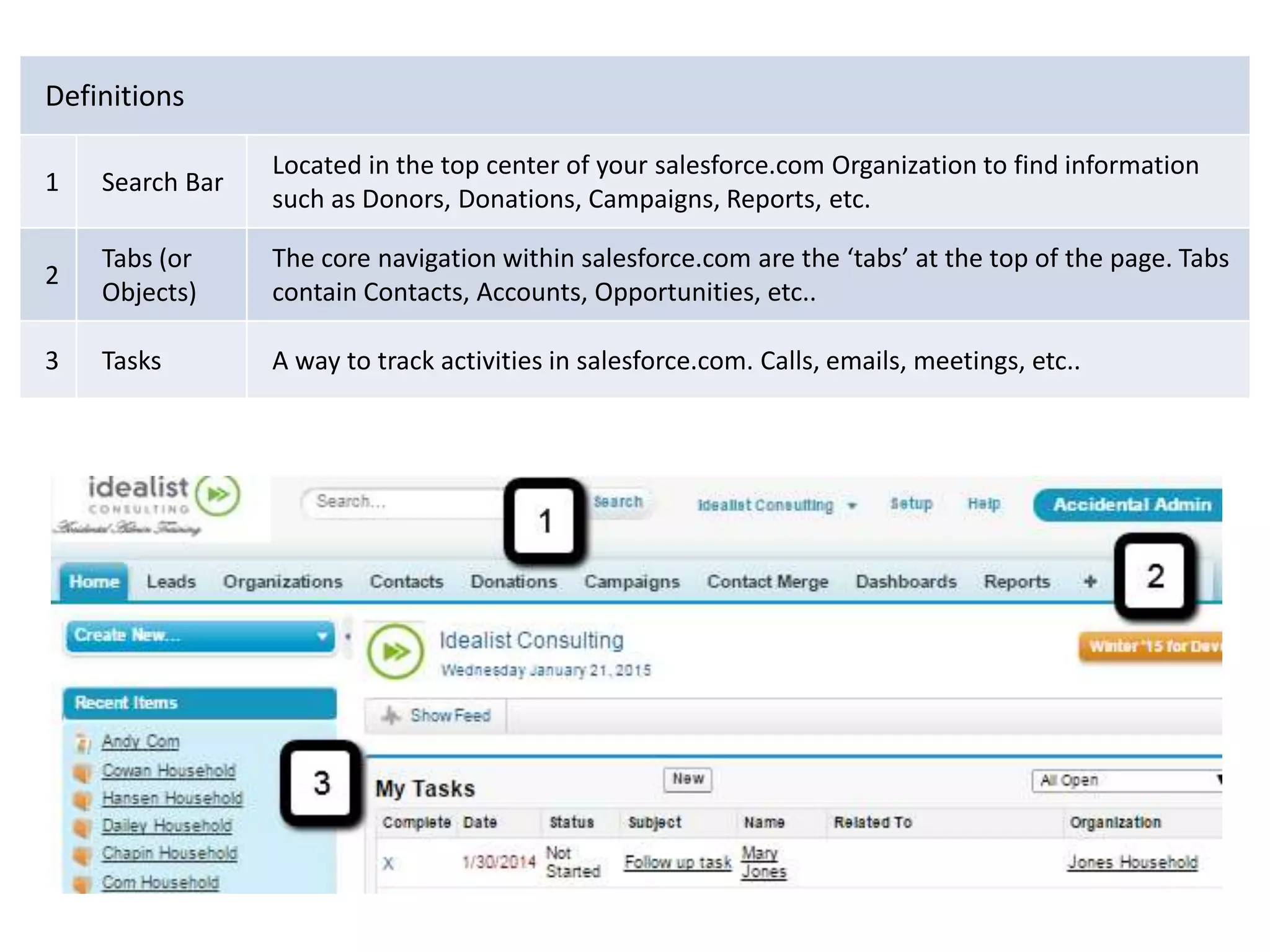
Definitions
1 Search Bar
Located in the top center of your salesforce.com Organization to find information
such as Donors, Donations, Campaigns, Reports, etc.
2
Tabs (or
Objects)
The core navigation within salesforce.com are the ‘tabs’ at the top of the page. Tabs
contain Contacts, Accounts, Opportunities, etc..
3 Tasks A way to track activities in salesforce.com. Calls, emails, meetings, etc..
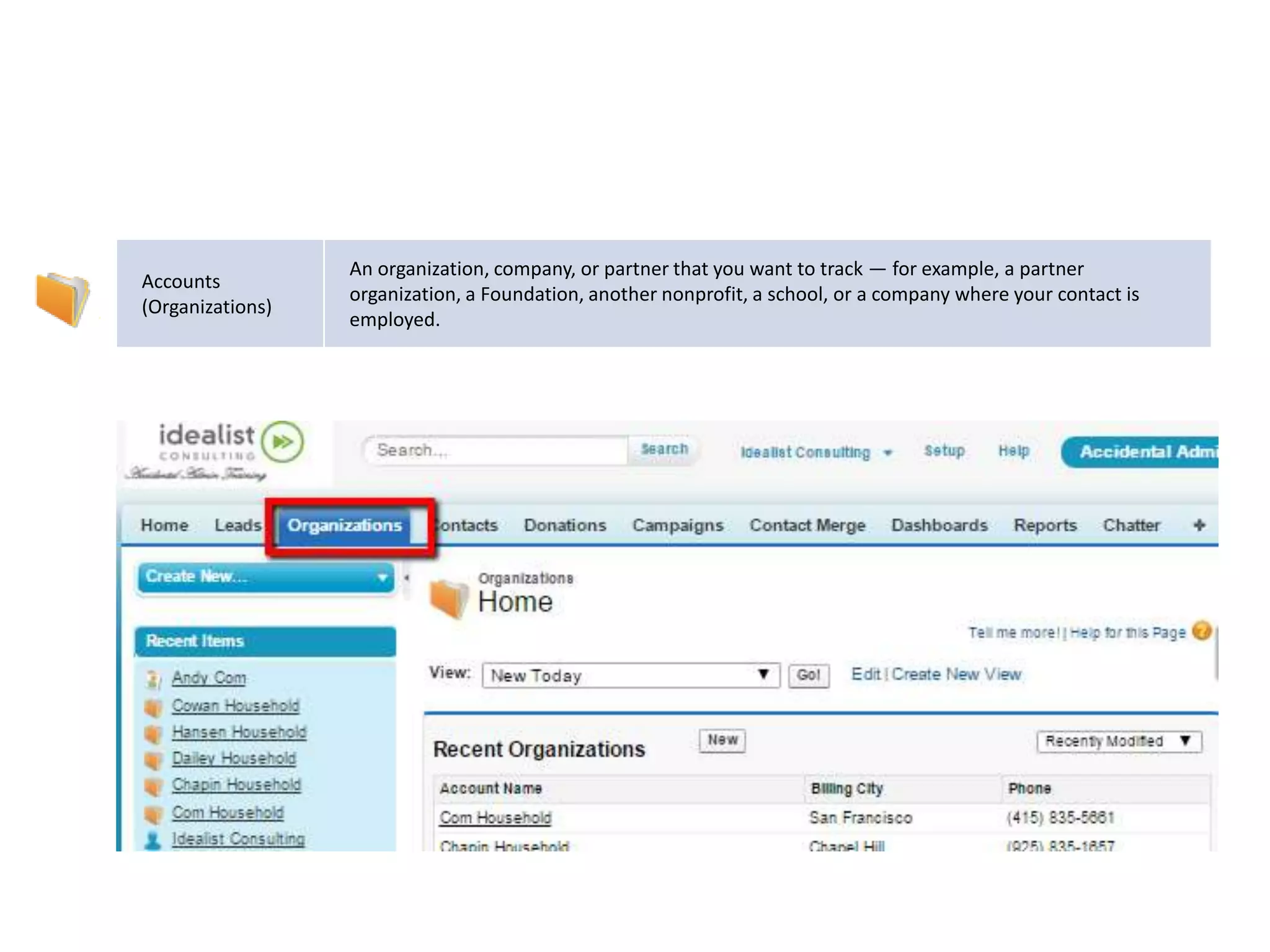
Accounts
(Organizations)
An organization, company, or partner that you want to track — for example, a partner
organization, a Foundation, another nonprofit, a school, or a company where your contact is
employed.
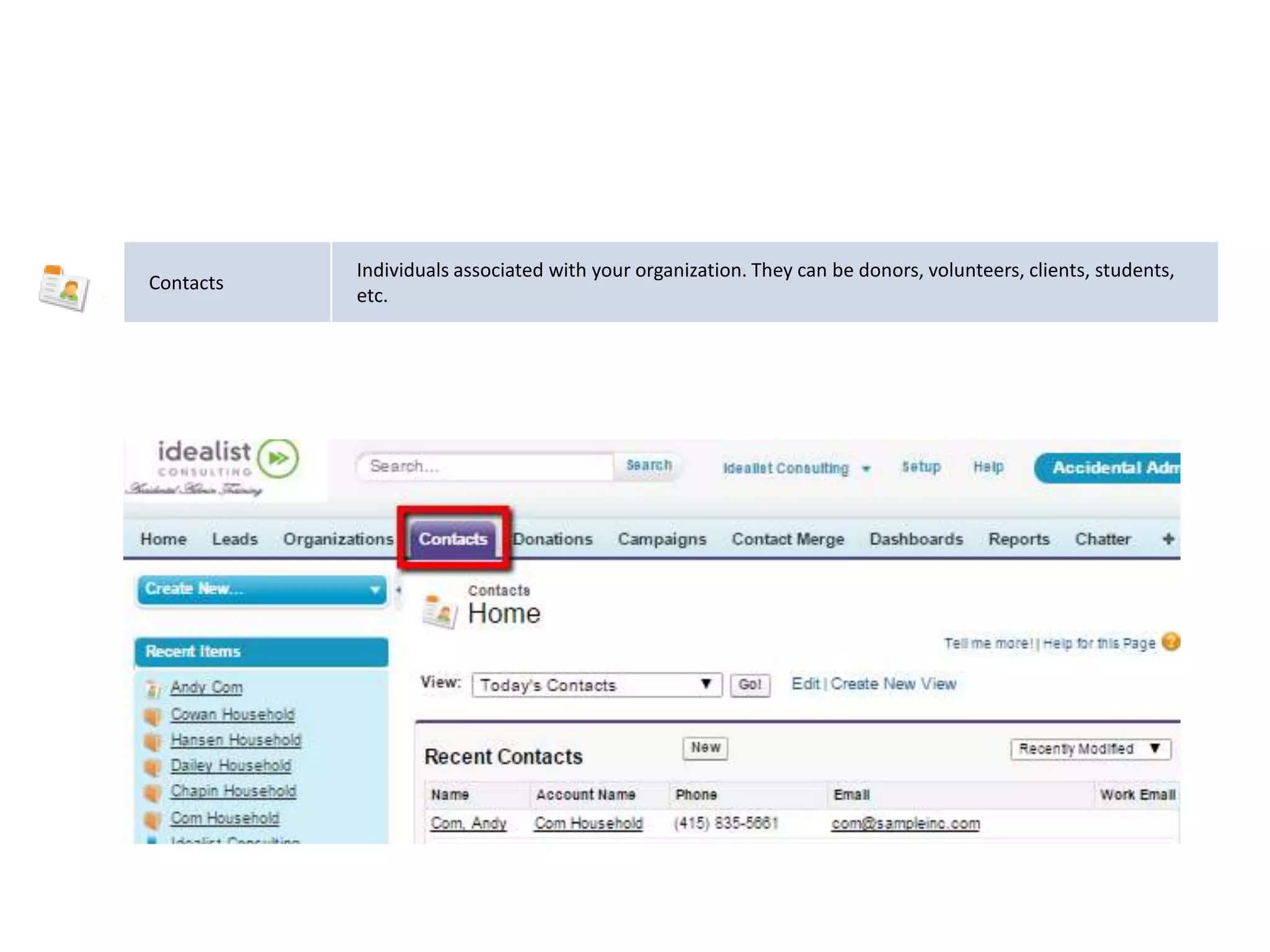
Contacts
Individuals associated with your organization. They can be donors, volunteers, clients, students,
etc.
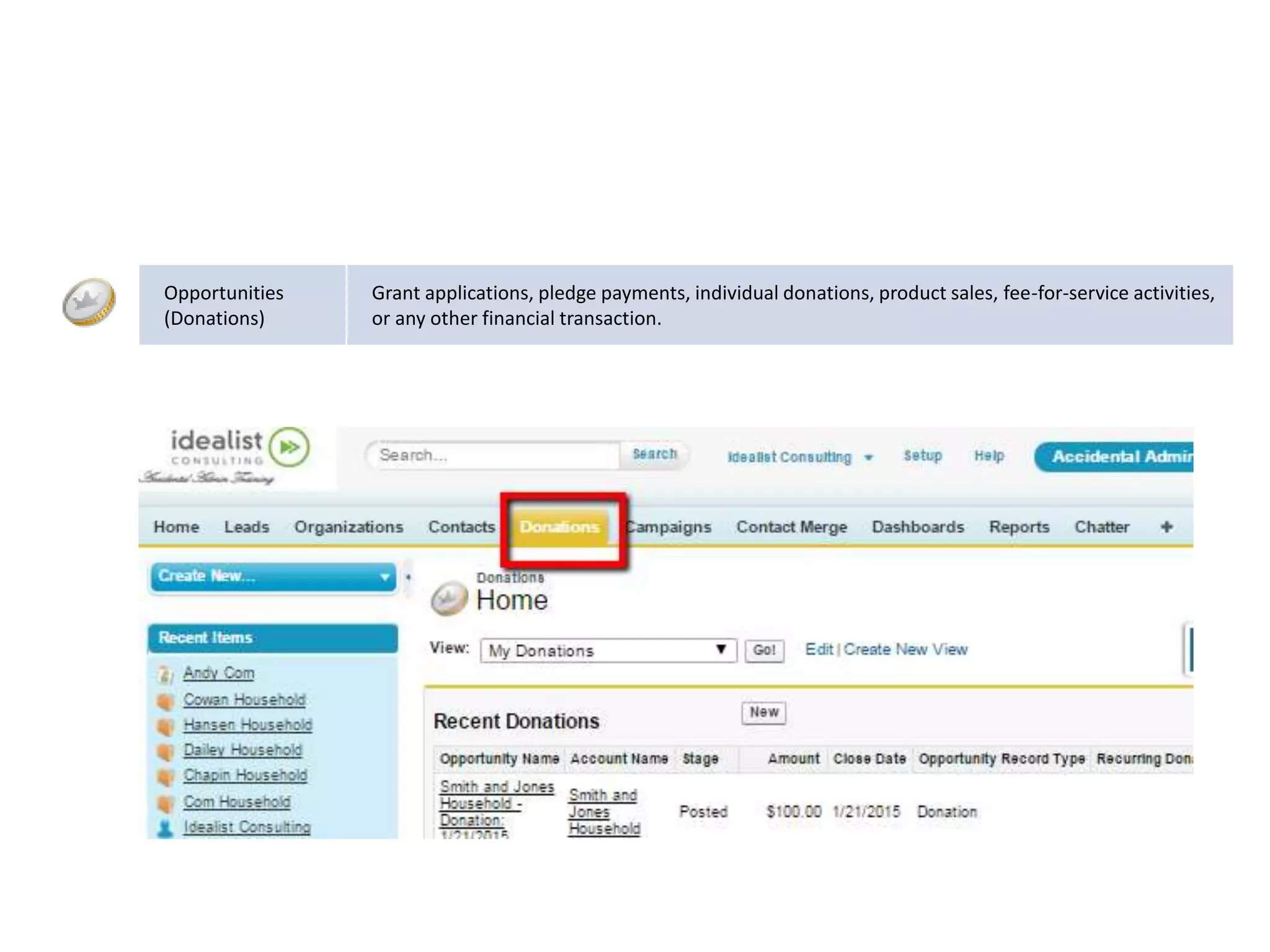
Opportunities
(Donations)
Grant applications, pledge payments, individual donations, product sales, fee-for-service activities,
or any other financial transaction.
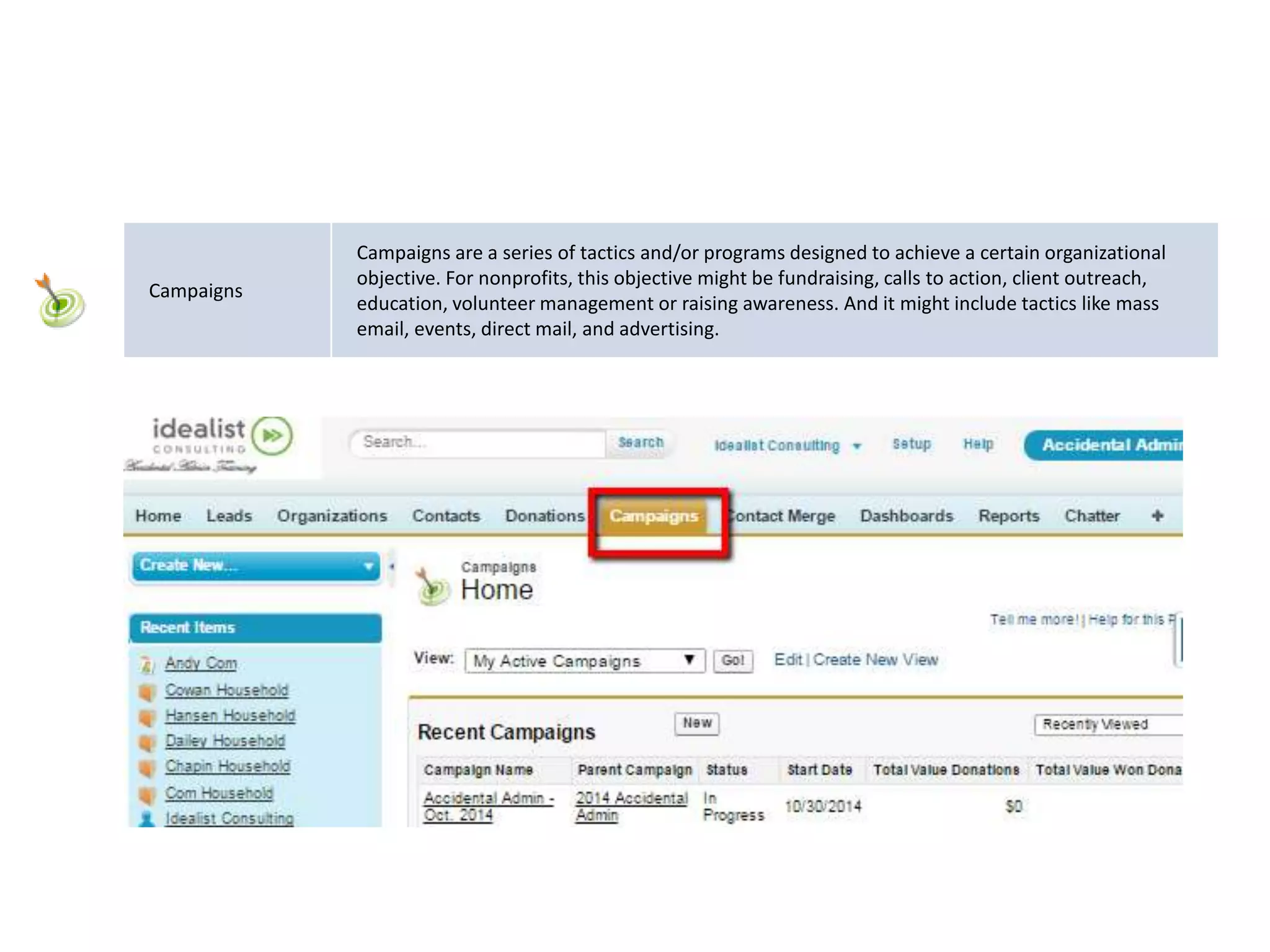
Campaigns
Campaigns are a series of tactics and/or programs designed to achieve a certain organizational
objective. For nonprofits, this objective might be fundraising, calls to action, client outreach,
education, volunteer management or raising awareness. And it might include tactics like mass
email, events, direct mail, and advertising.
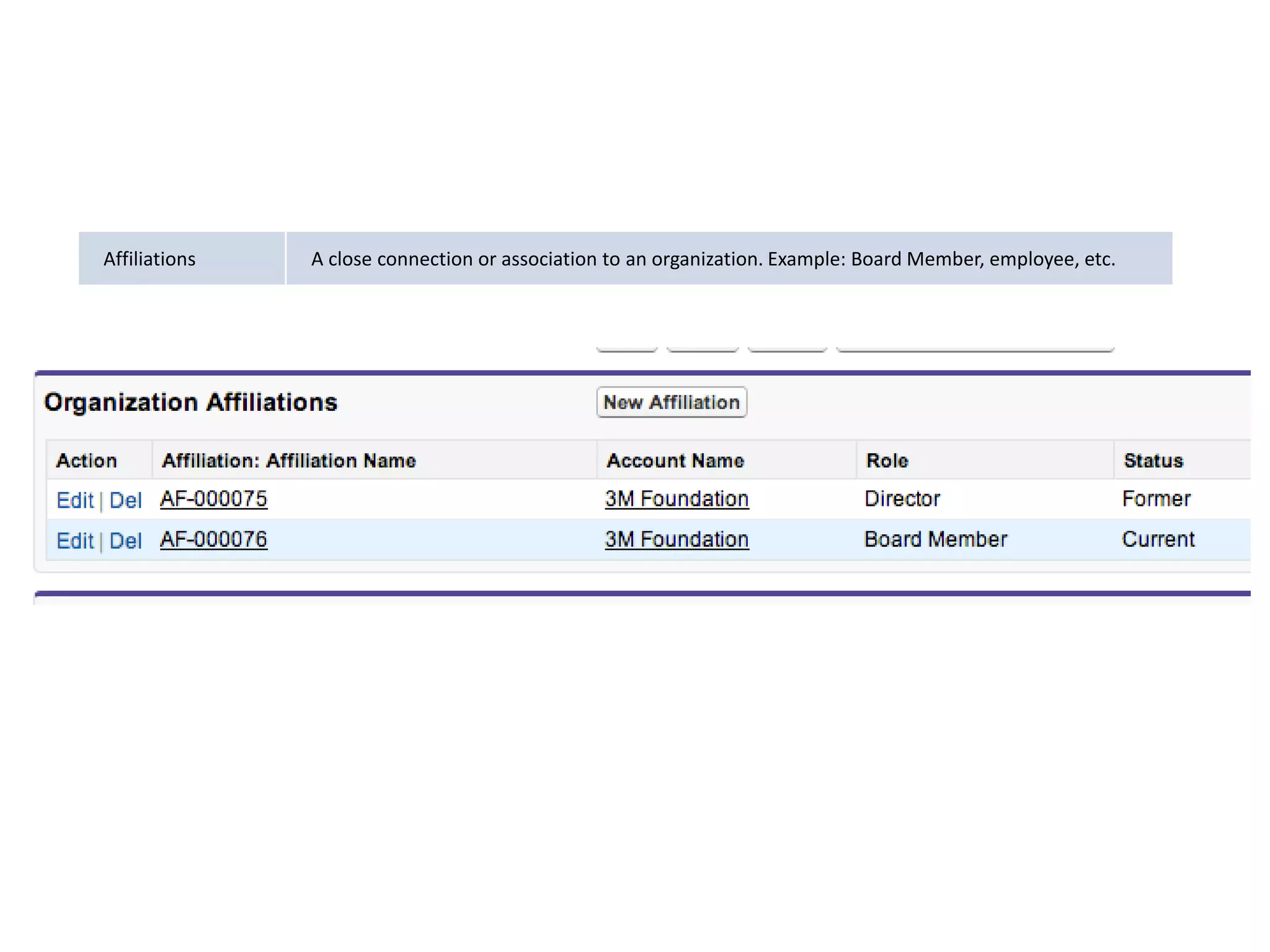
Affiliations A close connection or association to an organization. Example: Board Member, employee, etc.
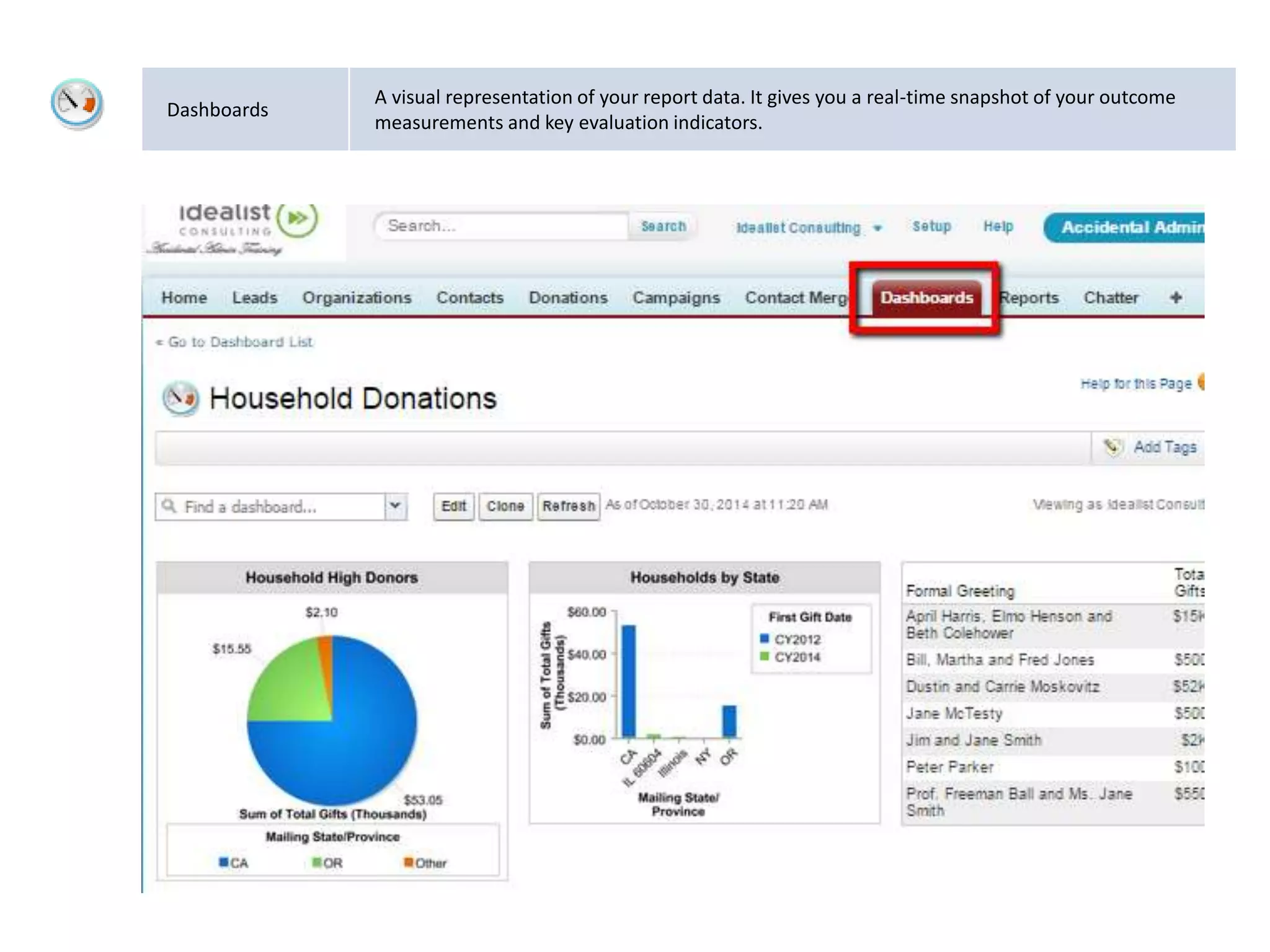
Dashboards
A visual representation of your report data. It gives you a real-time snapshot of your outcome
measurements and key evaluation indicators.
Relationships:
Data Models, Architecture
(One to One vs. Bucket)
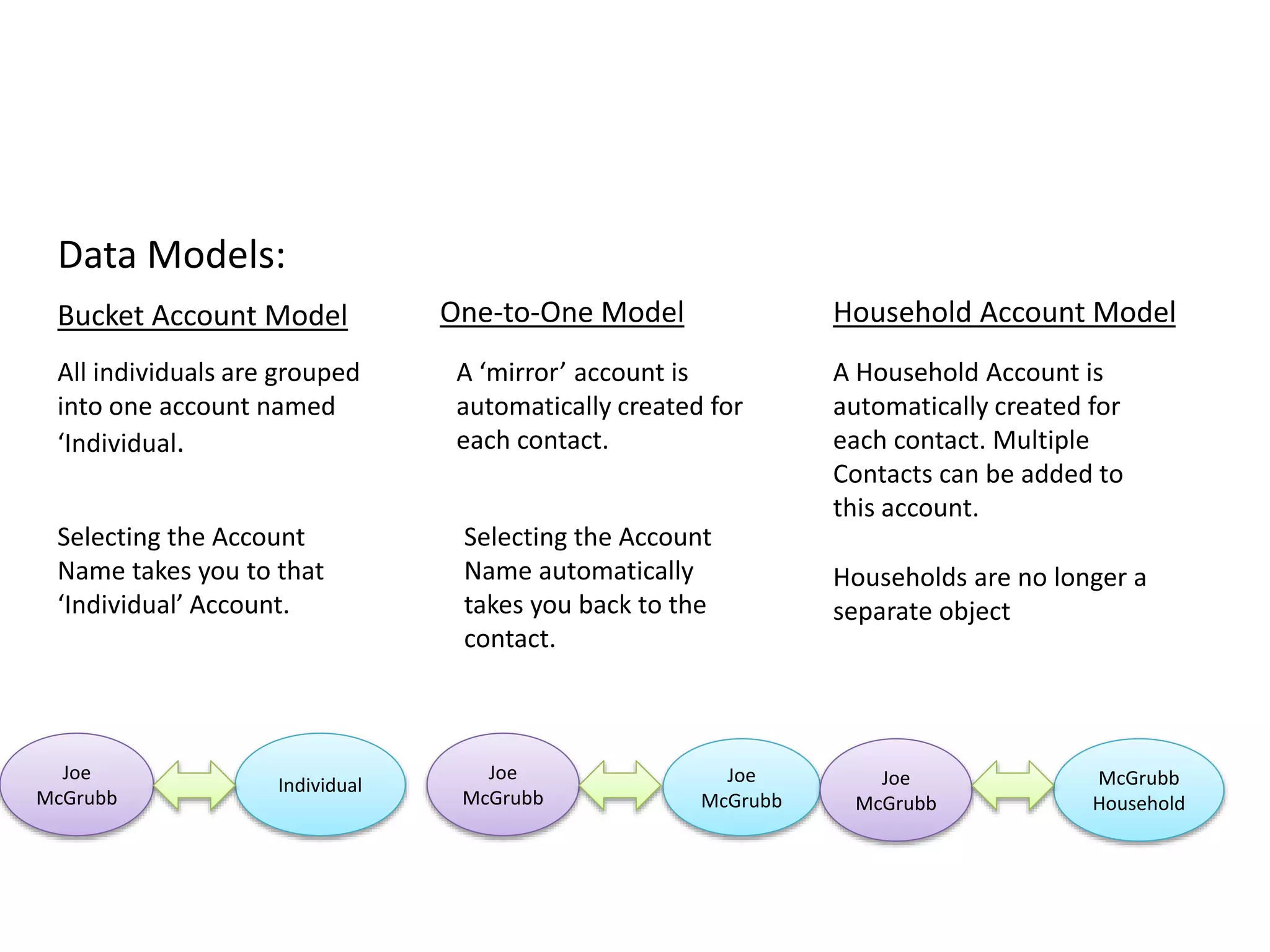
Data Models:
One-to-One Model
A ‘mirror’ account is
automatically created for
each contact.
Selecting the Account
Name automatically
takes you back to the
contact.
Joe
McGrubb
Joe
McGrubb
Bucket Account Model
All individuals are grouped
into one account named
‘Individual.
Selecting the Account
Name takes you to that
‘Individual’ Account.
Individual
Joe
McGrubb
Household Account Model
A Household Account is
automatically created for
each contact. Multiple
Contacts can be added to
this account.
Households are no longer a
separate object
McGrubb
Household
Joe
McGrubb
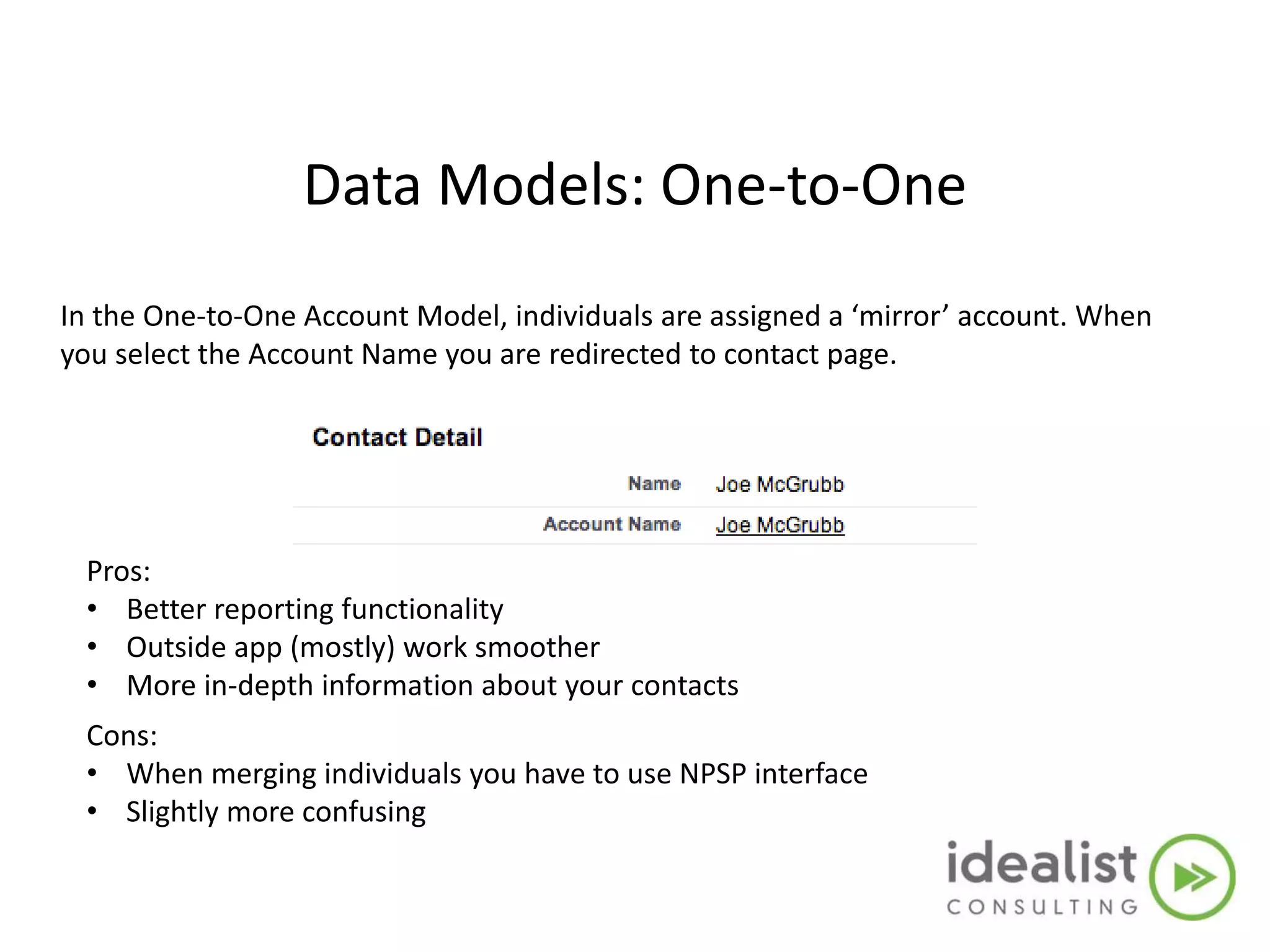
Data Models: One-to-One
In the One-to-One Account Model, individuals are assigned a ‘mirror’ account. When
you select the Account Name you are redirected to contact page.
Pros:
• Better reporting functionality
• Outside app (mostly) work smoother
• More in-depth information about your contacts
Cons:
• When merging individuals you have to use NPSP interface
• Slightly more confusing
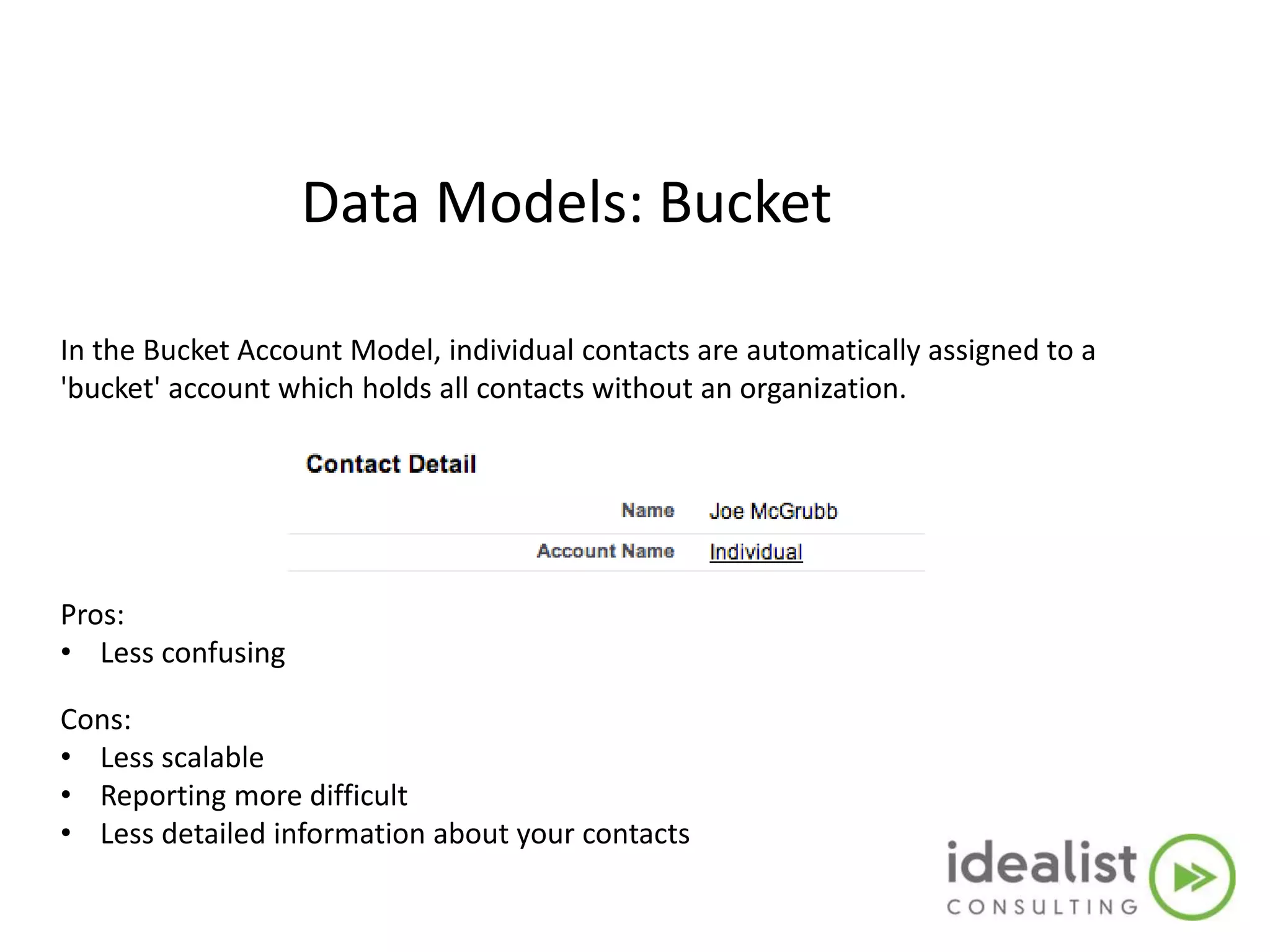
Data Models: Bucket
In the Bucket Account Model, individual contacts are automatically assigned to a
'bucket' account which holds all contacts without an organization.
Pros:
• Less confusing
Cons:
• Less scalable
• Reporting more difficult
• Less detailed information about your contacts

Day 1:Salesforce Basics for the Accidental Admin (NPSP May'15)

  • 1.
    Salesforce Basics forthe Accidental Administrator Presented by
  • 2.
  • 3.
    Nonprofit Starter Pack Anapp that sits on top of Salesforce Enterprise Edition. The Nonprofit Starter Pack pre-configures Salesforce for nonprofits, and is designed to make the daily life of nonprofits a little easier. Free through Power of 10 program. NGO Connect A new product built on Salesforce's force.com platform, designed to help nonprofit organizations engage constituents by enabling a 360-degree view of their organization. Generally for larger-scale orgs.
  • 4.
    Corinn Brown, CRMAdministrator at Idealist Consulting Your Trainer
  • 5.
    NPSP 3.0  Ifyou have gotten a Salesforce account in the last 9 months, you are on NPSP 3.0.  Automatic updates and bug fixes  Older versions of NPSP no longer supported  Update to NPSP 3.0 is straight forward - always test in sandbox first  Updating to the new household=account model should not be taken lightly. Thorough sandbox testing with your data required.
  • 6.
    Agenda • Introduction tothe Non Profit Starter Pack • Navigation and List views • Data Entry • Merging Accounts and Contacts • Activity Management & Managing Calendar • Wrap Up
  • 7.
    CRM: A definition •Customer Relationship Management – Is a disciplined business strategy to create and sustain long-term, profitable customer relationships – Salesforce.com is a CRM System Intro to the NPSP:
  • 8.
  • 9.
    Related lists Other objects(Contacts, Accounts, Opportunities ,etc..) that are related to the current record that you are viewing. Accounts Contacts Donations
  • 10.
  • 11.
    Agenda • Introduction tothe Non Profit Starter Pack • Navigation and List views • Data Entry • Merging Accounts and Contacts • Activity Management & Managing Calendar • Email Templates • COMING UP….
  • 12.
    Agenda – Part2 • Campaigns • Mass Email Contacts • Reporting/Dashboards • Support • Q & A
  • 13.
    Standard Terms &Definitions
  • 14.
    Definitions 1 Search Bar Locatedin the top center of your salesforce.com Organization to find information such as Donors, Donations, Campaigns, Reports, etc. 2 Tabs (or Objects) The core navigation within salesforce.com are the ‘tabs’ at the top of the page. Tabs contain Contacts, Accounts, Opportunities, etc.. 3 Tasks A way to track activities in salesforce.com. Calls, emails, meetings, etc..
  • 15.
    Accounts (Organizations) An organization, company,or partner that you want to track — for example, a partner organization, a Foundation, another nonprofit, a school, or a company where your contact is employed.
  • 16.
    Contacts Individuals associated withyour organization. They can be donors, volunteers, clients, students, etc.
  • 17.
    Opportunities (Donations) Grant applications, pledgepayments, individual donations, product sales, fee-for-service activities, or any other financial transaction.
  • 18.
    Campaigns Campaigns are aseries of tactics and/or programs designed to achieve a certain organizational objective. For nonprofits, this objective might be fundraising, calls to action, client outreach, education, volunteer management or raising awareness. And it might include tactics like mass email, events, direct mail, and advertising.
  • 19.
    Affiliations A closeconnection or association to an organization. Example: Board Member, employee, etc.
  • 20.
    Dashboards A visual representationof your report data. It gives you a real-time snapshot of your outcome measurements and key evaluation indicators.
  • 21.
  • 23.
  • 24.
    Data Models: One-to-One Model A‘mirror’ account is automatically created for each contact. Selecting the Account Name automatically takes you back to the contact. Joe McGrubb Joe McGrubb Bucket Account Model All individuals are grouped into one account named ‘Individual. Selecting the Account Name takes you to that ‘Individual’ Account. Individual Joe McGrubb Household Account Model A Household Account is automatically created for each contact. Multiple Contacts can be added to this account. Households are no longer a separate object McGrubb Household Joe McGrubb
  • 25.
    Data Models: One-to-One Inthe One-to-One Account Model, individuals are assigned a ‘mirror’ account. When you select the Account Name you are redirected to contact page. Pros: • Better reporting functionality • Outside app (mostly) work smoother • More in-depth information about your contacts Cons: • When merging individuals you have to use NPSP interface • Slightly more confusing
  • 26.
    Data Models: Bucket Inthe Bucket Account Model, individual contacts are automatically assigned to a 'bucket' account which holds all contacts without an organization. Pros: • Less confusing Cons: • Less scalable • Reporting more difficult • Less detailed information about your contacts

Editor's Notes

  • #7 Introduction to the Non Profit Starter Pack Standard Terms and Definitions Review of the Data Models Contact Types Navigation and List views Lists are only for that Object Trash can Show households Personal Setup Data Entry Contacts, Accounts, Affiliations Show ‘former’ affiliation Merging Accounts and Contacts Merge Orgs then contacts Activity Management & Managing Calendar Creation of tasks Tasks vs. Events Native Email Email Templates Wrap Up