Databases and Searching

 A CCC Introduction to Research
What is a Database?
Examples of Databases
•   Telephone Books
•   Address Book
•   Census Bureau Data
•   Library OPAC
•   EBSCO
•   Gale
•   Hotel/ Airline Booking System
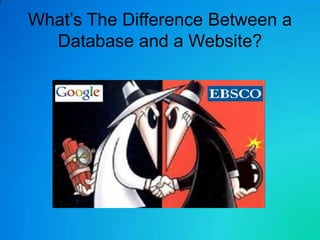
What’s The Difference Between a
  Database and a Website?
How to Pick the Correct Search
              Terms

• Keep your terms simple 2-4 terms
• Add RELEVANT words to narrow down the
  number of results you get!
• Try words a teacher or website would use!
• Use only important words.
What is Boolean Searching?
Boolean Search Operators
• The Boolean search operator AND is equal to the "+"
  symbol.
• The Boolean search operator NOT is equal to the "-"
  symbol.
• The Boolean search operator OR is the default setting
  of any search engine; meaning, all search engines will
  return all the words you type in, automatically.
• The Boolean search operator NEAR is equal to putting
  a search query in quotes, i.e., "sponge bob square-
  pants". You're essentially telling the search engine that
  you want all of these words, in this specific order, or
  this specific phrase.
Tips…
• Remember to use multiple search terms.
• Don’t be afraid to use multiple databases!
• You can use the abstract to find most of
  your citation information!
• Too many results?
  – Add more search terms
• Too few results?
  – Take away or change your search terms!
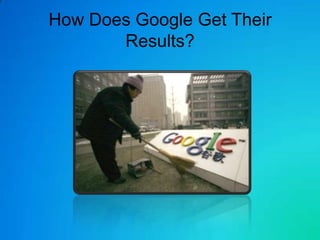
How Does Google Get Their
       Results?
Things You Don’t Have to Do With
         Database Results

• Check for validity or credentials of article

• Search ENDLESSLY for
  dates, authors, and other citation
  information.
…Tricks
• Remember to copy and paste the URL of
  the article into a Word/Google
  Docs/email, file so you can return easily to
  your article

• Son of Citation Machine works great for
  Citation and Citation questions!
Improve Your Skills…
• Brush up on picking search terms with
Google-a-day!

                 • Start today’s challenge at
                     – www.agoogleaday.com
Presented by:

     Jenny Montemorano M.L.S.
                &
The Cayuga Community College Library
          Reference Staff
               2012
Works Cited
• Video 1
• http://www.youtube.com/watch?v=llD1AY5fsjc
• Video 2
• http://www.youtube.com/watch?v=SzRybXvdlAA
• Video 2
• http://www.youtube.com/watch?v=luosi12zsts&f
  eature=related
• Video 3
• https://docs.google.com/present/view?id=dcbsfb
  vq_1079d74qtxcb&start=1&pli=1
Works Cited Images
•     Slide 2 Microsoft Clip Art
•     Spy vs Spy
      http://www.google.com/imgres?um=1&hl=en&sa=N&biw=1680&bih=875&tbm=isch&tbnid=MWhE58jCXF3gEM:&imgrefurl
      =http://phandroid.com/2008/11/07/verizon-dumping-google-for-
      microsoft/&docid=bmiNkR2oS1O0AM&imgurl=http://phandroid.s3.amazonaws.com/wp-content/uploads/2008/11/google-
      vs-microsoft.jpg&w=640&h=389&ei=iBl3UIzZG-
      bv0gG_soCoAw&zoom=1&iact=hc&vpx=175&vpy=485&dur=1954&hovh=175&hovw=288&tx=172&ty=77&sig=1101956411
      79540360150&page=3&tbnh=122&tbnw=201&start=63&ndsp=35&ved=1t:429,r:28,s:63,i:390
•     Chinese Google Sign
https://docs.google.com/present/view?id=dcbsfbvq_1079d74qtxcb&start=1&pli=1

Google a Day Image Provided by
http://www.google.com/imgres?um=1&hl=en&sa=N&biw=1680&bih=921&tbm=isch&tbnid=t99SrySo7Tgt4M:&imgrefurl=http://
www.scoroncocolo.com/a-google-a-day.html&docid=-U5dGe7dgUTKzM&imgurl=http://www.scoroncocolo.com/Google-a-
day.jpg&w=297&h=249&ei=6ip3UK2BCqf50gHDgoGwAg&zoom=1&iact=hc&vpx=180&vpy=146&dur=457&hovh=199&hovw=237
&tx=127&ty=163&sig=111893578364711122167&page=1&tbnh=133&tbnw=156&start=0&ndsp=40&ved=1t:429,r:0,s:0,i:74

Databases and searching

  • 1.
    Databases and Searching A CCC Introduction to Research
  • 2.
    What is aDatabase?
  • 3.
    Examples of Databases • Telephone Books • Address Book • Census Bureau Data • Library OPAC • EBSCO • Gale • Hotel/ Airline Booking System
  • 4.
    What’s The DifferenceBetween a Database and a Website?
  • 5.
    How to Pickthe Correct Search Terms • Keep your terms simple 2-4 terms • Add RELEVANT words to narrow down the number of results you get! • Try words a teacher or website would use! • Use only important words.
  • 6.
    What is BooleanSearching? Boolean Search Operators • The Boolean search operator AND is equal to the "+" symbol. • The Boolean search operator NOT is equal to the "-" symbol. • The Boolean search operator OR is the default setting of any search engine; meaning, all search engines will return all the words you type in, automatically. • The Boolean search operator NEAR is equal to putting a search query in quotes, i.e., "sponge bob square- pants". You're essentially telling the search engine that you want all of these words, in this specific order, or this specific phrase.
  • 7.
    Tips… • Remember touse multiple search terms. • Don’t be afraid to use multiple databases! • You can use the abstract to find most of your citation information! • Too many results? – Add more search terms • Too few results? – Take away or change your search terms!
  • 8.
    How Does GoogleGet Their Results?
  • 9.
    Things You Don’tHave to Do With Database Results • Check for validity or credentials of article • Search ENDLESSLY for dates, authors, and other citation information.
  • 10.
    …Tricks • Remember tocopy and paste the URL of the article into a Word/Google Docs/email, file so you can return easily to your article • Son of Citation Machine works great for Citation and Citation questions!
  • 11.
    Improve Your Skills… •Brush up on picking search terms with Google-a-day! • Start today’s challenge at – www.agoogleaday.com
  • 12.
    Presented by: Jenny Montemorano M.L.S. & The Cayuga Community College Library Reference Staff 2012
  • 13.
    Works Cited • Video1 • http://www.youtube.com/watch?v=llD1AY5fsjc • Video 2 • http://www.youtube.com/watch?v=SzRybXvdlAA • Video 2 • http://www.youtube.com/watch?v=luosi12zsts&f eature=related • Video 3 • https://docs.google.com/present/view?id=dcbsfb vq_1079d74qtxcb&start=1&pli=1
  • 14.
    Works Cited Images • Slide 2 Microsoft Clip Art • Spy vs Spy http://www.google.com/imgres?um=1&hl=en&sa=N&biw=1680&bih=875&tbm=isch&tbnid=MWhE58jCXF3gEM:&imgrefurl =http://phandroid.com/2008/11/07/verizon-dumping-google-for- microsoft/&docid=bmiNkR2oS1O0AM&imgurl=http://phandroid.s3.amazonaws.com/wp-content/uploads/2008/11/google- vs-microsoft.jpg&w=640&h=389&ei=iBl3UIzZG- bv0gG_soCoAw&zoom=1&iact=hc&vpx=175&vpy=485&dur=1954&hovh=175&hovw=288&tx=172&ty=77&sig=1101956411 79540360150&page=3&tbnh=122&tbnw=201&start=63&ndsp=35&ved=1t:429,r:28,s:63,i:390 • Chinese Google Sign https://docs.google.com/present/view?id=dcbsfbvq_1079d74qtxcb&start=1&pli=1 Google a Day Image Provided by http://www.google.com/imgres?um=1&hl=en&sa=N&biw=1680&bih=921&tbm=isch&tbnid=t99SrySo7Tgt4M:&imgrefurl=http:// www.scoroncocolo.com/a-google-a-day.html&docid=-U5dGe7dgUTKzM&imgurl=http://www.scoroncocolo.com/Google-a- day.jpg&w=297&h=249&ei=6ip3UK2BCqf50gHDgoGwAg&zoom=1&iact=hc&vpx=180&vpy=146&dur=457&hovh=199&hovw=237 &tx=127&ty=163&sig=111893578364711122167&page=1&tbnh=133&tbnw=156&start=0&ndsp=40&ved=1t:429,r:0,s:0,i:74

Editor's Notes

  • #3 Basically organized and collected Data is a Database, they can be both digital and on paper
  • #6 Example if you are going to pick a lock on a bank vault you would need to know a few things about the vault first right? Model number of vault, is it digital or analog, does it require a retinal scan ect. The same is true for your search terms in a database!
  • #8 Narrowing down search terms, can search for Orion project and get limited results, search Orion project 1960’s and you get a whole new set of results!