DATABASE
PLATFORM
120+
Let’ s Define
A database platform is essentially a company or service that provides access to a
collection of databases through a single interface. It's the underlying technology that
enables organizations to store, organize, retrieve, and manipulate data efficiently.
How Does it Work?
Think of a database platform as a library catalog. The catalog itself isn't the books, but it
provides a way to find the books you need. Similarly, a database platform doesn't
contain the data itself, but it offers a way to search and access the data from various
sources.
DATABASE MANAGEMENT SYSTEM
A Database Management System (DBMS) is a software system that is designed to
manage and organize data in a structured manner. It allows users to create, modify, and
query a database, as well as manage the security and access controls for that database.
Key Features of DBMS
• Data modeling
A DBMS provides tools for creating and modifying data models, which define
the structure and relationships of the data in a database.
• Data storage and retrieval
A DBMS is responsible for storing and retrieving data from the database, and
can provide various methods for searching and querying the data.
• Concurrency control
A DBMS provides mechanisms for controlling concurrent access to the
database, to ensure that multiple users can access the data without conflicting with each
other.
Key Features of DBMS
• Data integrity and security
A DBMS provides tools for enforcing data integrity and security constraints,
such as constraints on the values of data and access controls that restrict who can access
the data.
• Backup and recovery
A DBMS provides mechanisms for backing up and recovering the data in the
event of a system failure.
• DBMS can be classified into two types
Relational Database Management System (RDBMS) and Non-Relational
Database Management System (NoSQL or Non-SQL).
Key Features of DBMS
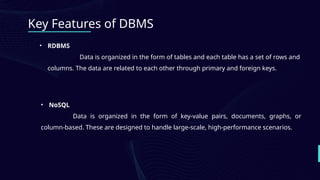
• RDBMS
Data is organized in the form of tables and each table has a set of rows and
columns. The data are related to each other through primary and foreign keys.
• NoSQL
Data is organized in the form of key-value pairs, documents, graphs, or
column-based. These are designed to handle large-scale, high-performance scenarios.
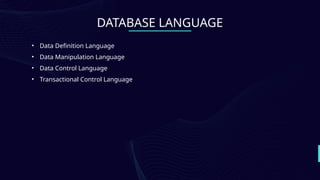
DATABASE LANGUAGE
• Data Definition Language
• Data Manipulation Language
• Data Control Language
• Transactional Control Language
Let’ s Define
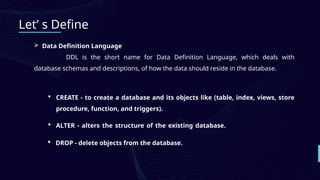
 Data Definition Language
DDL is the short name for Data Definition Language, which deals with
database schemas and descriptions, of how the data should reside in the database.
 CREATE - to create a database and its objects like (table, index, views, store
procedure, function, and triggers).
 ALTER - alters the structure of the existing database.
 DROP - delete objects from the database.
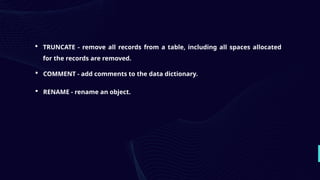
 TRUNCATE - remove all records from a table, including all spaces allocated
for the records are removed.
 COMMENT - add comments to the data dictionary.
 RENAME - rename an object.
Let’ s Define
 Data Manipulation Language
DML is the short name for Data Manipulation Language which deals with data
manipulation and includes most common SQL statements such SELECT, INSERT, UPDATE,
DELETE, etc., and it is used to store, modify, retrieve, delete and update data in a
database. Data query language(DQL) is the subset of “Data Manipulation Language”. The
most common command of DQL is SELECT statement. SELECT statement help on
retrieving the data from the table without changing anything in the table.
 SELECT - retrieve data from a database
 INSERT - insert data into a table
 UPDATE - updates existing data within a table
 DELETE - Delete all records from a database table
Let’ s Define
 Data Control Language
DCL is short for Data Control Language which acts as an access specifier to
the database.(basically to grant and revoke permissions to users in the database.
 GRANT - grant permissions to the user for running DML(SELECT, INSERT, DELETE)
commands on the table.
 REVOKE - revoke permissions to the user for running DML(SELECT, INSERT,
DELETE) command on the specified table.
Let’ s Define
 Transactional Control Language
TCL is short for Transactional Control Language which acts as an manager for
all types of transactional data and all transactions.
 ROLL BACK - Used to cancel or Undo changes made in the database.
 COMMIT - It is used to apply or save changes in the database.
 SAVE POINT- It is used to save the data on the temporary basis in the database.
General Instructions:
You are required to write your own SQL code for each task.
For every task:
- Execute the SQL code in your MySQL
- Take two screenshots per task: one of your SQL code before
executing, and one of the output/result after execution.
- Paste both screenshots under each task in a Microsoft Word
document.
Format your Word document as follows:
- Paper size: Letter (8.5 x 11 inches)
- Font: Times New Roman
- Font size: 12 pt
- Spacing: Single
- Margins: 1 inch on all sides
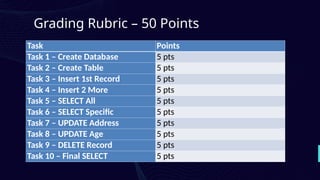
Task Points
Task 1 – Create Database 5 pts
Task 2 – Create Table 5 pts
Task 3 – Insert 1st Record 5 pts
Task 4 – Insert 2 More 5 pts
Task 5 – SELECT All 5 pts
Task 6 – SELECT Specific 5 pts
Task 7 – UPDATE Address 5 pts
Task 8 – UPDATE Age 5 pts
Task 9 – DELETE Record 5 pts
Task 10 – Final SELECT 5 pts
Grading Rubric – 50 Points

Database-Platform-In-Platform-Technologies.pptx

  • 1.
  • 2.
    120+ Let’ s Define Adatabase platform is essentially a company or service that provides access to a collection of databases through a single interface. It's the underlying technology that enables organizations to store, organize, retrieve, and manipulate data efficiently. How Does it Work? Think of a database platform as a library catalog. The catalog itself isn't the books, but it provides a way to find the books you need. Similarly, a database platform doesn't contain the data itself, but it offers a way to search and access the data from various sources.
  • 3.
    DATABASE MANAGEMENT SYSTEM ADatabase Management System (DBMS) is a software system that is designed to manage and organize data in a structured manner. It allows users to create, modify, and query a database, as well as manage the security and access controls for that database.
  • 4.
    Key Features ofDBMS • Data modeling A DBMS provides tools for creating and modifying data models, which define the structure and relationships of the data in a database. • Data storage and retrieval A DBMS is responsible for storing and retrieving data from the database, and can provide various methods for searching and querying the data. • Concurrency control A DBMS provides mechanisms for controlling concurrent access to the database, to ensure that multiple users can access the data without conflicting with each other.
  • 5.
    Key Features ofDBMS • Data integrity and security A DBMS provides tools for enforcing data integrity and security constraints, such as constraints on the values of data and access controls that restrict who can access the data. • Backup and recovery A DBMS provides mechanisms for backing up and recovering the data in the event of a system failure. • DBMS can be classified into two types Relational Database Management System (RDBMS) and Non-Relational Database Management System (NoSQL or Non-SQL).
  • 6.
    Key Features ofDBMS • RDBMS Data is organized in the form of tables and each table has a set of rows and columns. The data are related to each other through primary and foreign keys. • NoSQL Data is organized in the form of key-value pairs, documents, graphs, or column-based. These are designed to handle large-scale, high-performance scenarios.
  • 7.
    DATABASE LANGUAGE • DataDefinition Language • Data Manipulation Language • Data Control Language • Transactional Control Language
  • 8.
    Let’ s Define Data Definition Language DDL is the short name for Data Definition Language, which deals with database schemas and descriptions, of how the data should reside in the database.  CREATE - to create a database and its objects like (table, index, views, store procedure, function, and triggers).  ALTER - alters the structure of the existing database.  DROP - delete objects from the database.
  • 9.
     TRUNCATE -remove all records from a table, including all spaces allocated for the records are removed.  COMMENT - add comments to the data dictionary.  RENAME - rename an object.
  • 10.
    Let’ s Define Data Manipulation Language DML is the short name for Data Manipulation Language which deals with data manipulation and includes most common SQL statements such SELECT, INSERT, UPDATE, DELETE, etc., and it is used to store, modify, retrieve, delete and update data in a database. Data query language(DQL) is the subset of “Data Manipulation Language”. The most common command of DQL is SELECT statement. SELECT statement help on retrieving the data from the table without changing anything in the table.
  • 11.
     SELECT -retrieve data from a database  INSERT - insert data into a table  UPDATE - updates existing data within a table  DELETE - Delete all records from a database table
  • 12.
    Let’ s Define Data Control Language DCL is short for Data Control Language which acts as an access specifier to the database.(basically to grant and revoke permissions to users in the database.  GRANT - grant permissions to the user for running DML(SELECT, INSERT, DELETE) commands on the table.  REVOKE - revoke permissions to the user for running DML(SELECT, INSERT, DELETE) command on the specified table.
  • 13.
    Let’ s Define Transactional Control Language TCL is short for Transactional Control Language which acts as an manager for all types of transactional data and all transactions.  ROLL BACK - Used to cancel or Undo changes made in the database.  COMMIT - It is used to apply or save changes in the database.  SAVE POINT- It is used to save the data on the temporary basis in the database.
  • 14.
    General Instructions: You arerequired to write your own SQL code for each task. For every task: - Execute the SQL code in your MySQL - Take two screenshots per task: one of your SQL code before executing, and one of the output/result after execution. - Paste both screenshots under each task in a Microsoft Word document. Format your Word document as follows: - Paper size: Letter (8.5 x 11 inches) - Font: Times New Roman - Font size: 12 pt - Spacing: Single - Margins: 1 inch on all sides
  • 15.
    Task Points Task 1– Create Database 5 pts Task 2 – Create Table 5 pts Task 3 – Insert 1st Record 5 pts Task 4 – Insert 2 More 5 pts Task 5 – SELECT All 5 pts Task 6 – SELECT Specific 5 pts Task 7 – UPDATE Address 5 pts Task 8 – UPDATE Age 5 pts Task 9 – DELETE Record 5 pts Task 10 – Final SELECT 5 pts Grading Rubric – 50 Points