Database Concepts
Concepts
 A database is an organized collection of data.
 You can visualize it as a container of information
 for example, Suppose if you own a stationary shop, you need to keep detailed
records of the materials available in your shop. You also need to store information
about pricing, stock levels for reordering, old stocks, etc. While in the manual
system, you would maintain several files with different bits of information;
• Microsoft Access,
• OpenOffice.org Base,
• and MySQL, SQL Server
Database Management System
(DBMS)
 A database is an integrated collection of data records, files, and other objects.
 Well known DBMSs include Oracle, IBM DB2, Microsoft SQL Server, Microsoft
Access, PostgreSQL, MySQL, FoxPro, and SQLite.
 Data can be organized into two types:
 Flat File: Data is stored in a single table. Usually suitable for less amount of data.
 Relational: Data is stored in multiple tables and the tables are linked using a
common field. Relational is suitable for medium to large amount of data.
Database Servers
 Database servers are dedicated computers that hold the actual databases and
run only the DBMS and related software.
 Typically databases available on the database servers are accessed through
command line or graphic user interface tools referred to as Front-ends;
 database servers are referred to as Back-ends.
 Such type of data access is referred to as a client-server model.
RDBMS
 A relational database management system (RDBMS) is a database management
system that is based on the relational model
 In the relational model of a database, all data is represented in terms of tuples,
grouped into relations.
Data Storage
 Data in a relational database management system (RDBMS) is organized in the
form of tables.
Tables:
A table has a defined number of columns, but can have any number of rows. Each
row is identified by the values appearing in a particular column identified as a
unique key index or the key field.
Data types:
 Datatypes are used to identify which type of data (value) we are going to store
in the database.
 Data types in OpenOffice base is broadly classified into five categories listed
below.
1. Numeric Types
2. Alphanumeric Types
3. Binary Types
4. Date time
5. Other Variable types
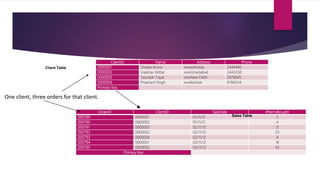
ClientID Name Address Phone
0000001 Sheela Arora xxxxxxNoida 2444490
0000002 Vaibhav Mittal xxxxGhaziabad 2443358
0000003 Saurabh Tayal xxxxNew Delhi 2678945
0000004 Prashant Singh xxxxRohtak 6784534
Primary Key
Client Table
OrderID ClientID SaleDate #ItemsBought
000789 0000001 01/11/12 3
000790 0000002 01/11/12 4
000791 0000003 02/11/12 12
000792 0000002 02/11/12 23
000793 0000004 02/11/12 4
000794 0000001 03/11/12 18
000795 0000002 03/11/12 45
Primary Key
Sales Table
One client, three orders for that client.
MANIPULATING DATA
 In a database you can define the structure of the data and manipulate the data
using some commands
• Data Definition Language (DDL)
• Data Manipulation Language (DML)
Data Definition Language (DDL)
 A data definition language or data description language (DDL) is a standard for
commands that define the different structures in a database.
 DDL statements create, modify, and remove database objects such as tables,
indexes, and users.
 Common DDL statements are CREATE, ALTER, and DROP.
Data Manipulation Language (DML)
 A data manipulation language (DML) is a language that enables users to access
and manipulate data in a database.
• Retrieval of information from the database- SELECT statement
• Insertion of new information into the database - INSERT statement
• Deletion of information in the database - DELETE statement
• Modification of information in the database - UPDATE statement
 A popular data manipulation language is Structured Query Language (SQL).
Creating a Database Object
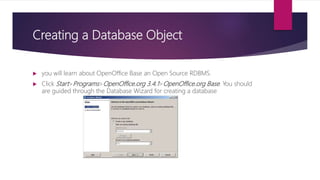
 you will learn about OpenOffice Base an Open Source RDBMS.
 Click Start>Programs>OpenOffice.org 3.4.1>OpenOffice.org Base. You should
are guided through the Database Wizard for creating a database
Creating a Table
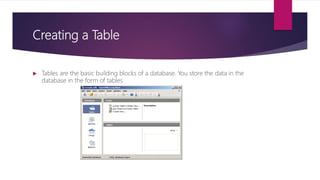
 Tables are the basic building blocks of a database. You store the data in the
database in the form of tables
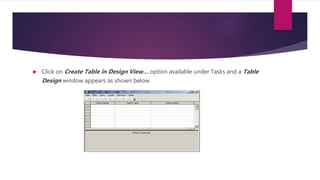
 Click on Create Table in Design View… option available under Tasks and a Table
Design window appears as shown below.
BUILDING FORMS
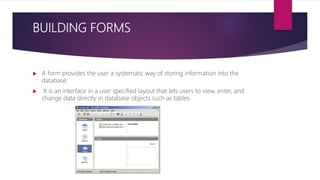
 A form provides the user a systematic way of storing information into the
database.
 It is an interface in a user specified layout that lets users to view, enter, and
change data directly in database objects such as tables
CREATE AND MANAGE QUERIES
 Having created the tables and entering data into them, now you want to extract
some information
 Query languages are computer languages used to make queries into databases
and information systems.
 Queries are commands that are used to define the data structure and also to
manipulate the data in the database.
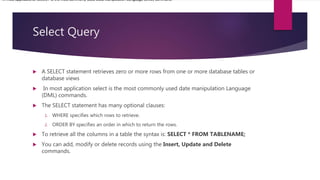
Select Query
 A SELECT statement retrieves zero or more rows from one or more database tables or
database views
 In most application select is the most commonly used date manipulation Language
(DML) commands.
 The SELECT statement has many optional clauses:
1. WHERE specifies which rows to retrieve.
2. ORDER BY specifies an order in which to return the rows.
 To retrieve all the columns in a table the syntax is: SELECT * FROM TABLENAME;
 You can add, modify or delete records using the Insert, Update and Delete
commands.
In most applications, SELECT is the most commonly used Data Manipulation Language (DML) command.
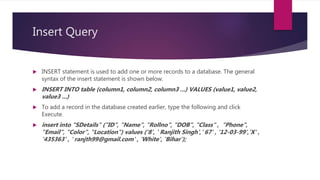
Insert Query
 INSERT statement is used to add one or more records to a database. The general
syntax of the insert statement is shown below.
 INSERT INTO table (column1, column2, column3 ...) VALUES (value1, value2,
value3 ...)
 To add a record in the database created earlier, type the following and click
Execute.
 insert into "SDetails" ("ID", "Name", "Rollno", "DOB", "Class" , "Phone",
"Email", "Color", "Location") values ('8', ' Ranjith Singh',' 67' , '12-03-99','X' ,
'435363' , ' ranjth99@gmail.com' , 'White', 'Bihar');
UPDATE statement
 Update statement is used for modifying records in a database. The general
syntax of the update statement is as follows:
 UPDATE table_name SET column_name = value [, column_name = value ...]
[WHERE condition]
 To update a record using update statement, type the following and click Execute.
 update "SDetails” set "Location"='Bhubaneswar' where "Rollno"=14;
DELETE statement
 Delete Statement is used to remove one or more records in a database. The
general syntax of the delete statement is as follows:
 DELETE FROM “table_name” [WHERE] condition;
 To delete one of the records in the table created earlier using delete statement,
type the following and click Execute:
 delete from "SDetails" where ID=8;
CREATE Statement
 Create statement is used for creating a database or a table in any RDBMS Software.
A commonly used CREATE command is the CREATE TABLE command. The general
syntax of the create statement is shown below.
 CREATE TABLE TABLENAME ([column definitions]) [table parameters]
 Column definitions: A comma-separated list consisting of any of the following
 Column definition: [column name] [data type] {NULL | NOT NULL} {column options}
 Primary key definition: PRIMARY KEY ([comma separated column list])
 For example, if you would like to create a table using the Create statement, type the
following and click Execute.
 CREATE TABLE "Employee" ("ID" INTEGER," Name "VARCHAR (50),
 "Department" VARCHAR (50),
 "Address" VARCHAR (120),
 "Contact Number" INTEGER);

Data base

  • 1.
  • 2.
    Concepts  A databaseis an organized collection of data.  You can visualize it as a container of information  for example, Suppose if you own a stationary shop, you need to keep detailed records of the materials available in your shop. You also need to store information about pricing, stock levels for reordering, old stocks, etc. While in the manual system, you would maintain several files with different bits of information; • Microsoft Access, • OpenOffice.org Base, • and MySQL, SQL Server
  • 3.
    Database Management System (DBMS) A database is an integrated collection of data records, files, and other objects.  Well known DBMSs include Oracle, IBM DB2, Microsoft SQL Server, Microsoft Access, PostgreSQL, MySQL, FoxPro, and SQLite.  Data can be organized into two types:  Flat File: Data is stored in a single table. Usually suitable for less amount of data.  Relational: Data is stored in multiple tables and the tables are linked using a common field. Relational is suitable for medium to large amount of data.
  • 4.
    Database Servers  Databaseservers are dedicated computers that hold the actual databases and run only the DBMS and related software.  Typically databases available on the database servers are accessed through command line or graphic user interface tools referred to as Front-ends;  database servers are referred to as Back-ends.  Such type of data access is referred to as a client-server model.
  • 5.
    RDBMS  A relationaldatabase management system (RDBMS) is a database management system that is based on the relational model  In the relational model of a database, all data is represented in terms of tuples, grouped into relations.
  • 6.
    Data Storage  Datain a relational database management system (RDBMS) is organized in the form of tables. Tables: A table has a defined number of columns, but can have any number of rows. Each row is identified by the values appearing in a particular column identified as a unique key index or the key field.
  • 7.
    Data types:  Datatypesare used to identify which type of data (value) we are going to store in the database.  Data types in OpenOffice base is broadly classified into five categories listed below. 1. Numeric Types 2. Alphanumeric Types 3. Binary Types 4. Date time 5. Other Variable types
  • 8.
    ClientID Name AddressPhone 0000001 Sheela Arora xxxxxxNoida 2444490 0000002 Vaibhav Mittal xxxxGhaziabad 2443358 0000003 Saurabh Tayal xxxxNew Delhi 2678945 0000004 Prashant Singh xxxxRohtak 6784534 Primary Key Client Table OrderID ClientID SaleDate #ItemsBought 000789 0000001 01/11/12 3 000790 0000002 01/11/12 4 000791 0000003 02/11/12 12 000792 0000002 02/11/12 23 000793 0000004 02/11/12 4 000794 0000001 03/11/12 18 000795 0000002 03/11/12 45 Primary Key Sales Table One client, three orders for that client.
  • 9.
    MANIPULATING DATA  Ina database you can define the structure of the data and manipulate the data using some commands • Data Definition Language (DDL) • Data Manipulation Language (DML)
  • 10.
    Data Definition Language(DDL)  A data definition language or data description language (DDL) is a standard for commands that define the different structures in a database.  DDL statements create, modify, and remove database objects such as tables, indexes, and users.  Common DDL statements are CREATE, ALTER, and DROP.
  • 11.
    Data Manipulation Language(DML)  A data manipulation language (DML) is a language that enables users to access and manipulate data in a database. • Retrieval of information from the database- SELECT statement • Insertion of new information into the database - INSERT statement • Deletion of information in the database - DELETE statement • Modification of information in the database - UPDATE statement  A popular data manipulation language is Structured Query Language (SQL).
  • 12.
    Creating a DatabaseObject  you will learn about OpenOffice Base an Open Source RDBMS.  Click Start>Programs>OpenOffice.org 3.4.1>OpenOffice.org Base. You should are guided through the Database Wizard for creating a database
  • 13.
    Creating a Table Tables are the basic building blocks of a database. You store the data in the database in the form of tables
  • 14.
     Click onCreate Table in Design View… option available under Tasks and a Table Design window appears as shown below.
  • 15.
    BUILDING FORMS  Aform provides the user a systematic way of storing information into the database.  It is an interface in a user specified layout that lets users to view, enter, and change data directly in database objects such as tables
  • 16.
    CREATE AND MANAGEQUERIES  Having created the tables and entering data into them, now you want to extract some information  Query languages are computer languages used to make queries into databases and information systems.  Queries are commands that are used to define the data structure and also to manipulate the data in the database.
  • 17.
    Select Query  ASELECT statement retrieves zero or more rows from one or more database tables or database views  In most application select is the most commonly used date manipulation Language (DML) commands.  The SELECT statement has many optional clauses: 1. WHERE specifies which rows to retrieve. 2. ORDER BY specifies an order in which to return the rows.  To retrieve all the columns in a table the syntax is: SELECT * FROM TABLENAME;  You can add, modify or delete records using the Insert, Update and Delete commands. In most applications, SELECT is the most commonly used Data Manipulation Language (DML) command.
  • 18.
    Insert Query  INSERTstatement is used to add one or more records to a database. The general syntax of the insert statement is shown below.  INSERT INTO table (column1, column2, column3 ...) VALUES (value1, value2, value3 ...)  To add a record in the database created earlier, type the following and click Execute.  insert into "SDetails" ("ID", "Name", "Rollno", "DOB", "Class" , "Phone", "Email", "Color", "Location") values ('8', ' Ranjith Singh',' 67' , '12-03-99','X' , '435363' , ' ranjth99@gmail.com' , 'White', 'Bihar');
  • 19.
    UPDATE statement  Updatestatement is used for modifying records in a database. The general syntax of the update statement is as follows:  UPDATE table_name SET column_name = value [, column_name = value ...] [WHERE condition]  To update a record using update statement, type the following and click Execute.  update "SDetails” set "Location"='Bhubaneswar' where "Rollno"=14;
  • 20.
    DELETE statement  DeleteStatement is used to remove one or more records in a database. The general syntax of the delete statement is as follows:  DELETE FROM “table_name” [WHERE] condition;  To delete one of the records in the table created earlier using delete statement, type the following and click Execute:  delete from "SDetails" where ID=8;
  • 21.
    CREATE Statement  Createstatement is used for creating a database or a table in any RDBMS Software. A commonly used CREATE command is the CREATE TABLE command. The general syntax of the create statement is shown below.  CREATE TABLE TABLENAME ([column definitions]) [table parameters]  Column definitions: A comma-separated list consisting of any of the following  Column definition: [column name] [data type] {NULL | NOT NULL} {column options}  Primary key definition: PRIMARY KEY ([comma separated column list])  For example, if you would like to create a table using the Create statement, type the following and click Execute.  CREATE TABLE "Employee" ("ID" INTEGER," Name "VARCHAR (50),  "Department" VARCHAR (50),  "Address" VARCHAR (120),  "Contact Number" INTEGER);