PHP 2
What is Database?
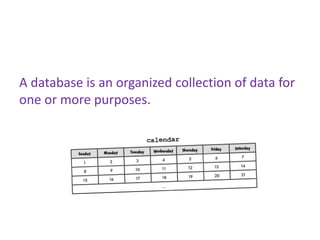
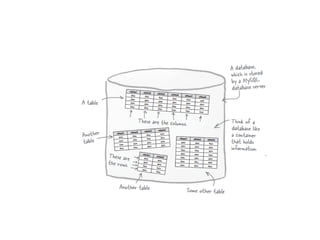
A database is an organized collection of data for
one or more purposes.
Where’s database data actually stored? Can I
see the files?
Database data is typically stored in files on a
hard disk although you could certainly look at
them.
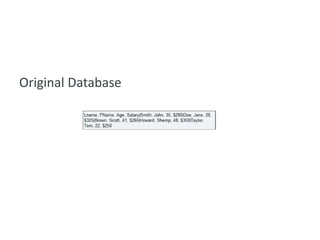
Original Database
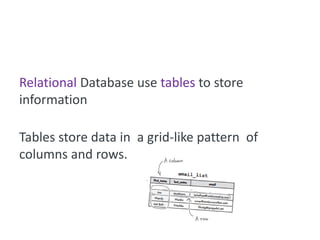
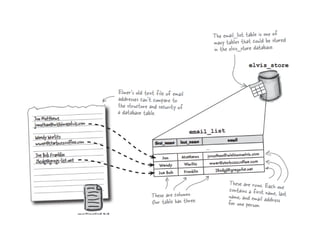
Relational Database use tables to store
information

Tables store data in a grid-like pattern of
columns and rows.
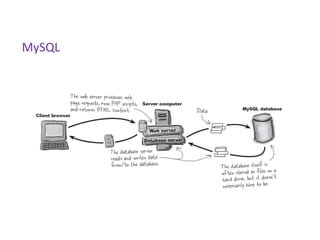
MySQL
SQL is the query language used to communicate
with a MySQL database.
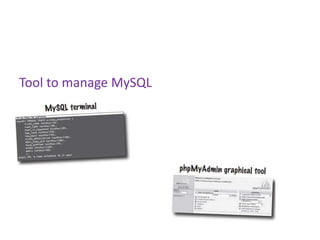
Tool to manage MySQL
SQL can be divided into two parts
     Data Manipulation Language (DML)
               SELECT
               UPDATE
               DELETE
               INSERT INTO
     Data Definition Language (DDL)
               CREATE DATABASE
               ALTER DATABASE
               CREATE TABLE
               ALTER TABLE
               DROP TABLE
               CREATE INDEX
               DROP INDEX
CREATE DATABASE
    CREATE DATABASE elvis_store
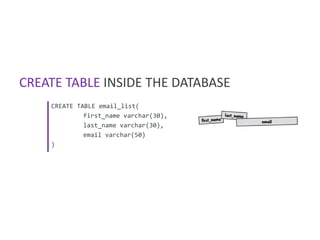
CREATE TABLE INSIDE THE DATABASE
    CREATE TABLE email_list(
             first_name varchar(30),
             last_name varchar(30),
             email varchar(50)
    )
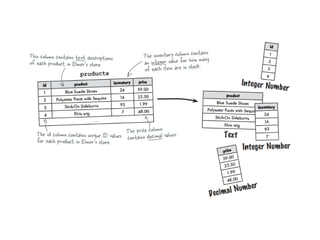
We need to define our data
     When you create a table, you have to tell the MySQL server what
     type of data each column will hold.

     To create a table, you need to know what type of data is stored in
     each table column.
INSERT

    INSERT INTO student
    VALUES (“Trung”,”Dung”,”tdung@gmail.com”)

    INSERT INTO student (first_name,last_name,email)
    VALUES (“Trung”,”Dung”,”tdung@gmail.com”)
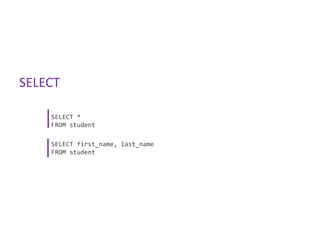
SELECT

    SELECT *
    FROM student

    SELECT first_name, last_name
    FROM student
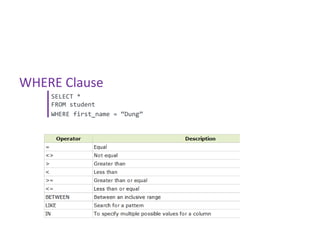
WHERE Clause
    SELECT *
    FROM student
    WHERE first_name = “Dung”
UPDATE

    UPDATE student
    SET first_name = "Long"
    WHERE last_name = "Dung"
DELETE

    DELETE FROM student
    WHERE last_name = "Dung"
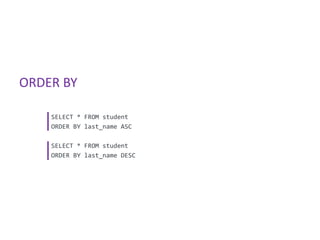
ORDER BY

    SELECT * FROM student
    ORDER BY last_name ASC

    SELECT * FROM student
    ORDER BY last_name DESC
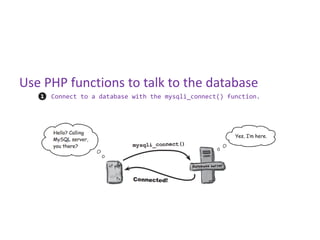
Use PHP functions to talk to the database
     Connect to a database with the mysqli_connect() function.
Use PHP functions to talk to the database
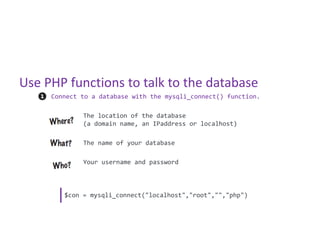
     Connect to a database with the mysqli_connect() function.

             The location of the database
             (a domain name, an IPaddress or localhost)

             The name of your database

             Your username and password


        $con = mysqli_connect("localhost","root","","php")
Use PHP functions to talk to the database
     Create an SQL query and store it as a string in a PHP variable.
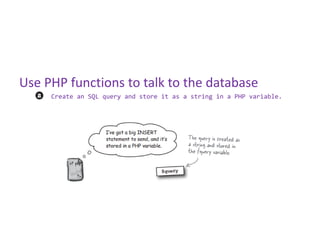
Use PHP functions to talk to the database
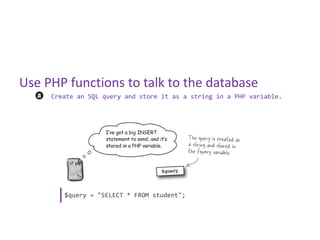
     Create an SQL query and store it as a string in a PHP variable.


        $query = "SELECT * FROM student";
Use PHP functions to talk to the database
     Issue the query with the mysqli_query() function.
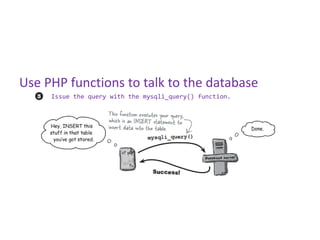
Use PHP functions to talk to the database
     Issue the query with the mysqli_query() function.


        $result = mysqli_query($con, $query);
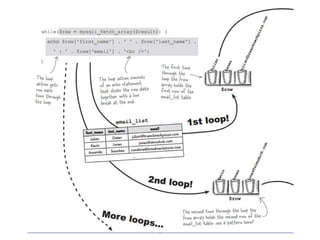
        while($row = mysqli_fetch_array($result))
                 {
                         echo $row['first_name'] . " " . $row['last_name'];
                         echo "<br />";
                 }
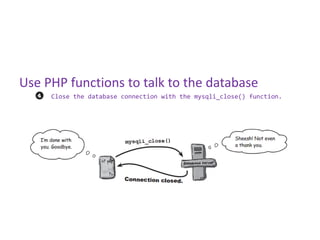
Use PHP functions to talk to the database
     Close the database connection with the mysqli_close() function.
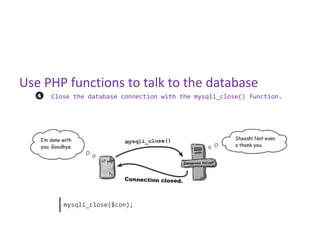
Use PHP functions to talk to the database
     Close the database connection with the mysqli_close() function.


        mysqli_close($con);

Php 2

  • 1.
  • 2.
  • 3.
    A database isan organized collection of data for one or more purposes.
  • 4.
    Where’s database dataactually stored? Can I see the files? Database data is typically stored in files on a hard disk although you could certainly look at them.
  • 5.
  • 6.
    Relational Database usetables to store information Tables store data in a grid-like pattern of columns and rows.
  • 8.
  • 9.
    SQL is thequery language used to communicate with a MySQL database.
  • 10.
  • 11.
    SQL can bedivided into two parts Data Manipulation Language (DML) SELECT UPDATE DELETE INSERT INTO Data Definition Language (DDL) CREATE DATABASE ALTER DATABASE CREATE TABLE ALTER TABLE DROP TABLE CREATE INDEX DROP INDEX
  • 12.
    CREATE DATABASE CREATE DATABASE elvis_store
  • 14.
    CREATE TABLE INSIDETHE DATABASE CREATE TABLE email_list( first_name varchar(30), last_name varchar(30), email varchar(50) )
  • 15.
    We need todefine our data When you create a table, you have to tell the MySQL server what type of data each column will hold. To create a table, you need to know what type of data is stored in each table column.
  • 17.
    INSERT INSERT INTO student VALUES (“Trung”,”Dung”,”tdung@gmail.com”) INSERT INTO student (first_name,last_name,email) VALUES (“Trung”,”Dung”,”tdung@gmail.com”)
  • 18.
    SELECT SELECT * FROM student SELECT first_name, last_name FROM student
  • 19.
    WHERE Clause SELECT * FROM student WHERE first_name = “Dung”
  • 20.
    UPDATE UPDATE student SET first_name = "Long" WHERE last_name = "Dung"
  • 21.
    DELETE DELETE FROM student WHERE last_name = "Dung"
  • 22.
    ORDER BY SELECT * FROM student ORDER BY last_name ASC SELECT * FROM student ORDER BY last_name DESC
  • 23.
    Use PHP functionsto talk to the database Connect to a database with the mysqli_connect() function.
  • 24.
    Use PHP functionsto talk to the database Connect to a database with the mysqli_connect() function. The location of the database (a domain name, an IPaddress or localhost) The name of your database Your username and password $con = mysqli_connect("localhost","root","","php")
  • 25.
    Use PHP functionsto talk to the database Create an SQL query and store it as a string in a PHP variable.
  • 26.
    Use PHP functionsto talk to the database Create an SQL query and store it as a string in a PHP variable. $query = "SELECT * FROM student";
  • 27.
    Use PHP functionsto talk to the database Issue the query with the mysqli_query() function.
  • 28.
    Use PHP functionsto talk to the database Issue the query with the mysqli_query() function. $result = mysqli_query($con, $query); while($row = mysqli_fetch_array($result)) { echo $row['first_name'] . " " . $row['last_name']; echo "<br />"; }
  • 30.
    Use PHP functionsto talk to the database Close the database connection with the mysqli_close() function.
  • 31.
    Use PHP functionsto talk to the database Close the database connection with the mysqli_close() function. mysqli_close($con);