Data structures &Implementation {TCP}
Flow of Data Transferring through TCP.
provides a reliable byte stream service to the application
Layer(tcp).
[DS] PROVIDE :
Flow controlled, end-to-end.
Stream service between two machines .
HANDLE :
Delayed, Duplicated, Lost.
Out of order, Data Corrupted.
3.
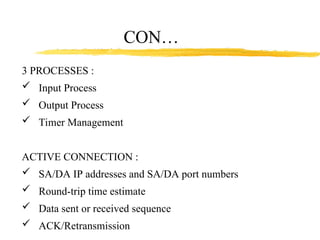
3 PROCESSES :
Input Process
Output Process
Timer Management
ACTIVE CONNECTION :
SA/DA IP addresses and SA/DA port numbers
Round-trip time estimate
Data sent or received sequence
ACK/Retransmission
CON…
These 4 universitiesalso had different and completely
incompatible host computers.
ARPANET protocols were not suitable for running over
multiple networks, so TCP/IP model and protocols
were invented in 1974.
ARPA awarded several other contracts and specifically
Univ.. of California at Berkeley to integrate the
protocols with the Berkeley UNIX.
Basics of Networking
7.
Berkeley developed aconvenient program interface
to the network and wrote many applications, utility,
and management programs to make networking easier.
In it early infancy, the OSI protocols were crushed and
the TCP/IP protocols were already in widespread use.
The OSI Model had seven layers because at the time,
IBM had a propriety seven -layer protocol called
SNA (Systems Network Architecture).
Basics of Networking
8.
At the time,IBM dominated the computer companies
and every was scared to death that IBM would use
its clout to force everyone to use SNA.
The OSI was to be produced like an IBM-reference
model.
The OSI model became the world standard and was
not controlled by one company, but by a neutral
organization, ISO (International Standards Association).
Basics of Networking
9.
TYPES OF NETWORKS
LAN– LOCAL AREA NETWORK IS A SMALL
GEOGRAPHICAL AREA SUCH AS OUR SCHOOL
BOARD.
MAN – METROPOLITAN AREA NETWORK IS A
NETWORK OVER A LARGER GEOGRAPHICAL AREA
SUCH AS THE PROVINCIAL GOVERNMENT.
WAN – WIDE AREA NETWORK IS A NETWORK USED
OVER AN EXTREMELY LARGE GEOGRAPHICAL AREA
SUCH AS THE FEDERAL GOVERNMENT.
Basics of Networking
10.
NETWORKS ARE BROKENINTO 3 TOPOLOGIES.
THEY ARE:
BUS TOPOLOGY
STAR TOPOLOGY
RING TOPOLOGY
Basics of Networking
11.
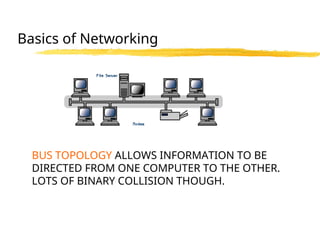
BUS TOPOLOGY ALLOWSINFORMATION TO BE
DIRECTED FROM ONE COMPUTER TO THE OTHER.
LOTS OF BINARY COLLISION THOUGH.
Basics of Networking
12.
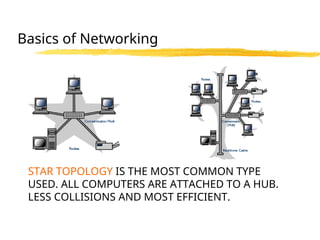
STAR TOPOLOGY ISTHE MOST COMMON TYPE
USED. ALL COMPUTERS ARE ATTACHED TO A HUB.
LESS COLLISIONS AND MOST EFFICIENT.
Basics of Networking
13.
RING TOPOLOGY- USESA TOKEN TO PASS
INFORMATION FROM 1 COMPUTER TO THE OTHER.
A TOKEN IS ATTACHED TO THE MESSAGE BY THE
SENDER TO IDENTIFY WHICH COMPUTER SHOULD
RECEIVE THE MESSAGE. AS THE MESSAGE MOVES
AROUND THE RING, EACH COMPUTER EXAMINES
THE TOKEN. IF THE COMPUTER IDENTIFIES THE TOKEN
AS ITS OWN, THEN IT WILL PROCESS THE
INFORMATION.
Basics of Networking
14.
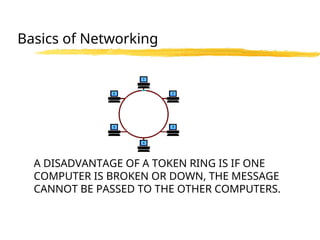
A DISADVANTAGE OFA TOKEN RING IS IF ONE
COMPUTER IS BROKEN OR DOWN, THE MESSAGE
CANNOT BE PASSED TO THE OTHER COMPUTERS.
Basics of Networking
15.
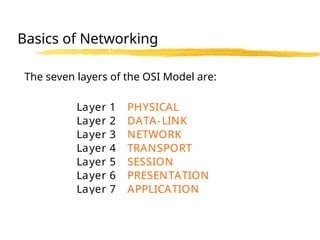
The seven layersof the OSI Model are:
Layer 1 PHYSICAL
Layer 2 DATA-LINK
Layer 3 NETWORK
Layer 4 TRANSPORT
Layer 5 SESSION
Layer 6 PRESENTATION
Layer 7 APPLICATION
Basics of Networking
16.
•Each one ofyou was assigned a number when
you entered the lab. Get together with your team
member(s).
•Begin to research the layer that your number is
associated with.
•Research as much information as you can in
15 minutes and make notes of your finding.
Basics of Networking
17.
•Once complete, wewill create a bigger group
with all the layer present.
•You will present your finding to your group about
the layer. You will only have 2 minutes to present.
Basics of Networking
18.
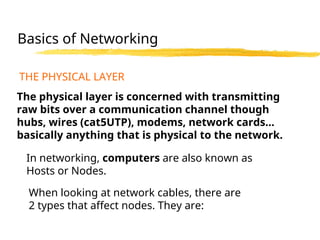
THE PHYSICAL LAYER
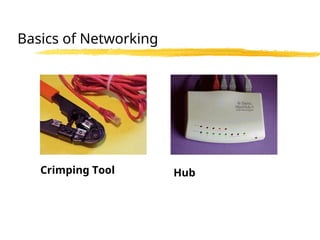
Thephysical layer is concerned with transmitting
raw bits over a communication channel though
hubs, wires (cat5UTP), modems, network cards…
basically anything that is physical to the network.
When looking at network cables, there are
2 types that affect nodes. They are:
In networking, computers are also known as
Hosts or Nodes.
Basics of Networking
19.
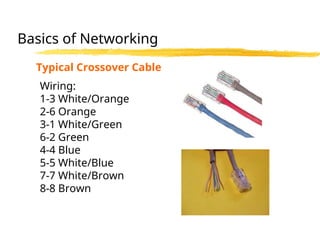
•Straight though cablesor also known as patch cables
•Cross-over cables
The difference in the cables are the way the wires
are connected within the RJ45. I have attached a
sheet for you in your package.
Basics of Networking
TWISTED SHIELDED PAIR– USED IN PHONE LINES, NETWORKS
UNSHIELDED TWISTED PAIR “ “ “ “
COAXIAL CABLE – USED IN CABLEVISION GREAT FOR VIDEO
FIBRE OPTIC CABLES - USES LIGHT TO CARRY SIGNAL BUT
HARD TO WORK WITH AND LOOSES SIGNAL OVER LONGER
DISTANCES
COMMUNICATION CHANNELS
Basics of Networking
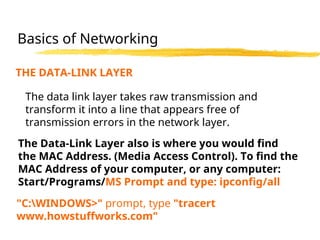
THE DATA-LINK LAYER
Thedata link layer takes raw transmission and
transform it into a line that appears free of
transmission errors in the network layer.
The Data-Link Layer also is where you would find
the MAC Address. (Media Access Control). To find the
MAC Address of your computer, or any computer:
Start/Programs/MS Prompt and type: ipconfig/all
Basics of Networking
"C:WINDOWS>" prompt, type "tracert
www.howstuffworks.com"
24.
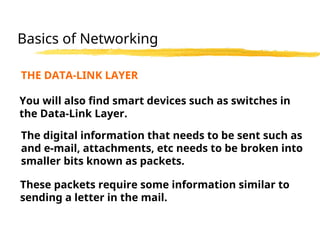
THE DATA-LINK LAYER
Youwill also find smart devices such as switches in
the Data-Link Layer.
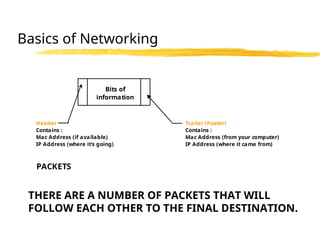
The digital information that needs to be sent such as
and e-mail, attachments, etc needs to be broken into
smaller bits known as packets.
These packets require some information similar to
sending a letter in the mail.
Basics of Networking
25.
Header Trailer (Footer)
Contains: Contains :
Mac Address (if available) Mac Address (from your computer)
IP Address (where it's going) IP Address (where it came from)
PACKETS
Bits of
information
THERE ARE A NUMBER OF PACKETS THAT WILL
FOLLOW EACH OTHER TO THE FINAL DESTINATION.
Basics of Networking
26.
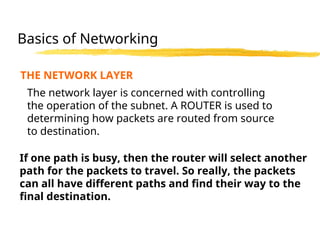
THE NETWORK LAYER
Thenetwork layer is concerned with controlling
the operation of the subnet. A ROUTER is used to
determining how packets are routed from source
to destination.
If one path is busy, then the router will select another
path for the packets to travel. So really, the packets
can all have different paths and find their way to the
final destination.
Basics of Networking
27.
THE NETWORK LAYER
Therouter has millions of IP addressing built into
the software, and knows where to send the packets.
IP stands for Internet Protocol and is basically an
address that the packets will be sent to.
An example would be 216.27.61.137
Basics of Networking
28.
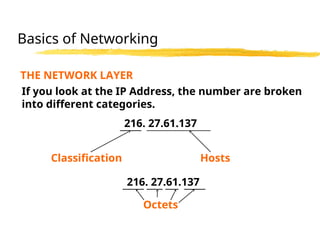
THE NETWORK LAYER
Ifyou look at the IP Address, the number are broken
into different categories.
216. 27.61.137
Classification Hosts
216. 27.61.137
Octets
Basics of Networking
29.
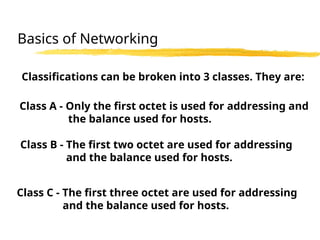
Classifications can bebroken into 3 classes. They are:
Class A - Only the first octet is used for addressing and
the balance used for hosts.
Class B - The first two octet are used for addressing
and the balance used for hosts.
Class C - The first three octet are used for addressing
and the balance used for hosts.
Basics of Networking
30.
Every machine onthe Internet has a unique
identifying number, called an IP Address.
A typical IP address looks like this:
216.27.61.137
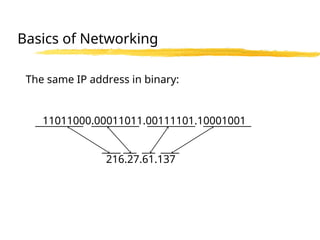
But computers communicate in binary form.
Basics of Networking
31.
The same IPaddress in binary:
11011000.00011011.00111101.10001001
216.27.61.137
Basics of Networking
32.
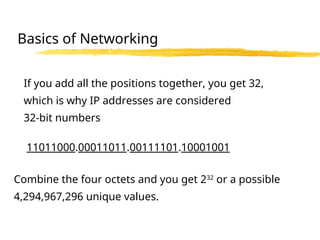
If you addall the positions together, you get 32,
which is why IP addresses are considered
32-bit numbers
Combine the four octets and you get 232
or a possible
4,294,967,296 unique values.
11011000.00011011.00111101.10001001
Basics of Networking
33.
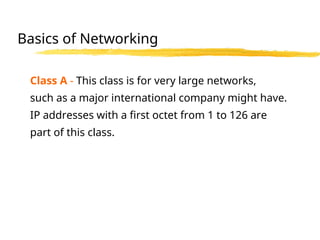
Class A -This class is for very large networks,
such as a major international company might have.
IP addresses with a first octet from 1 to 126 are
part of this class.
Basics of Networking
34.
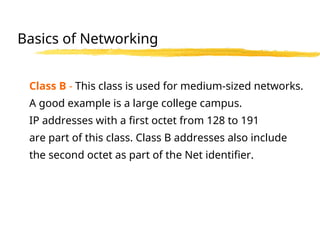
Class B -This class is used for medium-sized networks.
A good example is a large college campus.
IP addresses with a first octet from 128 to 191
are part of this class. Class B addresses also include
the second octet as part of the Net identifier.
Basics of Networking
35.
Class C -Class C addresses are commonly used for
small to mid-size businesses. IP addresses
with a first octet from 192 to 223 are part of this
class. Class C addresses also include the second
and third octets as part of the Net identifier.
Basics of Networking
36.
Loopback - TheIP address 127.0.0.1 is used
as the loopback address. This means that it is
used by the host computer to send a message
back to itself.
Basics of Networking
LOOPBACK
37.
THE TRANSPORT LAYER
Thetransport layer “DIRECTS PACKETS”, splits it up into
smaller units if need be, pass these to the network
and ensure that the pieces are travelling in an
orderly fashion.
A series of protocols are also established in this
layer to ensure proper flow of the packets.
You can basically describe the Transport Layer as
a “TRAFFIC COP”.
Basics of Networking
38.
THE SESSION LAYER
Thesession layer allows different machines to
establish sessions between themselves.
Once communications are established, encryption
then begins both parties.
Basics of Networking
39.
THE PRESENTATION LAYER
ThePresentation Layer’s job is managing data
structures and converting from the representation
used inside the computer to the network standard
representation an visa versa.
In English terms, the Presentation layer basically
takes the packets and re-assembles them so you can
open the e-mail or the attachment.
If any packets got lost along the way, or were
damaged, then the Presentation layer will send a
sign to the sender that it requires the specific packet.
Basics of Networking
40.
THE APPLICATION LAYER
TheApplication layer contains a variety of protocols
that are commonly required.
Another Application layer function is file transfer.
Different file systems have different file naming
conventions, different ways of representing text lines,
and so on.
Transferring a file between two different systems
requires handling and other incompatibilities.
Basics of Networking
41.
FTP - FileTransfer Protocol
FTP provides a standard system for sending
and receiving files over IP networks.
HTTP Protocol
Web browsers and servers use the Hypertext
Transfer Protocol (HTTP) protocol to
communicate.
Electronic Mail Protocols
Several network protocols were developed
specifically to support electronic mail over the
Internet.
THE APPLICATION LAYER
Basics of Networking
42.
SOAP - SimpleObject Access
Protocol
SOAP defines a standard way to encode objects
within network packets using XML.
DHCP
The Dynamic Host Configuration Protocol
(DHCP) supports automatic address assignment
and improved configuration management of IP
networks.
THE APPLICATION LAYER
Basics of Networking
43.
IPv6 - InternetProtocol version 6
IPv6 promises to relieve the current IP address
shortage, and this new version of the protocol
may also increase performance and improve
administration capabilities.
PPPoE
The Point to Point Protocol over Ethernet
(PPPoE) standard helps access providers
manage their broadband service delivery, and
it can also improve the ease of use for DSL and
cable modem customers.
THE APPLICATION LAYER
Basics of Networking
44.
As you cansee, the OSI Model is a sophisticated
and complicated model, but I hope you gained
some information on the way this theoretical model
work.
The package that I have given you also has an
IP Addressing assignment that I use with my Grade
12 Computer Engineering Students.
Basics of Networking

![Data structures & Implementation {TCP}
Flow of Data Transferring through TCP.
provides a reliable byte stream service to the application
Layer(tcp).
[DS] PROVIDE :
Flow controlled, end-to-end.
Stream service between two machines .
HANDLE :
Delayed, Duplicated, Lost.
Out of order, Data Corrupted.](https://image.slidesharecdn.com/datastructureandinputprocessing-250306090124-ba7ab6b9/85/Data-structure-and-input-processing12-ppt-2-320.jpg)
![CON…
TCP processing is divided into six functions :
tcp input()
tcp process()
tcp receive() [input processing]
tcp write()
tcp enqueue()
tcp output() [output processing]](https://image.slidesharecdn.com/datastructureandinputprocessing-250306090124-ba7ab6b9/85/Data-structure-and-input-processing12-ppt-4-320.jpg)


![[Deck] What's New in Spark-Iceberg Integration via DSV2.pptx](https://cdn.slidesharecdn.com/ss_thumbnails/deckwhatsnewinspark-icebergintegrationviadsv2-260210005337-25955b12-thumbnail.jpg?width=640&height=640&fit=bounds)


