Download as PDF, PPTX




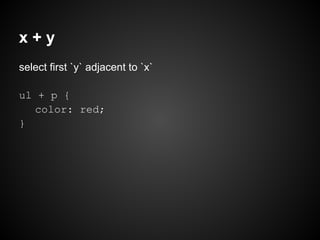
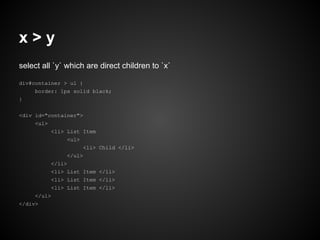
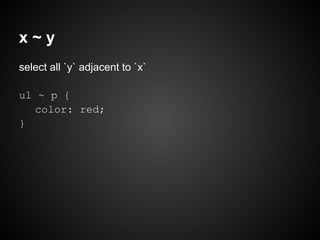
![x[attr]
attribute selector: select all x which have attribute `title`
a[title] {
color: green;
}](https://image.slidesharecdn.com/css-120921002535-phpapp02/85/CSS-for-developers-15-320.jpg)
![x[attr="z"]
attribute selector: select all x which have attribute `attr`
whose value is equal = z
a[href="www.google.com"] {
color: green;
}
// multiple attributes
a[href="www.google.com"][title="google"] {
color: green;
}](https://image.slidesharecdn.com/css-120921002535-phpapp02/85/CSS-for-developers-16-320.jpg)
![a[href*="tuts"]
attribute selector: select all anchor tags which have
attribute `href` whose value contains the word `tuts`
a[href*="tuts"] {
color: green;
}](https://image.slidesharecdn.com/css-120921002535-phpapp02/85/CSS-for-developers-17-320.jpg)
![a[href^="http"]
attribute selector: select all anchor tags which have
attribute `href` whose value start with the word `http`
a[href^="http"] {
color: green;
}](https://image.slidesharecdn.com/css-120921002535-phpapp02/85/CSS-for-developers-18-320.jpg)
![a[href$=".jpg"]
attribute selector: select all anchor tags which have
attribute `href` whose value end with the word `.jpg`
a[href$=".jpg"] {
color: green;
}](https://image.slidesharecdn.com/css-120921002535-phpapp02/85/CSS-for-developers-19-320.jpg)
![x:checked
Used of radio buttons and checkboxes.
input[type=radio]:checked {
border: 1px solid black;
}](https://image.slidesharecdn.com/css-120921002535-phpapp02/85/CSS-for-developers-20-320.jpg)
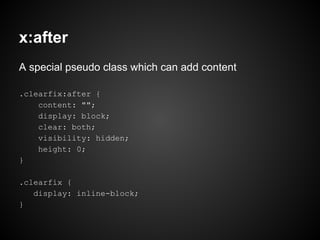




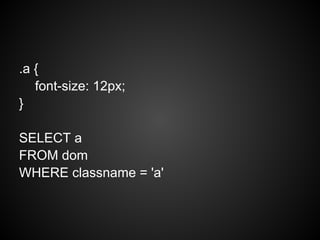
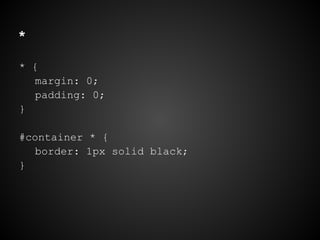
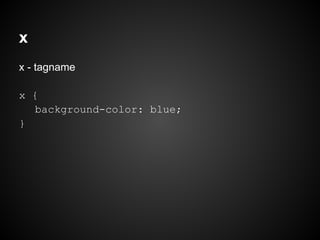
This document discusses CSS selectors and properties, explaining that CSS is a query language used to style elements on web pages. It covers basic element, id, class and descendant selectors as well as pseudo-classes for links, checks boxes and more. The document also explains attribute selectors for selecting elements based on attributes and values.


![[PyConZA 2017] Web Scraping: Unleash your Internet Viking](https://cdn.slidesharecdn.com/ss_thumbnails/slides-171005083629-thumbnail.jpg?width=640&height=640&fit=bounds)


