


Disclaimer: This presentation is prepared by trainees of
baabtra as a part of mentoring program. This is not official
document of baabtra –Mentoring Partner
Baabtra-Mentoring Partner is the mentoring division of baabte System Technologies Pvt .
Ltd
CSS
Subhin P.V
111subru@gmail.com
www.facebook.com/subhinv
elayudhan
twitter.com/111subru
in.linkedin.com/in/Subhin P V
8129076036
INTRODUCTION
• CSS stands for Cascading Style Sheets
• Used for stylizing web pages.
• CSS were introduced in HTML 4.0
• Created by Hakon Wium Lie of MIT in 1994
• CSS style rules look like this:
Selector { declaration
property0:value0;
property1:value1;
propertyZ:valueZ
}
WHY CSS??
• <h1 align=“center”><font color=“red”
type=“caliph” > Subhin </font> </h1>
• Instead in CSS:
h1{
align=“center”;
font-family:Caliph;color:red;
}
3 WAYS TO USE CSS
• <h1 style=“color:red; font-family:Caliph”>(inline method)
• <head>
<style>
h1{
font-family: Caliph;
color:red; (internal placement)
font-size:50px;
}
</style>
</head>
• External CSS File
MORE ON SELECTORS
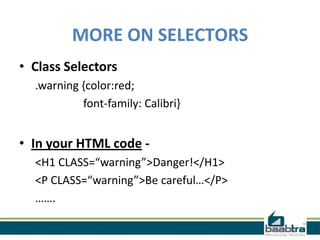
• Class Selectors
.warning {color:red;
font-family: Calibri}
• In your HTML code -
<H1 CLASS=“warning”>Danger!</H1>
<P CLASS=“warning”>Be careful…</P>
…….
MORE ON SELECTORS
The id Selector
The id selector is used to specify a style for a single, unique element.
The id selector uses the id attribute of the HTML
element, and is defined with a "#".
The style rule below will be applied to the element with
id="para1":
Example
#para1
{
text-align:center;
color:red;
}
CSS COMENTS
Comments are used to explain your code, and may help you when you edit the
source code at a later date. Comments are ignored by browsers.
A CSS comment begins with "/*", and ends with "*/", like this:
/*This is a comment*/
p
{
text-align:center;
/*This is another comment*/
color:black;
font-family:arial;
}
CSS COLORS
• Colors can be used in CSS in 3 Different ways
– Simply stating the color name in English.
– Providing the values in (R,G,B)
– Providing the Hexadecimal value for color varies
from (000000) Black to (FFFFFF) White.
•Example
body {color:blue;}
h1 {color:#00ff00;}
h2 {color:rgb(255,0,0);}
CSS TEXT
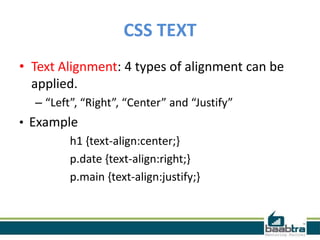
• Text Alignment: 4 types of alignment can be
applied.
– “Left”, “Right”, “Center” and “Justify”
• Example
h1 {text-align:center;}
p.date {text-align:right;}
p.main {text-align:justify;}
CSS TEXT
• Text Transformation: The text-transform
property is used to specify uppercase and
lowercase letters in a text.
•Examples:
p.uppercase {text-transform:uppercase;}
p.lowercase {text-transform:lowercase;}
p.capitalize {text-transform:capitalize;}
CSS TEXT
•Text-Indentation: property is used to specify the
indentation of the first line of a text.
Example
p {text-indent:50px;}
CSS ALIGN
Aligning Block Elements
A block element is an element that takes up the full
width available, and has a line break before and after it.
Examples of block elements:
* <h1>
* <p>
* <div>
CSS ALIGN
• Center Aligning
Block elements can be aligned by setting the
left and right margins to "auto".
center {
margin-left:auto;
margin-right:auto;
width:70%;
background-color:#b0e0e6; }
CSS ALIGN
• Left and Right Aligning
Example
.right
{
position:absolute;
right:0px;
width:300px;
background-color:#b0e0e6;
}
CSS POSITIONING
• The CSS positioning properties allow you to position an
element.
• Elements can be positioned using the
top, bottom, left, and right properties.
However, these properties will not work unless the
position property is set first. They also work differently
depending on the positioning method.
• There are four different positioning methods.
–Static Positioning
–Fixed Positioning
–Relative Positioning
–Absolute Positioning
If this presentation helped you, please visit our
page facebook.com/baabtra and like it.
Thanks in advance.
www.baabtra.com | www.massbaab.com |www.baabte.com
Contact Us

CSS (Cascading Style Sheets)

  • 2.
    Disclaimer: This presentationis prepared by trainees of baabtra as a part of mentoring program. This is not official document of baabtra –Mentoring Partner Baabtra-Mentoring Partner is the mentoring division of baabte System Technologies Pvt . Ltd
  • 3.
  • 4.
    INTRODUCTION • CSS standsfor Cascading Style Sheets • Used for stylizing web pages. • CSS were introduced in HTML 4.0 • Created by Hakon Wium Lie of MIT in 1994 • CSS style rules look like this: Selector { declaration property0:value0; property1:value1; propertyZ:valueZ }
  • 5.
    WHY CSS?? • <h1align=“center”><font color=“red” type=“caliph” > Subhin </font> </h1> • Instead in CSS: h1{ align=“center”; font-family:Caliph;color:red; }
  • 6.
    3 WAYS TOUSE CSS • <h1 style=“color:red; font-family:Caliph”>(inline method) • <head> <style> h1{ font-family: Caliph; color:red; (internal placement) font-size:50px; } </style> </head> • External CSS File
  • 7.
    MORE ON SELECTORS •Class Selectors .warning {color:red; font-family: Calibri} • In your HTML code - <H1 CLASS=“warning”>Danger!</H1> <P CLASS=“warning”>Be careful…</P> …….
  • 8.
    MORE ON SELECTORS Theid Selector The id selector is used to specify a style for a single, unique element. The id selector uses the id attribute of the HTML element, and is defined with a "#". The style rule below will be applied to the element with id="para1": Example #para1 { text-align:center; color:red; }
  • 9.
    CSS COMENTS Comments areused to explain your code, and may help you when you edit the source code at a later date. Comments are ignored by browsers. A CSS comment begins with "/*", and ends with "*/", like this: /*This is a comment*/ p { text-align:center; /*This is another comment*/ color:black; font-family:arial; }
  • 10.
    CSS COLORS • Colorscan be used in CSS in 3 Different ways – Simply stating the color name in English. – Providing the values in (R,G,B) – Providing the Hexadecimal value for color varies from (000000) Black to (FFFFFF) White. •Example body {color:blue;} h1 {color:#00ff00;} h2 {color:rgb(255,0,0);}
  • 11.
    CSS TEXT • TextAlignment: 4 types of alignment can be applied. – “Left”, “Right”, “Center” and “Justify” • Example h1 {text-align:center;} p.date {text-align:right;} p.main {text-align:justify;}
  • 12.
    CSS TEXT • TextTransformation: The text-transform property is used to specify uppercase and lowercase letters in a text. •Examples: p.uppercase {text-transform:uppercase;} p.lowercase {text-transform:lowercase;} p.capitalize {text-transform:capitalize;}
  • 13.
    CSS TEXT •Text-Indentation: propertyis used to specify the indentation of the first line of a text. Example p {text-indent:50px;}
  • 14.
    CSS ALIGN Aligning BlockElements A block element is an element that takes up the full width available, and has a line break before and after it. Examples of block elements: * <h1> * <p> * <div>
  • 15.
    CSS ALIGN • CenterAligning Block elements can be aligned by setting the left and right margins to "auto". center { margin-left:auto; margin-right:auto; width:70%; background-color:#b0e0e6; }
  • 16.
    CSS ALIGN • Leftand Right Aligning Example .right { position:absolute; right:0px; width:300px; background-color:#b0e0e6; }
  • 17.
    CSS POSITIONING • TheCSS positioning properties allow you to position an element. • Elements can be positioned using the top, bottom, left, and right properties. However, these properties will not work unless the position property is set first. They also work differently depending on the positioning method. • There are four different positioning methods. –Static Positioning –Fixed Positioning –Relative Positioning –Absolute Positioning
  • 19.
    If this presentationhelped you, please visit our page facebook.com/baabtra and like it. Thanks in advance. www.baabtra.com | www.massbaab.com |www.baabte.com
  • 20.