



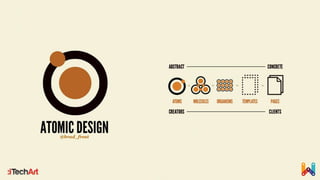















CSS Architecture
Writing maintainable CSS
Alexei Skachykhin – Software Engineer
iTechArt, 2015
“Writing CSS is easy. Scaling CSS
and keeping it maintainable is not.”
Ben Frain
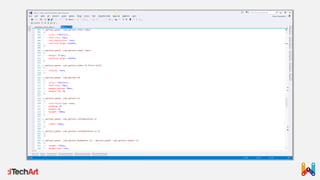
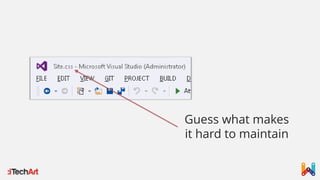
Guess what makes
it hard to maintain
“I don’t understand the cultural fascination with
failure being the source of great lessons to be
learned. You might know what won’t work, but you
still don’t know what will work.”
Basecamp
Excerpt from “Rework”
What’s missing?
CSS that works to spec isn’t enough, it
should be considered as a baseline
We need a plan to keep CSS styles organized.
We call such plan an architecture
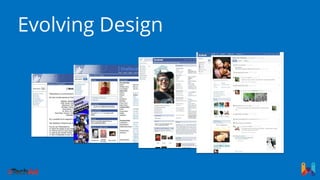
Evolving Design
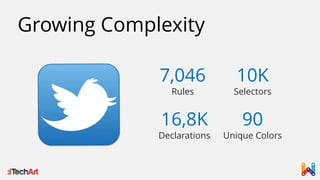
Growing Complexity
7,046
Rules
10K
Selectors
16,8K
Declarations
90
Unique Colors
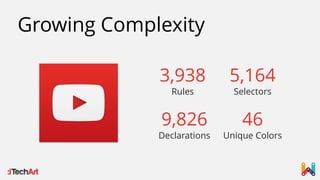
Growing Complexity
3,938
Rules
5,164
Selectors
9,826
Declarations
46
Unique Colors
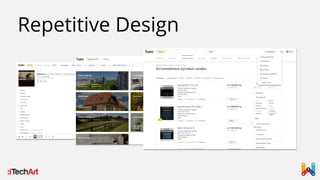
Repetitive Design
Repetitive Design
“We’re not designing pages,
we’re designing systems of components.”
Stephen Hay
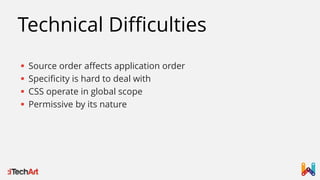
Technical Difficulties
 Source order affects application order
 Specificity is hard to deal with
 CSS operate in global scope
 Permissive by its nature
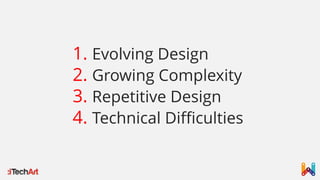
1. Evolving Design
2. Growing Complexity
3. Repetitive Design
4. Technical Difficulties
It is time to follow architecture
and cleanup our CSS
Building Blocks
UI consists of components, where
component is any distinguishable element
of the design
Building Blocks
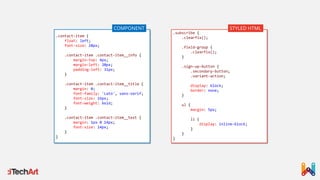
Writing CSS is not about making HTML
elements look like provided PSD, but
translating system of components into Web
compatible format
.contact-item {
float: left;
font-size: 28px;
.contact-item .contact-item__info {
margin-top: 4px;
margin-left: 20px;
padding-left: 31px;
}
.contact-item .contact-item__title {
margin: 0;
font-family: 'Lato', sans-serif;
font-size: 16px;
font-weight: bold;
}
.contact-item .contact-item__text {
margin: 1px 0 14px;
font-size: 14px;
}
}
.subscribe {
.clearfix();
.field-group {
.clearfix();
}
.sign-up-button {
.secondary-button;
.variant-action;
display: block;
border: none;
}
ul {
margin: 5px;
li {
display: inline-block;
}
}
}
COMPONENT STYLED HTML
Design and markup are inseparable.
Designers and Front-End Engineers must speak
ubiquitous language to succeed.
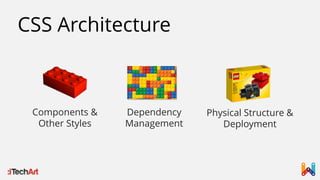
CSS Architecture
Components &
Other Styles
Dependency
Management
Physical Structure &
Deployment
No constraints?
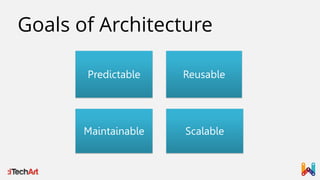
Goals of Architecture
Predictable Reusable
Maintainable Scalable
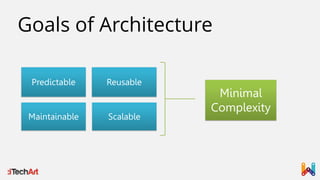
Goals of Architecture
Predictable Reusable
Maintainable Scalable
Minimal
Complexity
“Everyone else in the W3C CSS Working Group, the
group which defines the future of CSS, fits the profile
of a developer much more than that of a designer.”
Lea Verou
Who’s in camp?
Existing Solutions
 BEM
 OOCSS
 SMACSS
 Atomic CSS
 MCSS
 ITCSS
Components
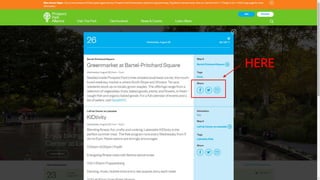
#1 DOM Independency
CSS component styles must not rely on
particular DOM structure
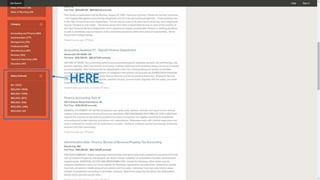
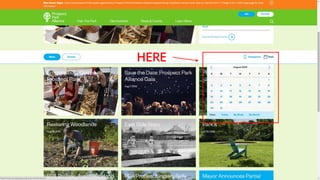
HERE
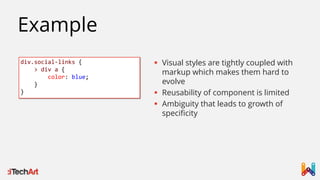
Example
div.social-links {
> div a {
color: blue;
}
}
 Visual styles are tightly coupled with
markup which makes them hard to
evolve
 Reusability of component is limited
 Ambiguity that leads to growth of
specificity
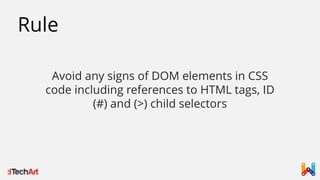
Rule
Avoid any signs of DOM elements in CSS
code including references to HTML tags, ID
(#) and (>) child selectors
Rule
CSS selectors must convey semantics of the
component and it’s integral parts. Class
selector conveys a lot, element selector
almost none
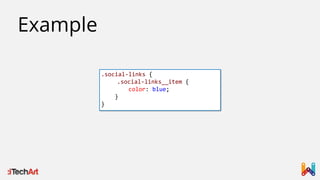
Example
.social-links {
.social-links__item {
color: blue;
}
}
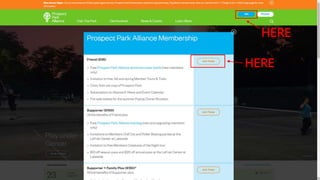
#2 Location Independency
CSS component styles must not rely on
component’s location on a page
HERE
HERE
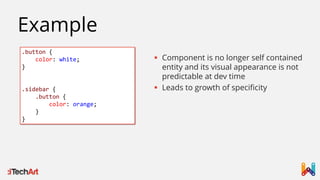
Example
.button {
color: white;
}
.sidebar {
.button {
color: orange;
}
}
 Component is no longer self contained
entity and its visual appearance is not
predictable at dev time
 Leads to growth of specificity
Rule
Component styles must not be written in
reliance on their location on a page, instead
provide location independent variations that
can be used anywhere
“Instead of saying - The buttons need to be smaller
when they’re in the header, we need to be saying - We
have a smaller variant of our buttons, and it’s these that
we use in the header.”
Harry Roberts
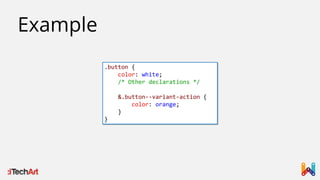
.button {
color: white;
/* Other declarations */
&.button--variant-action {
color: orange;
}
}
Example
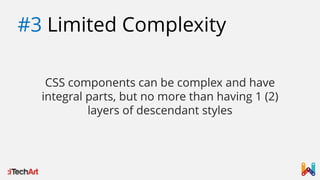
#3 Limited Complexity
CSS components can be complex and have
integral parts, but no more than having 1 (2)
layers of descendant styles
HERE
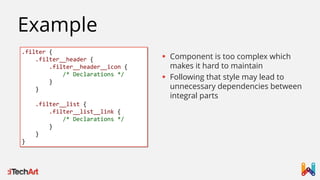
Example
.filter {
.filter__header {
.filter__header__icon {
/* Declarations */
}
}
.filter__list {
.filter__list__link {
/* Declarations */
}
}
}
 Component is too complex which
makes it hard to maintain
 Following that style may lead to
unnecessary dependencies between
integral parts
Rule
If CSS styles have no dependency they must
not form parent-child relationship
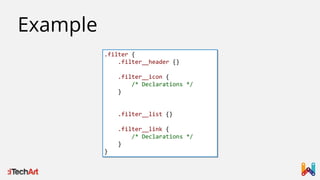
Rule
Complex components must be split into
simpler components
.filter {
.filter__header {}
.filter__icon {
/* Declarations */
}
.filter__list {}
.filter__link {
/* Declarations */
}
}
Example
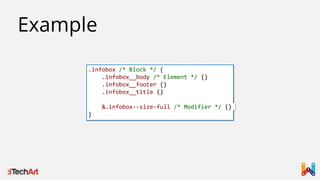
#4 Enforced Naming
All aspects of component definition must be named in a
way to communicate their relationship clearly and
protect from incorrect use
.infobox /* Block */ {
.infobox__body /* Element */ {}
.infobox__footer {}
.infobox__title {}
&.infobox--size-full /* Modifier */ {}
}
Example
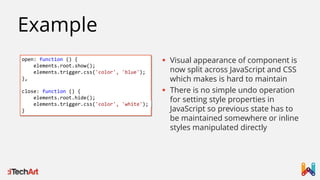
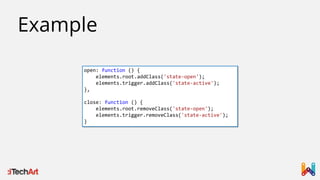
#5 Explicit States
Dynamic behavior must be implemented with state
classes that JavaScript toggles. No direct style
manipulation is allowed with JavaScript.
HERE
open: function () {
elements.root.show();
elements.trigger.css('color', 'blue');
},
close: function () {
elements.root.hide();
elements.trigger.css('color', 'white');
}
Example
 Visual appearance of component is
now split across JavaScript and CSS
which makes is hard to maintain
 There is no simple undo operation
for setting style properties in
JavaScript so previous state has to
be maintained somewhere or inline
styles manipulated directly
open: function () {
elements.root.addClass('state-open');
elements.trigger.addClass('state-active');
},
close: function () {
elements.root.removeClass('state-open');
elements.trigger.removeClass('state-active');
}
Example
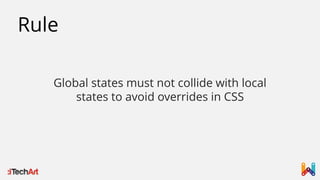
Rule
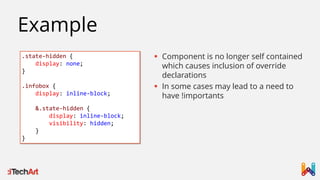
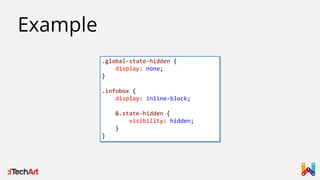
Global states must not collide with local
states to avoid overrides in CSS
.state-hidden {
display: none;
}
.infobox {
display: inline-block;
&.state-hidden {
display: inline-block;
visibility: hidden;
}
}
Example
 Component is no longer self contained
which causes inclusion of override
declarations
 In some cases may lead to a need to
have !importants
.global-state-hidden {
display: none;
}
.infobox {
display: inline-block;
&.state-hidden {
visibility: hidden;
}
}
Example
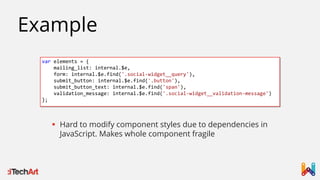
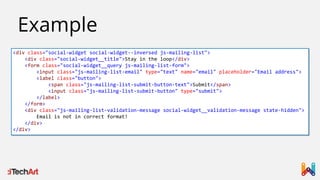
#6 JavaScript Hooks
Never use component classes to select elements with
JavaScript. Introduce specialized classes just for the
sake of selecting elements.
HERE
Example
var elements = {
mailing_list: internal.$e,
form: internal.$e.find('.social-widget__query'),
submit_button: internal.$e.find('.button'),
submit_button_text: internal.$e.find('span'),
validation_message: internal.$e.find('.social-widget__validation-message')
};
 Hard to modify component styles due to dependencies in
JavaScript. Makes whole component fragile
Example
<div class="social-widget social-widget--inversed js-mailing-list">
<div class="social-widget__title">Stay in the loop</div>
<form class="social-widget__query js-mailing-list-form">
<input class="js-mailing-list-email" type="text" name="email" placeholder="Email address">
<label class="button">
<span class="js-mailing-list-submit-button-text">Submit</span>
<input class="js-mailing-list-submit-button" type="submit">
</label>
</form>
<div class="js-mailing-list-validation-message social-widget__validation-message state-hidden">
Email is not in correct format!
</div>
</div>
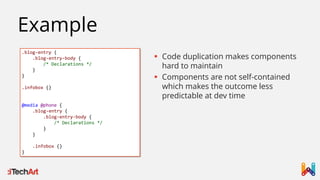
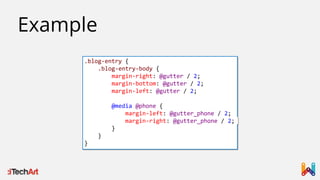
#7 Local Media Queries
Responsiveness of a page must be based on
responsiveness of each component thus Media Query
must be local to a component
.blog-entry {
.blog-entry-body {
/* Declarations */
}
}
.infobox {}
@media @phone {
.blog-entry {
.blog-entry-body {
/* Declarations */
}
}
.infobox {}
}
Example
 Code duplication makes components
hard to maintain
 Components are not self-contained
which makes the outcome less
predictable at dev time
.blog-entry {
.blog-entry-body {
margin-right: @gutter / 2;
margin-bottom: @gutter / 2;
margin-left: @gutter / 2;
@media @phone {
margin-left: @gutter_phone / 2;
margin-right: @gutter_phone / 2;
}
}
}
Example
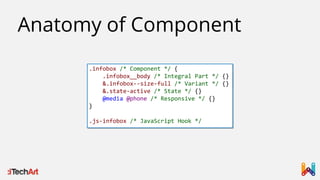
.infobox /* Component */ {
.infobox__body /* Integral Part */ {}
&.infobox--size-full /* Variant */ {}
&.state-active /* State */ {}
@media @phone /* Responsive */ {}
}
.js-infobox /* JavaScript Hook */
Anatomy of Component
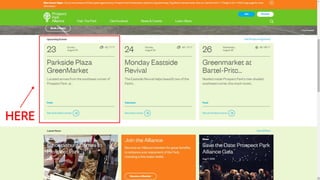
#8 Layout vs Visual
Layout aspects should be moved to dedicated
components or integral parts
HERE
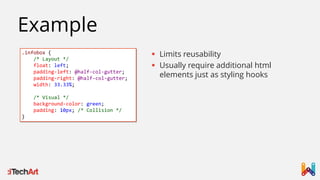
.infobox {
/* Layout */
float: left;
padding-left: @half-col-gutter;
padding-right: @half-col-gutter;
width: 33.33%;
/* Visual */
background-color: green;
padding: 10px; /* Collision */
}
Example
 Limits reusability
 Usually require additional html
elements just as styling hooks
Grid based layout is an emerging trend in Web and
Graphics design
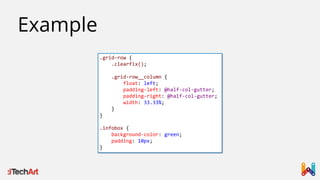
.grid-row {
.clearfix();
.grid-row__column {
float: left;
padding-left: @half-col-gutter;
padding-right: @half-col-gutter;
width: 33.33%;
}
}
.infobox {
background-color: green;
padding: 10px;
}
Example
#9 Container vs Content
Container components must define layout and size
constraints, content components – visual look
(occasionally size constraints too)
Rule
Don’t make any assumptions about content
on container level
Rule
Develop CSS components to be container
agnostic
Other Styles
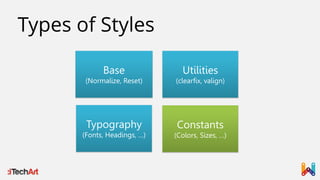
Types of Styles
Base
(Normalize, Reset)
Utilities
(clearfix, valign)
Typography
(Fonts, Headings, …)
Constants
(Colors, Sizes, …)
Physical Structure &
Deployment
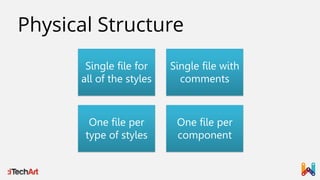
Physical Structure
Single file for
all of the styles
Single file with
comments
One file per
type of styles
One file per
component
Fallacies
 Use id selectors for performance reasons
 Too many classes is a bad thing, style based on tags
 Nest CSS selectors to follow DOM hierarchy
 Put all styles into single file all the time because it is
easier to maintain
 Introduce lots of utility classes to have greater flexibility
when styling things
Thank you!
Forward your questions to
alexei.skachykhin@live.com

CSS Architecture: Writing Maintainable CSS

  • 1.
    CSS Architecture Writing maintainableCSS Alexei Skachykhin – Software Engineer iTechArt, 2015
  • 2.
    “Writing CSS iseasy. Scaling CSS and keeping it maintainable is not.” Ben Frain
  • 4.
    Guess what makes ithard to maintain
  • 8.
    “I don’t understandthe cultural fascination with failure being the source of great lessons to be learned. You might know what won’t work, but you still don’t know what will work.” Basecamp Excerpt from “Rework”
  • 9.
    What’s missing? CSS thatworks to spec isn’t enough, it should be considered as a baseline
  • 10.
    We need aplan to keep CSS styles organized. We call such plan an architecture
  • 11.
  • 12.
  • 13.
  • 14.
  • 15.
    Repetitive Design “We’re notdesigning pages, we’re designing systems of components.” Stephen Hay
  • 16.
    Technical Difficulties  Sourceorder affects application order  Specificity is hard to deal with  CSS operate in global scope  Permissive by its nature
  • 17.
    1. Evolving Design 2.Growing Complexity 3. Repetitive Design 4. Technical Difficulties
  • 18.
    It is timeto follow architecture and cleanup our CSS
  • 19.
    Building Blocks UI consistsof components, where component is any distinguishable element of the design
  • 21.
    Building Blocks Writing CSSis not about making HTML elements look like provided PSD, but translating system of components into Web compatible format
  • 22.
    .contact-item { float: left; font-size:28px; .contact-item .contact-item__info { margin-top: 4px; margin-left: 20px; padding-left: 31px; } .contact-item .contact-item__title { margin: 0; font-family: 'Lato', sans-serif; font-size: 16px; font-weight: bold; } .contact-item .contact-item__text { margin: 1px 0 14px; font-size: 14px; } } .subscribe { .clearfix(); .field-group { .clearfix(); } .sign-up-button { .secondary-button; .variant-action; display: block; border: none; } ul { margin: 5px; li { display: inline-block; } } } COMPONENT STYLED HTML
  • 23.
    Design and markupare inseparable. Designers and Front-End Engineers must speak ubiquitous language to succeed.
  • 24.
    CSS Architecture Components & OtherStyles Dependency Management Physical Structure & Deployment
  • 25.
  • 26.
    Goals of Architecture PredictableReusable Maintainable Scalable
  • 27.
    Goals of Architecture PredictableReusable Maintainable Scalable Minimal Complexity
  • 28.
    “Everyone else inthe W3C CSS Working Group, the group which defines the future of CSS, fits the profile of a developer much more than that of a designer.” Lea Verou
  • 29.
  • 30.
    Existing Solutions  BEM OOCSS  SMACSS  Atomic CSS  MCSS  ITCSS
  • 31.
  • 32.
    #1 DOM Independency CSScomponent styles must not rely on particular DOM structure
  • 33.
  • 34.
    Example div.social-links { > diva { color: blue; } }  Visual styles are tightly coupled with markup which makes them hard to evolve  Reusability of component is limited  Ambiguity that leads to growth of specificity
  • 35.
    Rule Avoid any signsof DOM elements in CSS code including references to HTML tags, ID (#) and (>) child selectors
  • 36.
    Rule CSS selectors mustconvey semantics of the component and it’s integral parts. Class selector conveys a lot, element selector almost none
  • 37.
  • 38.
    #2 Location Independency CSScomponent styles must not rely on component’s location on a page
  • 39.
  • 40.
    Example .button { color: white; } .sidebar{ .button { color: orange; } }  Component is no longer self contained entity and its visual appearance is not predictable at dev time  Leads to growth of specificity
  • 41.
    Rule Component styles mustnot be written in reliance on their location on a page, instead provide location independent variations that can be used anywhere
  • 42.
    “Instead of saying- The buttons need to be smaller when they’re in the header, we need to be saying - We have a smaller variant of our buttons, and it’s these that we use in the header.” Harry Roberts
  • 43.
    .button { color: white; /*Other declarations */ &.button--variant-action { color: orange; } } Example
  • 44.
    #3 Limited Complexity CSScomponents can be complex and have integral parts, but no more than having 1 (2) layers of descendant styles
  • 45.
  • 46.
    Example .filter { .filter__header { .filter__header__icon{ /* Declarations */ } } .filter__list { .filter__list__link { /* Declarations */ } } }  Component is too complex which makes it hard to maintain  Following that style may lead to unnecessary dependencies between integral parts
  • 47.
    Rule If CSS styleshave no dependency they must not form parent-child relationship
  • 48.
    Rule Complex components mustbe split into simpler components
  • 49.
    .filter { .filter__header {} .filter__icon{ /* Declarations */ } .filter__list {} .filter__link { /* Declarations */ } } Example
  • 50.
    #4 Enforced Naming Allaspects of component definition must be named in a way to communicate their relationship clearly and protect from incorrect use
  • 51.
    .infobox /* Block*/ { .infobox__body /* Element */ {} .infobox__footer {} .infobox__title {} &.infobox--size-full /* Modifier */ {} } Example
  • 52.
    #5 Explicit States Dynamicbehavior must be implemented with state classes that JavaScript toggles. No direct style manipulation is allowed with JavaScript.
  • 53.
  • 54.
    open: function (){ elements.root.show(); elements.trigger.css('color', 'blue'); }, close: function () { elements.root.hide(); elements.trigger.css('color', 'white'); } Example  Visual appearance of component is now split across JavaScript and CSS which makes is hard to maintain  There is no simple undo operation for setting style properties in JavaScript so previous state has to be maintained somewhere or inline styles manipulated directly
  • 55.
    open: function (){ elements.root.addClass('state-open'); elements.trigger.addClass('state-active'); }, close: function () { elements.root.removeClass('state-open'); elements.trigger.removeClass('state-active'); } Example
  • 56.
    Rule Global states mustnot collide with local states to avoid overrides in CSS
  • 57.
    .state-hidden { display: none; } .infobox{ display: inline-block; &.state-hidden { display: inline-block; visibility: hidden; } } Example  Component is no longer self contained which causes inclusion of override declarations  In some cases may lead to a need to have !importants
  • 58.
    .global-state-hidden { display: none; } .infobox{ display: inline-block; &.state-hidden { visibility: hidden; } } Example
  • 59.
    #6 JavaScript Hooks Neveruse component classes to select elements with JavaScript. Introduce specialized classes just for the sake of selecting elements.
  • 60.
  • 61.
    Example var elements ={ mailing_list: internal.$e, form: internal.$e.find('.social-widget__query'), submit_button: internal.$e.find('.button'), submit_button_text: internal.$e.find('span'), validation_message: internal.$e.find('.social-widget__validation-message') };  Hard to modify component styles due to dependencies in JavaScript. Makes whole component fragile
  • 62.
    Example <div class="social-widget social-widget--inversedjs-mailing-list"> <div class="social-widget__title">Stay in the loop</div> <form class="social-widget__query js-mailing-list-form"> <input class="js-mailing-list-email" type="text" name="email" placeholder="Email address"> <label class="button"> <span class="js-mailing-list-submit-button-text">Submit</span> <input class="js-mailing-list-submit-button" type="submit"> </label> </form> <div class="js-mailing-list-validation-message social-widget__validation-message state-hidden"> Email is not in correct format! </div> </div>
  • 63.
    #7 Local MediaQueries Responsiveness of a page must be based on responsiveness of each component thus Media Query must be local to a component
  • 64.
    .blog-entry { .blog-entry-body { /*Declarations */ } } .infobox {} @media @phone { .blog-entry { .blog-entry-body { /* Declarations */ } } .infobox {} } Example  Code duplication makes components hard to maintain  Components are not self-contained which makes the outcome less predictable at dev time
  • 65.
    .blog-entry { .blog-entry-body { margin-right:@gutter / 2; margin-bottom: @gutter / 2; margin-left: @gutter / 2; @media @phone { margin-left: @gutter_phone / 2; margin-right: @gutter_phone / 2; } } } Example
  • 66.
    .infobox /* Component*/ { .infobox__body /* Integral Part */ {} &.infobox--size-full /* Variant */ {} &.state-active /* State */ {} @media @phone /* Responsive */ {} } .js-infobox /* JavaScript Hook */ Anatomy of Component
  • 67.
    #8 Layout vsVisual Layout aspects should be moved to dedicated components or integral parts
  • 68.
  • 69.
    .infobox { /* Layout*/ float: left; padding-left: @half-col-gutter; padding-right: @half-col-gutter; width: 33.33%; /* Visual */ background-color: green; padding: 10px; /* Collision */ } Example  Limits reusability  Usually require additional html elements just as styling hooks
  • 70.
    Grid based layoutis an emerging trend in Web and Graphics design
  • 71.
    .grid-row { .clearfix(); .grid-row__column { float:left; padding-left: @half-col-gutter; padding-right: @half-col-gutter; width: 33.33%; } } .infobox { background-color: green; padding: 10px; } Example
  • 72.
    #9 Container vsContent Container components must define layout and size constraints, content components – visual look (occasionally size constraints too)
  • 73.
    Rule Don’t make anyassumptions about content on container level
  • 74.
    Rule Develop CSS componentsto be container agnostic
  • 75.
  • 76.
    Types of Styles Base (Normalize,Reset) Utilities (clearfix, valign) Typography (Fonts, Headings, …) Constants (Colors, Sizes, …)
  • 77.
  • 78.
    Physical Structure Single filefor all of the styles Single file with comments One file per type of styles One file per component
  • 79.
    Fallacies  Use idselectors for performance reasons  Too many classes is a bad thing, style based on tags  Nest CSS selectors to follow DOM hierarchy  Put all styles into single file all the time because it is easier to maintain  Introduce lots of utility classes to have greater flexibility when styling things
  • 80.
    Thank you! Forward yourquestions to alexei.skachykhin@live.com

Editor's Notes

  • #4 Всё начинается хорошо, но потом становится сложно сопровождать.
  • #7 Второй раз ты пытаешься хорошо писать свойства CSS, но всё равно что-то идёт не так.
  • #10 Interestingly, we don’t usually make this oversight with other languages. A Rails developer isn’t considered good just because his code works to spec. This is considered baseline. Of course it must work to spec; its merit is based on other things: Is the code readable? Is it easy to change or extend? Is it decoupled from other parts of the application? Will it scale?
  • #11 Тут важно сказать что подсознательно первое о чём мы думаем – это то что мы можем работать без плана. Но как было показано на примере это не работает! И дальше пойдёт описание driving forces.
  • #17 Interestingly, we don’t usually make this oversight with other languages. A Rails developer isn’t considered good just because his code works to spec. This is considered baseline. Of course it must work to spec; its merit is based on other things: Is the code readable? Is it easy to change or extend? Is it decoupled from other parts of the application? Will it scale?
  • #27 Требования к CSS архитектуре такие же как и к архитектуре программных компонентов -> Переход на следующий слайд
  • #28 Требования к CSS архитектуре такие же как и к архитектуре программных компонентов -> Переход на следующий слайд