CSS- Cascading Stylesheets   Layout for web  and XML
Cascading Stylesheets A language to define how XML documents, html documents and XHTML documents should be rendered for screen, paper, TV, sound … Reommendation from W3C Not in itself XML-based, but operates on XML structures
CSS - Historical perspektive html was built to structure text documetns with links, regardless of presentation medium. The commercial success of the web drove a need to make more estetically pleasing content. Logical elements (like <h3>) was used to get a certain graphical effect, instead of using it to indicate a logical content. New elements added without control. Solution: Make an entirely new language for laout: CSS
Examples Now File b.css p { font-family: Helvetica, sans-serif; } File b.html <?xml-stylesheet type=&quot;text/css&quot; href=&quot;b.css&quot;?> […] <p> Text in helvetica </p> […] Before File a.html […] <p> <font face=&quot;Helvetica&quot;> Text in Helvetica </font> </p> […]
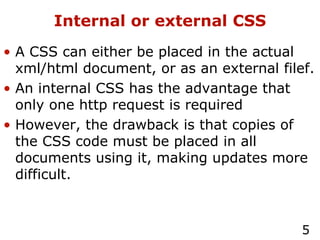
Internal or external CSS A CSS can either be placed in the actual xml/html document, or as an external filef. An internal CSS has the advantage that only one http request is required However, the drawback is that copies of the CSS code must be placed in all documents using it, making updates more difficult.
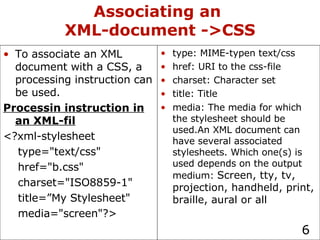
Associating an  XML-document ->CSS type: MIME-typen text/css href: URI to the css-file charset: Character set title: Title media: The media for which the stylesheet should be used.An XML document can have several associated stylesheets. Which one(s) is used depends on the output medium:  Screen, tty, tv, projection, handheld, print, braille, aural or all To associate an XML document with a CSS, a processing instruction can be used. Processin instruction in an XML-fil <?xml-stylesheet  type=&quot;text/css&quot;  href=&quot;b.css&quot; charset=&quot;ISO8859-1&quot; title=”My Stylesheet&quot; media=&quot;screen&quot;?>
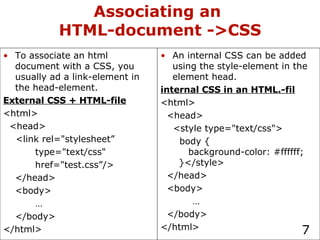
Associating an  HTML-document ->CSS An internal CSS can be added using the style-element in the element head. internal CSS in an HTML.-fil <html> <head> <style type=&quot;text/css&quot;> body {   background-color: #ffffff;   }</style> </head> <body> … </body> </html> To associate an html document with a CSS, you usually ad a link-element in the head-element. External CSS + HTML-file <html> <head> <link rel=&quot;stylesheet”  type=&quot;text/css&quot; href=&quot;test.css”/> </head> <body> … </body> </html>
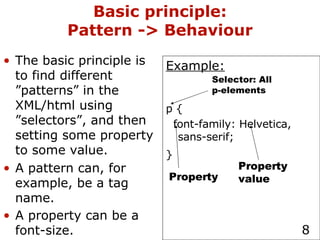
Basic principle: Pattern -> Behaviour The basic principle is to find different ”patterns” in the XML/html using ”selectors”, and then setting some property to some value. A pattern can, for example, be a tag name. A property can be a font-size.   Example: p { font-family: Helvetica, sans-serif; }   Selector: All p-elements Property Property value
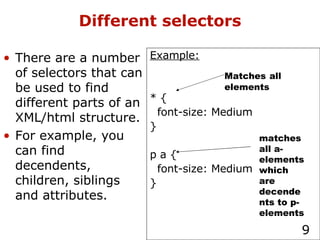
Different selectors There are a number of selectors that can be used to find different parts of an XML/html structure. For example, you can find decendents, children, siblings and attributes. Example: * { font-size: Medium } p a { font-size: Medium } Matches   all elements matches all a-elements which are decendents to p-elements
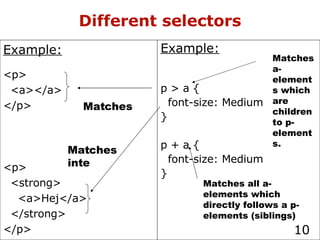
Different selectors Example: p > a { font-size: Medium } p + a { font-size: Medium } Matches a-elements which are children to p-elements. Matches all a-elements which directly follows a p-elements (siblings) Example: <p> <a></a> </p> <p> <strong> <a>Hej</a> </strong> </p> Matches Matches inte
Matching attributes Example: a-element wit href=&quot;a.html&quot; a[href=&quot;a.html&quot;] {font-size: Medium} a-element which has a href-attribut a[href] {font-size: Medium} a-element whose href contains the substring &quot;html&quot; a[href~=&quot;html&quot;] {font-size: Medium} Examples of attribute matches if the attribute has a value Substrings of attribute values ID-values
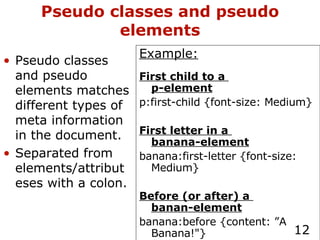
Pseudo classes and pseudo elements Example: First child to a  p-element p:first-child {font-size: Medium} First letter in a  banana-element banana:first-letter {font-size: Medium} Before (or after) a  banan-element banana:before {content: ”A Banana!&quot;} Pseudo classes and pseudo elements matches different types of meta information in the document. Separated from elements/attributeses with a colon.
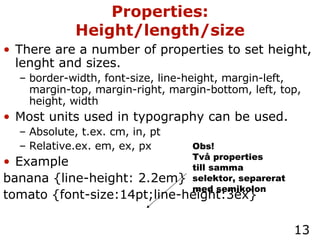
There are a number of properties to set height, lenght and sizes. border-width, font-size, line-height, margin-left, margin-top, margin-right, margin-bottom, left, top, height, width Most units used in typography can be used. Absolute, t.ex. cm, in, pt Relative.ex. em, ex, px Example banana {line-height: 2.2em} tomato {font-size:14pt;line-height:3ex} Properties: Height/length/size Obs! Två properties till samma selektor, separerat med semikolon
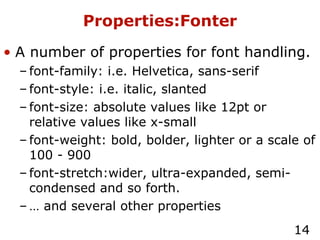
Properties:Fonter A number of properties for font handling. font-family: i.e. Helvetica, sans-serif font-style: i.e. italic, slanted font-size: absolute values like 12pt or relative values like x-small font-weight: bold, bolder, lighter or a scale of 100 - 900 font-stretch:wider, ultra-expanded, semi-condensed and so forth. …  and several other properties
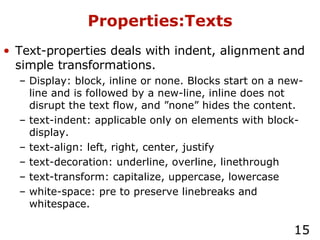
Properties:Texts Text-properties deals with indent, alignment and simple transformations. Display: block, inline or none. Blocks start on a new-line and is followed by a new-line, inline does not disrupt the text flow, and ”none” hides the content. text-indent: applicable only on elements with block-display. text-align: left, right, center, justify text-decoration: underline, overline, linethrough text-transform: capitalize, uppercase, lowercase white-space: pre to preserve linebreaks and whitespace.
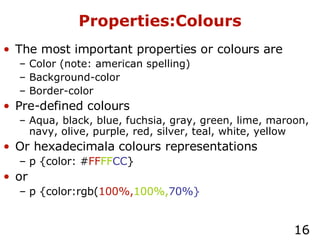
Properties:Colours The most important properties or colours are Color (note: american spelling) Background-color Border-color Pre-defined colours Aqua, black, blue, fuchsia, gray, green, lime, maroon, navy, olive, purple, red, silver, teal, white, yellow Or hexadecimala colours representations p {color: # FF FF CC } or p {color:rgb( 100%, 100%, 70%}
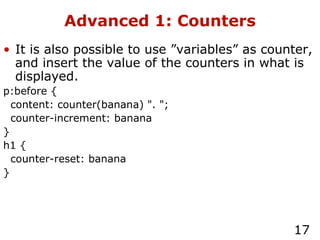
Advanced 1: Counters It is also possible to use ”variables” as counter, and insert the value of the counters in what is displayed. p:before { content: counter(banana) &quot;. &quot;; counter-increment: banana } h1 { counter-reset: banana }
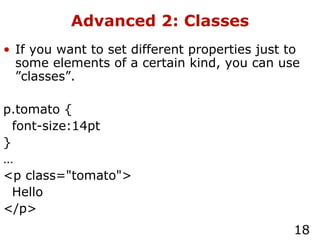
Advanced 2: Classes If you want to set different properties just to some elements of a certain kind, you can use ”classes”. p.tomato { font-size:14pt } … <p class=&quot;tomato&quot;> Hello </p>
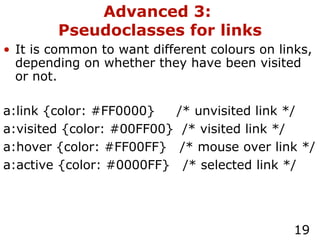
Advanced 3:  Pseudoclasses for links It is common to want different colours on links, depending on whether they have been visited or not. a:link {color: #FF0000}  /* unvisited link */ a:visited {color: #00FF00}  /* visited link */ a:hover {color: #FF00FF}  /* mouse over link */ a:active {color: #0000FF}  /* selected link */
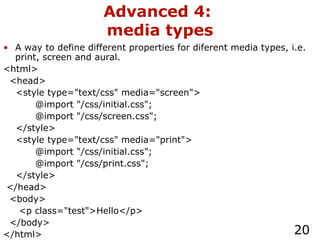
Advanced 4:  media types A way to define different properties for diferent media types, i.e. print, screen and aural. <html> <head> <style type=&quot;text/css&quot; media=&quot;screen&quot;> @import &quot;/css/initial.css&quot;; @import &quot;/css/screen.css&quot;; </style> <style type=&quot;text/css&quot; media=&quot;print&quot;> @import &quot;/css/initial.css&quot;; @import &quot;/css/print.css&quot;; </style> </head> <body> <p class=&quot;test&quot;>Hello</p> </body> </html>
Advanced 5: the print media type A few properties exist only for the media type &quot;print&quot;. The most important are: page-break-after page-break-before For more info, see  http://www.w3schools.com/css/css_ref_print.asp
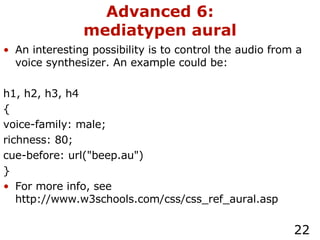
Advanced 6: mediatypen aural An interesting possibility is to control the audio from a voice synthesizer. An example could be: h1, h2, h3, h4 { voice-family: male; richness: 80; cue-before: url(&quot;beep.au&quot;) } For more info, see http://www.w3schools.com/css/css_ref_aural.asp
Browsersupport Today good support in all(most) modern browsers.  Opera probably best support  However: Don’t count on mobile phones to support CSS.
Limitations and possibilities I CSS1: Only support for html-tags I CSS2: Supports all XML documents, making it easier to separate content from presentation. I CSS3: Support for columns, pagination, more powerful selectors and for non-european character sets. A problem is that it is not possible to change the orders of elements, or to re-use an element several times.

CSS

  • 1.
    CSS- Cascading Stylesheets Layout for web and XML
  • 2.
    Cascading Stylesheets Alanguage to define how XML documents, html documents and XHTML documents should be rendered for screen, paper, TV, sound … Reommendation from W3C Not in itself XML-based, but operates on XML structures
  • 3.
    CSS - Historicalperspektive html was built to structure text documetns with links, regardless of presentation medium. The commercial success of the web drove a need to make more estetically pleasing content. Logical elements (like <h3>) was used to get a certain graphical effect, instead of using it to indicate a logical content. New elements added without control. Solution: Make an entirely new language for laout: CSS
  • 4.
    Examples Now Fileb.css p { font-family: Helvetica, sans-serif; } File b.html <?xml-stylesheet type=&quot;text/css&quot; href=&quot;b.css&quot;?> […] <p> Text in helvetica </p> […] Before File a.html […] <p> <font face=&quot;Helvetica&quot;> Text in Helvetica </font> </p> […]
  • 5.
    Internal or externalCSS A CSS can either be placed in the actual xml/html document, or as an external filef. An internal CSS has the advantage that only one http request is required However, the drawback is that copies of the CSS code must be placed in all documents using it, making updates more difficult.
  • 6.
    Associating an XML-document ->CSS type: MIME-typen text/css href: URI to the css-file charset: Character set title: Title media: The media for which the stylesheet should be used.An XML document can have several associated stylesheets. Which one(s) is used depends on the output medium: Screen, tty, tv, projection, handheld, print, braille, aural or all To associate an XML document with a CSS, a processing instruction can be used. Processin instruction in an XML-fil <?xml-stylesheet type=&quot;text/css&quot; href=&quot;b.css&quot; charset=&quot;ISO8859-1&quot; title=”My Stylesheet&quot; media=&quot;screen&quot;?>
  • 7.
    Associating an HTML-document ->CSS An internal CSS can be added using the style-element in the element head. internal CSS in an HTML.-fil <html> <head> <style type=&quot;text/css&quot;> body { background-color: #ffffff; }</style> </head> <body> … </body> </html> To associate an html document with a CSS, you usually ad a link-element in the head-element. External CSS + HTML-file <html> <head> <link rel=&quot;stylesheet” type=&quot;text/css&quot; href=&quot;test.css”/> </head> <body> … </body> </html>
  • 8.
    Basic principle: Pattern-> Behaviour The basic principle is to find different ”patterns” in the XML/html using ”selectors”, and then setting some property to some value. A pattern can, for example, be a tag name. A property can be a font-size. Example: p { font-family: Helvetica, sans-serif; } Selector: All p-elements Property Property value
  • 9.
    Different selectors Thereare a number of selectors that can be used to find different parts of an XML/html structure. For example, you can find decendents, children, siblings and attributes. Example: * { font-size: Medium } p a { font-size: Medium } Matches all elements matches all a-elements which are decendents to p-elements
  • 10.
    Different selectors Example:p > a { font-size: Medium } p + a { font-size: Medium } Matches a-elements which are children to p-elements. Matches all a-elements which directly follows a p-elements (siblings) Example: <p> <a></a> </p> <p> <strong> <a>Hej</a> </strong> </p> Matches Matches inte
  • 11.
    Matching attributes Example:a-element wit href=&quot;a.html&quot; a[href=&quot;a.html&quot;] {font-size: Medium} a-element which has a href-attribut a[href] {font-size: Medium} a-element whose href contains the substring &quot;html&quot; a[href~=&quot;html&quot;] {font-size: Medium} Examples of attribute matches if the attribute has a value Substrings of attribute values ID-values
  • 12.
    Pseudo classes andpseudo elements Example: First child to a p-element p:first-child {font-size: Medium} First letter in a banana-element banana:first-letter {font-size: Medium} Before (or after) a banan-element banana:before {content: ”A Banana!&quot;} Pseudo classes and pseudo elements matches different types of meta information in the document. Separated from elements/attributeses with a colon.
  • 13.
    There are anumber of properties to set height, lenght and sizes. border-width, font-size, line-height, margin-left, margin-top, margin-right, margin-bottom, left, top, height, width Most units used in typography can be used. Absolute, t.ex. cm, in, pt Relative.ex. em, ex, px Example banana {line-height: 2.2em} tomato {font-size:14pt;line-height:3ex} Properties: Height/length/size Obs! Två properties till samma selektor, separerat med semikolon
  • 14.
    Properties:Fonter A numberof properties for font handling. font-family: i.e. Helvetica, sans-serif font-style: i.e. italic, slanted font-size: absolute values like 12pt or relative values like x-small font-weight: bold, bolder, lighter or a scale of 100 - 900 font-stretch:wider, ultra-expanded, semi-condensed and so forth. … and several other properties
  • 15.
    Properties:Texts Text-properties dealswith indent, alignment and simple transformations. Display: block, inline or none. Blocks start on a new-line and is followed by a new-line, inline does not disrupt the text flow, and ”none” hides the content. text-indent: applicable only on elements with block-display. text-align: left, right, center, justify text-decoration: underline, overline, linethrough text-transform: capitalize, uppercase, lowercase white-space: pre to preserve linebreaks and whitespace.
  • 16.
    Properties:Colours The mostimportant properties or colours are Color (note: american spelling) Background-color Border-color Pre-defined colours Aqua, black, blue, fuchsia, gray, green, lime, maroon, navy, olive, purple, red, silver, teal, white, yellow Or hexadecimala colours representations p {color: # FF FF CC } or p {color:rgb( 100%, 100%, 70%}
  • 17.
    Advanced 1: CountersIt is also possible to use ”variables” as counter, and insert the value of the counters in what is displayed. p:before { content: counter(banana) &quot;. &quot;; counter-increment: banana } h1 { counter-reset: banana }
  • 18.
    Advanced 2: ClassesIf you want to set different properties just to some elements of a certain kind, you can use ”classes”. p.tomato { font-size:14pt } … <p class=&quot;tomato&quot;> Hello </p>
  • 19.
    Advanced 3: Pseudoclasses for links It is common to want different colours on links, depending on whether they have been visited or not. a:link {color: #FF0000} /* unvisited link */ a:visited {color: #00FF00} /* visited link */ a:hover {color: #FF00FF} /* mouse over link */ a:active {color: #0000FF} /* selected link */
  • 20.
    Advanced 4: media types A way to define different properties for diferent media types, i.e. print, screen and aural. <html> <head> <style type=&quot;text/css&quot; media=&quot;screen&quot;> @import &quot;/css/initial.css&quot;; @import &quot;/css/screen.css&quot;; </style> <style type=&quot;text/css&quot; media=&quot;print&quot;> @import &quot;/css/initial.css&quot;; @import &quot;/css/print.css&quot;; </style> </head> <body> <p class=&quot;test&quot;>Hello</p> </body> </html>
  • 21.
    Advanced 5: theprint media type A few properties exist only for the media type &quot;print&quot;. The most important are: page-break-after page-break-before For more info, see http://www.w3schools.com/css/css_ref_print.asp
  • 22.
    Advanced 6: mediatypenaural An interesting possibility is to control the audio from a voice synthesizer. An example could be: h1, h2, h3, h4 { voice-family: male; richness: 80; cue-before: url(&quot;beep.au&quot;) } For more info, see http://www.w3schools.com/css/css_ref_aural.asp
  • 23.
    Browsersupport Today goodsupport in all(most) modern browsers. Opera probably best support However: Don’t count on mobile phones to support CSS.
  • 24.
    Limitations and possibilitiesI CSS1: Only support for html-tags I CSS2: Supports all XML documents, making it easier to separate content from presentation. I CSS3: Support for columns, pagination, more powerful selectors and for non-european character sets. A problem is that it is not possible to change the orders of elements, or to re-use an element several times.