Creating HTML blocks on
Oracle
What are HTML blocks?
• “HTML blocks” are blocks in Oracle that
can contain text, images, and other
embedded content.
• They are edited using the text editor and
has full access to the HTML editor.
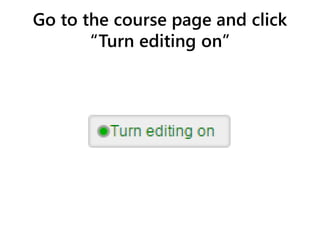
Go to the course page and click
“Turn editing on”
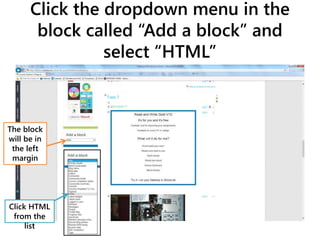
Click the dropdown menu in the
block called “Add a block” and
select “HTML”
The block
will be in
the left
margin
Click HTML
from the
list
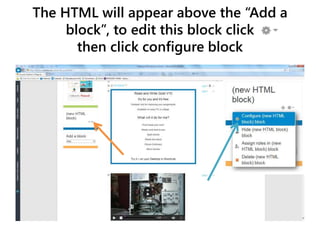
The HTML will appear above the “Add a
block”, to edit this block click
then click configure block
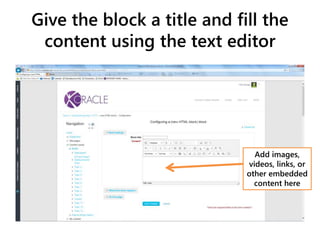
Give the block a title and fill the
content using the text editor
Add images,
videos, links, or
other embedded
content here
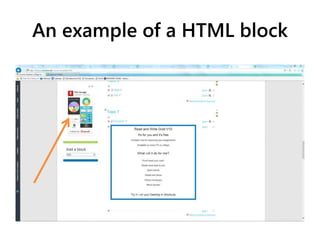
An example of a HTML block

Creating html blocks on oracle

  • 1.
  • 2.
    What are HTMLblocks? • “HTML blocks” are blocks in Oracle that can contain text, images, and other embedded content. • They are edited using the text editor and has full access to the HTML editor.
  • 3.
    Go to thecourse page and click “Turn editing on”
  • 4.
    Click the dropdownmenu in the block called “Add a block” and select “HTML” The block will be in the left margin Click HTML from the list
  • 5.
    The HTML willappear above the “Add a block”, to edit this block click then click configure block
  • 6.
    Give the blocka title and fill the content using the text editor Add images, videos, links, or other embedded content here
  • 7.
    An example ofa HTML block