





Develope WRT App in Nokia S40 & S60
                        Web Runtime Widget


       Using HTML, CSS, JavaScript
                                      Bess Ho
WRT
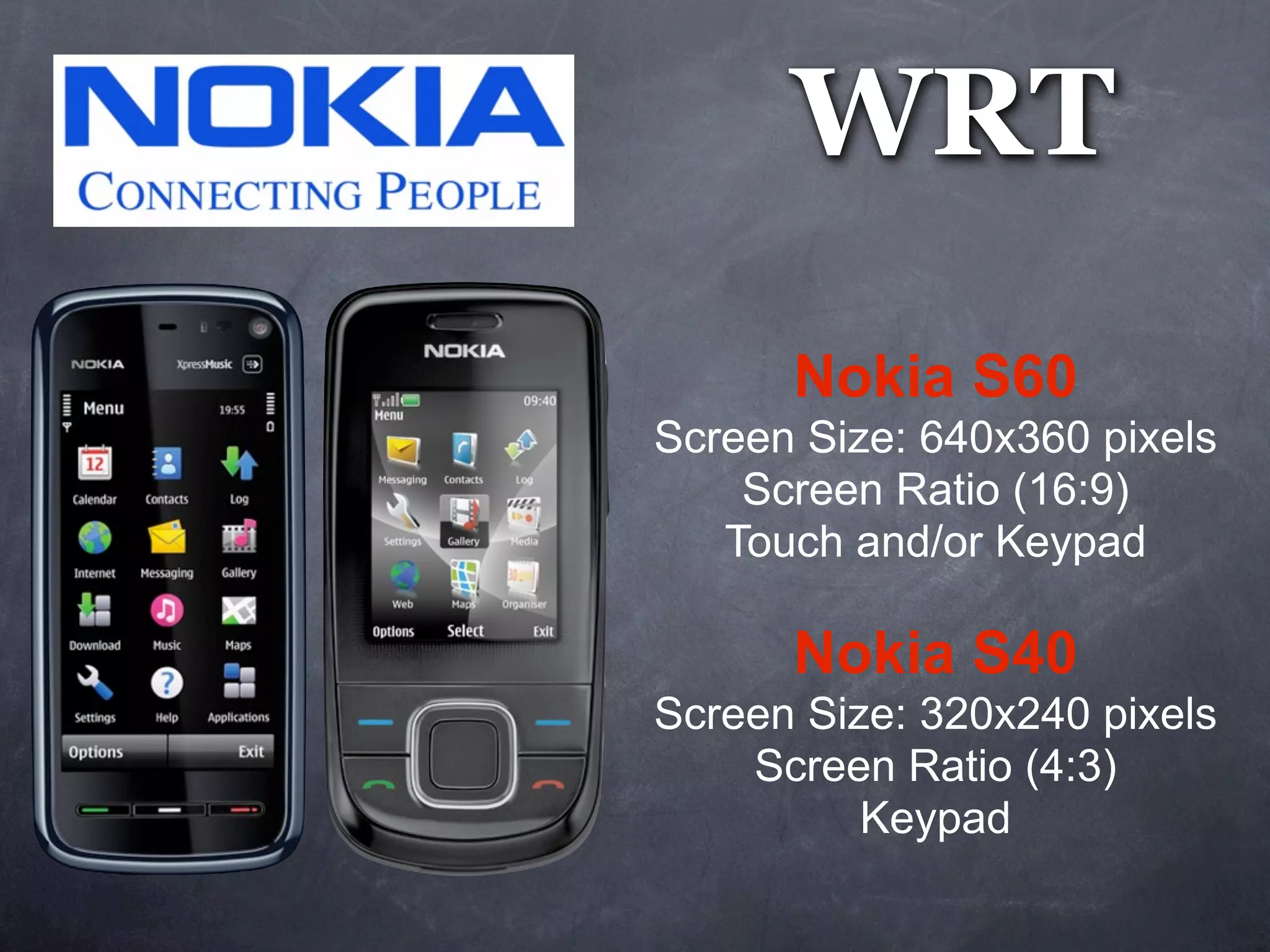
      Nokia S60
Screen Size: 640x360 pixels
    Screen Ratio (16:9)
   Touch and/or Keypad

      Nokia S40
Screen Size: 320x240 pixels
    Screen Ratio (4:3)
          Keypad
GPS              Microphone
     (Geo)                               Camera
                         (Audio)
                                      (Photo / Video)
  Magentometer
   (Compass)


  Accelerometer                     Touch
       (XZY)
(Device Orientation)


    Wireless Bluetooth
           (File)                   Data Plan / WiFi
        Memory Card                      (Web)
          (Data)    USB Cable             SMS
                      (Data)             (Data)
Preparation


Install IDE
Aptana - IDE
         Testing
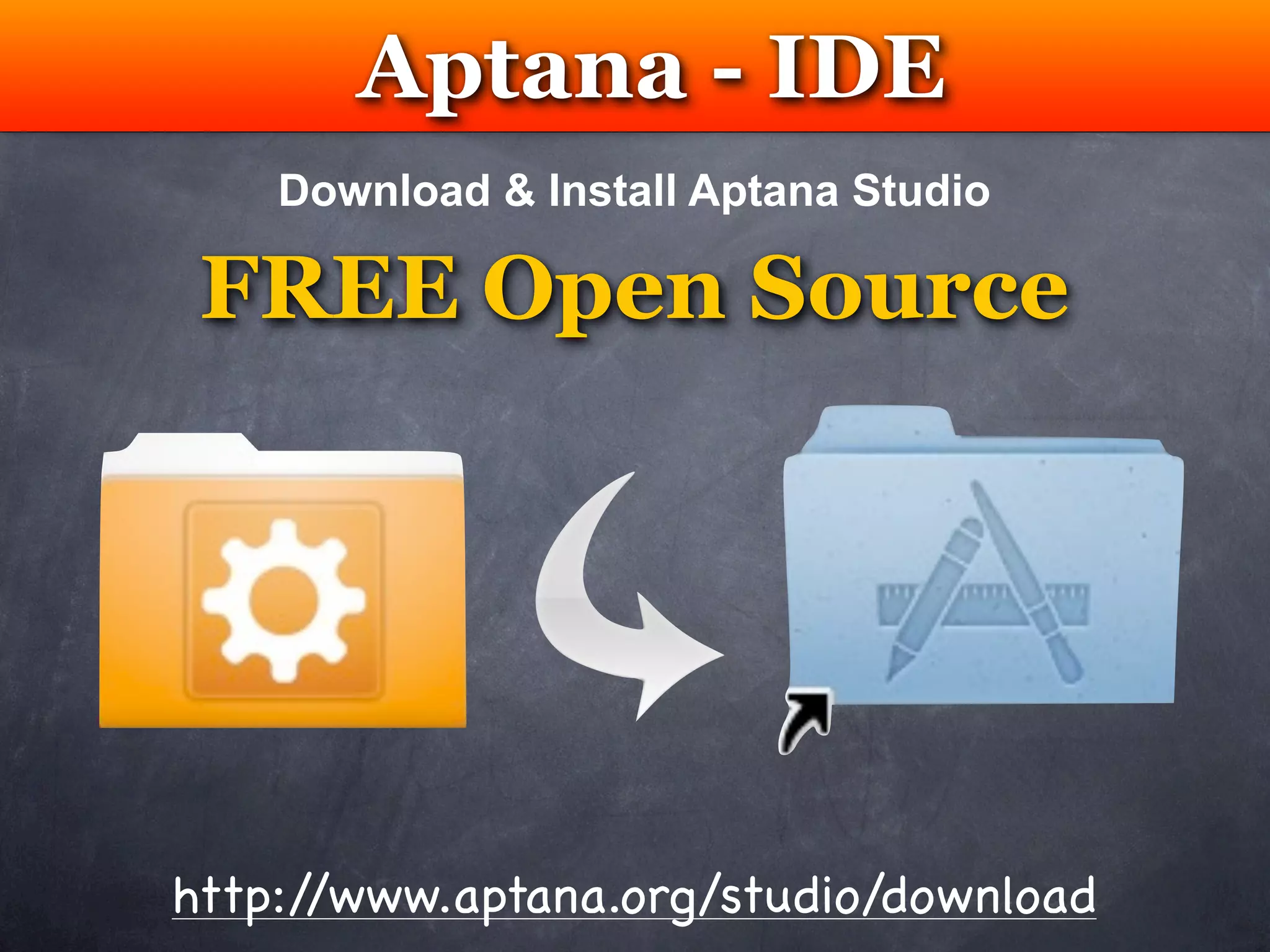
    Download & Install Aptana Studio

 FREE Open Source


http://www.aptana.org/studio/download
WRT Plug-in
  Testing
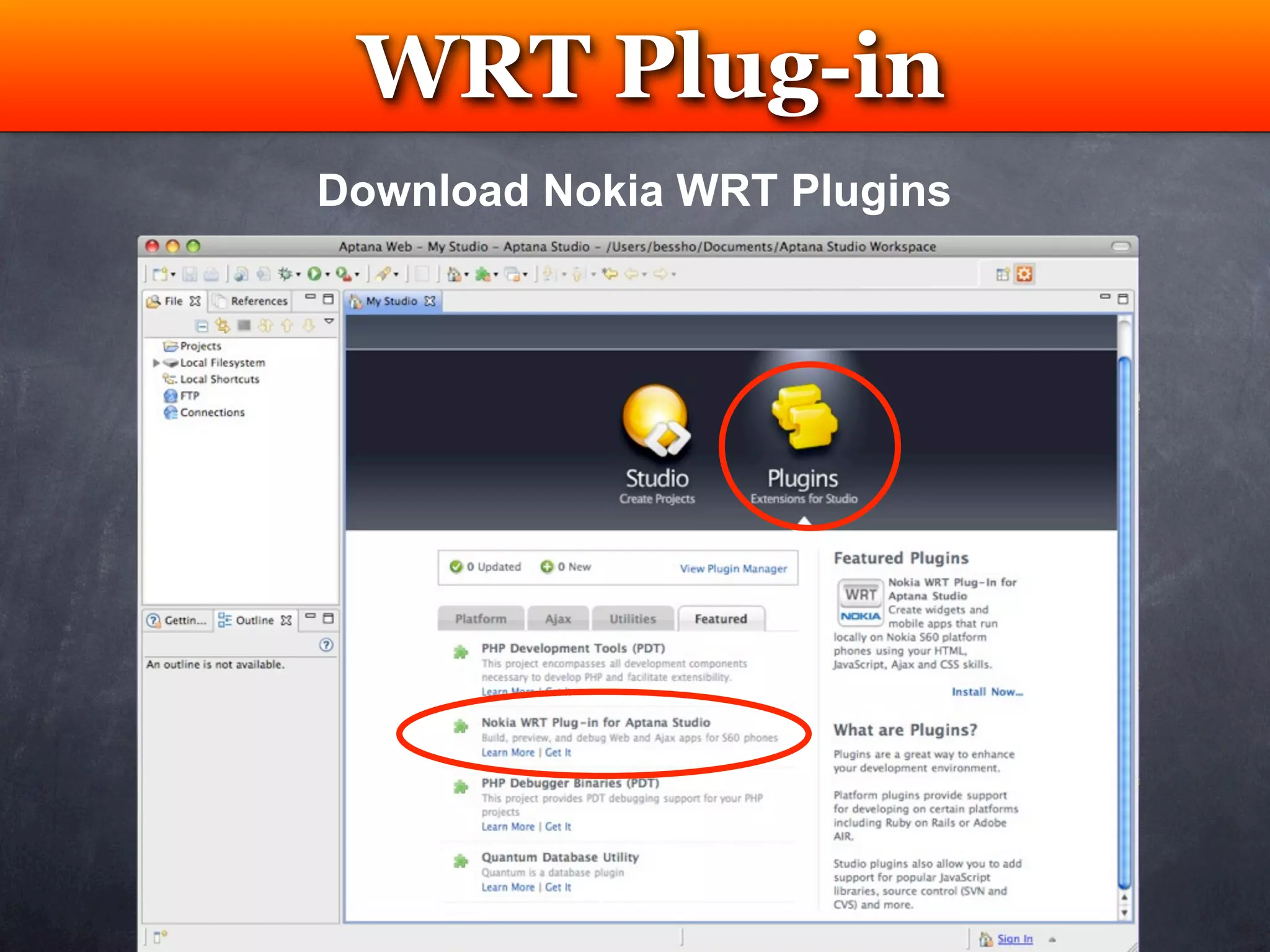
Download Nokia WRT Plugins
WRT Plug-in
 Testing
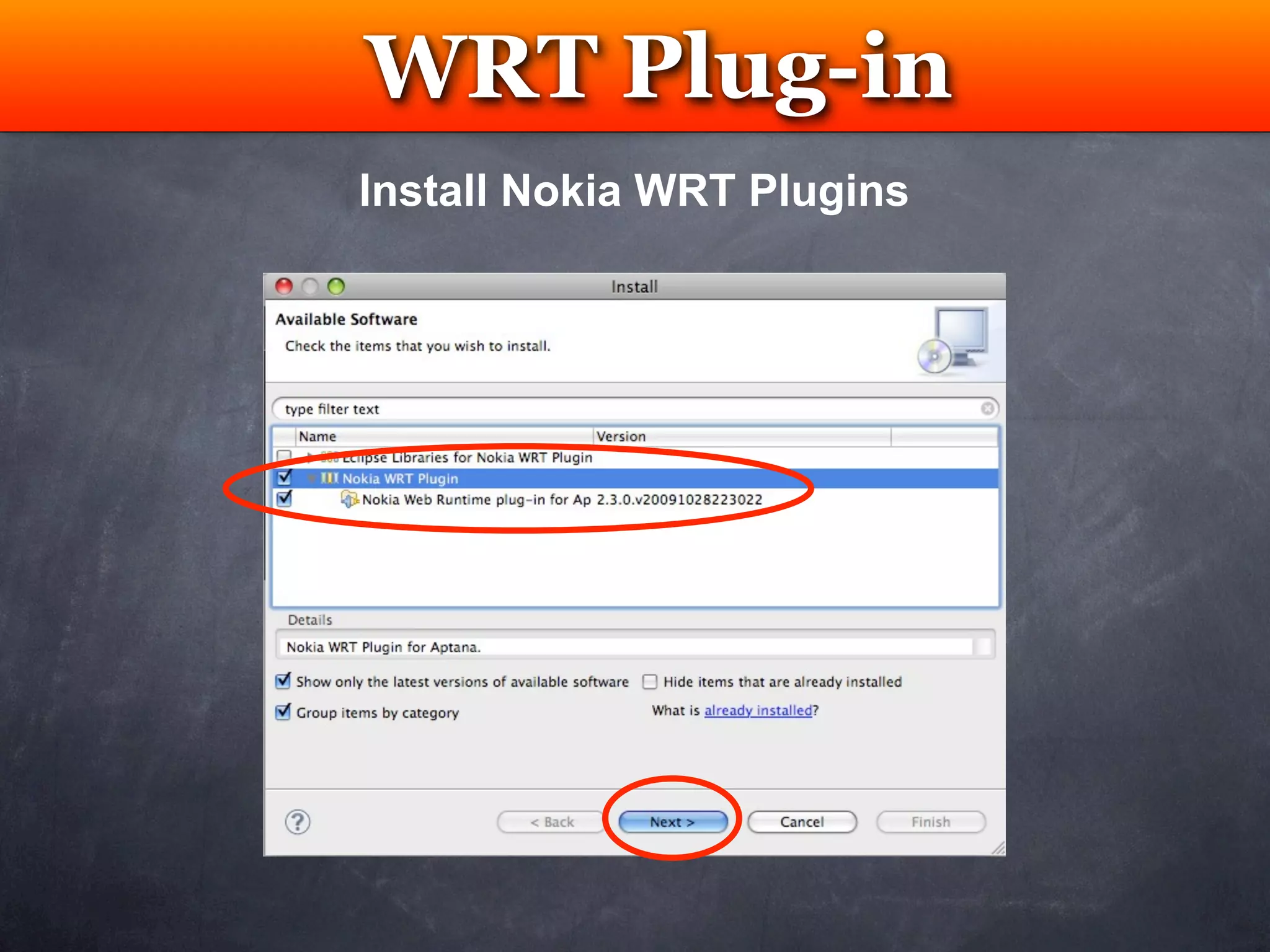
Install Nokia WRT Plugins
WRT Plug-in
       Testing
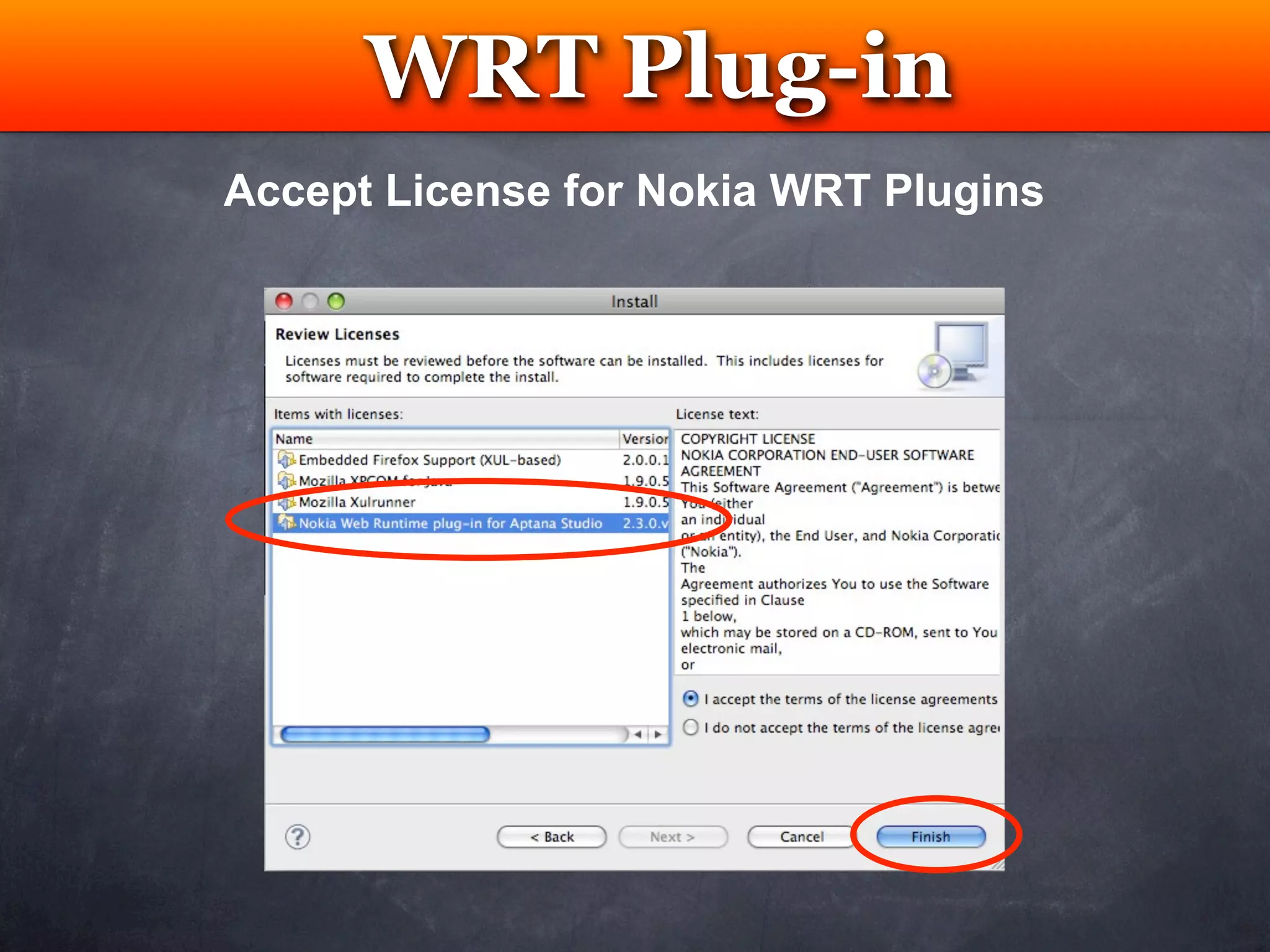
Accept License for Nokia WRT Plugins
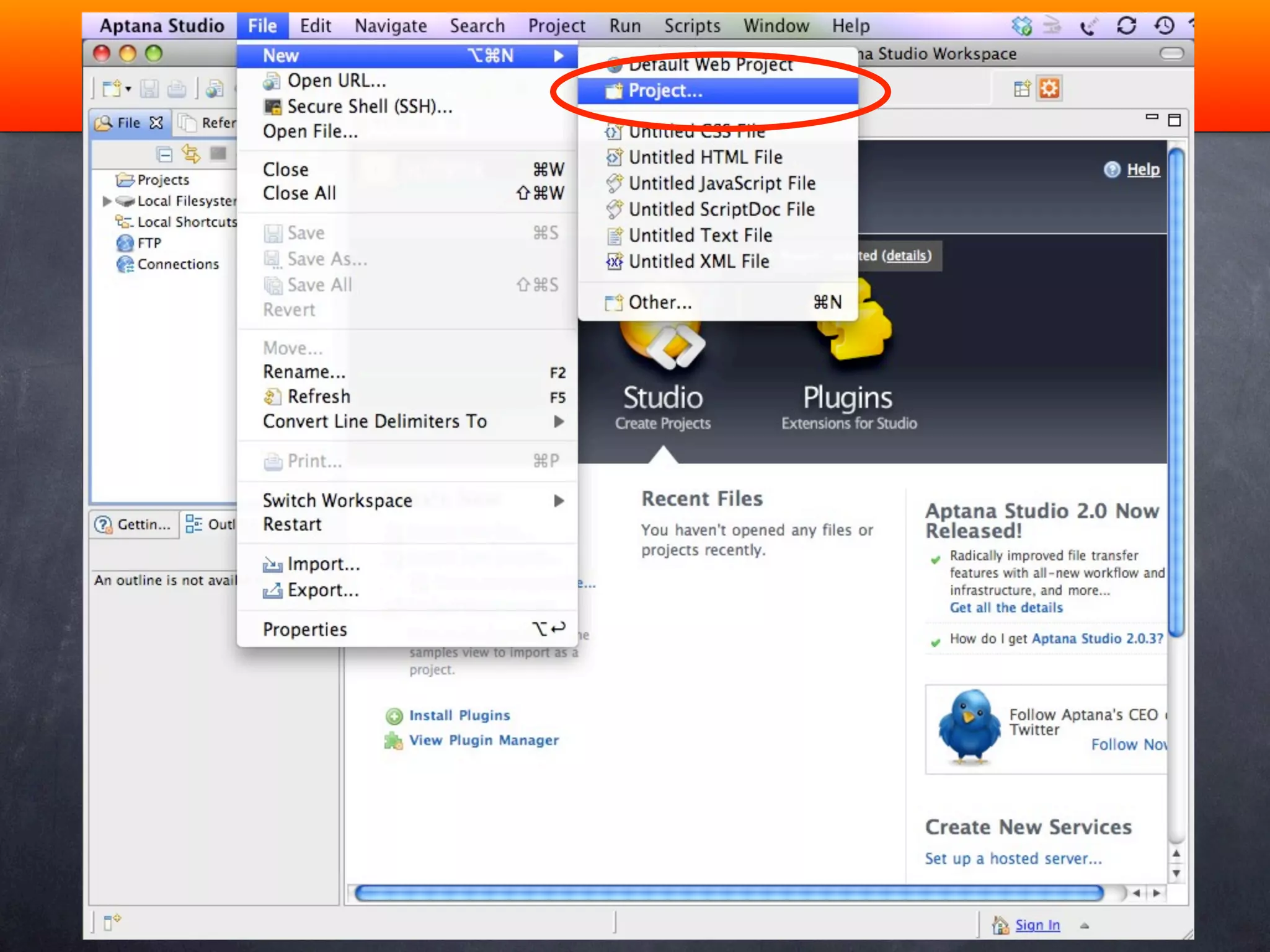
Create a WRT Widget


New Project
WRT Plug-in
       Testing
Accept License for Nokia WRT Plugins
WRT Plug-in
 Testing
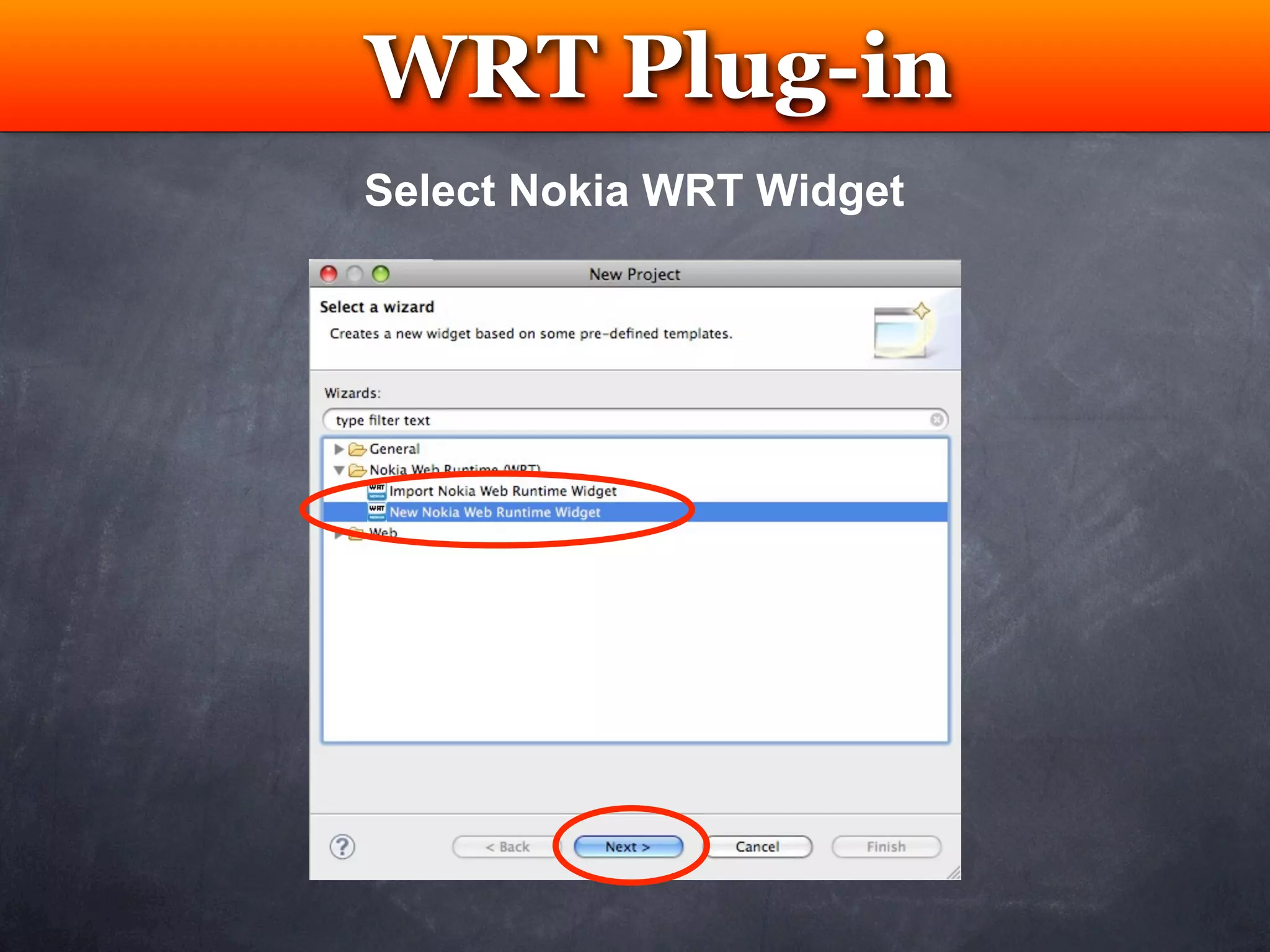
Select Nokia WRT Widget
WRT Plug-in
  Testing
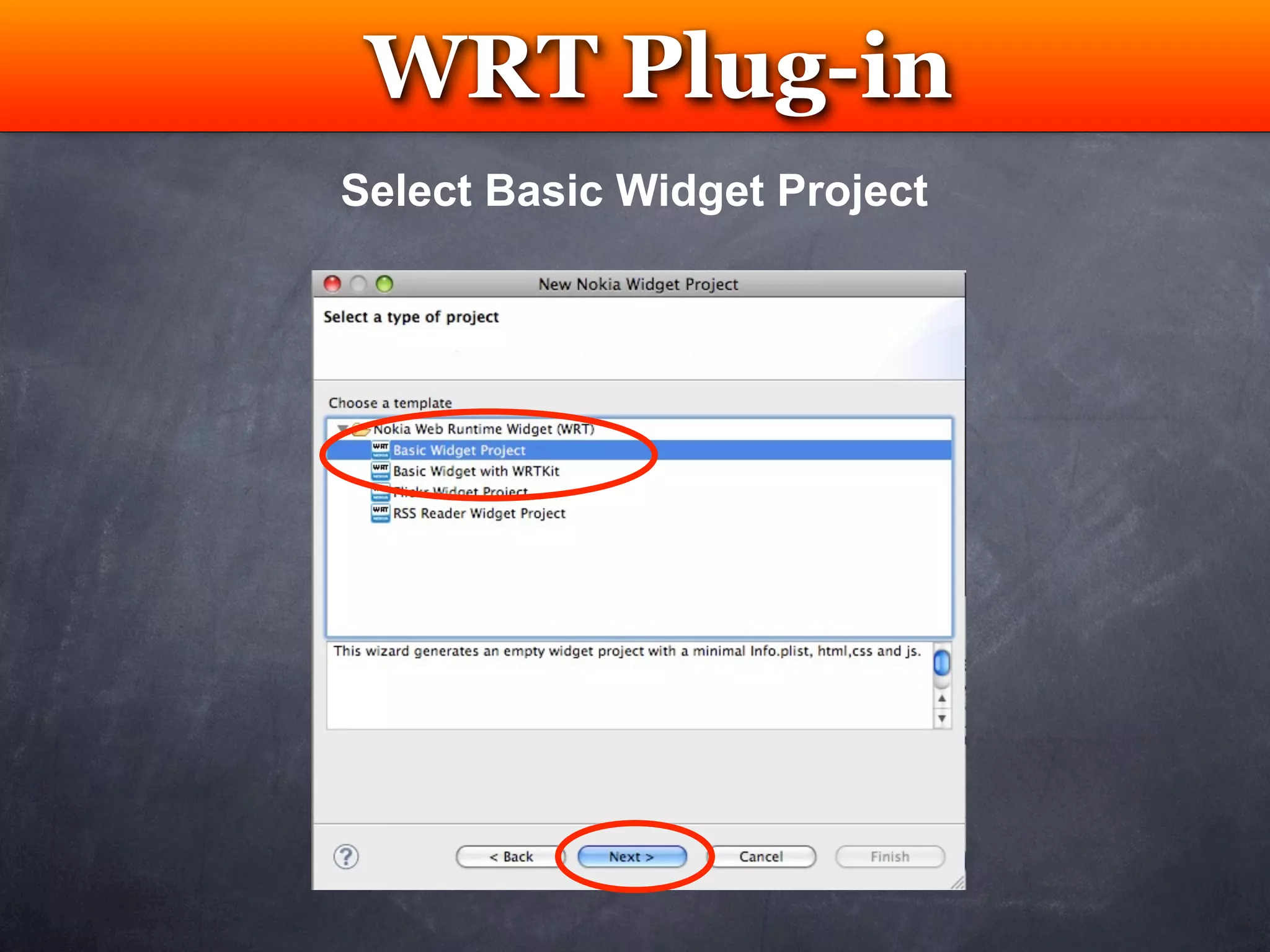
Select Basic Widget Project
WRT Plug-in
     Testing
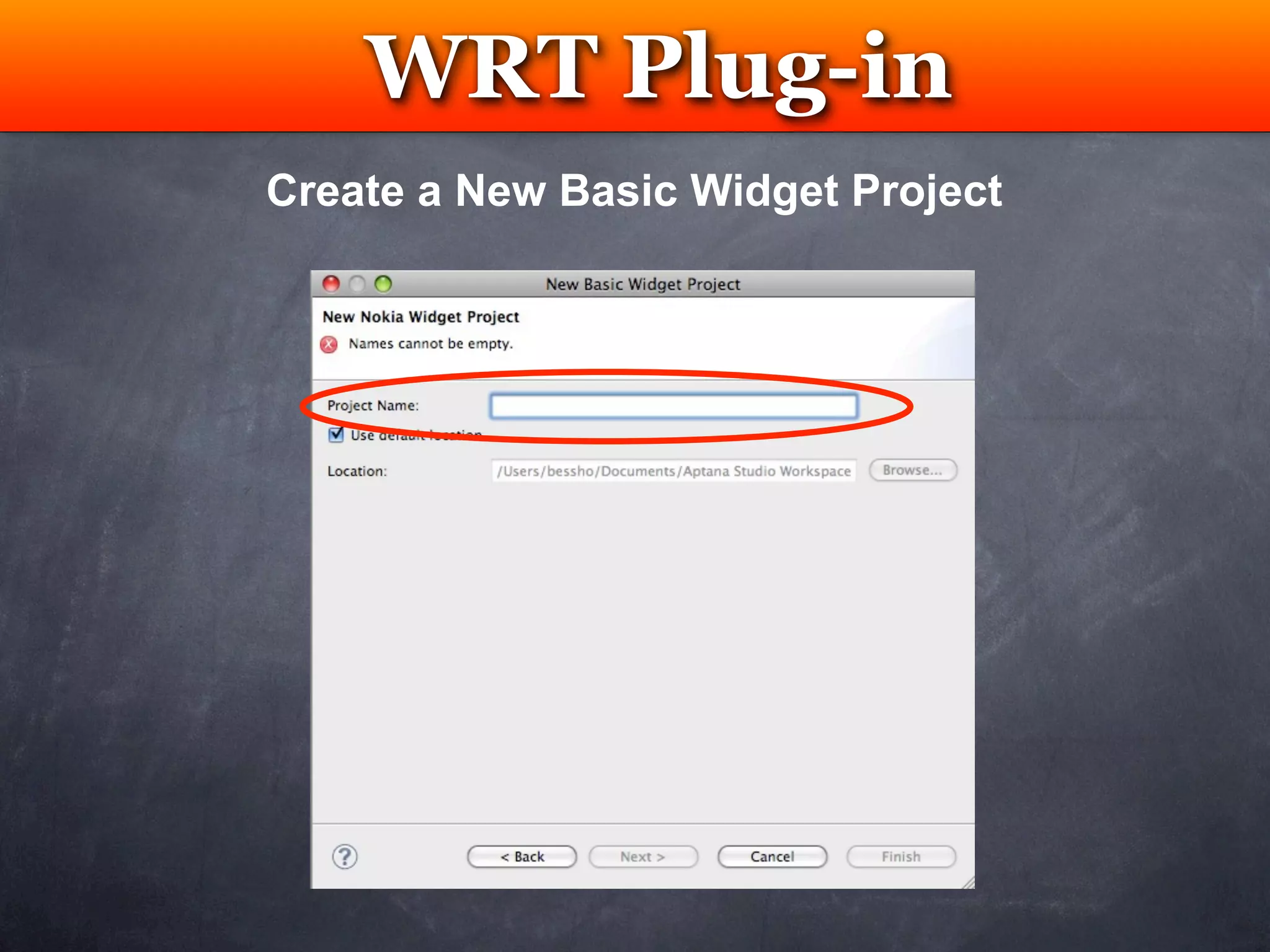
Create a New Basic Widget Project
WRT Plug-in
 Testing
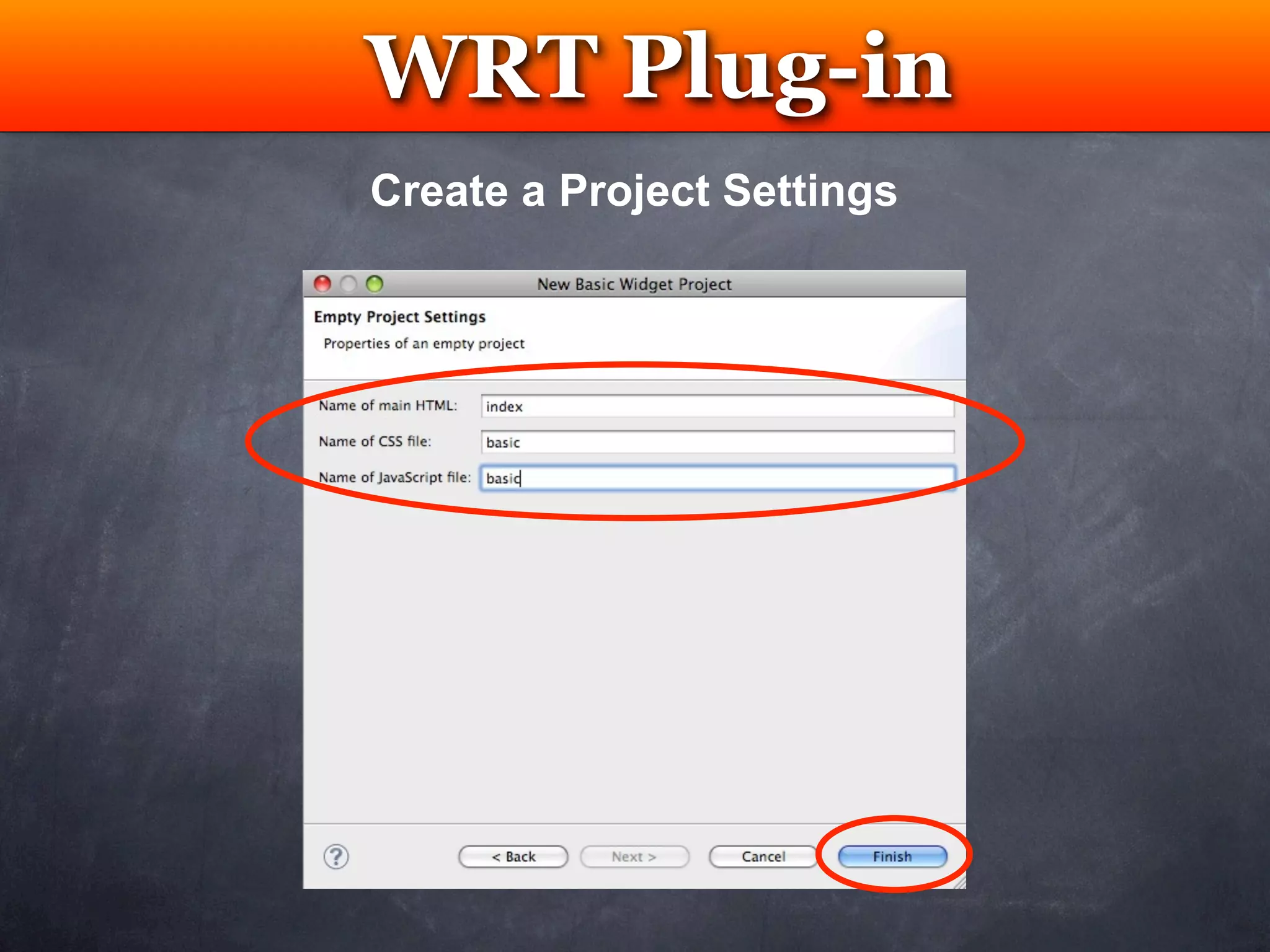
Create a Project Settings
WRT Plug-in
                   Testing
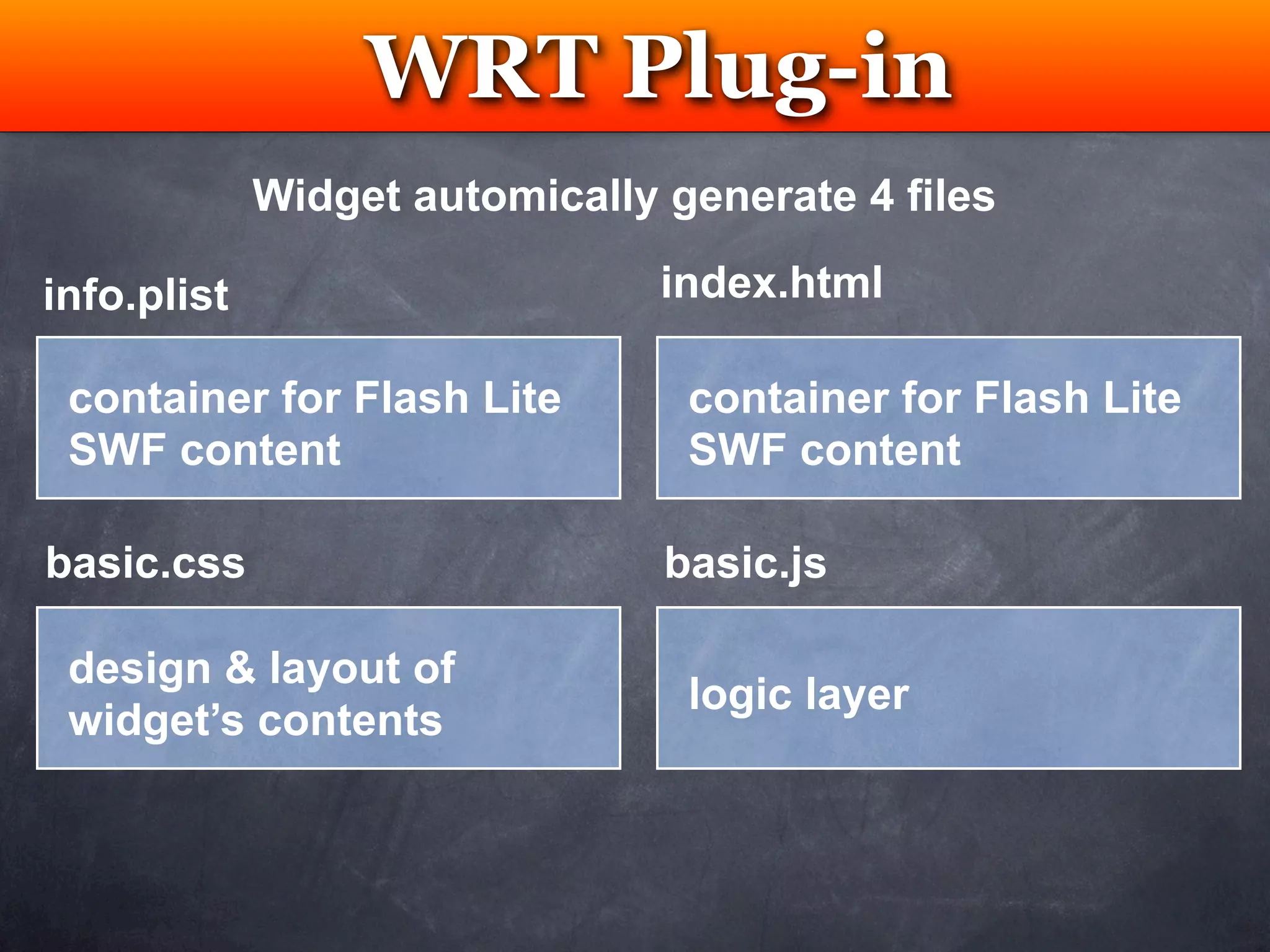
             Widget automically generate 4 files

info.plist                      index.html

 container for Flash Lite        container for Flash Lite
 SWF content                     SWF content

basic.css                       basic.js

 design & layout of
                                 logic layer
 widget’s contents
WRT Plug-in
                 Testing
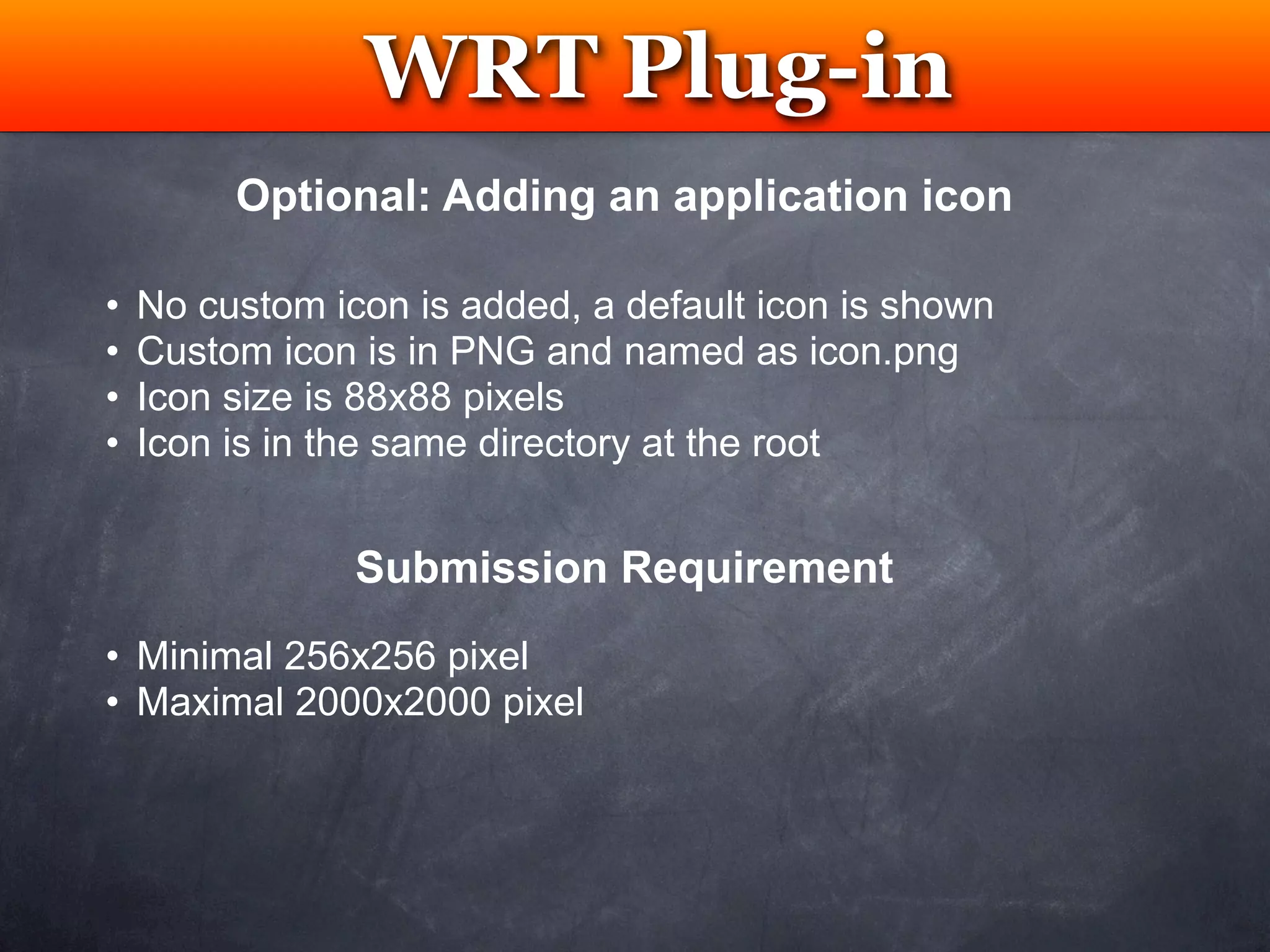
         Optional: Adding an application icon

•   No custom icon is added, a default icon is shown
•   Custom icon is in PNG and named as icon.png
•   Icon size is 88x88 pixels
•   Icon is in the same directory at the root


                Submission Requirement
• Minimal 256x256 pixel
• Maximal 2000x2000 pixel
WRT Plug-in
 Testing
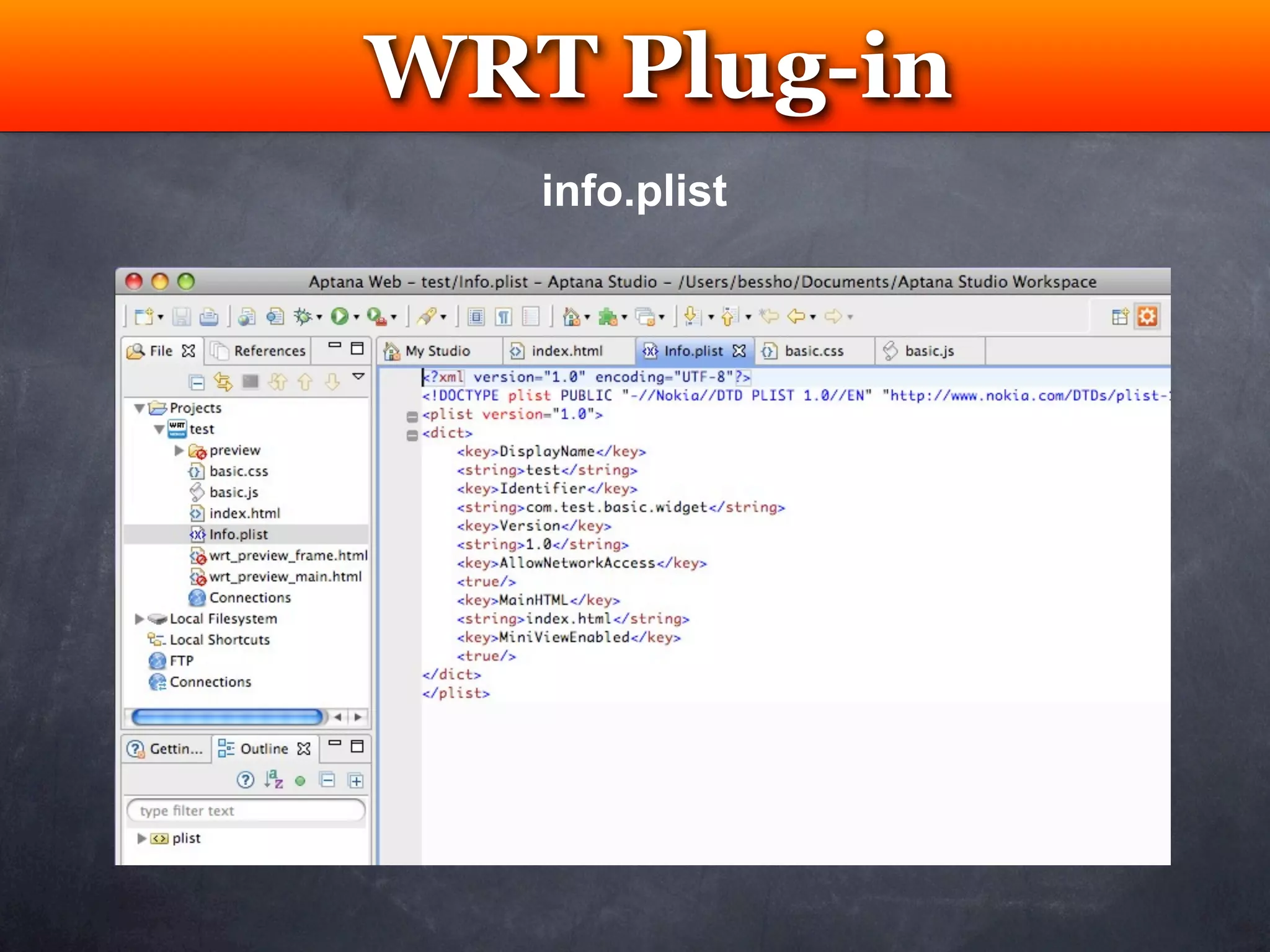
   info.plist
WRT Plug-in
   Testing
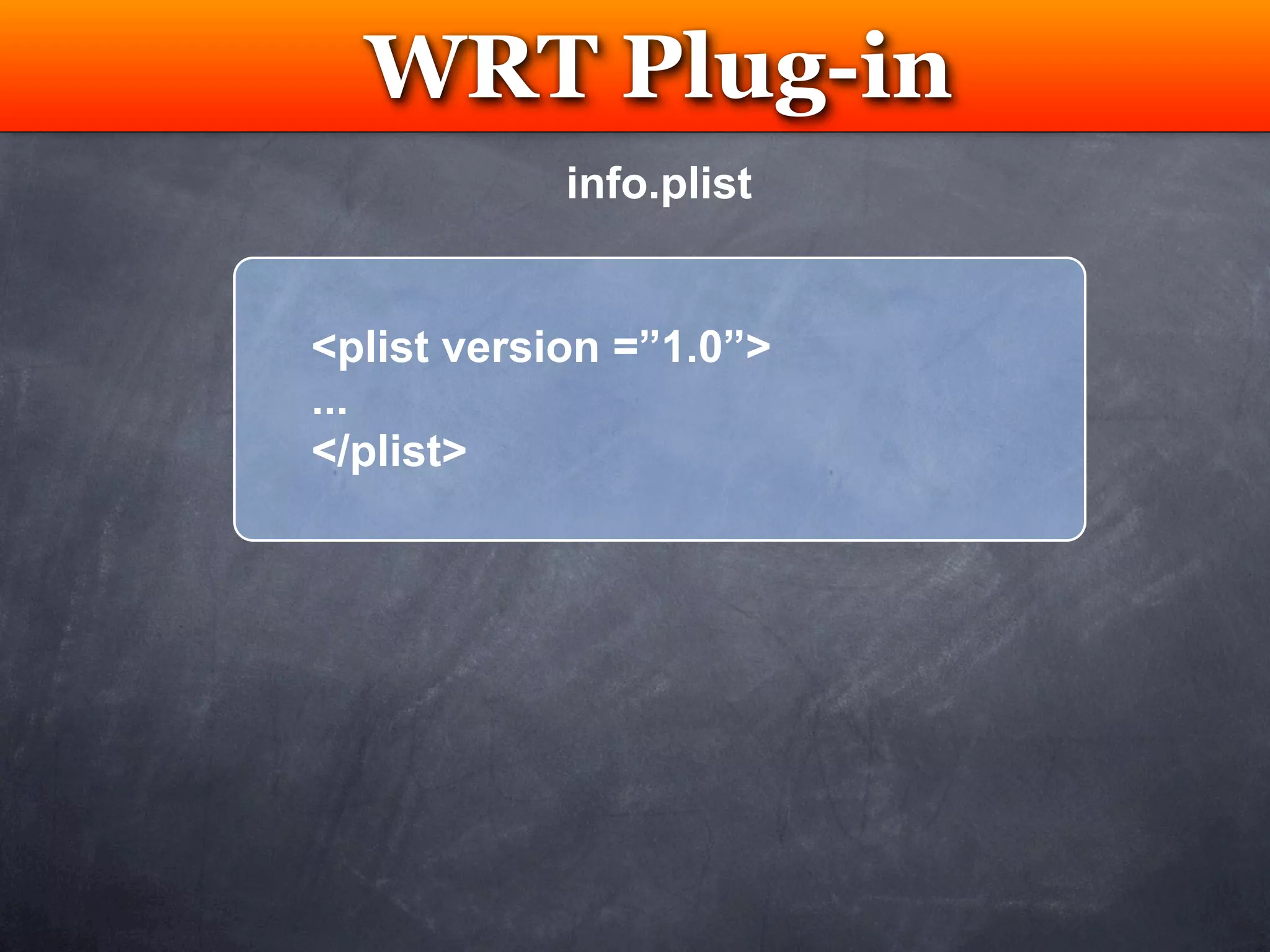
            info.plist


<plist version =”1.0”>
...
</plist>
WRT Plug-in
   Testing
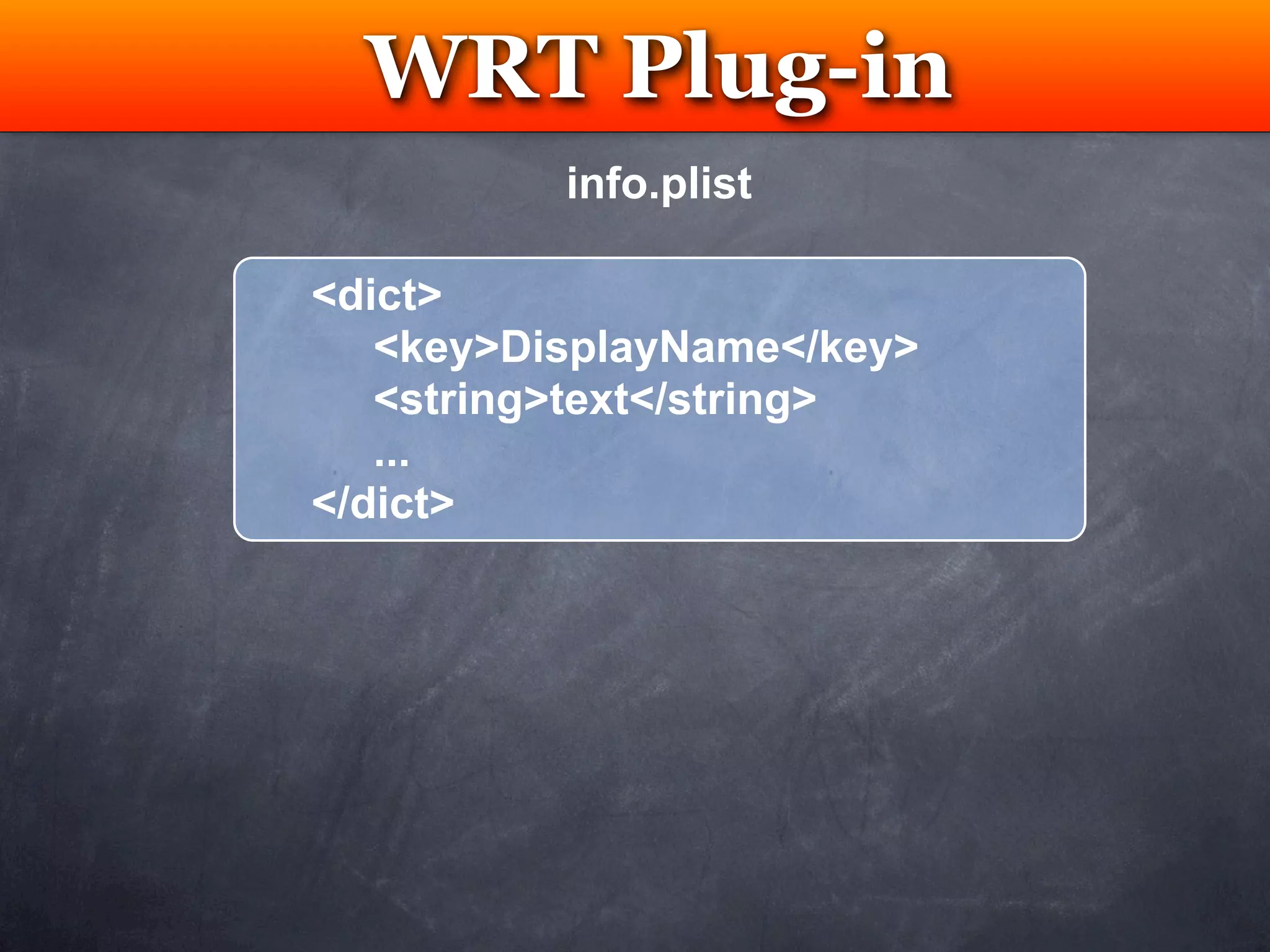
          info.plist

<dict>
   <key>DisplayName</key>
   <string>text</string>
   ...
</dict>
WRT Plug-in
         Testing
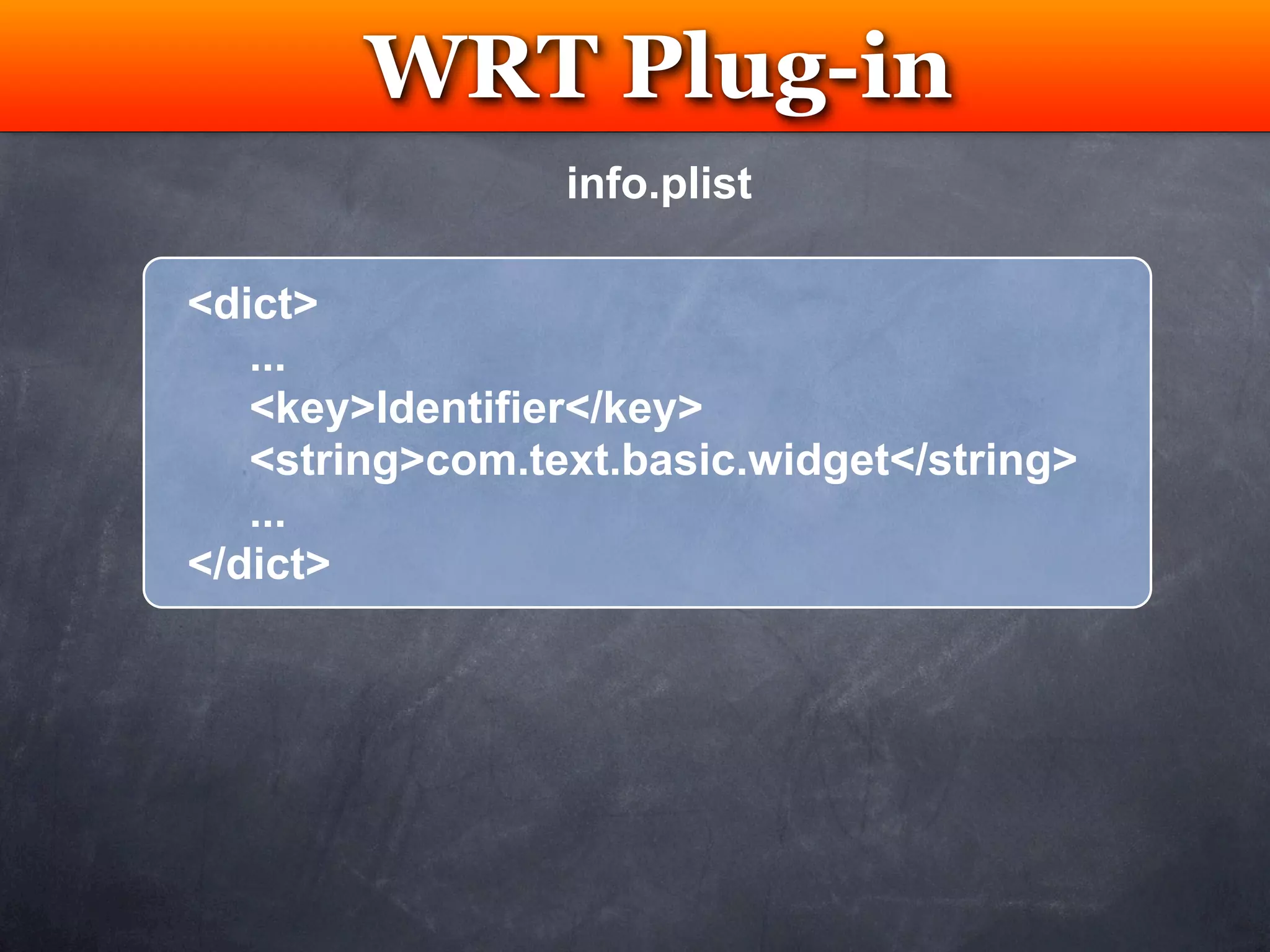
                 info.plist

<dict>
   ...
   <key>Identifier</key>
   <string>com.text.basic.widget</string>
   ...
</dict>
WRT Plug-in
         Testing
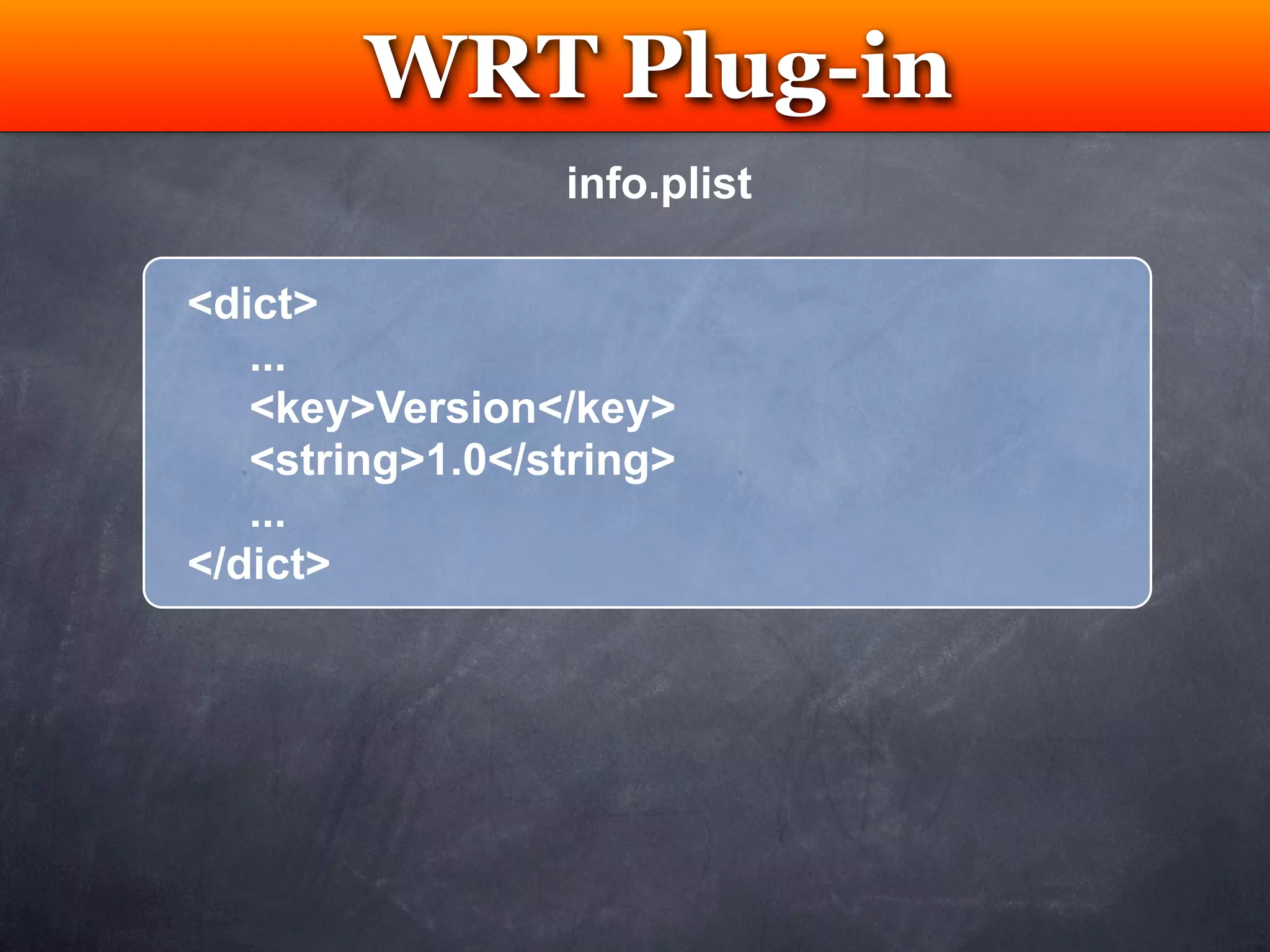
                 info.plist

<dict>
   ...
   <key>Version</key>
   <string>1.0</string>
   ...
</dict>
WRT Plug-in
        Testing
               info.plist

<dict>
   ...
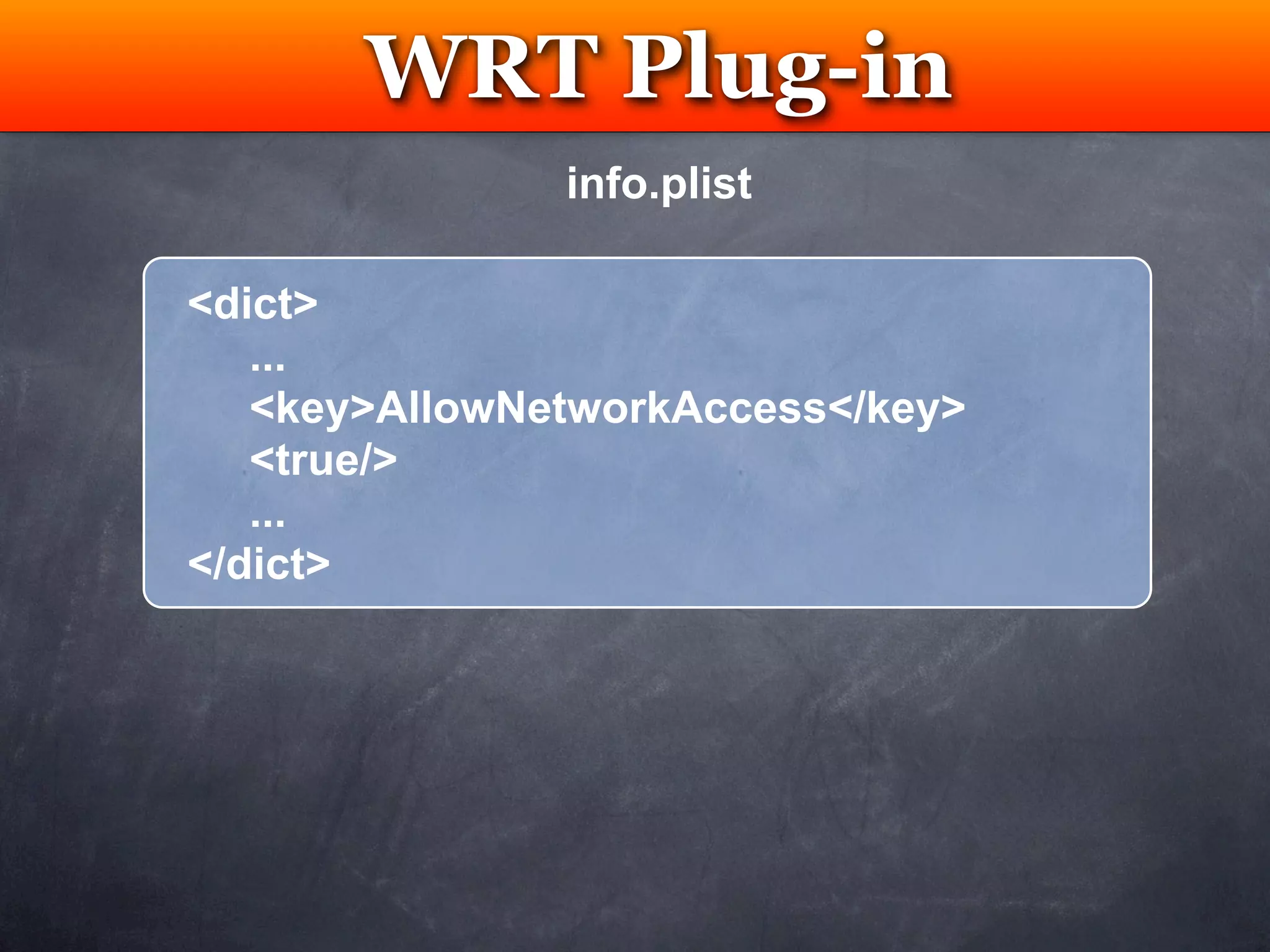
   <key>AllowNetworkAccess</key>
   <true/>
   ...
</dict>
WRT Plug-in
         Testing
                 info.plist

<dict>
   ...
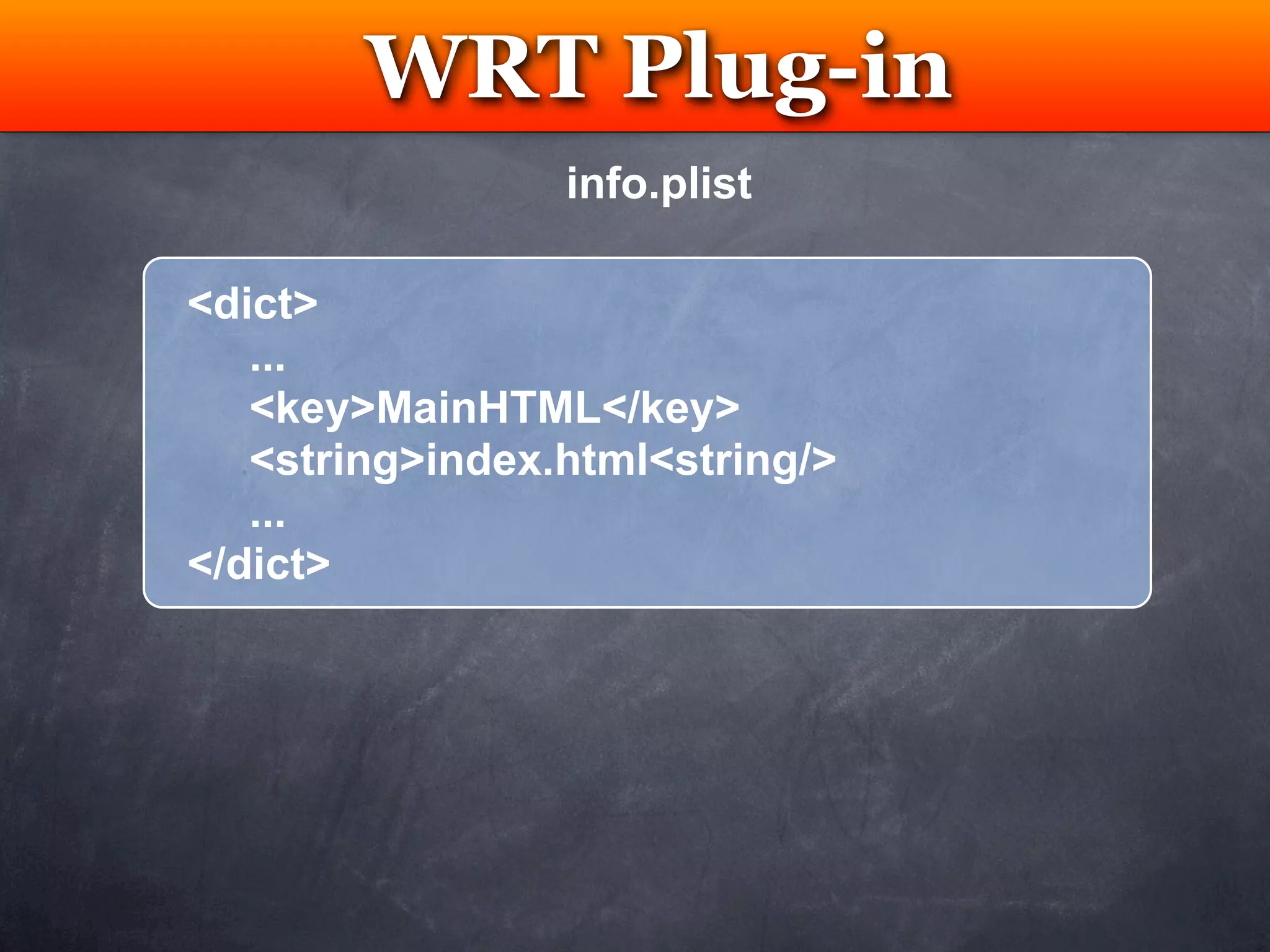
   <key>MainHTML</key>
   <string>index.html<string/>
   ...
</dict>
WRT Plug-in
        Testing
               info.plist

<dict>
   ...
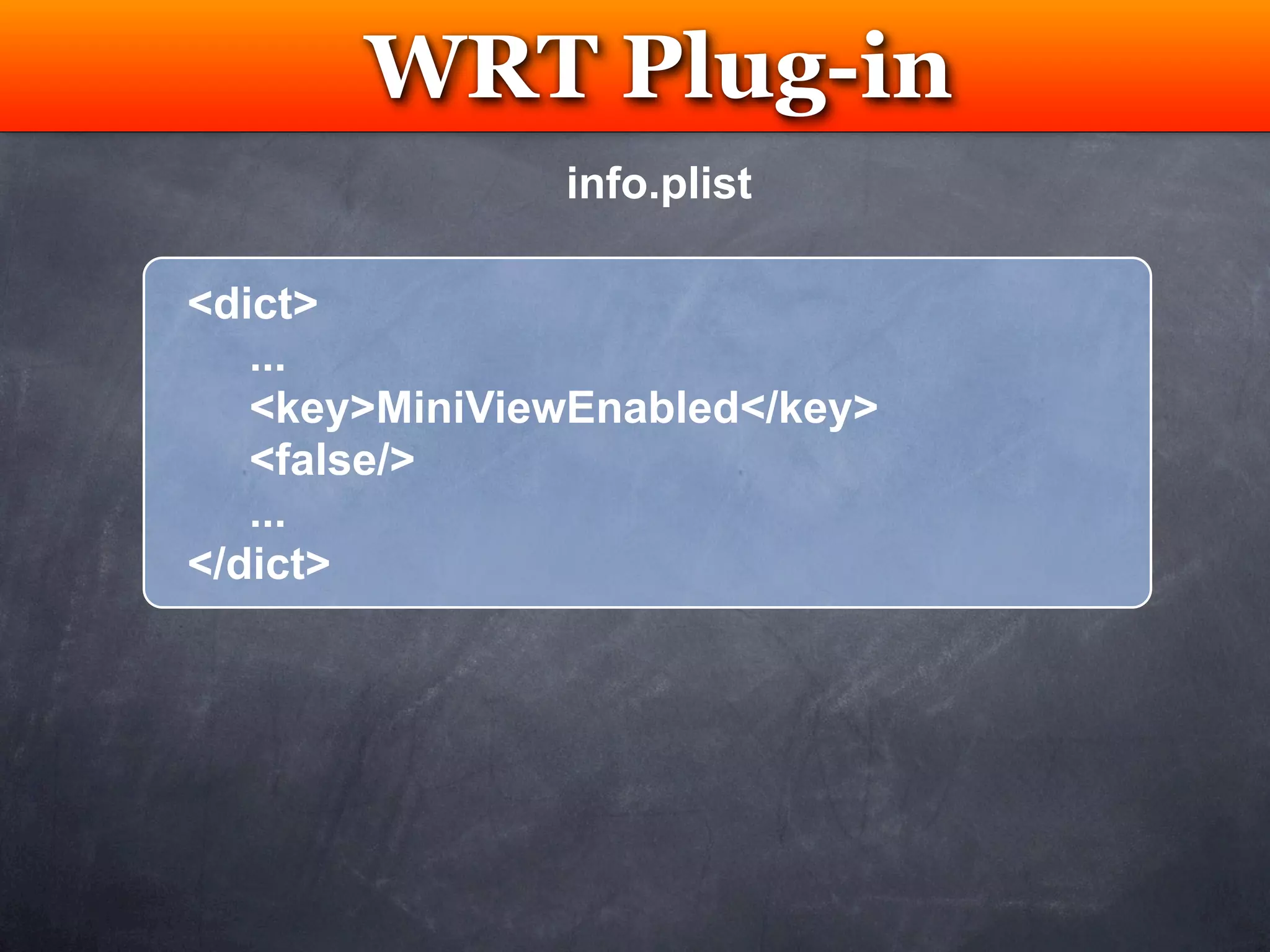
   <key>MiniViewEnabled</key>
   <false/>
   ...
</dict>
WRT Plug-in
              Testing
OR                      info.plist

   <dict>
      ...
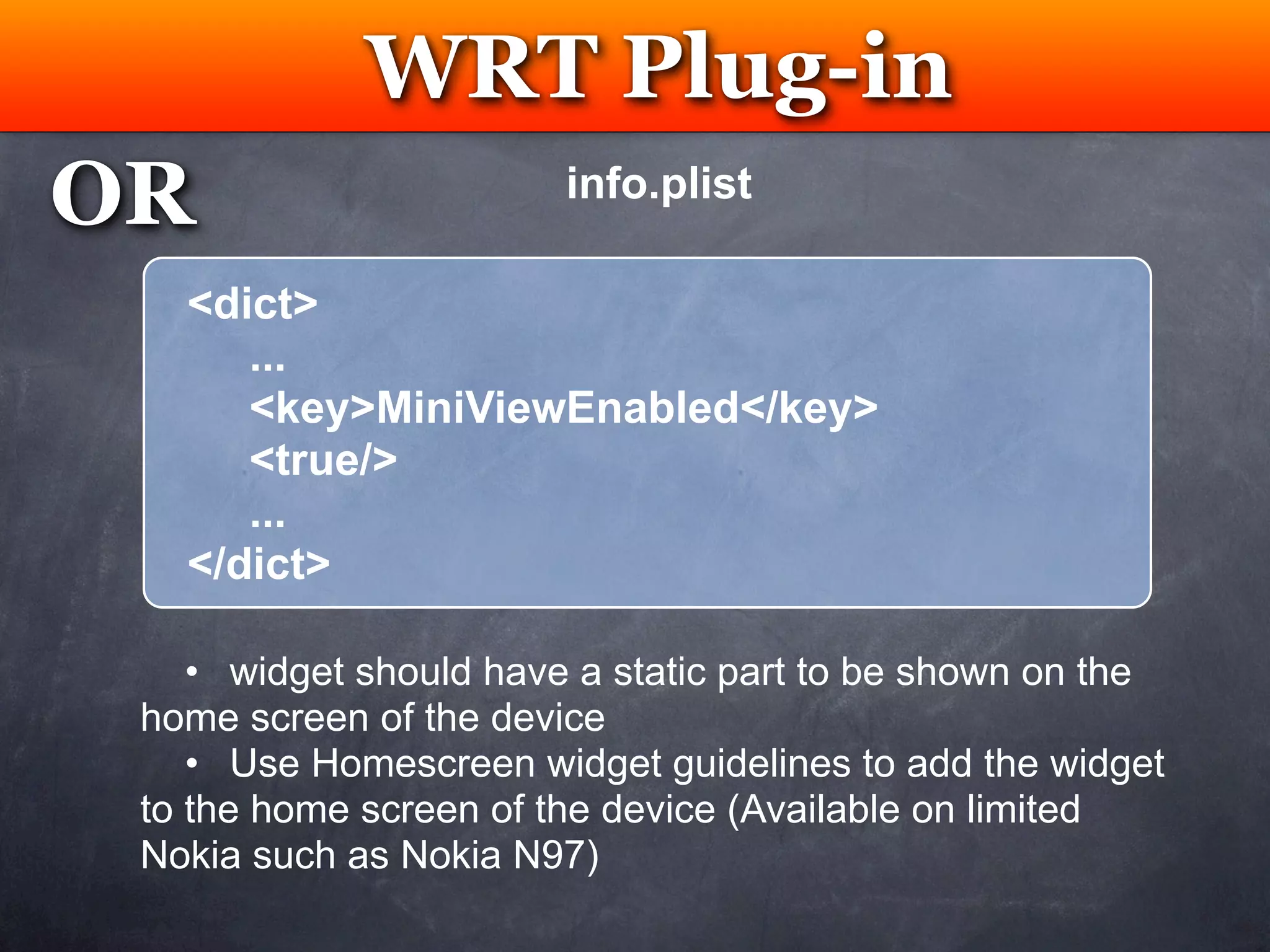
      <key>MiniViewEnabled</key>
      <true/>
      ...
   </dict>

    • widget should have a static part to be shown on the
 home screen of the device
    • Use Homescreen widget guidelines to add the widget
 to the home screen of the device (Available on limited
 Nokia such as Nokia N97)
WRT Plug-in
 Testing
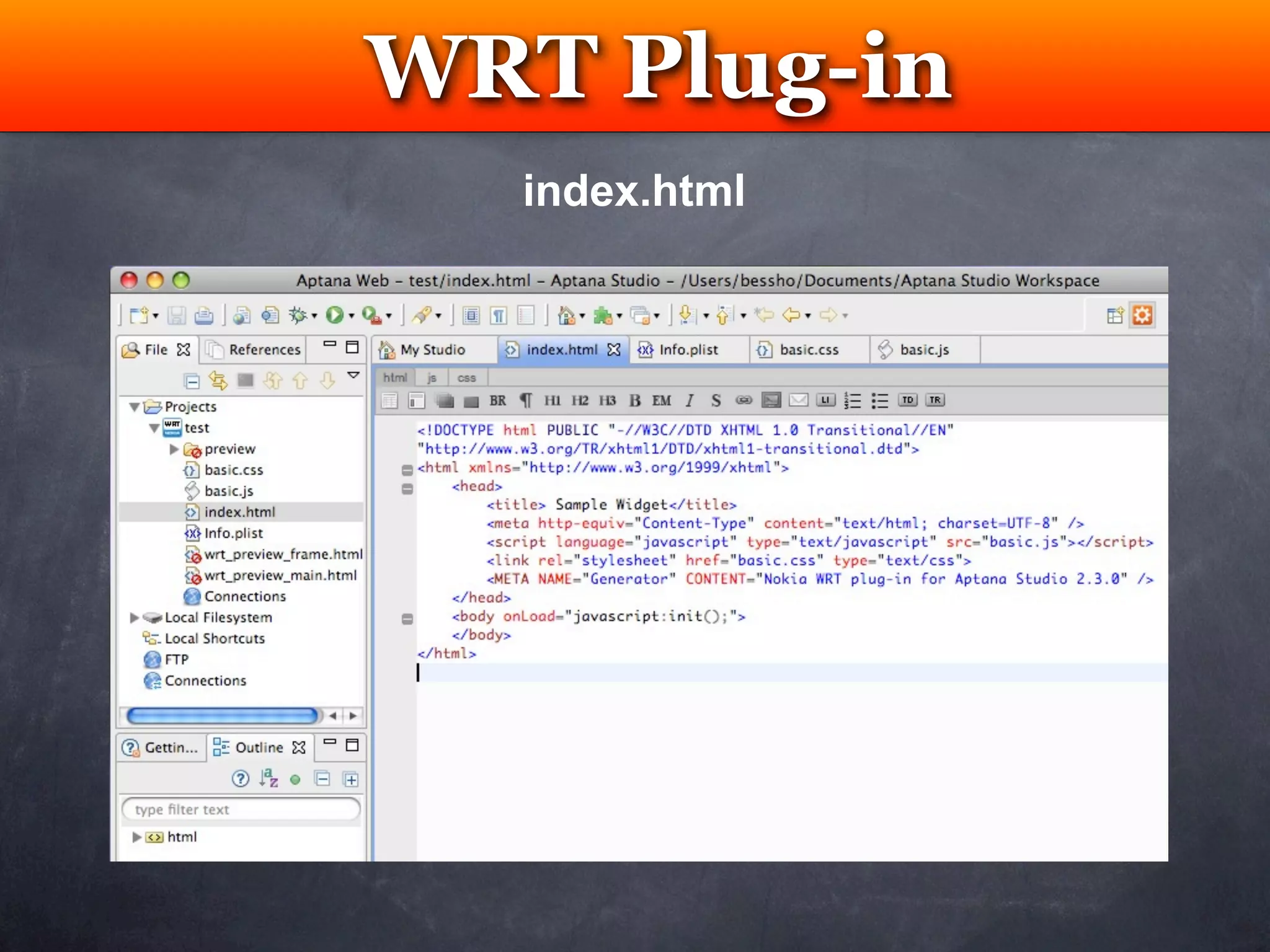
  index.html
WRT Plug-in
 Testing
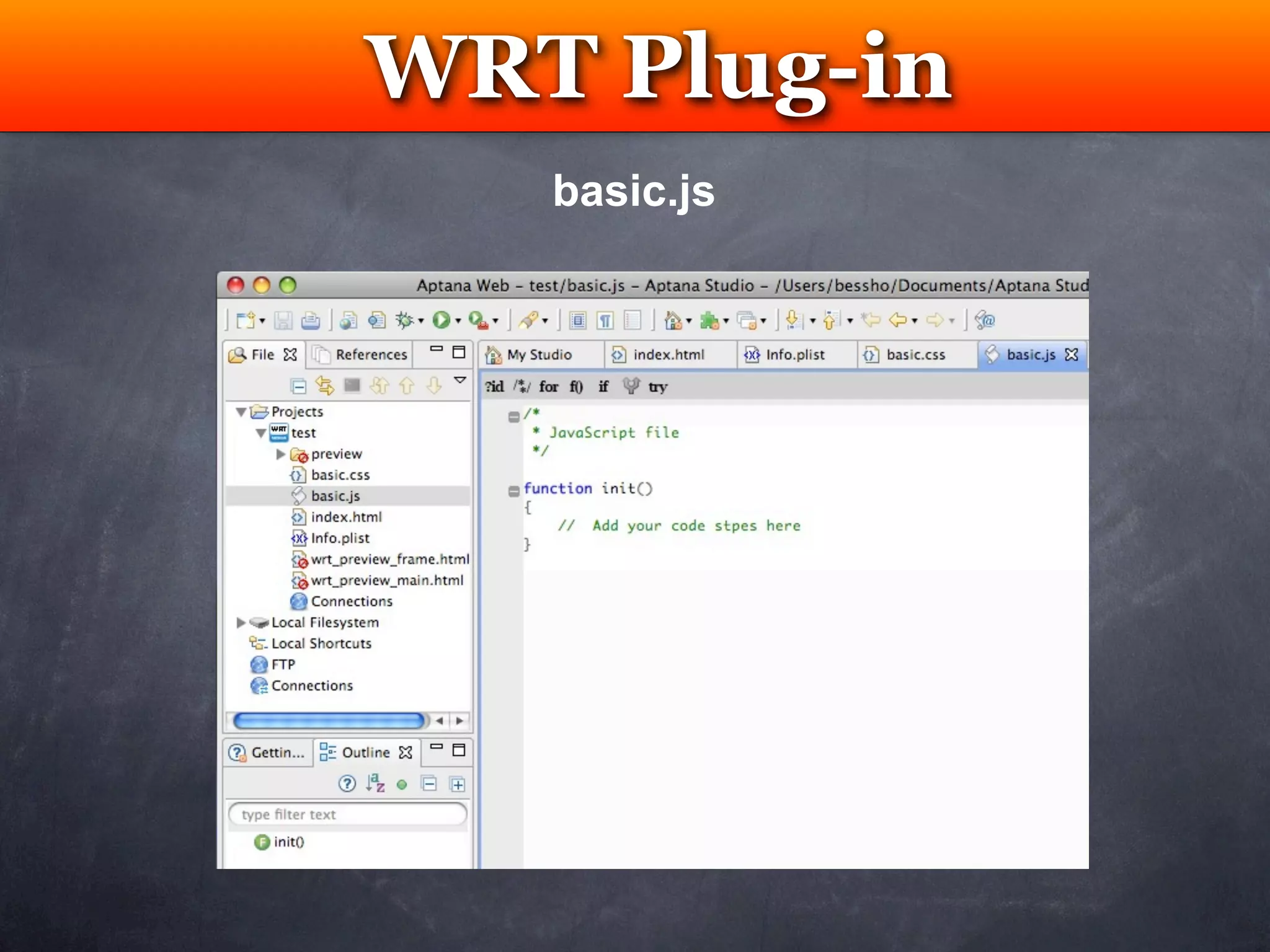
   basic.js
WRT Plug-in
            Testing
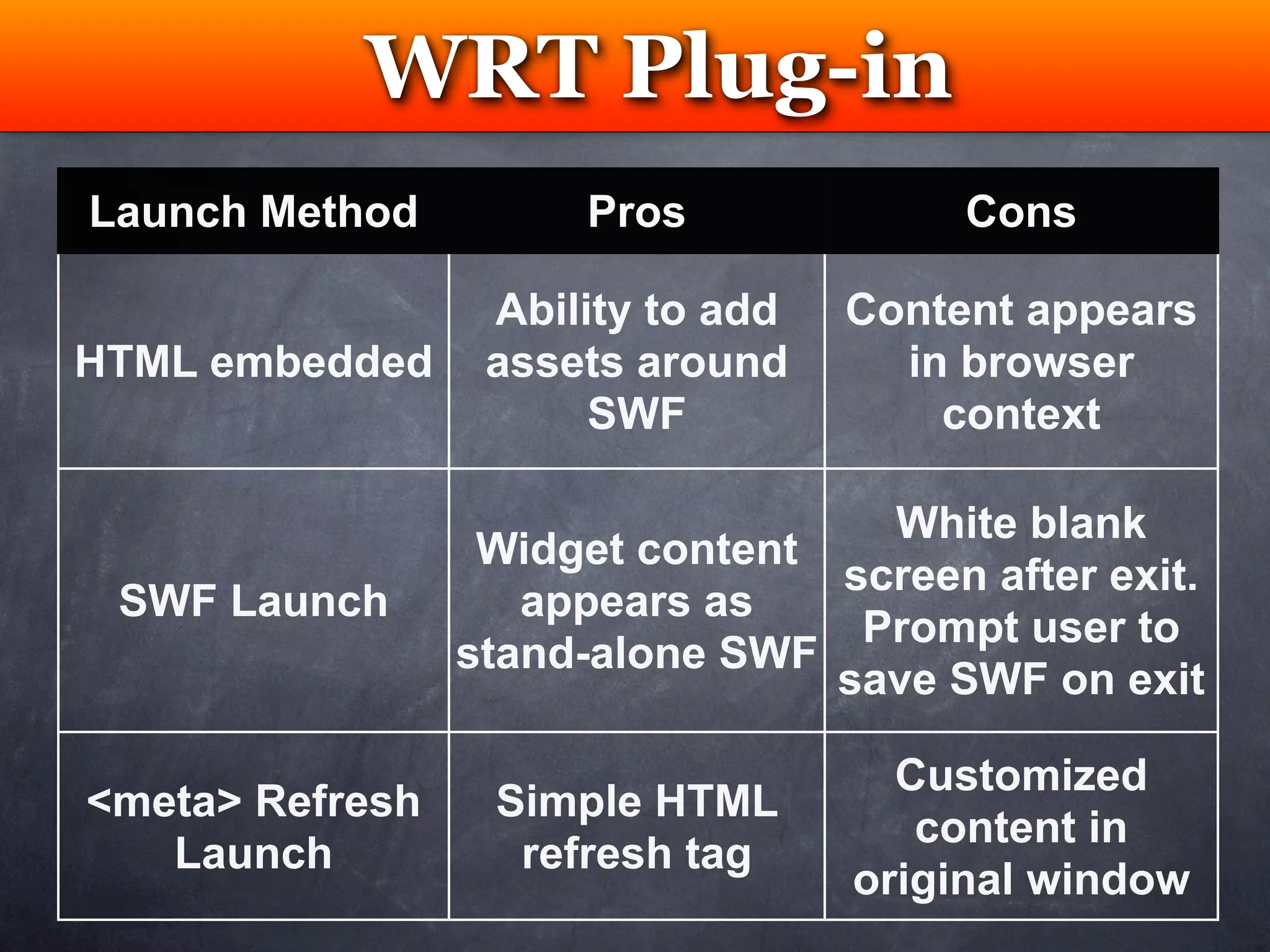
Launch Method         Pros              Cons

                  Ability to add   Content appears
HTML embedded     assets around      in browser
                       SWF             context

                                   White blank
                  Widget content
                                 screen after exit.
 SWF Launch         appears as
                                  Prompt user to
                 stand-alone SWF
                                 save SWF on exit

                                     Customized
<meta> Refresh    Simple HTML
                                      content in
   Launch          refresh tag
                                   original window
Optional:
Add Flash Lite .SWF


 New .fla
WRT Project
            Testing

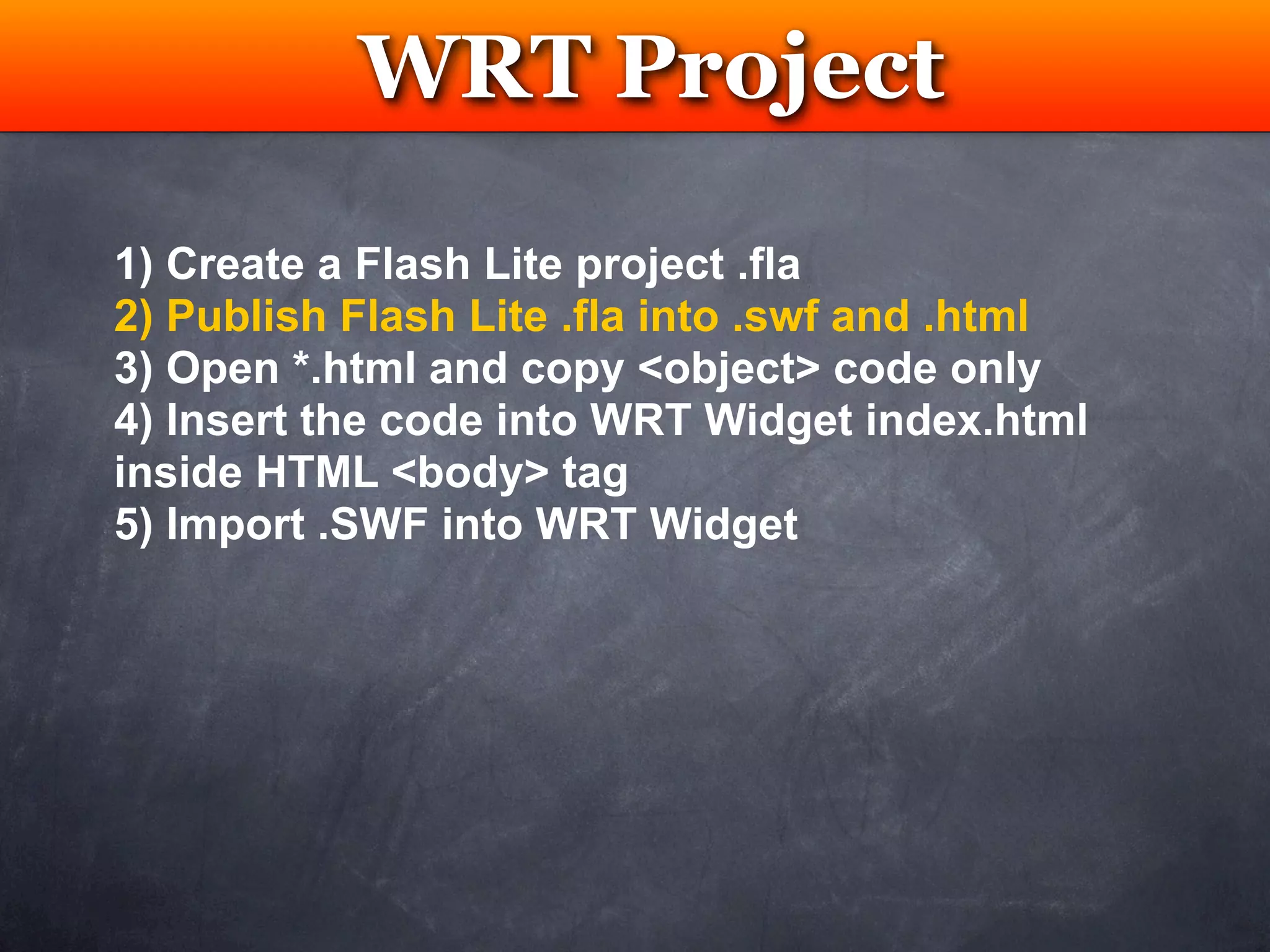
1) Create a Flash Lite project .fla
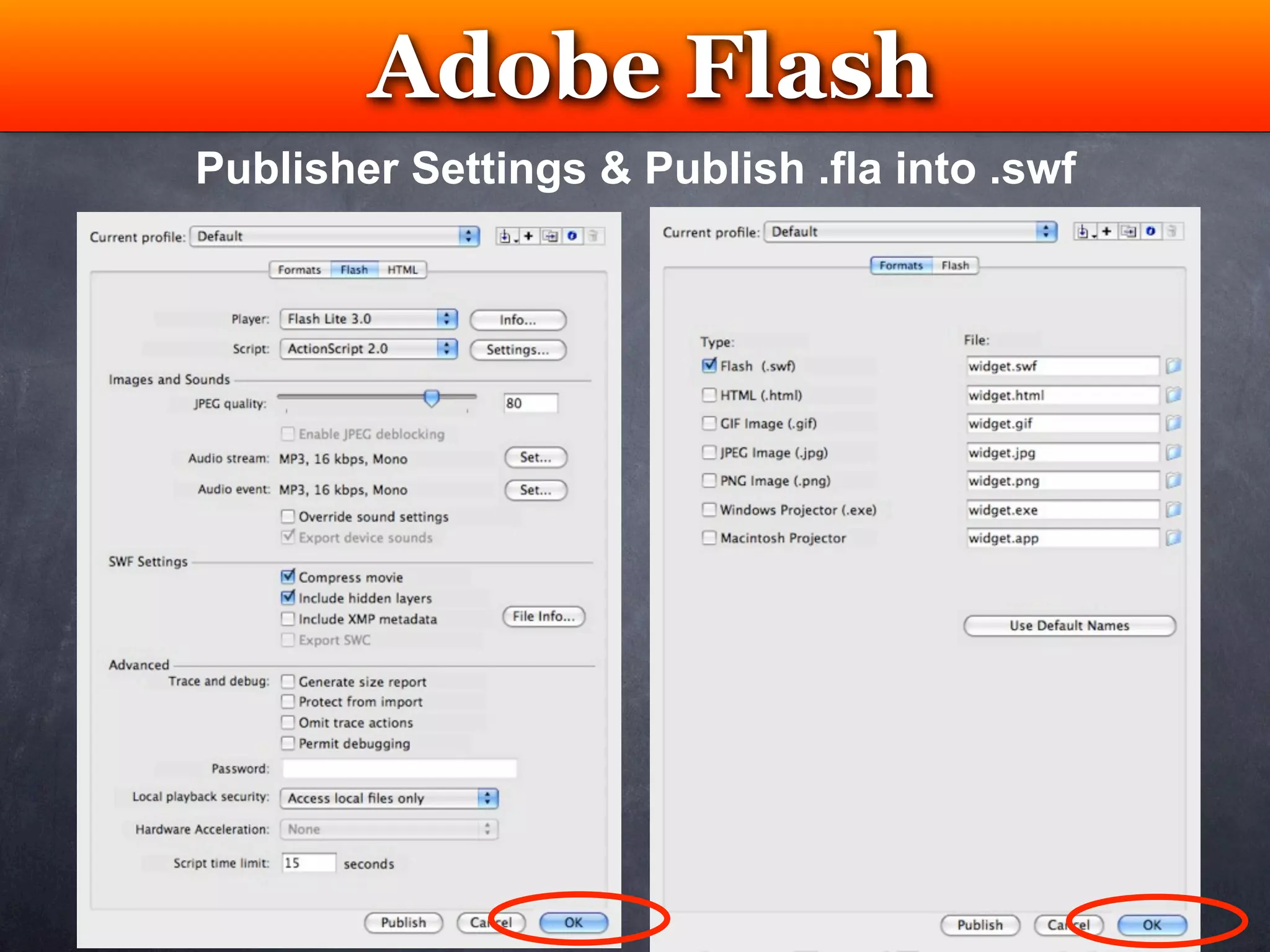
2) Publish Flash Lite .fla into .swf and .html
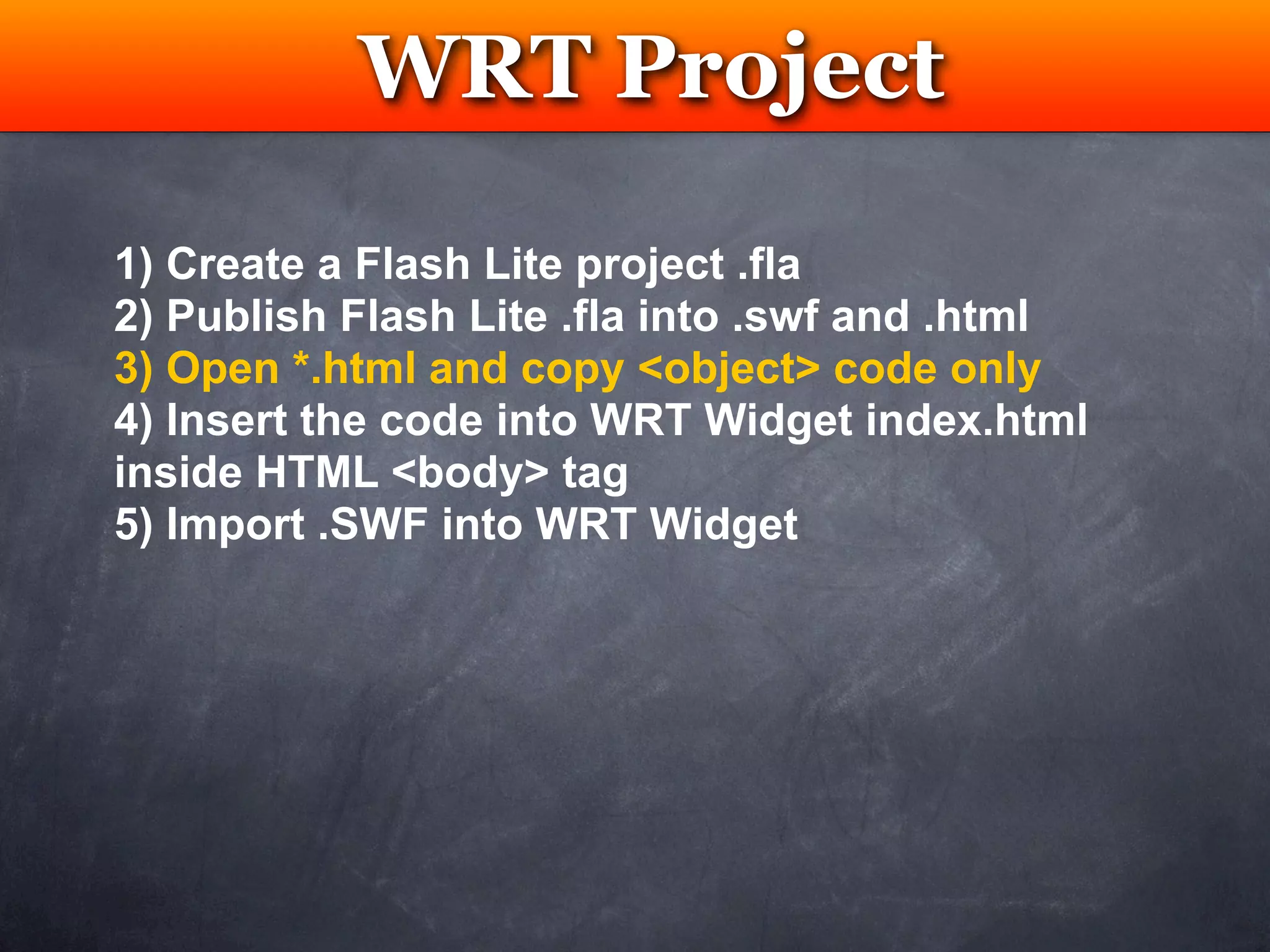
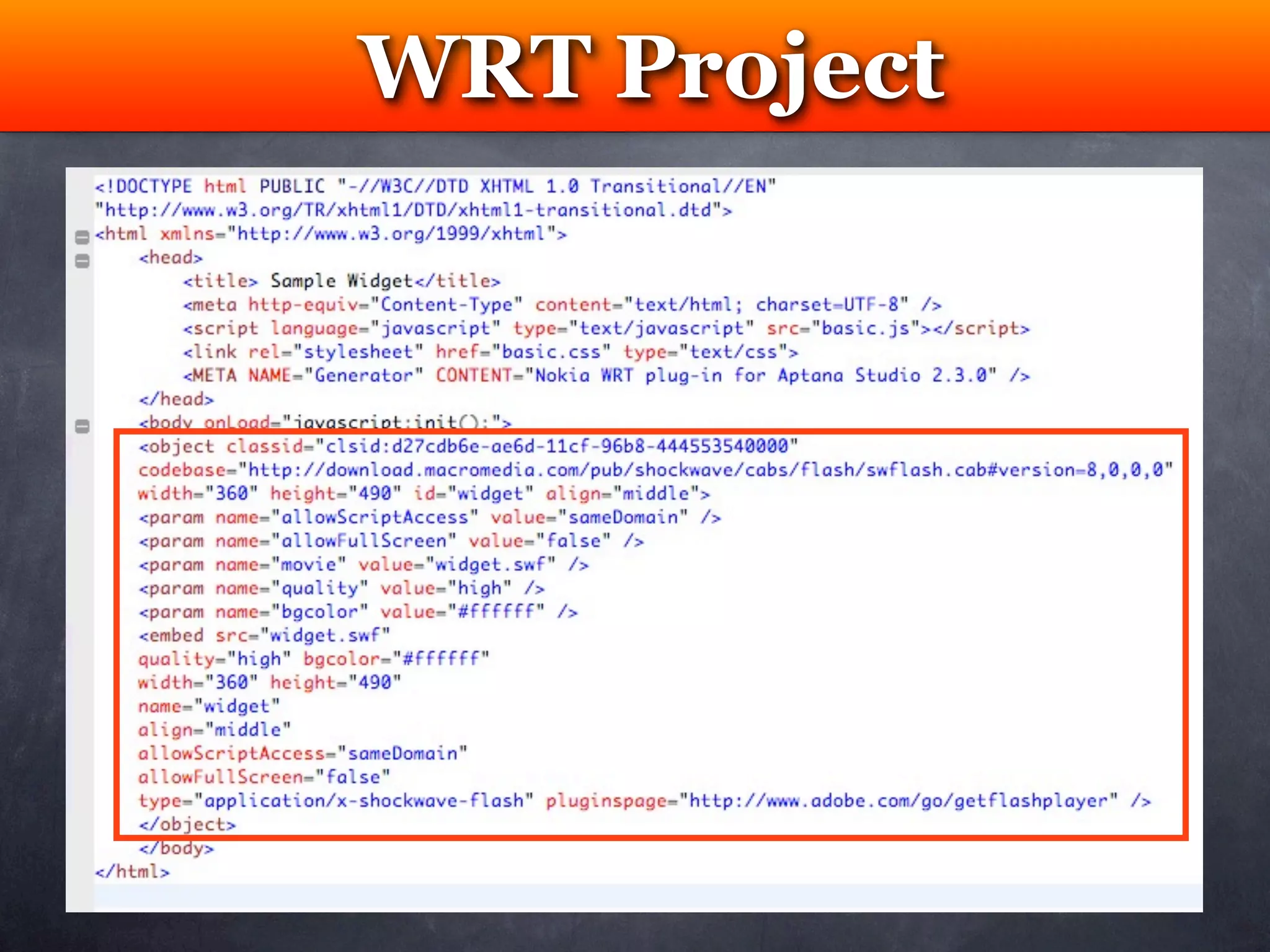
3) Open *.html and copy <object> code only
4) Insert the code into WRT Widget index.html
inside HTML <body> tag
5) Import .SWF into WRT Widget
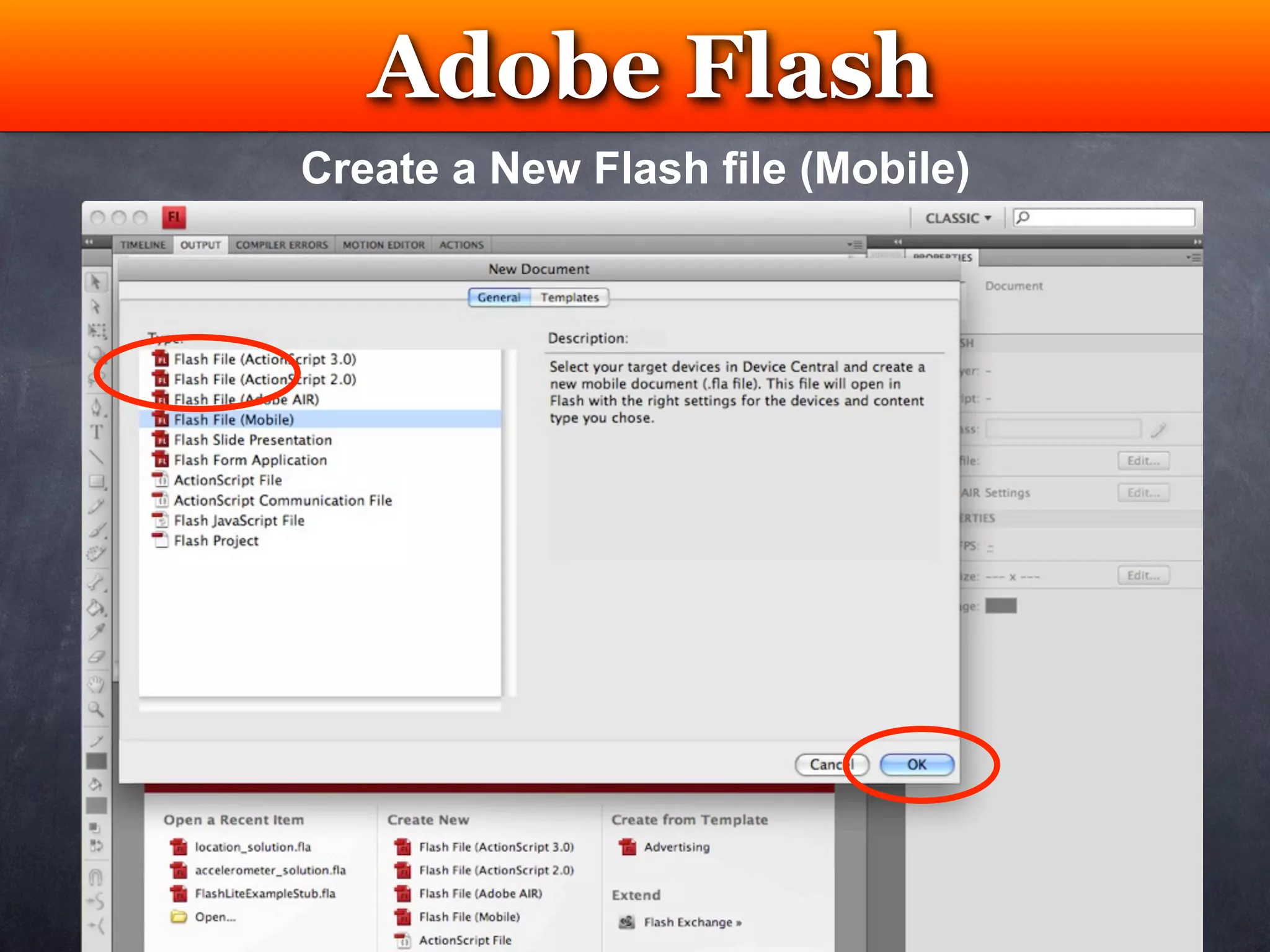
Adobe Flash
     Testing
Create a New Flash file (Mobile)
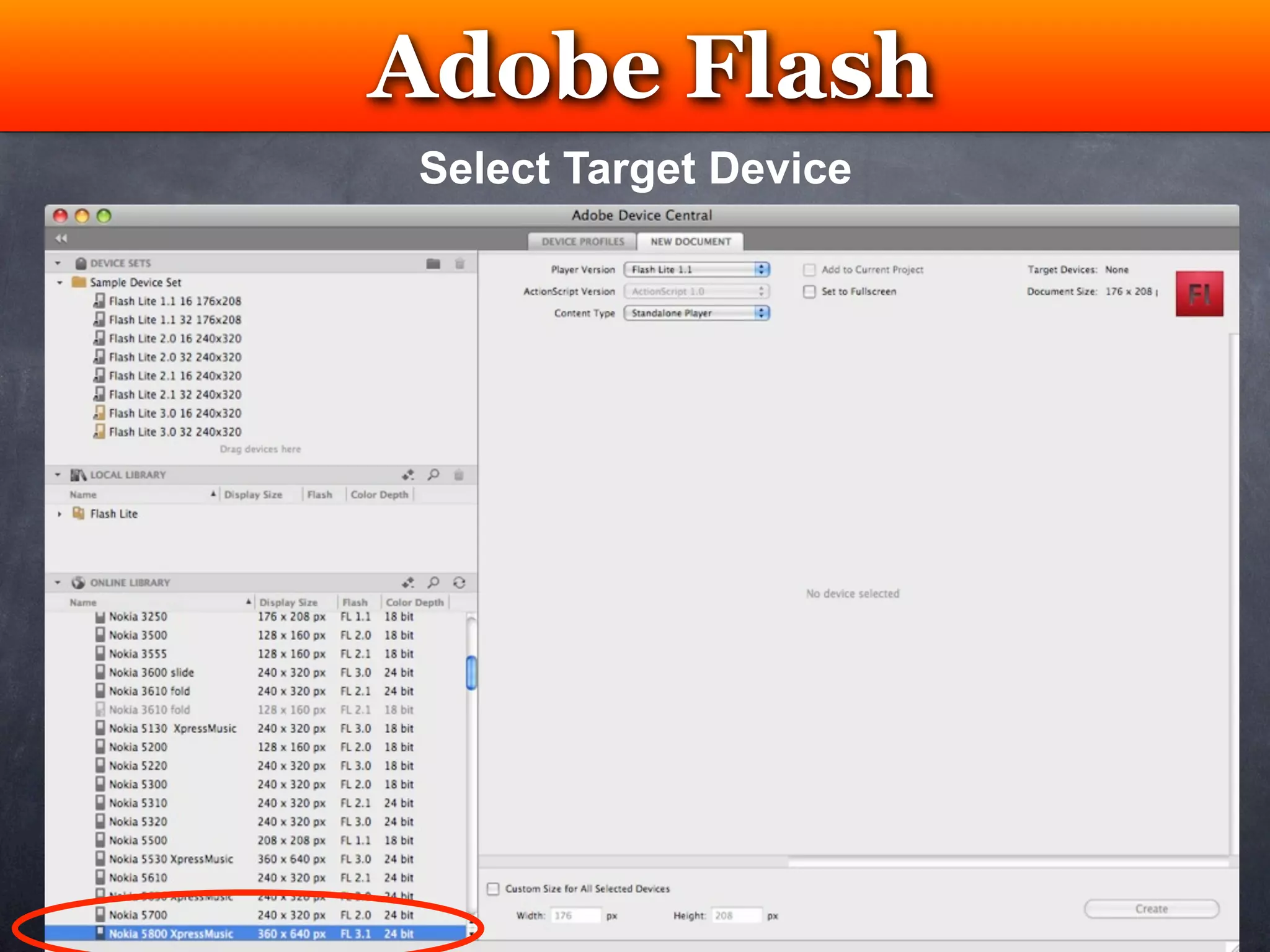
Adobe Flash
  Testing
Select Target Device
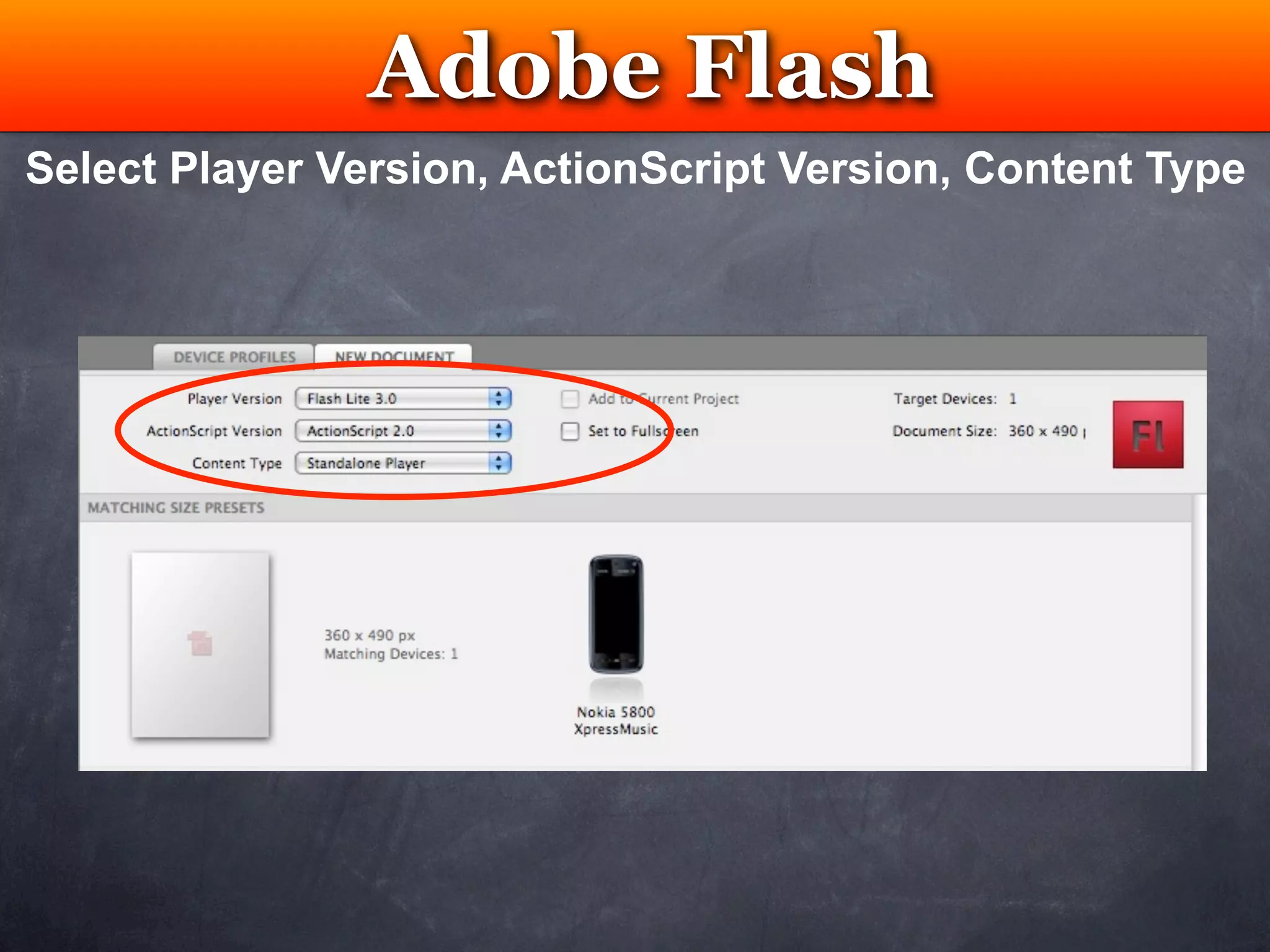
Adobe Flash
                  Testing
Select Player Version, ActionScript Version, Content Type
Adobe Flash
  Testing
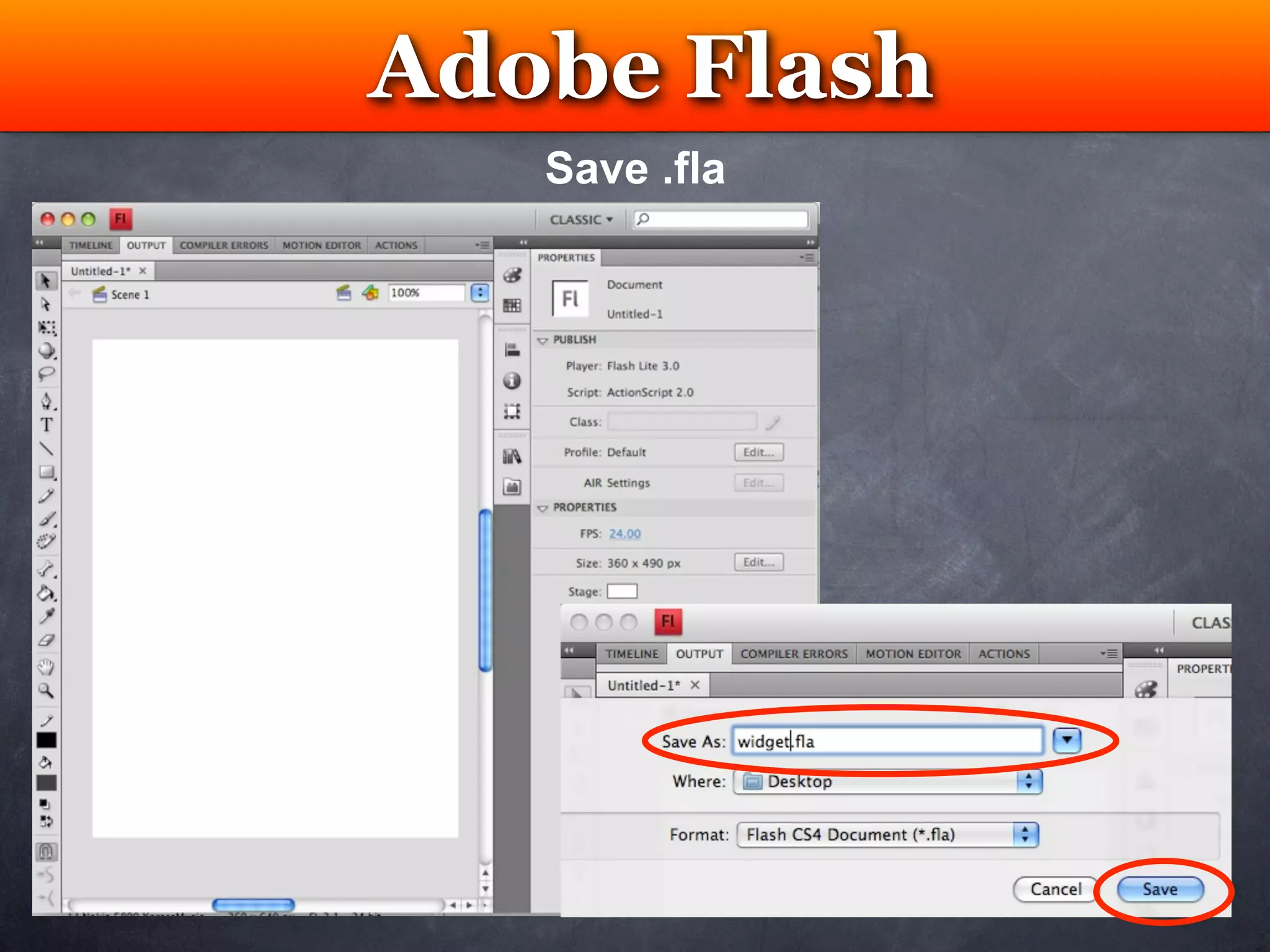
   Save .fla
Adobe Flash
     Testing
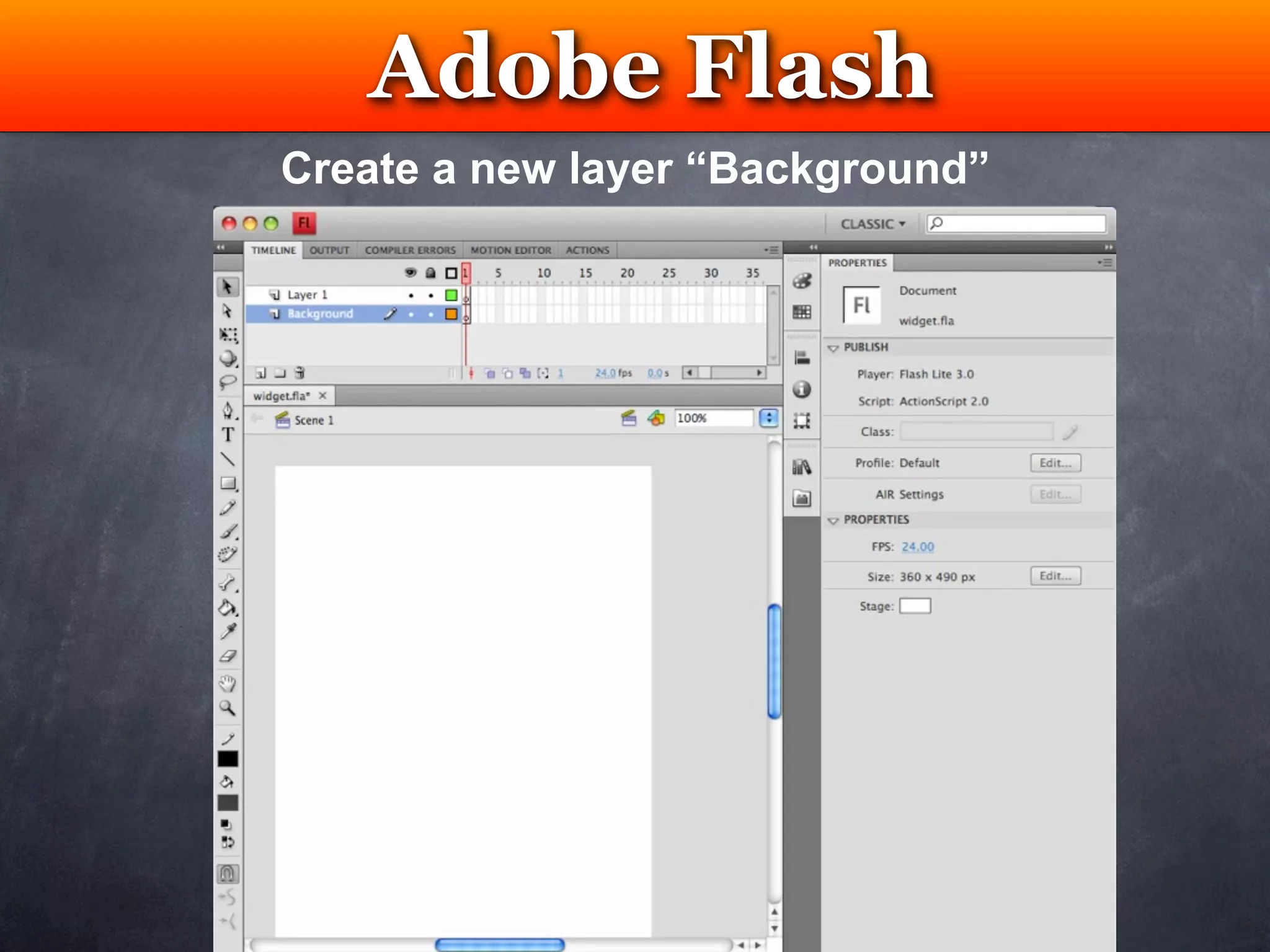
Create a new layer “Background”
Adobe Flash
                  Testing
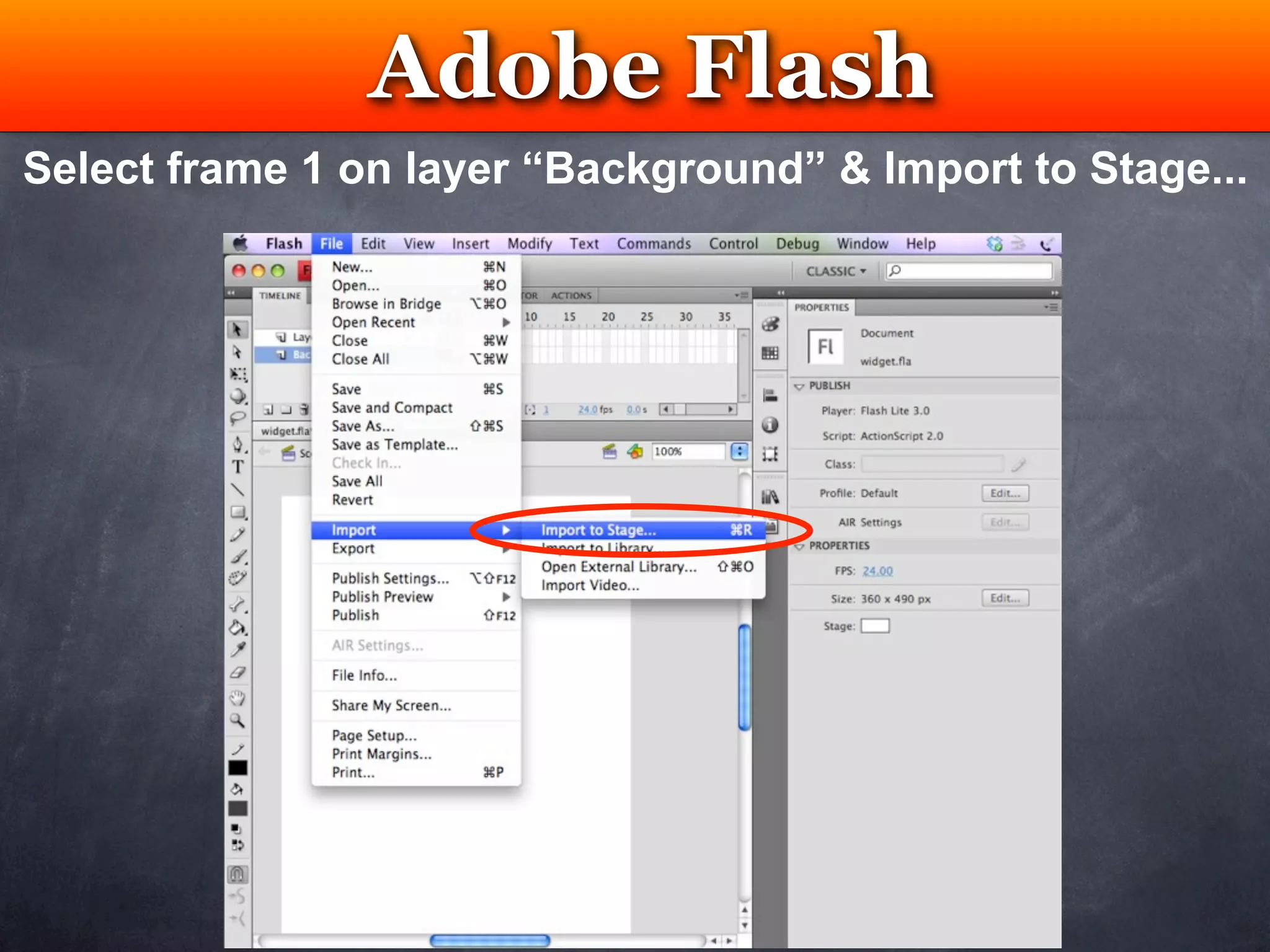
Select frame 1 on layer “Background” & Import to Stage...
Adobe Flash
        Testing
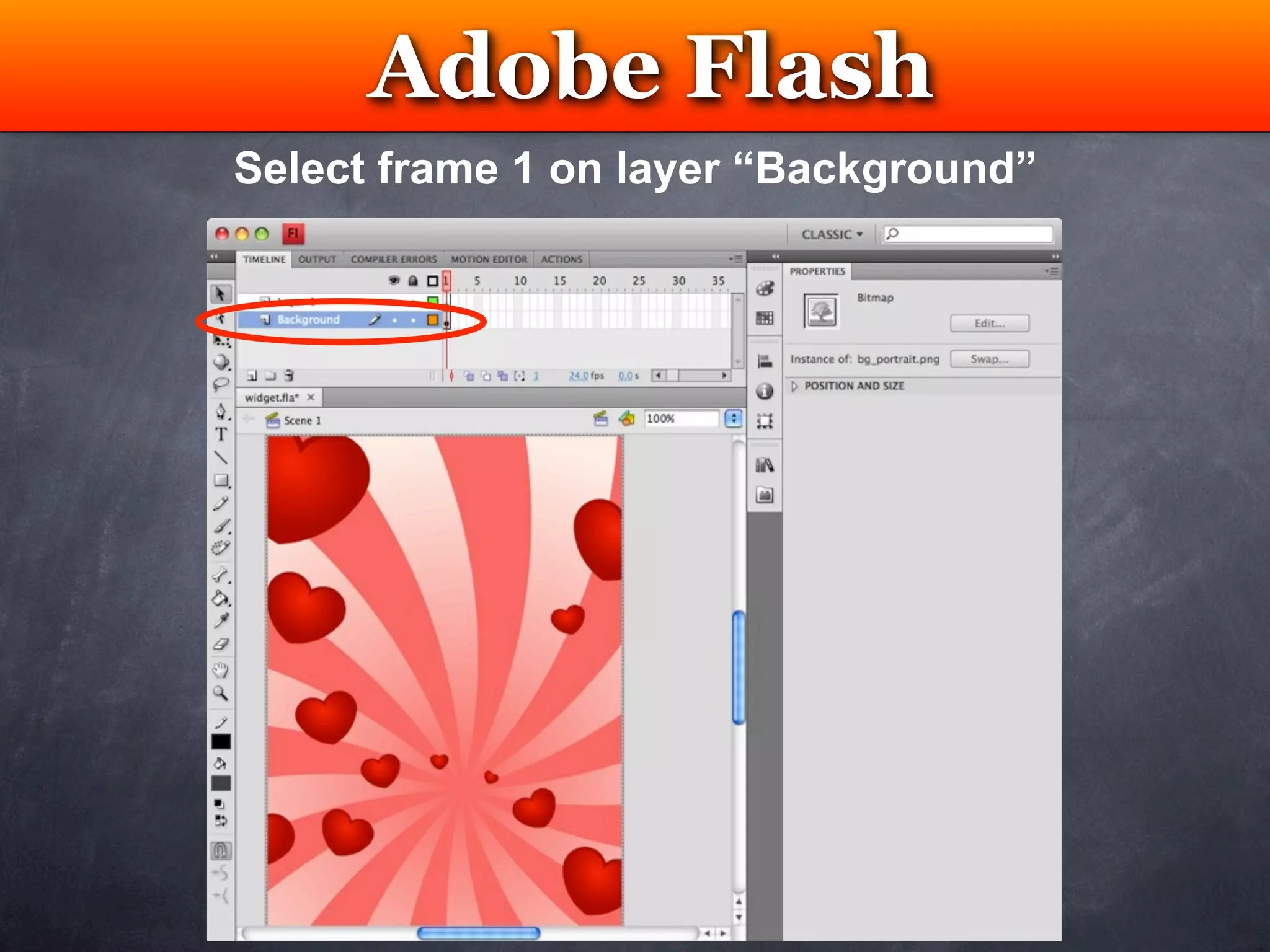
Select frame 1 on layer “Background”
Adobe Flash
               Testing
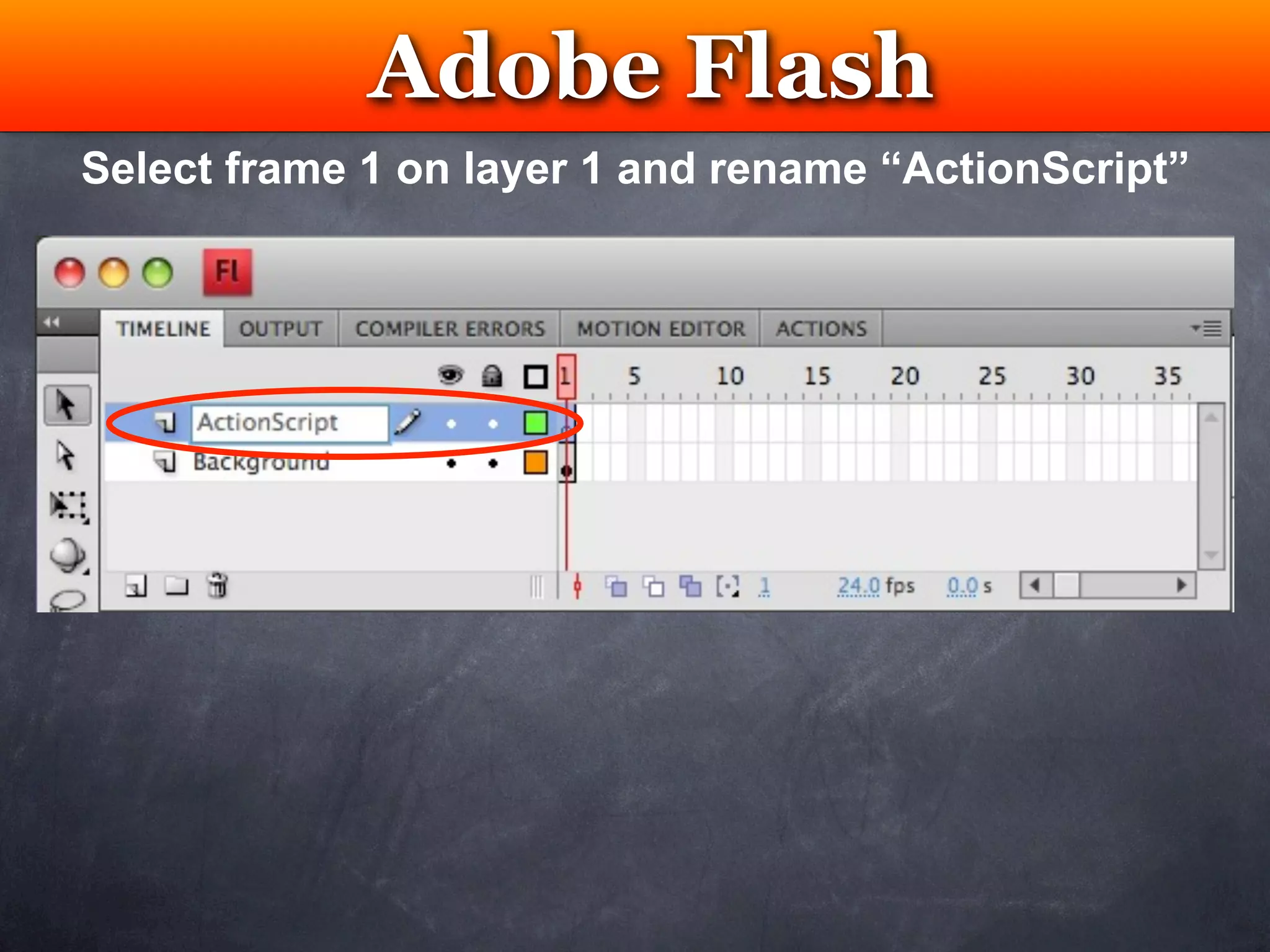
Select frame 1 on layer 1 and rename “ActionScript”
Adobe Flash
                Testing
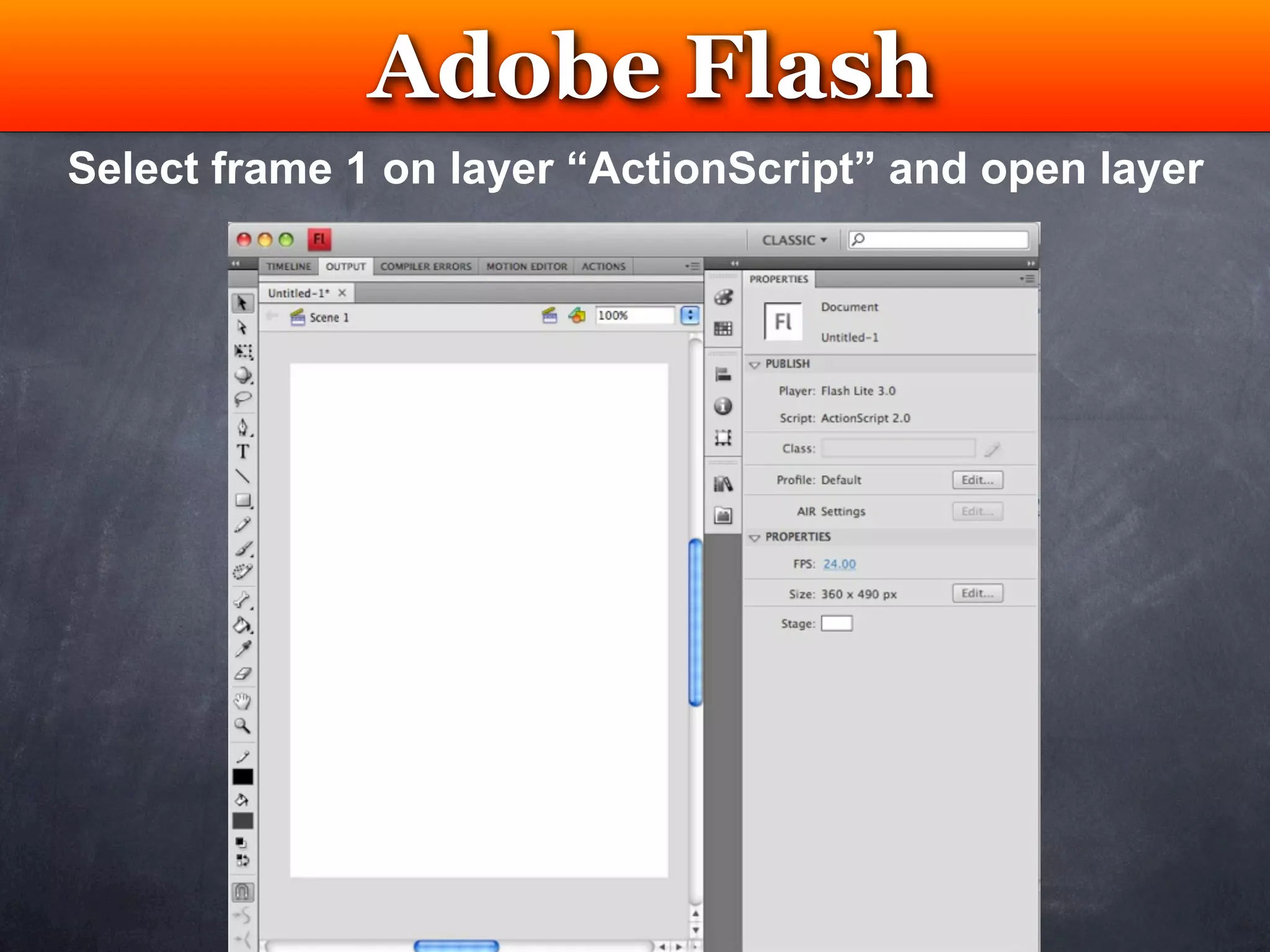
Select frame 1 on layer “ActionScript” and open layer
Adobe Flash
  Testing
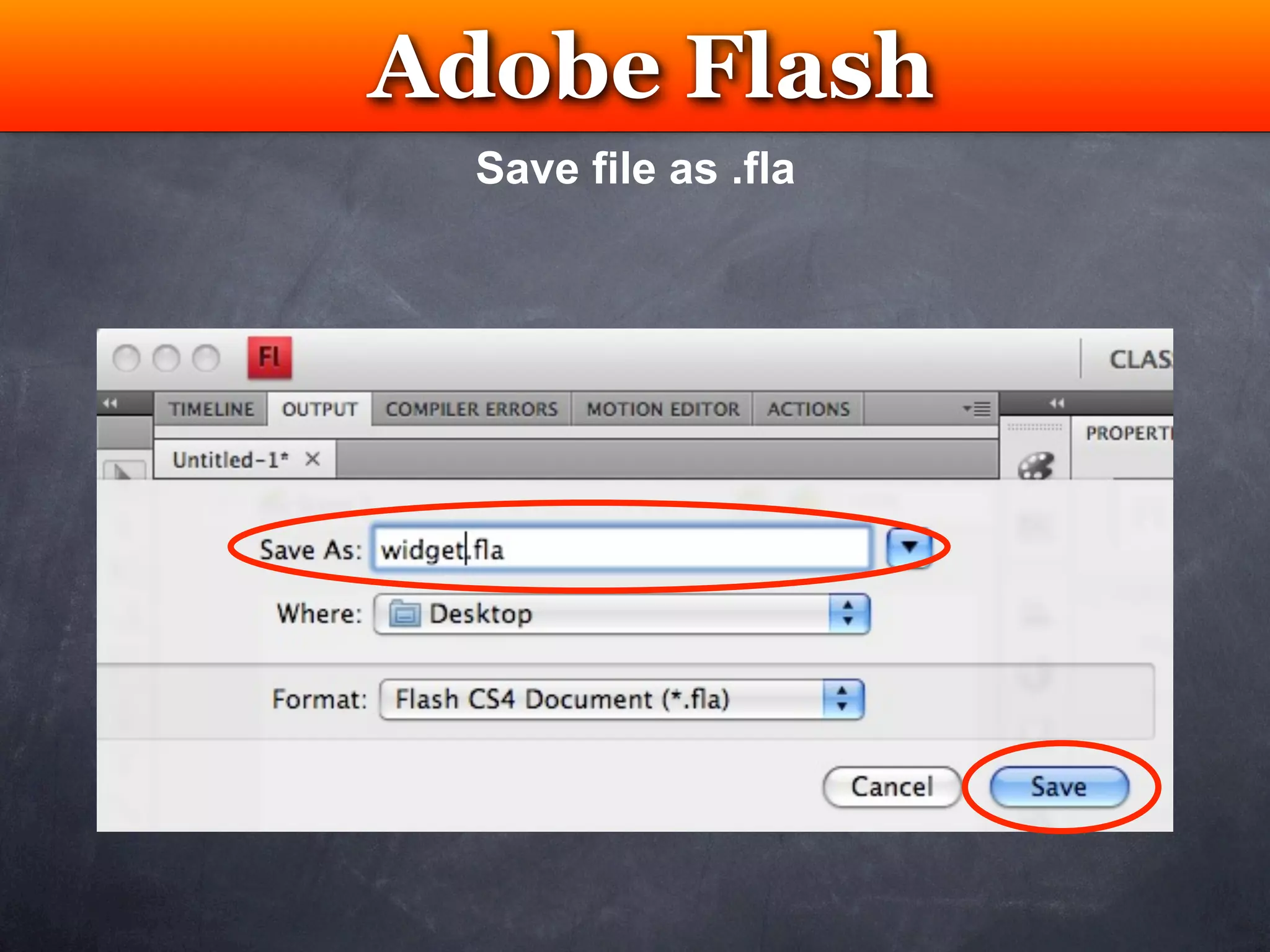
  Save file as .fla
Adobe Flash
    Testing
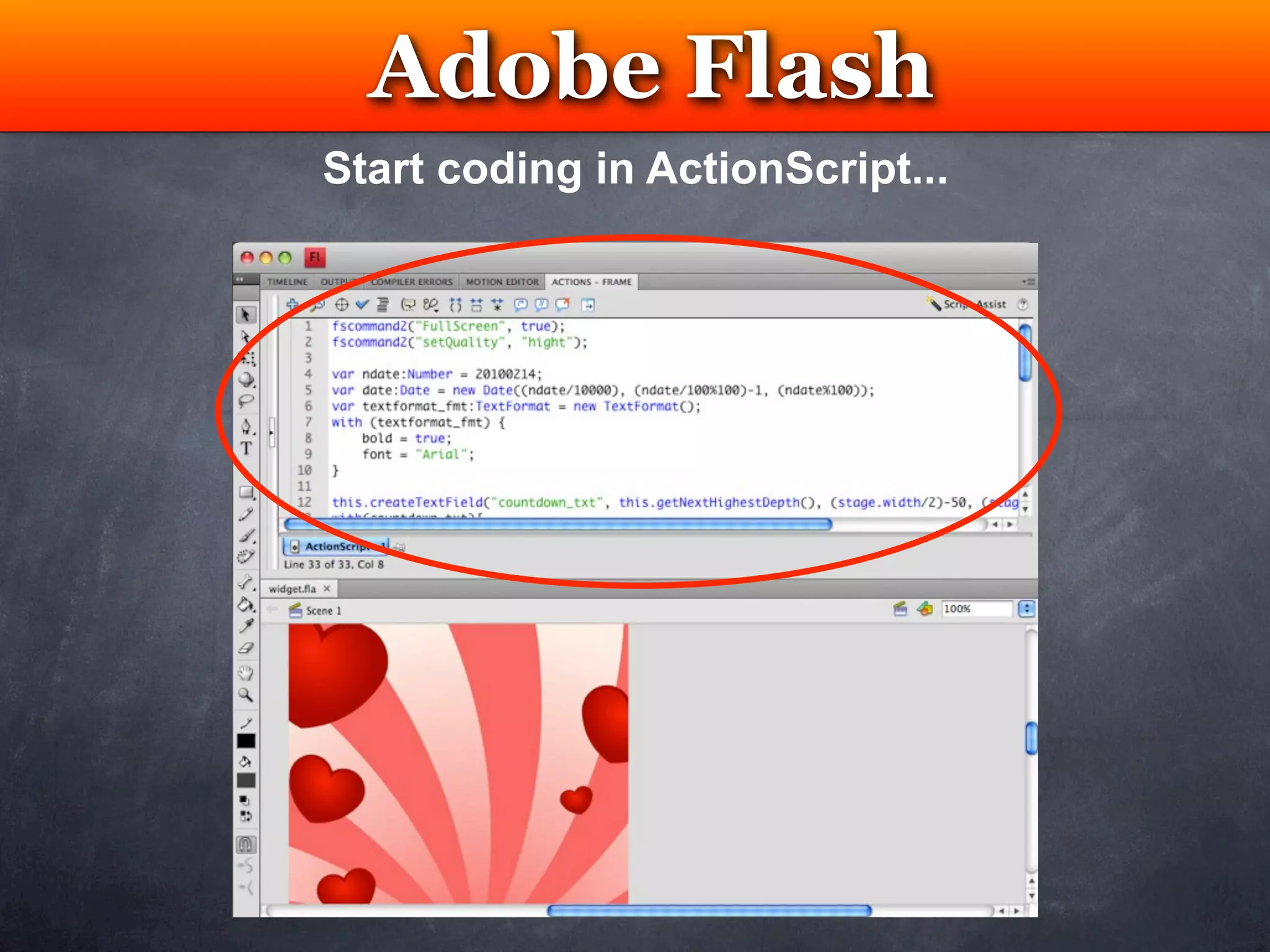
Start coding in ActionScript...
WRT Project
            Testing

1) Create a Flash Lite project .fla
2) Publish Flash Lite .fla into .swf and .html
3) Open *.html and copy <object> code only
4) Insert the code into WRT Widget index.html
inside HTML <body> tag
5) Import .SWF into WRT Widget
Adobe Flash
          Testing
Publisher Settings & Publish .fla into .swf
WRT Project
            Testing

1) Create a Flash Lite project .fla
2) Publish Flash Lite .fla into .swf and .html
3) Open *.html and copy <object> code only
4) Insert the code into WRT Widget index.html
inside HTML <body> tag
5) Import .SWF into WRT Widget
WRT Project
          Testing
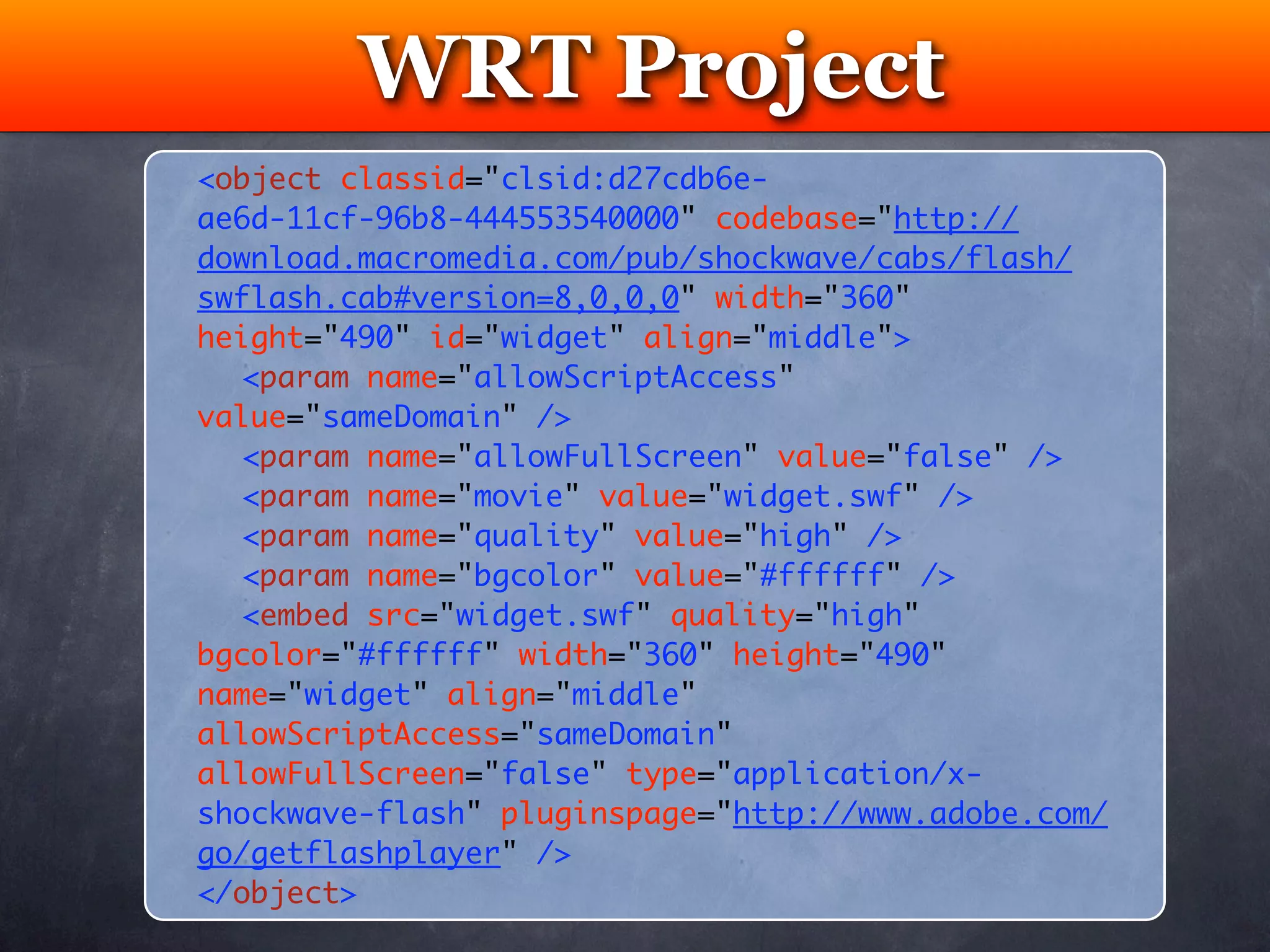
<object classid="clsid:d27cdb6e-
ae6d-11cf-96b8-444553540000" codebase="http://
download.macromedia.com/pub/shockwave/cabs/flash/
swflash.cab#version=8,0,0,0" width="360"
height="490" id="widget" align="middle">
	 <param name="allowScriptAccess"
value="sameDomain" />
	 <param name="allowFullScreen" value="false" />
	 <param name="movie" value="widget.swf" />
	 <param name="quality" value="high" />
	 <param name="bgcolor" value="#ffffff" />	
	 <embed src="widget.swf" quality="high"
bgcolor="#ffffff" width="360" height="490"
name="widget" align="middle"
allowScriptAccess="sameDomain"
allowFullScreen="false" type="application/x-
shockwave-flash" pluginspage="http://www.adobe.com/
go/getflashplayer" />
</object>
WRT Project
            Testing

1) Create a Flash Lite project .fla
2) Publish Flash Lite .fla into .swf and .html
3) Open *.html and copy <object> code only
4) Insert the code into WRT Widget index.html
inside HTML <body> tag
5) Import .SWF into WRT Widget
WRT Project
 Testing
WRT Project
            Testing

1) Create a Flash Lite project .fla
2) Publish Flash Lite .fla into .swf and .html
3) Open *.html and copy <object> code only
4) Insert the code into WRT Widget index.html
inside HTML <body> tag
5) Import .SWF into WRT Widget
WRT Project
 Testing
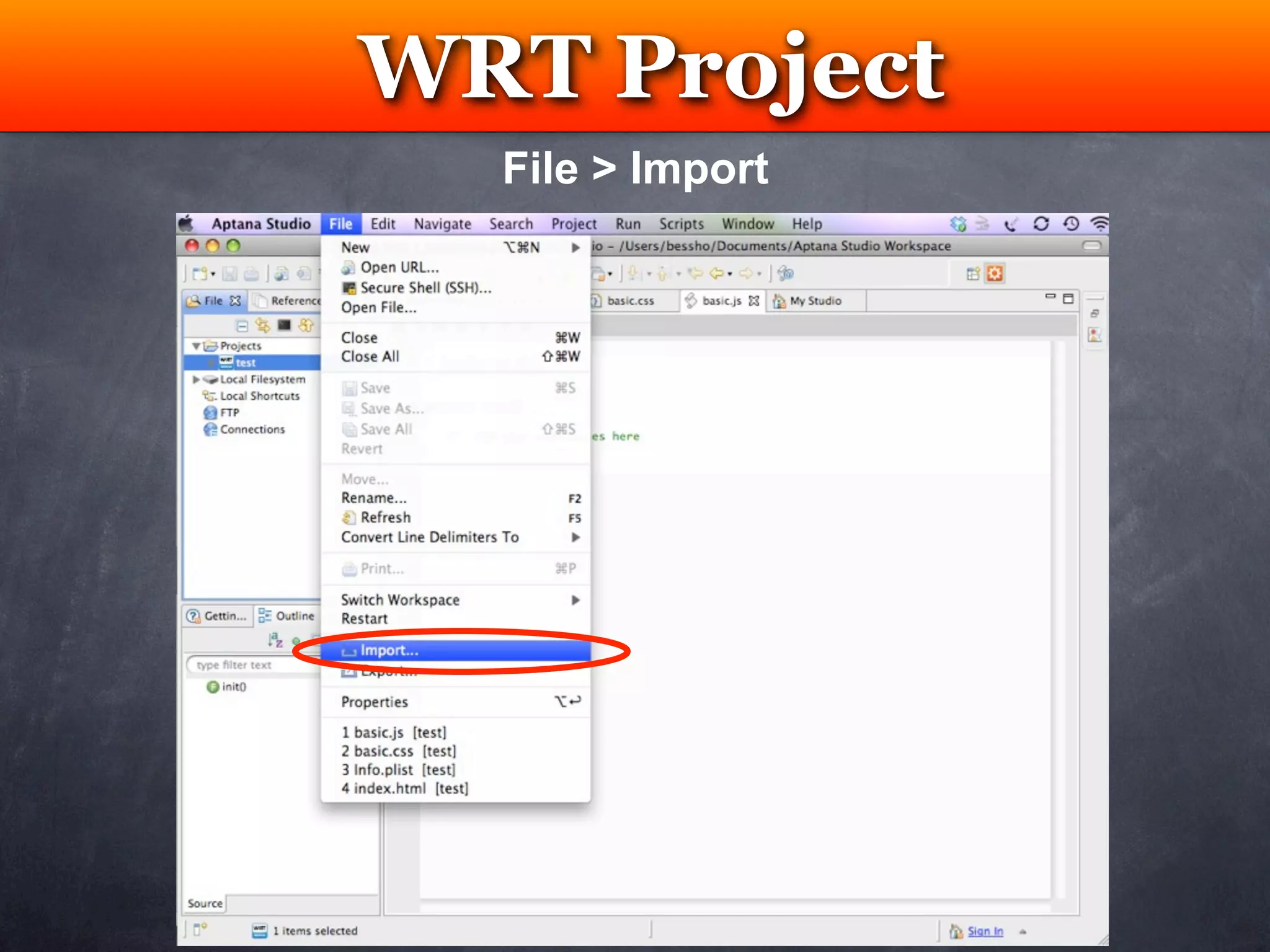
  File > Import
WRT Project
 Testing
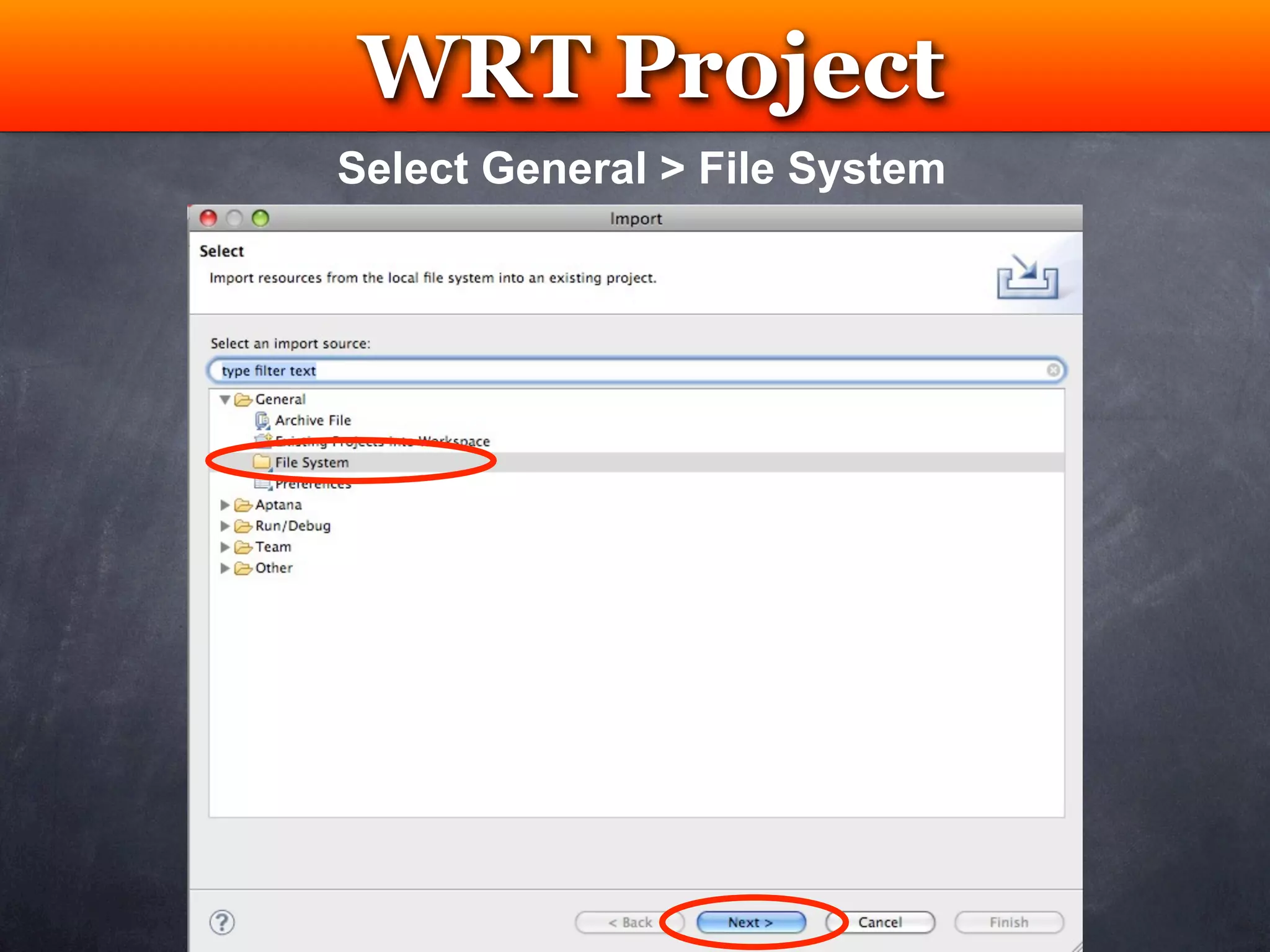
Select General > File System
WRT Project
         Testing
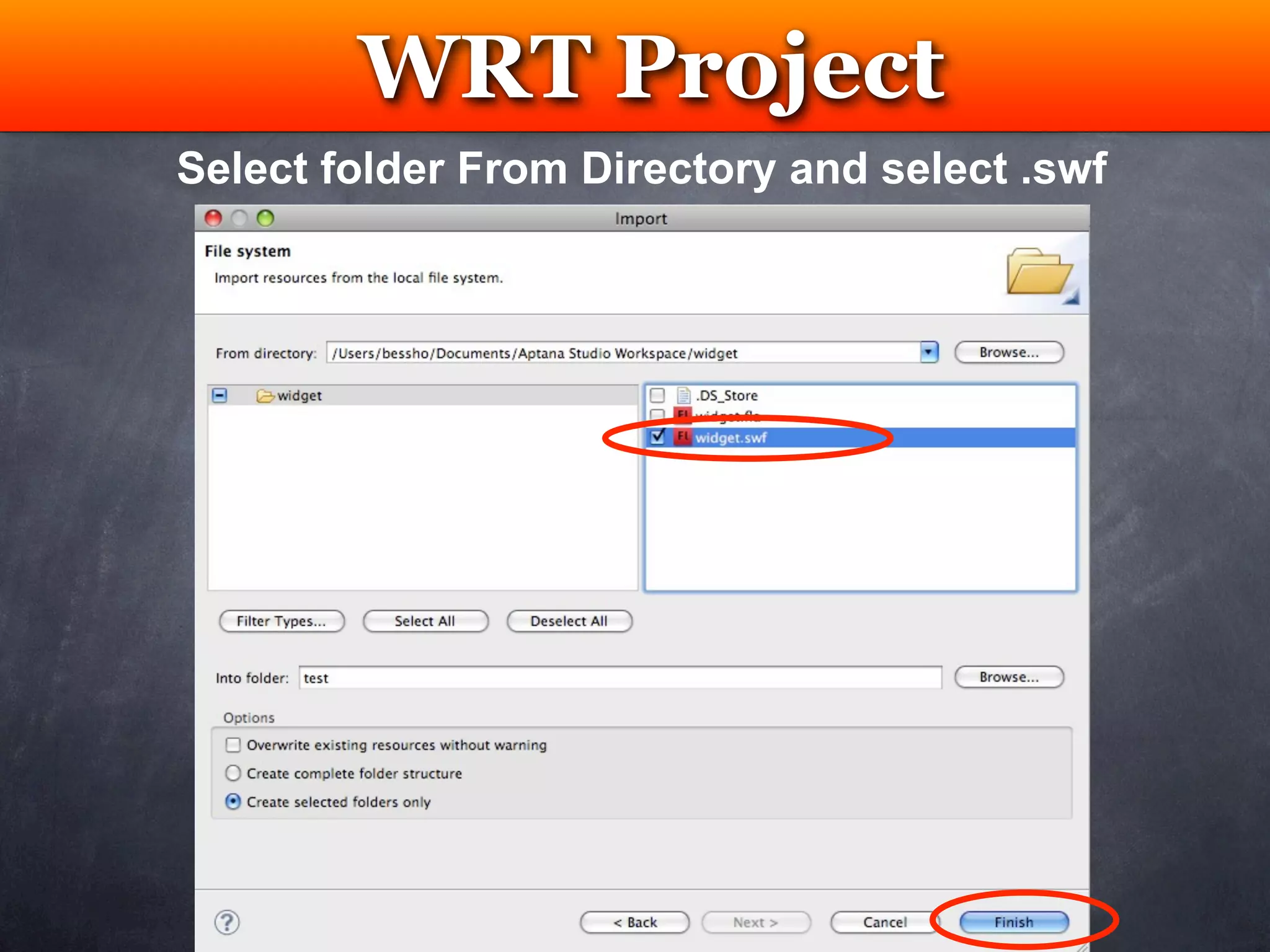
Select folder From Directory and select .swf
WRT Project
 Testing
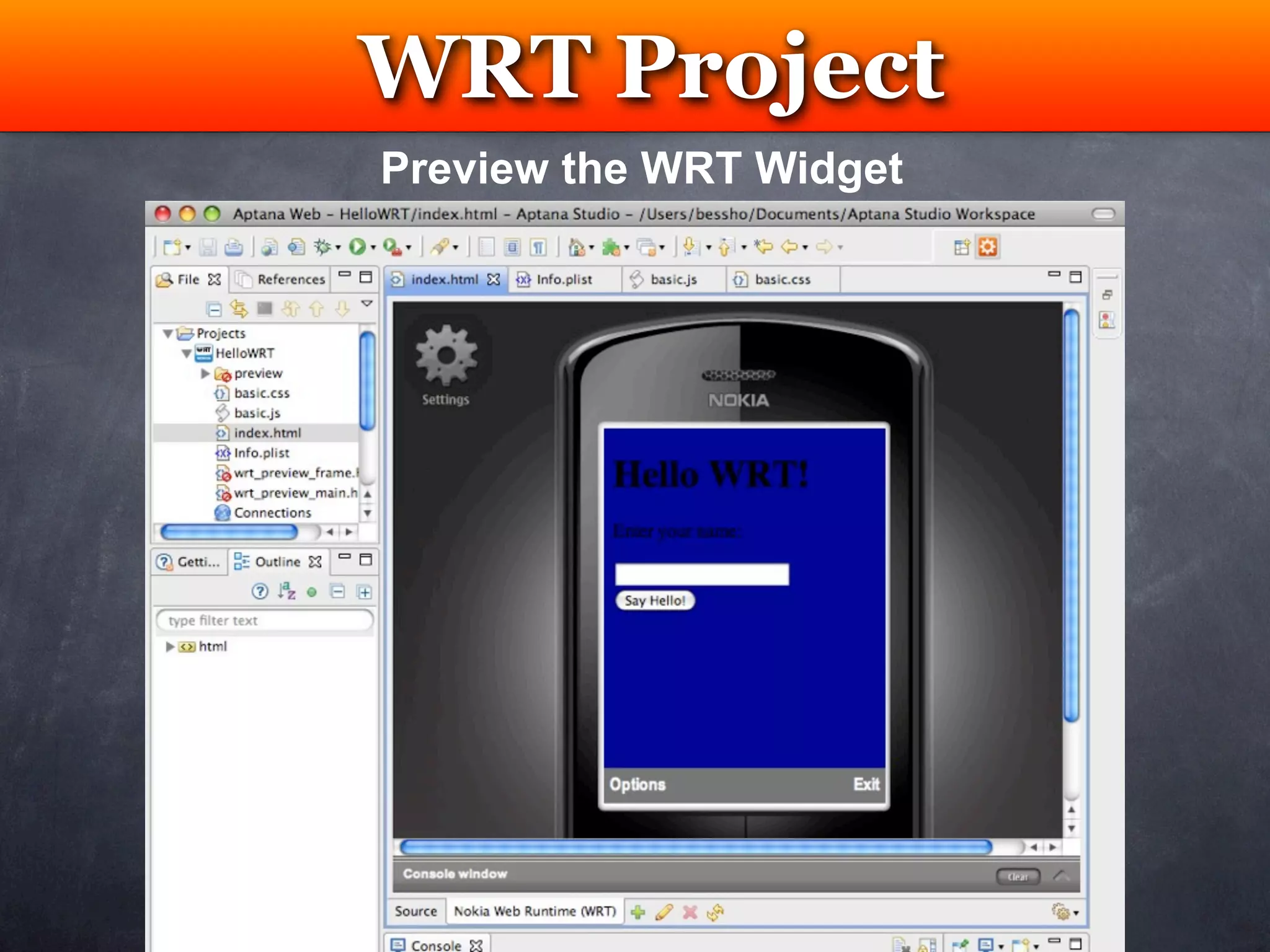
Preview the WRT Widget
Package WRT Widget


New .WGZ
WRT Project
            Testing
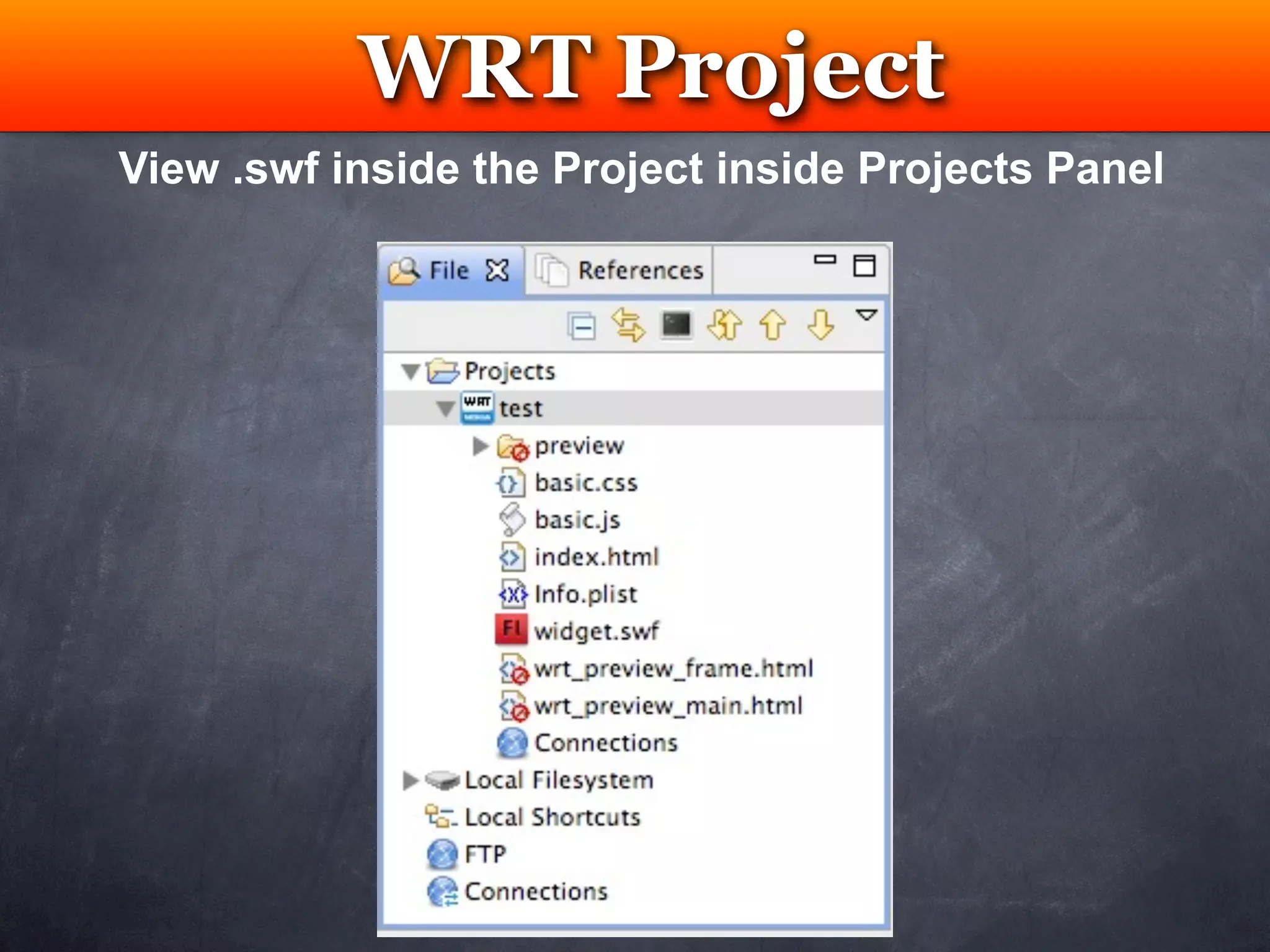
View .swf inside the Project inside Projects Panel
WRT Project
             Testing
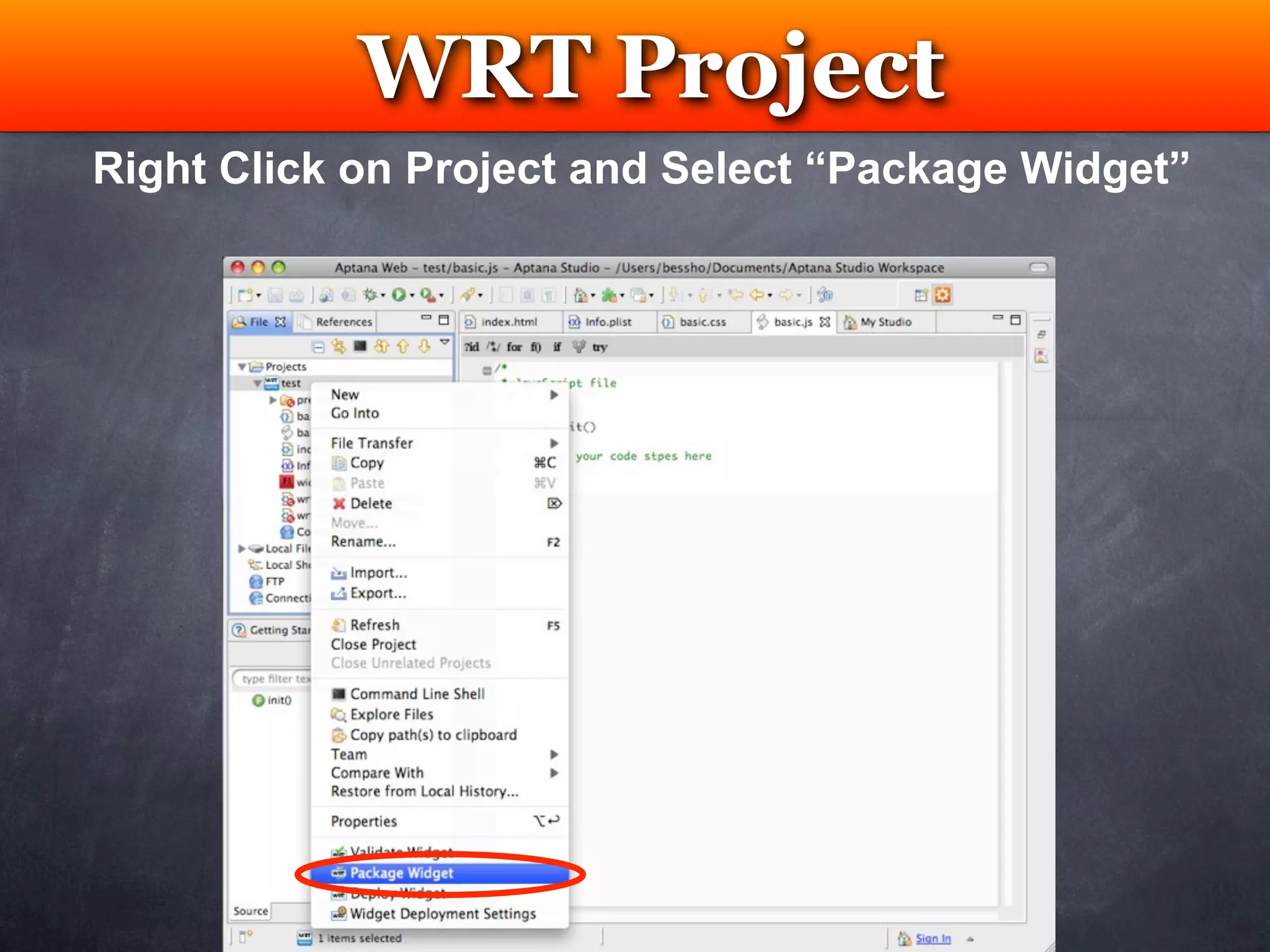
Right Click on Project and Select “Package Widget”
Resources


Testing
Testing


          Nokia Developer Forum
          Registered Nokia Developer Benefits

Emulator                  Device
Emulator                Nokia Device Anywhere
Browser                 Nokia Remote Device
                        Access (RDA) Service
                        S60 Device
Testing
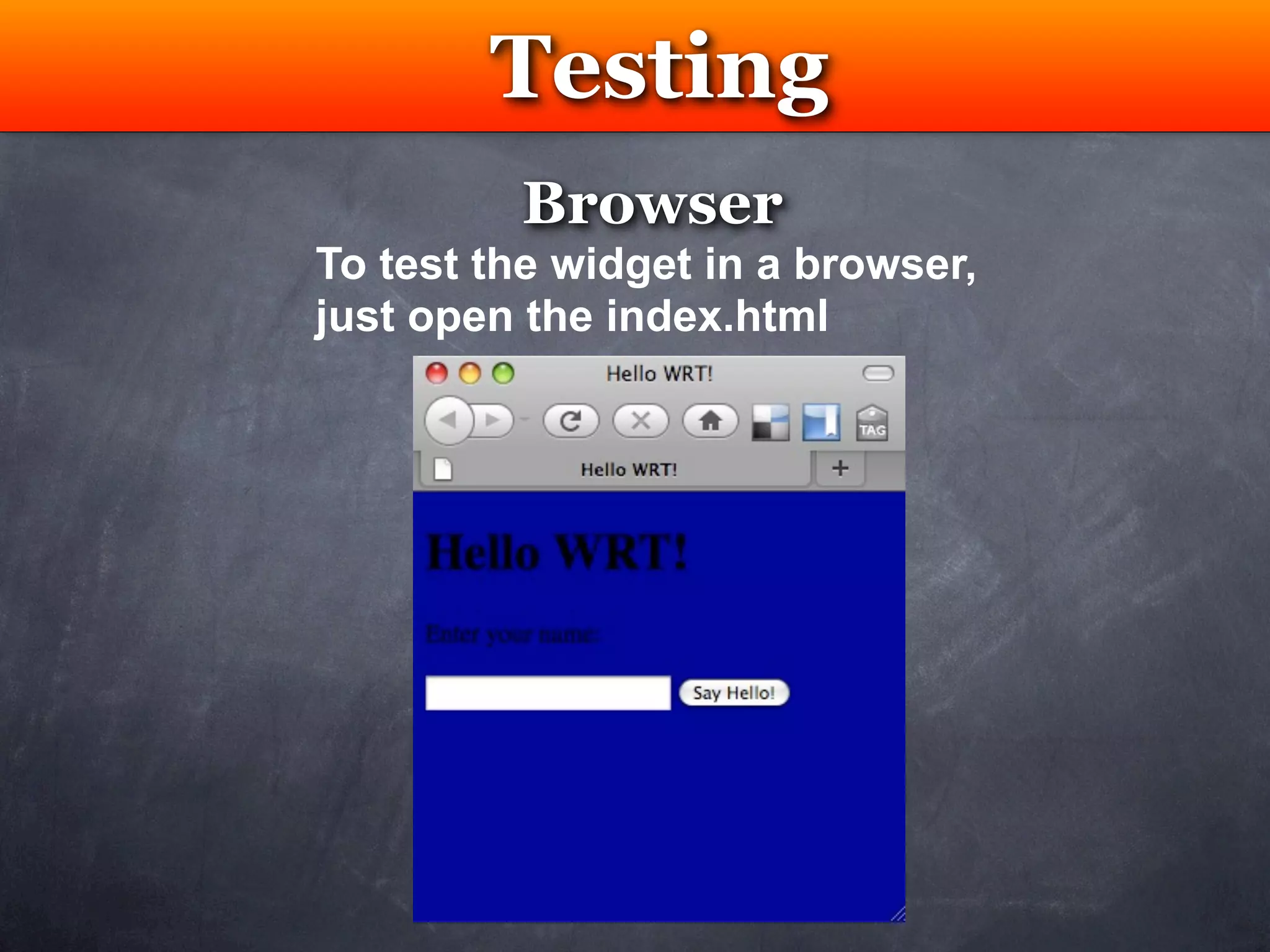
         Browser
To test the widget in a browser,
just open the index.html
Testing
                           Emulator
  • N97 SDK emulator can verify a homescreen
widget that display on homescreen
  • Nokia WRT plug-in has preview feature
supported by Aptana Studio


               Download Nokia S60 SDK
               Nokia N97
               Nokia 5th Edition
               Nokia 3rd Edition Feature Package 2
http://www.forum.nokia.com/info/sw.nokia.com/id/ec866fab-4b76-49f6-b5a5-
                af0631419e9c/S60_All_in_One_SDKs.html
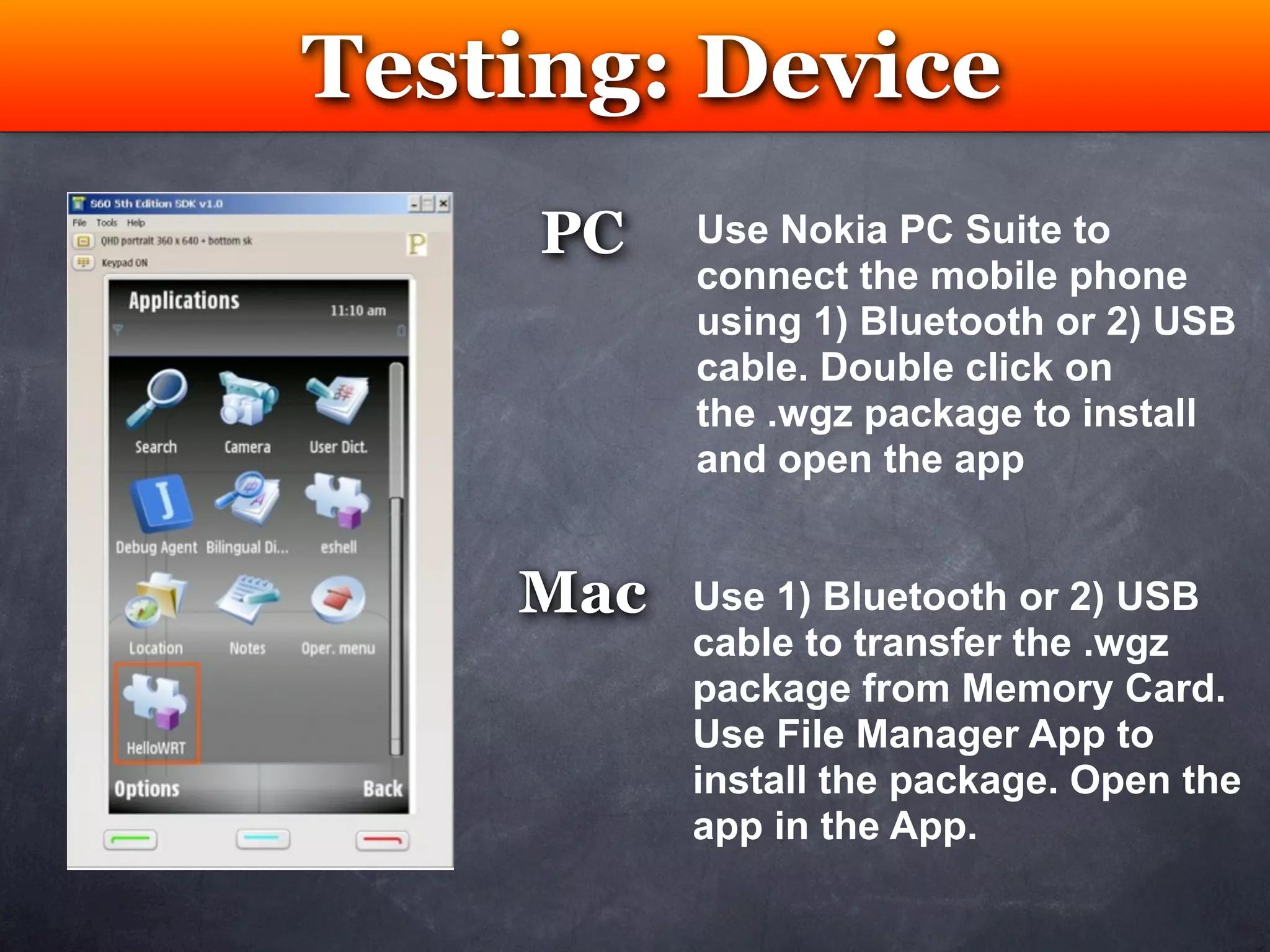
Testing: Device
    Testing
     PC   Use Nokia PC Suite to
          connect the mobile phone
          using 1) Bluetooth or 2) USB
          cable. Double click on
          the .wgz package to install
          and open the app


    Mac   Use 1) Bluetooth or 2) USB
          cable to transfer the .wgz
          package from Memory Card.
          Use File Manager App to
          install the package. Open the
          app in the App.
Testing


           Nokia Device Anywhere
    https://www.deviceanywhere.com/nokia/welcome.htm


•   Hundred of models               • Can’t test location
•   Avoid purchase                  • Can’t test accelerometer
•   FREE                            • Can’t test sound
•   Limited to no. of hrs per month
Testing


     Nokia Remote Device Access
       http://www.forum.nokia.com/Technology_Topics/
       Application_Quality/Testing/Remote_Device_Access


•   Hundred of models               • Can’t test location
•   Avoid purchase                  • Can’t test accelerometer
•   FREE                            • Can’t test sound
•   Limited to no. of hrs per day
Resources


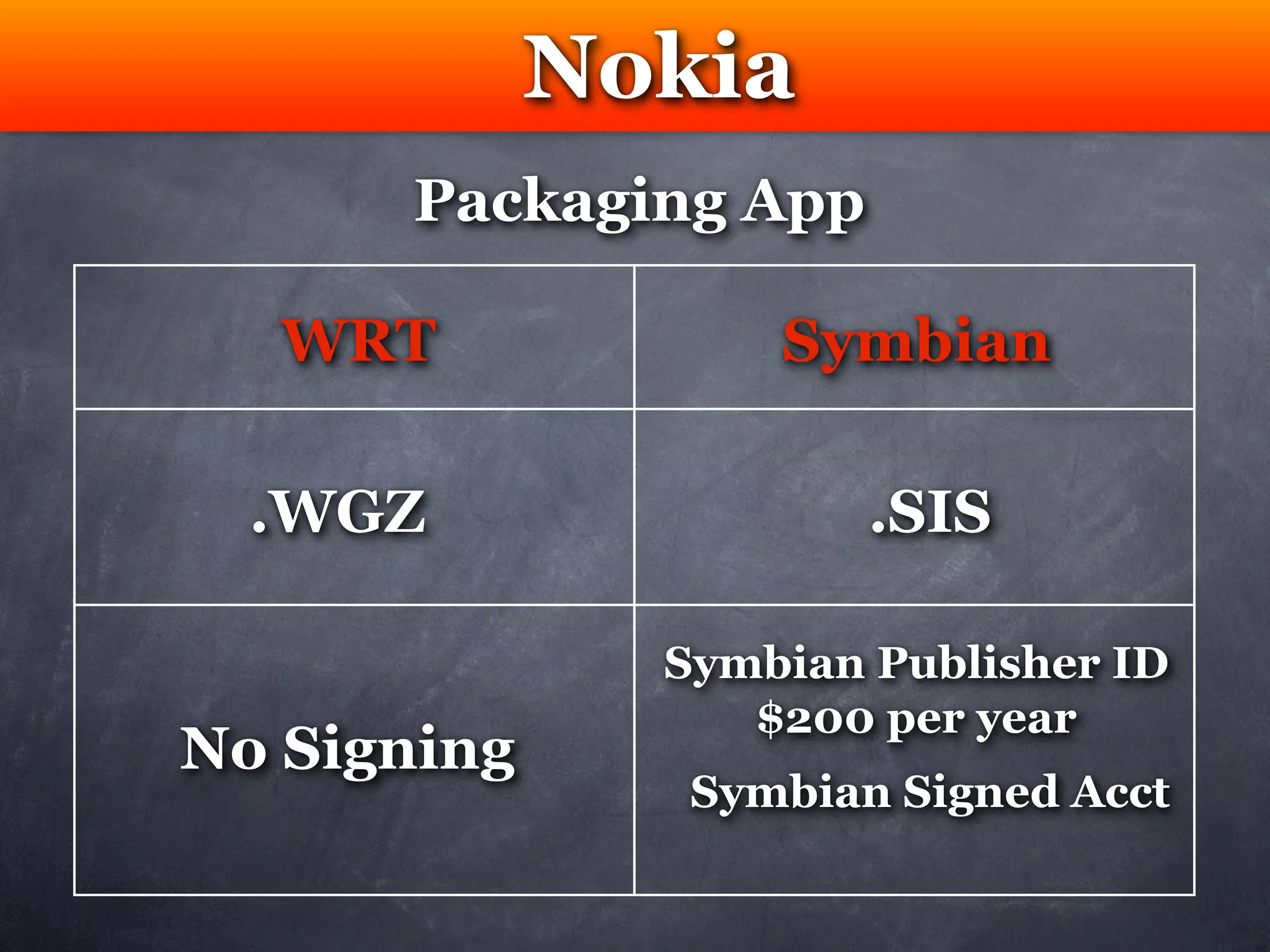
Packaging
Nokia
      Packaging App

   WRT             Symbian

  .WGZ                 .SIS

               Symbian Publisher ID
                  $200 per year
No Signing
                Symbian Signed Acct
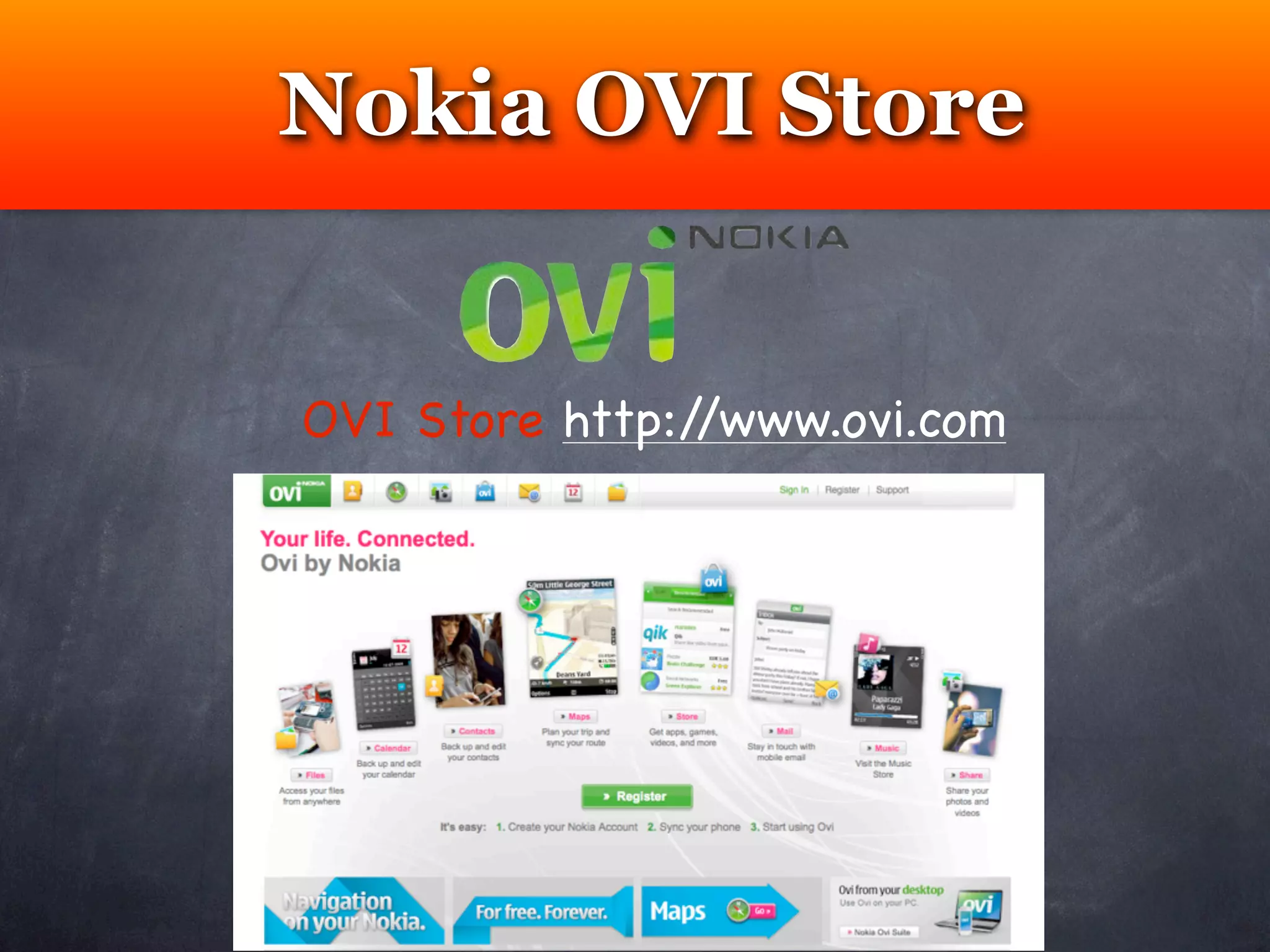
Nokia OVI Store


OVI Store http://www.ovi.com
Nokia Publisher


https://publish.ovi.com/info/
Nokia Developer


http://www.forum.nokia.com/
Resources


 Code
Example
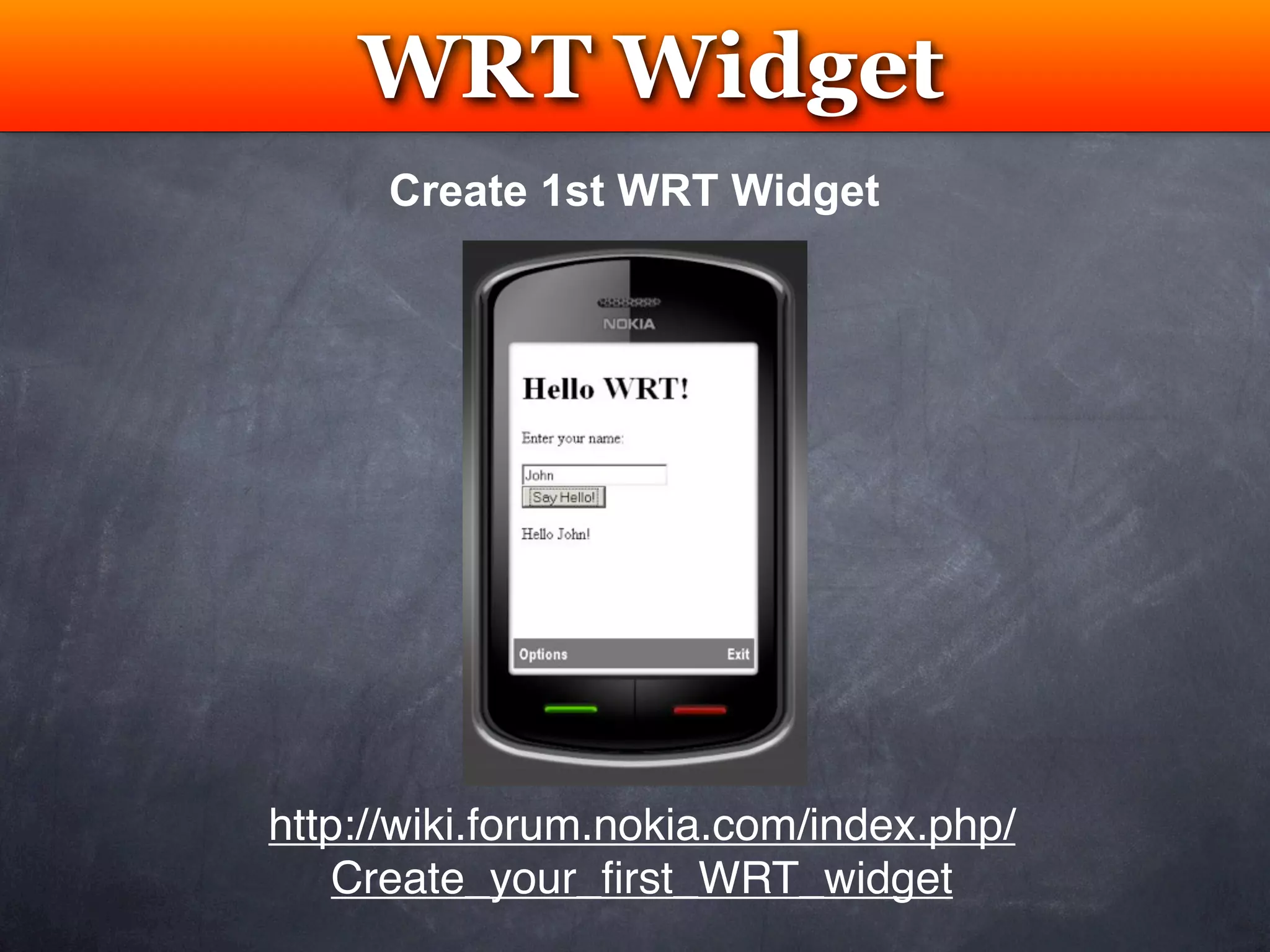
WRT Widget
     Testing
      Create 1st WRT Widget


http://wiki.forum.nokia.com/index.php/
    Create_your_first_WRT_widget
WRT Widget
            Testing
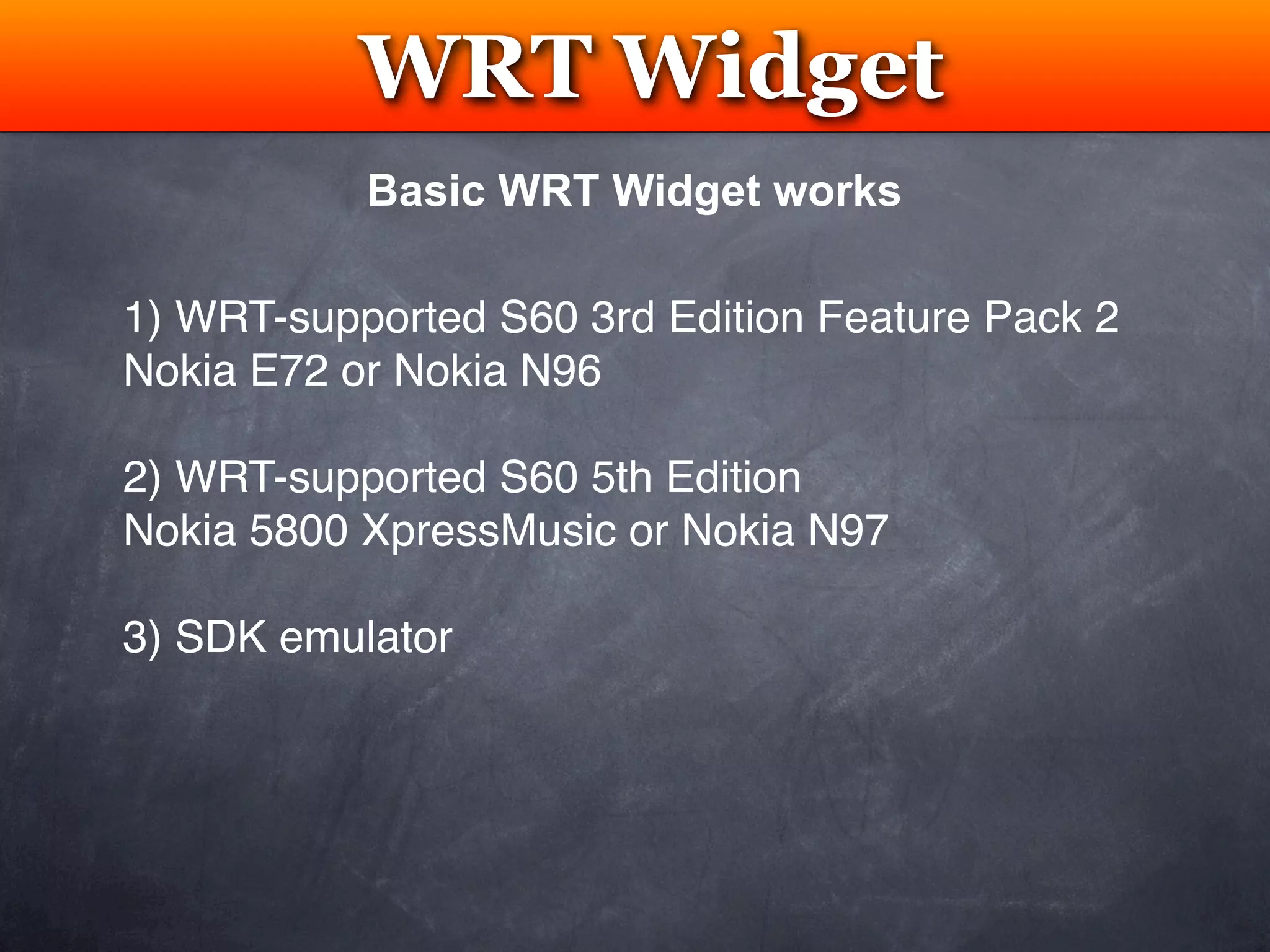
           Basic WRT Widget works

1) WRT-supported S60 3rd Edition Feature Pack 2
Nokia E72 or Nokia N96

2) WRT-supported S60 5th Edition
Nokia 5800 XpressMusic or Nokia N97

3) SDK emulator
Resources


 Advance
WRT Widget
WRT Widget
         Testing
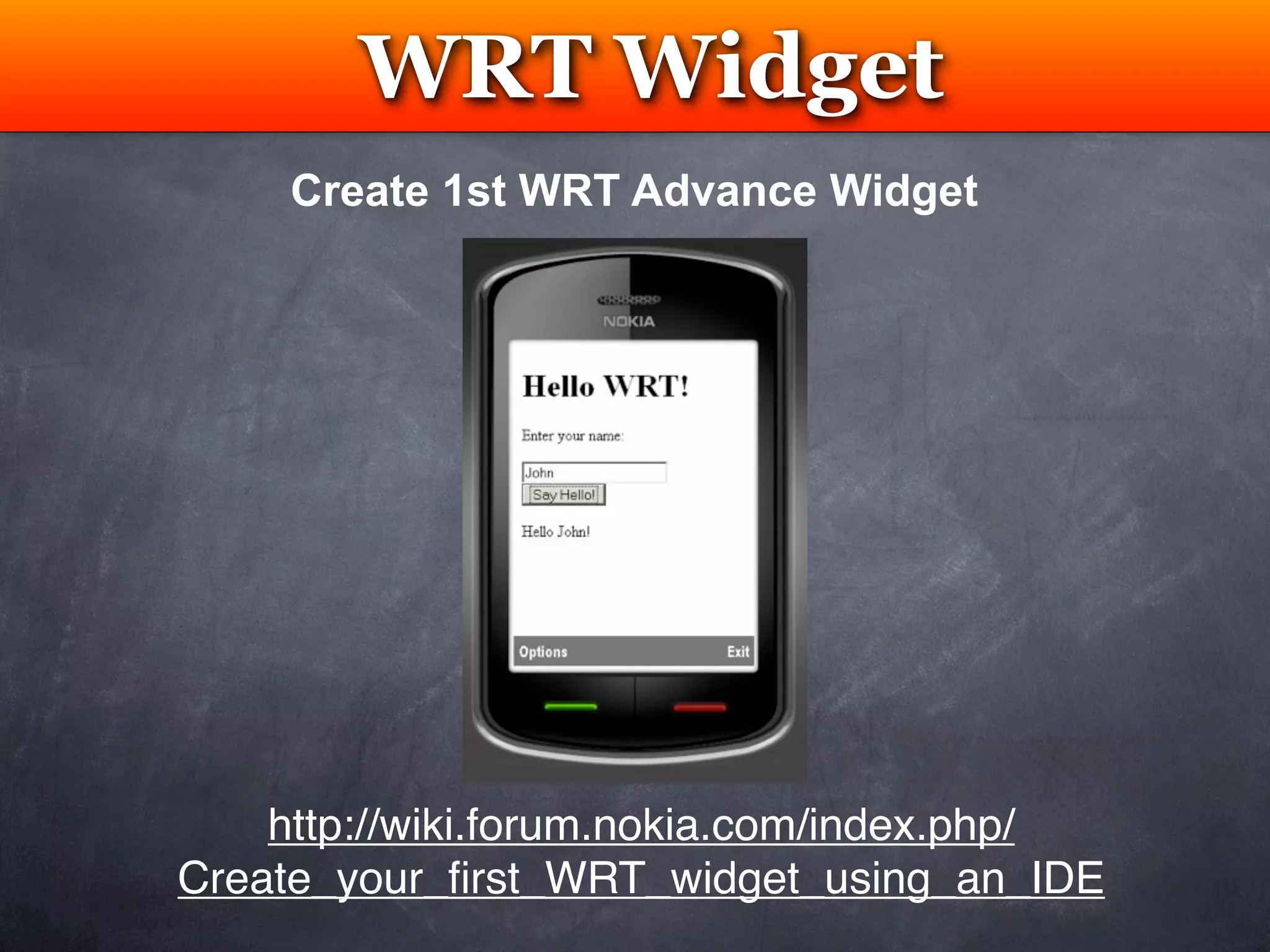
     Create 1st WRT Advance Widget


    http://wiki.forum.nokia.com/index.php/
Create_your_first_WRT_widget_using_an_IDE
Advance WRT Widget
            Testing
 Advantages
  •   Preview, debug, validate, package, and deploy
  •   Code completion for Web Runtime API
  •   Sample data for platform services API
  •   Ability to create device events


                           Adobe               Microsoft
Aptana Studio
                        Dreamweaver          Visual Studio
Advance WRT Widget
         Testing
APIBridge
• Enables WRT widgets to communicate with
  Symbian plug-ins
• Plug-in architecture to add access to any Symbian
  features
• Tool package includes JavaScript code that
  support APIBridge and a .SIS file that adds the
  plug-ins to Symbian devices
Advance WRT Widget
           Testing
APIBridge Exmaples
•   Upload files to website
•   Capture videos, images, audios
•   Read files resident on a device
•   Resize images
•   Access and create thumbnail images
•   Access device’s log
•   Access device’s location
•   Access media on device
•   Issue DTMF tones to a active call
Advance WRT Widget
         Testing
Nokia Platform Services 2.0

• JavaScript API to access device data & info
• Addition of one or two lines of JavaScript code into a widget
• Access location, contact


   http://www.forum.nokia.com/info/sw.nokia.com/id/cccea743-f4e5-418f-
          ad9f-0a7a7f50868f/Nokia_Platform_Services_2_0.html
END

Create Nokia WRT Widget App

  • 1.
    Develope WRT Appin Nokia S40 & S60 Web Runtime Widget Using HTML, CSS, JavaScript Bess Ho
  • 2.
    WRT Nokia S60 Screen Size: 640x360 pixels Screen Ratio (16:9) Touch and/or Keypad Nokia S40 Screen Size: 320x240 pixels Screen Ratio (4:3) Keypad
  • 3.
    GPS Microphone (Geo) Camera (Audio) (Photo / Video) Magentometer (Compass) Accelerometer Touch (XZY) (Device Orientation) Wireless Bluetooth (File) Data Plan / WiFi Memory Card (Web) (Data) USB Cable SMS (Data) (Data)
  • 4.
  • 5.
    Aptana - IDE Testing Download & Install Aptana Studio FREE Open Source http://www.aptana.org/studio/download
  • 6.
    WRT Plug-in Testing Download Nokia WRT Plugins
  • 7.
    WRT Plug-in Testing InstallNokia WRT Plugins
  • 8.
    WRT Plug-in Testing Accept License for Nokia WRT Plugins
  • 9.
    Create a WRTWidget New Project
  • 10.
    WRT Plug-in Testing Accept License for Nokia WRT Plugins
  • 11.
  • 12.
    WRT Plug-in Testing Select Basic Widget Project
  • 13.
    WRT Plug-in Testing Create a New Basic Widget Project
  • 14.
    WRT Plug-in Testing Createa Project Settings
  • 15.
    WRT Plug-in Testing Widget automically generate 4 files info.plist index.html container for Flash Lite container for Flash Lite SWF content SWF content basic.css basic.js design & layout of logic layer widget’s contents
  • 16.
    WRT Plug-in Testing Optional: Adding an application icon • No custom icon is added, a default icon is shown • Custom icon is in PNG and named as icon.png • Icon size is 88x88 pixels • Icon is in the same directory at the root Submission Requirement • Minimal 256x256 pixel • Maximal 2000x2000 pixel
  • 17.
  • 18.
    WRT Plug-in Testing info.plist <plist version =”1.0”> ... </plist>
  • 19.
    WRT Plug-in Testing info.plist <dict> <key>DisplayName</key> <string>text</string> ... </dict>
  • 20.
    WRT Plug-in Testing info.plist <dict> ... <key>Identifier</key> <string>com.text.basic.widget</string> ... </dict>
  • 21.
    WRT Plug-in Testing info.plist <dict> ... <key>Version</key> <string>1.0</string> ... </dict>
  • 22.
    WRT Plug-in Testing info.plist <dict> ... <key>AllowNetworkAccess</key> <true/> ... </dict>
  • 23.
    WRT Plug-in Testing info.plist <dict> ... <key>MainHTML</key> <string>index.html<string/> ... </dict>
  • 24.
    WRT Plug-in Testing info.plist <dict> ... <key>MiniViewEnabled</key> <false/> ... </dict>
  • 25.
    WRT Plug-in Testing OR info.plist <dict> ... <key>MiniViewEnabled</key> <true/> ... </dict> • widget should have a static part to be shown on the home screen of the device • Use Homescreen widget guidelines to add the widget to the home screen of the device (Available on limited Nokia such as Nokia N97)
  • 26.
  • 27.
  • 28.
    WRT Plug-in Testing Launch Method Pros Cons Ability to add Content appears HTML embedded assets around in browser SWF context White blank Widget content screen after exit. SWF Launch appears as Prompt user to stand-alone SWF save SWF on exit Customized <meta> Refresh Simple HTML content in Launch refresh tag original window
  • 29.
  • 30.
    WRT Project Testing 1) Create a Flash Lite project .fla 2) Publish Flash Lite .fla into .swf and .html 3) Open *.html and copy <object> code only 4) Insert the code into WRT Widget index.html inside HTML <body> tag 5) Import .SWF into WRT Widget
  • 31.
    Adobe Flash Testing Create a New Flash file (Mobile)
  • 32.
    Adobe Flash Testing Select Target Device
  • 33.
    Adobe Flash Testing Select Player Version, ActionScript Version, Content Type
  • 34.
    Adobe Flash Testing Save .fla
  • 35.
    Adobe Flash Testing Create a new layer “Background”
  • 36.
    Adobe Flash Testing Select frame 1 on layer “Background” & Import to Stage...
  • 37.
    Adobe Flash Testing Select frame 1 on layer “Background”
  • 38.
    Adobe Flash Testing Select frame 1 on layer 1 and rename “ActionScript”
  • 39.
    Adobe Flash Testing Select frame 1 on layer “ActionScript” and open layer
  • 40.
    Adobe Flash Testing Save file as .fla
  • 41.
    Adobe Flash Testing Start coding in ActionScript...
  • 42.
    WRT Project Testing 1) Create a Flash Lite project .fla 2) Publish Flash Lite .fla into .swf and .html 3) Open *.html and copy <object> code only 4) Insert the code into WRT Widget index.html inside HTML <body> tag 5) Import .SWF into WRT Widget
  • 43.
    Adobe Flash Testing Publisher Settings & Publish .fla into .swf
  • 44.
    WRT Project Testing 1) Create a Flash Lite project .fla 2) Publish Flash Lite .fla into .swf and .html 3) Open *.html and copy <object> code only 4) Insert the code into WRT Widget index.html inside HTML <body> tag 5) Import .SWF into WRT Widget
  • 45.
    WRT Project Testing <object classid="clsid:d27cdb6e- ae6d-11cf-96b8-444553540000" codebase="http:// download.macromedia.com/pub/shockwave/cabs/flash/ swflash.cab#version=8,0,0,0" width="360" height="490" id="widget" align="middle"> <param name="allowScriptAccess" value="sameDomain" /> <param name="allowFullScreen" value="false" /> <param name="movie" value="widget.swf" /> <param name="quality" value="high" /> <param name="bgcolor" value="#ffffff" /> <embed src="widget.swf" quality="high" bgcolor="#ffffff" width="360" height="490" name="widget" align="middle" allowScriptAccess="sameDomain" allowFullScreen="false" type="application/x- shockwave-flash" pluginspage="http://www.adobe.com/ go/getflashplayer" /> </object>
  • 46.
    WRT Project Testing 1) Create a Flash Lite project .fla 2) Publish Flash Lite .fla into .swf and .html 3) Open *.html and copy <object> code only 4) Insert the code into WRT Widget index.html inside HTML <body> tag 5) Import .SWF into WRT Widget
  • 47.
  • 48.
    WRT Project Testing 1) Create a Flash Lite project .fla 2) Publish Flash Lite .fla into .swf and .html 3) Open *.html and copy <object> code only 4) Insert the code into WRT Widget index.html inside HTML <body> tag 5) Import .SWF into WRT Widget
  • 49.
    WRT Project Testing File > Import
  • 50.
    WRT Project Testing SelectGeneral > File System
  • 51.
    WRT Project Testing Select folder From Directory and select .swf
  • 52.
  • 53.
  • 54.
    WRT Project Testing View .swf inside the Project inside Projects Panel
  • 55.
    WRT Project Testing Right Click on Project and Select “Package Widget”
  • 56.
  • 57.
    Testing Nokia Developer Forum Registered Nokia Developer Benefits Emulator Device Emulator Nokia Device Anywhere Browser Nokia Remote Device Access (RDA) Service S60 Device
  • 58.
    Testing Browser To test the widget in a browser, just open the index.html
  • 59.
    Testing Emulator • N97 SDK emulator can verify a homescreen widget that display on homescreen • Nokia WRT plug-in has preview feature supported by Aptana Studio Download Nokia S60 SDK Nokia N97 Nokia 5th Edition Nokia 3rd Edition Feature Package 2 http://www.forum.nokia.com/info/sw.nokia.com/id/ec866fab-4b76-49f6-b5a5- af0631419e9c/S60_All_in_One_SDKs.html
  • 60.
    Testing: Device Testing PC Use Nokia PC Suite to connect the mobile phone using 1) Bluetooth or 2) USB cable. Double click on the .wgz package to install and open the app Mac Use 1) Bluetooth or 2) USB cable to transfer the .wgz package from Memory Card. Use File Manager App to install the package. Open the app in the App.
  • 61.
    Testing Nokia Device Anywhere https://www.deviceanywhere.com/nokia/welcome.htm • Hundred of models • Can’t test location • Avoid purchase • Can’t test accelerometer • FREE • Can’t test sound • Limited to no. of hrs per month
  • 62.
    Testing Nokia Remote Device Access http://www.forum.nokia.com/Technology_Topics/ Application_Quality/Testing/Remote_Device_Access • Hundred of models • Can’t test location • Avoid purchase • Can’t test accelerometer • FREE • Can’t test sound • Limited to no. of hrs per day
  • 63.
  • 64.
    Nokia Packaging App WRT Symbian .WGZ .SIS Symbian Publisher ID $200 per year No Signing Symbian Signed Acct
  • 65.
    Nokia OVI Store OVIStore http://www.ovi.com
  • 66.
  • 67.
  • 68.
  • 69.
    WRT Widget Testing Create 1st WRT Widget http://wiki.forum.nokia.com/index.php/ Create_your_first_WRT_widget
  • 70.
    WRT Widget Testing Basic WRT Widget works 1) WRT-supported S60 3rd Edition Feature Pack 2 Nokia E72 or Nokia N96 2) WRT-supported S60 5th Edition Nokia 5800 XpressMusic or Nokia N97 3) SDK emulator
  • 71.
  • 72.
    WRT Widget Testing Create 1st WRT Advance Widget http://wiki.forum.nokia.com/index.php/ Create_your_first_WRT_widget_using_an_IDE
  • 73.
    Advance WRT Widget Testing Advantages • Preview, debug, validate, package, and deploy • Code completion for Web Runtime API • Sample data for platform services API • Ability to create device events Adobe Microsoft Aptana Studio Dreamweaver Visual Studio
  • 74.
    Advance WRT Widget Testing APIBridge • Enables WRT widgets to communicate with Symbian plug-ins • Plug-in architecture to add access to any Symbian features • Tool package includes JavaScript code that support APIBridge and a .SIS file that adds the plug-ins to Symbian devices
  • 75.
    Advance WRT Widget Testing APIBridge Exmaples • Upload files to website • Capture videos, images, audios • Read files resident on a device • Resize images • Access and create thumbnail images • Access device’s log • Access device’s location • Access media on device • Issue DTMF tones to a active call
  • 76.
    Advance WRT Widget Testing Nokia Platform Services 2.0 • JavaScript API to access device data & info • Addition of one or two lines of JavaScript code into a widget • Access location, contact http://www.forum.nokia.com/info/sw.nokia.com/id/cccea743-f4e5-418f- ad9f-0a7a7f50868f/Nokia_Platform_Services_2_0.html
  • 77.