Control Statements
Control Statements in C
1. if statement
2. If else statements
3. nested if else statement
4. if-else-if ladder
5. switch statement
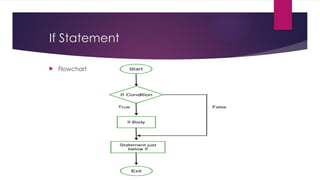
If Statement
if statement is the most simple decision making statement. It is used to decide whether a
certain statement or block of statements will be executed or not i.e. if a certain condition
is true then a block of statement is executed otherwise not.
Syntax:
if(condition)
{
// Statements to execute if
// condition is true
}
If Statement
If we do not provide the curly braces ‘{‘ and ‘}’ after if(condition) then by default if
statement will consider the first immediately below statement to be inside its block.
Example:
if(condition)
statement1;
statement2;
Statement X;
// Here if the condition is true, if block will consider only statement1
to be inside its block.
If Statement
 Flowchart
If Statement
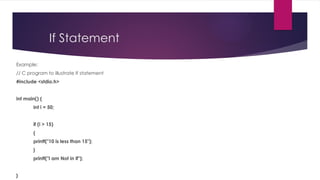
Example:
// C program to illustrate If statement
#include <stdio.h>
int main() {
int i = 50;
if (i > 15)
{
printf("10 is less than 15");
}
printf("I am Not in if");
}
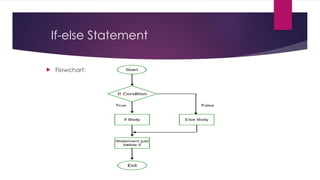
If-else Statement
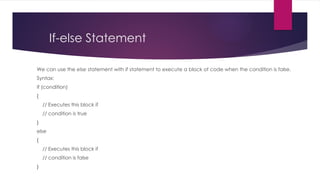
We can use the else statement with if statement to execute a block of code when the condition is false.
Syntax:
if (condition)
{
// Executes this block if
// condition is true
}
else
{
// Executes this block if
// condition is false
}
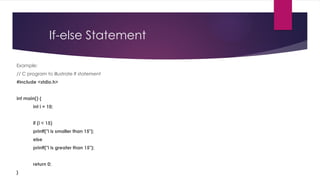
If-else Statement
 Flowchart:
If-else Statement
Example:
// C program to illustrate If statement
#include <stdio.h>
int main() {
int i = 10;
if (i < 15)
printf("i is smaller than 15");
else
printf("i is greater than 15");
return 0;
}
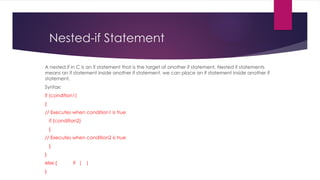
Nested-if Statement
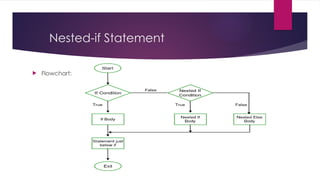
A nested if in C is an if statement that is the target of another if statement. Nested if statements
means an if statement inside another if statement. we can place an if statement inside another if
statement.
Syntax:
if (condition1)
{
// Executes when condition1 is true
if (condition2)
{
// Executes when condition2 is true
}
}
else { if ( )
}
Nested-if Statement
 Flowchart:
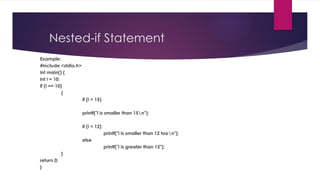
Nested-if Statement
Example:
#include <stdio.h>
int main() {
int i = 10;
if (i == 10)
{
if (i < 15)
printf("i is smaller than 15n");
if (i < 12)
printf("i is smaller than 12 toon");
else
printf("i is greater than 15");
}
return 0;
}
Nested-if Statement
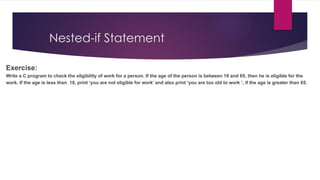
Exercise:
Write a C program to check the eligibility of work for a person. If the age of the person is between 18 and 65, then he is eligible for the
work. If the age is less than 18, print ‘you are not eligible for work’ and also print ‘you are too old to work ’, if the age is greater than 65.
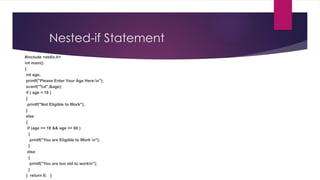
Nested-if Statement
#include <stdio.h>
int main()
{
int age;
printf("Please Enter Your Age Here:n");
scanf("%d",&age);
if ( age < 18 )
{
printf("Not Eligible to Work");
}
else
{
if (age >= 18 && age <= 60 )
{
printf("You are Eligible to Work n");
}
else
{
printf("You are too old to workn");
}
} return 0; }
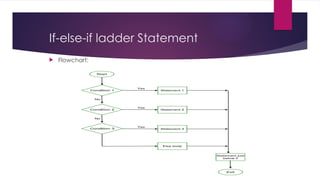
If-else-if ladder Statement
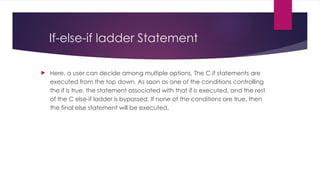
 Here, a user can decide among multiple options. The C if statements are
executed from the top down. As soon as one of the conditions controlling
the if is true, the statement associated with that if is executed, and the rest
of the C else-if ladder is bypassed. If none of the conditions are true, then
the final else statement will be executed.
If-else-if ladder Statement
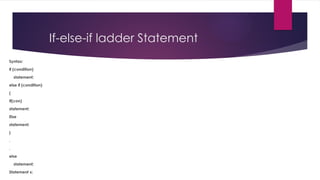
Syntax:
if (condition)
statement;
else if (condition)
{
If(con)
statement;
Else
statement;
}
.
.
else
statement;
Statement x;
If-else-if ladder Statement
 Flowchart:
If-else-if ladder Statement
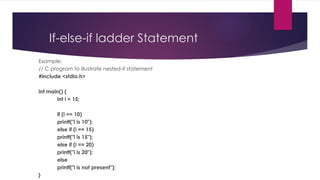
Example:
// C program to illustrate nested-if statement
#include <stdio.h>
int main() {
int i = 15;
if (i == 10)
printf("i is 10");
else if (i == 15)
printf("i is 15");
else if (i == 20)
printf("i is 20");
else
printf("i is not present");
}
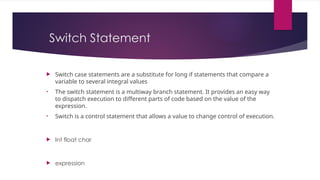
Switch Statement
 Switch case statements are a substitute for long if statements that compare a
variable to several integral values
• The switch statement is a multiway branch statement. It provides an easy way
to dispatch execution to different parts of code based on the value of the
expression.
• Switch is a control statement that allows a value to change control of execution.
 Int float char
 expression
Switch Statement
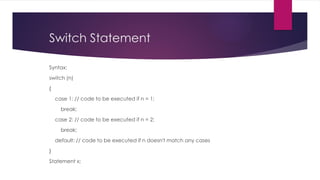
Syntax:
switch (n)
{
case 1: // code to be executed if n = 1;
break;
case 2: // code to be executed if n = 2;
break;
default: // code to be executed if n doesn't match any cases
}
Statement x;
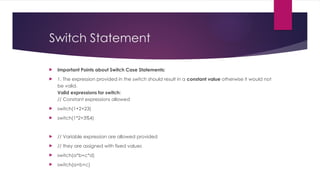
Switch Statement
 Important Points about Switch Case Statements:
 1. The expression provided in the switch should result in a constant value otherwise it would not
be valid.
Valid expressions for switch:
// Constant expressions allowed
 switch(1+2+23)
 switch(1*2+3%4)
 // Variable expression are allowed provided
 // they are assigned with fixed values
 switch(a*b+c*d)
 switch(a+b+c)
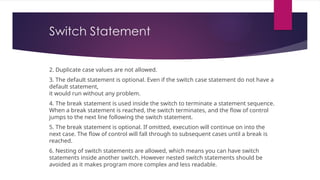
Switch Statement
2. Duplicate case values are not allowed.
3. The default statement is optional. Even if the switch case statement do not have a
default statement,
it would run without any problem.
4. The break statement is used inside the switch to terminate a statement sequence.
When a break statement is reached, the switch terminates, and the flow of control
jumps to the next line following the switch statement.
5. The break statement is optional. If omitted, execution will continue on into the
next case. The flow of control will fall through to subsequent cases until a break is
reached.
6. Nesting of switch statements are allowed, which means you can have switch
statements inside another switch. However nested switch statements should be
avoided as it makes program more complex and less readable.
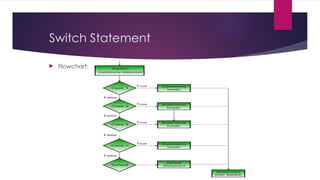
Switch Statement
 Flowchart:
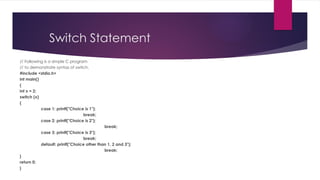
Switch Statement
// Following is a simple C program
// to demonstrate syntax of switch.
#include <stdio.h>
int main()
{
int x = 2;
switch (x)
{
case 1: printf("Choice is 1");
break;
case 2: printf("Choice is 2");
break;
case 3: printf("Choice is 3");
break;
default: printf("Choice other than 1, 2 and 3");
break;
}
return 0;
}
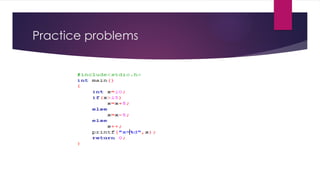
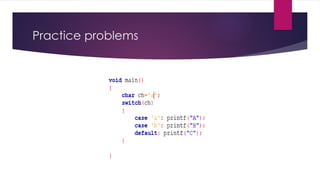
Practice problems
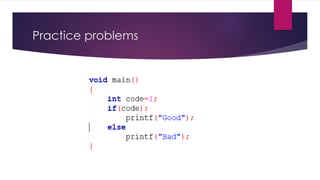
Practice problems
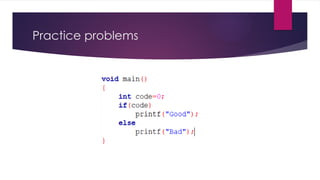
Practice problems
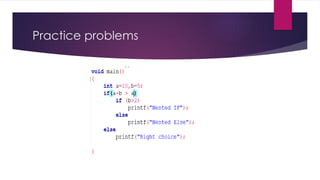
Practice problems
Practice problems

control-statements in C Language MH.pptx

  • 1.
  • 2.
    Control Statements inC 1. if statement 2. If else statements 3. nested if else statement 4. if-else-if ladder 5. switch statement
  • 3.
    If Statement if statementis the most simple decision making statement. It is used to decide whether a certain statement or block of statements will be executed or not i.e. if a certain condition is true then a block of statement is executed otherwise not. Syntax: if(condition) { // Statements to execute if // condition is true }
  • 4.
    If Statement If wedo not provide the curly braces ‘{‘ and ‘}’ after if(condition) then by default if statement will consider the first immediately below statement to be inside its block. Example: if(condition) statement1; statement2; Statement X; // Here if the condition is true, if block will consider only statement1 to be inside its block.
  • 5.
  • 6.
    If Statement Example: // Cprogram to illustrate If statement #include <stdio.h> int main() { int i = 50; if (i > 15) { printf("10 is less than 15"); } printf("I am Not in if"); }
  • 7.
    If-else Statement We canuse the else statement with if statement to execute a block of code when the condition is false. Syntax: if (condition) { // Executes this block if // condition is true } else { // Executes this block if // condition is false }
  • 8.
  • 9.
    If-else Statement Example: // Cprogram to illustrate If statement #include <stdio.h> int main() { int i = 10; if (i < 15) printf("i is smaller than 15"); else printf("i is greater than 15"); return 0; }
  • 10.
    Nested-if Statement A nestedif in C is an if statement that is the target of another if statement. Nested if statements means an if statement inside another if statement. we can place an if statement inside another if statement. Syntax: if (condition1) { // Executes when condition1 is true if (condition2) { // Executes when condition2 is true } } else { if ( ) }
  • 11.
  • 12.
    Nested-if Statement Example: #include <stdio.h> intmain() { int i = 10; if (i == 10) { if (i < 15) printf("i is smaller than 15n"); if (i < 12) printf("i is smaller than 12 toon"); else printf("i is greater than 15"); } return 0; }
  • 13.
    Nested-if Statement Exercise: Write aC program to check the eligibility of work for a person. If the age of the person is between 18 and 65, then he is eligible for the work. If the age is less than 18, print ‘you are not eligible for work’ and also print ‘you are too old to work ’, if the age is greater than 65.
  • 14.
    Nested-if Statement #include <stdio.h> intmain() { int age; printf("Please Enter Your Age Here:n"); scanf("%d",&age); if ( age < 18 ) { printf("Not Eligible to Work"); } else { if (age >= 18 && age <= 60 ) { printf("You are Eligible to Work n"); } else { printf("You are too old to workn"); } } return 0; }
  • 15.
    If-else-if ladder Statement Here, a user can decide among multiple options. The C if statements are executed from the top down. As soon as one of the conditions controlling the if is true, the statement associated with that if is executed, and the rest of the C else-if ladder is bypassed. If none of the conditions are true, then the final else statement will be executed.
  • 16.
    If-else-if ladder Statement Syntax: if(condition) statement; else if (condition) { If(con) statement; Else statement; } . . else statement; Statement x;
  • 17.
  • 18.
    If-else-if ladder Statement Example: //C program to illustrate nested-if statement #include <stdio.h> int main() { int i = 15; if (i == 10) printf("i is 10"); else if (i == 15) printf("i is 15"); else if (i == 20) printf("i is 20"); else printf("i is not present"); }
  • 19.
    Switch Statement  Switchcase statements are a substitute for long if statements that compare a variable to several integral values • The switch statement is a multiway branch statement. It provides an easy way to dispatch execution to different parts of code based on the value of the expression. • Switch is a control statement that allows a value to change control of execution.  Int float char  expression
  • 20.
    Switch Statement Syntax: switch (n) { case1: // code to be executed if n = 1; break; case 2: // code to be executed if n = 2; break; default: // code to be executed if n doesn't match any cases } Statement x;
  • 21.
    Switch Statement  ImportantPoints about Switch Case Statements:  1. The expression provided in the switch should result in a constant value otherwise it would not be valid. Valid expressions for switch: // Constant expressions allowed  switch(1+2+23)  switch(1*2+3%4)  // Variable expression are allowed provided  // they are assigned with fixed values  switch(a*b+c*d)  switch(a+b+c)
  • 22.
    Switch Statement 2. Duplicatecase values are not allowed. 3. The default statement is optional. Even if the switch case statement do not have a default statement, it would run without any problem. 4. The break statement is used inside the switch to terminate a statement sequence. When a break statement is reached, the switch terminates, and the flow of control jumps to the next line following the switch statement. 5. The break statement is optional. If omitted, execution will continue on into the next case. The flow of control will fall through to subsequent cases until a break is reached. 6. Nesting of switch statements are allowed, which means you can have switch statements inside another switch. However nested switch statements should be avoided as it makes program more complex and less readable.
  • 23.
  • 24.
    Switch Statement // Followingis a simple C program // to demonstrate syntax of switch. #include <stdio.h> int main() { int x = 2; switch (x) { case 1: printf("Choice is 1"); break; case 2: printf("Choice is 2"); break; case 3: printf("Choice is 3"); break; default: printf("Choice other than 1, 2 and 3"); break; } return 0; }
  • 25.
  • 26.
  • 27.
  • 28.
  • 29.