T.Priya
Assistant Professor
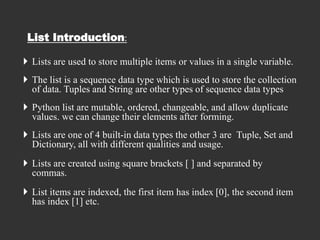
 Lists are used to store multiple items or values in a single variable.
 The list is a sequence data type which is used to store the collection
of data. Tuples and String are other types of sequence data types
 Python list are mutable, ordered, changeable, and allow duplicate
values. we can change their elements after forming.
 Lists are one of 4 built-in data types the other 3 are Tuple, Set and
Dictionary, all with different qualities and usage.
 Lists are created using square brackets [ ] and separated by
commas.
 List items are indexed, the first item has index [0], the second item
has index [1] etc.
List Introduction:
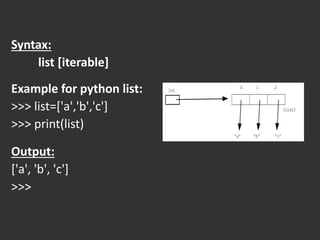
Syntax:
list [iterable]
Example for python list:
>>> list=['a','b','c']
>>> print(list)
Output:
['a', 'b', 'c']
>>>
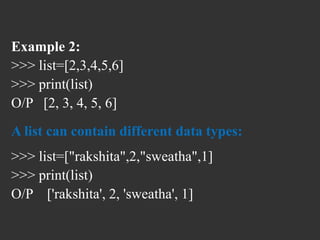
Example 2:
>>> list=[2,3,4,5,6]
>>> print(list)
O/P [2, 3, 4, 5, 6]
A list can contain different data types:
>>> list=["rakshita",2,"sweatha",1]
>>> print(list)
O/P ['rakshita', 2, 'sweatha', 1]
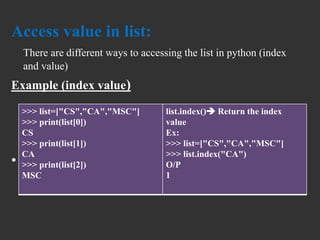
Access value in list:
There are different ways to accessing the list in python (index
and value)
Example (index value)
•
>>> list=["CS","CA","MSC"]
>>> print(list[0])
CS
>>> print(list[1])
CA
>>> print(list[2])
MSC
list.index() Return the index
value
Ex:
>>> list=["CS","CA","MSC"]
>>> list.index("CA")
O/P
1
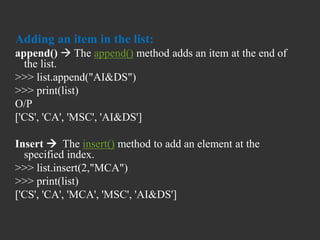
Adding an item in the list:
append()  The append() method adds an item at the end of
the list.
>>> list.append("AI&DS")
>>> print(list)
O/P
['CS', 'CA', 'MSC', 'AI&DS']
Insert  The insert() method to add an element at the
specified index.
>>> list.insert(2,"MCA")
>>> print(list)
['CS', 'CA', 'MCA', 'MSC', 'AI&DS']
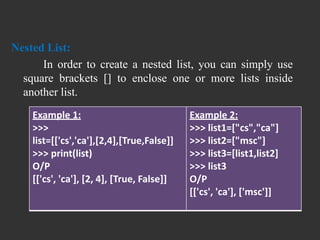
Nested List:
In order to create a nested list, you can simply use
square brackets [] to enclose one or more lists inside
another list.
Example 1:
>>>
list=[['cs','ca'],[2,4],[True,False]]
>>> print(list)
O/P
[['cs', 'ca'], [2, 4], [True, False]]
Example 2:
>>> list1=["cs","ca"]
>>> list2=["msc"]
>>> list3=[list1,list2]
>>> list3
O/P
[['cs', 'ca'], ['msc']]
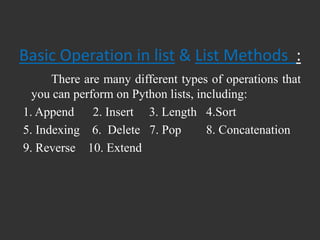
Basic Operation in list & List Methods :
There are many different types of operations that
you can perform on Python lists, including:
1. Append 2. Insert 3. Length 4.Sort
5. Indexing 6. Delete 7. Pop 8. Concatenation
9. Reverse 10. Extend
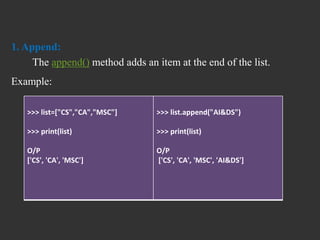
1. Append:
The append() method adds an item at the end of the list.
Example:
>>> list=["CS","CA","MSC"]
>>> print(list)
O/P
['CS', 'CA', 'MSC']
>>> list.append("AI&DS")
>>> print(list)
O/P
['CS', 'CA', 'MSC', 'AI&DS']
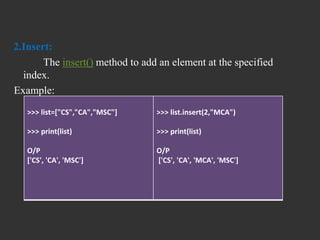
2.Insert:
The insert() method to add an element at the specified
index.
Example:
>>> list=["CS","CA","MSC"]
>>> print(list)
O/P
['CS', 'CA', 'MSC']
>>> list.insert(2,"MCA")
>>> print(list)
O/P
['CS', 'CA', 'MCA', 'MSC']
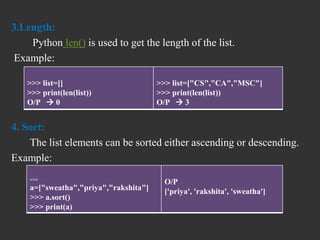
3.Length:
Python len() is used to get the length of the list.
Example:
4. Sort:
The list elements can be sorted either ascending or descending.
Example:
>>> list=[]
>>> print(len(list))
O/P  0
>>> list=["CS","CA","MSC"]
>>> print(len(list))
O/P  3
>>>
a=["sweatha","priya","rakshita"]
>>> a.sort()
>>> print(a)
O/P
['priya', 'rakshita', 'sweatha']
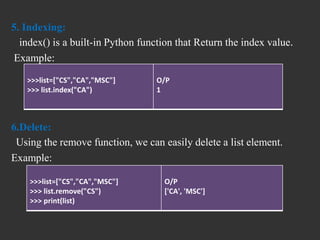
5. Indexing:
index() is a built-in Python function that Return the index value.
Example:
6.Delete:
Using the remove function, we can easily delete a list element.
Example:
>>>list=["CS","CA","MSC"]
>>> list.index("CA")
O/P
1
>>>list=["CS","CA","MSC"]
>>> list.remove("CS")
>>> print(list)
O/P
['CA', 'MSC']
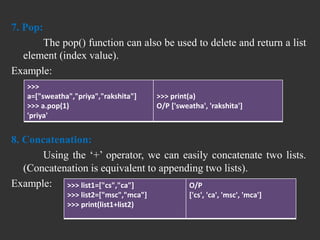
7. Pop:
The pop() function can also be used to delete and return a list
element (index value).
Example:
8. Concatenation:
Using the ‘+’ operator, we can easily concatenate two lists.
(Concatenation is equivalent to appending two lists).
Example:
>>>
a=["sweatha","priya","rakshita"]
>>> a.pop(1)
'priya'
>>> print(a)
O/P ['sweatha', 'rakshita']
>>> list1=["cs","ca"]
>>> list2=["msc","mca"]
>>> print(list1+list2)
O/P
['cs', 'ca', 'msc', 'mca']
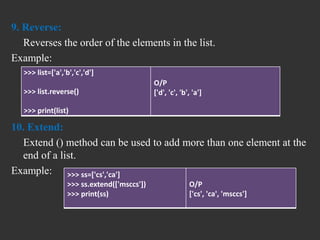
9. Reverse:
Reverses the order of the elements in the list.
Example:
10. Extend:
Extend () method can be used to add more than one element at the
end of a list.
Example:
>>> list=['a','b','c','d']
>>> list.reverse()
>>> print(list)
O/P
['d', 'c', 'b', 'a']
>>> ss=['cs','ca']
>>> ss.extend(['msccs'])
>>> print(ss)
O/P
['cs', 'ca', 'msccs']
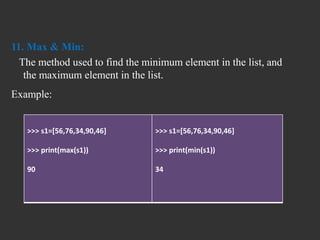
11. Max & Min:
The method used to find the minimum element in the list, and
the maximum element in the list.
Example:
>>> s1=[56,76,34,90,46]
>>> print(max(s1))
90
>>> s1=[56,76,34,90,46]
>>> print(min(s1))
34
Python List.ppt