4. Contract Practice with Remix
KC Tam
Reach KC on LinkedIn: https://www.linkedin.com/in/ktam1/
Objective
Remix IDE is a very handy online tool for Solidity. We will
practice the contract compilation and deployment on a
in-memory Ethereum Network. Finally we show how to
interact with the deployed contract.
Remix
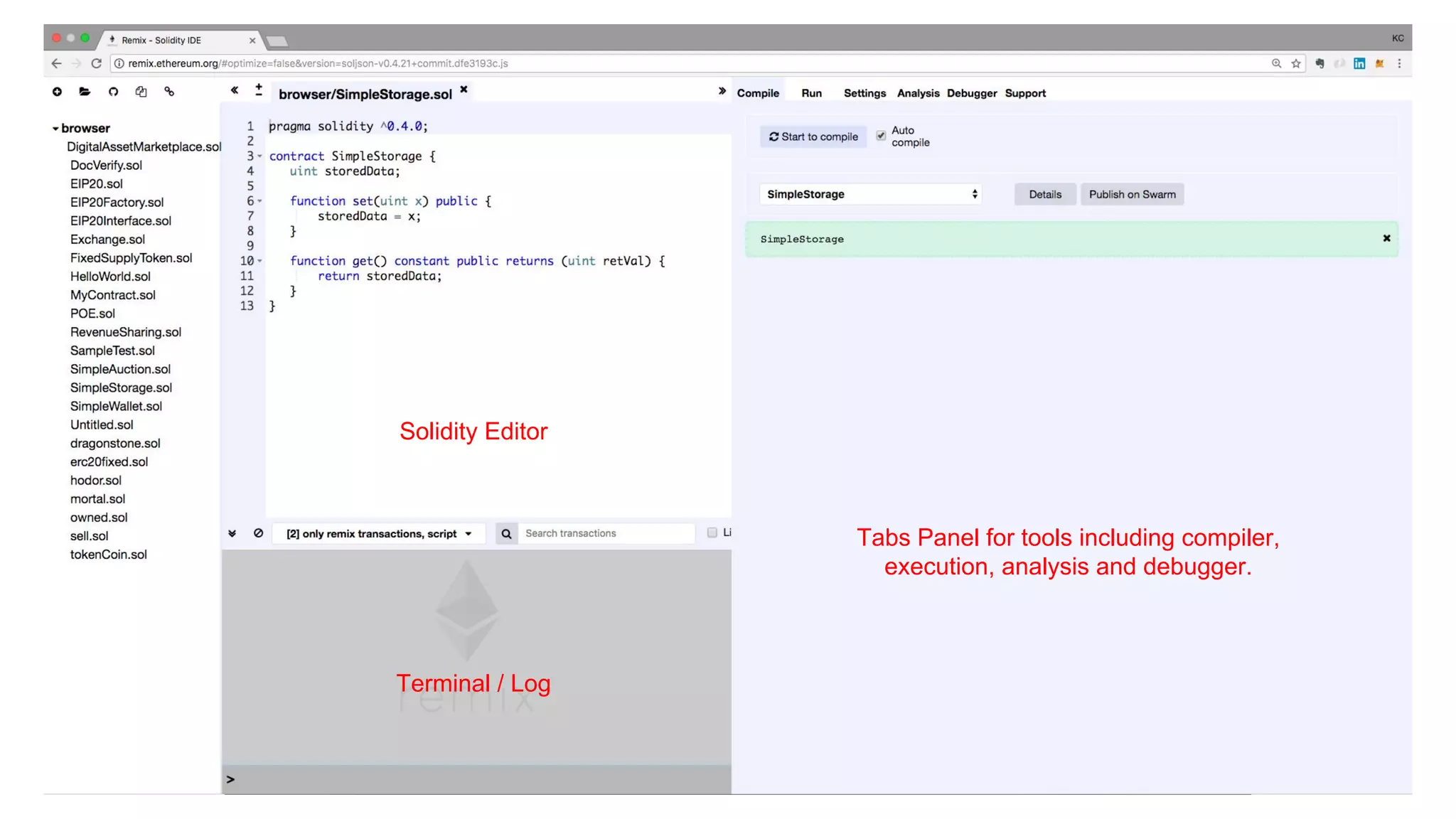
Remix provides an integrated development environment (IDE) for smart contract
development on Solidity.
It comes with editor, terminal, compiler and and handles deployment various
Ethereum environments. It also provides useful tools for debugging and analysis.
It also comes with a graphic interface to interact with the deployed contract.
Tabs Panel for tools including compiler,
execution, analysis and debugger.
Terminal / Log
Solidity Editor
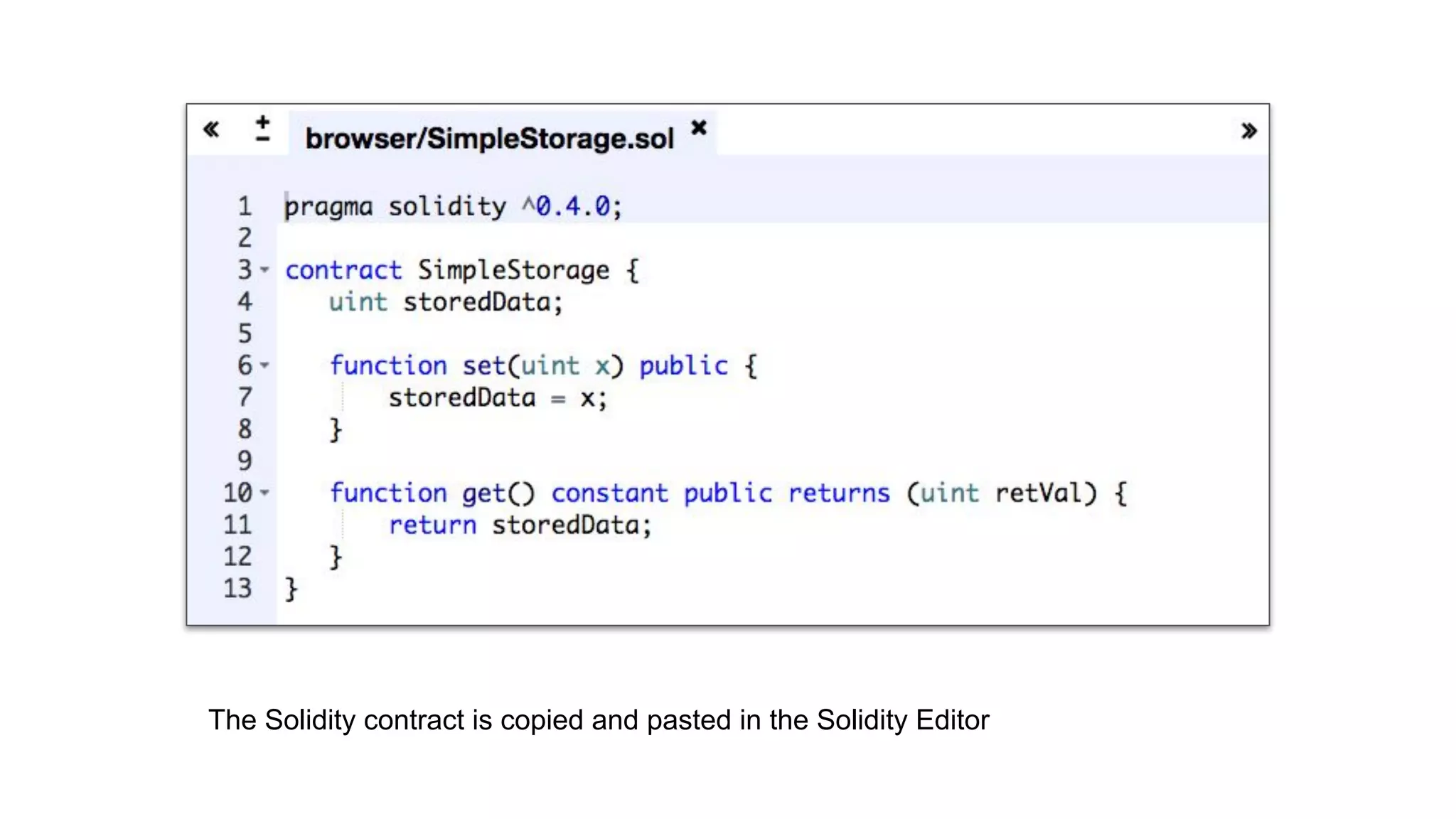
The Solidity contract is copied and pasted in the Solidity Editor
Compilation
By default, Solidity contract pasted in Solidity Editor is automatically compiled.
Any mistakes in the code are shown immediately in both Solidity Editor and Tabs
Panel (Compile)
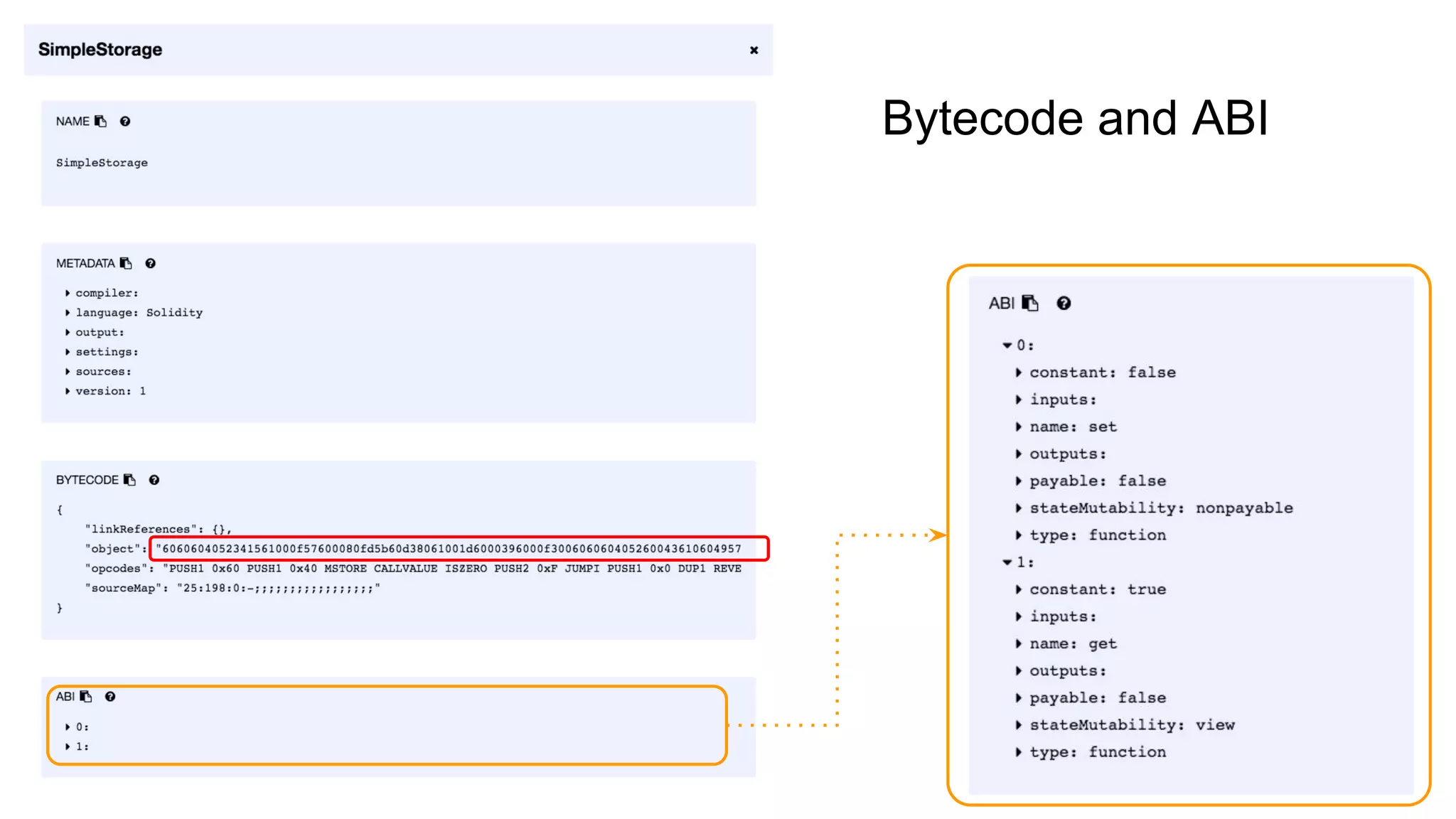
The result of compilation, in particular, the Bytecode and ABI, can be found in
Details .
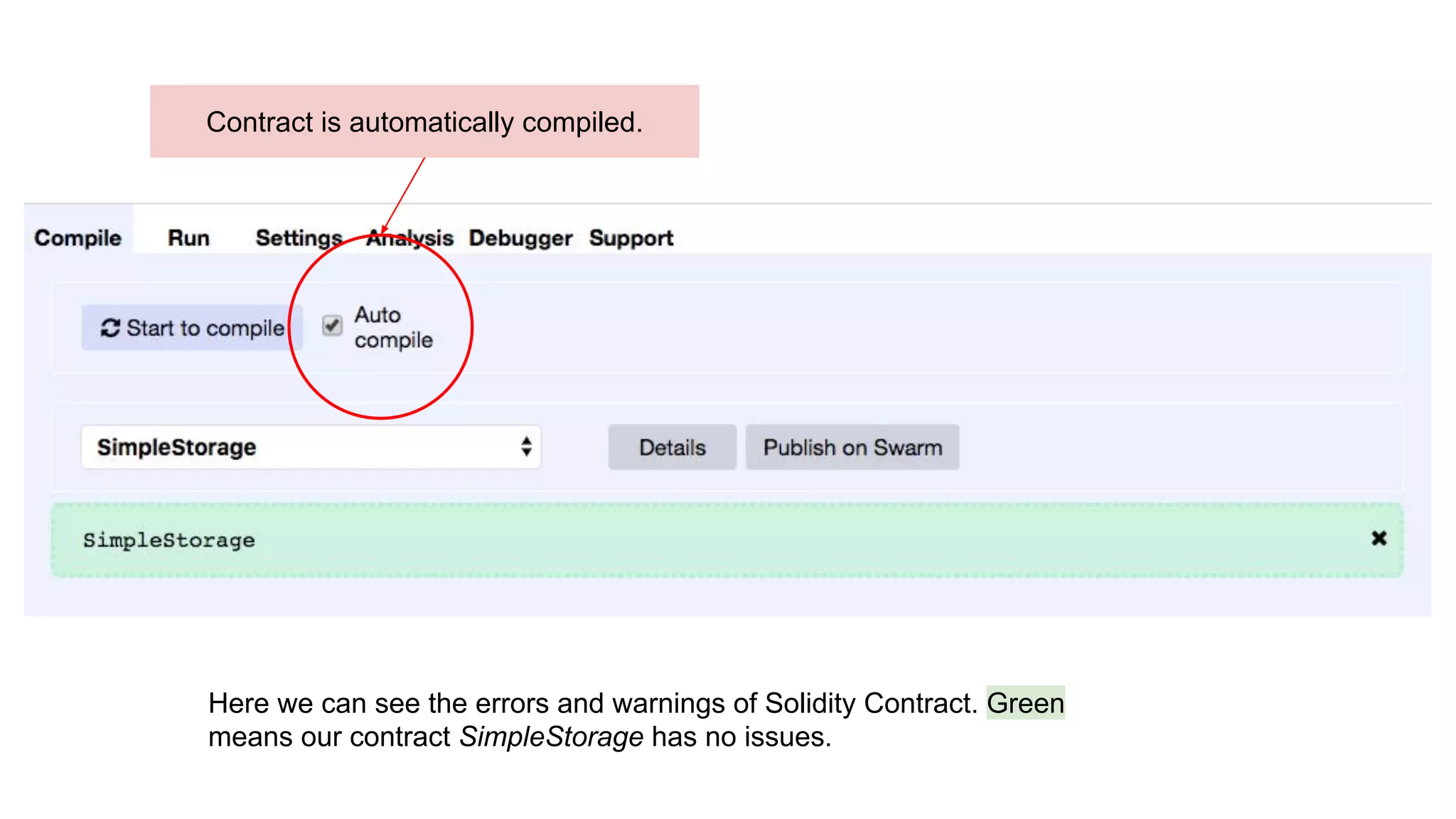
Here we can see the errors and warnings of Solidity Contract. Green
means our contract SimpleStorage has no issues.
Contract is automatically compiled.
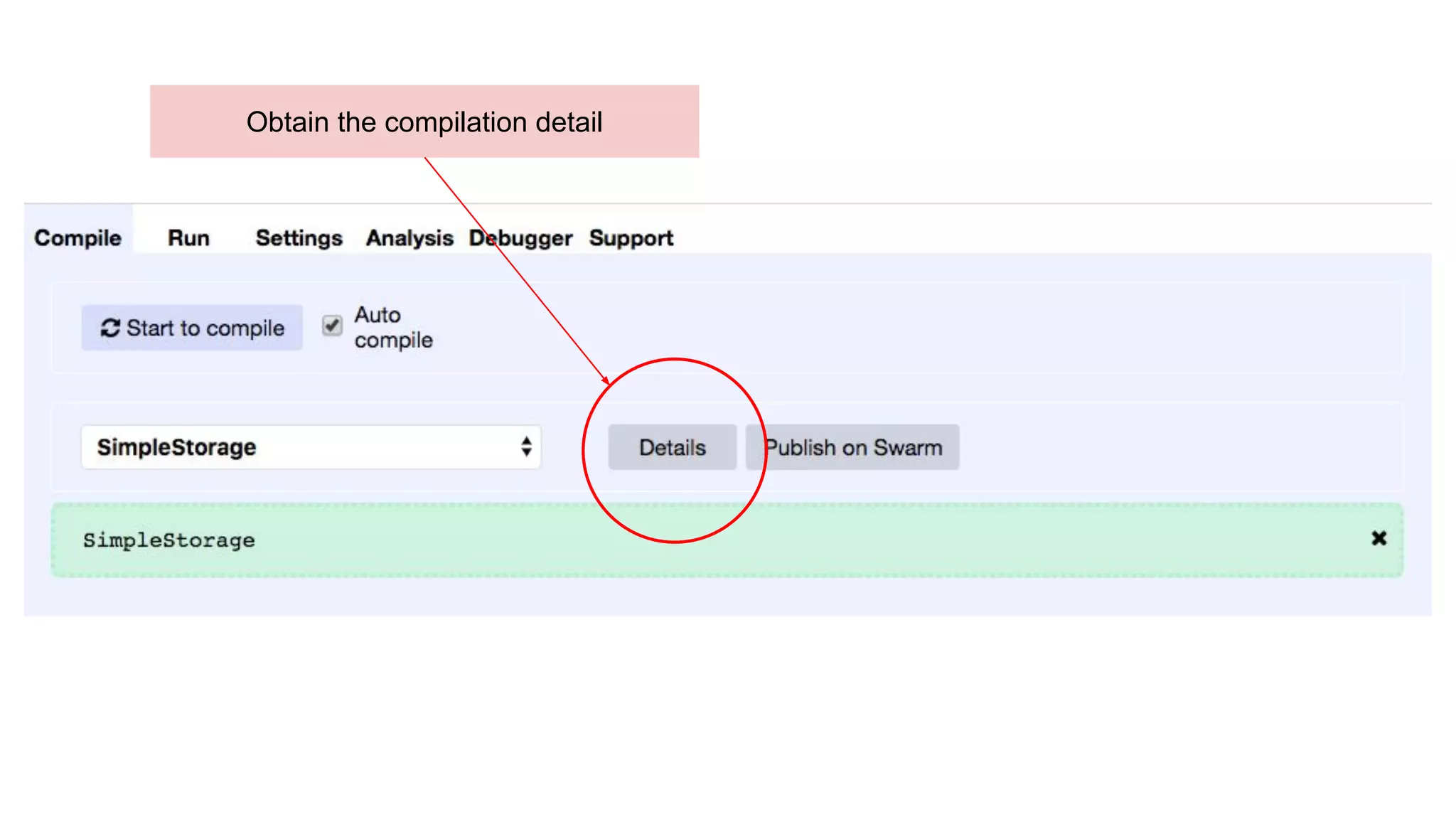
Obtain the compilation detail
Bytecode and ABI
Deploy Contract
In the Run tag we can deploy contract and execute contract functions from the
compiled contract.
Remix allows interaction with different Ethereum Networks.
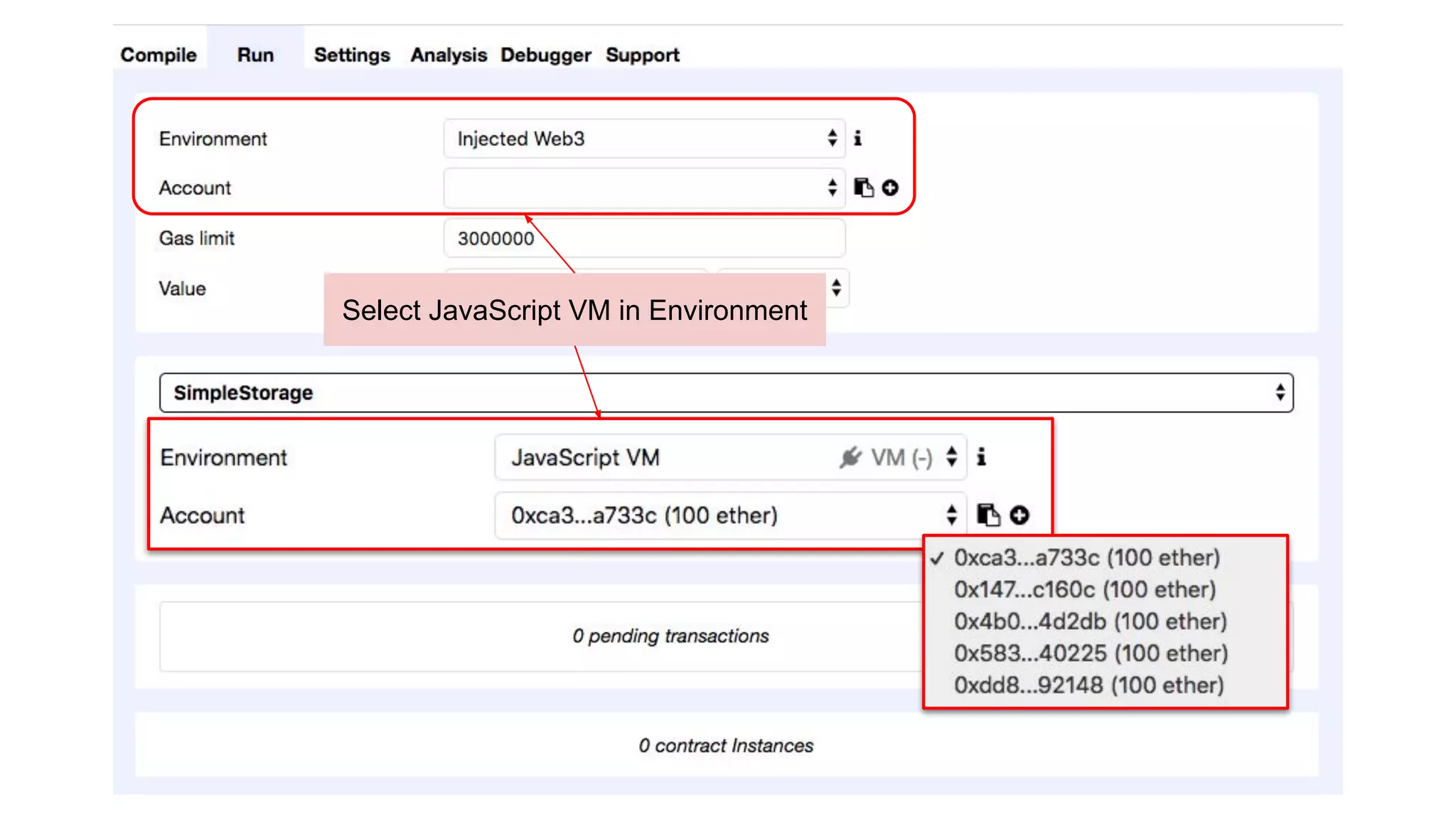
● for simplicity, we are using JavaScript VM (an in-memory Ethereum Network)
● JavaScript VM comes with 5 accounts predeposited with 100 ethers each
Remix handles deployment of Bytecode and ABI. We do not need to take care of
this.
Select JavaScript VM in Environment
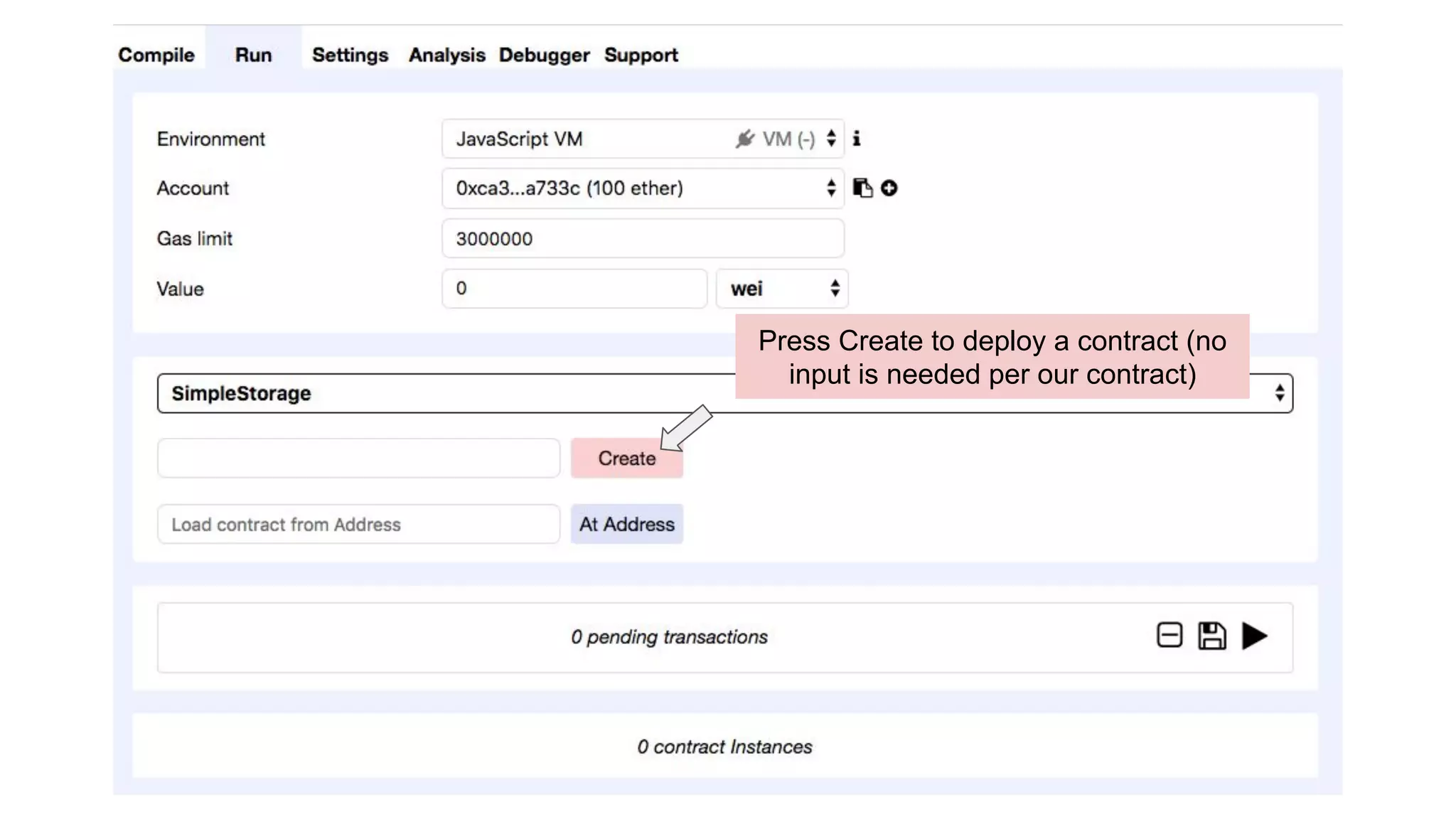
Press Create to deploy a contract (no
input is needed per our contract)
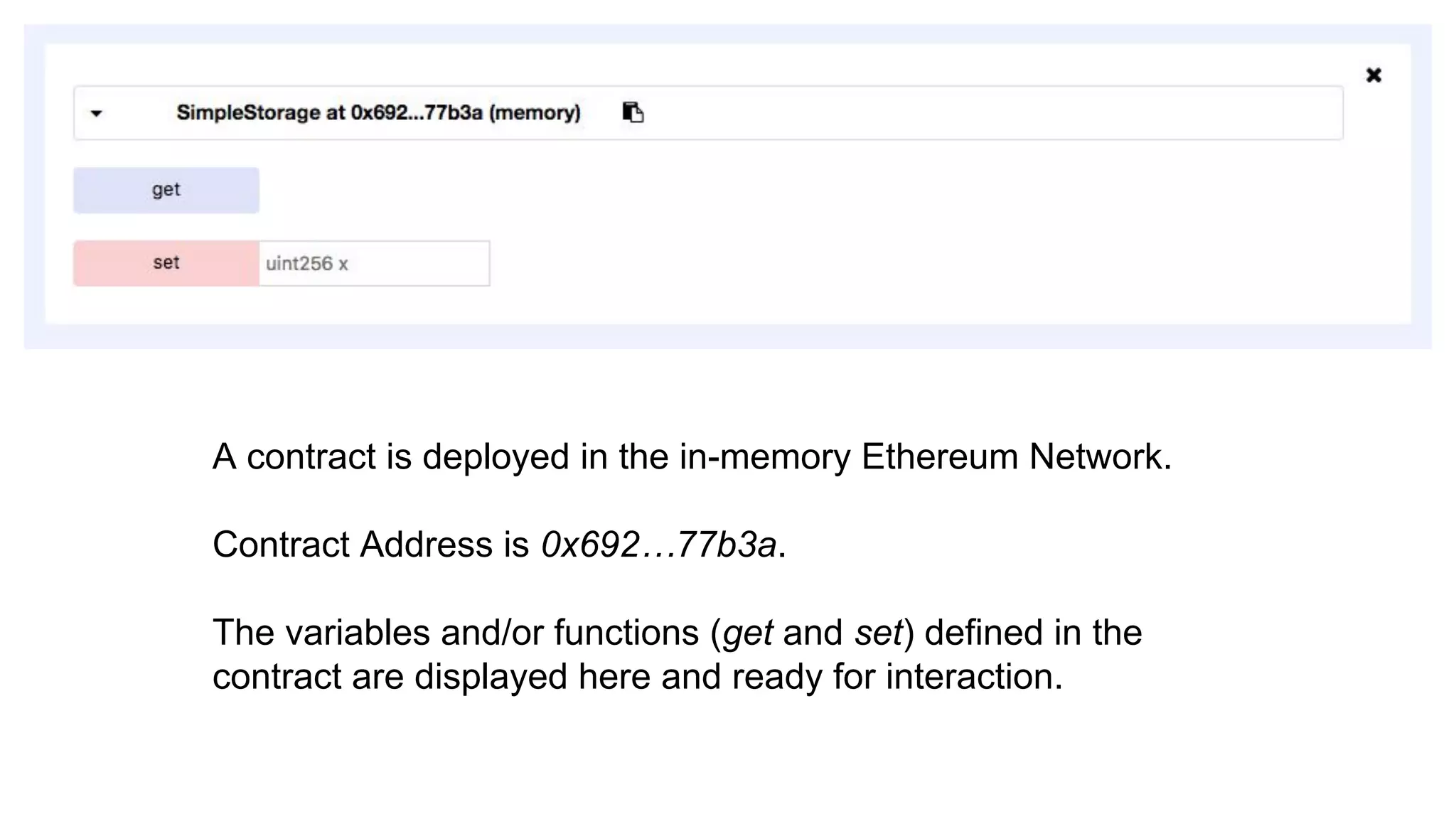
A contract is deployed in the in-memory Ethereum Network.
Contract Address is 0x692…77b3a.
The variables and/or functions (get and set) defined in the
contract are displayed here and ready for interaction.
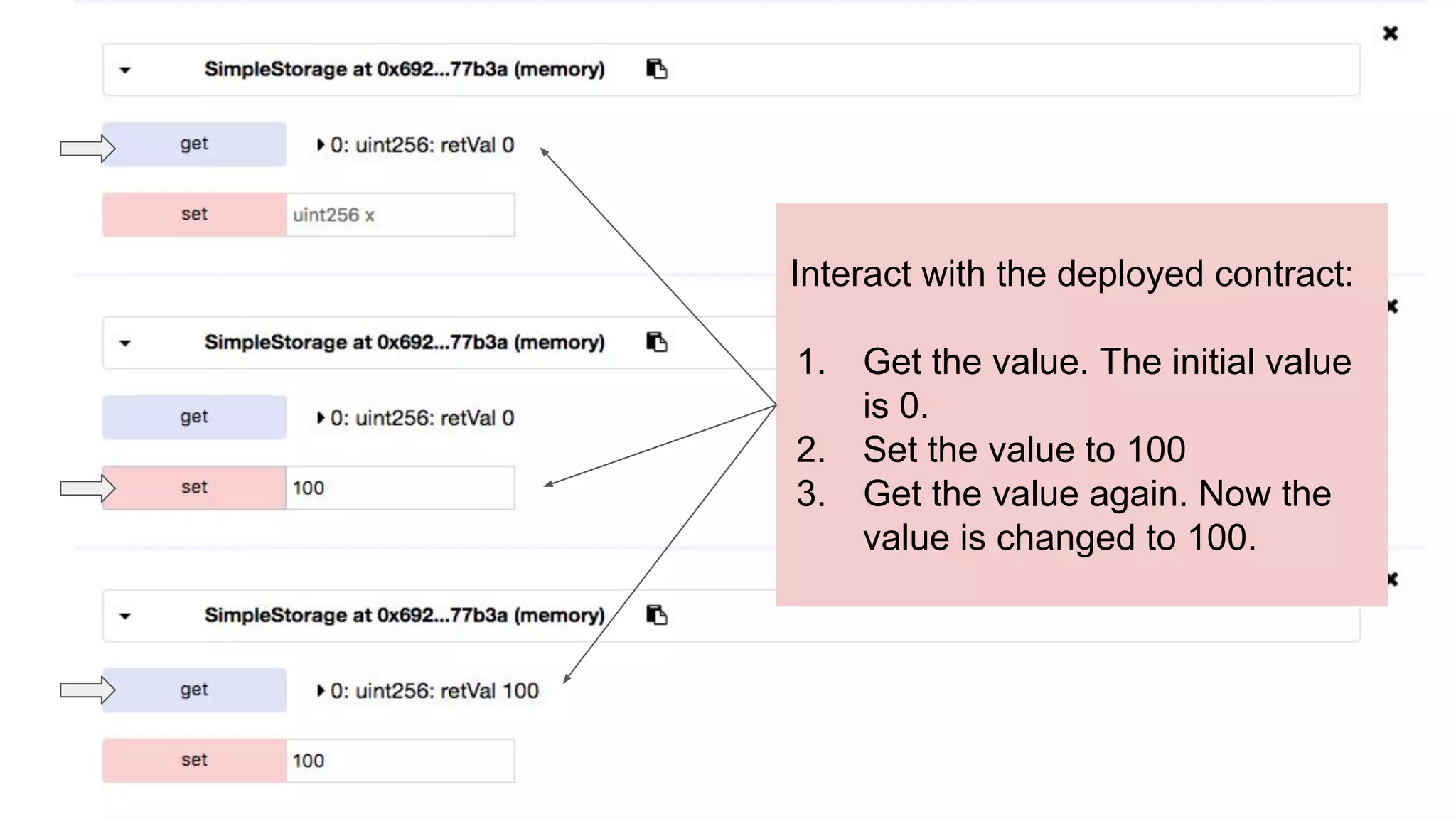
Interact with the deployed contract:
1. Get the value. The initial value
is 0.
2. Set the value to 100
3. Get the value again. Now the
value is changed to 100.
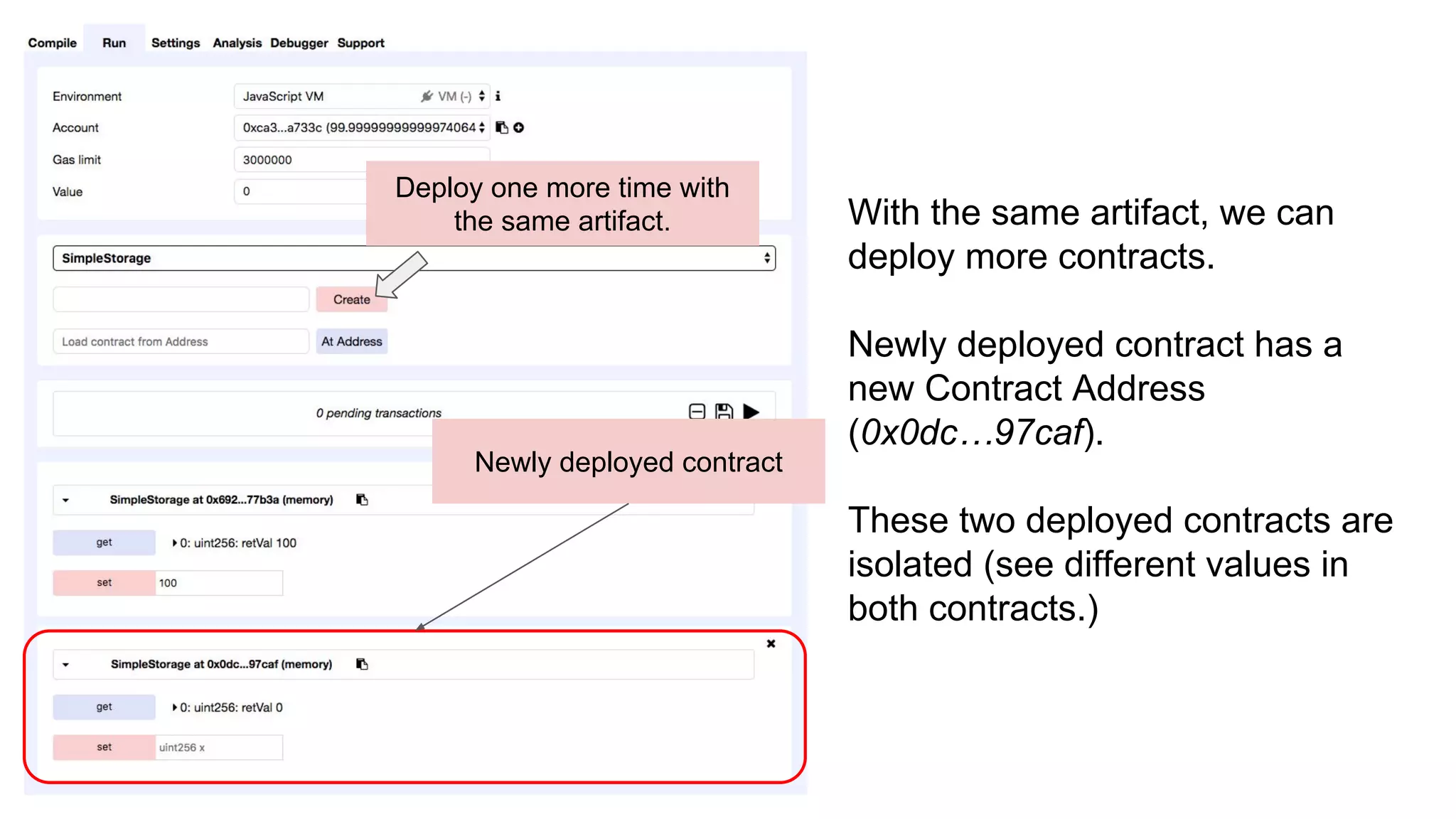
Deploy one more time with
the same artifact.
Newly deployed contract
With the same artifact, we can
deploy more contracts.
Newly deployed contract has a
new Contract Address
(0x0dc…97caf).
These two deployed contracts are
isolated (see different values in
both contracts.)
Summary
We have seen how to use Remix to work on contract code in
Solidity. It is automatically compiled and can be deployed.
Remix also provides a friendly interface to interact with the
contract. Finally contracts can be deployed many times from
the same antifact.

Contract Practice with Remix

  • 1.
    4. Contract Practicewith Remix KC Tam Reach KC on LinkedIn: https://www.linkedin.com/in/ktam1/
  • 2.
    Objective Remix IDE isa very handy online tool for Solidity. We will practice the contract compilation and deployment on a in-memory Ethereum Network. Finally we show how to interact with the deployed contract.
  • 3.
    Remix Remix provides anintegrated development environment (IDE) for smart contract development on Solidity. It comes with editor, terminal, compiler and and handles deployment various Ethereum environments. It also provides useful tools for debugging and analysis. It also comes with a graphic interface to interact with the deployed contract.
  • 4.
    Tabs Panel fortools including compiler, execution, analysis and debugger. Terminal / Log Solidity Editor
  • 5.
    The Solidity contractis copied and pasted in the Solidity Editor
  • 6.
    Compilation By default, Soliditycontract pasted in Solidity Editor is automatically compiled. Any mistakes in the code are shown immediately in both Solidity Editor and Tabs Panel (Compile) The result of compilation, in particular, the Bytecode and ABI, can be found in Details .
  • 7.
    Here we cansee the errors and warnings of Solidity Contract. Green means our contract SimpleStorage has no issues. Contract is automatically compiled.
  • 8.
  • 9.
  • 10.
    Deploy Contract In theRun tag we can deploy contract and execute contract functions from the compiled contract. Remix allows interaction with different Ethereum Networks. ● for simplicity, we are using JavaScript VM (an in-memory Ethereum Network) ● JavaScript VM comes with 5 accounts predeposited with 100 ethers each Remix handles deployment of Bytecode and ABI. We do not need to take care of this.
  • 11.
    Select JavaScript VMin Environment
  • 12.
    Press Create todeploy a contract (no input is needed per our contract)
  • 13.
    A contract isdeployed in the in-memory Ethereum Network. Contract Address is 0x692…77b3a. The variables and/or functions (get and set) defined in the contract are displayed here and ready for interaction.
  • 14.
    Interact with thedeployed contract: 1. Get the value. The initial value is 0. 2. Set the value to 100 3. Get the value again. Now the value is changed to 100.
  • 15.
    Deploy one moretime with the same artifact. Newly deployed contract With the same artifact, we can deploy more contracts. Newly deployed contract has a new Contract Address (0x0dc…97caf). These two deployed contracts are isolated (see different values in both contracts.)
  • 16.
    Summary We have seenhow to use Remix to work on contract code in Solidity. It is automatically compiled and can be deployed. Remix also provides a friendly interface to interact with the contract. Finally contracts can be deployed many times from the same antifact.