6. Use Geth to Access a Deployed
Contract
KC Tam
Reach KC on LinkedIn: https://www.linkedin.com/in/ktam1/
Objective
In this section we deploy the contract using Remix, and use
Geth, a command line tool, to access it.
Geth (Go Ethereum)
Geth is the official Go implementation of Ethereum.
There are three implementations, using Go, Python and C++. Geth is by far the
most common.
A host running Geth becomes part of the Ethereum network (a node).
Besides, Geth also serves as a client and accesses Ethereum node.
● In this section we are using Geth client accessing a contract deployed on
TestRPC.
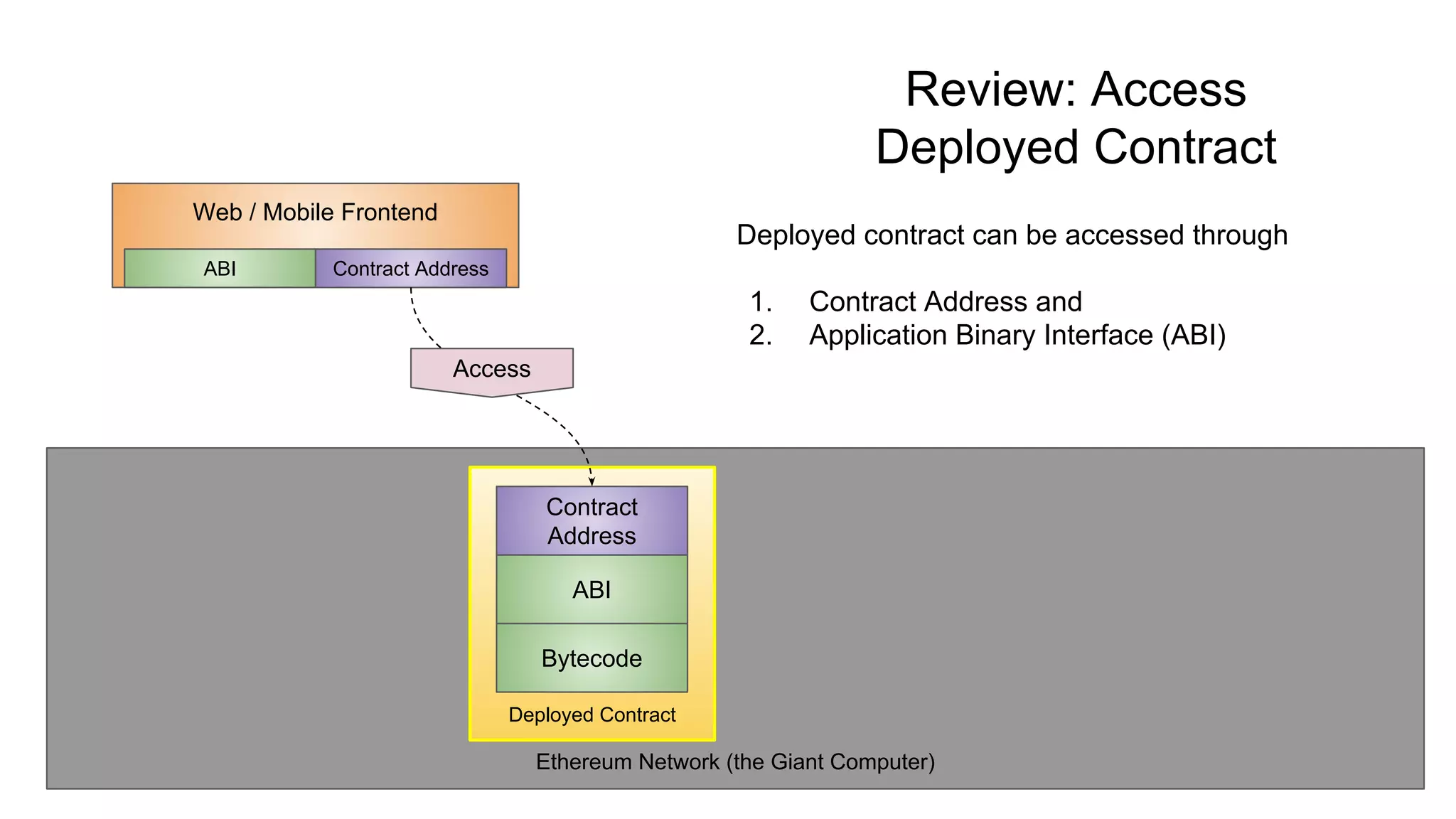
Ethereum Network (the Giant Computer)
Review: Access
Deployed Contract
Deployed contract can be accessed through
1. Contract Address and
2. Application Binary Interface (ABI)
Deployed Contract
Bytecode
ABI
Contract
Address
Web / Mobile Frontend
Contract AddressABI
Access
TestRPC on Localhost
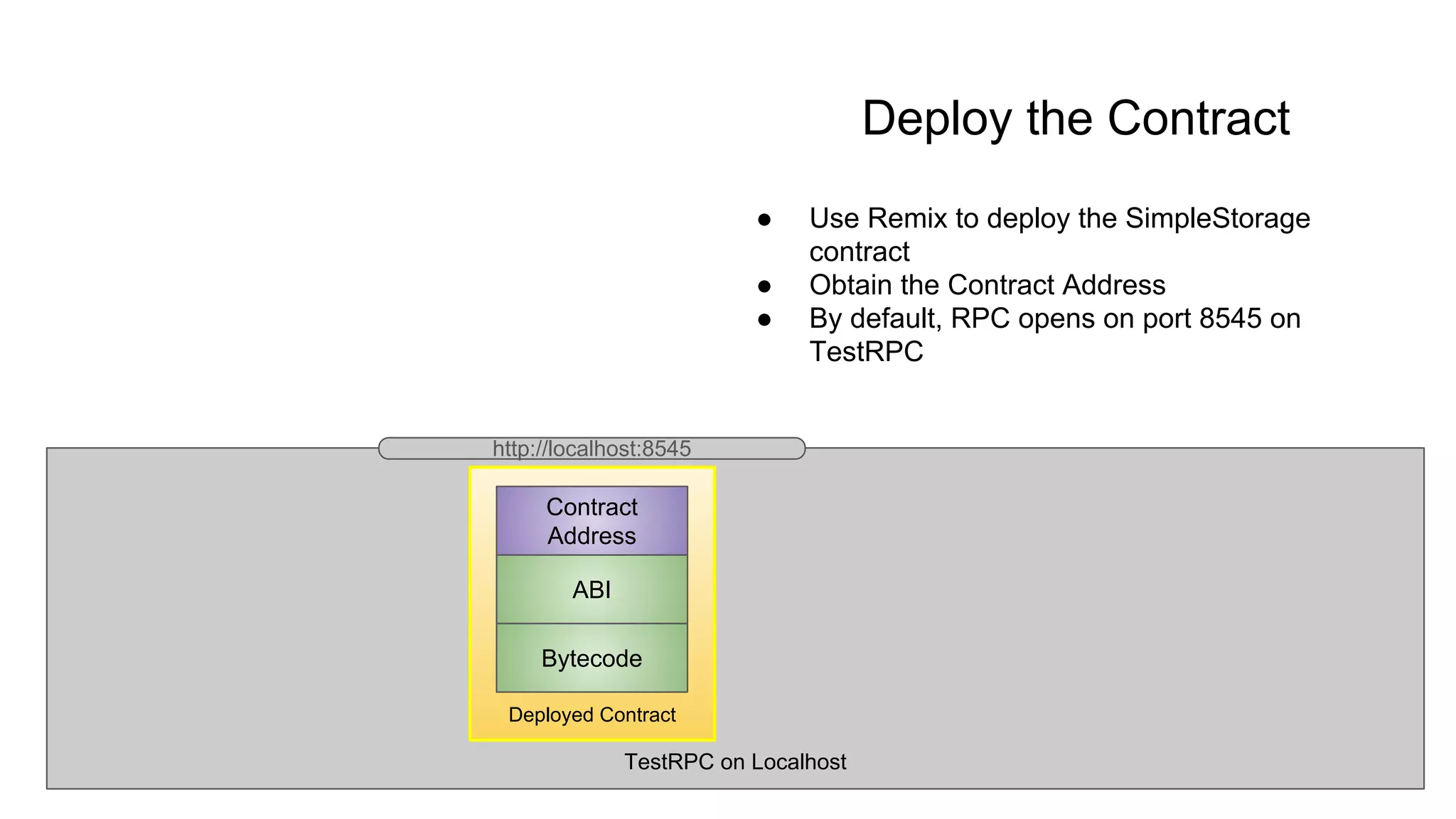
Deploy the Contract
● Use Remix to deploy the SimpleStorage
contract
● Obtain the Contract Address
● By default, RPC opens on port 8545 on
TestRPC
Deployed Contract
Bytecode
ABI
Contract
Address
http://localhost:8545
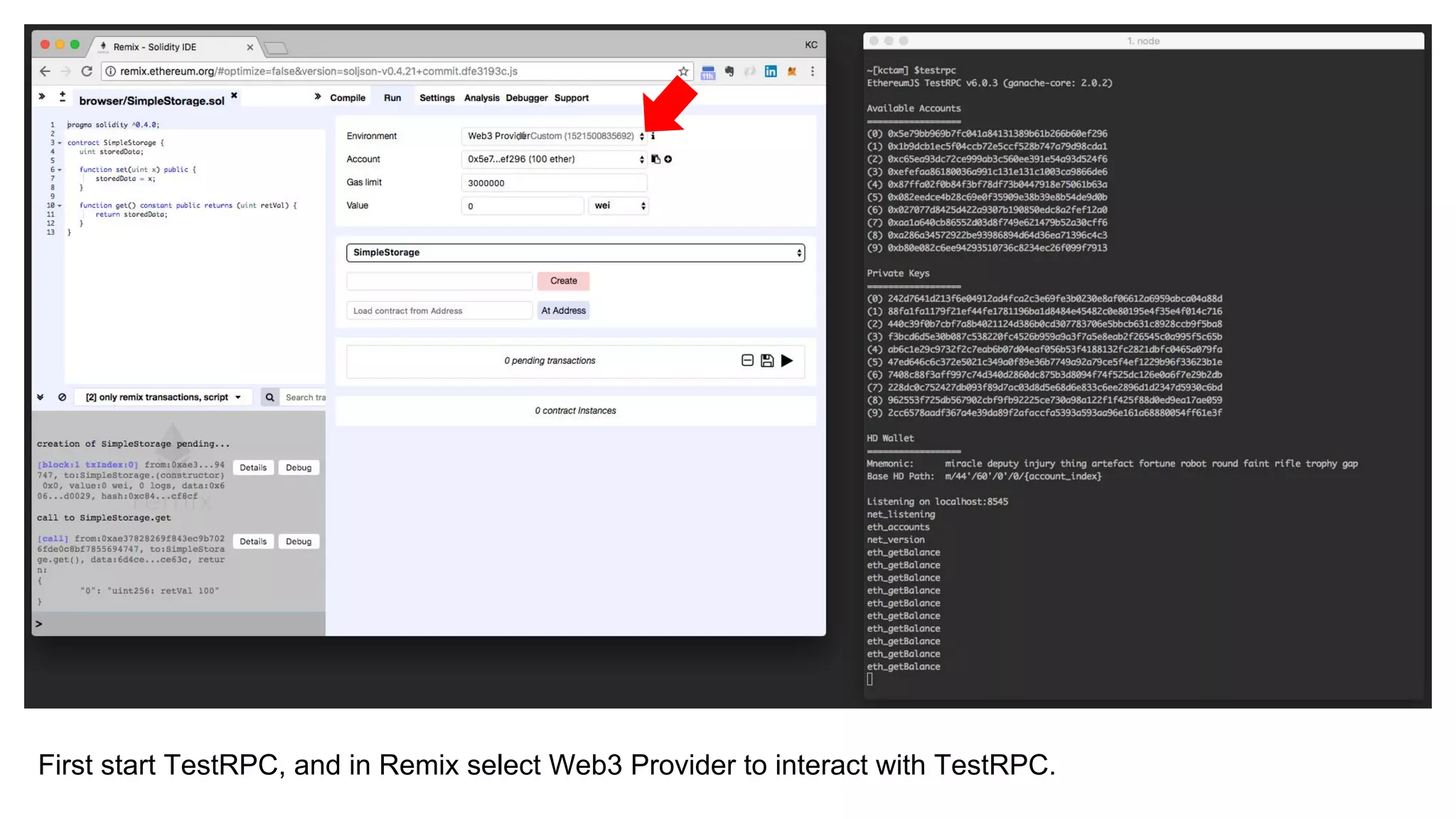
First start TestRPC, and in Remix select Web3 Provider to interact with TestRPC.
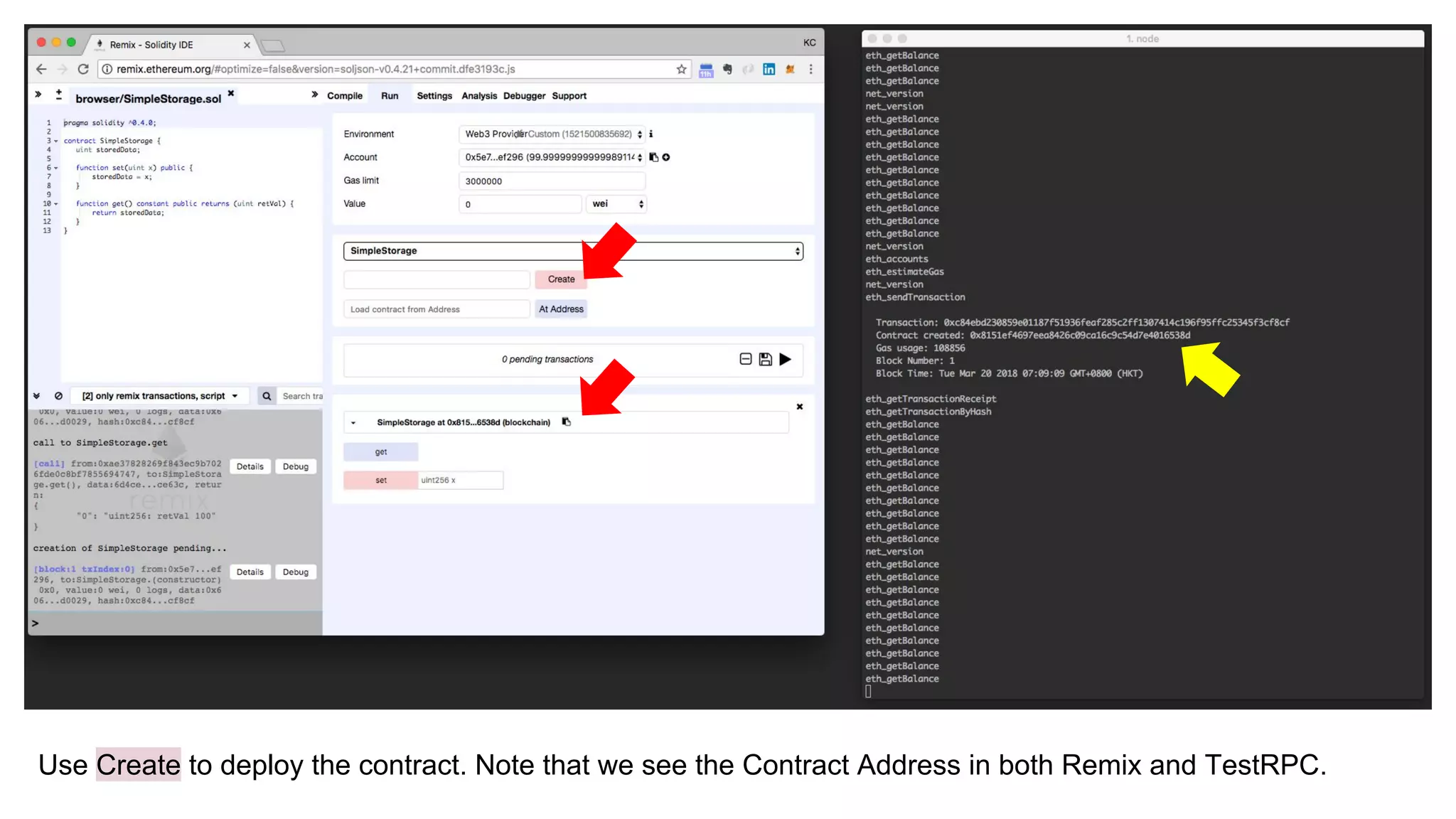
Use Create to deploy the contract. Note that we see the Contract Address in both Remix and TestRPC.
Obtain ABI from Compile Panel on Remix.
ABI
[{"constant":true,"inputs":[],"name":"get","outputs":[{"name":"retVal","type":"uint
256"}],"payable":false,"stateMutability":"view","type":"function"},
{"constant":false,"inputs":[{"name":"x","type":"uint256"}],"name":"set","outputs":
[],"payable":false,"stateMutability":"nonpayable","type":"function"}]
TestRPC on Localhost
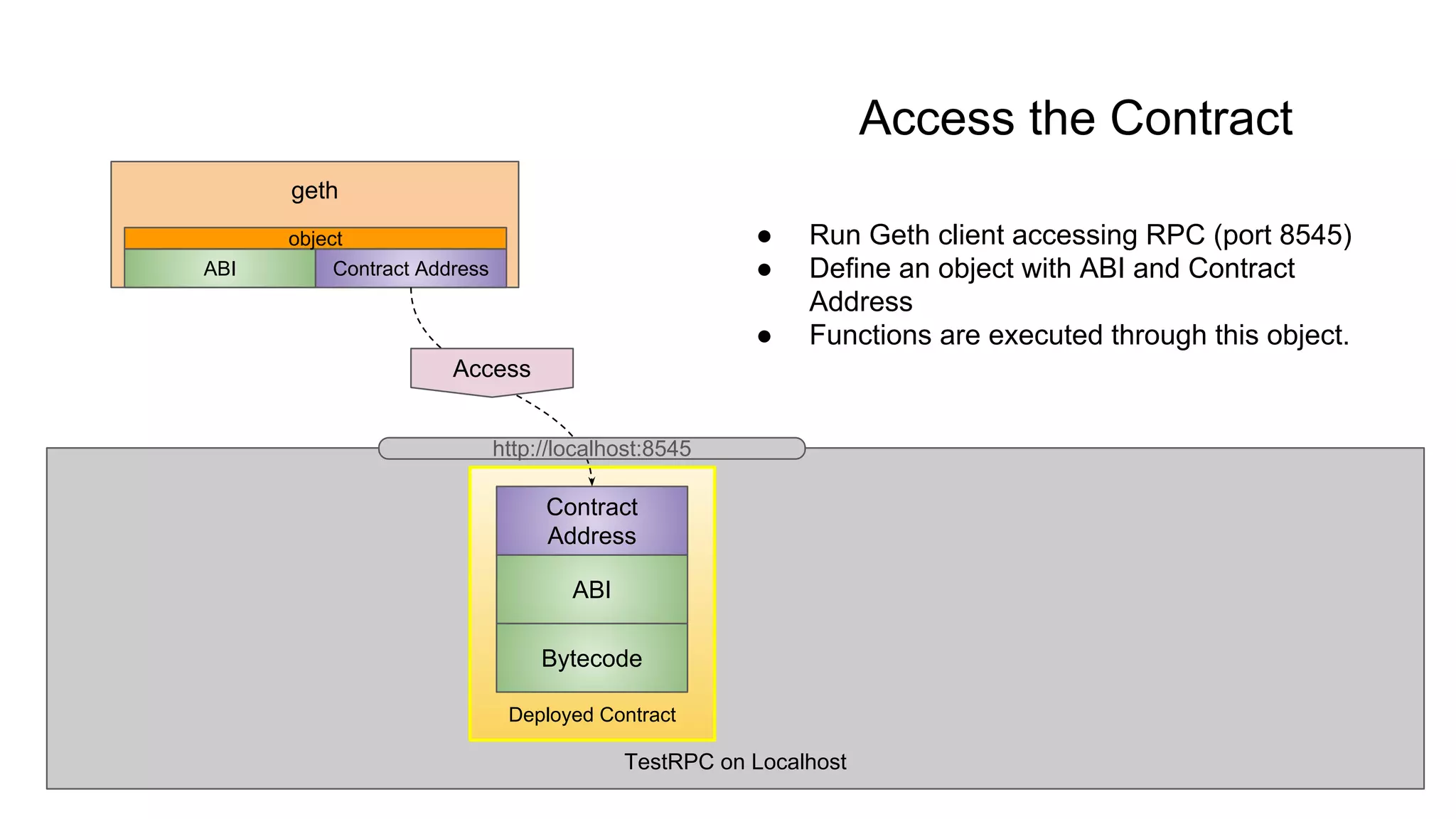
Access the Contract
● Run Geth client accessing RPC (port 8545)
● Define an object with ABI and Contract
Address
● Functions are executed through this object.
Deployed Contract
Bytecode
ABI
Contract
Address
geth
Contract AddressABI
Access
object
http://localhost:8545
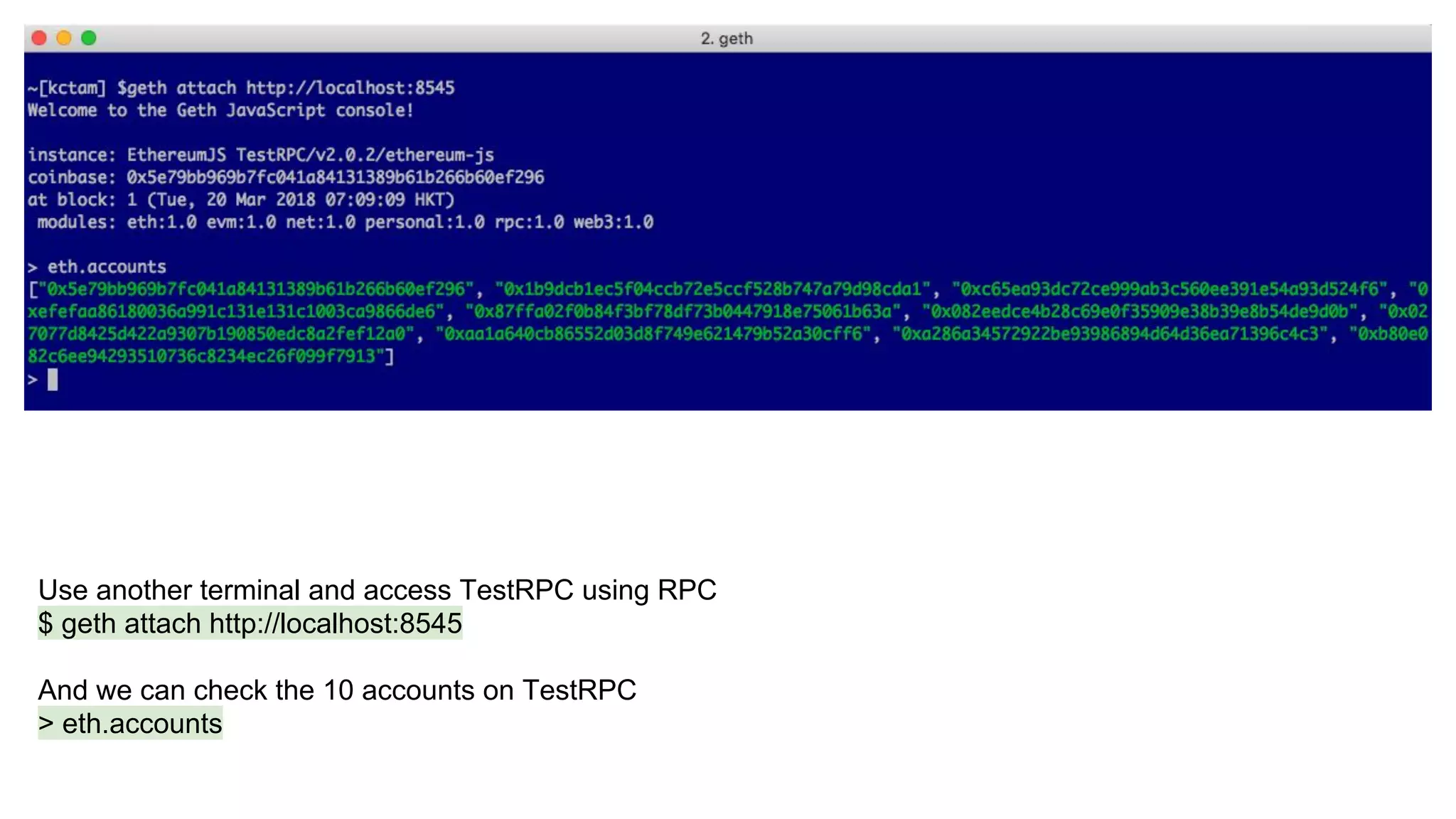
Use another terminal and access TestRPC using RPC
$ geth attach http://localhost:8545
And we can check the 10 accounts on TestRPC
> eth.accounts
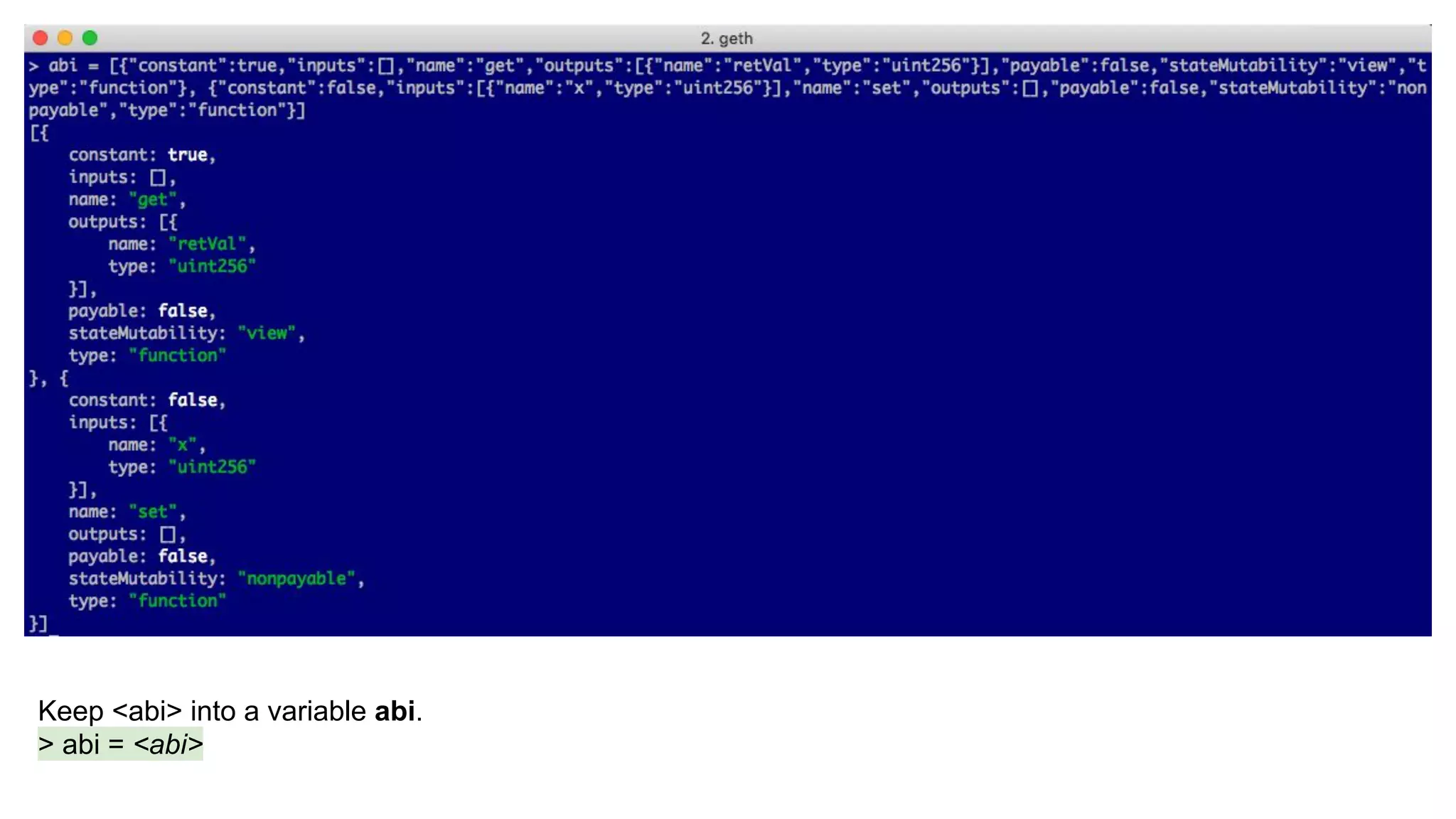
Keep <abi> into a variable abi.
> abi = <abi>
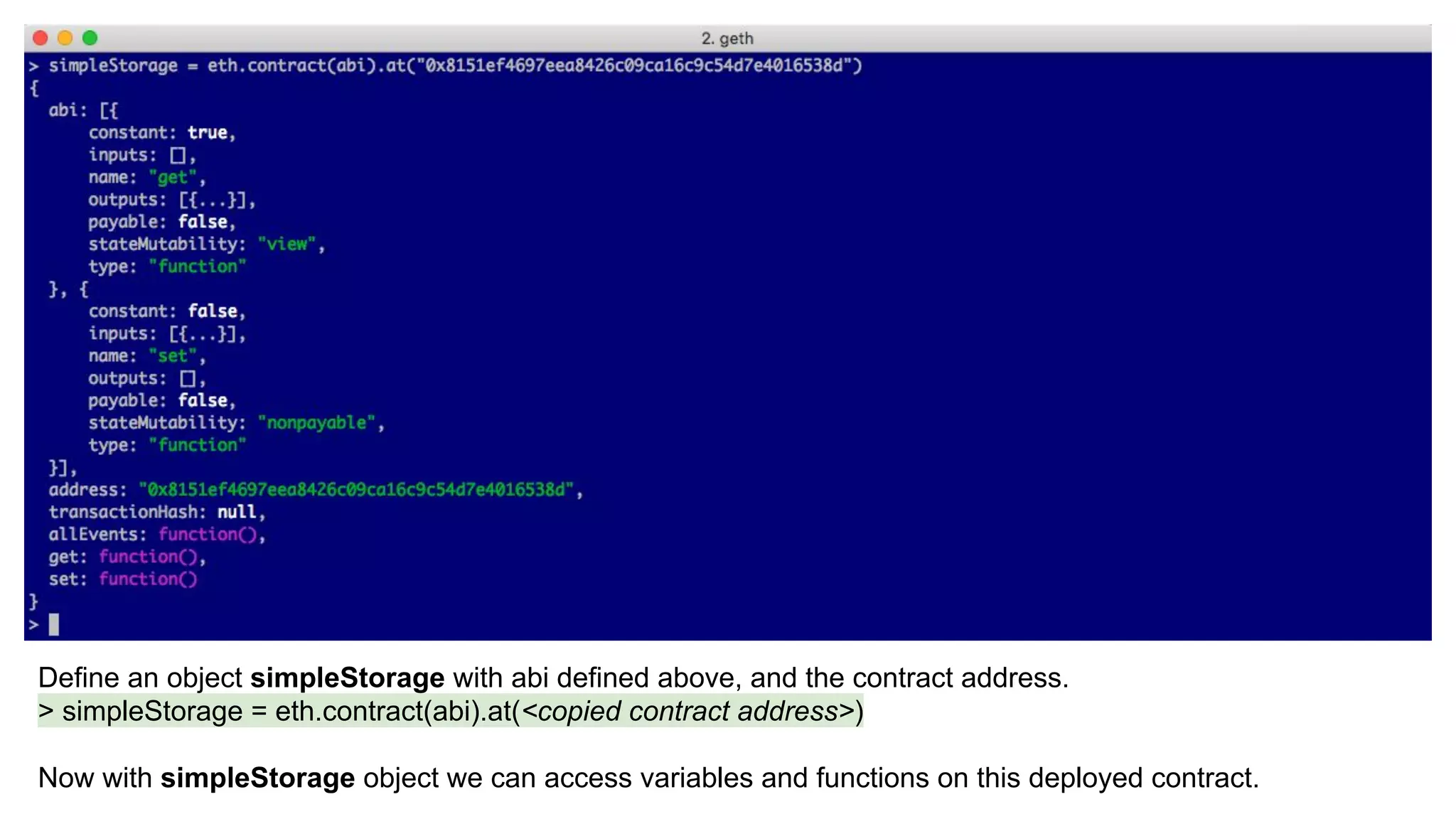
Define an object simpleStorage with abi defined above, and the contract address.
> simpleStorage = eth.contract(abi).at(<copied contract address>)
Now with simpleStorage object we can access variables and functions on this deployed contract.
To get the current value,
> simpleStorage.get()
To set a new value (note: we need to specify an account we use to execute the function.)
> simpleStorage.set(100, {from: eth.account[0]})
Note that this new value can also be seen in Remix
Summary
We use Geth as a console to access a deployed contract on
TestRPC. Both Remix and Geth access the same deployed
contract.

Use Geth to Access a Deployed Contract

  • 1.
    6. Use Gethto Access a Deployed Contract KC Tam Reach KC on LinkedIn: https://www.linkedin.com/in/ktam1/
  • 2.
    Objective In this sectionwe deploy the contract using Remix, and use Geth, a command line tool, to access it.
  • 3.
    Geth (Go Ethereum) Gethis the official Go implementation of Ethereum. There are three implementations, using Go, Python and C++. Geth is by far the most common. A host running Geth becomes part of the Ethereum network (a node). Besides, Geth also serves as a client and accesses Ethereum node. ● In this section we are using Geth client accessing a contract deployed on TestRPC.
  • 4.
    Ethereum Network (theGiant Computer) Review: Access Deployed Contract Deployed contract can be accessed through 1. Contract Address and 2. Application Binary Interface (ABI) Deployed Contract Bytecode ABI Contract Address Web / Mobile Frontend Contract AddressABI Access
  • 5.
    TestRPC on Localhost Deploythe Contract ● Use Remix to deploy the SimpleStorage contract ● Obtain the Contract Address ● By default, RPC opens on port 8545 on TestRPC Deployed Contract Bytecode ABI Contract Address http://localhost:8545
  • 6.
    First start TestRPC,and in Remix select Web3 Provider to interact with TestRPC.
  • 7.
    Use Create todeploy the contract. Note that we see the Contract Address in both Remix and TestRPC.
  • 8.
    Obtain ABI fromCompile Panel on Remix. ABI [{"constant":true,"inputs":[],"name":"get","outputs":[{"name":"retVal","type":"uint 256"}],"payable":false,"stateMutability":"view","type":"function"}, {"constant":false,"inputs":[{"name":"x","type":"uint256"}],"name":"set","outputs": [],"payable":false,"stateMutability":"nonpayable","type":"function"}]
  • 9.
    TestRPC on Localhost Accessthe Contract ● Run Geth client accessing RPC (port 8545) ● Define an object with ABI and Contract Address ● Functions are executed through this object. Deployed Contract Bytecode ABI Contract Address geth Contract AddressABI Access object http://localhost:8545
  • 10.
    Use another terminaland access TestRPC using RPC $ geth attach http://localhost:8545 And we can check the 10 accounts on TestRPC > eth.accounts
  • 11.
    Keep <abi> intoa variable abi. > abi = <abi>
  • 12.
    Define an objectsimpleStorage with abi defined above, and the contract address. > simpleStorage = eth.contract(abi).at(<copied contract address>) Now with simpleStorage object we can access variables and functions on this deployed contract.
  • 13.
    To get thecurrent value, > simpleStorage.get() To set a new value (note: we need to specify an account we use to execute the function.) > simpleStorage.set(100, {from: eth.account[0]}) Note that this new value can also be seen in Remix
  • 14.
    Summary We use Gethas a console to access a deployed contract on TestRPC. Both Remix and Geth access the same deployed contract.