1
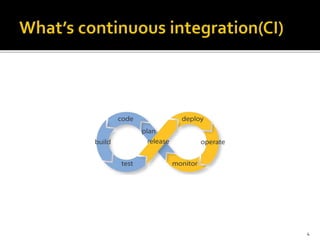
 What’s continuous integration(CI)
 Travis CI
 What isTravis CI?
 What canTravis CI do?
 JenKins
 What is JenKins ?
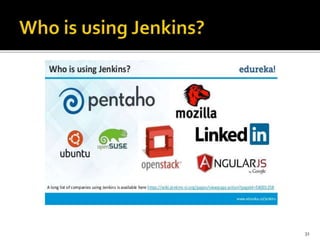
 Who is using Jenkins?
2
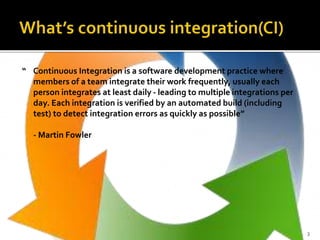
“ Continuous Integration is a software development practice where
members of a team integrate their work frequently, usually each
person integrates at least daily - leading to multiple integrations per
day. Each integration is verified by an automated build (including
test) to detect integration errors as quickly as possible”
- Martin Fowler
3
4
Integration is hard , effort increase exponentially with
Number of components
Number of bugs
Time since last integration
5
 Integrated
All changes up until that point are combined into the project
 Built
The code is compiled into an executable or package
 Tested
Automated test suites are run
 Archived
Versioned and stored so it can be distributed as is, if desired
 Deployed
Loaded onto a system where the developers can interact with it
6
Immediate bug detection
 Reduce risk of cost schedule and budget
Measurable & visible code quality
Continuous automatic regression unit test
Record of evolution of the project
7
CI tools
8
9
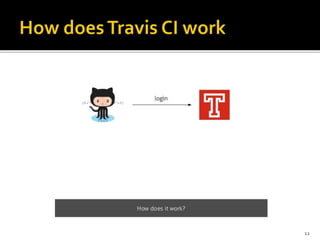
A hosted continuous integration service.
It is integrated with GitHub
10
Monitor GitHub projects
RunTests
Provide feedback
Build artefacts
Check code quality
Deploy to cloud services
Whatever you can make it do
11
12
Sign in toTravis CI with your GitHub account, accepting the
GitHub access permissions confirmation
 Once you’re signed in, andTravis CI synchronized your repositories
from GitHub, go to your profile page and enableTravis CI for the
repository you want to build.
13
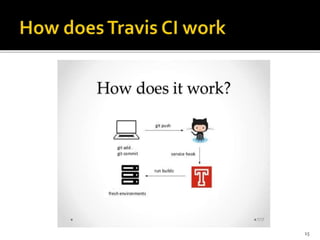
 Add a .travis.yml file to your repository to tellTravis CI what
to build:
Travis CI tests this project against three versions of Ruby and
the latest version of Rubinius.
Add the .travis.yml file to git, commit and push, to trigger a
Travis CI build:
Check the build status page to see if your build passes or
fails.
14
15
Automatic integration with GitHub
First class support for 21 languages
Pre –installed build & test tools
Available services- databases , message queues
Encrypt secure environment variables or files
Clean environment
16
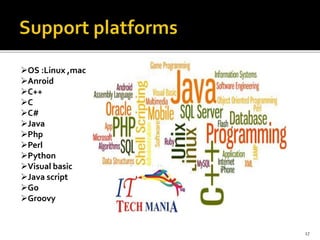
OS :Linux ,mac
Anroid
C++
C
C#
Java
Php
Perl
Python
Visual basic
Java script
Go
Groovy
17
Easy to configure & use
High speed
It’s popular
Great integration with GitHub & cloud services
18
No manual builds
No build pipelines
Not suitable for high security projects
Less extensible than JenKins
19
20
Branched from Hudson
Java based Continuous Build System
 Runs in servlet container
Glassfish,Tomcat
Supported by over 400 plugins
Under development since 2005
http://jenkins-ci.org/
21
2005 - Hudson was first release by Kohsuke Kawaguchi of
Sun Microsystems
 2010 – Oracle bought Sun Microsystems
Due to a naming dispute, Hudson was renamed to Jenkins
 Oracle continued development of Hudson (as a branch of
the original)
Jenkins - History
22
Easy installation
Easy configuration
Rich plug in ecosystem
Extensibility
Distributed builds
Flexibility
23
Use one of the platform-specific package/installer links on the Jenkins
site to install Jenkins on your system
You can download jenkins.war directly and launch it by executing java -
jar jenkins.war.This is basically the same set up as the test drive, except
that the output will go to console, not to a window.On Windows, you
can even choose to install Jenkins as a service afterwards
License
Jenkins is distributed under the MIT License
24
Web server(Tomcat , WebLogic)
Build tool (Maven, Ant)
SCM(Git, Svn , Cvs)
25
 Build triggers
 Source code management
 Build tools
 Build wrappers
 Build notifiers
 Build reports
 Authentication and user management
26
 Generate test reports
 Integrate with many differentVersion Control Systems
 Push to various artefact repositories
 Deploys directly to production or test environments
 Notify stakeholders of build status
27
When setting up a project in Jenkins, out of the box you have the
following general options:
 Associating with a version control server
 Triggering builds
 Polling, Periodic, Building based on other projects
 Execution of shell scripts, bash scripts, Ant targets, and Maven
targets
 Artefact archival
 Publish JUnit test results and Javadocs
 Email notifications
 Plugins expand the functionality even
further
28
 Once a project is successfully created in Jenkins, all future builds
are automatic
 Building
*Jenkins executes the build in an executer
*Jenkins also has the concept of slave build servers
. Useful for building on different architectures
. Distribution of load
29
Jenkins comes with basic reporting features
Keeping track of build status
 Last success and failure
 “Weather” – Build trend
These can be greatly enhanced with the use of pre-build plugins
 Unit test coverage
Test result trending
 Findbugs, Checkstyle, PMD
30
31
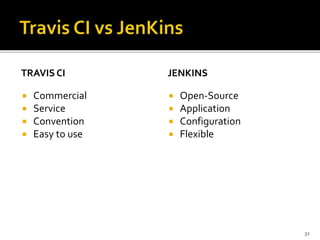
TRAVIS CI
 Commercial
 Service
 Convention
 Easy to use
JENKINS
 Open-Source
 Application
 Configuration
 Flexible
32
TRAVIS CI
 https://www.youtube.com/
watch?v=RBaVvRQ8OBA&
ab_channel=TheGuruCode
r
JENKINS
 https://www.youtube.com/
watch?v=L2YeHawqikY&a
b_channel=AttuneWorldWi
de
33
http://www.uqasar.eu/review-saas-continuous-integration-tools-series/
Continuous Integration (Jenkins/Hudson) - SlideShare
[PPT]CI-201110.ppt
[PDF]Jenkins Continuous Build System
http://www.slideshare.net/bsiggelkow/travis-ci
http://www.slideshare.net/gabevanslv/travis-ci-23997525?related=1
https://docs.travis-ci.com/user/getting-started/
34
35

Continuous integration

  • 1.
  • 2.
     What’s continuousintegration(CI)  Travis CI  What isTravis CI?  What canTravis CI do?  JenKins  What is JenKins ?  Who is using Jenkins? 2
  • 3.
    “ Continuous Integrationis a software development practice where members of a team integrate their work frequently, usually each person integrates at least daily - leading to multiple integrations per day. Each integration is verified by an automated build (including test) to detect integration errors as quickly as possible” - Martin Fowler 3
  • 4.
  • 5.
    Integration is hard, effort increase exponentially with Number of components Number of bugs Time since last integration 5
  • 6.
     Integrated All changesup until that point are combined into the project  Built The code is compiled into an executable or package  Tested Automated test suites are run  Archived Versioned and stored so it can be distributed as is, if desired  Deployed Loaded onto a system where the developers can interact with it 6
  • 7.
    Immediate bug detection Reduce risk of cost schedule and budget Measurable & visible code quality Continuous automatic regression unit test Record of evolution of the project 7
  • 8.
  • 9.
  • 10.
    A hosted continuousintegration service. It is integrated with GitHub 10
  • 11.
    Monitor GitHub projects RunTests Providefeedback Build artefacts Check code quality Deploy to cloud services Whatever you can make it do 11
  • 12.
  • 13.
    Sign in toTravisCI with your GitHub account, accepting the GitHub access permissions confirmation  Once you’re signed in, andTravis CI synchronized your repositories from GitHub, go to your profile page and enableTravis CI for the repository you want to build. 13
  • 14.
     Add a.travis.yml file to your repository to tellTravis CI what to build: Travis CI tests this project against three versions of Ruby and the latest version of Rubinius. Add the .travis.yml file to git, commit and push, to trigger a Travis CI build: Check the build status page to see if your build passes or fails. 14
  • 15.
  • 16.
    Automatic integration withGitHub First class support for 21 languages Pre –installed build & test tools Available services- databases , message queues Encrypt secure environment variables or files Clean environment 16
  • 17.
  • 18.
    Easy to configure& use High speed It’s popular Great integration with GitHub & cloud services 18
  • 19.
    No manual builds Nobuild pipelines Not suitable for high security projects Less extensible than JenKins 19
  • 20.
  • 21.
    Branched from Hudson Javabased Continuous Build System  Runs in servlet container Glassfish,Tomcat Supported by over 400 plugins Under development since 2005 http://jenkins-ci.org/ 21
  • 22.
    2005 - Hudsonwas first release by Kohsuke Kawaguchi of Sun Microsystems  2010 – Oracle bought Sun Microsystems Due to a naming dispute, Hudson was renamed to Jenkins  Oracle continued development of Hudson (as a branch of the original) Jenkins - History 22
  • 23.
    Easy installation Easy configuration Richplug in ecosystem Extensibility Distributed builds Flexibility 23
  • 24.
    Use one ofthe platform-specific package/installer links on the Jenkins site to install Jenkins on your system You can download jenkins.war directly and launch it by executing java - jar jenkins.war.This is basically the same set up as the test drive, except that the output will go to console, not to a window.On Windows, you can even choose to install Jenkins as a service afterwards License Jenkins is distributed under the MIT License 24
  • 25.
    Web server(Tomcat ,WebLogic) Build tool (Maven, Ant) SCM(Git, Svn , Cvs) 25
  • 26.
     Build triggers Source code management  Build tools  Build wrappers  Build notifiers  Build reports  Authentication and user management 26
  • 27.
     Generate testreports  Integrate with many differentVersion Control Systems  Push to various artefact repositories  Deploys directly to production or test environments  Notify stakeholders of build status 27
  • 28.
    When setting upa project in Jenkins, out of the box you have the following general options:  Associating with a version control server  Triggering builds  Polling, Periodic, Building based on other projects  Execution of shell scripts, bash scripts, Ant targets, and Maven targets  Artefact archival  Publish JUnit test results and Javadocs  Email notifications  Plugins expand the functionality even further 28
  • 29.
     Once aproject is successfully created in Jenkins, all future builds are automatic  Building *Jenkins executes the build in an executer *Jenkins also has the concept of slave build servers . Useful for building on different architectures . Distribution of load 29
  • 30.
    Jenkins comes withbasic reporting features Keeping track of build status  Last success and failure  “Weather” – Build trend These can be greatly enhanced with the use of pre-build plugins  Unit test coverage Test result trending  Findbugs, Checkstyle, PMD 30
  • 31.
  • 32.
    TRAVIS CI  Commercial Service  Convention  Easy to use JENKINS  Open-Source  Application  Configuration  Flexible 32
  • 33.
    TRAVIS CI  https://www.youtube.com/ watch?v=RBaVvRQ8OBA& ab_channel=TheGuruCode r JENKINS https://www.youtube.com/ watch?v=L2YeHawqikY&a b_channel=AttuneWorldWi de 33
  • 34.
    http://www.uqasar.eu/review-saas-continuous-integration-tools-series/ Continuous Integration (Jenkins/Hudson)- SlideShare [PPT]CI-201110.ppt [PDF]Jenkins Continuous Build System http://www.slideshare.net/bsiggelkow/travis-ci http://www.slideshare.net/gabevanslv/travis-ci-23997525?related=1 https://docs.travis-ci.com/user/getting-started/ 34
  • 35.