CONTAINER MANAGEMENT
WITH AZURE KUBERNETES
SERVICE
Kasun Rajapakse
Technical Consultant
Thakral One Pvt Ltd
Twitter:- @kasunsjc
WHO AM I ?
MCSA : Cloud Platform, MCSE, MCT, AWS SAA/Dev/SysOps
Work as Technical Consultant
4+ Experience in Cloud & Server Technology
OMS, SCOM, AWS, Azure & Windows Server
Blog- http://www.allaboutwindowssl.com/
Twitter : @kasunsjc
LinkedIn : http://www.linkedin.com/in/kasunraj
WHAT IS CONTAINERS?
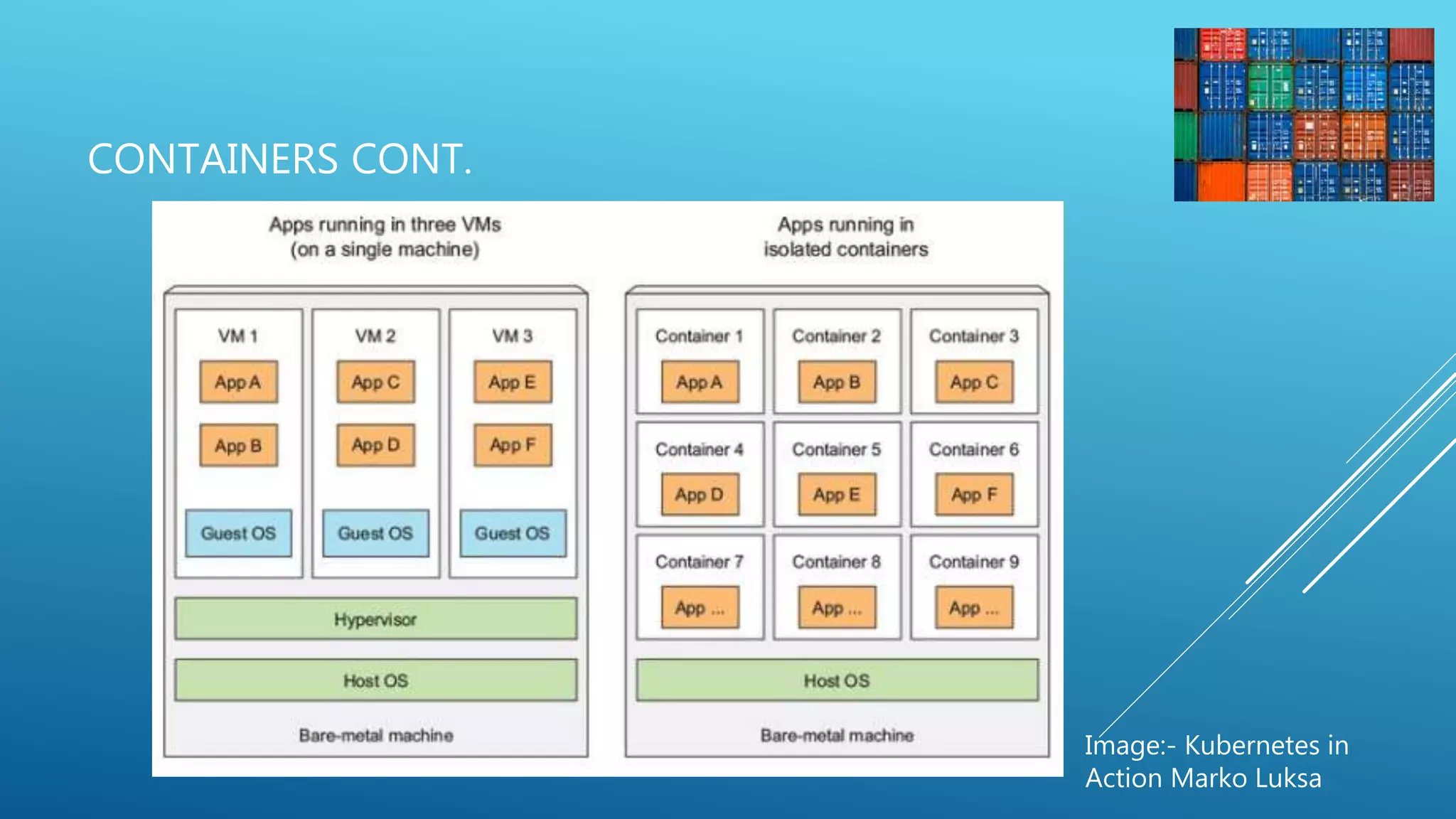
• Compared to VMs, containers are much more lightweight
• A container, on the other hand, is nothing more than a single isolated
process running in the host OS, consuming only the resources that the
app consumes and without the overhead of any additional processes
• Containers, on the other hand, all perform system calls on the exact same
kernel running in the host OS.
• This single kernel is the only one performing x86 instructions on the
host’s CPU
CONTAINERS CONT.
Image:- Kubernetes in
Action Marko Luksa
WHAT IS DOCKER?
• Command line program and background deamon
• Computer program that performs operating-system-level virtualization Running software in
containers for isolation
• Resource isolation features of the Linux kernel such as cgroups and kernel namespaces, and a
union-capable file system such as OverlayFS and others
• Provides a set of infrastructure components that simplify distributing Docker images
WHAT IS KUBERNETES (K8S)
• It’s originally developed by Google for there internal purpose.
• In 2014 Google introduced Kubernetes, an open-source system based
on the experience gained through Borg, Omega, and other internal
Google systems.
• software system that allows you to easily deploy and manage
containerized applications on top of it.
• Helping developers focus on the core app features.
• Helping ops teams achieve better resource utilization.
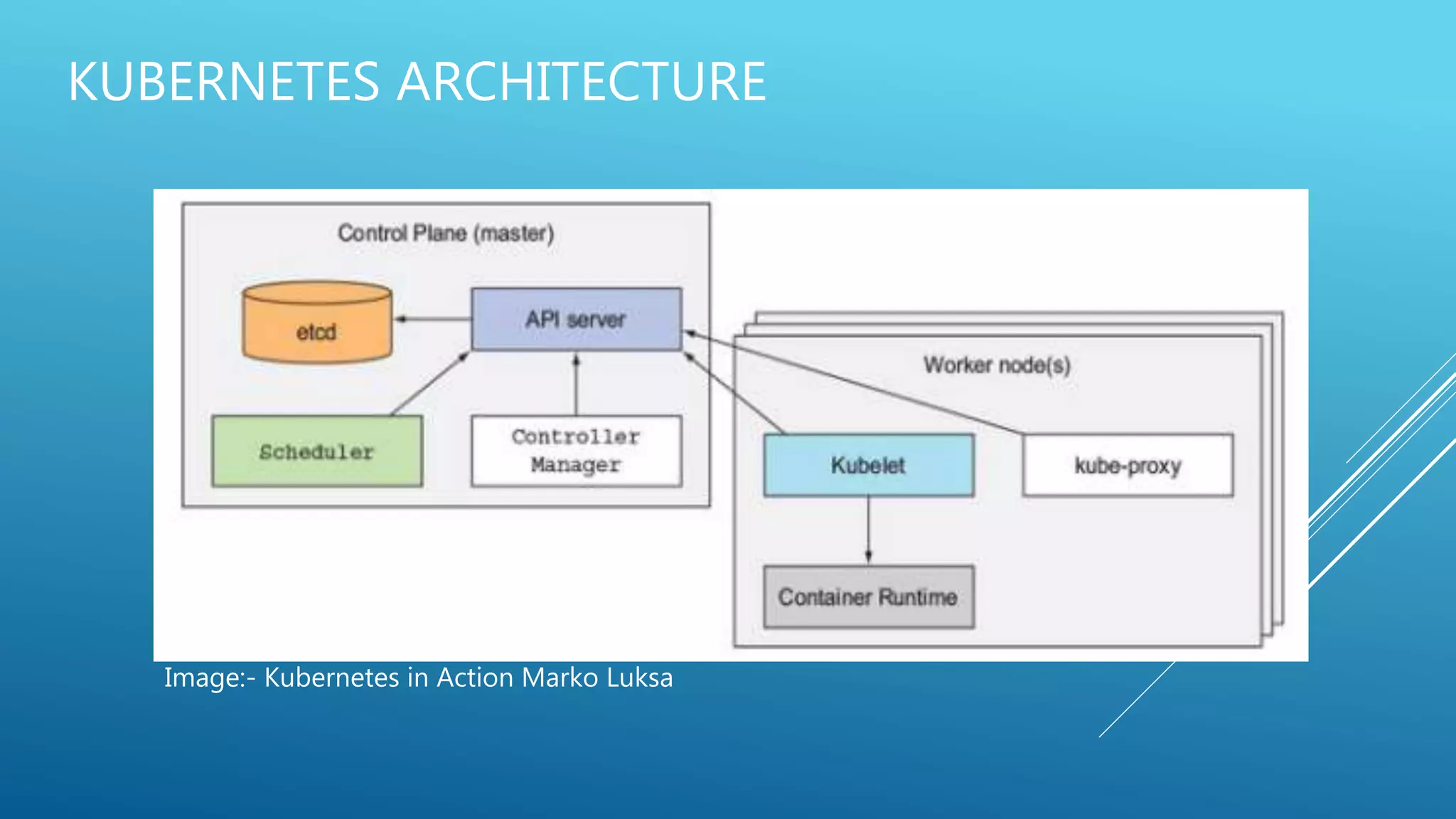
KUBERNETES ARCHITECTURE
Image:- Kubernetes in Action Marko Luksa
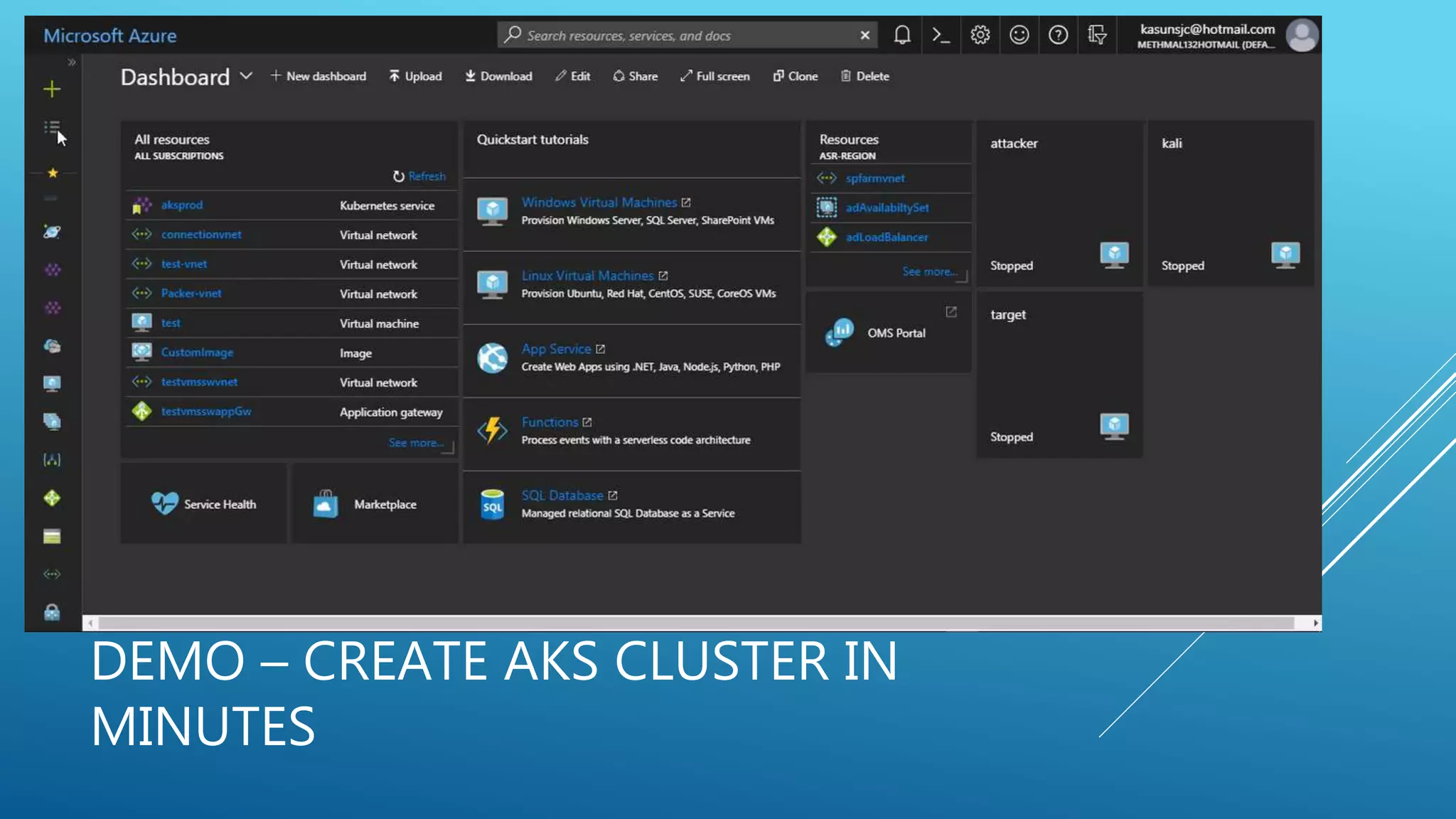
AZURE KUBERNETES SERVICE (AKS)
• It’s a managed service provide by Azure.
• Easy to get start with enterprise scale container environment in
minutes.
• Can integrate with CI/CD and Source control
• Taking away the management of master node (Managed)
• Automated Kubernetes version upgrades and patching
• Easy cluster scaling
• Self-healing hosted control plane (masters)
• Cost savings - pay only for running agent pool nodes
DEMO – CREATE AKS CLUSTER IN
MINUTES
KUBERNETES RESOURCES
• Cron Jobs
• Daemon Sets
• ReplicaController
• Deployments
• Jobs
• Pods
• Replica Sets
• Services etc.
USAGE AND ADVANTAGE OF USING KUBERNETES
• Moving from monolithic apps to microservices
• Providing a consistent environment to applications
• Moving to continuous delivery: DevOps and NoOps
• Automatic binpacking
• Self-healing
• Horizontal scaling
• Service discovery and load balancing
• Automated rollouts and rollback
• Secret and configuration management
• Storage orchestration
• Batch execution
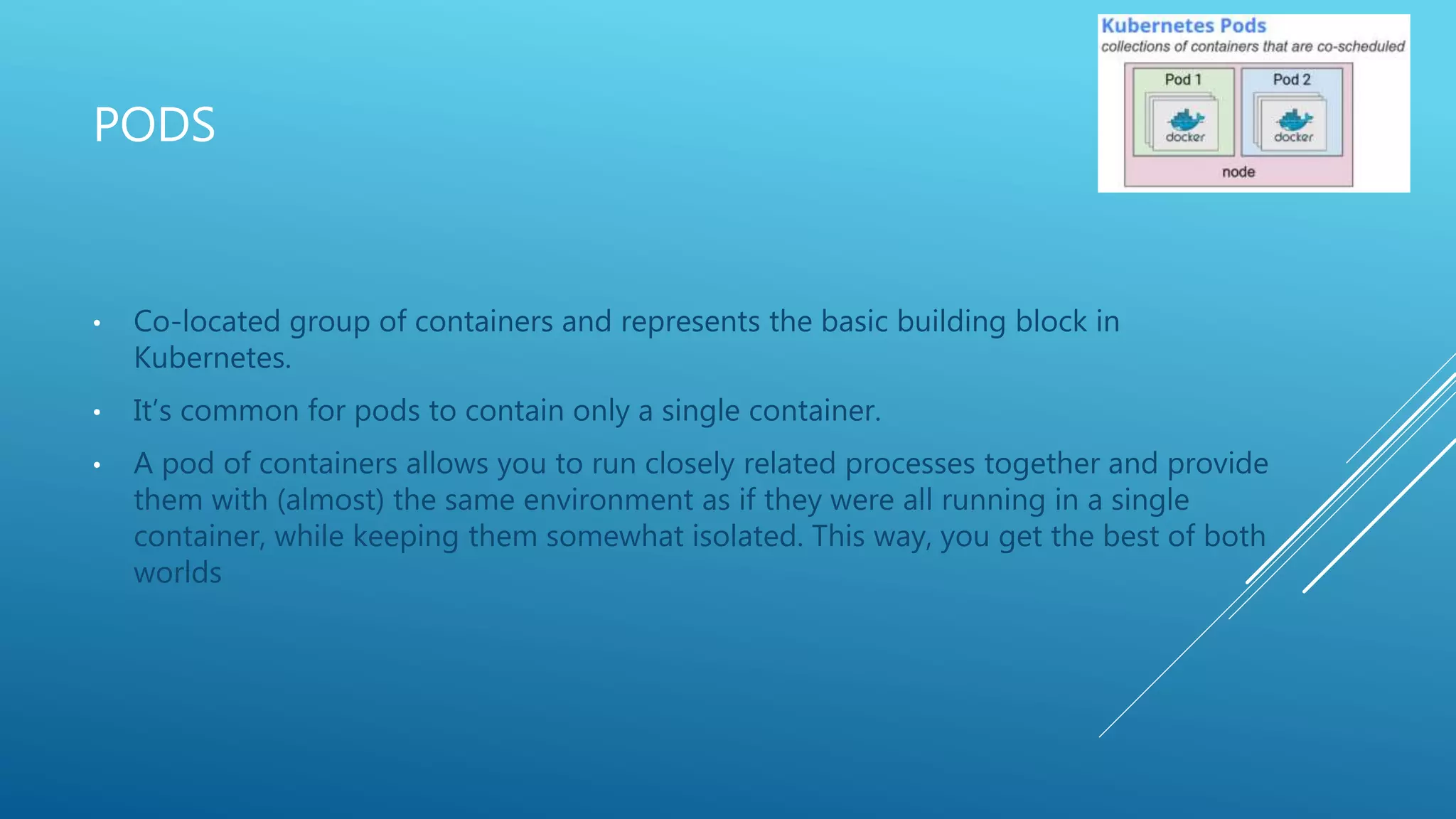
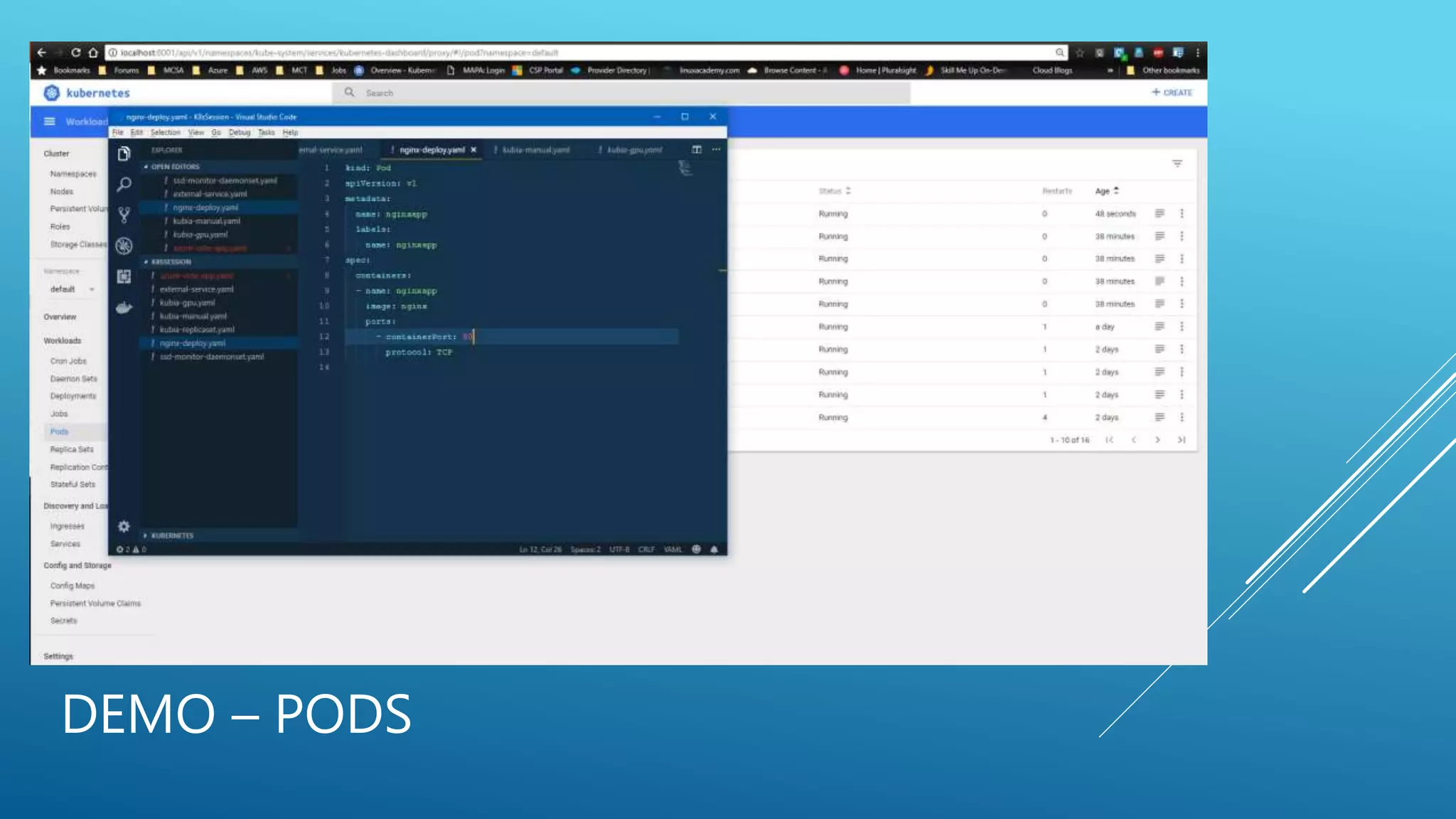
PODS
• Co-located group of containers and represents the basic building block in
Kubernetes.
• It’s common for pods to contain only a single container.
• A pod of containers allows you to run closely related processes together and provide
them with (almost) the same environment as if they were all running in a single
container, while keeping them somewhat isolated. This way, you get the best of both
worlds
DEMO – PODS
REPLICA SETS/REPLICACONTROLER
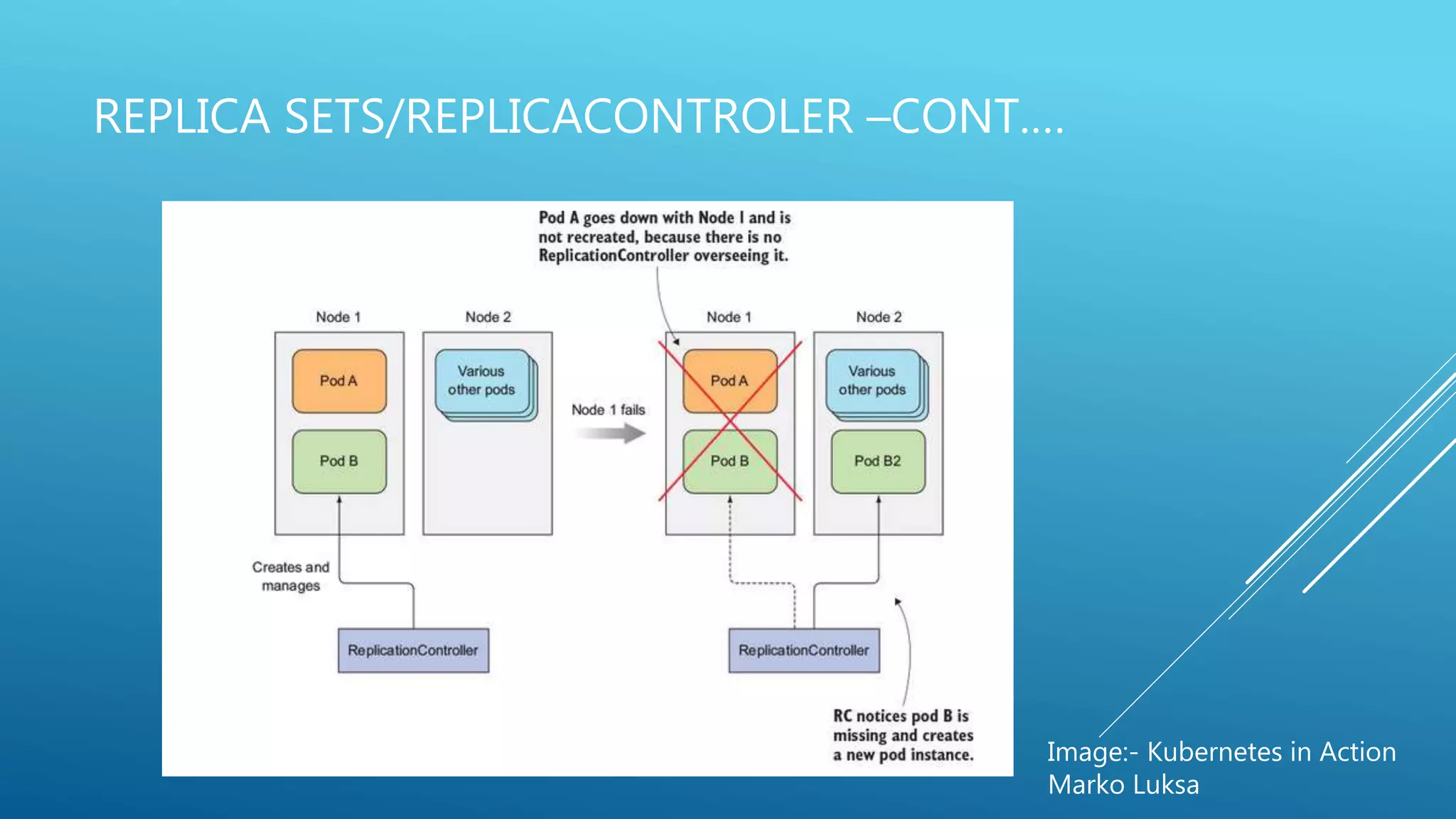
• Kubernetes resource that ensures its pods are always kept running.
• It makes sure a pod (or multiple pod replicas) is always running by starting a new
pod when an existing one goes missing.
• When a cluster node fails, it creates replacement replicas for all the pods that were
running on the failed node (those that were under the Replication-Controller’s
control).
• It enables easy horizontal scaling of pods—both manual and automatic
• Uses Label selector to select pods.
REPLICA SETS/REPLICACONTROLER –CONT.…
Image:- Kubernetes in Action
Marko Luksa
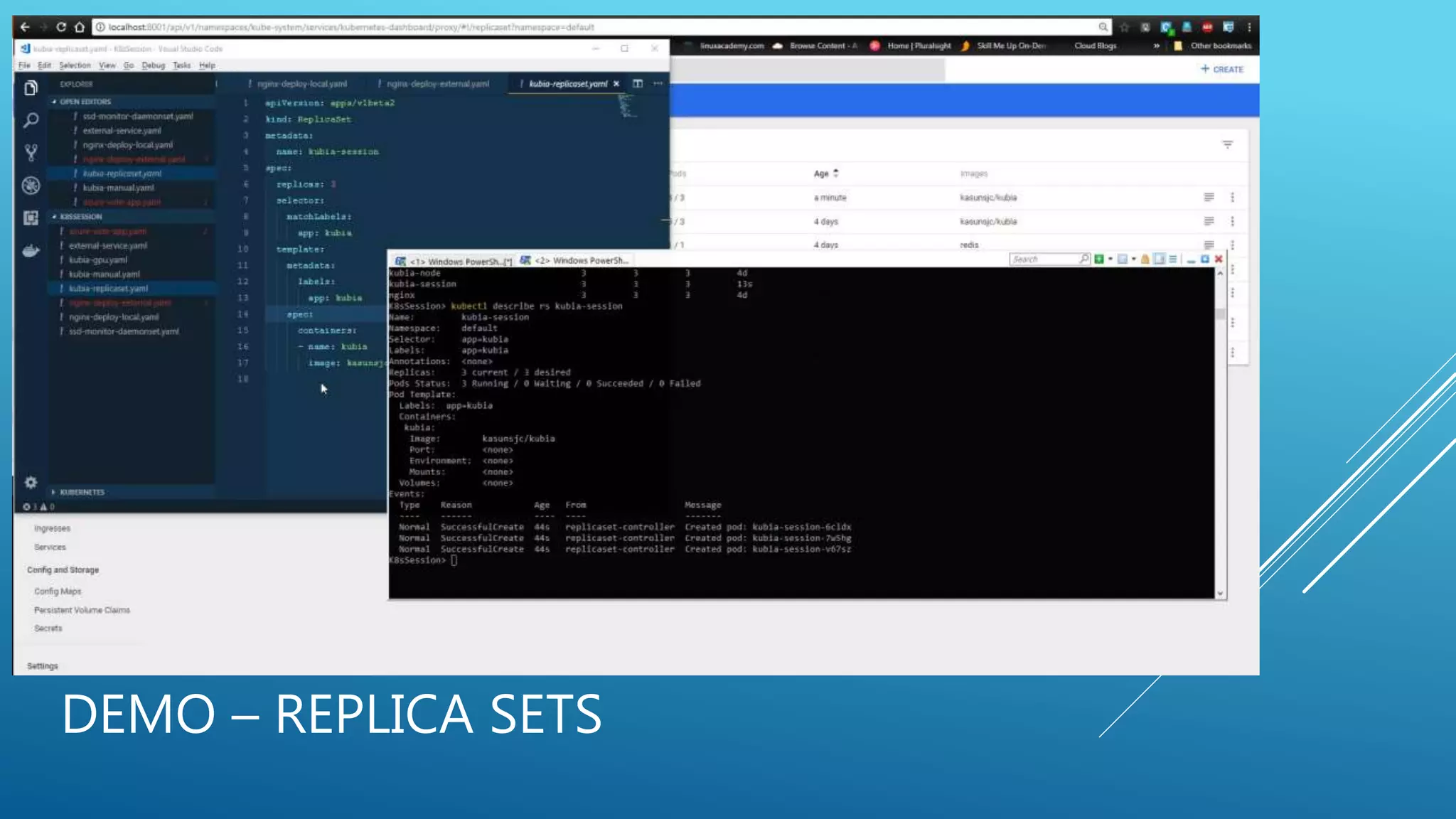
DEMO – REPLICA SETS
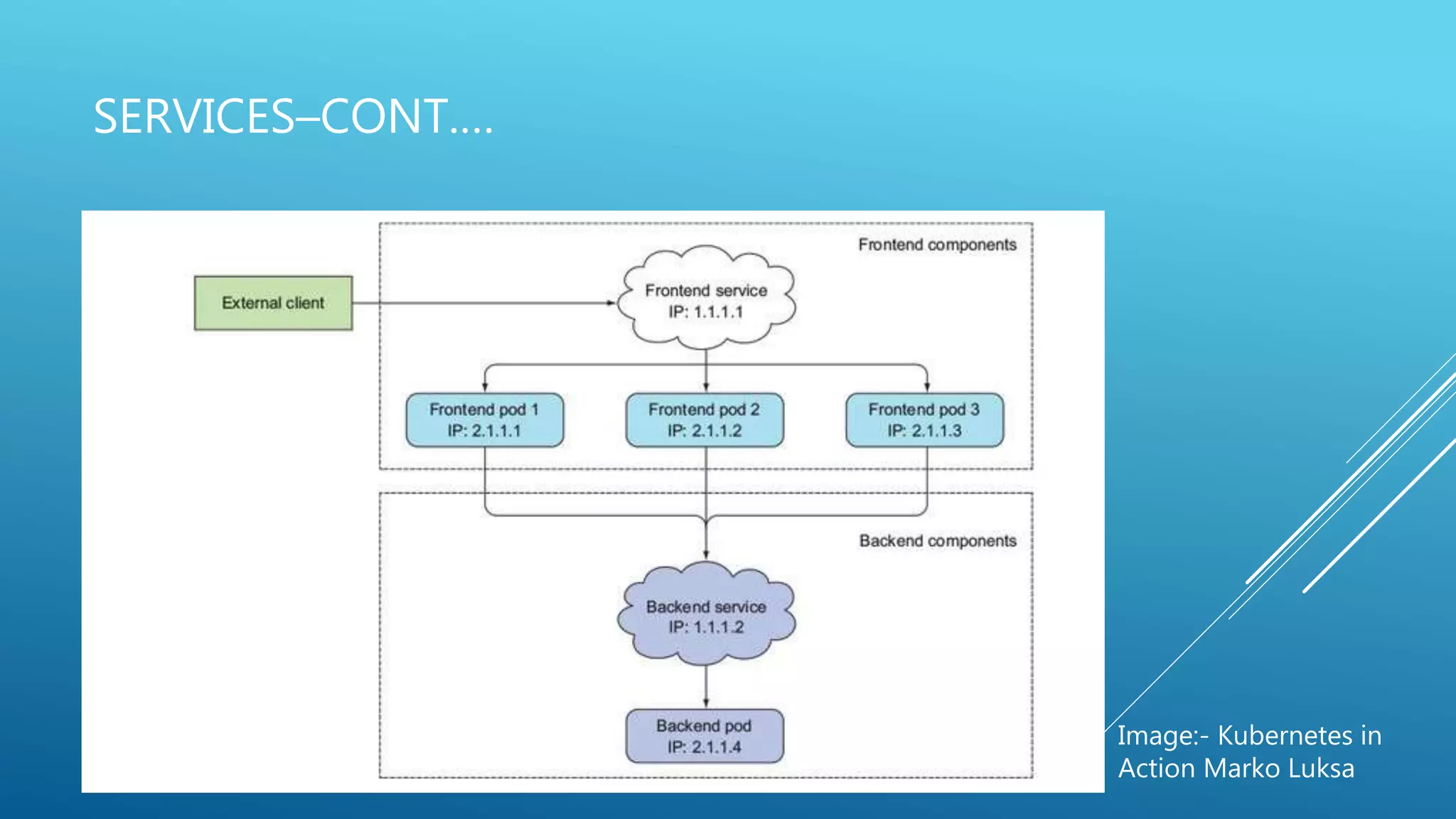
SERVICES
• A resource you create to make a single, constant point of entry to a group of pods
providing the same service.
• Each service has an IP address and port that never change while the service exists.
• External clients need to connect to the frontend pods without caring if there’s only a
single web server or hundreds.
• The frontend pods need to connect to the backend database. Because the database
runs inside a pod, it may be moved around the cluster over time, causing its IP
address to change. You don’t want to reconfigure the frontend pods every time the
backend database is moved.
SERVICES–CONT.…
Image:- Kubernetes in
Action Marko Luksa
DEMO-SERVICES
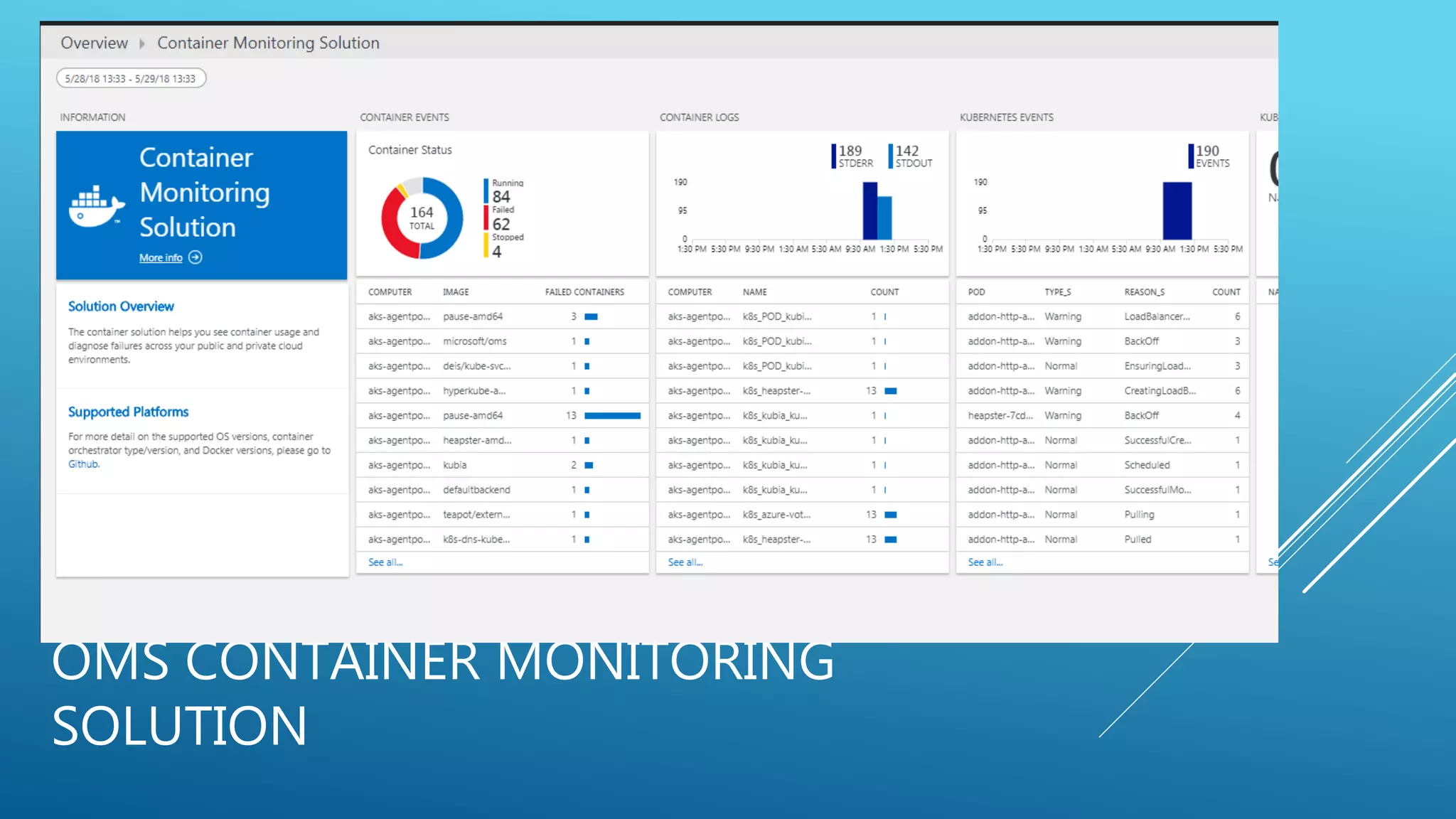
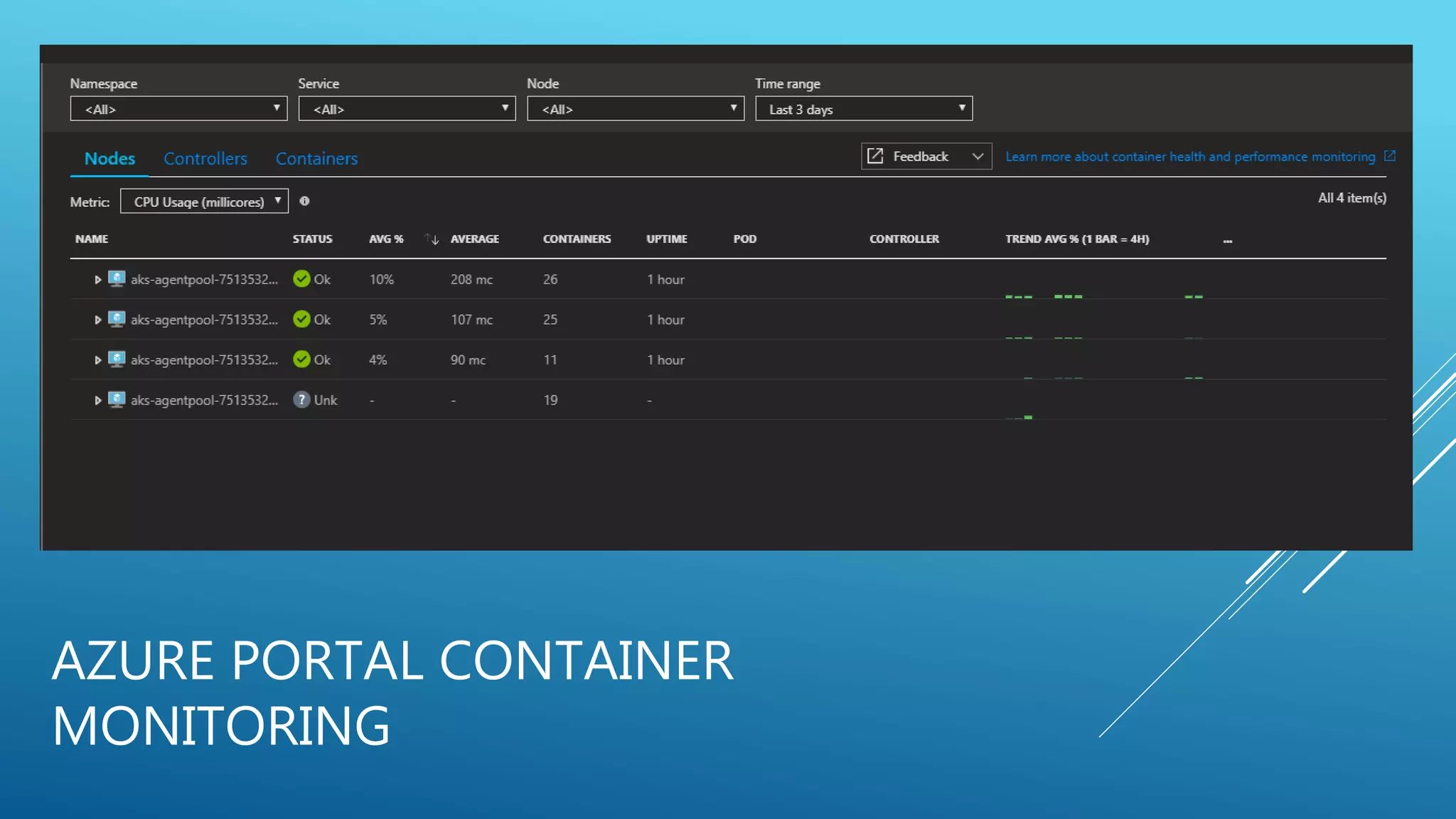
MONITORING KUBERNETES SERVICE
• By the recent enhansment and announcement of container team we can monitor k8
nodes & different resources from azure portal.
• We can use Operation Management Suite (OMS) container solution.
• Using third party container monitoring tools. Eg :- cAdvisor, InfluxDB and Grafana
• For the full list of compatible monitoring tools follow below link
https://kubernetes.io/docs/tasks/debug-application-cluster/resource-usage-monitoring/
OMS CONTAINER MONITORING
SOLUTION
AZURE PORTAL CONTAINER
MONITORING
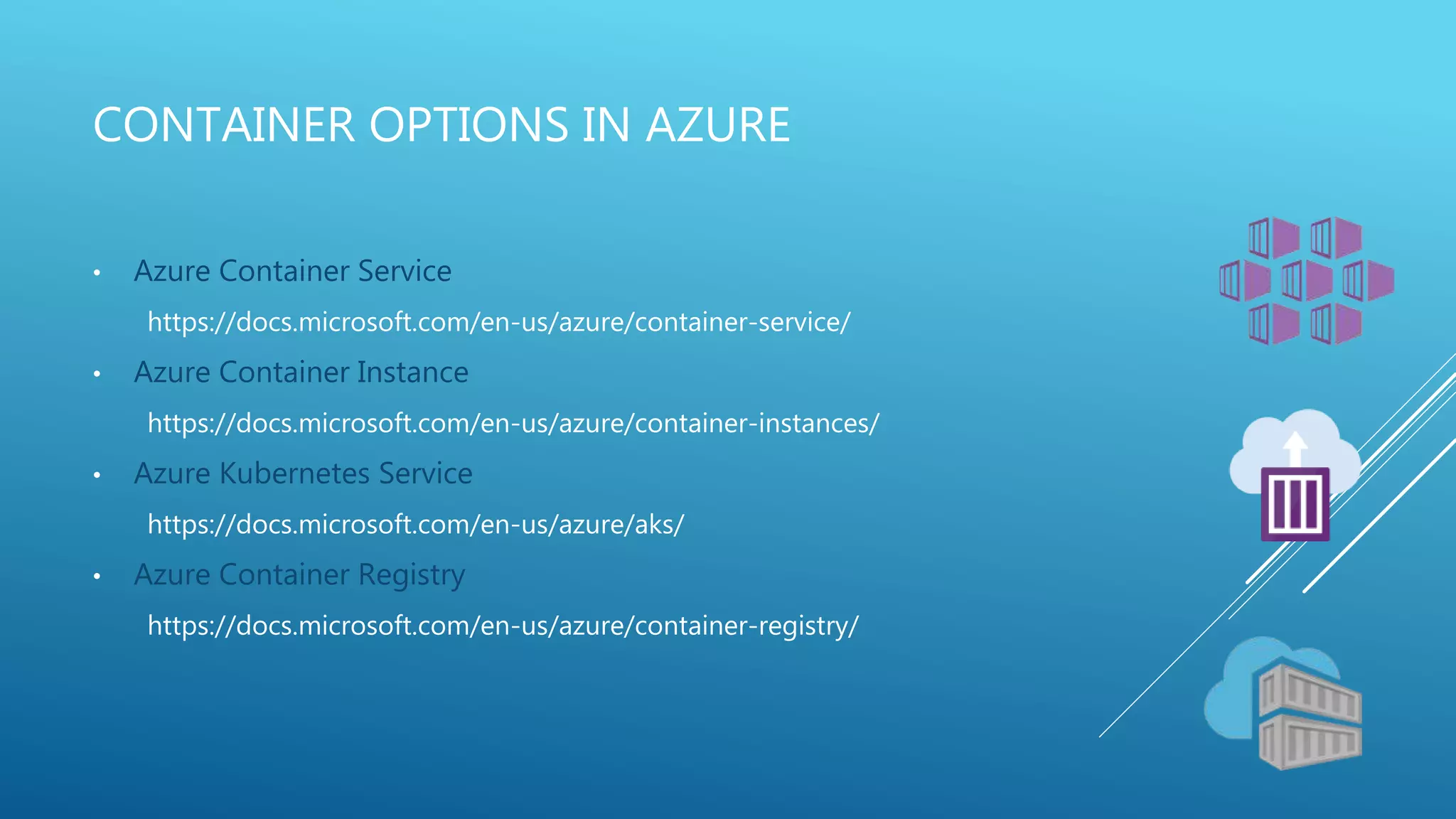
CONTAINER OPTIONS IN AZURE
• Azure Container Service
https://docs.microsoft.com/en-us/azure/container-service/
• Azure Container Instance
https://docs.microsoft.com/en-us/azure/container-instances/
• Azure Kubernetes Service
https://docs.microsoft.com/en-us/azure/aks/
• Azure Container Registry
https://docs.microsoft.com/en-us/azure/container-registry/
THANK YOU

Container management with docker & kubernetes

  • 1.
    CONTAINER MANAGEMENT WITH AZUREKUBERNETES SERVICE Kasun Rajapakse Technical Consultant Thakral One Pvt Ltd Twitter:- @kasunsjc
  • 2.
    WHO AM I? MCSA : Cloud Platform, MCSE, MCT, AWS SAA/Dev/SysOps Work as Technical Consultant 4+ Experience in Cloud & Server Technology OMS, SCOM, AWS, Azure & Windows Server Blog- http://www.allaboutwindowssl.com/ Twitter : @kasunsjc LinkedIn : http://www.linkedin.com/in/kasunraj
  • 3.
    WHAT IS CONTAINERS? •Compared to VMs, containers are much more lightweight • A container, on the other hand, is nothing more than a single isolated process running in the host OS, consuming only the resources that the app consumes and without the overhead of any additional processes • Containers, on the other hand, all perform system calls on the exact same kernel running in the host OS. • This single kernel is the only one performing x86 instructions on the host’s CPU
  • 4.
  • 5.
    WHAT IS DOCKER? •Command line program and background deamon • Computer program that performs operating-system-level virtualization Running software in containers for isolation • Resource isolation features of the Linux kernel such as cgroups and kernel namespaces, and a union-capable file system such as OverlayFS and others • Provides a set of infrastructure components that simplify distributing Docker images
  • 6.
    WHAT IS KUBERNETES(K8S) • It’s originally developed by Google for there internal purpose. • In 2014 Google introduced Kubernetes, an open-source system based on the experience gained through Borg, Omega, and other internal Google systems. • software system that allows you to easily deploy and manage containerized applications on top of it. • Helping developers focus on the core app features. • Helping ops teams achieve better resource utilization.
  • 7.
  • 8.
    AZURE KUBERNETES SERVICE(AKS) • It’s a managed service provide by Azure. • Easy to get start with enterprise scale container environment in minutes. • Can integrate with CI/CD and Source control • Taking away the management of master node (Managed) • Automated Kubernetes version upgrades and patching • Easy cluster scaling • Self-healing hosted control plane (masters) • Cost savings - pay only for running agent pool nodes
  • 9.
    DEMO – CREATEAKS CLUSTER IN MINUTES
  • 10.
    KUBERNETES RESOURCES • CronJobs • Daemon Sets • ReplicaController • Deployments • Jobs • Pods • Replica Sets • Services etc.
  • 11.
    USAGE AND ADVANTAGEOF USING KUBERNETES • Moving from monolithic apps to microservices • Providing a consistent environment to applications • Moving to continuous delivery: DevOps and NoOps • Automatic binpacking • Self-healing • Horizontal scaling • Service discovery and load balancing • Automated rollouts and rollback • Secret and configuration management • Storage orchestration • Batch execution
  • 12.
    PODS • Co-located groupof containers and represents the basic building block in Kubernetes. • It’s common for pods to contain only a single container. • A pod of containers allows you to run closely related processes together and provide them with (almost) the same environment as if they were all running in a single container, while keeping them somewhat isolated. This way, you get the best of both worlds
  • 13.
  • 14.
    REPLICA SETS/REPLICACONTROLER • Kubernetesresource that ensures its pods are always kept running. • It makes sure a pod (or multiple pod replicas) is always running by starting a new pod when an existing one goes missing. • When a cluster node fails, it creates replacement replicas for all the pods that were running on the failed node (those that were under the Replication-Controller’s control). • It enables easy horizontal scaling of pods—both manual and automatic • Uses Label selector to select pods.
  • 15.
    REPLICA SETS/REPLICACONTROLER –CONT.… Image:-Kubernetes in Action Marko Luksa
  • 16.
  • 17.
    SERVICES • A resourceyou create to make a single, constant point of entry to a group of pods providing the same service. • Each service has an IP address and port that never change while the service exists. • External clients need to connect to the frontend pods without caring if there’s only a single web server or hundreds. • The frontend pods need to connect to the backend database. Because the database runs inside a pod, it may be moved around the cluster over time, causing its IP address to change. You don’t want to reconfigure the frontend pods every time the backend database is moved.
  • 18.
  • 19.
  • 20.
    MONITORING KUBERNETES SERVICE •By the recent enhansment and announcement of container team we can monitor k8 nodes & different resources from azure portal. • We can use Operation Management Suite (OMS) container solution. • Using third party container monitoring tools. Eg :- cAdvisor, InfluxDB and Grafana • For the full list of compatible monitoring tools follow below link https://kubernetes.io/docs/tasks/debug-application-cluster/resource-usage-monitoring/
  • 21.
  • 22.
  • 23.
    CONTAINER OPTIONS INAZURE • Azure Container Service https://docs.microsoft.com/en-us/azure/container-service/ • Azure Container Instance https://docs.microsoft.com/en-us/azure/container-instances/ • Azure Kubernetes Service https://docs.microsoft.com/en-us/azure/aks/ • Azure Container Registry https://docs.microsoft.com/en-us/azure/container-registry/
  • 24.