You can change the image by
right clicking the slide and
clicking “format background” =>
picture or texture fill and
selecting your own picture
These
slides are
my gift to
you…
Why?
Hey there! I created these slides because I love helping to tell
stories in digital form and most presentations I see make me
want to just crawl in a hole and never look at a PowerPoint slide
again.
Who are you?
I spent almost ten years working as a strategy consultant for top
global organizations before I decided to hack a life as a self-
employed digital nomad.
Now, I work with individuals and companies to tell better stories,
unlock creative potential an bring sanity back to work.
Paul Millerd
Creator
StrategyU
CONTACT ME
→ E-MAIL ME
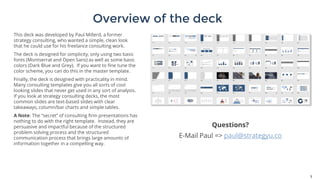
Overview of the deck
3
This deck was developed by Paul Millerd, a former
strategy consulting, who wanted a simple, clean look
that he could use for his freelance consulting work.
The deck is designed for simplicity, only using two basic
fonts (Montserrat and Open Sans) as well as some basic
colors (Dark Blue and Grey). If you want to fine tune the
color scheme, you can do this in the master template.
Finally, the deck is designed with practicality in mind.
Many consulting templates give you all sorts of cool
looking slides that never get used in any sort of analysis.
If you look at strategy consulting decks, the most
common slides are text-based slides with clear
takeaways, column/bar charts and simple tables.
A Note: The “secret” of consulting firm presentations has
nothing to do with the right template. Instead, they are
persuasive and impactful because of the structured
problem solving process and the structured
communication process that brings large amounts of
information together in a compelling way.
Questions?
E-Mail Paul => paul@strategyu.co
Using Different Templates
4
There are two ways to use
this deck. First is to just use
some of the formatted slides
as is. Second is to use the
pre-built templates. You can
access these by right clicking
on a slide to the left and then
selecting from the different
layouts. A screenshot shows
this to the right.
If you have any questions,
just shoot me an e-mail!
Want To Think Like A Strategy Consultant?
5
As a thank you for purchasing the slides, here is a
discount to access the Think Like A Strategy Consultant
self-paced course for $349
Explore Lectures or Enroll Now
Need Help Making Slides?
6
StrategyU offers consulting
services to help people develop
kick-ass decks and templates.
Need help telling your story?
Need to develop a template for
a big project?
Learn More Here
(Your $49 fee will be deducted from any services as an
initial gift)
E-Mail Me!
paul@strategyu.co
This is a divider slide (and also start of the divider section!)
Agenda Slides
Title
• Sub-bullet
Title
• Sub-bullet
Title
• Sub-bullet
Agenda Slides
Title
• Sub-bullet
Title
• Sub-bullet
Title
• Sub-bullet
Agenda Slides
Title
• Sub-bullet
Title
• Sub-bullet
Title
• Sub-bullet
Agenda Slides
Title 1…………………………………………………………… 3
Title 2…………………………………………………………… 3
Title 3…………………………………………………………… 3
Title 4…………………………………………………………… 3
Agenda Slides (editable table)
Topics Page
Strategy Overview 1
• Topic 1 3
• Topic 2 6
• Topic 3 7
Operating Model Overview 8
• Topic 1 9
• Topic 2 12
Appendix 24
Agenda Slides (editable table)
Strategy Overview 1
• Topic 1 3
• Topic 2 6
• Topic 3 7
Operating Model Overview 8
• Topic 1 9
• Topic 2 12
Appendix 24
Agenda Slides (editable table)
Topic 1
Topic 2
Topic 3
Topic 4
Topic 5
Agenda Slides (editable table)
Topic 1
Topic 2
Topic 3
Topic 4
Topic 5
Agenda Slides (editable table)
Topic 1
Topic 2
Topic 3
Topic 4
Topic 5
Agenda Slides (editable table)
Topic 1
Topic 2
Topic 3
• Sub-bullet 1
• Sub-bullet 1
Agenda Slides (editable table)
Topic 1
Topic 2
Topic 3
• Sub-bullet 1
• Sub-bullet 1
Agenda Slides (editable table)
Topic 1
Topic 2
Topic 3
• Sub-bullet 1
• Sub-bullet 1
Content Slides
25
Heading 1 Heading 2
• Bullet 1
• Bullet 2
• …
• Bullet 1
• Bullet 2
• …
26
Heading 1
Heading
• Bullets
Heading
• Bullets
Heading 2
Heading
• Bullets
Heading 3
27
Heading 1
Heading
• Bullets
Heading
• Bullets
Heading 2
Heading
• Bullets
Heading 3
Case Study Slide
28
ImpactContext
Overview Slide
We have completed and finalized the following topics
✓ Topic 1: asdjlkasjdlkjalksjdlkjaslkdj
✓ Topic 2: asdjlkasjdlkjalksjdlkjaslkdj
✓ Topic 3: asdjlkasjdlkjalksjdlkjaslkdj
✓ Topic 4: asdjlkasjdlkjalksjdlkjaslkdj
Sub-Topic
30
Xx x xxxxx
X x xxxx x xxxxxx xxx xxxxxxx xxx
xxxx x x
Xxxxxx xxxxx xxx
xxxxxx x xxxxxxxxxxxxxxx x xxxxxx x
xxx x xxx xx xxx x
Xx xxxxx x xxxxx
Xxxxx xxx xxxx xxxxx xx xxxx xxxx
xxxxxx xxxxxx
Xx xxx xxxxxxxx
Xx xx xxxx xxxxxxxxx xxxxx
xxxxxxxxxx x
Xxxxxx
Xx xx xxx xxxxxxxx xxx xxx xx xxx
xxxx xx xxxxx x
Xxxxxxxx xx
Xxxxx xxxx xxxx xx Xx x xxxxx xxxx
xxxxxxx Xx x xxxxxxxx xx
Two Column
Slide
White
Is the color of milk and fresh
snow, the color produced by
the combination of all the
colors of the visible spectrum.
Black
Is the color of coal, ebony, and
of outer space. It is the darkest
color, the result of the absence
of or complete absorption of
light.
Three
Column
Slide
Yellow
Is the color of gold,
butter and ripe
lemons. In the
spectrum of visible
light, yellow is found
between green and
orange.
Blue
Is the colour of the
clear sky and the
deep sea. It is
located between
violet and green on
the optical spectrum.
Red
Is the color of blood,
and because of this
it has historically
been associated with
sacrifice, danger and
courage.
Big Takeaway Slide
34
Big Takeaway Slide 2
Description
35
Big Takeaway Slide 2
Description
36
Big Takeaway Slide 3
Description
Takeaway Boxes
xxxxx • xxxxx
xxxxx • xxxxx
xxxxx • xxxxx
Takeaway Boxes w. icons
1. Topic 1
1. Topic 2
1. Topic 3
• Header: Detailed description
Takeaway Boxes
xxxxx
• xxxxx
xxxxx
• xxxxx
xxxxx
• xxxxx
xxxxx
• xxxxx
xxxxx
• xxxxx
Numbered Points
• Key point 1
• Key point 2
1
• Key point 1
• Key point 2
2
• Key point 1
• Key point 2
3
• Key point 1
• Key point 2
4
• Key point 1
• Key point 2
5
Process Slides
Label 1 Label 2 Label 3 Label 4
Header 1
• Bullet 1
-Sub-bullet
Header 1
• Bullet 1
-Sub-bullet
Header 1
• Bullet 1
-Sub-bullet
Header 1
• Bullet 1
-Sub-bullet
Process Slides
• Thjklashdfjahsfjkhs
djkfhjksahdljkfhjka
slhdfjklhasjkldfhjka
shjkdfhklshdjkfh
• Sadfhasjkdhfjkash
djkfhjkashdjkfhjkas
hdfjkhasjkdhfjkhsj
kdfhjkashdjkfhjksd
f
Step 1
• Thjklashdfjahsfjkhs
djkfhjksahdljkfhjka
slhdfjklhasjkldfhjka
shjkdfhklshdjkfh
• Sadfhasjkdhfjkash
djkfhjkashdjkfhjkas
hdfjkhasjkdhfjkhsj
kdfhjkashdjkfhjksd
f
Step 2
• Thjklashdfjahsfjkhs
djkfhjksahdljkfhjka
slhdfjklhasjkldfhjka
shjkdfhklshdjkfh
• Sadfhasjkdhfjkash
djkfhjkashdjkfhjkas
hdfjkhasjkdhfjkhsj
kdfhjkashdjkfhjksd
f
Step 3
• Thjklashdfjahsfjkhs
djkfhjksahdljkfhjka
slhdfjklhasjkldfhjka
shjkdfhklshdjkfh
• Sadfhasjkdhfjkash
djkfhjkashdjkfhjkas
hdfjkhasjkdhfjkhsj
kdfhjkashdjkfhjksd
f
Step 5Step 4
• Thjklashdfjahsfjkhs
djkfhjksahdljkfhjka
slhdfjklhasjkldfhjka
shjkdfhklshdjkfh
• Sadfhasjkdhfjkash
djkfhjkashdjkfhjkas
hdfjkhasjkdhfjkhsj
kdfhjkashdjkfhjksd
f
• Thjklashdfjahsfjkhs
djkfhjksahdljkfhjka
slhdfjklhasjkldfhjka
shjkdfhklshdjkfh
• Sadfhasjkdhfjkash
djkfhjkashdjkfhjkas
hdfjkhasjkdhfjkhsj
kdfhjkashdjkfhjksd
f
Step 6
43
1 2 3
Title 1
4
2 3 41
Title 2
Header
• Bullet 1
• Bullet 2
• Bullet 3
Header
• Bullet 1
• Bullet 2
• Bullet 3
Process and/or Recommendation Steps
44
Step 3
Step 1
Step 2
1
2
3
Process Outline
45
XXXX
XXXX
XXXX XXXX
XXXX
Process STeps
46
Description
Description
Description
Description
01
02
03
04
Three Key Things
1 2 3+ +
• Bullet 1
• Bullet 2
• …
48
Heading 1
Text Takeaways
49
Key Driver
Header
Detailed description of the issue or topic you are
covering
Header
Detailed description of the issue or topic you are
covering
Header
Detailed description of the issue or topic you are
covering
Header
Detailed description of the issue or topic you are
covering
Recommendation
Next steps…
Next steps…
Next steps…
Next steps…
Table
Things to Address Description
Topic 1
• asdasd
Topic 2
• asdasd
Topic 3
• asdasd
Topic 4
• asdasd
Advanced Table
Header 1 Header 2
Name Header Header Header Header Header Header
X • •
X • 
X • ✓ 
X ✓ • •
X • ✓ • •
X •
X • •
X • •
Gap? ✓ ✓ ✓  ✓ 
Competitor Assessment Table
Company Competitor Takeaway
Area
• Xxx • Xxx • Xxx
Area
• Xxx • Xxx • Xxx
Area
• Xxx • Xxx • Xxx
Area
• Xxx • Xxx • Xxx
Area
Area
Three boxes
Heading 1
Header 1
• Bullet 1
- Sub-bullet
Heading 1
Header 1
• Bullet 1
- Sub-bullet
Heading 1
Header 1
• Bullet 1
- Sub-bullet
Charts & Graphs
0
1
2
3
4
5
6
Category 1 Category 2 Category 3 Category 4
Chart Title
Series 1 Series 2 Series 3
Gantt Chart
Activity(1) Status
Week or month Week or month
1 2 3 4 5 6 7 8 9 10
Activity 1 Done
Activity 2
▪ First element
Done
Activity 3
▪ First element
▪ Second element
▪ Third element (sub-levels in left-most
columns of Gantt charts are plain,
sentence case, and have a round
bullet)
WIP
Activity 4 WIP
Executive committee meetings
Graphs – 100% Scale
20.4
27.4
90.0
20.4
30.6
38.6
34.6
31.6
0% 10% 20% 30% 40% 50% 60% 70% 80% 90% 100%
Category 1
Category 2
Category 3
Category 4
Spend Revenue
Graphs – 100% Scale
Chart 1 title Chart 2 title
22.3
29.7
18.2
28.2
33.7
42.7
47.0
90.0
Category A
Category B
Category C
Category D
Category E
Category F
Category G
Category H
20.4
27.4
20.4
30.6
38.6
34.6
31.6
45.0
2x2 Matrix
FeasibilityLow High
ROI
Low
High
Product
A
Product
B
Product
C
2x2 Matrix
Label 3 Label 4
Label 2 Label 1
CCCC
xxxxx
DDDD
xxxxx
XXX
xxxxx
AAA
xxxx
Profitability
Strategic Fit
Linear Charts
61
1
2
4
6 6
7
11
14
20
11
12
14
16 16
17
21
23
24
0
5
10
15
20
25
'90 '91 '92 '93 '94 '95 '96 '97 '98
ABC DEF
Stacked Column
62
20.4
27.4
90.0
20.4
30.6
38.6
34.6
31.6
0
50
100
150
1st Qtr 2nd Qtr 3rd Qtr 4th Qtr
West East
Stacked Column With Connectors
63
20.4 27.4
90.0
20.4
30.6
38.6
34.6
31.6
45.9
46.9
45.0
43.9
0%
50%
100%
1st Qtr 2nd Qtr 3rd Qtr 4th Qtr
Two column graphs (before and after)
64
68
95
0
25
50
75
100
1st Qtr 2nd Qtr
68
95
0
25
50
75
100
1st Qtr 2nd Qtr
Insight + Column Graph
65
68
95
0
25
50
75
100
1st Qtr 2nd Qtr
Heading 1
Header 1
• Bullet 1
- Sub-bullet
Slide Templates
68
Reflections from ancient wisdom,
poetry, business & research
You can click the left box <= and hit paste of an image you
want to use and it will fit into the box
This is a picture slide
IMAGE SLIDE
You can change the image by right
clicking the slide and clicking
“format background” => picture or
texture fill and selecting your own
picture
75
89,526,124
You can change the image by right clicking the slide and
clicking “format background” => picture or texture fill and
selecting your own picture
76
77
78
79
Picture Slide (Click Box + Paste Image)
“
80
“
81
Icons & Other Visuals
82
WORLD MAP
83
WORLD MAP
84
TIP: You can select and do a
“shape fill” of individual
countries
85
LOREM IPSUMLOREM IPSUMLOREM IPSUM
40% 30% 20%
Lorem ipsum dolor
sit amet,
consectetuer
adipiscing elit.
Lorem ipsum dolor
sit amet,
consectetuer
adipiscing elit.
Lorem ipsum dolor
sit amet,
consectetuer
adipiscing elit.
People counting slide
86
Xxxxx xxxxxx x xx
6 of 10
Xxxxx xxxxx xxx xx
9 of 10
People quote slide
87
Asdasdkl; sadjlkasd
asdjklasnd aksdn
asdkmas dkaljsd
Asdasdkl; sadjlkasd
asdjklasnd aksdn
asdkmas dkaljsd
Asdasdkl; sadjlkasd
asdjklasnd aksdn
asdkmas dkaljs
88
70
lorem ipsum
100
lorem ipsum
120
lorem ipsum
140
lorem ipsum
150
lorem ipsum
89
THE
PROCESS
LOREM IPSUM
Lorem ipsum dolor sit
amet
LOREM IPSUM
Lorem ipsum dolor sit
amet
LOREM IPSUM
Lorem ipsum dolor sit
amet
LOREM IPSUM
Lorem ipsum dolor sit
amet
LOREM IPSUM
Lorem ipsum dolor sit
amet
LOREM IPSUM
Lorem ipsum dolor sit
amet
LOREM IPSUM
Lorem ipsum dolor sit
amet
LOREM IPSUM
Lorem ipsum dolor sit
amet
90
lorem ipsum
lorem ipsum
lorem ipsum
lorem ipsum
lorem ipsum
lorem ipsum
CASH
BILLS
PROBLEM
TIME
STRATEGY
SECURITY
91
MARKETING SOCIAL MEDIA
BLOGGING
92
strategy security A.I. tools balance
Lorem ipsum dolor
sit amet,
consectetuer
adipiscing elit.
Lorem ipsum dolor
sit amet,
consectetuer
adipiscing elit.
Lorem ipsum dolor
sit amet,
consectetuer
adipiscing elit.
Lorem ipsum dolor
sit amet,
consectetuer
adipiscing elit.
Lorem ipsum dolor
sit amet,
consectetuer
adipiscing elit.
93
LOREM IPSUM
Lorem ipsum dolor sit
amet, consectetuer
adipiscing elit.
LOREM IPSUM
Lorem ipsum dolor sit
amet, consectetuer
adipiscing elit.
LOREM IPSUM
Lorem ipsum dolor sit
amet, consectetuer
adipiscing elit.
LOREM IPSUM
Lorem ipsum dolor sit
amet, consectetuer
adipiscing elit.
Pyramid
• Text
• Text 2Tier 1
Tier 2
Tier 2
Tier 2
• Text
• Text 2
• Text
• Text 2
• Text
• Text 2
Issue-Tree Analysis
Confidential | 95
An issue tree can help frame a problem and the potential scope of a case at the beginning of an
engagement. It can also be a way to determine where to focus
Problem
Hypothesis 1
Hypothesis 2
Hypothesis 3
Possible
Reason 1
Analysis 1
Possible
Reason 2
Possible
Reason 3
Analysis 1
Analysis 1
Hierarchy
Confidential | 96
Main
Topic
Sub-Topic
Sub-Topic
Sub-Topic
Sub-Topic
x
x
x
x
x
x
x
1
2
3
4
5
6
7
8
x
Hierarchy
97
CEO
Reps. Reps.
National Director National Directors National Director
US EU & Middle East
South America &
Africa
Manager 1 Manager 2
Reps. Reps.
Manager 1 Manager 2
Hierarchy
Xxxx X x
Xxxx Xxx X Xxxx Xxx X Xxxx Xxx X
Xxxxx xxxxx xxxxxx xxx
xx xxxxxxxx xxxxxx x xx X
x xxxx x xxxx Xxxx xx
xxxxx xxx xx xxxxxxxxx
xx Xxxxxxxxxx xx
xxxxxxxxxxxx x xxxxx xx
xxxxxx Xxxxx xxxx xxxxxx
xxxxxxxxx xx
xxxxxxxxxxxxxxxx
Xxxx Xxx X
Xxxxxx xxxxx xxxx x
xxxxx xxxxxx x xxx
xxxxxxx x xxxxxx x xx
Xxxxx xxxxxxxxxxxxx
Xxxxxxxxxxx xxxxx xx xxx
xx xxx xxxxxx x Xx xxx
xxx xxx xxx x xxxx xxx xx
xxxxx x xxx xxx xxxxx
xxxxx xxxxxxxx xxxx
x x xxxxxxx x xxxx xxxxx
xxxxxx xxx xx xxxxx xx
xxxx xxxxxxxx xxxxx xxx
Xxxxxxx xxxxxxxxxx Xxx
xxxxxxxxx xxxx Xxxxx
xxxx xxxxx x xxxxx x
xxxxxxxx xx xxxxxxxx xxx
xxxx xxx xxx x xxxx
Xx xxxxxxx xxxx xxxxxx
Xx xxx xx xxxxxx x xxx x
xxx xxx xx Xxxxx xxxxxxx
Xxxxx xxxxx xxxxxxx xx
xx x xxxxxx xxxx xxxxx xx
xxxxxx xx Xxxx xx
xxxxxxx x xxxxxxx
xxxxxxxx xxxxxxxx xxxx
xxxx x xx
99
100
Titles1
Titles2
Titles3
Titles4
101
102
…
…
…
…
…
…
…
Text
Text
Text
Text
Text
Text
Icons
103
Icons
104
Icons
105
Icons
106

Consulting Template Slides

  • 1.
    You can changethe image by right clicking the slide and clicking “format background” => picture or texture fill and selecting your own picture
  • 2.
    These slides are my giftto you… Why? Hey there! I created these slides because I love helping to tell stories in digital form and most presentations I see make me want to just crawl in a hole and never look at a PowerPoint slide again. Who are you? I spent almost ten years working as a strategy consultant for top global organizations before I decided to hack a life as a self- employed digital nomad. Now, I work with individuals and companies to tell better stories, unlock creative potential an bring sanity back to work. Paul Millerd Creator StrategyU CONTACT ME → E-MAIL ME
  • 3.
    Overview of thedeck 3 This deck was developed by Paul Millerd, a former strategy consulting, who wanted a simple, clean look that he could use for his freelance consulting work. The deck is designed for simplicity, only using two basic fonts (Montserrat and Open Sans) as well as some basic colors (Dark Blue and Grey). If you want to fine tune the color scheme, you can do this in the master template. Finally, the deck is designed with practicality in mind. Many consulting templates give you all sorts of cool looking slides that never get used in any sort of analysis. If you look at strategy consulting decks, the most common slides are text-based slides with clear takeaways, column/bar charts and simple tables. A Note: The “secret” of consulting firm presentations has nothing to do with the right template. Instead, they are persuasive and impactful because of the structured problem solving process and the structured communication process that brings large amounts of information together in a compelling way. Questions? E-Mail Paul => paul@strategyu.co
  • 4.
    Using Different Templates 4 Thereare two ways to use this deck. First is to just use some of the formatted slides as is. Second is to use the pre-built templates. You can access these by right clicking on a slide to the left and then selecting from the different layouts. A screenshot shows this to the right. If you have any questions, just shoot me an e-mail!
  • 5.
    Want To ThinkLike A Strategy Consultant? 5 As a thank you for purchasing the slides, here is a discount to access the Think Like A Strategy Consultant self-paced course for $349 Explore Lectures or Enroll Now
  • 6.
    Need Help MakingSlides? 6 StrategyU offers consulting services to help people develop kick-ass decks and templates. Need help telling your story? Need to develop a template for a big project? Learn More Here (Your $49 fee will be deducted from any services as an initial gift) E-Mail Me! paul@strategyu.co
  • 7.
    This is adivider slide (and also start of the divider section!)
  • 8.
    Agenda Slides Title • Sub-bullet Title •Sub-bullet Title • Sub-bullet
  • 9.
    Agenda Slides Title • Sub-bullet Title •Sub-bullet Title • Sub-bullet
  • 10.
    Agenda Slides Title • Sub-bullet Title •Sub-bullet Title • Sub-bullet
  • 11.
    Agenda Slides Title 1……………………………………………………………3 Title 2…………………………………………………………… 3 Title 3…………………………………………………………… 3 Title 4…………………………………………………………… 3
  • 12.
    Agenda Slides (editabletable) Topics Page Strategy Overview 1 • Topic 1 3 • Topic 2 6 • Topic 3 7 Operating Model Overview 8 • Topic 1 9 • Topic 2 12 Appendix 24
  • 13.
    Agenda Slides (editabletable) Strategy Overview 1 • Topic 1 3 • Topic 2 6 • Topic 3 7 Operating Model Overview 8 • Topic 1 9 • Topic 2 12 Appendix 24
  • 14.
    Agenda Slides (editabletable) Topic 1 Topic 2 Topic 3 Topic 4 Topic 5
  • 15.
    Agenda Slides (editabletable) Topic 1 Topic 2 Topic 3 Topic 4 Topic 5
  • 16.
    Agenda Slides (editabletable) Topic 1 Topic 2 Topic 3 Topic 4 Topic 5
  • 17.
    Agenda Slides (editabletable) Topic 1 Topic 2 Topic 3 • Sub-bullet 1 • Sub-bullet 1
  • 18.
    Agenda Slides (editabletable) Topic 1 Topic 2 Topic 3 • Sub-bullet 1 • Sub-bullet 1
  • 19.
    Agenda Slides (editabletable) Topic 1 Topic 2 Topic 3 • Sub-bullet 1 • Sub-bullet 1
  • 20.
  • 25.
    25 Heading 1 Heading2 • Bullet 1 • Bullet 2 • … • Bullet 1 • Bullet 2 • …
  • 26.
    26 Heading 1 Heading • Bullets Heading •Bullets Heading 2 Heading • Bullets Heading 3
  • 27.
    27 Heading 1 Heading • Bullets Heading •Bullets Heading 2 Heading • Bullets Heading 3
  • 28.
  • 29.
    Overview Slide We havecompleted and finalized the following topics ✓ Topic 1: asdjlkasjdlkjalksjdlkjaslkdj ✓ Topic 2: asdjlkasjdlkjalksjdlkjaslkdj ✓ Topic 3: asdjlkasjdlkjalksjdlkjaslkdj ✓ Topic 4: asdjlkasjdlkjalksjdlkjaslkdj Sub-Topic
  • 30.
    30 Xx x xxxxx Xx xxxx x xxxxxx xxx xxxxxxx xxx xxxx x x Xxxxxx xxxxx xxx xxxxxx x xxxxxxxxxxxxxxx x xxxxxx x xxx x xxx xx xxx x Xx xxxxx x xxxxx Xxxxx xxx xxxx xxxxx xx xxxx xxxx xxxxxx xxxxxx Xx xxx xxxxxxxx Xx xx xxxx xxxxxxxxx xxxxx xxxxxxxxxx x Xxxxxx Xx xx xxx xxxxxxxx xxx xxx xx xxx xxxx xx xxxxx x Xxxxxxxx xx Xxxxx xxxx xxxx xx Xx x xxxxx xxxx xxxxxxx Xx x xxxxxxxx xx
  • 31.
    Two Column Slide White Is thecolor of milk and fresh snow, the color produced by the combination of all the colors of the visible spectrum. Black Is the color of coal, ebony, and of outer space. It is the darkest color, the result of the absence of or complete absorption of light.
  • 32.
    Three Column Slide Yellow Is the colorof gold, butter and ripe lemons. In the spectrum of visible light, yellow is found between green and orange. Blue Is the colour of the clear sky and the deep sea. It is located between violet and green on the optical spectrum. Red Is the color of blood, and because of this it has historically been associated with sacrifice, danger and courage.
  • 33.
  • 34.
    34 Big Takeaway Slide2 Description
  • 35.
    35 Big Takeaway Slide2 Description
  • 36.
    36 Big Takeaway Slide3 Description
  • 37.
    Takeaway Boxes xxxxx •xxxxx xxxxx • xxxxx xxxxx • xxxxx
  • 38.
    Takeaway Boxes w.icons 1. Topic 1 1. Topic 2 1. Topic 3 • Header: Detailed description • Header: Detailed description • Header: Detailed description • Header: Detailed description • Header: Detailed description • Header: Detailed description • Header: Detailed description • Header: Detailed description • Header: Detailed description
  • 39.
    Takeaway Boxes xxxxx • xxxxx xxxxx •xxxxx xxxxx • xxxxx xxxxx • xxxxx xxxxx • xxxxx
  • 40.
    Numbered Points • Keypoint 1 • Key point 2 1 • Key point 1 • Key point 2 2 • Key point 1 • Key point 2 3 • Key point 1 • Key point 2 4 • Key point 1 • Key point 2 5
  • 41.
    Process Slides Label 1Label 2 Label 3 Label 4 Header 1 • Bullet 1 -Sub-bullet Header 1 • Bullet 1 -Sub-bullet Header 1 • Bullet 1 -Sub-bullet Header 1 • Bullet 1 -Sub-bullet
  • 42.
    Process Slides • Thjklashdfjahsfjkhs djkfhjksahdljkfhjka slhdfjklhasjkldfhjka shjkdfhklshdjkfh •Sadfhasjkdhfjkash djkfhjkashdjkfhjkas hdfjkhasjkdhfjkhsj kdfhjkashdjkfhjksd f Step 1 • Thjklashdfjahsfjkhs djkfhjksahdljkfhjka slhdfjklhasjkldfhjka shjkdfhklshdjkfh • Sadfhasjkdhfjkash djkfhjkashdjkfhjkas hdfjkhasjkdhfjkhsj kdfhjkashdjkfhjksd f Step 2 • Thjklashdfjahsfjkhs djkfhjksahdljkfhjka slhdfjklhasjkldfhjka shjkdfhklshdjkfh • Sadfhasjkdhfjkash djkfhjkashdjkfhjkas hdfjkhasjkdhfjkhsj kdfhjkashdjkfhjksd f Step 3 • Thjklashdfjahsfjkhs djkfhjksahdljkfhjka slhdfjklhasjkldfhjka shjkdfhklshdjkfh • Sadfhasjkdhfjkash djkfhjkashdjkfhjkas hdfjkhasjkdhfjkhsj kdfhjkashdjkfhjksd f Step 5Step 4 • Thjklashdfjahsfjkhs djkfhjksahdljkfhjka slhdfjklhasjkldfhjka shjkdfhklshdjkfh • Sadfhasjkdhfjkash djkfhjkashdjkfhjkas hdfjkhasjkdhfjkhsj kdfhjkashdjkfhjksd f • Thjklashdfjahsfjkhs djkfhjksahdljkfhjka slhdfjklhasjkldfhjka shjkdfhklshdjkfh • Sadfhasjkdhfjkash djkfhjkashdjkfhjkas hdfjkhasjkdhfjkhsj kdfhjkashdjkfhjksd f Step 6
  • 43.
    43 1 2 3 Title1 4 2 3 41 Title 2 Header • Bullet 1 • Bullet 2 • Bullet 3 Header • Bullet 1 • Bullet 2 • Bullet 3
  • 44.
    Process and/or RecommendationSteps 44 Step 3 Step 1 Step 2 1 2 3
  • 45.
  • 46.
  • 47.
  • 48.
    • Bullet 1 •Bullet 2 • … 48 Heading 1
  • 49.
    Text Takeaways 49 Key Driver Header Detaileddescription of the issue or topic you are covering Header Detailed description of the issue or topic you are covering Header Detailed description of the issue or topic you are covering Header Detailed description of the issue or topic you are covering Recommendation Next steps… Next steps… Next steps… Next steps…
  • 50.
    Table Things to AddressDescription Topic 1 • asdasd Topic 2 • asdasd Topic 3 • asdasd Topic 4 • asdasd
  • 51.
    Advanced Table Header 1Header 2 Name Header Header Header Header Header Header X • • X •  X • ✓  X ✓ • • X • ✓ • • X • X • • X • • Gap? ✓ ✓ ✓  ✓ 
  • 52.
    Competitor Assessment Table CompanyCompetitor Takeaway Area • Xxx • Xxx • Xxx Area • Xxx • Xxx • Xxx Area • Xxx • Xxx • Xxx Area • Xxx • Xxx • Xxx Area Area
  • 53.
    Three boxes Heading 1 Header1 • Bullet 1 - Sub-bullet Heading 1 Header 1 • Bullet 1 - Sub-bullet Heading 1 Header 1 • Bullet 1 - Sub-bullet
  • 54.
  • 55.
    0 1 2 3 4 5 6 Category 1 Category2 Category 3 Category 4 Chart Title Series 1 Series 2 Series 3
  • 56.
    Gantt Chart Activity(1) Status Weekor month Week or month 1 2 3 4 5 6 7 8 9 10 Activity 1 Done Activity 2 ▪ First element Done Activity 3 ▪ First element ▪ Second element ▪ Third element (sub-levels in left-most columns of Gantt charts are plain, sentence case, and have a round bullet) WIP Activity 4 WIP Executive committee meetings
  • 57.
    Graphs – 100%Scale 20.4 27.4 90.0 20.4 30.6 38.6 34.6 31.6 0% 10% 20% 30% 40% 50% 60% 70% 80% 90% 100% Category 1 Category 2 Category 3 Category 4 Spend Revenue
  • 58.
    Graphs – 100%Scale Chart 1 title Chart 2 title 22.3 29.7 18.2 28.2 33.7 42.7 47.0 90.0 Category A Category B Category C Category D Category E Category F Category G Category H 20.4 27.4 20.4 30.6 38.6 34.6 31.6 45.0
  • 59.
  • 60.
    2x2 Matrix Label 3Label 4 Label 2 Label 1 CCCC xxxxx DDDD xxxxx XXX xxxxx AAA xxxx Profitability Strategic Fit
  • 61.
    Linear Charts 61 1 2 4 6 6 7 11 14 20 11 12 14 1616 17 21 23 24 0 5 10 15 20 25 '90 '91 '92 '93 '94 '95 '96 '97 '98 ABC DEF
  • 62.
  • 63.
    Stacked Column WithConnectors 63 20.4 27.4 90.0 20.4 30.6 38.6 34.6 31.6 45.9 46.9 45.0 43.9 0% 50% 100% 1st Qtr 2nd Qtr 3rd Qtr 4th Qtr
  • 64.
    Two column graphs(before and after) 64 68 95 0 25 50 75 100 1st Qtr 2nd Qtr 68 95 0 25 50 75 100 1st Qtr 2nd Qtr
  • 65.
    Insight + ColumnGraph 65 68 95 0 25 50 75 100 1st Qtr 2nd Qtr Heading 1 Header 1 • Bullet 1 - Sub-bullet
  • 66.
  • 68.
  • 72.
    Reflections from ancientwisdom, poetry, business & research
  • 74.
    You can clickthe left box <= and hit paste of an image you want to use and it will fit into the box This is a picture slide
  • 75.
    IMAGE SLIDE You canchange the image by right clicking the slide and clicking “format background” => picture or texture fill and selecting your own picture 75
  • 76.
    89,526,124 You can changethe image by right clicking the slide and clicking “format background” => picture or texture fill and selecting your own picture 76
  • 77.
  • 78.
  • 79.
    79 Picture Slide (ClickBox + Paste Image)
  • 80.
  • 81.
  • 82.
    Icons & OtherVisuals 82
  • 83.
  • 84.
    WORLD MAP 84 TIP: Youcan select and do a “shape fill” of individual countries
  • 85.
    85 LOREM IPSUMLOREM IPSUMLOREMIPSUM 40% 30% 20% Lorem ipsum dolor sit amet, consectetuer adipiscing elit. Lorem ipsum dolor sit amet, consectetuer adipiscing elit. Lorem ipsum dolor sit amet, consectetuer adipiscing elit.
  • 86.
    People counting slide 86 Xxxxxxxxxxx x xx 6 of 10 Xxxxx xxxxx xxx xx 9 of 10
  • 87.
    People quote slide 87 Asdasdkl;sadjlkasd asdjklasnd aksdn asdkmas dkaljsd Asdasdkl; sadjlkasd asdjklasnd aksdn asdkmas dkaljsd Asdasdkl; sadjlkasd asdjklasnd aksdn asdkmas dkaljs
  • 88.
    88 70 lorem ipsum 100 lorem ipsum 120 loremipsum 140 lorem ipsum 150 lorem ipsum
  • 89.
    89 THE PROCESS LOREM IPSUM Lorem ipsumdolor sit amet LOREM IPSUM Lorem ipsum dolor sit amet LOREM IPSUM Lorem ipsum dolor sit amet LOREM IPSUM Lorem ipsum dolor sit amet LOREM IPSUM Lorem ipsum dolor sit amet LOREM IPSUM Lorem ipsum dolor sit amet LOREM IPSUM Lorem ipsum dolor sit amet LOREM IPSUM Lorem ipsum dolor sit amet
  • 90.
    90 lorem ipsum lorem ipsum loremipsum lorem ipsum lorem ipsum lorem ipsum CASH BILLS PROBLEM TIME STRATEGY SECURITY
  • 91.
  • 92.
    92 strategy security A.I.tools balance Lorem ipsum dolor sit amet, consectetuer adipiscing elit. Lorem ipsum dolor sit amet, consectetuer adipiscing elit. Lorem ipsum dolor sit amet, consectetuer adipiscing elit. Lorem ipsum dolor sit amet, consectetuer adipiscing elit. Lorem ipsum dolor sit amet, consectetuer adipiscing elit.
  • 93.
    93 LOREM IPSUM Lorem ipsumdolor sit amet, consectetuer adipiscing elit. LOREM IPSUM Lorem ipsum dolor sit amet, consectetuer adipiscing elit. LOREM IPSUM Lorem ipsum dolor sit amet, consectetuer adipiscing elit. LOREM IPSUM Lorem ipsum dolor sit amet, consectetuer adipiscing elit.
  • 94.
    Pyramid • Text • Text2Tier 1 Tier 2 Tier 2 Tier 2 • Text • Text 2 • Text • Text 2 • Text • Text 2
  • 95.
    Issue-Tree Analysis Confidential |95 An issue tree can help frame a problem and the potential scope of a case at the beginning of an engagement. It can also be a way to determine where to focus Problem Hypothesis 1 Hypothesis 2 Hypothesis 3 Possible Reason 1 Analysis 1 Possible Reason 2 Possible Reason 3 Analysis 1 Analysis 1
  • 96.
  • 97.
    Hierarchy 97 CEO Reps. Reps. National DirectorNational Directors National Director US EU & Middle East South America & Africa Manager 1 Manager 2 Reps. Reps. Manager 1 Manager 2
  • 98.
    Hierarchy Xxxx X x XxxxXxx X Xxxx Xxx X Xxxx Xxx X Xxxxx xxxxx xxxxxx xxx xx xxxxxxxx xxxxxx x xx X x xxxx x xxxx Xxxx xx xxxxx xxx xx xxxxxxxxx xx Xxxxxxxxxx xx xxxxxxxxxxxx x xxxxx xx xxxxxx Xxxxx xxxx xxxxxx xxxxxxxxx xx xxxxxxxxxxxxxxxx Xxxx Xxx X Xxxxxx xxxxx xxxx x xxxxx xxxxxx x xxx xxxxxxx x xxxxxx x xx Xxxxx xxxxxxxxxxxxx Xxxxxxxxxxx xxxxx xx xxx xx xxx xxxxxx x Xx xxx xxx xxx xxx x xxxx xxx xx xxxxx x xxx xxx xxxxx xxxxx xxxxxxxx xxxx x x xxxxxxx x xxxx xxxxx xxxxxx xxx xx xxxxx xx xxxx xxxxxxxx xxxxx xxx Xxxxxxx xxxxxxxxxx Xxx xxxxxxxxx xxxx Xxxxx xxxx xxxxx x xxxxx x xxxxxxxx xx xxxxxxxx xxx xxxx xxx xxx x xxxx Xx xxxxxxx xxxx xxxxxx Xx xxx xx xxxxxx x xxx x xxx xxx xx Xxxxx xxxxxxx Xxxxx xxxxx xxxxxxx xx xx x xxxxxx xxxx xxxxx xx xxxxxx xx Xxxx xx xxxxxxx x xxxxxxx xxxxxxxx xxxxxxxx xxxx xxxx x xx
  • 99.
  • 100.
  • 101.
  • 102.
  • 103.
  • 104.
  • 105.
  • 106.