Godfrey Nolan
   History
   Getting Started
   Connecting to the outside world
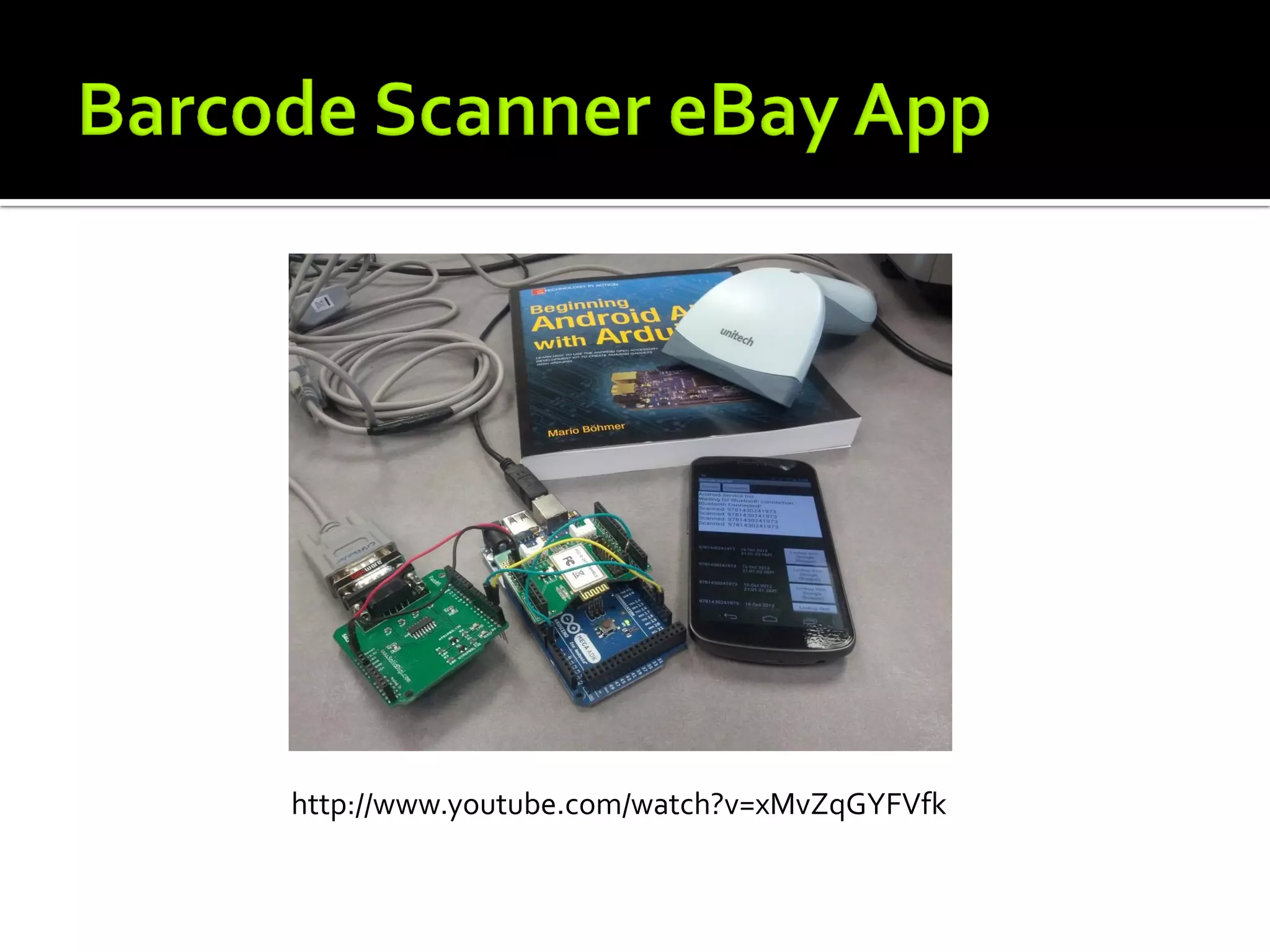
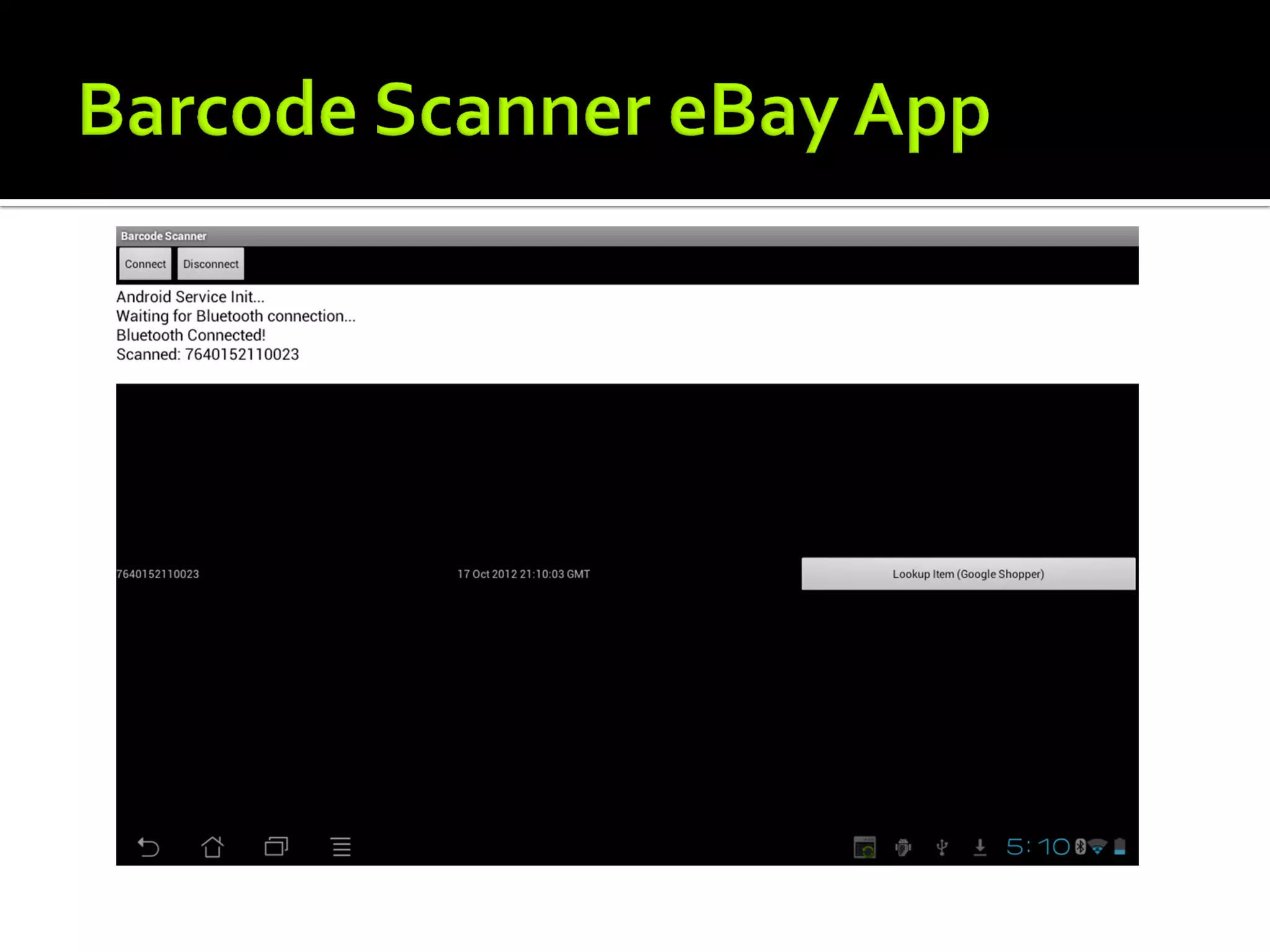
   Barcode scanner eBay app demo
   Other apps
   Q&A
   Using Classic Bluetooth
     Serial Port Profile
   Take advantage of the Arduino community
     Limited by your own imagination
     Increase shields
   Easier to get up and running than iOS
   Bluetooth History
     Android 1.5 – Bluetooth APIs
     Android 2.3.3 - Security Enhancements
     Android 3.0 - Bluetooth Profiles
     Android 4.0 - Bluetooth Health Device Profile
   The following tools were used
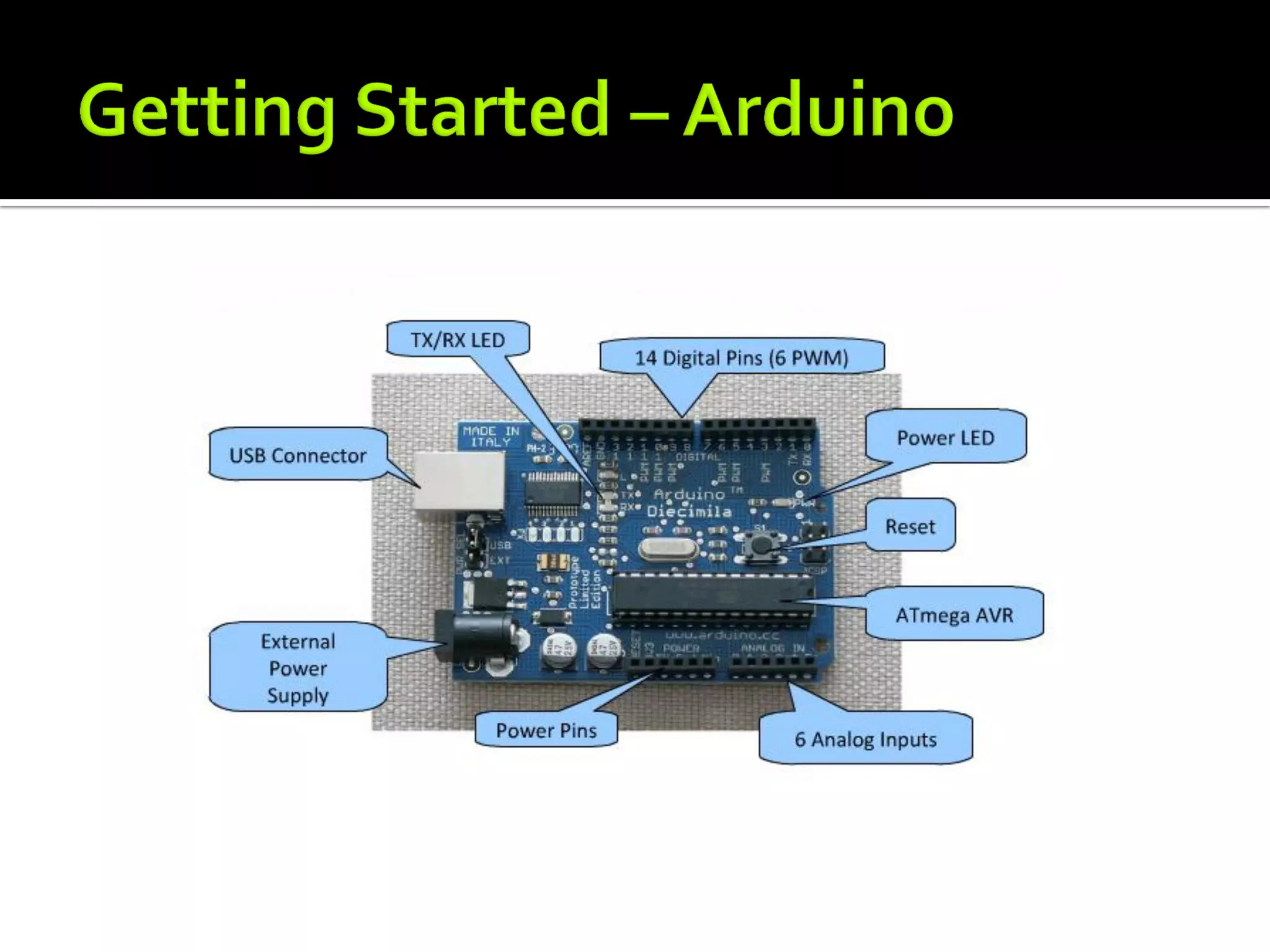
     Arduino Mega ADK Board
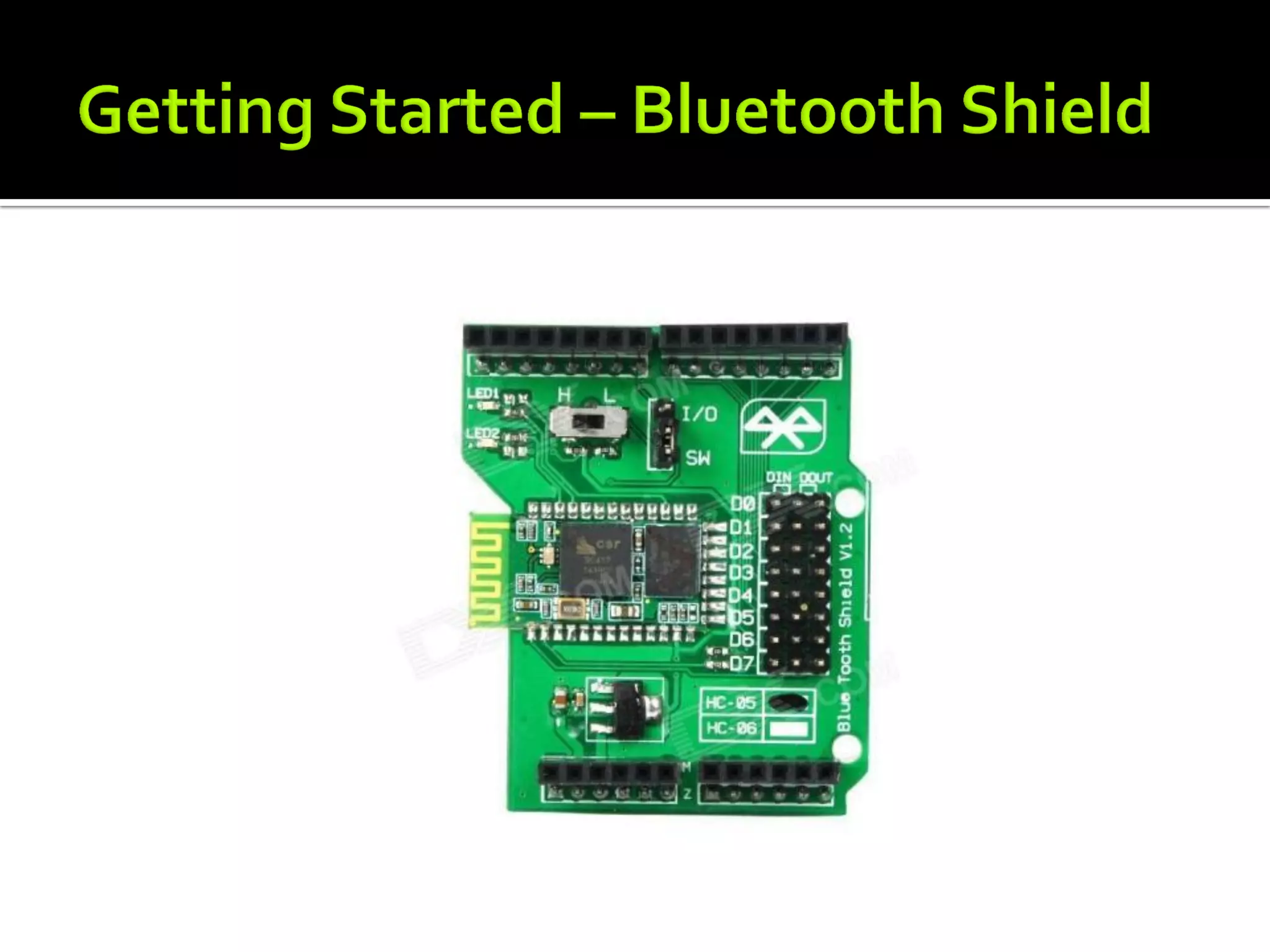
     Arduino Bluetooth Shield
     Asus Eee Pad
     Eclilpse, Android SDK, Arduino IDE
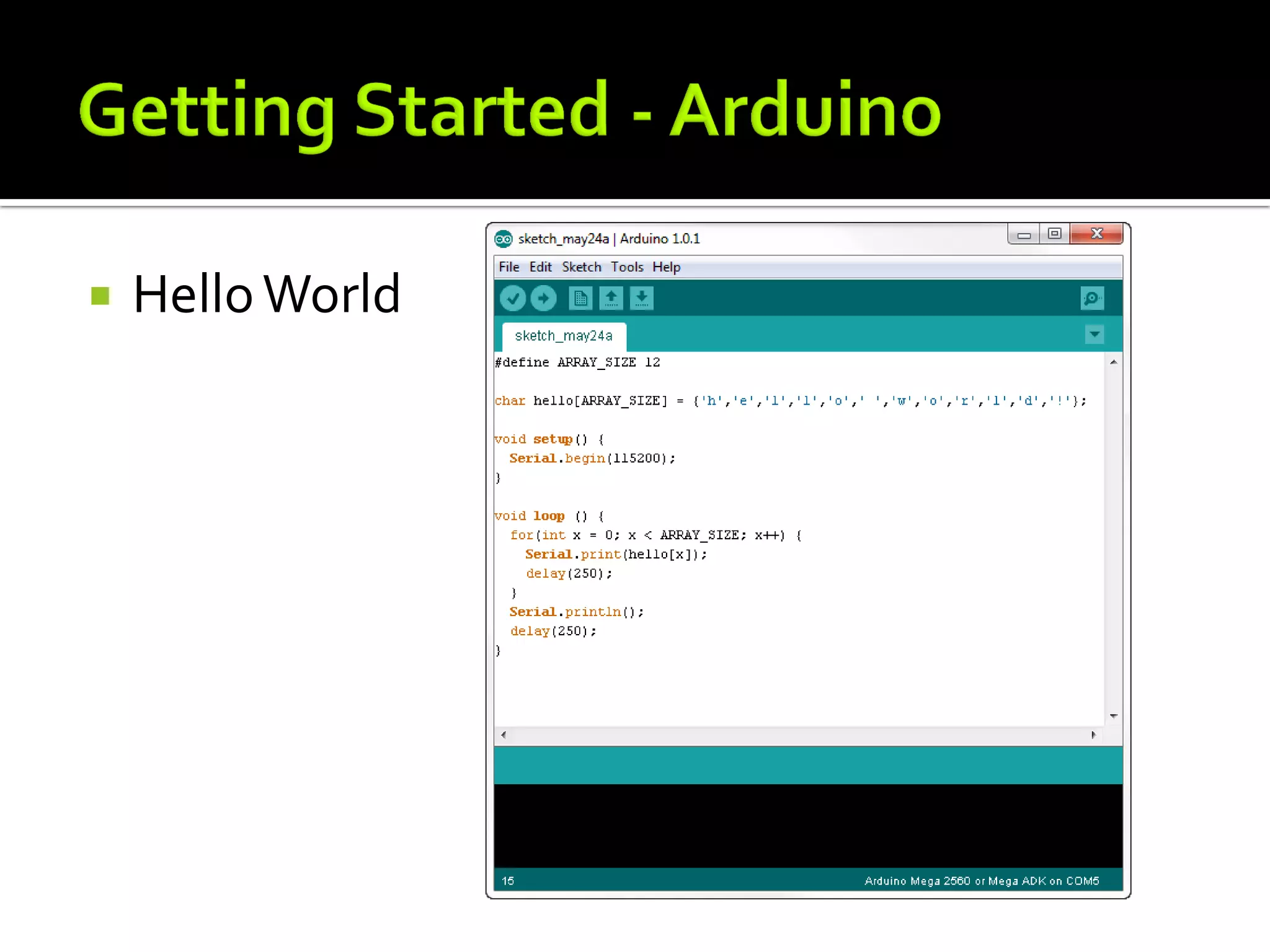
   Hello World
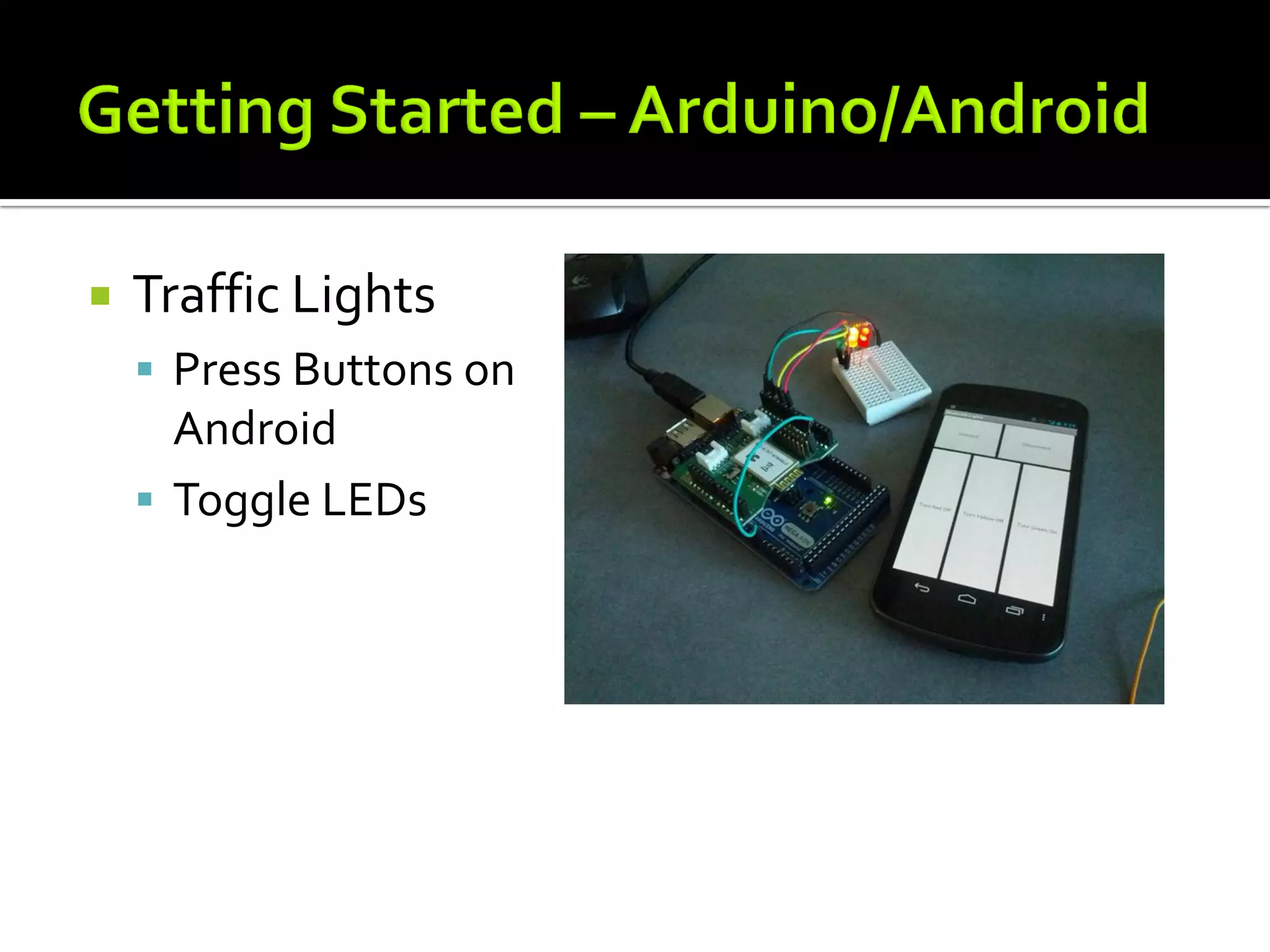
   Traffic Lights
     Press Buttons on
      Android
     Toggle LEDs
   Android code in Eclipse
   Arduino sketch in Arduino IDE
   Put it all together
   Demo app
   Bluetooth API calls
     Enable Shield
     Pairing with device
     Connect to Bluetooth socket
     Communicate on Input and Output streams
     Send and Receive Messages
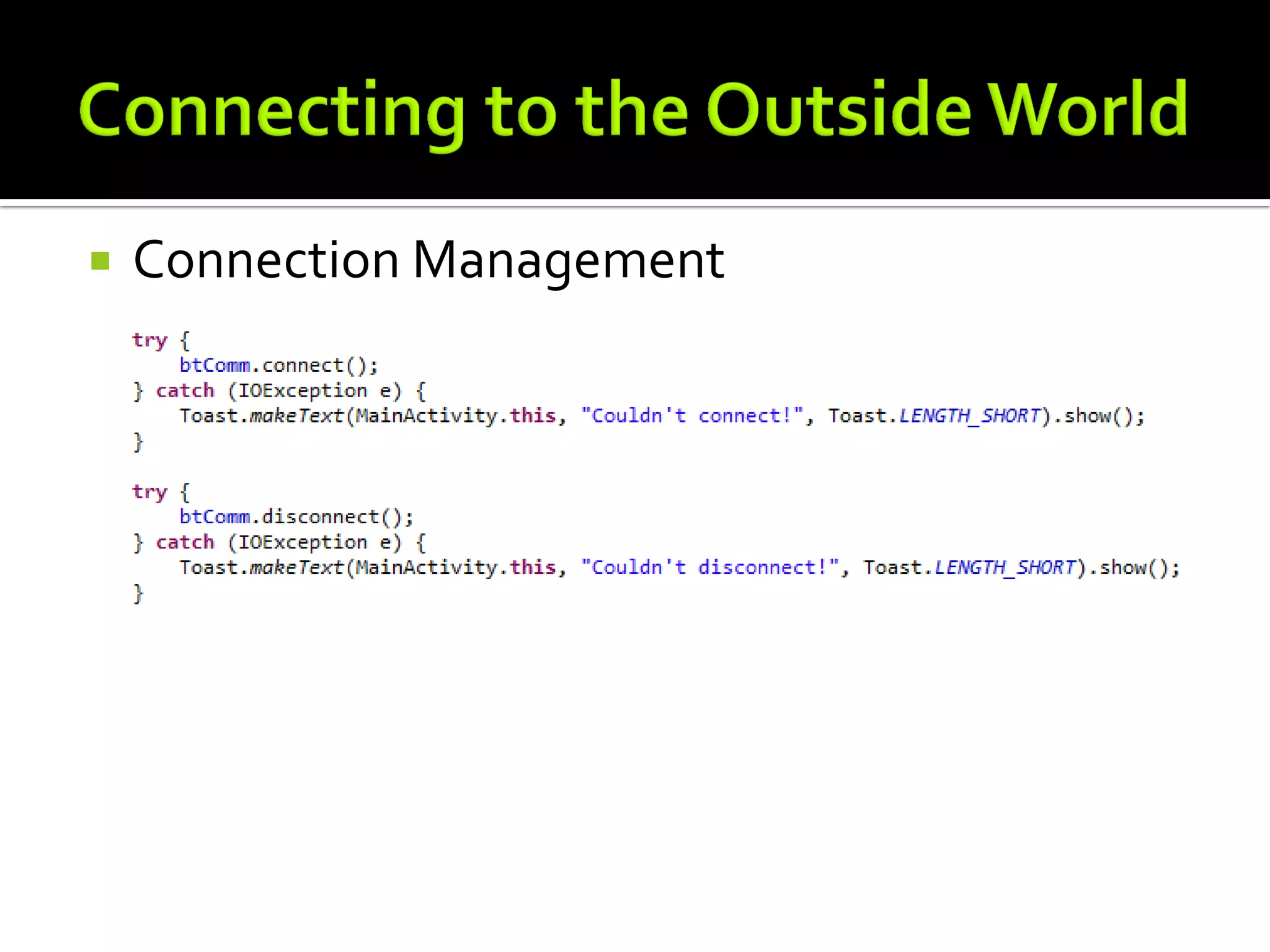
     Connection Management
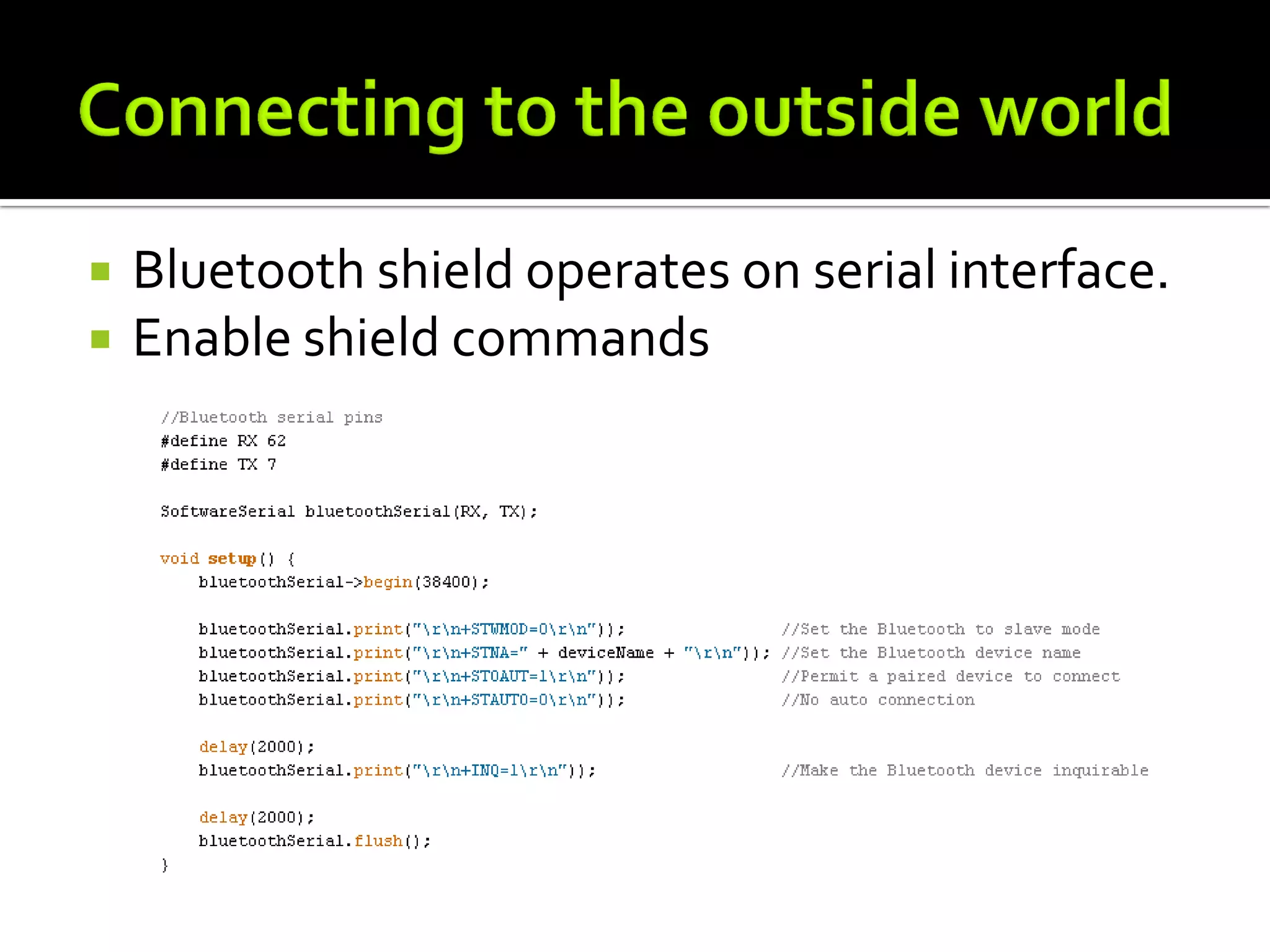
   Bluetooth shield operates on serial interface.
   Enable shield commands
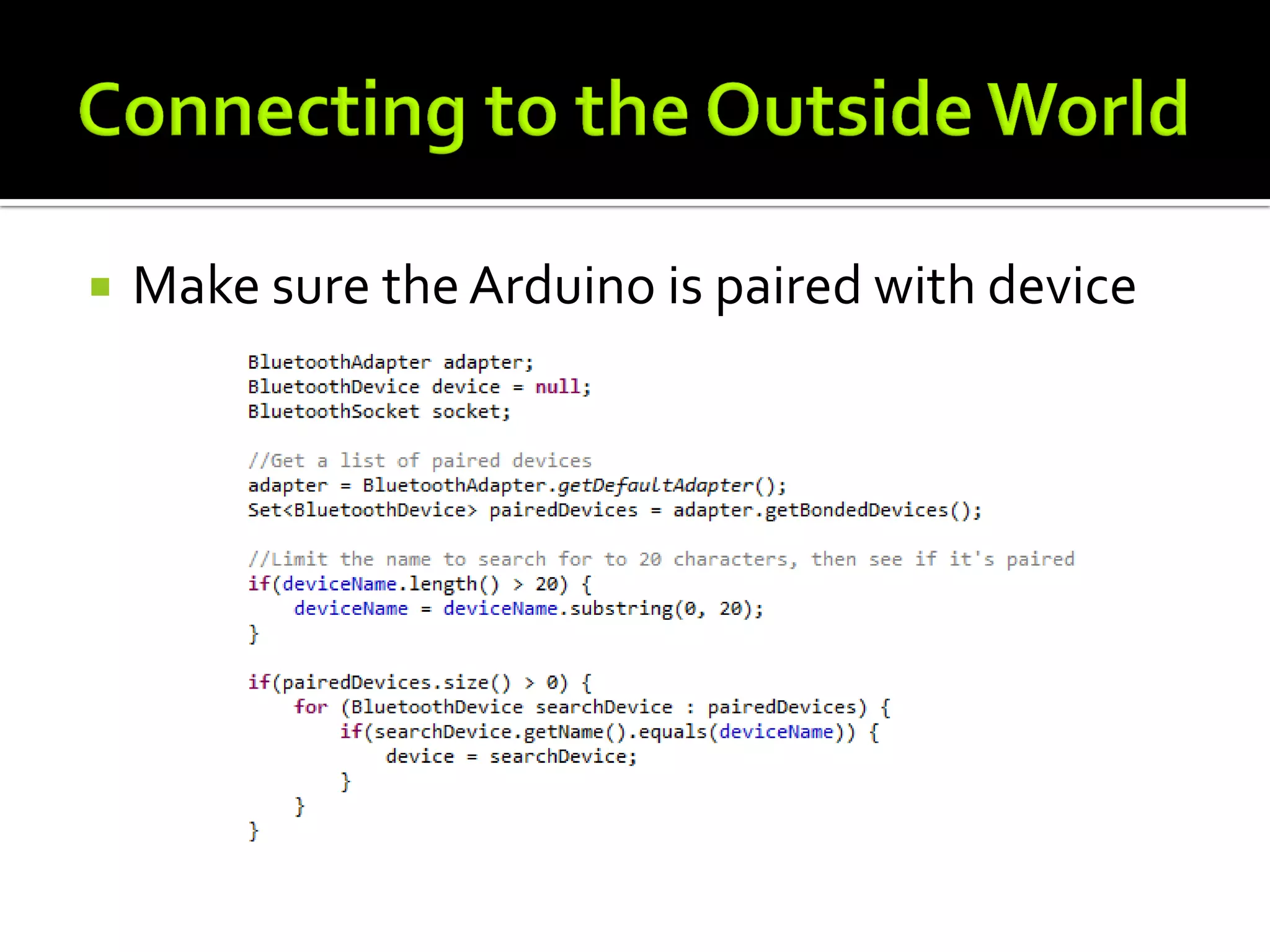
   Make sure the Arduino is paired with device
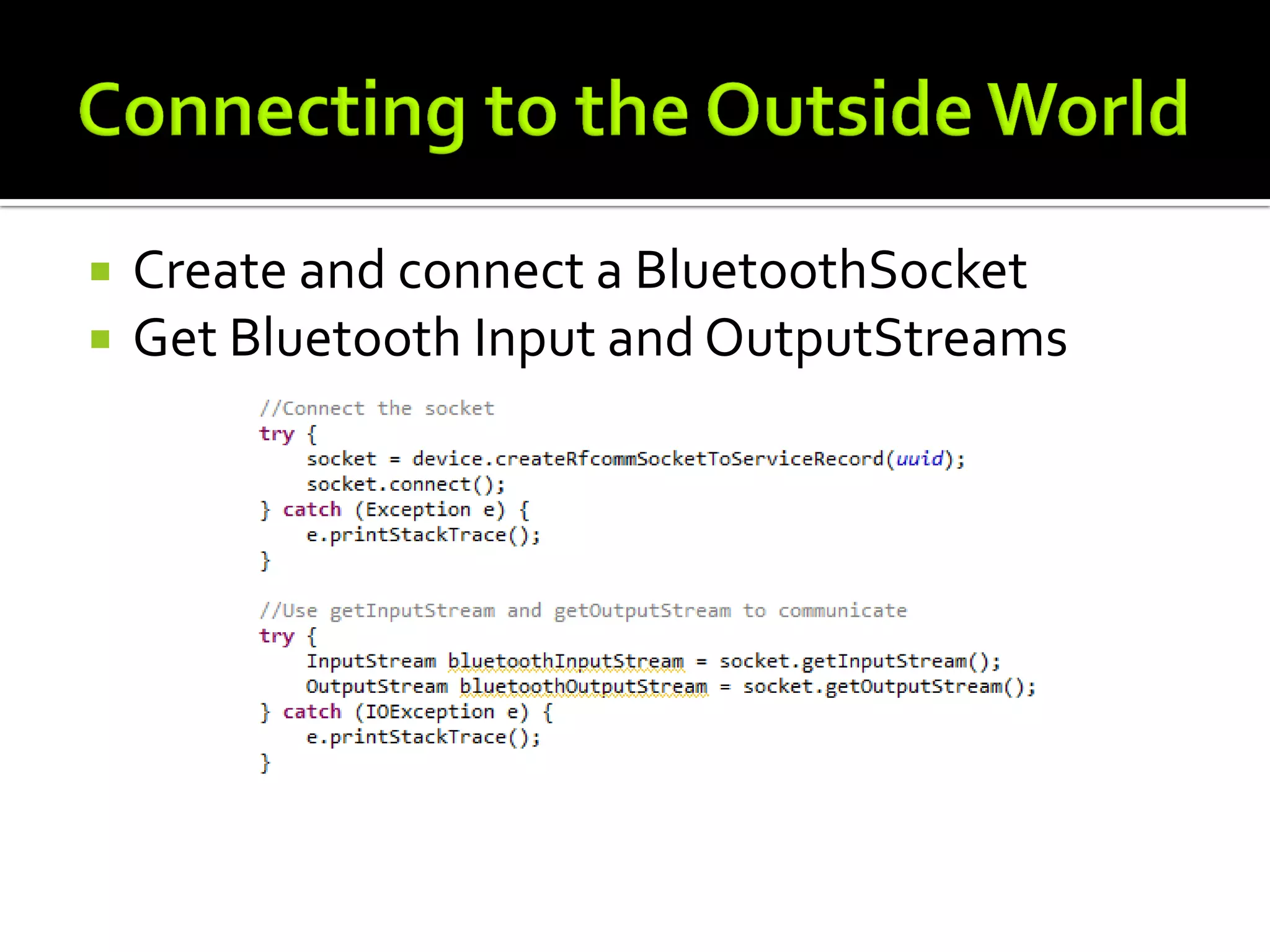
   Create and connect a BluetoothSocket
   Get Bluetooth Input and OutputStreams
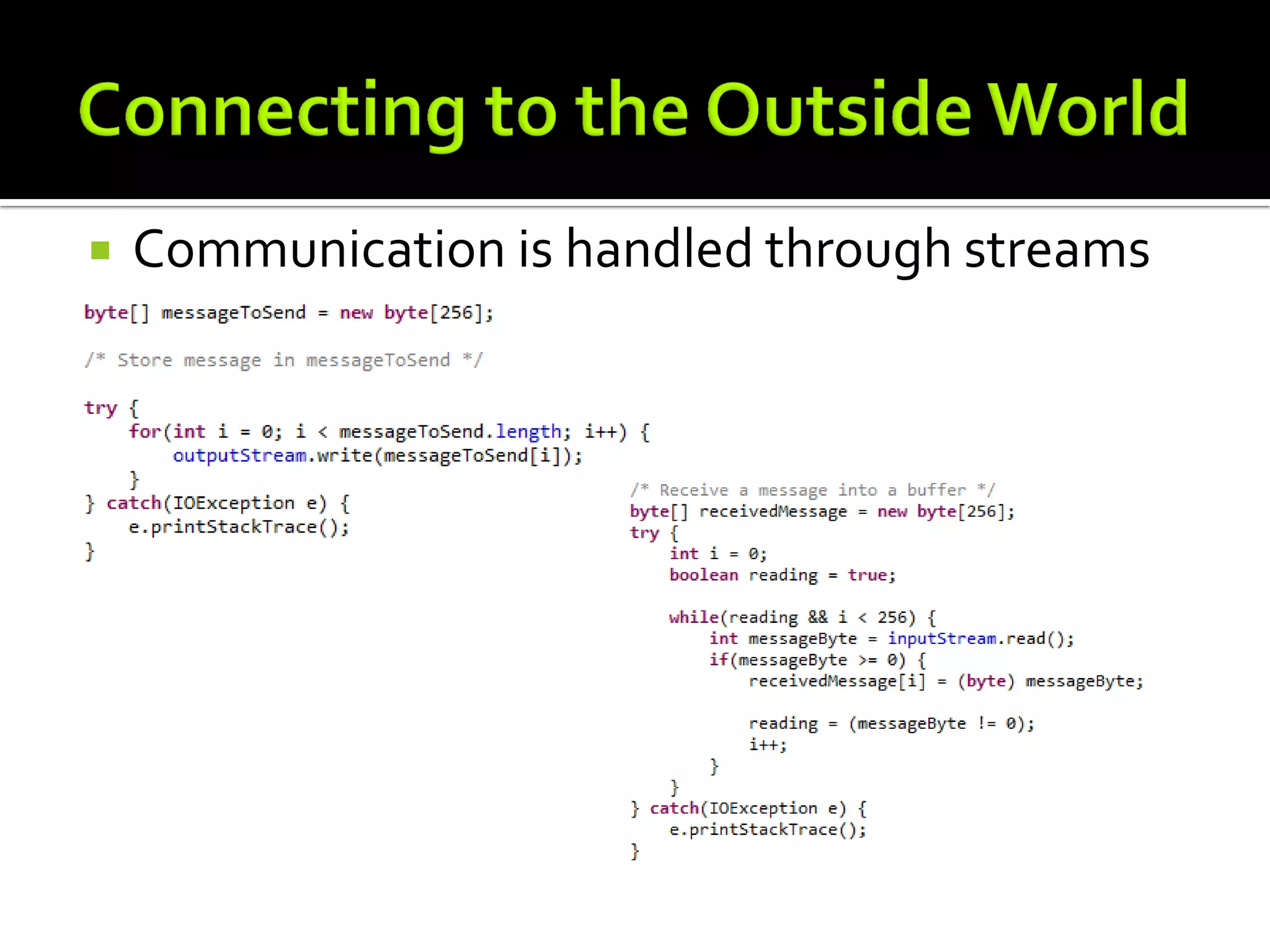
   Communication is handled through streams
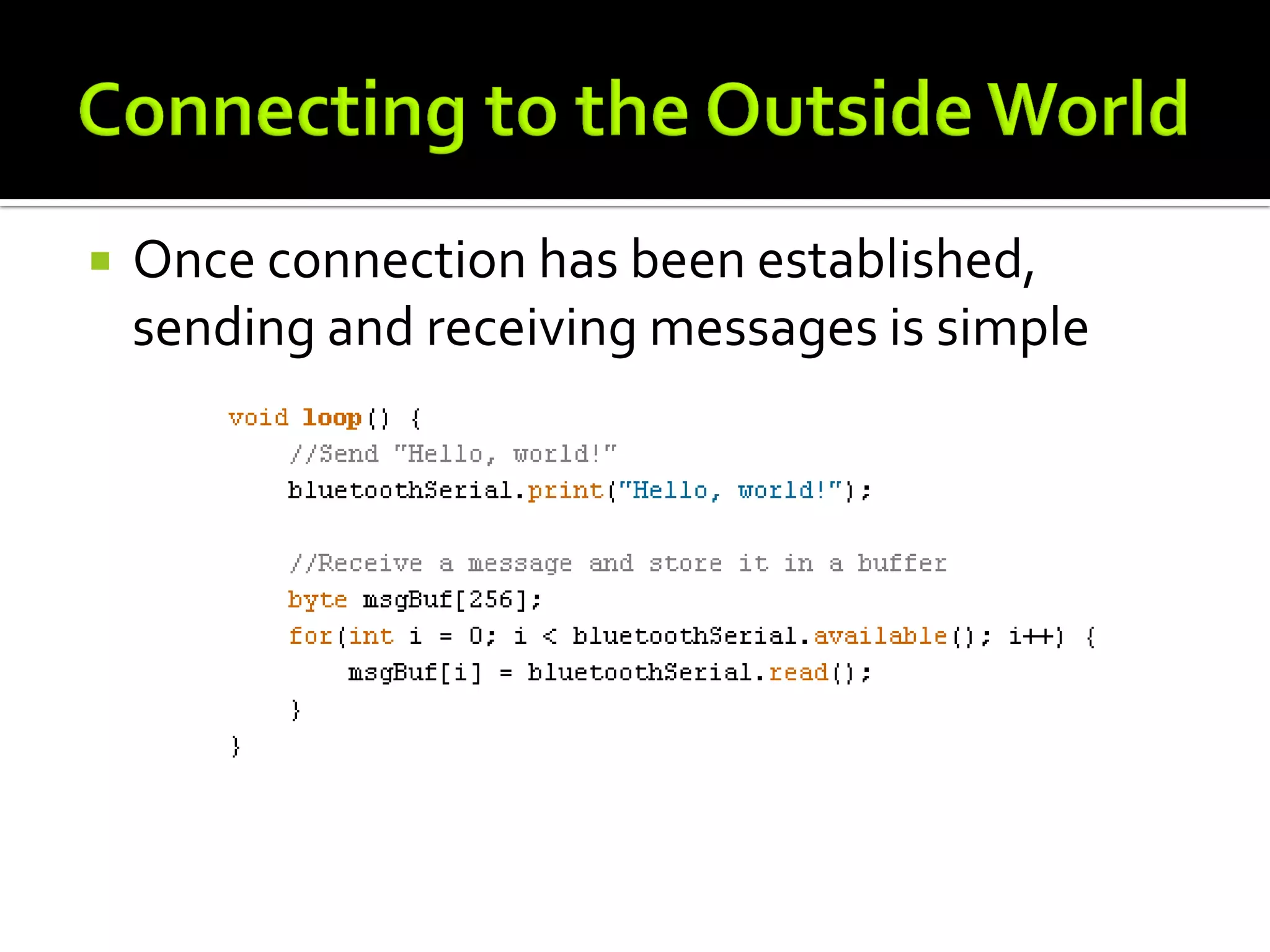
   Once connection has been established,
    sending and receiving messages is simple
   Connection Management
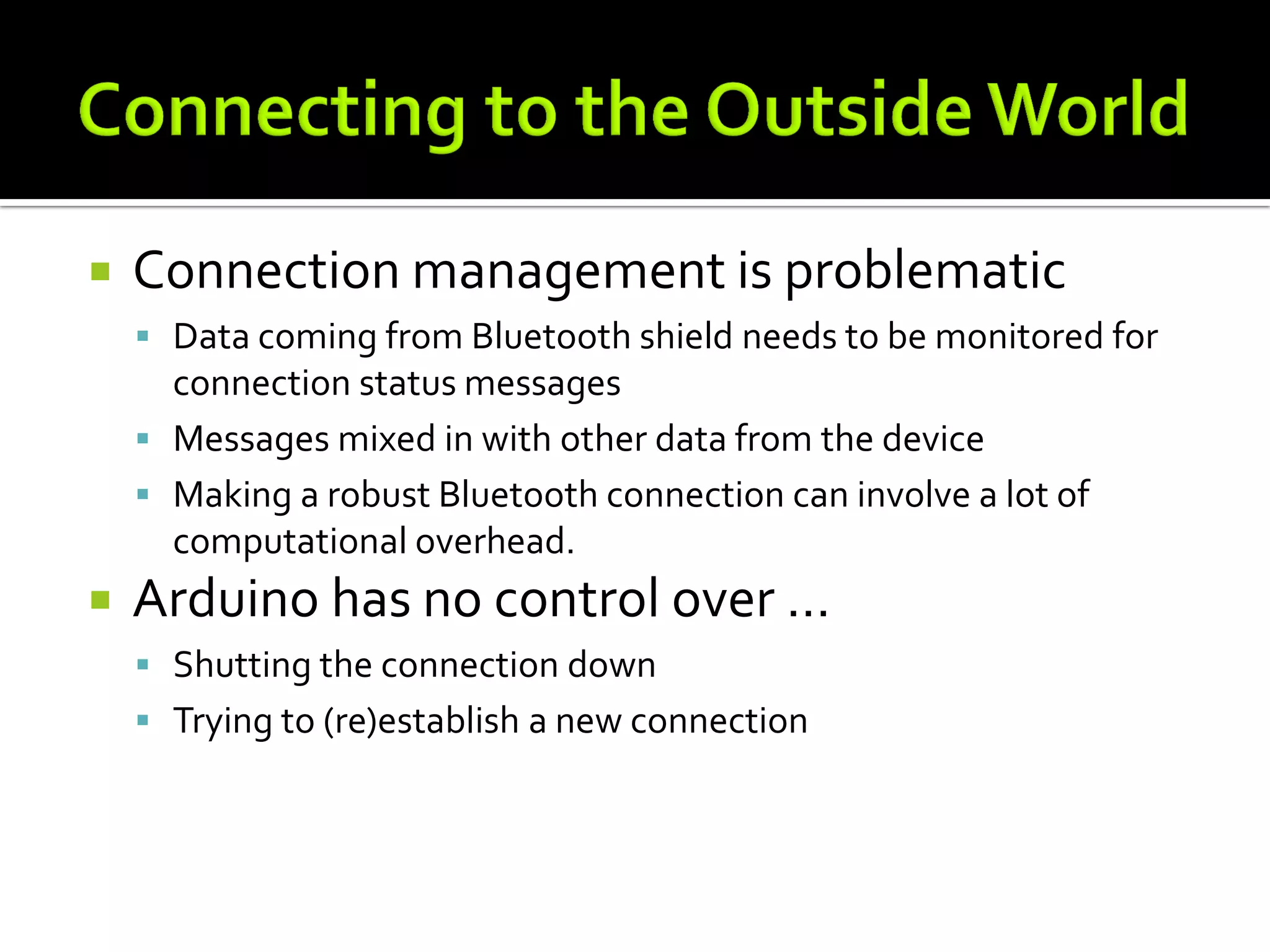
   Connection management is problematic
     Data coming from Bluetooth shield needs to be monitored for
      connection status messages
     Messages mixed in with other data from the device
     Making a robust Bluetooth connection can involve a lot of
      computational overhead.
   Arduino has no control over …
     Shutting the connection down
     Trying to (re)establish a new connection
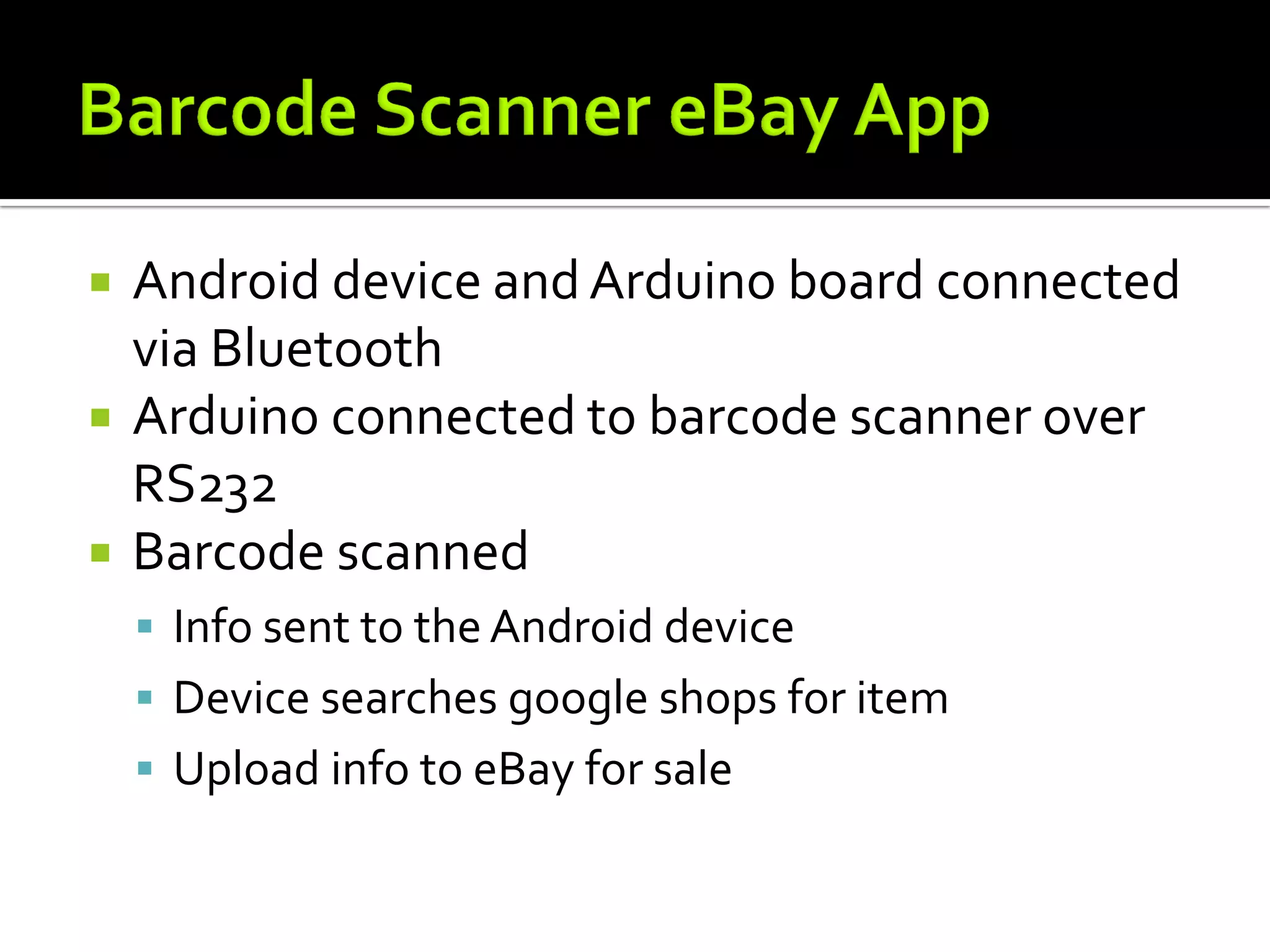
   Android device and Arduino board connected
    via Bluetooth
   Arduino connected to barcode scanner over
    RS232
   Barcode scanned
     Info sent to the Android device
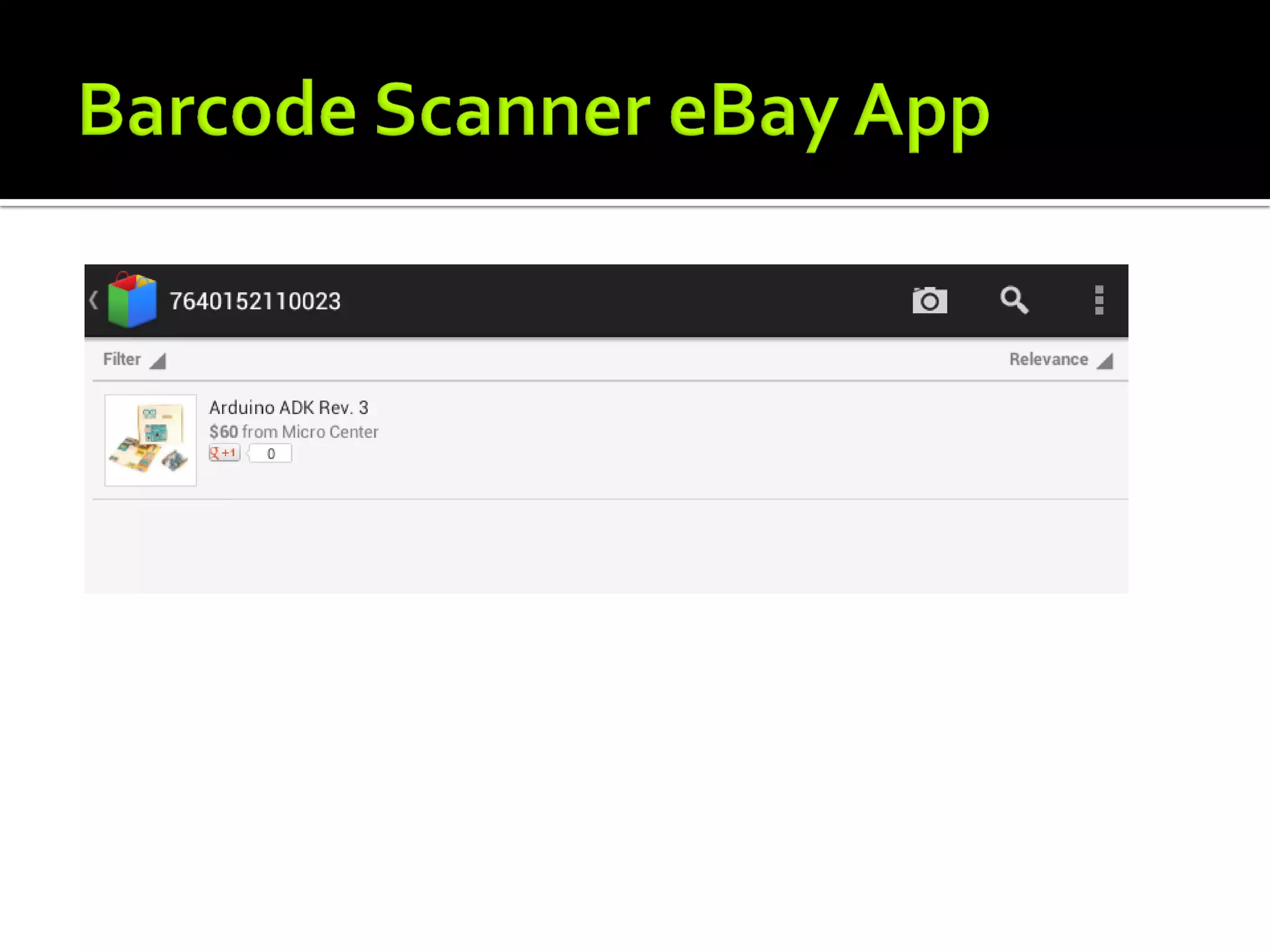
     Device searches google shops for item
     Upload info to eBay for sale
http://www.youtube.com/watch?v=xMvZqGYFVfk
   Android code in Eclipse
   Arduino sketch in Arduino IDE
   Put it all together
   Demo app
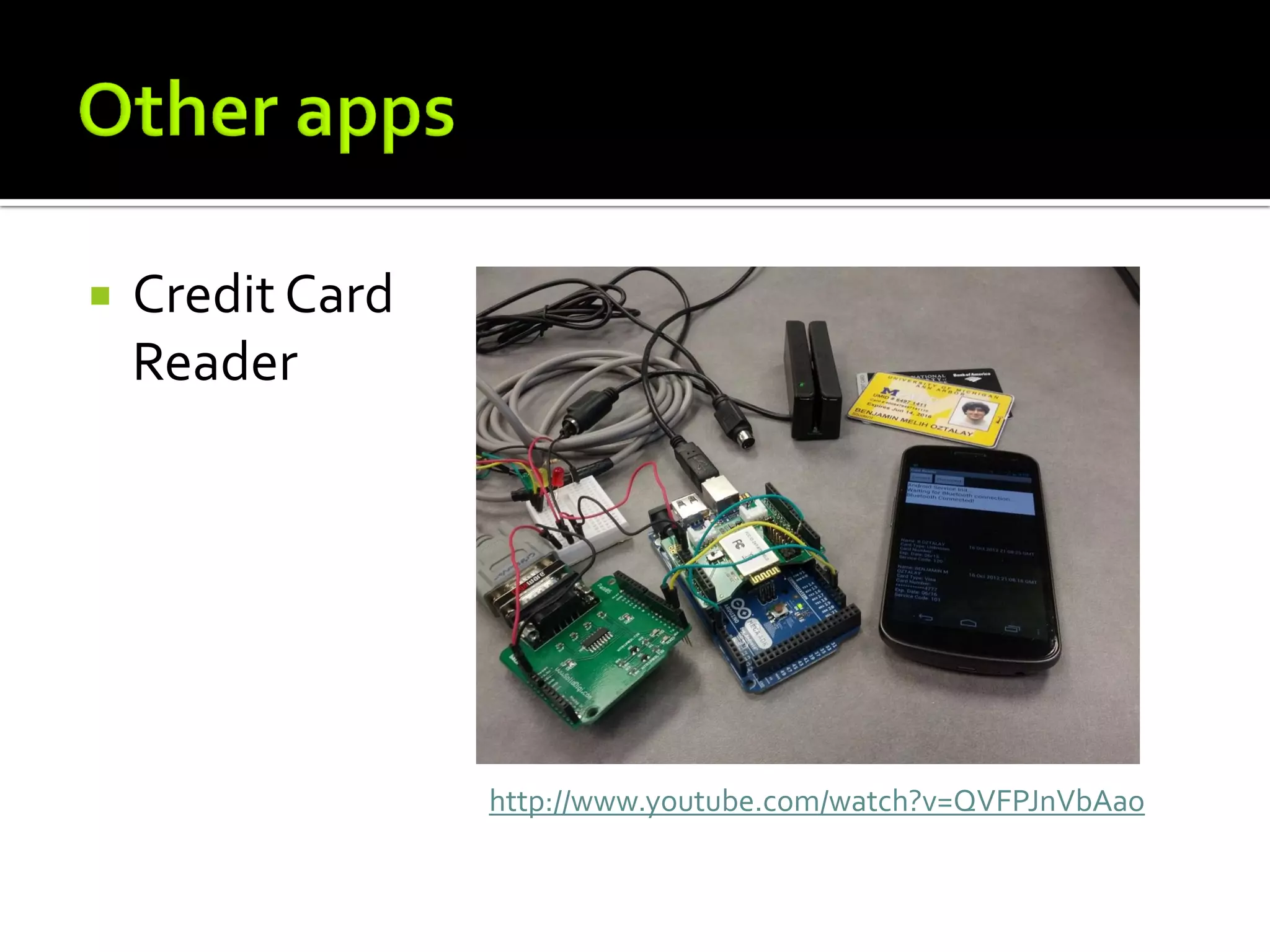
   Credit Card Reader
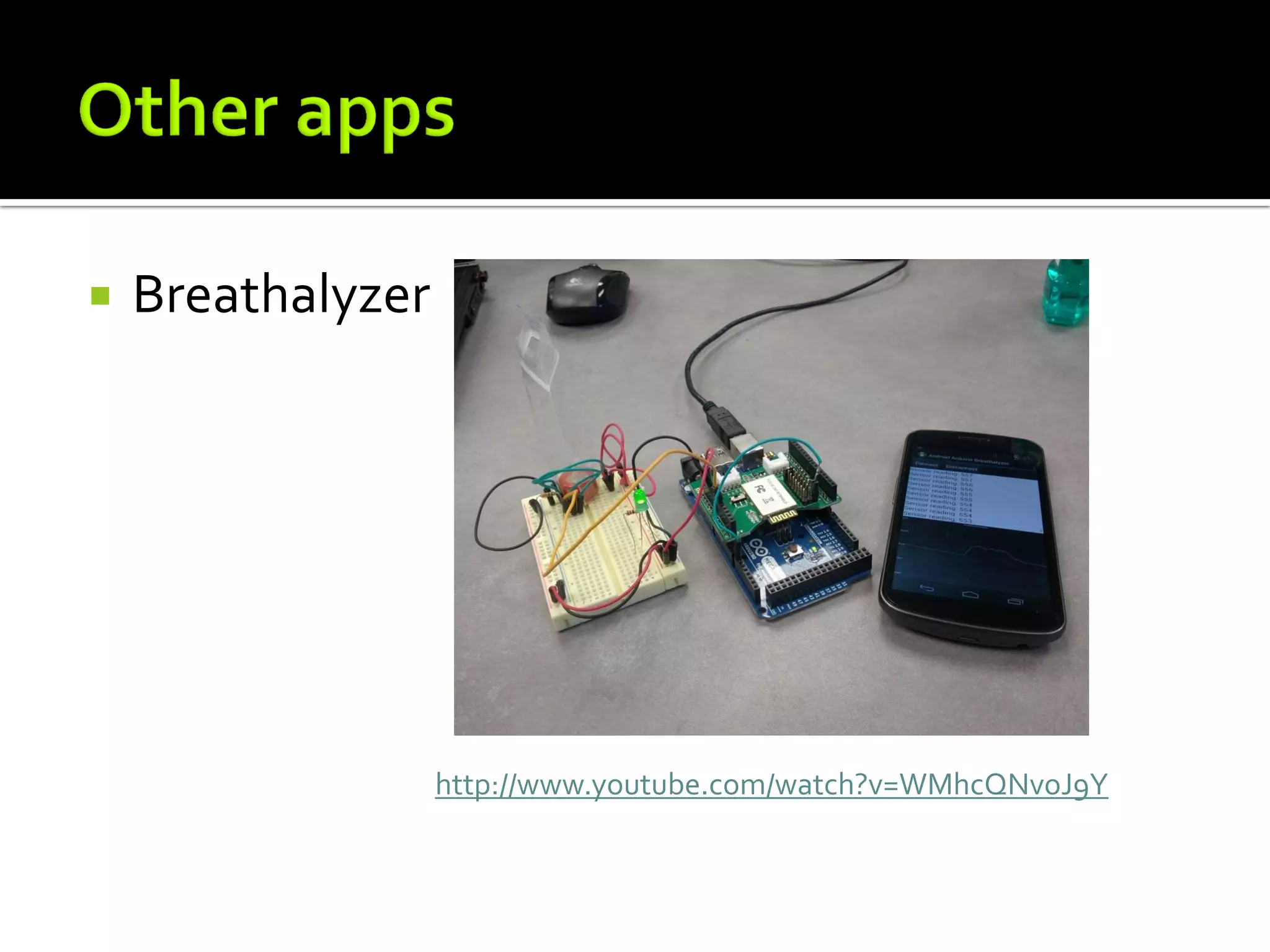
   Breathalyzer
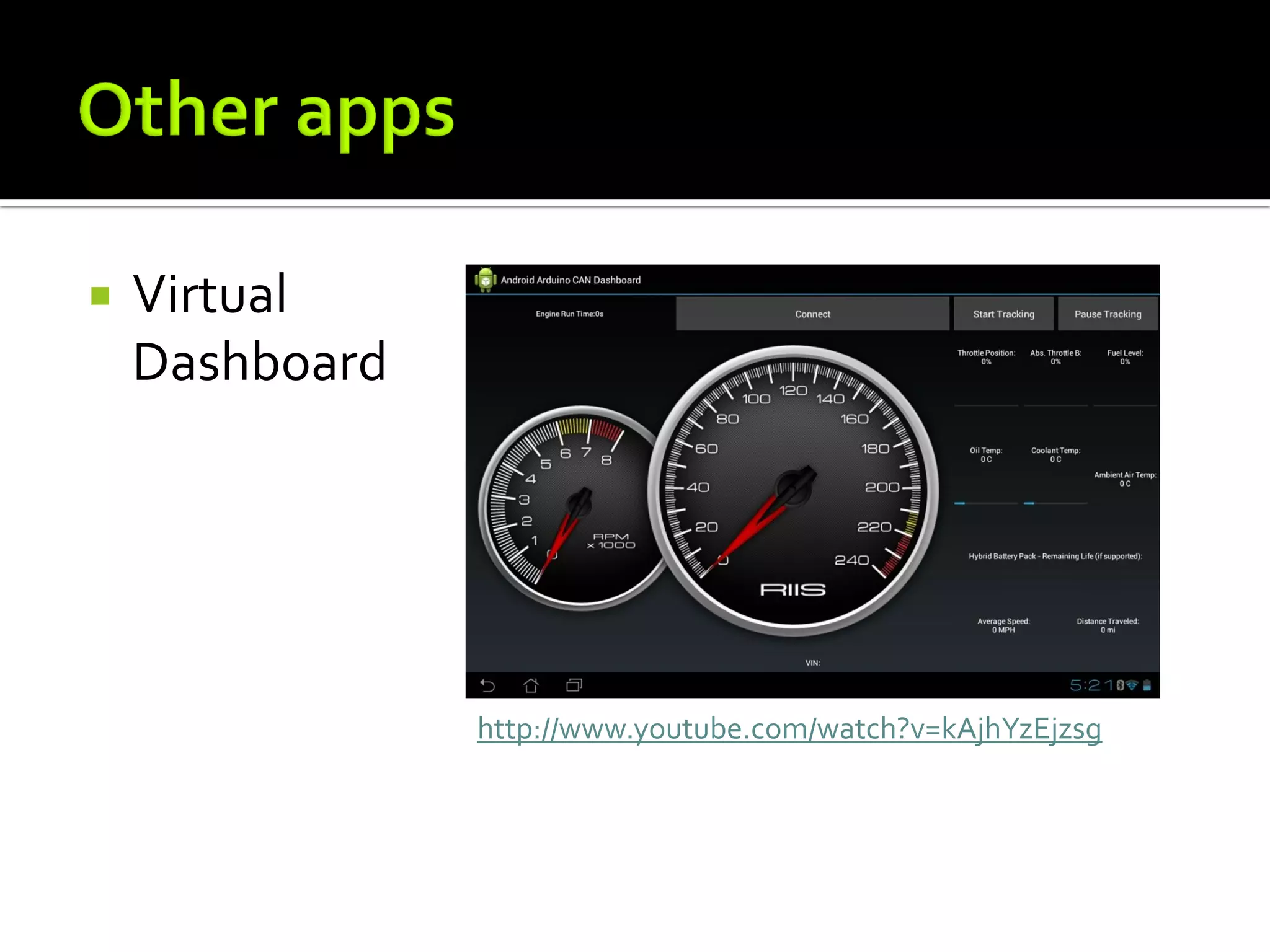
   Virtual Dashboard
   Credit Card
    Reader


                  http://www.youtube.com/watch?v=QVFPJnVbAao
   Breathalyzer


                   http://www.youtube.com/watch?v=WMhcQNvoJ9Y
   Virtual
    Dashboard


                http://www.youtube.com/watch?v=kAjhYzEjzsg
   Code is relatively simple
   Boards are problematic
   Bluetooth works over 10-20ft
   USB for closer work
   Future Plans
     Raspberry Pi (demo)
https://github.com/riis/AndroidArduino
http://shieldlist.org
   http://www.riis.com
   @riisllc
   godfrey@riis.com

Connecting outsideworld with Android and Arduino

  • 1.
  • 2.
    History  Getting Started  Connecting to the outside world  Barcode scanner eBay app demo  Other apps  Q&A
  • 3.
    Using Classic Bluetooth  Serial Port Profile  Take advantage of the Arduino community  Limited by your own imagination  Increase shields  Easier to get up and running than iOS
  • 4.
    Bluetooth History  Android 1.5 – Bluetooth APIs  Android 2.3.3 - Security Enhancements  Android 3.0 - Bluetooth Profiles  Android 4.0 - Bluetooth Health Device Profile
  • 5.
    The following tools were used  Arduino Mega ADK Board  Arduino Bluetooth Shield  Asus Eee Pad  Eclilpse, Android SDK, Arduino IDE
  • 8.
    Hello World
  • 9.
    Traffic Lights  Press Buttons on Android  Toggle LEDs
  • 10.
    Android code in Eclipse  Arduino sketch in Arduino IDE  Put it all together  Demo app
  • 11.
    Bluetooth API calls  Enable Shield  Pairing with device  Connect to Bluetooth socket  Communicate on Input and Output streams  Send and Receive Messages  Connection Management
  • 12.
    Bluetooth shield operates on serial interface.  Enable shield commands
  • 13.
    Make sure the Arduino is paired with device
  • 14.
    Create and connect a BluetoothSocket  Get Bluetooth Input and OutputStreams
  • 15.
    Communication is handled through streams
  • 16.
    Once connection has been established, sending and receiving messages is simple
  • 17.
    Connection Management
  • 18.
    Connection management is problematic  Data coming from Bluetooth shield needs to be monitored for connection status messages  Messages mixed in with other data from the device  Making a robust Bluetooth connection can involve a lot of computational overhead.  Arduino has no control over …  Shutting the connection down  Trying to (re)establish a new connection
  • 19.
    Android device and Arduino board connected via Bluetooth  Arduino connected to barcode scanner over RS232  Barcode scanned  Info sent to the Android device  Device searches google shops for item  Upload info to eBay for sale
  • 20.
  • 23.
    Android code in Eclipse  Arduino sketch in Arduino IDE  Put it all together  Demo app
  • 24.
    Credit Card Reader  Breathalyzer  Virtual Dashboard
  • 25.
    Credit Card Reader http://www.youtube.com/watch?v=QVFPJnVbAao
  • 26.
    Breathalyzer http://www.youtube.com/watch?v=WMhcQNvoJ9Y
  • 27.
    Virtual Dashboard http://www.youtube.com/watch?v=kAjhYzEjzsg
  • 28.
    Code is relatively simple  Boards are problematic  Bluetooth works over 10-20ft  USB for closer work  Future Plans  Raspberry Pi (demo)
  • 29.
  • 30.
    http://www.riis.com  @riisllc  godfrey@riis.com