COMPUTER SYSTEMS
Types Of Computers
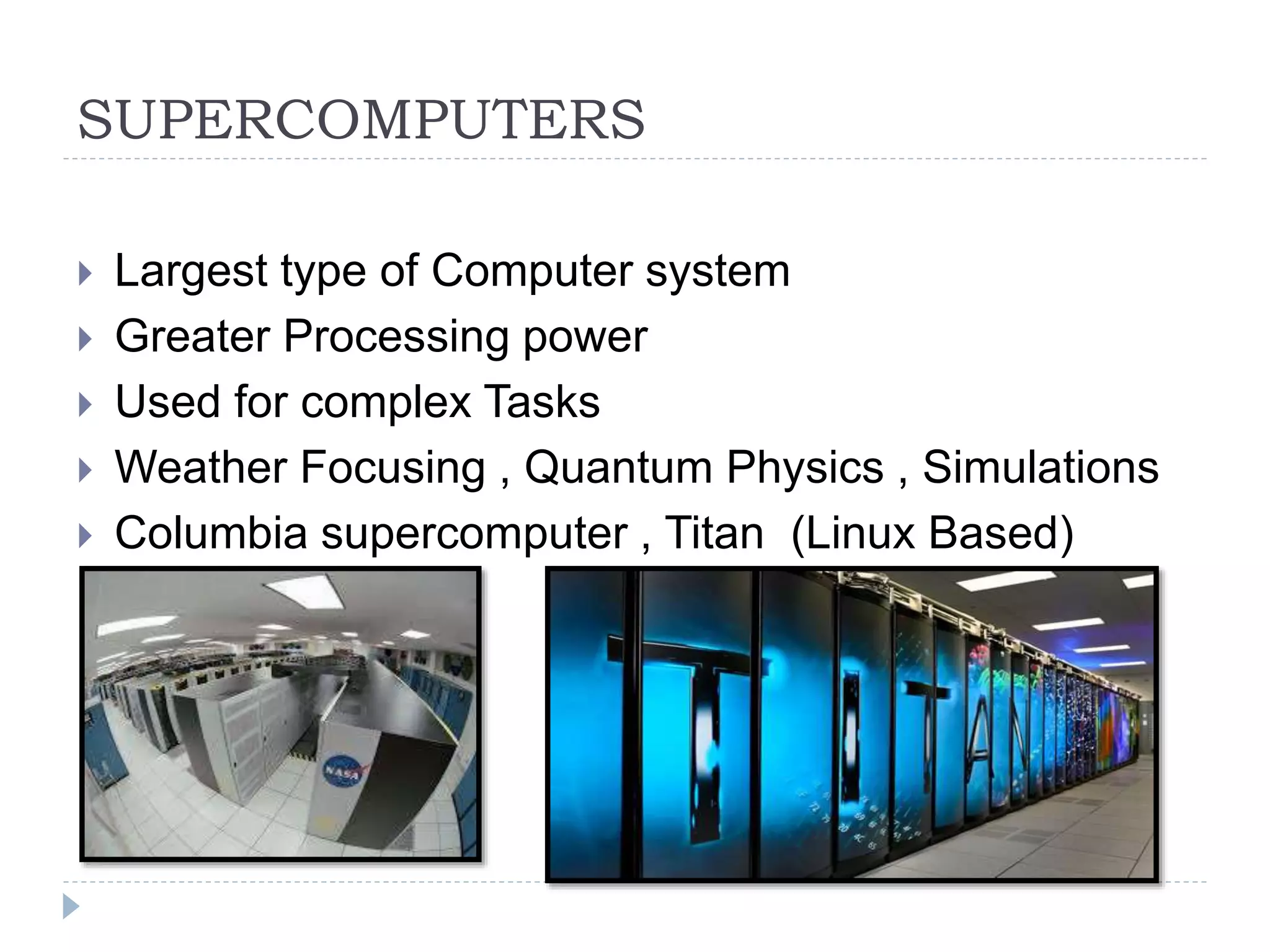
SUPERCOMPUTERS
 Largest type of Computer system
 Greater Processing power
 Used for complex Tasks
 Weather Focusing , Quantum Physics , Simulations
 Columbia supercomputer , Titan (Linux Based)
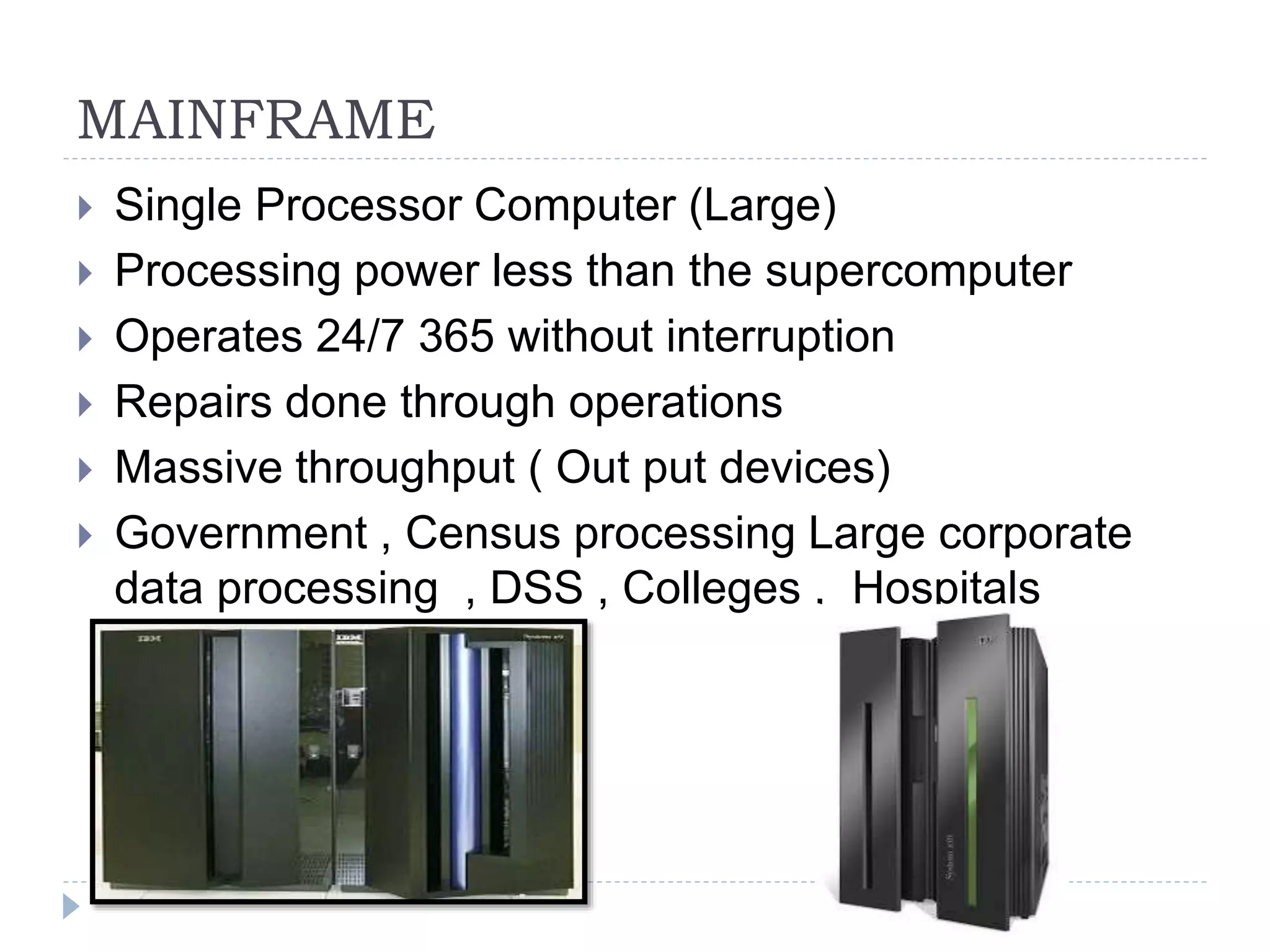
MAINFRAME
 Single Processor Computer (Large)
 Processing power less than the supercomputer
 Operates 24/7 365 without interruption
 Repairs done through operations
 Massive throughput ( Out put devices)
 Government , Census processing Large corporate
data processing , DSS , Colleges , Hospitals
Mainframe
 Found in large organizations
 Costs Less than supercomputer
 Mostly produced by IBM
 IBM System / 360-91 produced in 1967
 Single processor
 zEnterprise System ( Around $75 000)
MINI COMPUTERS
 Medium range Systems ( between mainframe and
Micros)
 Mostly servers
 Built by sun-micro systems
 Linux Based
MICRO COMPUTERS
 Luanched 1981
 Mostly based on the x86 archtecture
 Generally called P.C’s
 Generally , Windows O.S
 Application software
LAPTOP COMPUTERS
 Single cased computer
 Portable
 X86 architecture but now mostly coming as 64 bits
 Generally using windows O.S
Netbook Computers
 Small laptops
 Easily portable
 >/Limited processing power , Memory , No CD Drive
 Longer battery life
 SO IS THE SIZE THE DIFFRENCE BTWN
LAPTOPS AND NETBOOK COMPUTERS?
OTHER COMPUTER TYPES
 SERVER
 Multiple CPU’s , More Memory , File sharing , Web
Hosting
 PDA
Small , pocket fit , Touch screen
PDA VS Smart phone
Camera , MP3 , Touch ,
EMBEDDED SYSTEMS
 Computers built into other devices
 Cars
 Factory machinery
 Smart T.V’s
 Planes
CHAPTER 2 Environments, Functions
Of Components , Health And Safety
 Scope And Coverage
 Computing Environments
 Von-Neuman Architecture
 Health and safety practices
 Processor examples , Machine cycle
 CPU
 Single Vs Multi-core
 Multi-processor
 Distributed
 //RISC VS CISC
Computers In Different Environments
 Computers at home
 Computers at work
Home Computing
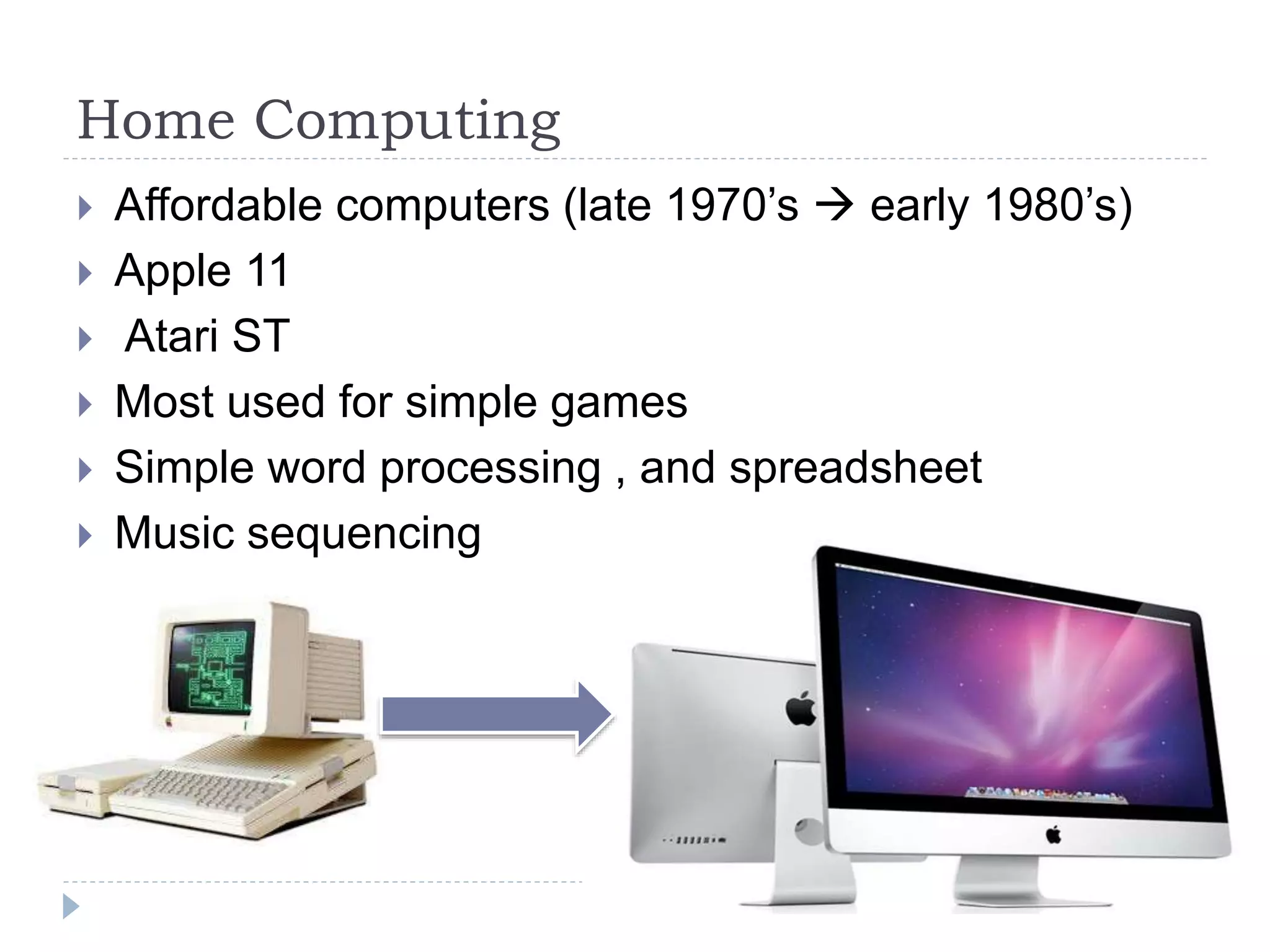
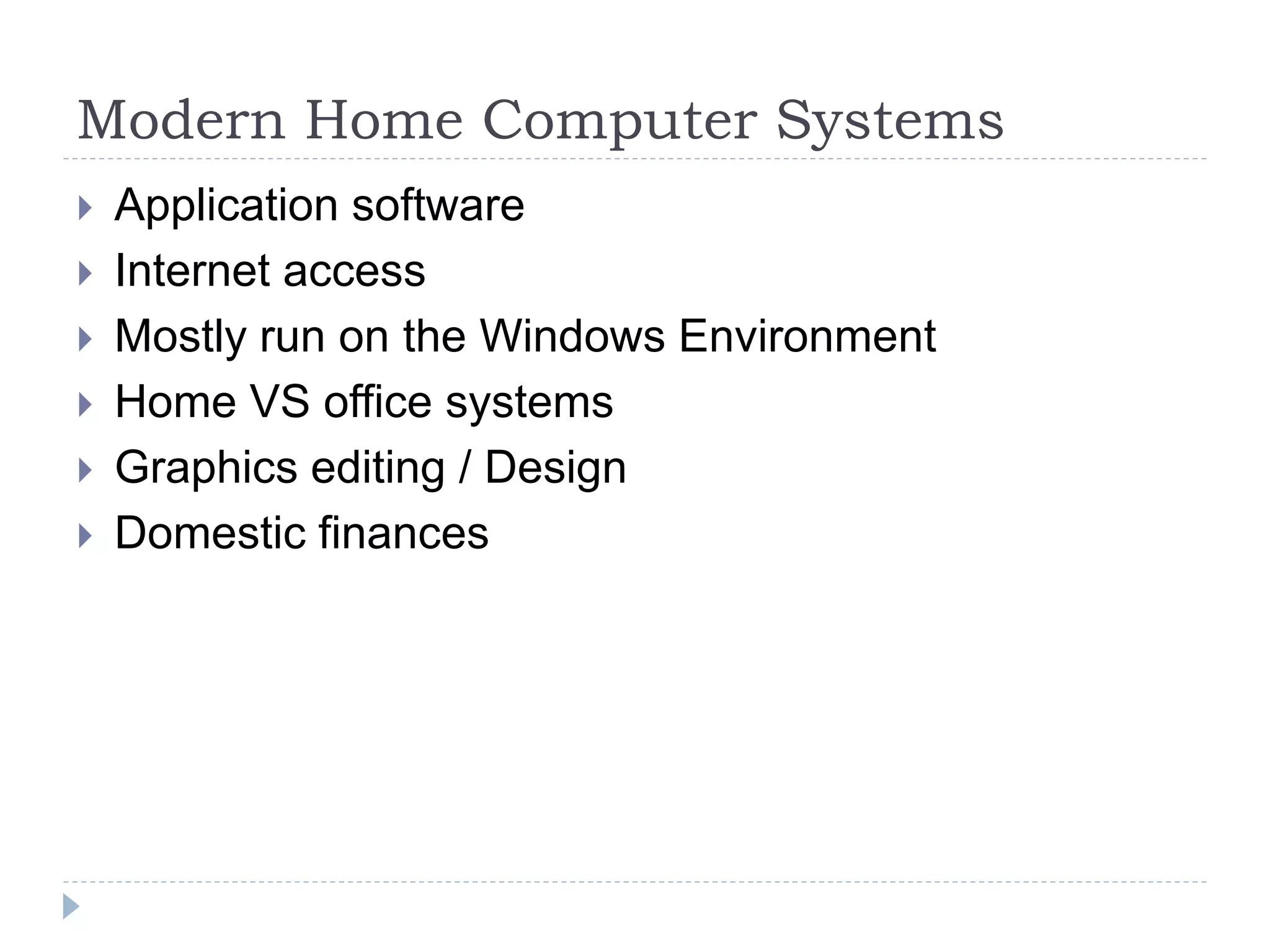
 Affordable computers (late 1970’s  early 1980’s)
 Apple 11
 Atari ST
 Most used for simple games
 Simple word processing , and spreadsheet
 Music sequencing
Modern Home Computer Systems
 Application software
 Internet access
 Mostly run on the Windows Environment
 Home VS office systems
 Graphics editing / Design
 Domestic finances
Game Consoles
 Originated 1967
 General purpose computer
 Created for playing games
 limited functionality
 Better graphics card / power and gaming
performance
 Contain controllers , graphics resolution ,
 Internet connectivity , adhoc ,
 Dominated by the home market
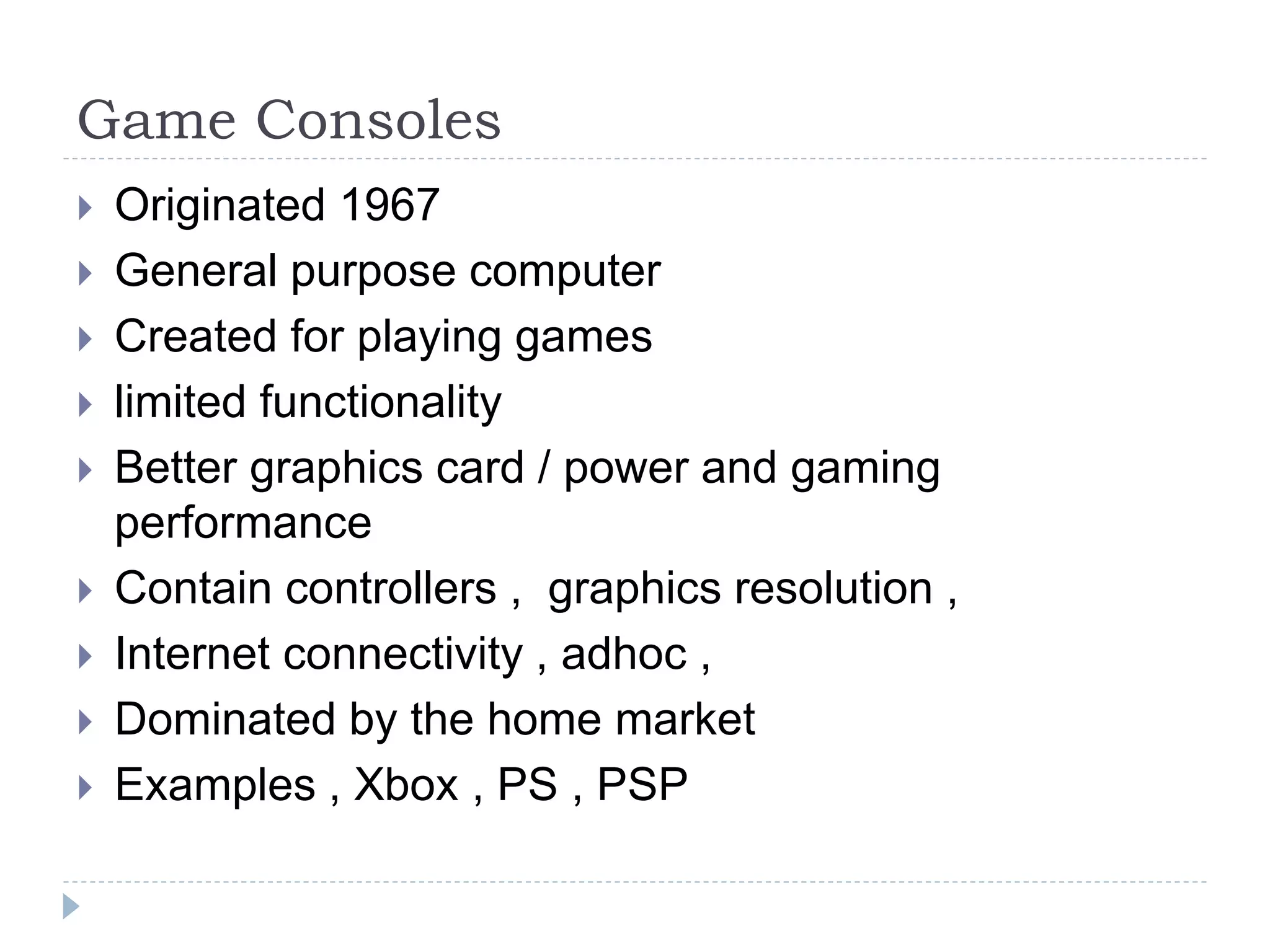
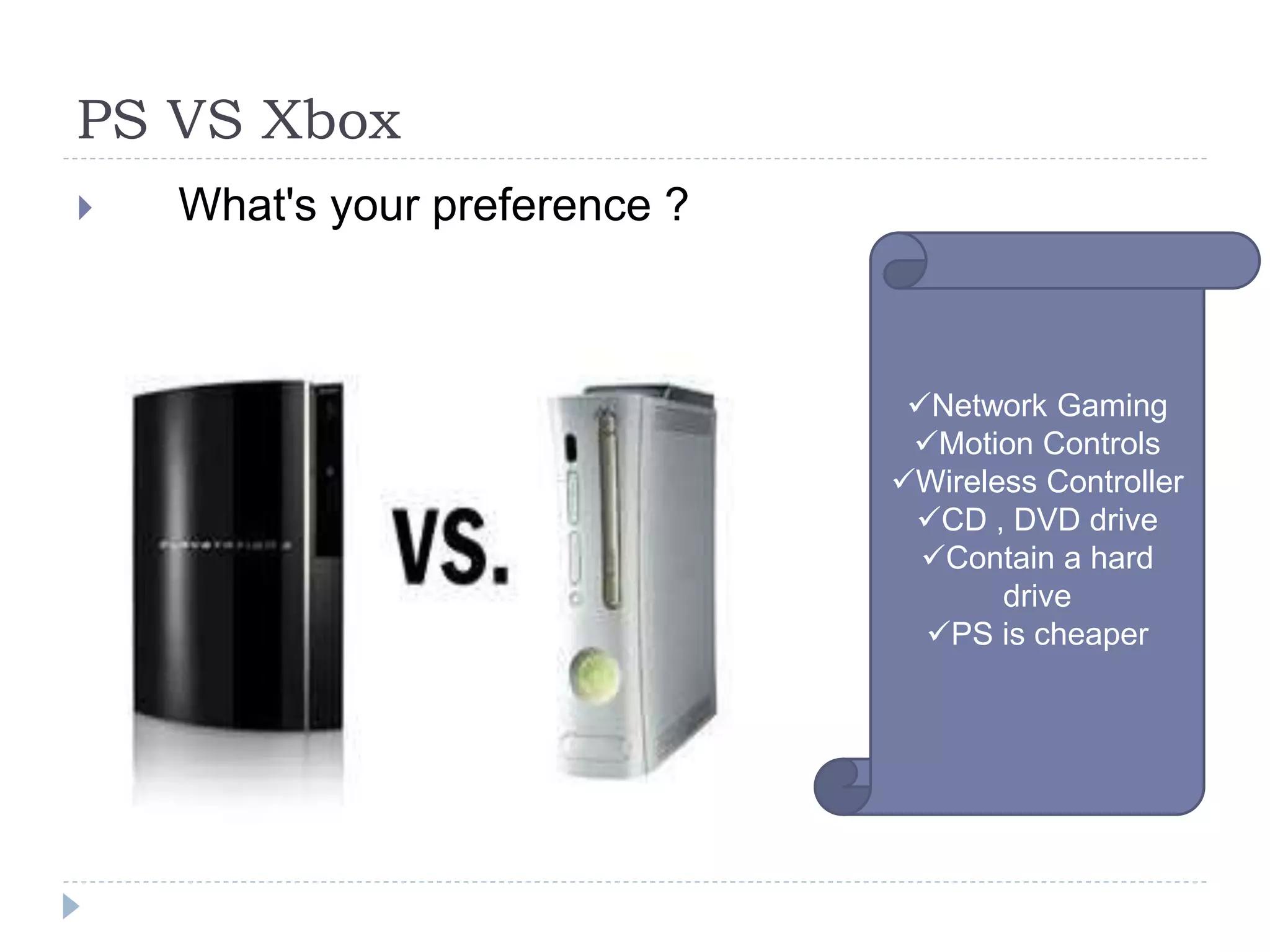
 Examples , Xbox , PS , PSP
PS VS Xbox
 What's your preference ?
Network Gaming
Motion Controls
Wireless Controller
CD , DVD drive
Contain a hard
drive
PS is cheaper
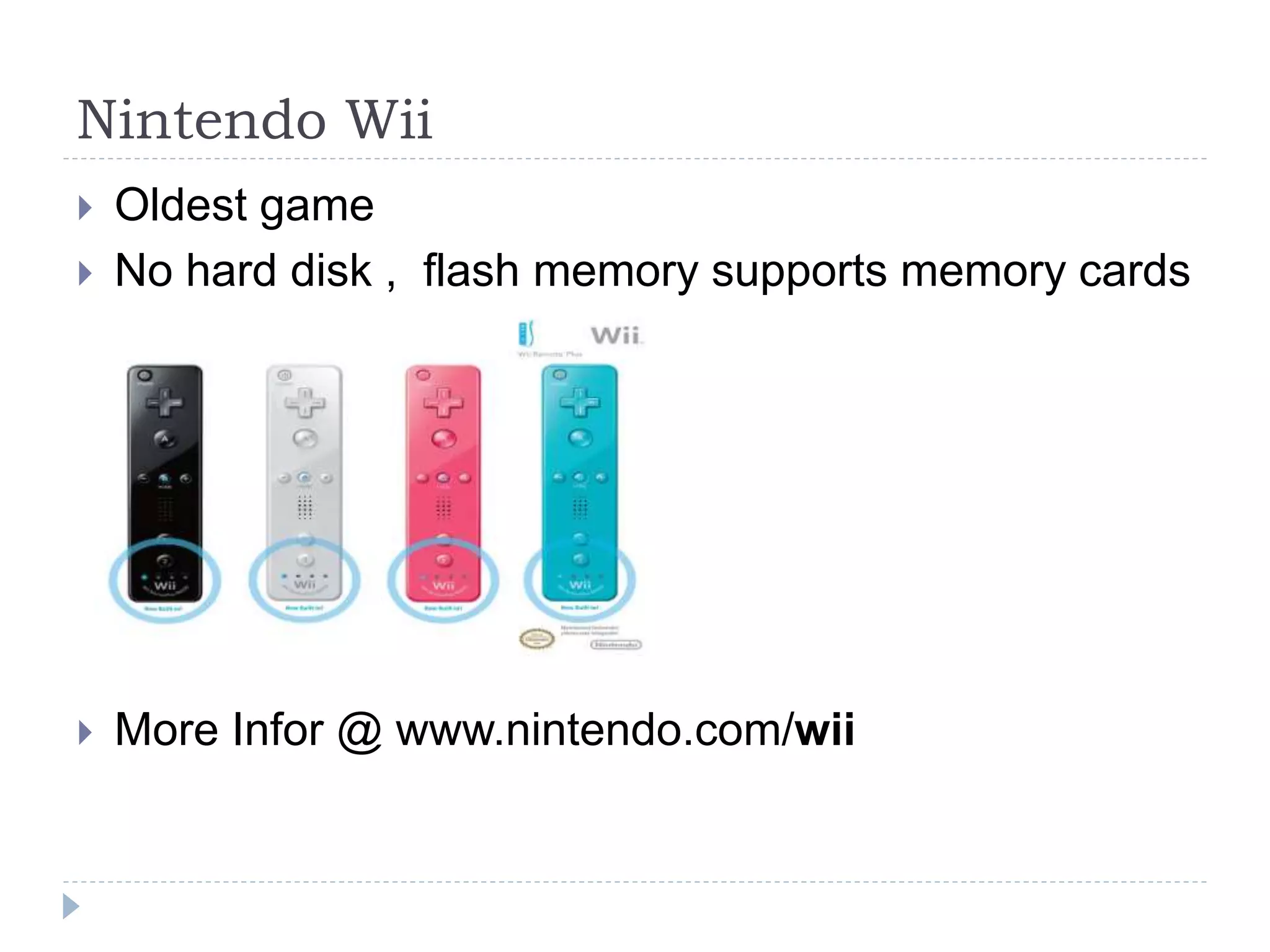
Nintendo Wii
 Oldest game
 No hard disk , flash memory supports memory cards
 More Infor @ www.nintendo.com/wii
Computing And Business
 Supply of business needs
 Application software
 Mainframes  servers
 Processing customer information
Networking
 Most computers have network connection
 Sharing resources
 Sharing information
 Help in communication
 Internet connection , Emails , Chart
A computer without an internet
connection is a dead computer
THUPA JNR
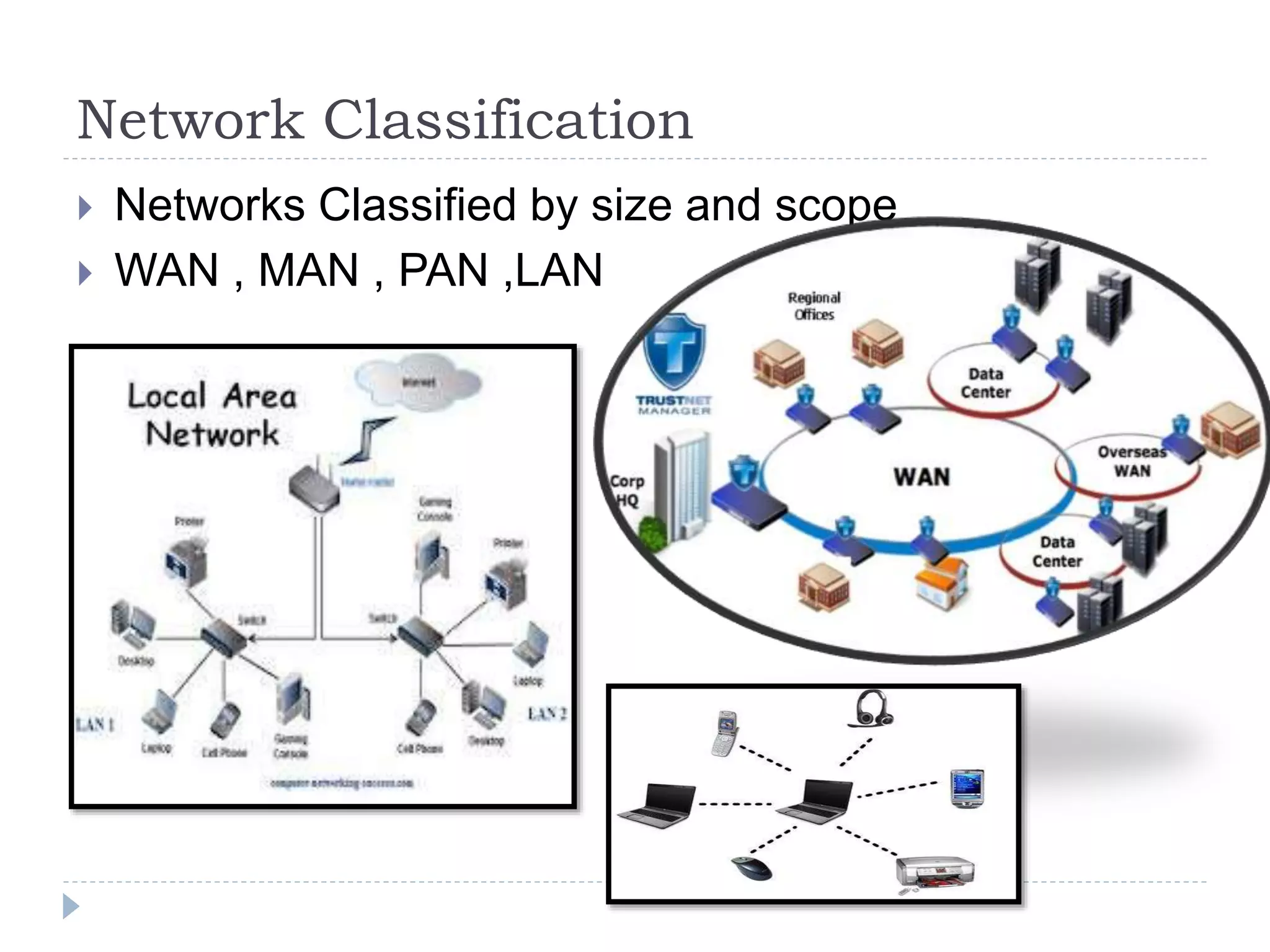
Network Classification
 Networks Classified by size and scope
 WAN , MAN , PAN ,LAN
LAN
 Local area network
 One organization
 Devices physical close
 Run by a single organization
 Mostly uses Ethernet technology
 College , Hospitals , Hotels
WAN
 Wide area network
 Covers wide distances
 Links , continents , countries
 The INTERNET
MAN
 Metropolitan Area Network
 Connects campus
 Within one geographical location
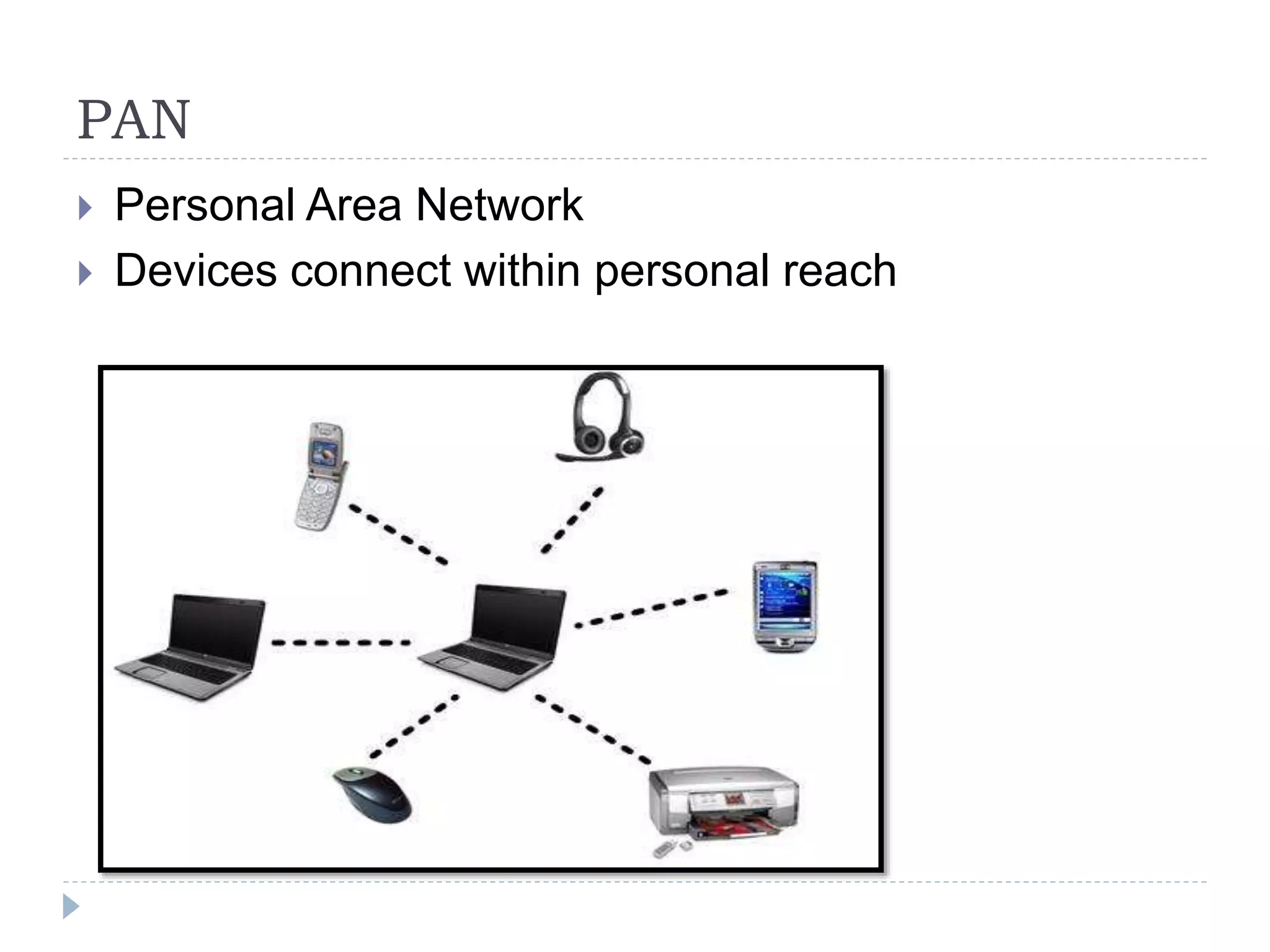
PAN
 Personal Area Network
 Devices connect within personal reach
Intranet
 Within an organization
 Private
 Sharing of docs , and services within an organization
 Usually a site…..Intranet.gips.edu.bw
Extranet
 Extension of the intranet
 Allows outside people to access organization
resources
 Usually downloading files , not all the organization
resources
Communications In Computing
 Asynchronous vs. Synchronous
 Emails , Blog comments , SMS ,
 Both parties have to be available
 Skype , Phone , (Voip Technologies)
Central Processing Unit
 Computer part that out instructions
 Controls the rest of the computer RAM , Hardisk and
others
Components OF CPU
 ALU
 CU
 Memory/Primary Storage
Arithmetic Logic Unit
 Fundamental block of the computer
 Arithmetic and Logic Operations (OR , AND , XOR ,
NOT)
 Addition and negations
 Multiplication
 No subtraction …But Negation
CONTROL UNIT
 Handles the instructions contained in the
program
 Outputs are signals to the other parts of the CPU
and the rest of the computer
Types of processors
 Intel 404
Home Computing
 Popular begin in the late 70’s , Early 80’s
 Most famous is the Apple 2
 Used for simple gaming
 Simple Application software
Environments
 Applications areas where computers are found
 Home and office applications
 Gaming and home computing

Computer systems

  • 1.
  • 2.
    SUPERCOMPUTERS  Largest typeof Computer system  Greater Processing power  Used for complex Tasks  Weather Focusing , Quantum Physics , Simulations  Columbia supercomputer , Titan (Linux Based)
  • 3.
    MAINFRAME  Single ProcessorComputer (Large)  Processing power less than the supercomputer  Operates 24/7 365 without interruption  Repairs done through operations  Massive throughput ( Out put devices)  Government , Census processing Large corporate data processing , DSS , Colleges , Hospitals
  • 4.
    Mainframe  Found inlarge organizations  Costs Less than supercomputer  Mostly produced by IBM  IBM System / 360-91 produced in 1967  Single processor  zEnterprise System ( Around $75 000)
  • 5.
    MINI COMPUTERS  Mediumrange Systems ( between mainframe and Micros)  Mostly servers  Built by sun-micro systems  Linux Based
  • 6.
    MICRO COMPUTERS  Luanched1981  Mostly based on the x86 archtecture  Generally called P.C’s  Generally , Windows O.S  Application software
  • 7.
    LAPTOP COMPUTERS  Singlecased computer  Portable  X86 architecture but now mostly coming as 64 bits  Generally using windows O.S
  • 8.
    Netbook Computers  Smalllaptops  Easily portable  >/Limited processing power , Memory , No CD Drive  Longer battery life  SO IS THE SIZE THE DIFFRENCE BTWN LAPTOPS AND NETBOOK COMPUTERS?
  • 9.
    OTHER COMPUTER TYPES SERVER  Multiple CPU’s , More Memory , File sharing , Web Hosting  PDA Small , pocket fit , Touch screen PDA VS Smart phone Camera , MP3 , Touch ,
  • 10.
    EMBEDDED SYSTEMS  Computersbuilt into other devices  Cars  Factory machinery  Smart T.V’s  Planes
  • 11.
    CHAPTER 2 Environments,Functions Of Components , Health And Safety  Scope And Coverage  Computing Environments  Von-Neuman Architecture  Health and safety practices  Processor examples , Machine cycle  CPU  Single Vs Multi-core  Multi-processor  Distributed  //RISC VS CISC
  • 12.
    Computers In DifferentEnvironments  Computers at home  Computers at work
  • 13.
    Home Computing  Affordablecomputers (late 1970’s  early 1980’s)  Apple 11  Atari ST  Most used for simple games  Simple word processing , and spreadsheet  Music sequencing
  • 14.
    Modern Home ComputerSystems  Application software  Internet access  Mostly run on the Windows Environment  Home VS office systems  Graphics editing / Design  Domestic finances
  • 15.
    Game Consoles  Originated1967  General purpose computer  Created for playing games  limited functionality  Better graphics card / power and gaming performance  Contain controllers , graphics resolution ,  Internet connectivity , adhoc ,  Dominated by the home market  Examples , Xbox , PS , PSP
  • 16.
    PS VS Xbox What's your preference ? Network Gaming Motion Controls Wireless Controller CD , DVD drive Contain a hard drive PS is cheaper
  • 17.
    Nintendo Wii  Oldestgame  No hard disk , flash memory supports memory cards  More Infor @ www.nintendo.com/wii
  • 18.
    Computing And Business Supply of business needs  Application software  Mainframes  servers  Processing customer information
  • 19.
    Networking  Most computershave network connection  Sharing resources  Sharing information  Help in communication  Internet connection , Emails , Chart A computer without an internet connection is a dead computer THUPA JNR
  • 20.
    Network Classification  NetworksClassified by size and scope  WAN , MAN , PAN ,LAN
  • 21.
    LAN  Local areanetwork  One organization  Devices physical close  Run by a single organization  Mostly uses Ethernet technology  College , Hospitals , Hotels
  • 22.
    WAN  Wide areanetwork  Covers wide distances  Links , continents , countries  The INTERNET
  • 23.
    MAN  Metropolitan AreaNetwork  Connects campus  Within one geographical location
  • 24.
    PAN  Personal AreaNetwork  Devices connect within personal reach
  • 25.
    Intranet  Within anorganization  Private  Sharing of docs , and services within an organization  Usually a site…..Intranet.gips.edu.bw
  • 26.
    Extranet  Extension ofthe intranet  Allows outside people to access organization resources  Usually downloading files , not all the organization resources
  • 27.
    Communications In Computing Asynchronous vs. Synchronous  Emails , Blog comments , SMS ,  Both parties have to be available  Skype , Phone , (Voip Technologies)
  • 28.
    Central Processing Unit Computer part that out instructions  Controls the rest of the computer RAM , Hardisk and others
  • 29.
    Components OF CPU ALU  CU  Memory/Primary Storage
  • 30.
    Arithmetic Logic Unit Fundamental block of the computer  Arithmetic and Logic Operations (OR , AND , XOR , NOT)  Addition and negations  Multiplication  No subtraction …But Negation
  • 31.
    CONTROL UNIT  Handlesthe instructions contained in the program  Outputs are signals to the other parts of the CPU and the rest of the computer
  • 32.
  • 33.
    Home Computing  Popularbegin in the late 70’s , Early 80’s  Most famous is the Apple 2  Used for simple gaming  Simple Application software
  • 34.
    Environments  Applications areaswhere computers are found  Home and office applications  Gaming and home computing