Trainer's name : Hamed Gazi Al-nefaie.
Teacher name : Ibrahim Adini.
1.0 Introduction
1.1 Globally Connected
1.2 LANs, WANs, and the Internet
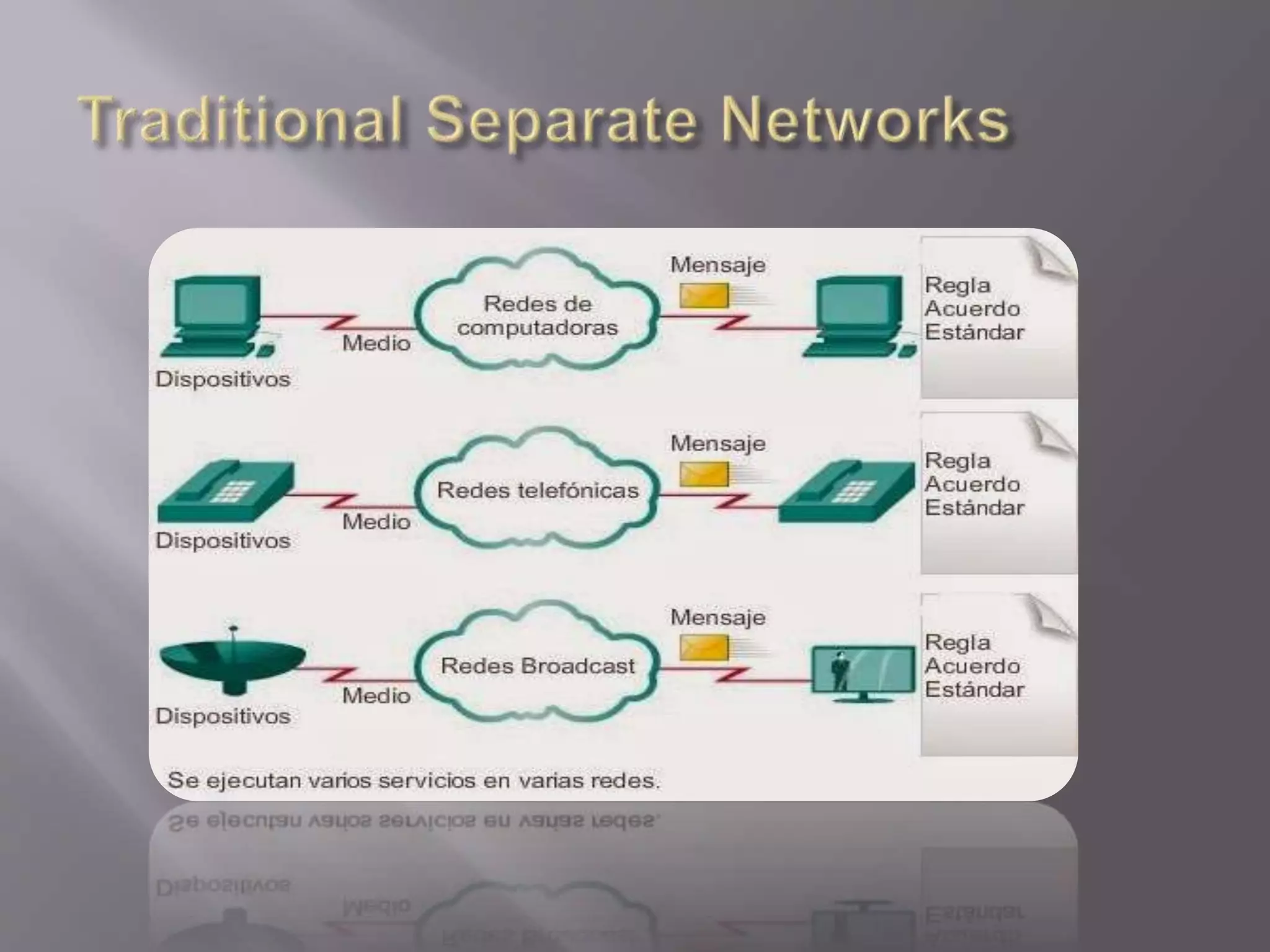
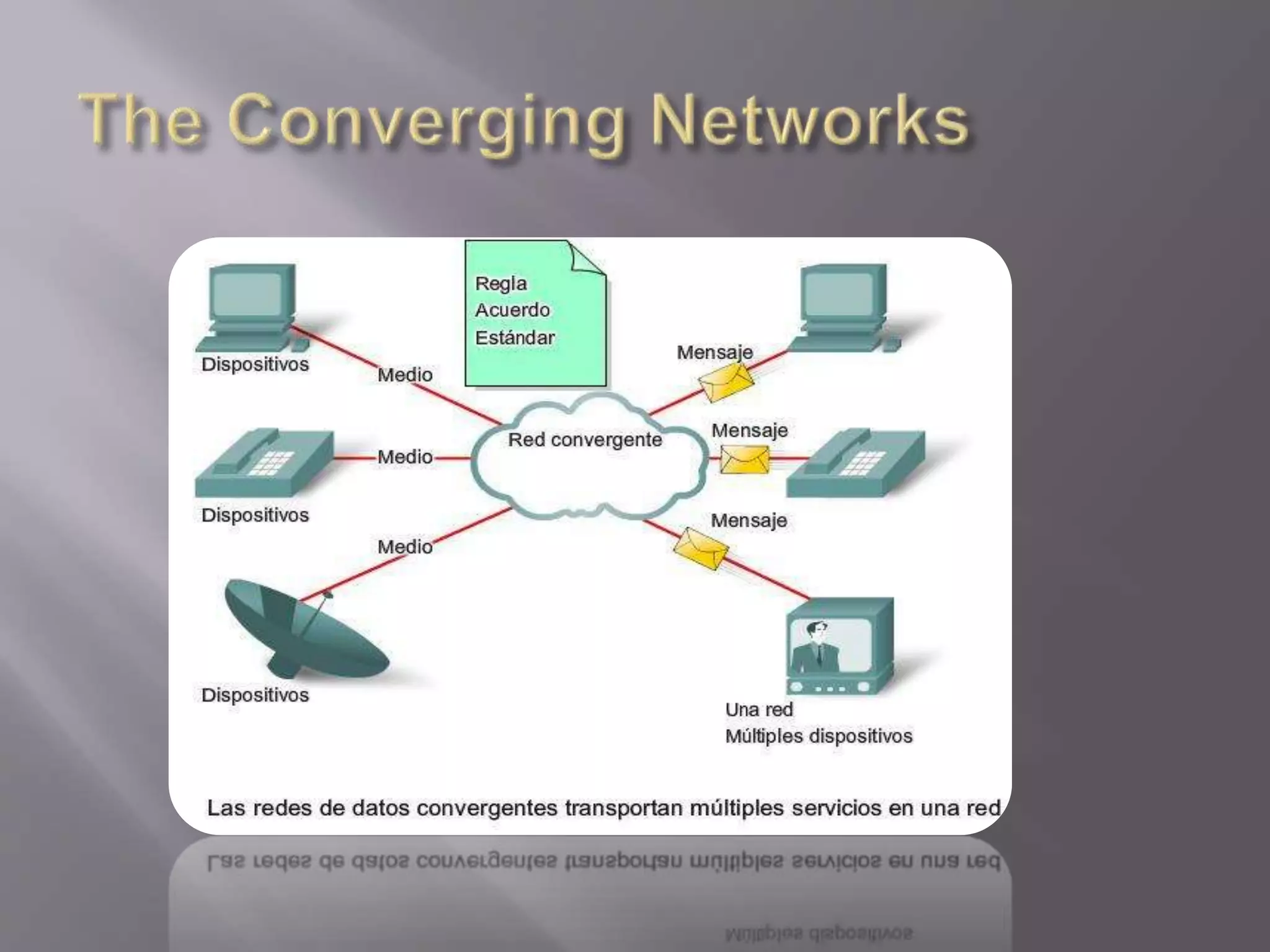
1.3 The Network as a Platform
1.4 The Changing Network Environment
1.0 Introduction
We now stand at a critical turning point in the use of technology to
extend and empower our ability to communicate. The globalization
of the Internet has succeeded faster than anyone could have
imagined. The manner in which social, commercial, political, and
personal interactions occur is rapidly changing to keep up with the
evolution of this global network. In the next stage of our
development, innovators will use the Internet as a starting point for
their efforts—creating new products and services specifically
designed to take advantage of the network capabilities. As
developers push the limits of what is possible, the capabilities of
the interconnected networks that form the Internet will play an
increasing role in the success of these projects.
This chapter introduces the platform of data networks upon which our
social and business relationships increasingly depend. The material
lays the groundwork for exploring the services, technologies, and
issues encountered by network professionals as they design, build,
and maintain the modern network.
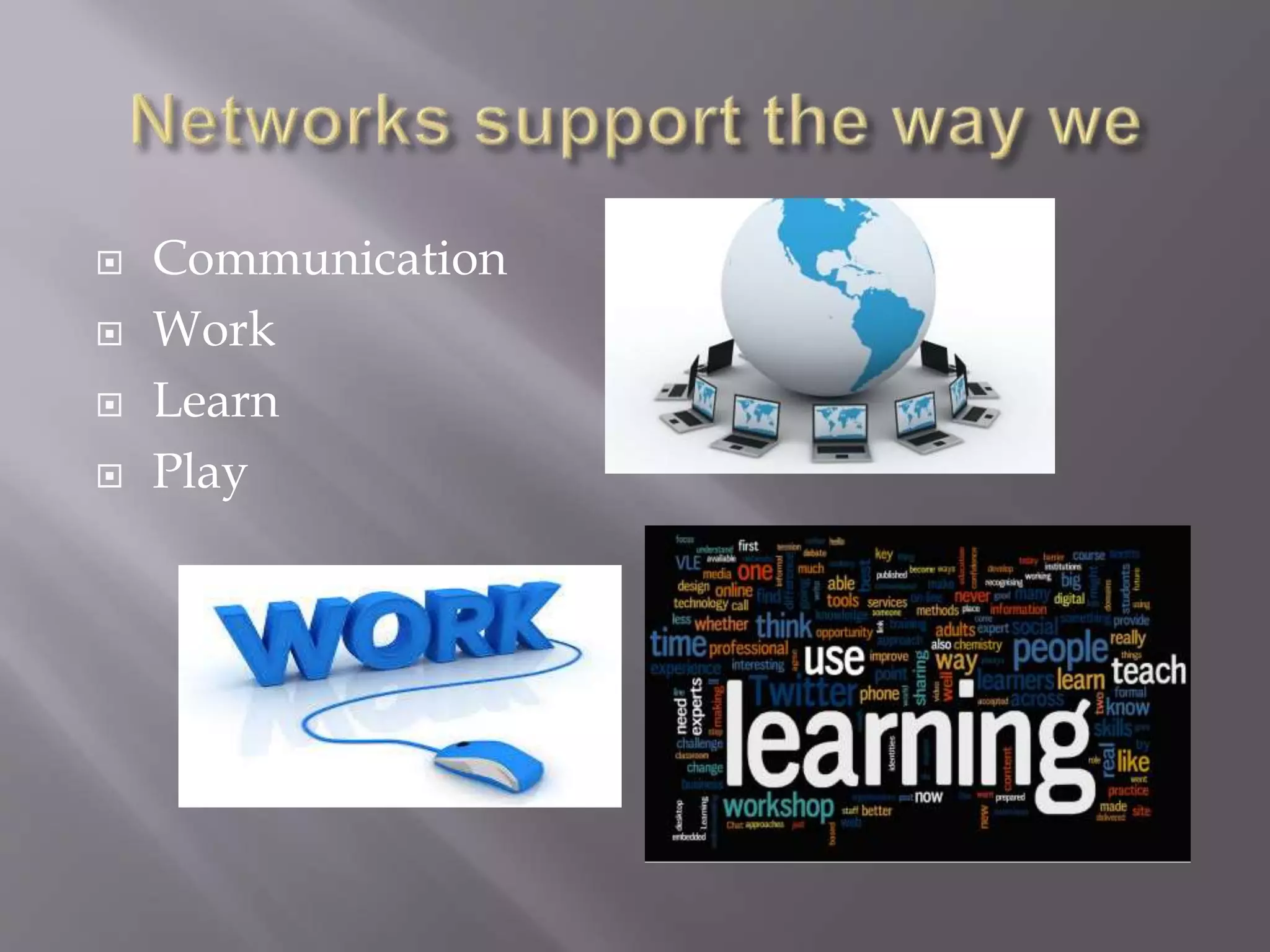
 Communication
 Work
 Learn
 Play
 Small Home Network .
 Small Home/ office Network.
 Medium to Large Network.
 Word wide Network .
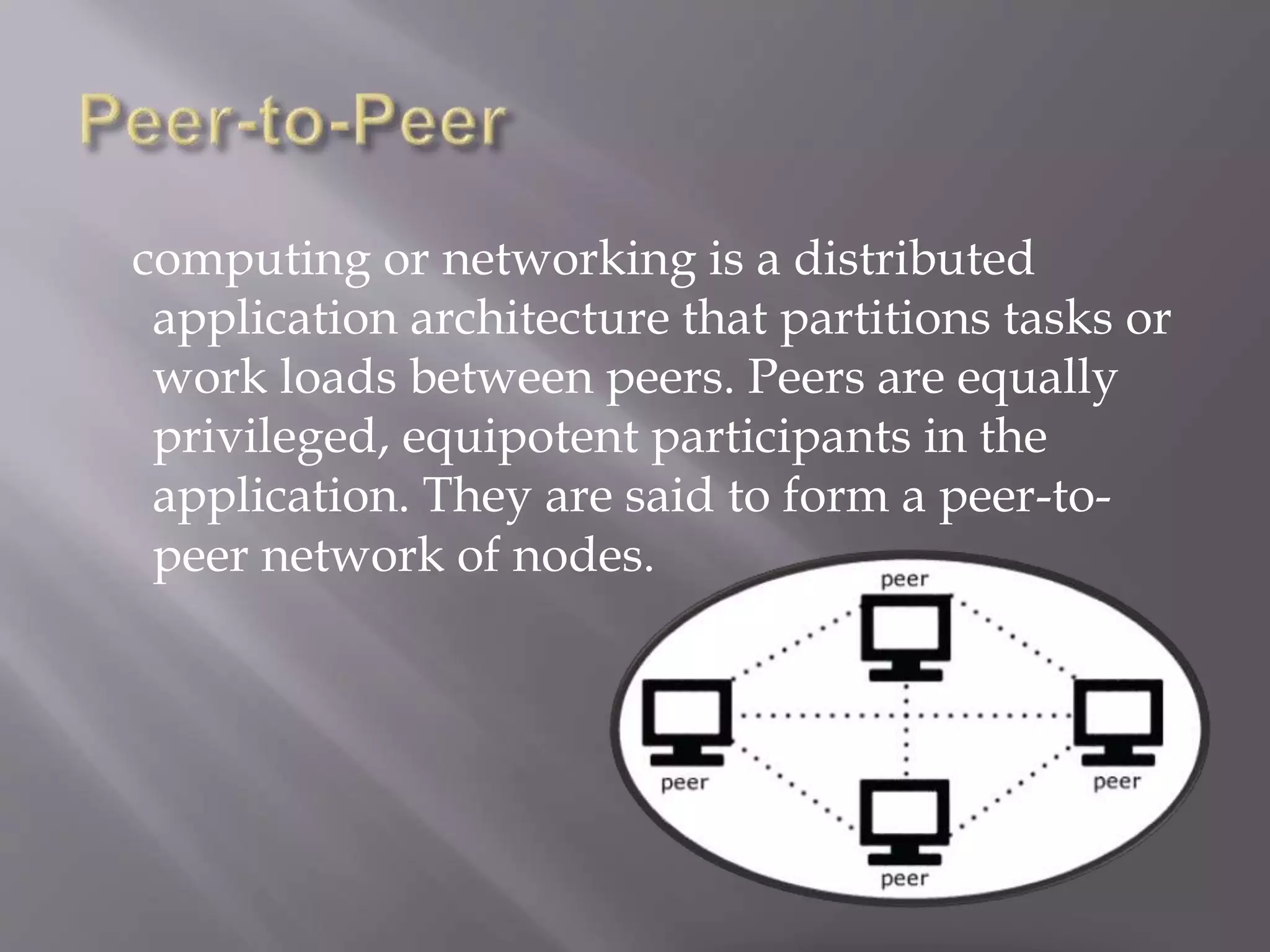
computing or networking is a distributed
application architecture that partitions tasks or
work loads between peers. Peers are equally
privileged, equipotent participants in the
application. They are said to form a peer-to-
peer network of nodes.
1.2 LANs, WANs, and the Internet
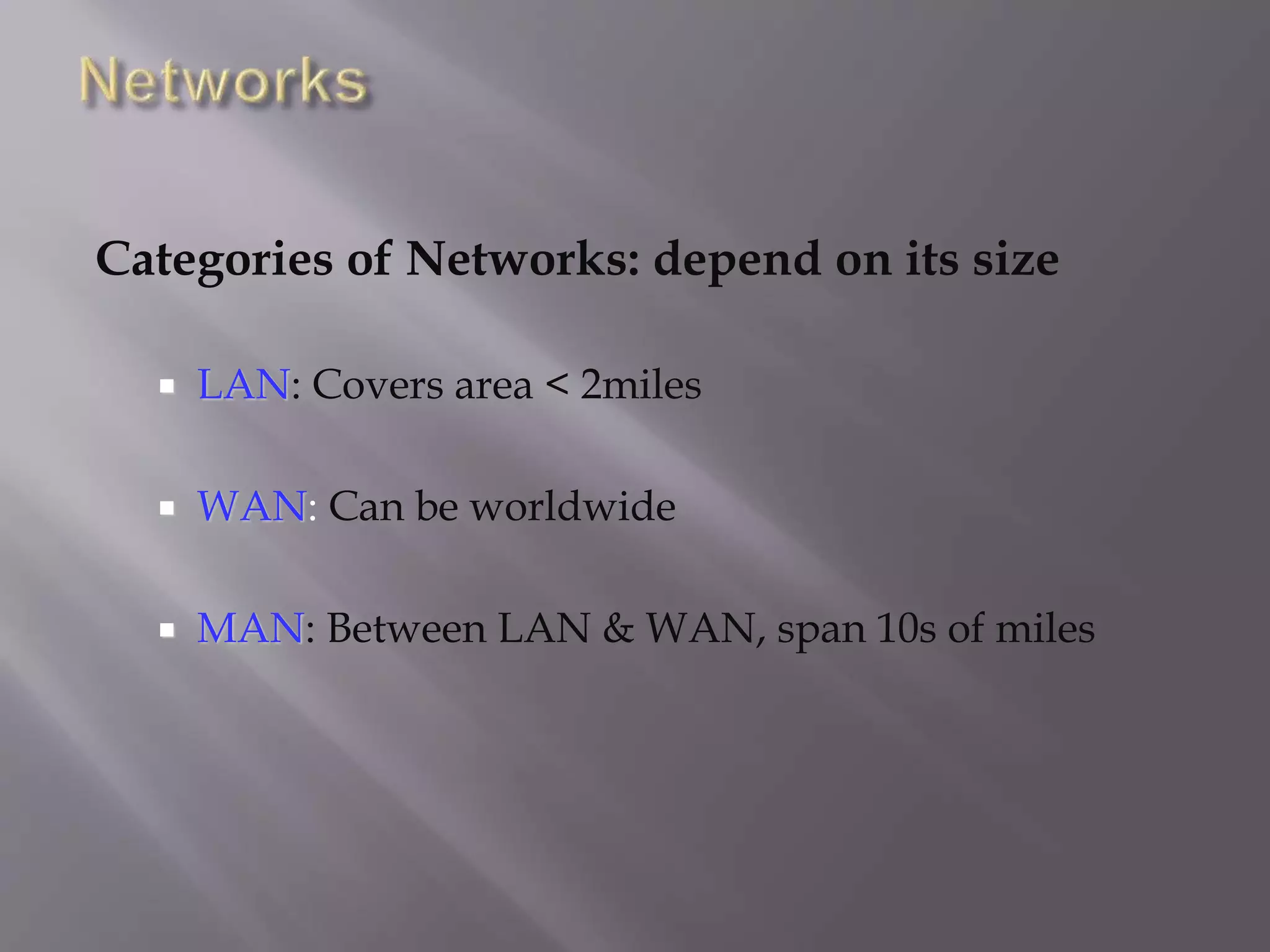
Categories of Networks: depend on its size
 LAN: Covers area < 2miles
 WAN: Can be worldwide
 MAN: Between LAN & WAN, span 10s of miles
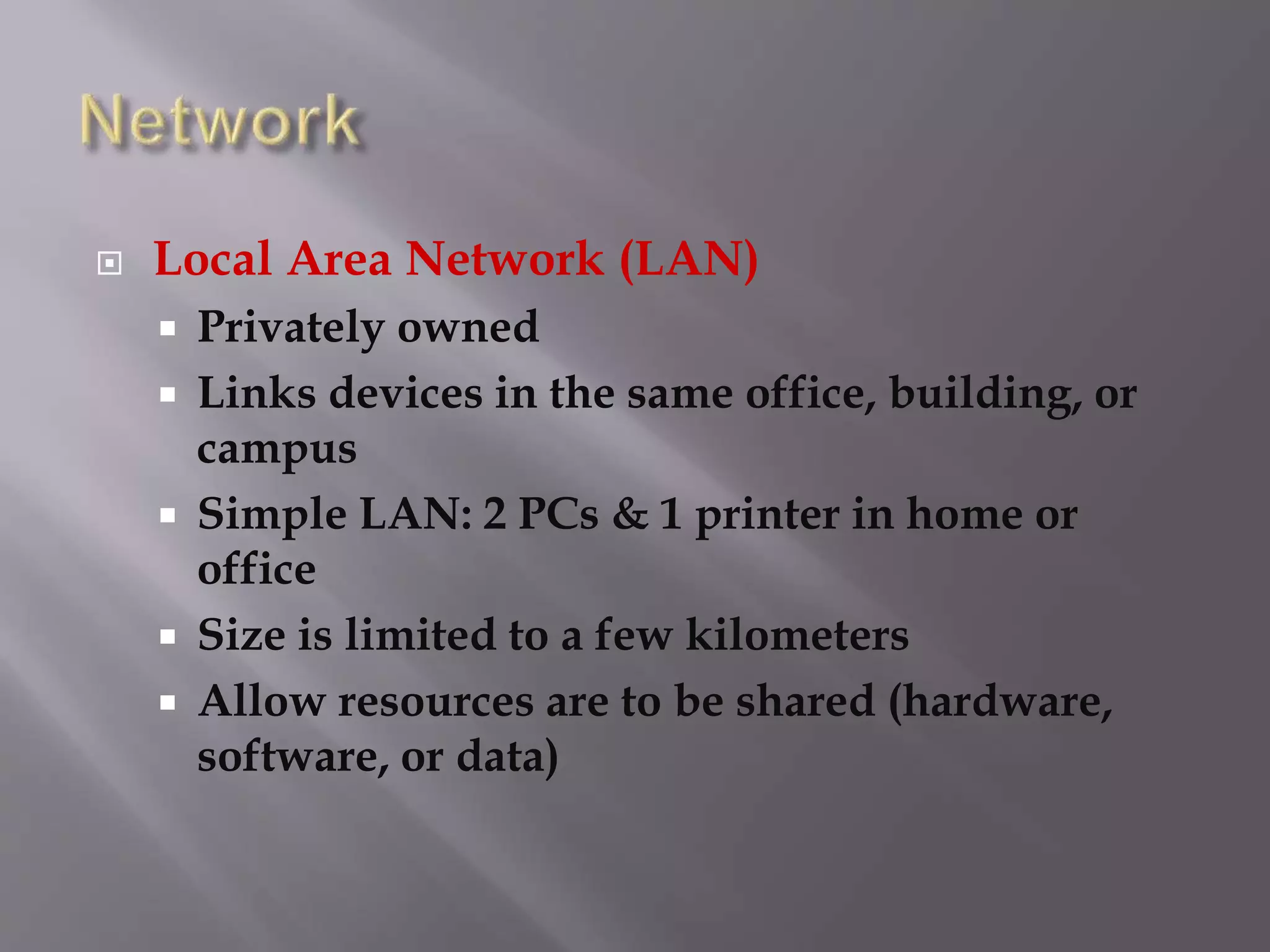
 Local Area Network (LAN)
 Privately owned
 Links devices in the same office, building, or
campus
 Simple LAN: 2 PCs & 1 printer in home or
office
 Size is limited to a few kilometers
 Allow resources are to be shared (hardware,
software, or data)
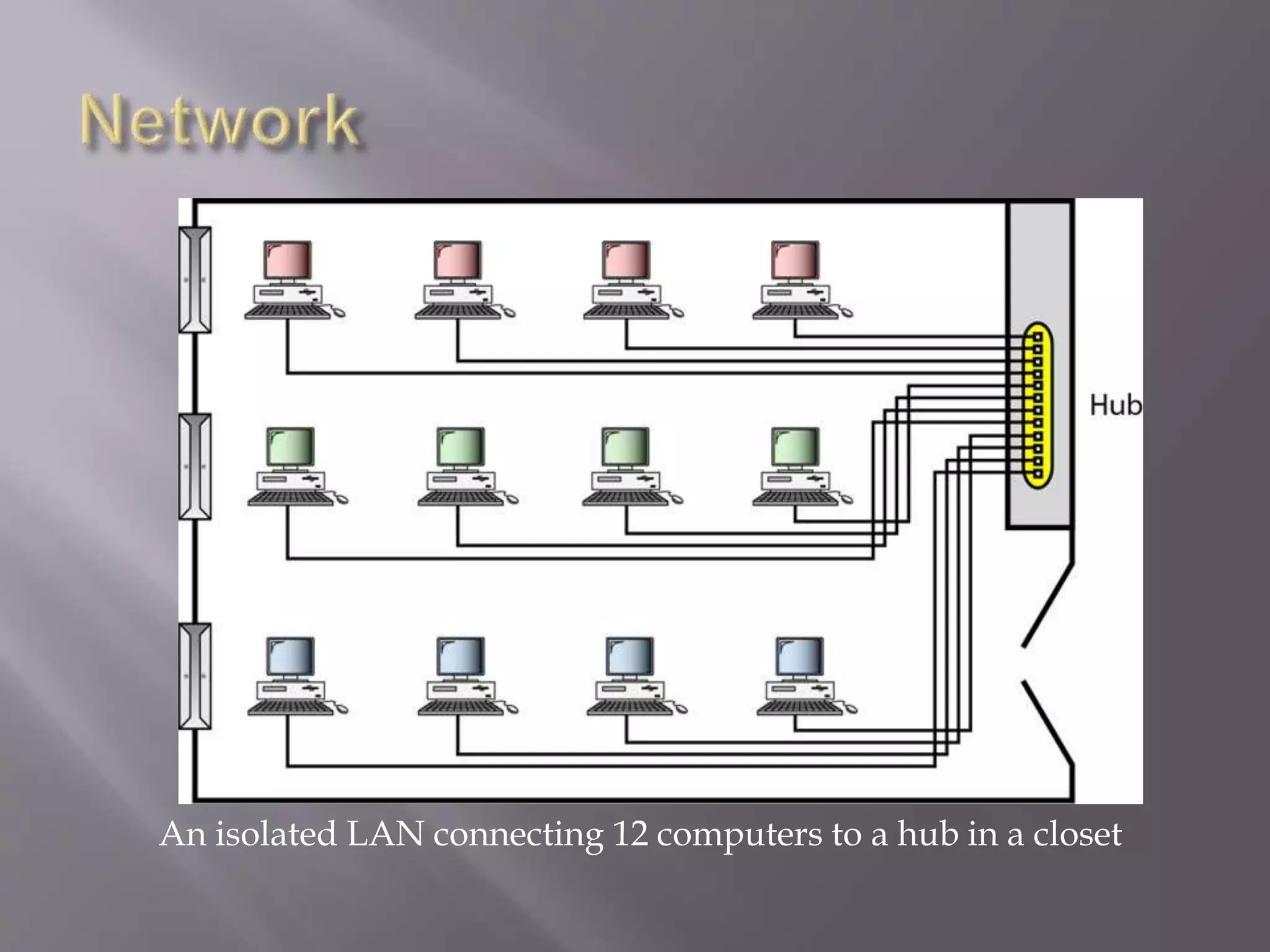
An isolated LAN connecting 12 computers to a hub in a closet
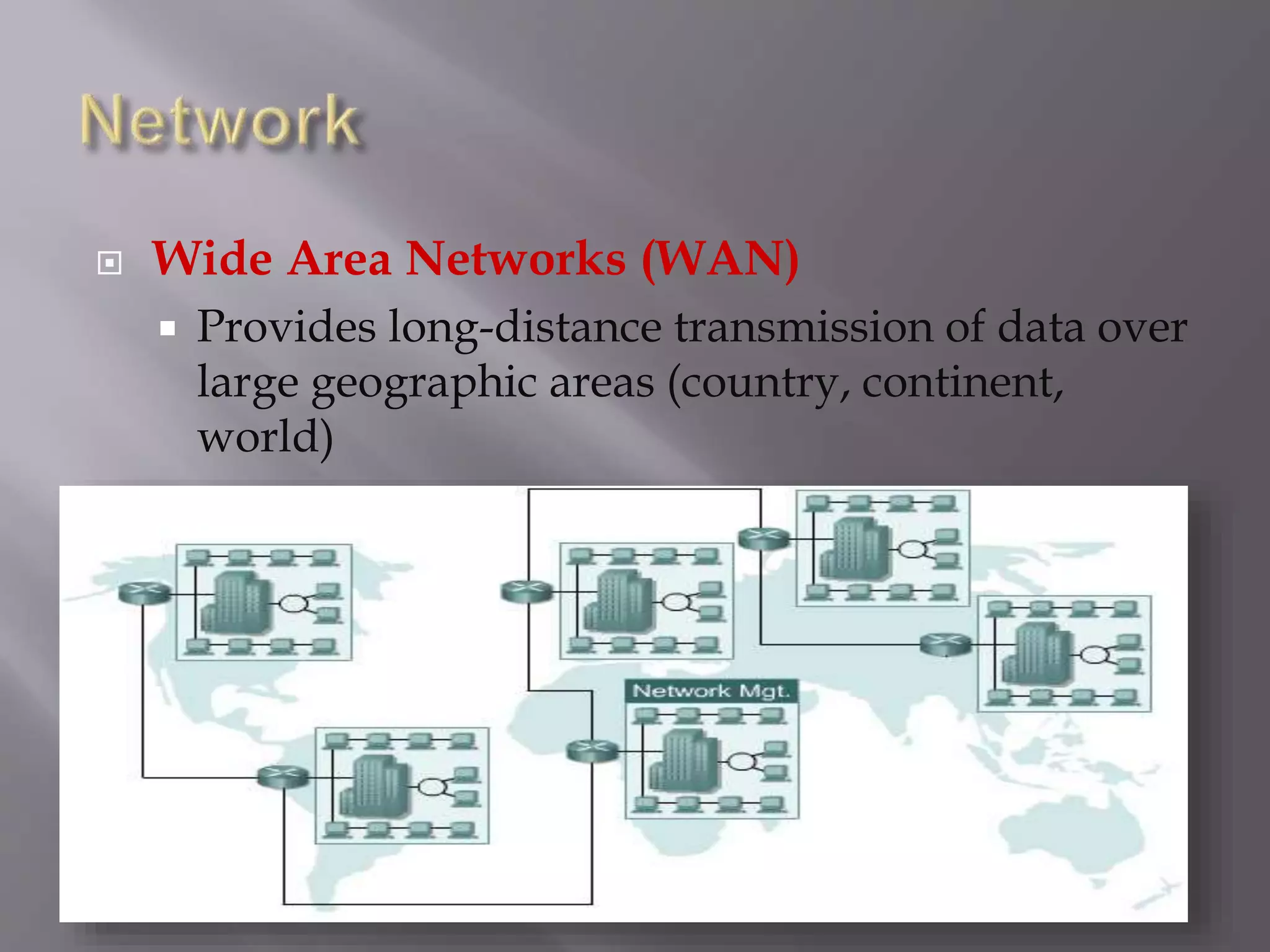
 Wide Area Networks (WAN)
 Provides long-distance transmission of data over
large geographic areas (country, continent,
world)
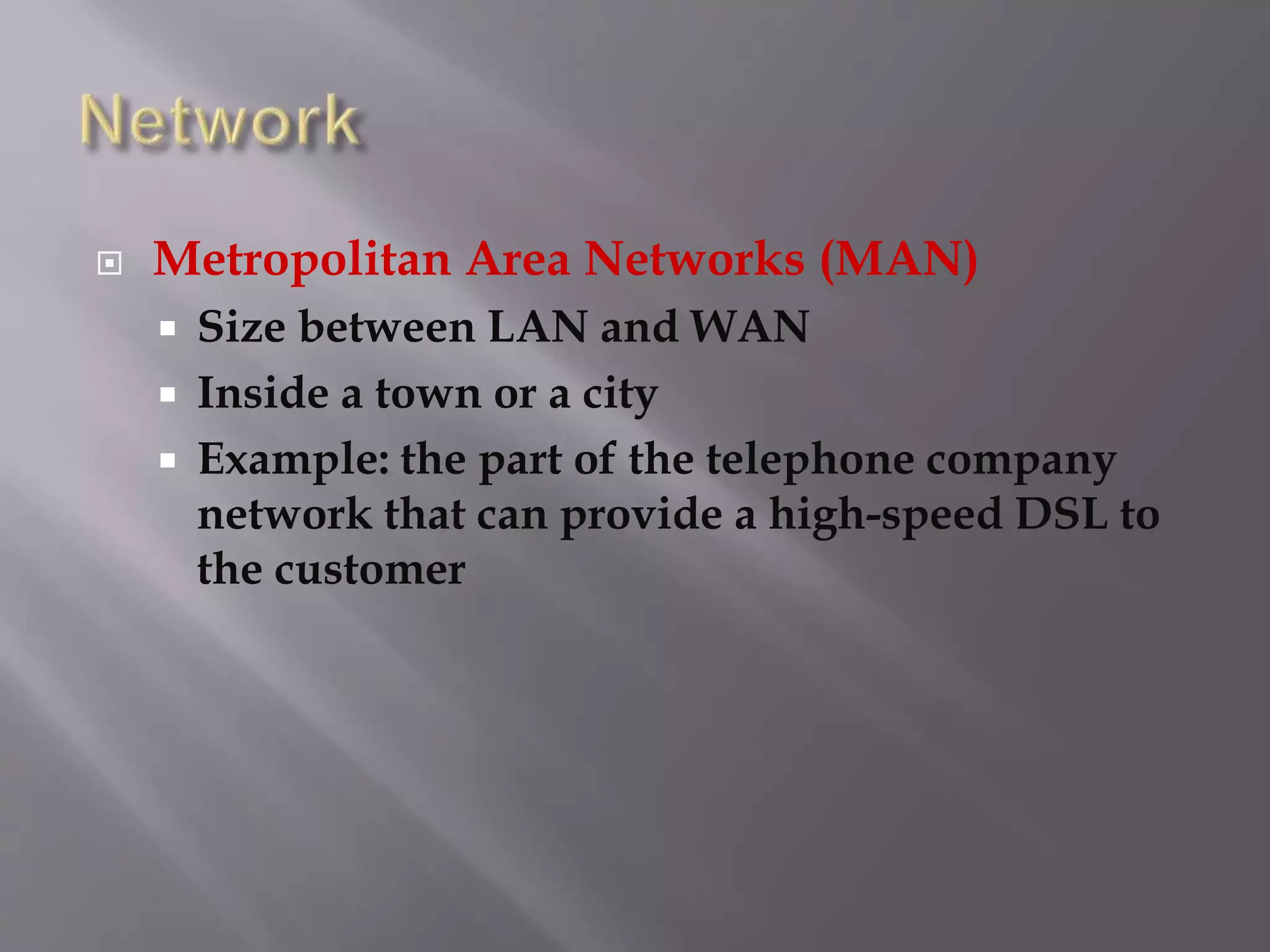
 Metropolitan Area Networks (MAN)
 Size between LAN and WAN
 Inside a town or a city
 Example: the part of the telephone company
network that can provide a high-speed DSL to
the customer
 Interconnection of Networks (Internetworks)
 Two or more networks connected together
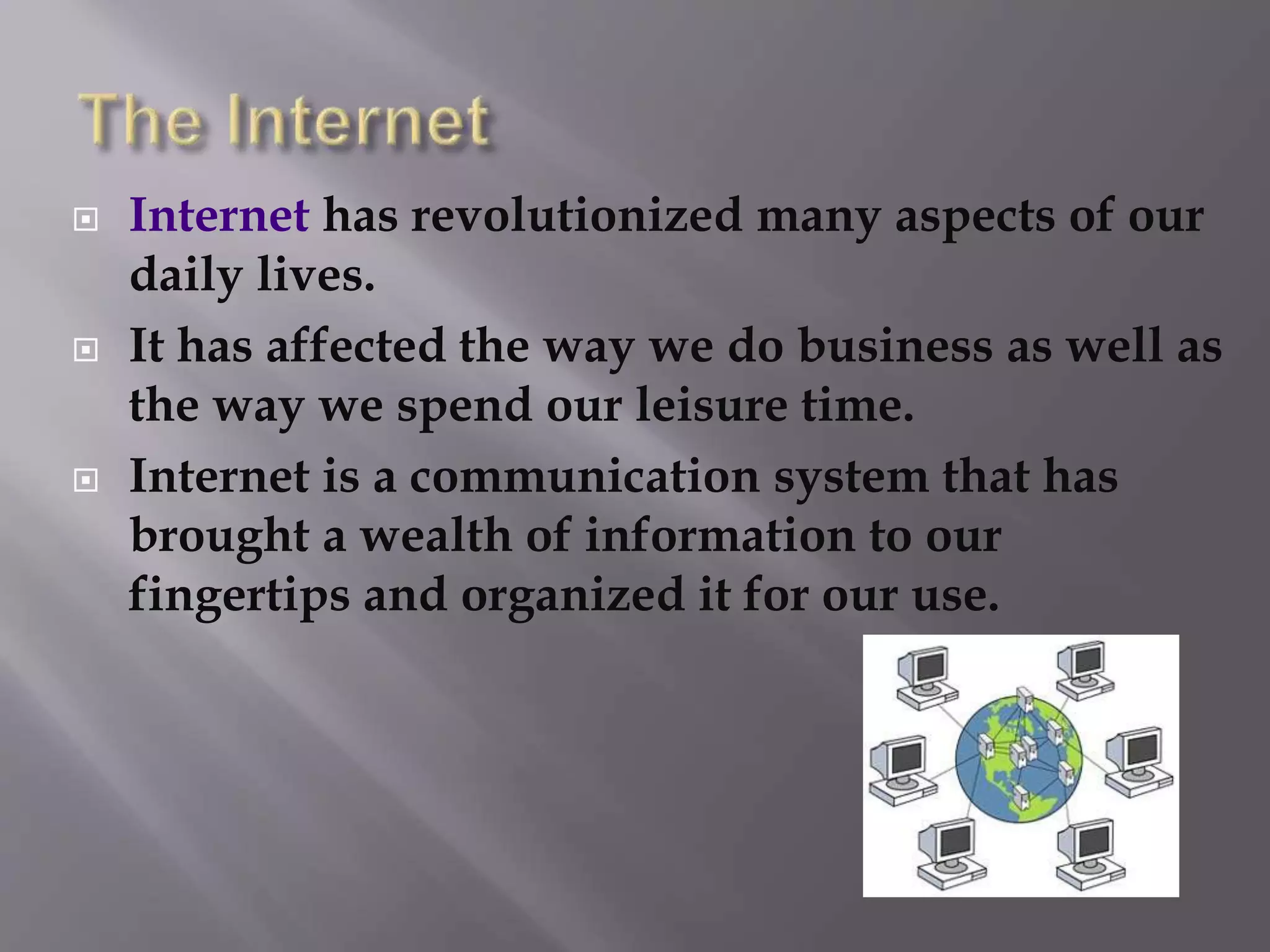
 Internet has revolutionized many aspects of our
daily lives.
 It has affected the way we do business as well as
the way we spend our leisure time.
 Internet is a communication system that has
brought a wealth of information to our
fingertips and organized it for our use.
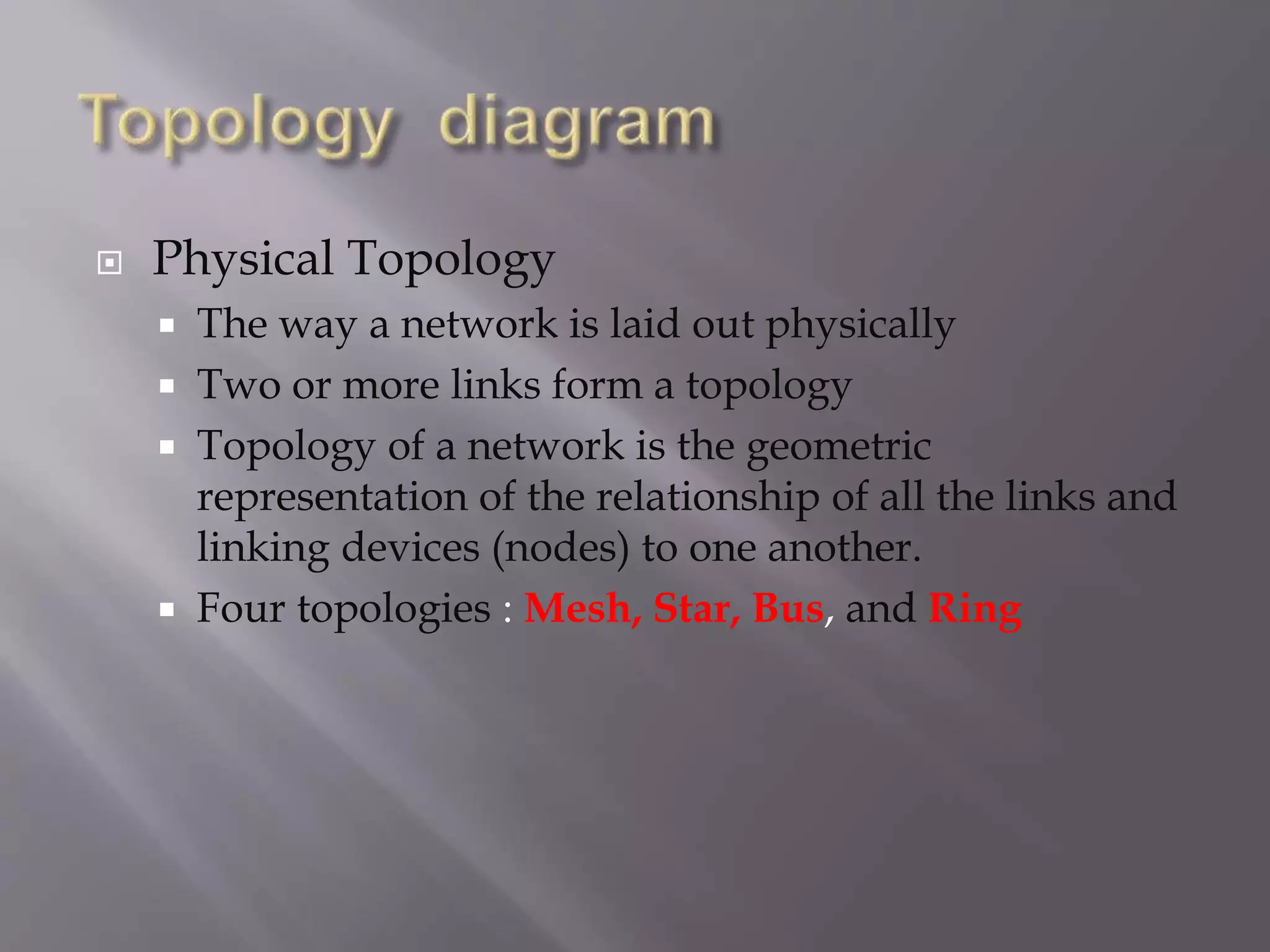
 Physical Topology
 The way a network is laid out physically
 Two or more links form a topology
 Topology of a network is the geometric
representation of the relationship of all the links and
linking devices (nodes) to one another.
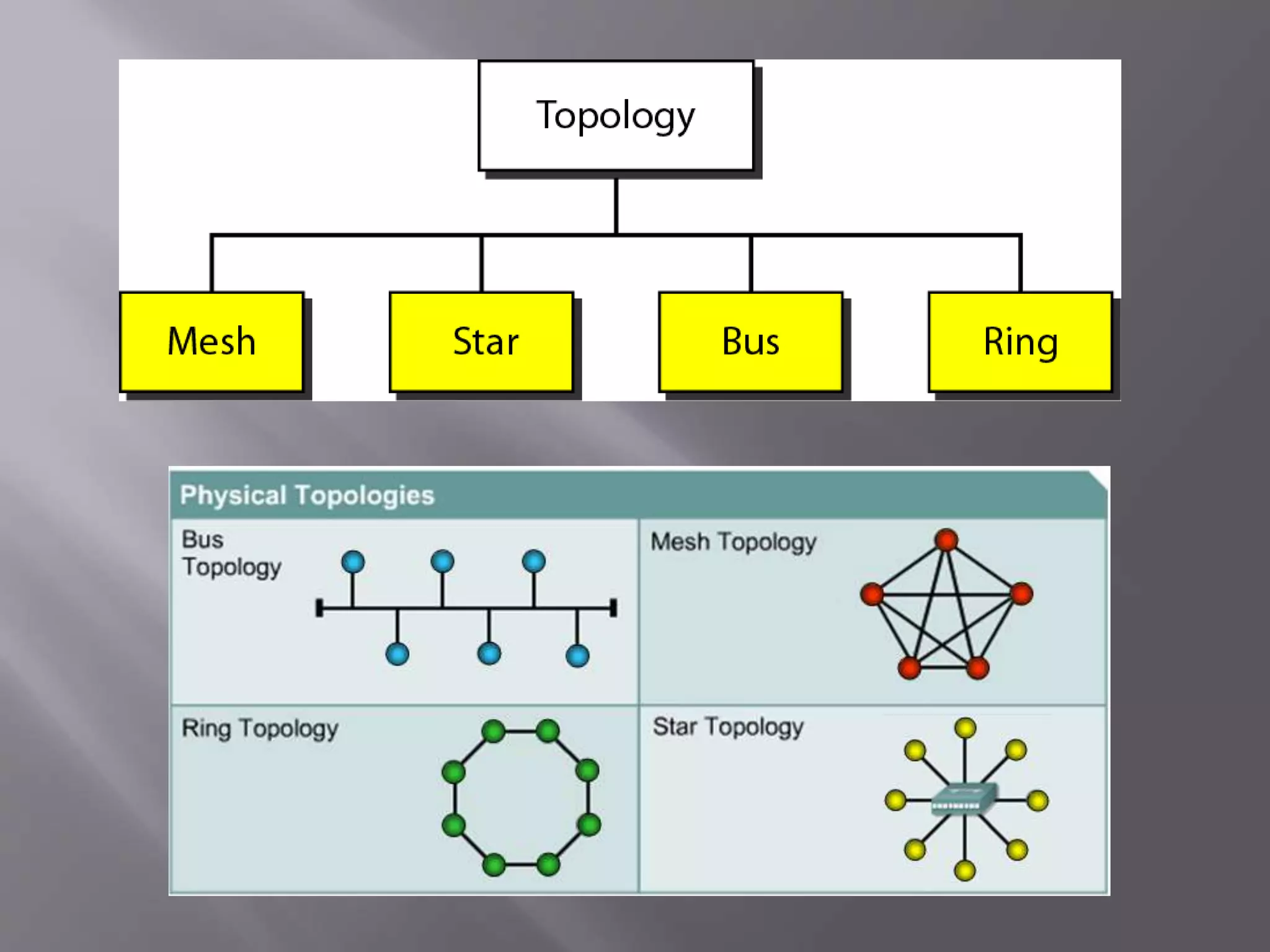
 Four topologies : Mesh, Star, Bus, and Ring
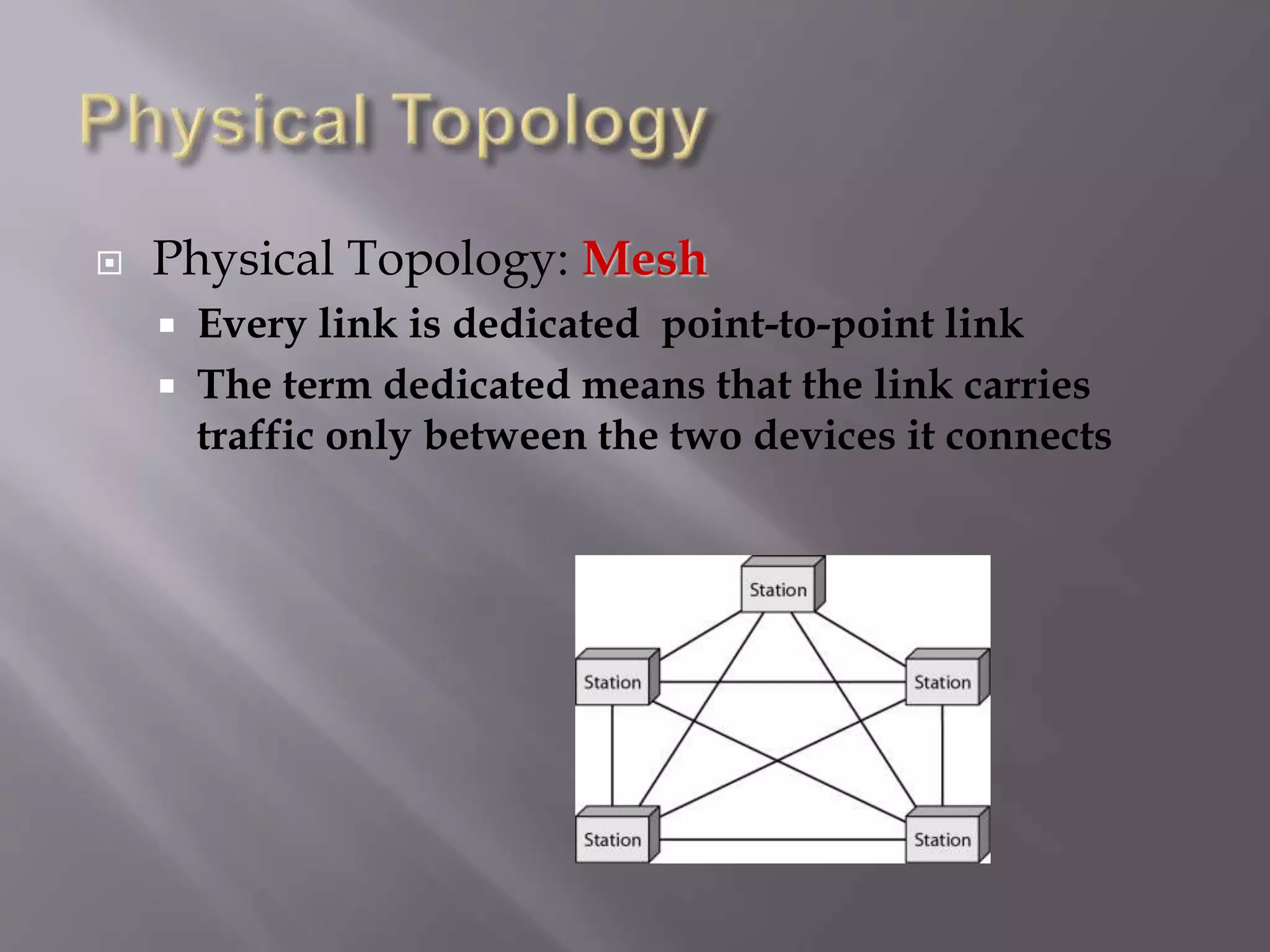
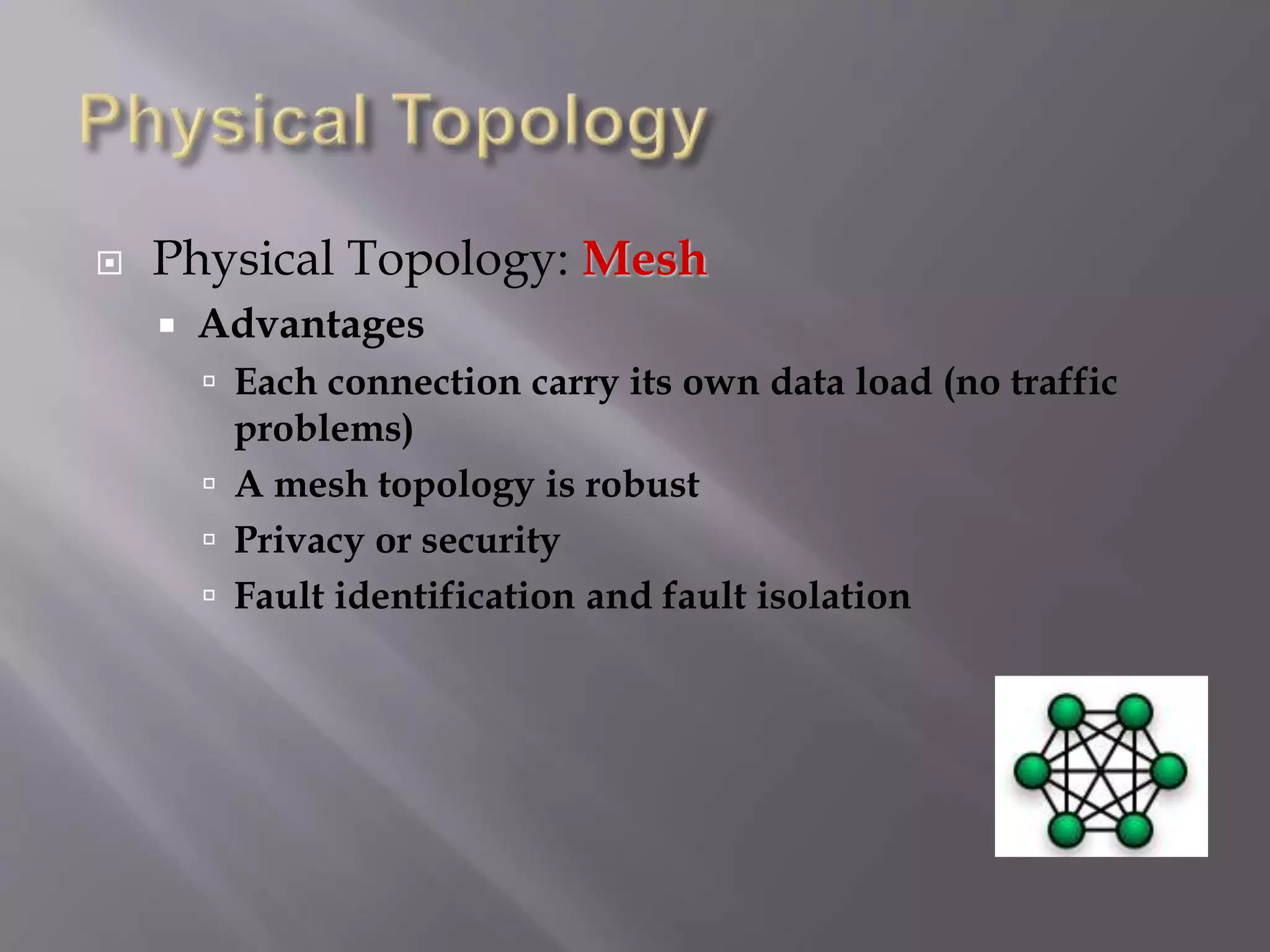
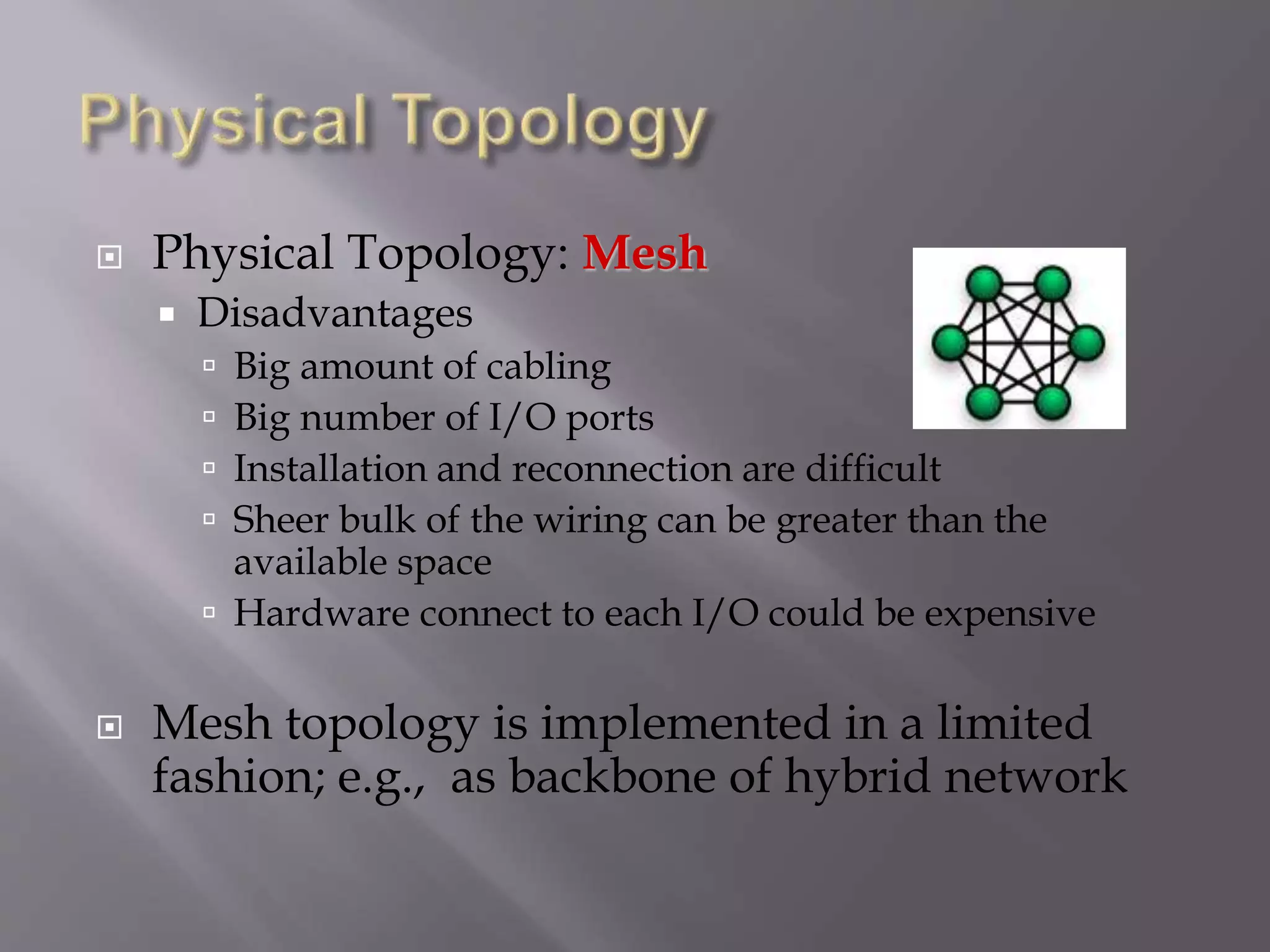
 Physical Topology: Mesh
 Every link is dedicated point-to-point link
 The term dedicated means that the link carries
traffic only between the two devices it connects
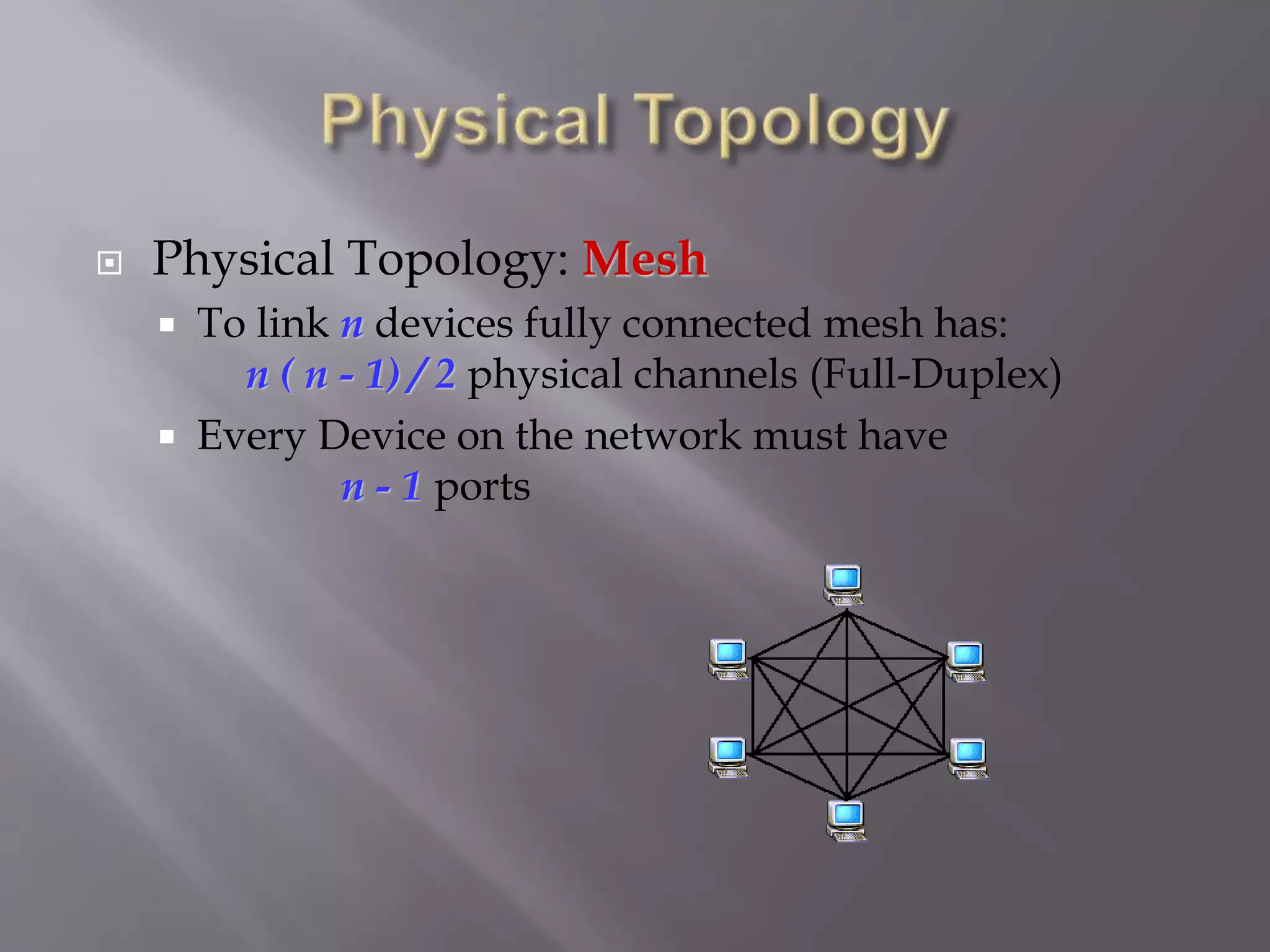
 Physical Topology: Mesh
 To link n devices fully connected mesh has:
n ( n - 1) / 2 physical channels (Full-Duplex)
 Every Device on the network must have
n - 1 ports
 Physical Topology: Mesh
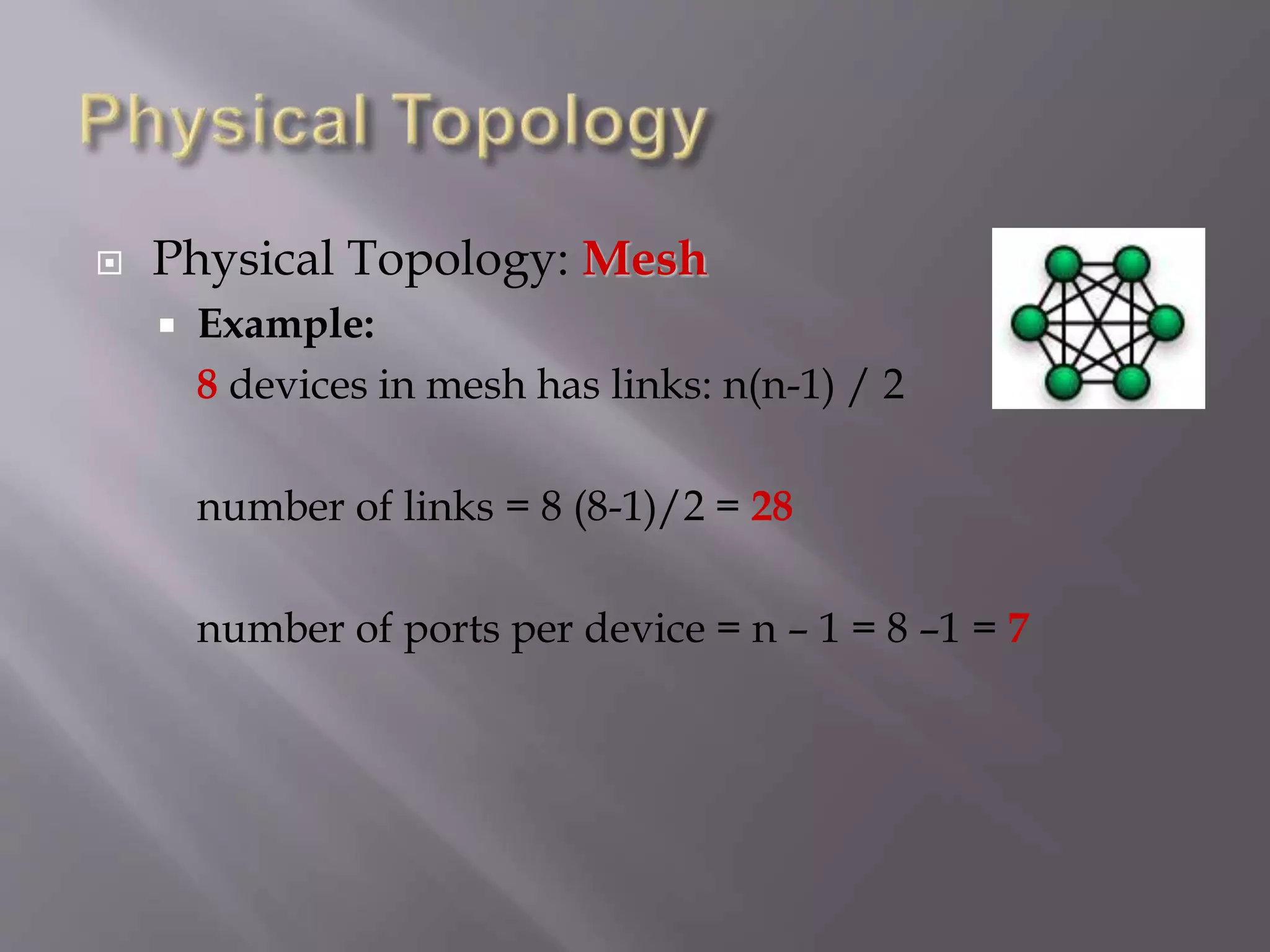
 Example:
8 devices in mesh has links: n(n-1) / 2
number of links = 8 (8-1)/2 = 28
number of ports per device = n – 1 = 8 –1 = 7
 Physical Topology: Mesh
 Advantages
 Each connection carry its own data load (no traffic
problems)
 A mesh topology is robust
 Privacy or security
 Fault identification and fault isolation
 Physical Topology: Mesh
 Disadvantages
 Big amount of cabling
 Big number of I/O ports
 Installation and reconnection are difficult
 Sheer bulk of the wiring can be greater than the
available space
 Hardware connect to each I/O could be expensive
 Mesh topology is implemented in a limited
fashion; e.g., as backbone of hybrid network
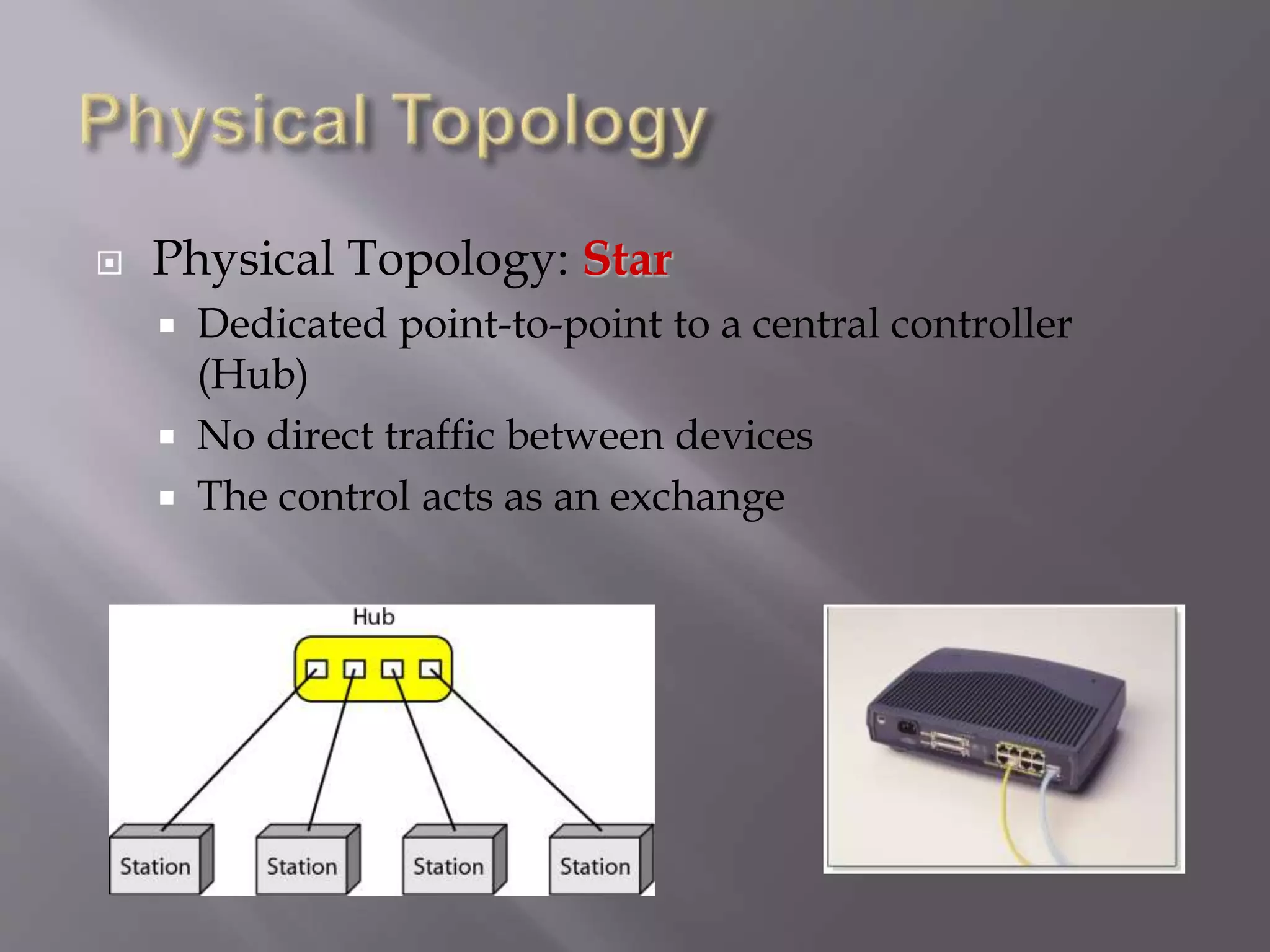
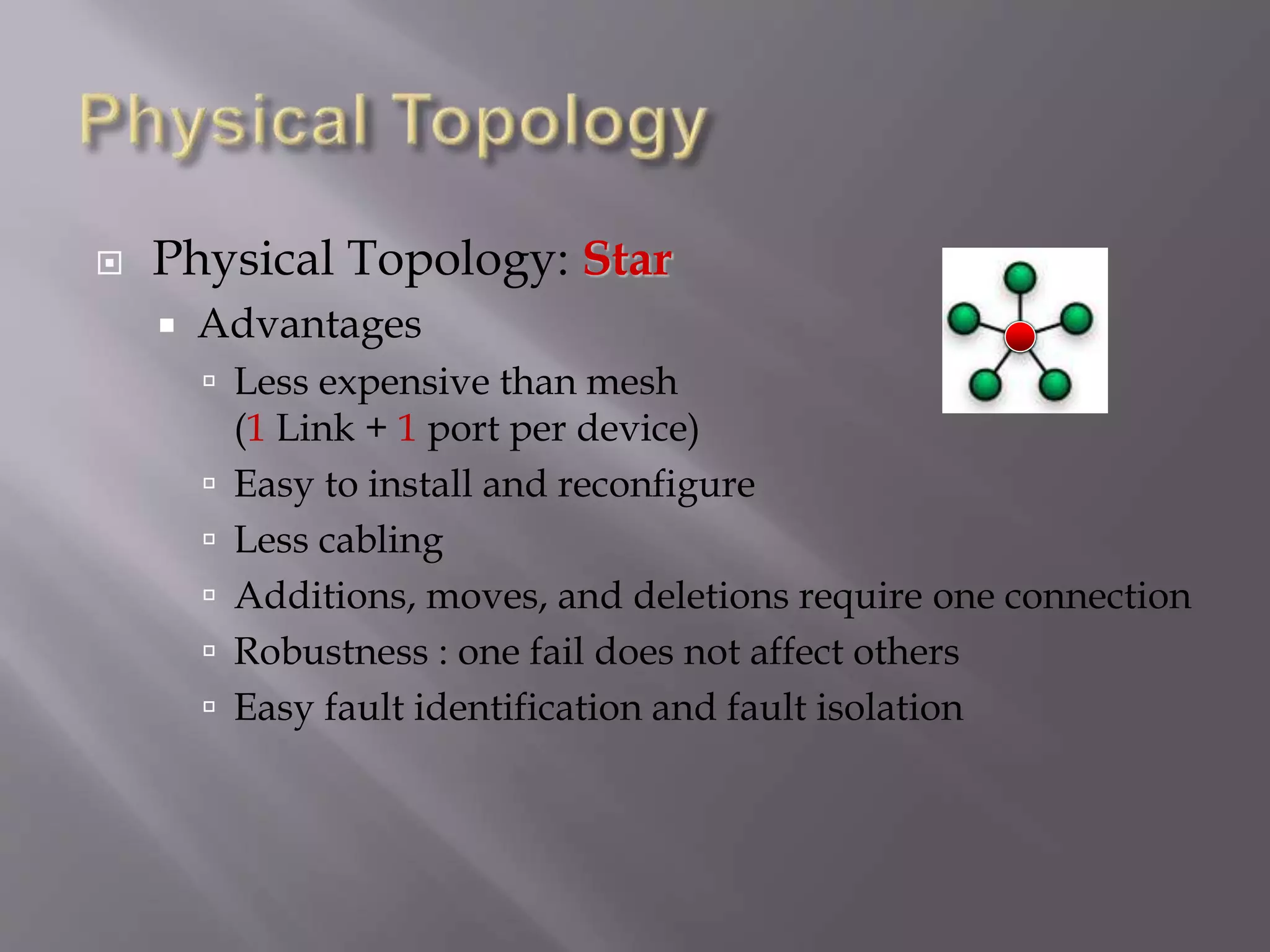
 Physical Topology: Star
 Dedicated point-to-point to a central controller
(Hub)
 No direct traffic between devices
 The control acts as an exchange
 Physical Topology: Star
 Advantages
 Less expensive than mesh
(1 Link + 1 port per device)
 Easy to install and reconfigure
 Less cabling
 Additions, moves, and deletions require one connection
 Robustness : one fail does not affect others
 Easy fault identification and fault isolation
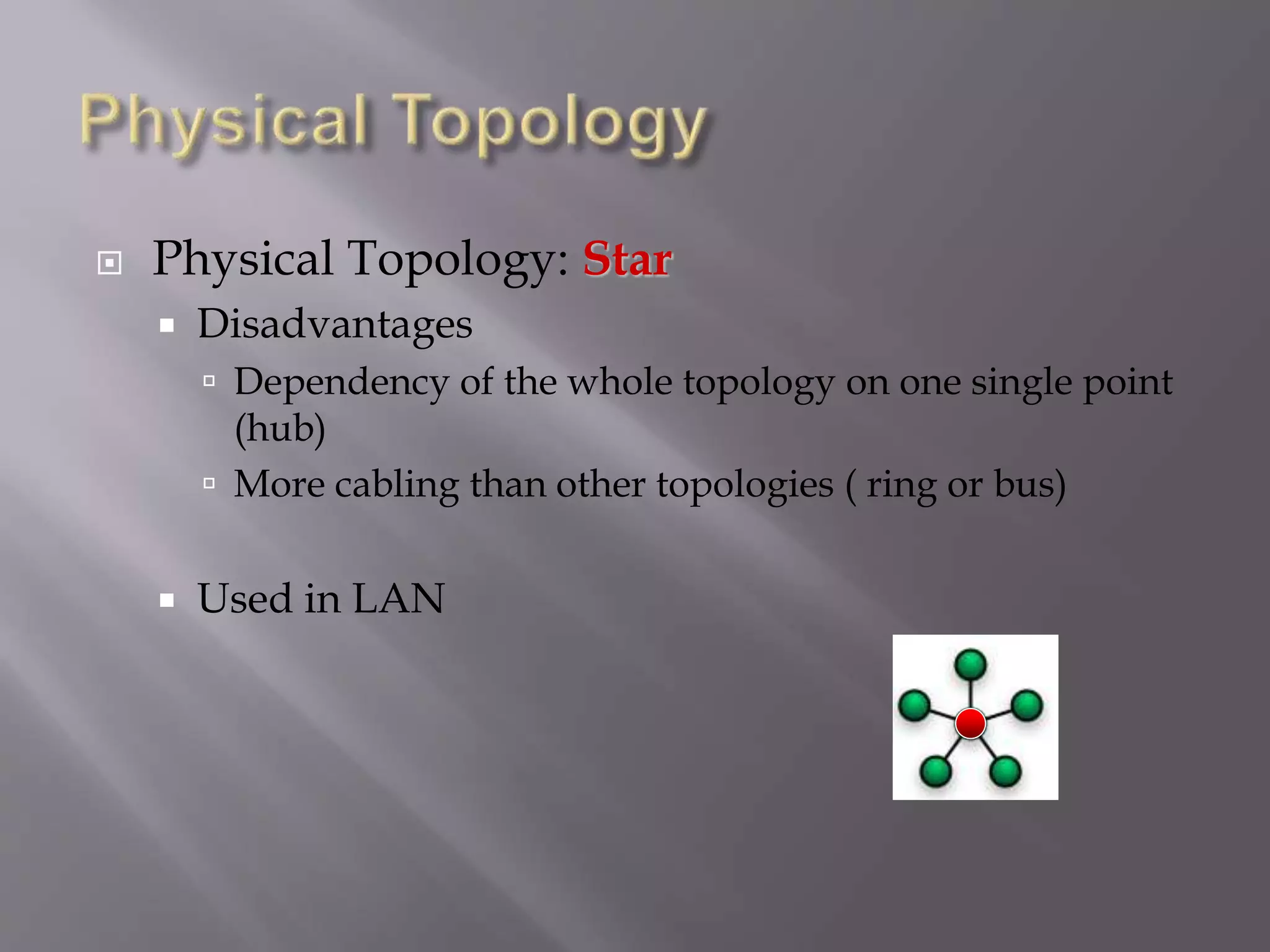
 Physical Topology: Star
 Disadvantages
 Dependency of the whole topology on one single point
(hub)
 More cabling than other topologies ( ring or bus)
 Used in LAN
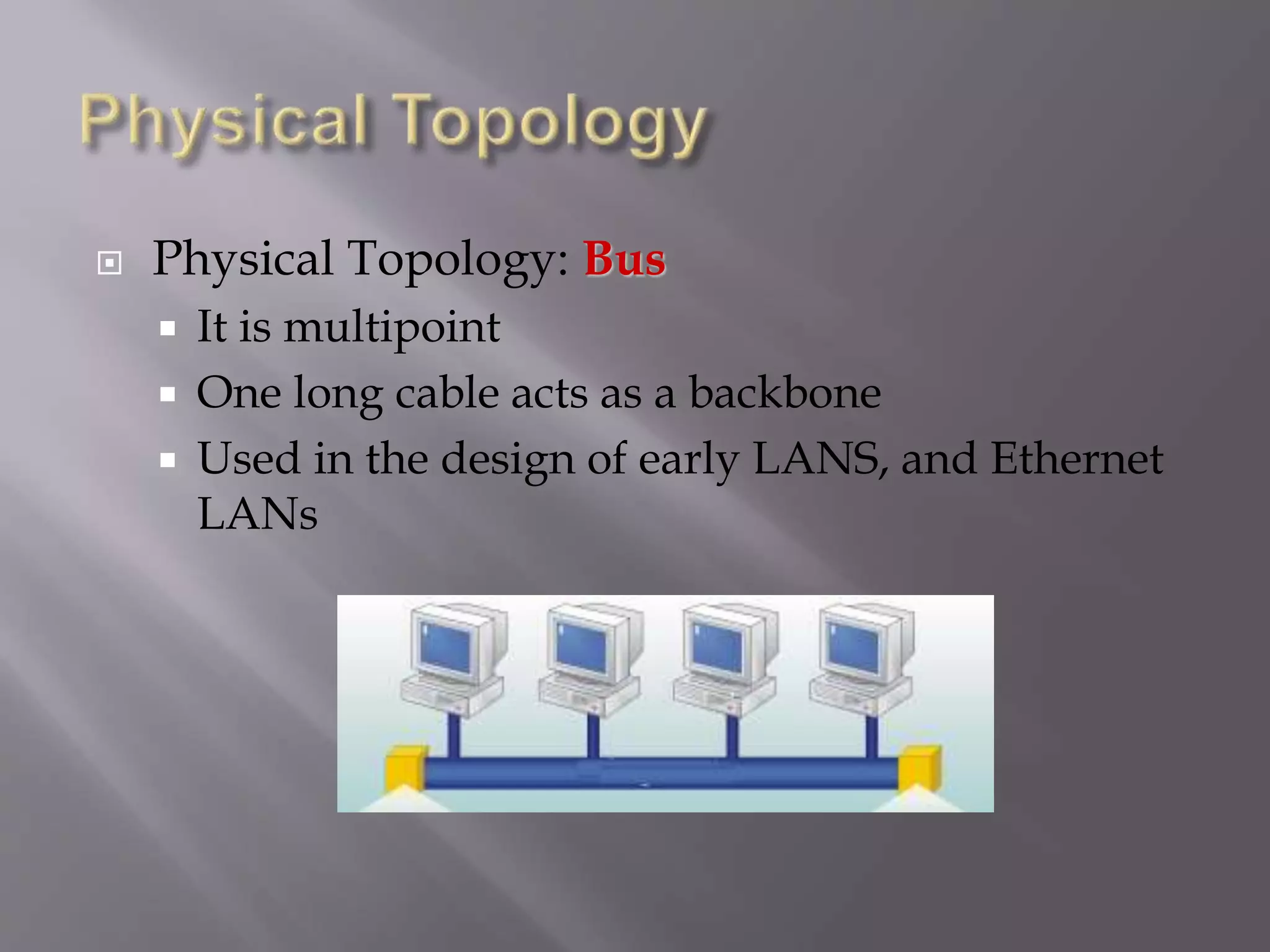
 Physical Topology: Bus
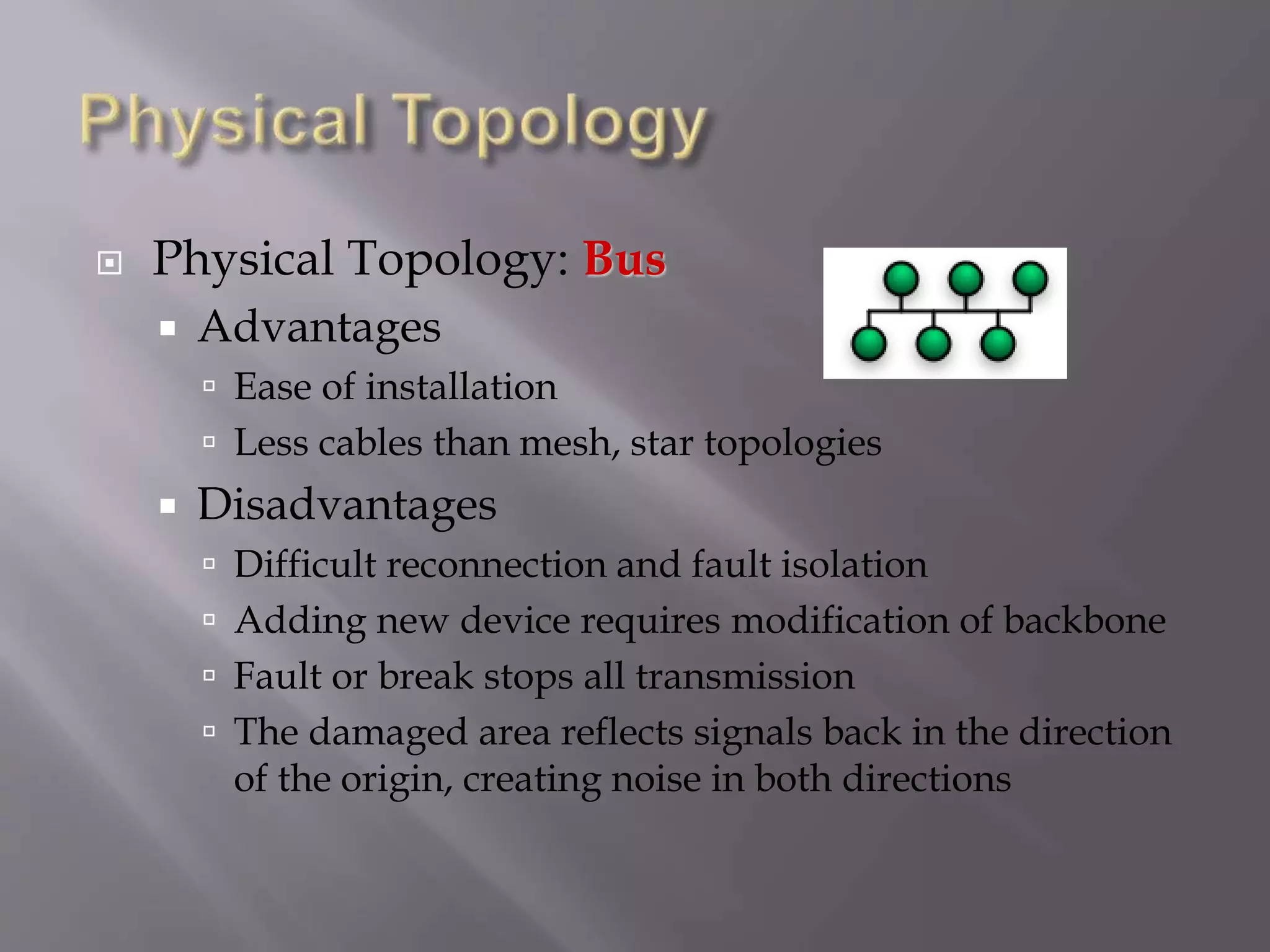
 It is multipoint
 One long cable acts as a backbone
 Used in the design of early LANS, and Ethernet
LANs
 Physical Topology: Bus
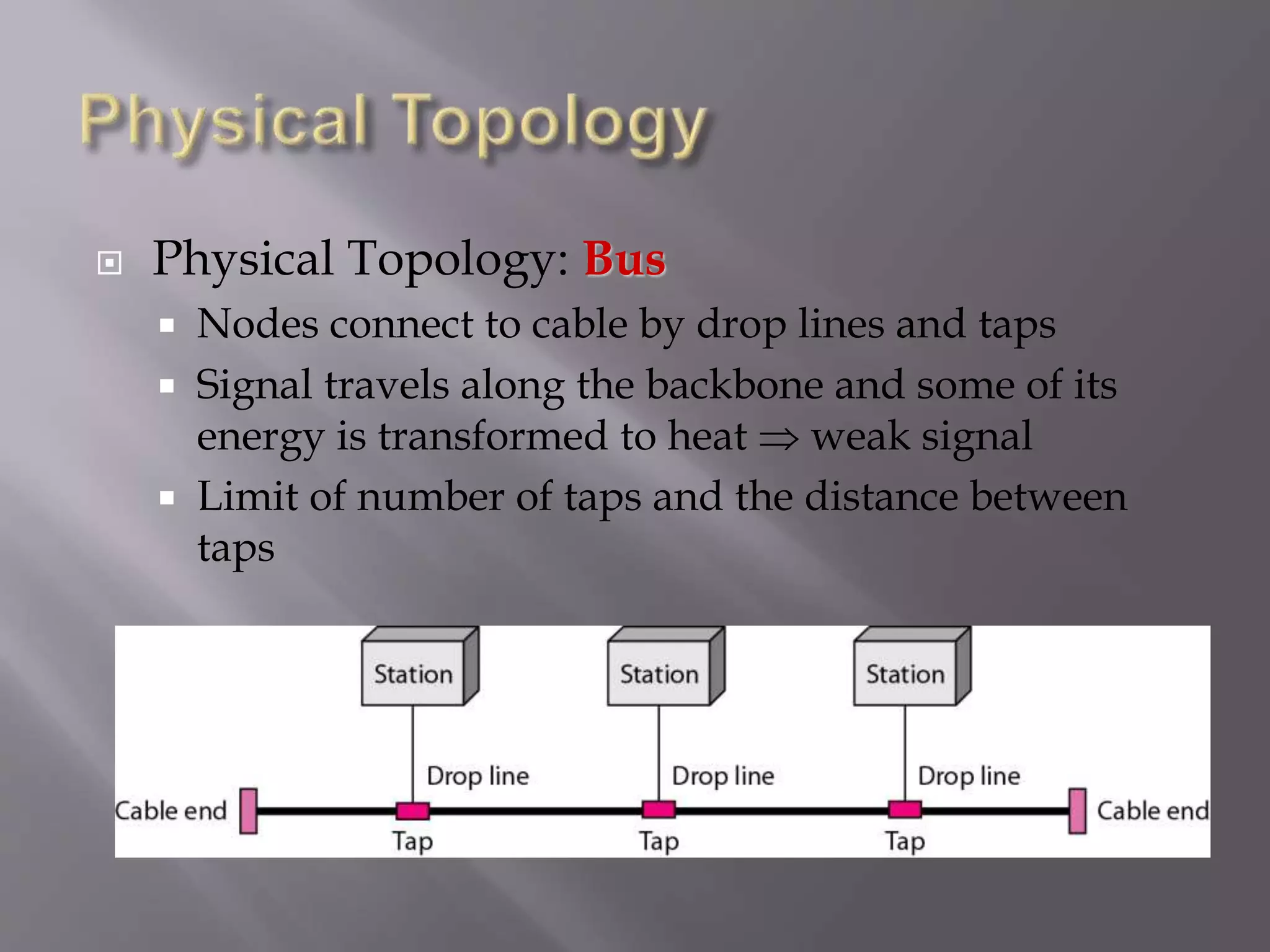
 Nodes connect to cable by drop lines and taps
 Signal travels along the backbone and some of its
energy is transformed to heat  weak signal
 Limit of number of taps and the distance between
taps
 Physical Topology: Bus
 Advantages
 Ease of installation
 Less cables than mesh, star topologies
 Disadvantages
 Difficult reconnection and fault isolation
 Adding new device requires modification of backbone
 Fault or break stops all transmission
 The damaged area reflects signals back in the direction
of the origin, creating noise in both directions
 Physical Topology: Ring
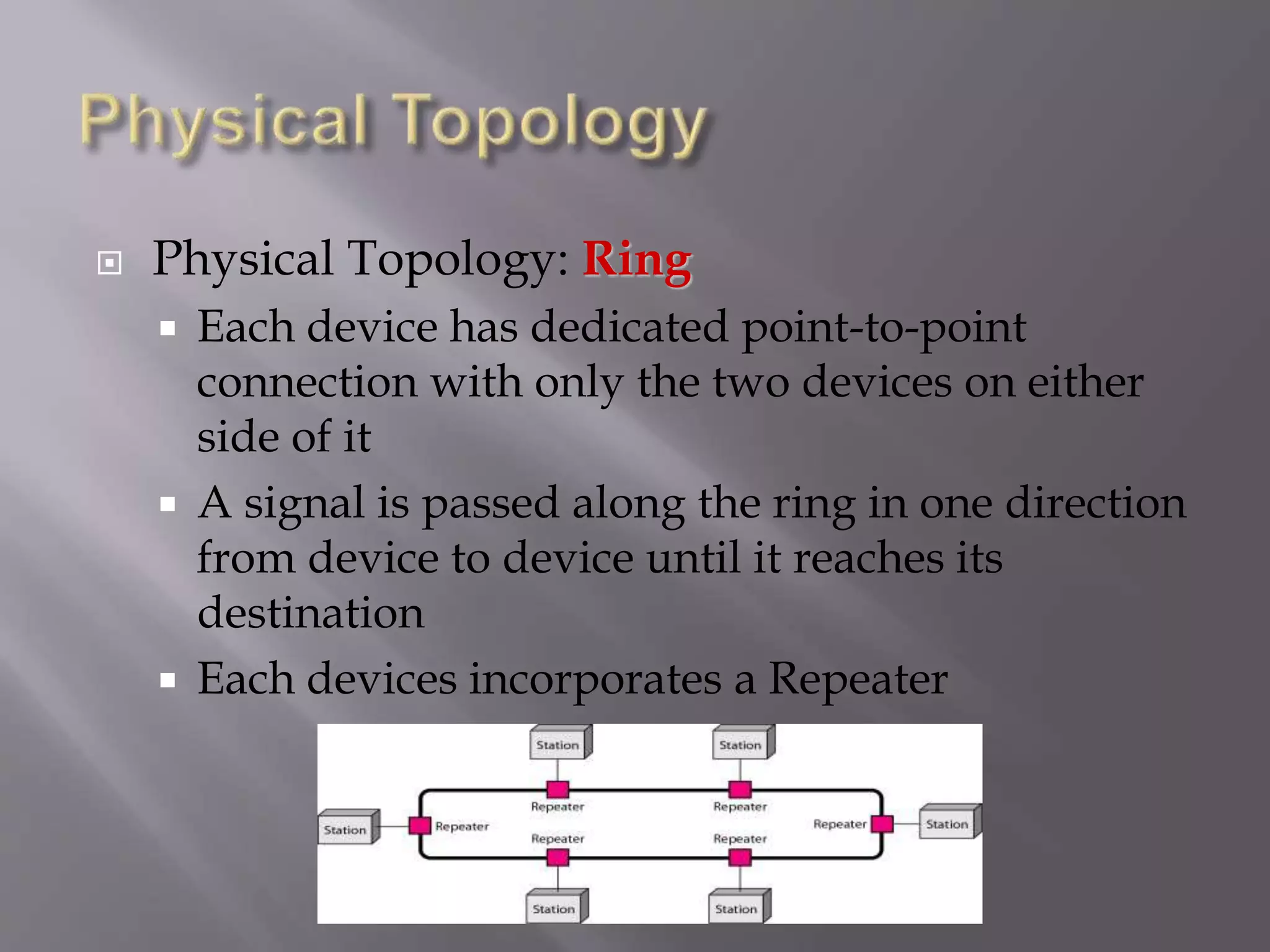
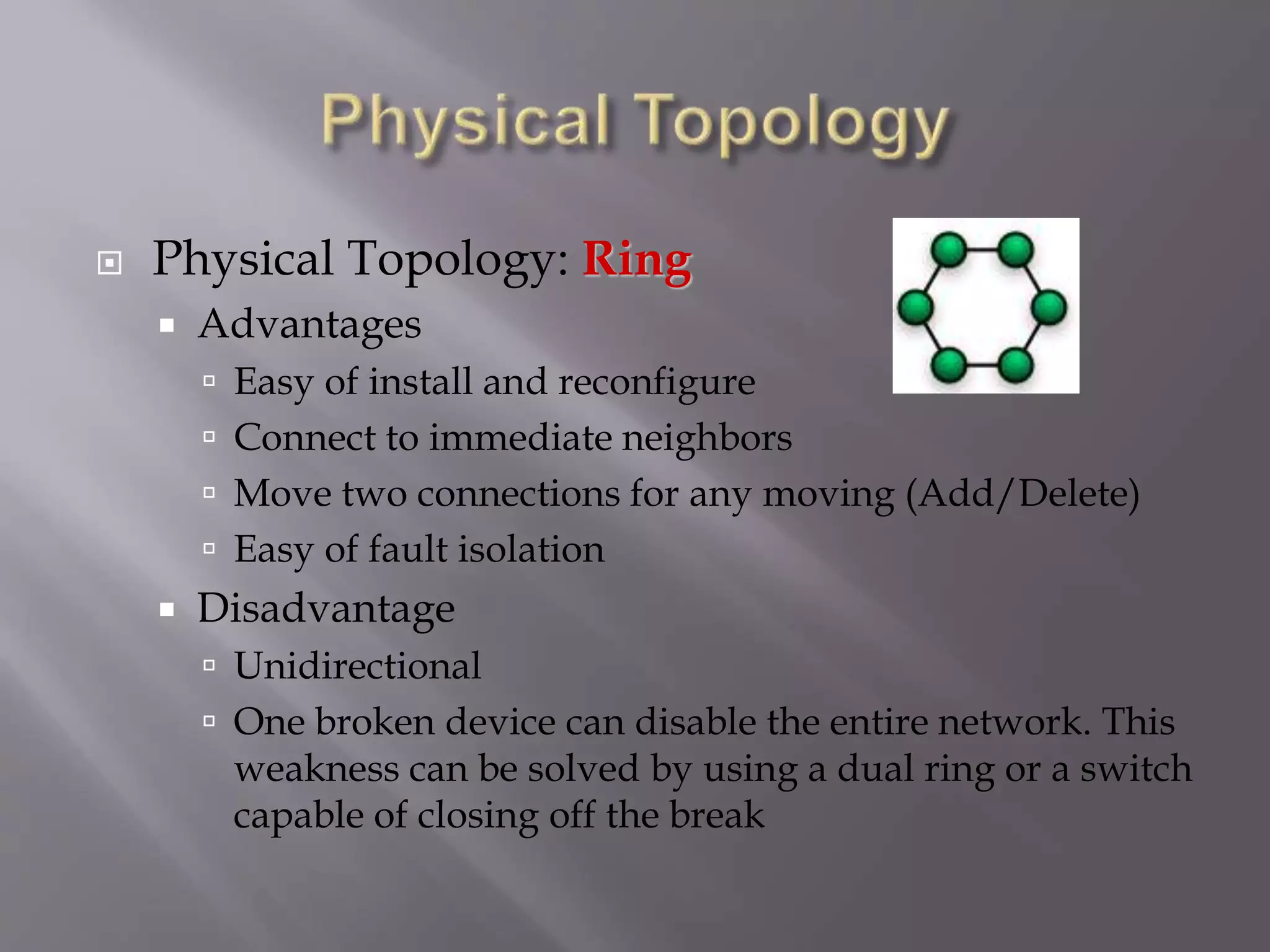
 Each device has dedicated point-to-point
connection with only the two devices on either
side of it
 A signal is passed along the ring in one direction
from device to device until it reaches its
destination
 Each devices incorporates a Repeater
 Physical Topology: Ring
 Advantages
 Easy of install and reconfigure
 Connect to immediate neighbors
 Move two connections for any moving (Add/Delete)
 Easy of fault isolation
 Disadvantage
 Unidirectional
 One broken device can disable the entire network. This
weakness can be solved by using a dual ring or a switch
capable of closing off the break
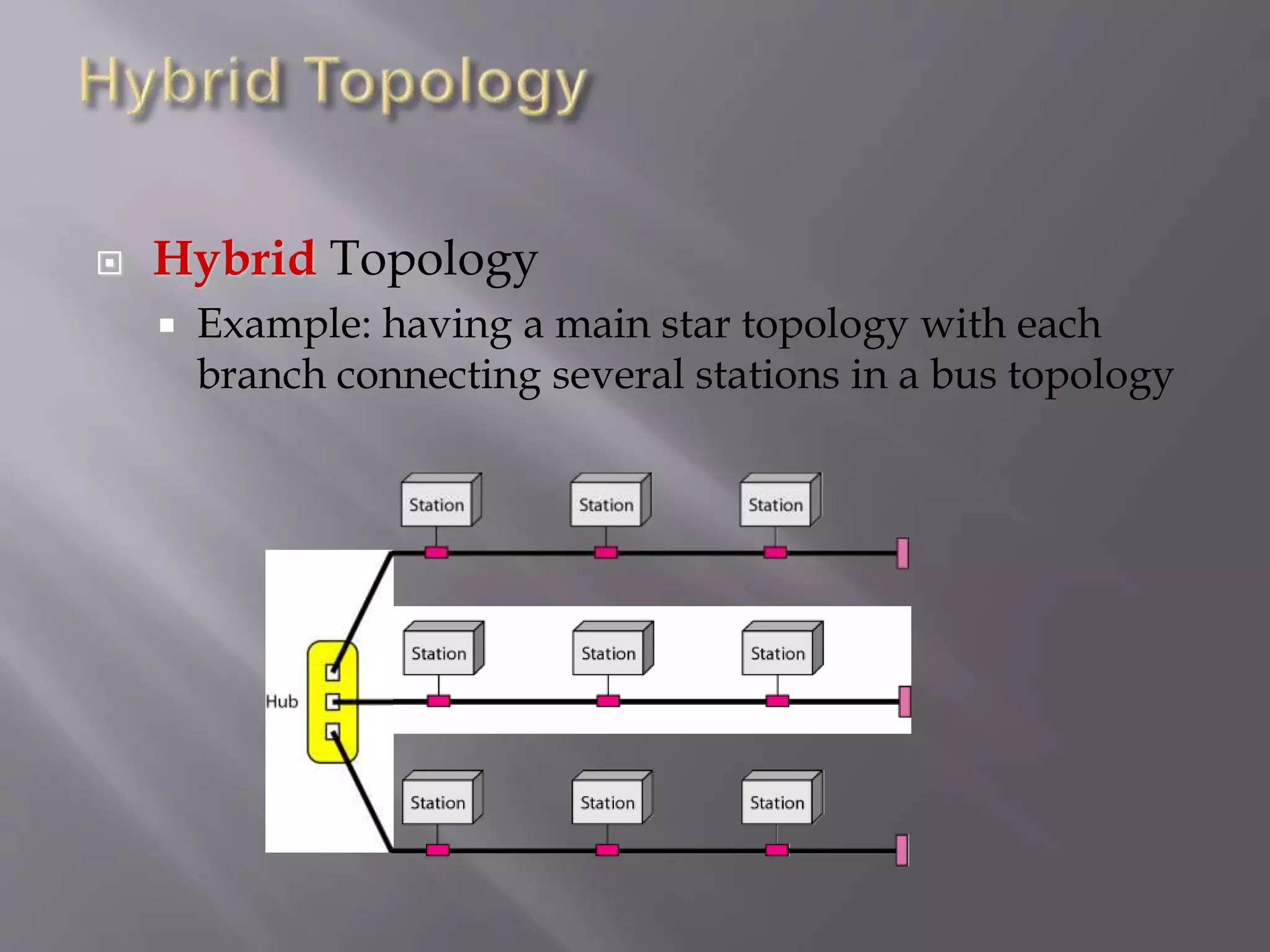
 Hybrid Topology
 Example: having a main star topology with each
branch connecting several stations in a bus topology
1.4 The Changing Network
Environment
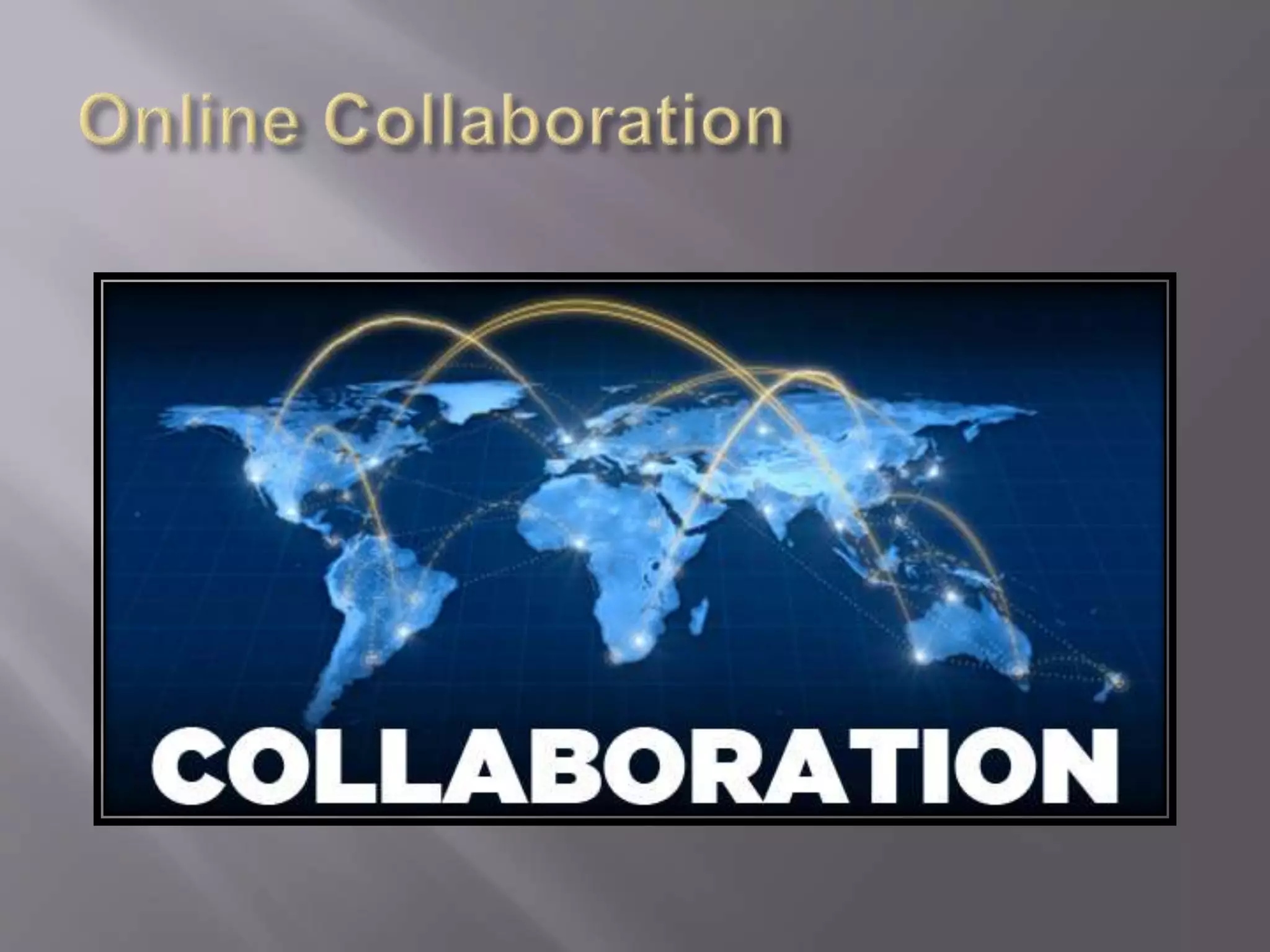
 Online collaboration.
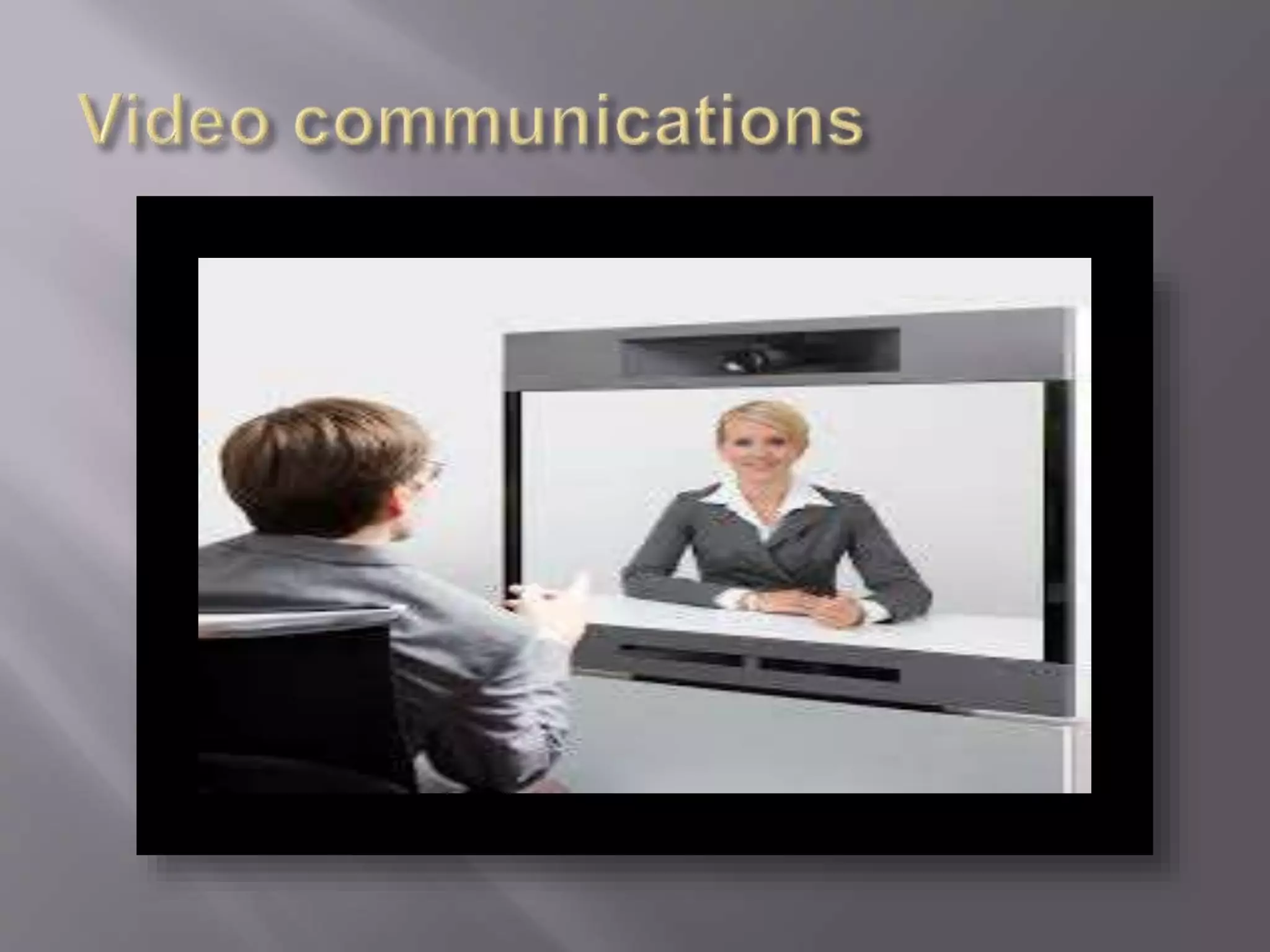
 Video communications.
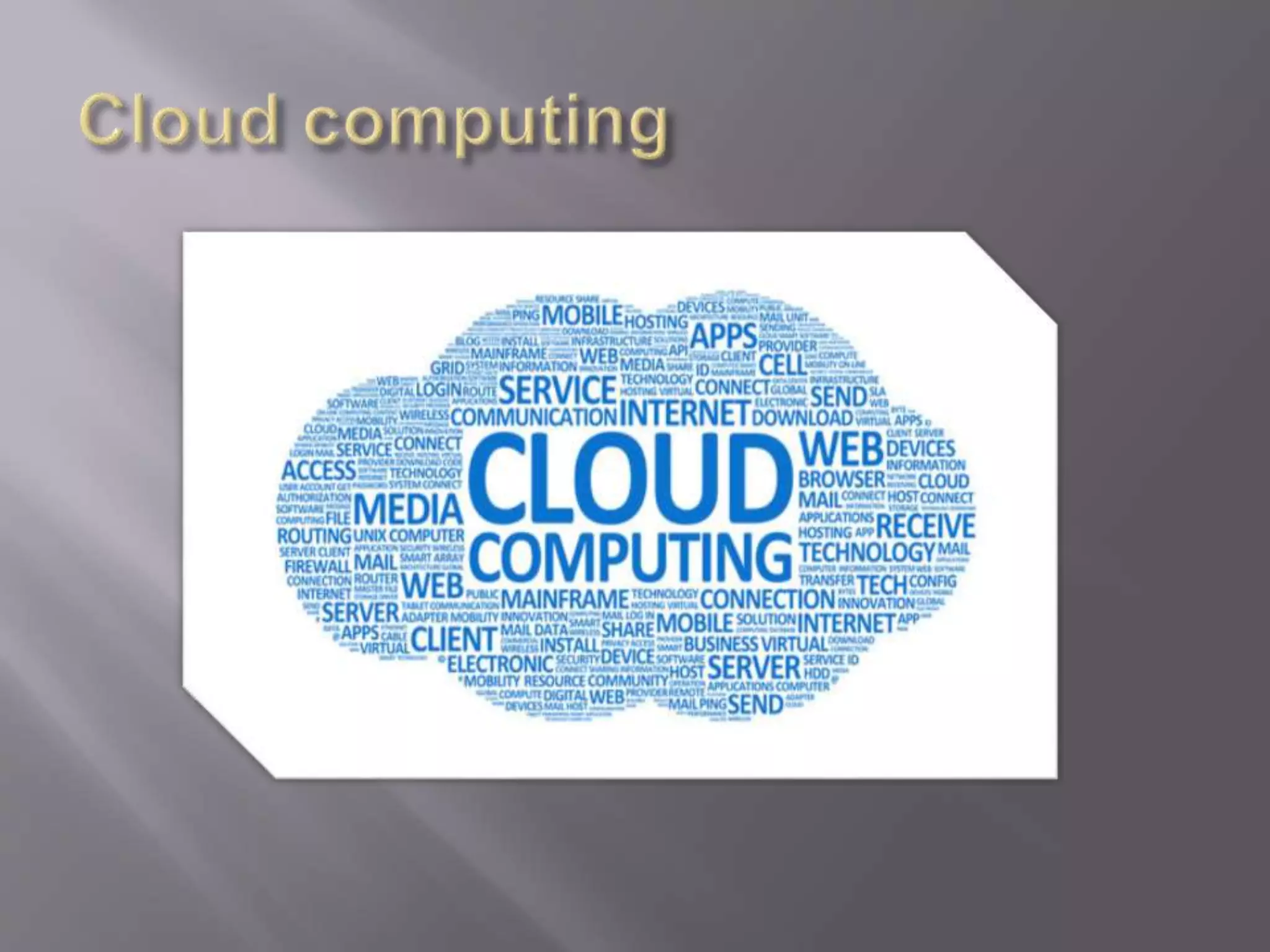
 Cloud computing.
 http://www.diffen.com/difference/LAN_vs_
WAN
 http://www.webopedia.com/TERM/P/physi
cal_topology.html
 http://www.ciscopress.com/articles/article.as
p?p=2164577&seqNum=4
 https://en.wikipedia.org/wiki/Peer-to-peer
 http://www.ciscopress.com/articles/article.as
p?p=2164577&seqNum=7

Computer network

  • 1.
    Trainer's name :Hamed Gazi Al-nefaie. Teacher name : Ibrahim Adini.
  • 3.
    1.0 Introduction 1.1 GloballyConnected 1.2 LANs, WANs, and the Internet 1.3 The Network as a Platform 1.4 The Changing Network Environment
  • 4.
  • 5.
    We now standat a critical turning point in the use of technology to extend and empower our ability to communicate. The globalization of the Internet has succeeded faster than anyone could have imagined. The manner in which social, commercial, political, and personal interactions occur is rapidly changing to keep up with the evolution of this global network. In the next stage of our development, innovators will use the Internet as a starting point for their efforts—creating new products and services specifically designed to take advantage of the network capabilities. As developers push the limits of what is possible, the capabilities of the interconnected networks that form the Internet will play an increasing role in the success of these projects. This chapter introduces the platform of data networks upon which our social and business relationships increasingly depend. The material lays the groundwork for exploring the services, technologies, and issues encountered by network professionals as they design, build, and maintain the modern network.
  • 7.
  • 8.
     Small HomeNetwork .  Small Home/ office Network.  Medium to Large Network.  Word wide Network .
  • 10.
    computing or networkingis a distributed application architecture that partitions tasks or work loads between peers. Peers are equally privileged, equipotent participants in the application. They are said to form a peer-to- peer network of nodes.
  • 11.
    1.2 LANs, WANs,and the Internet
  • 12.
    Categories of Networks:depend on its size  LAN: Covers area < 2miles  WAN: Can be worldwide  MAN: Between LAN & WAN, span 10s of miles
  • 13.
     Local AreaNetwork (LAN)  Privately owned  Links devices in the same office, building, or campus  Simple LAN: 2 PCs & 1 printer in home or office  Size is limited to a few kilometers  Allow resources are to be shared (hardware, software, or data)
  • 14.
    An isolated LANconnecting 12 computers to a hub in a closet
  • 15.
     Wide AreaNetworks (WAN)  Provides long-distance transmission of data over large geographic areas (country, continent, world)
  • 16.
     Metropolitan AreaNetworks (MAN)  Size between LAN and WAN  Inside a town or a city  Example: the part of the telephone company network that can provide a high-speed DSL to the customer
  • 17.
     Interconnection ofNetworks (Internetworks)  Two or more networks connected together
  • 18.
     Internet hasrevolutionized many aspects of our daily lives.  It has affected the way we do business as well as the way we spend our leisure time.  Internet is a communication system that has brought a wealth of information to our fingertips and organized it for our use.
  • 20.
     Physical Topology The way a network is laid out physically  Two or more links form a topology  Topology of a network is the geometric representation of the relationship of all the links and linking devices (nodes) to one another.  Four topologies : Mesh, Star, Bus, and Ring
  • 22.
     Physical Topology:Mesh  Every link is dedicated point-to-point link  The term dedicated means that the link carries traffic only between the two devices it connects
  • 23.
     Physical Topology:Mesh  To link n devices fully connected mesh has: n ( n - 1) / 2 physical channels (Full-Duplex)  Every Device on the network must have n - 1 ports
  • 24.
     Physical Topology:Mesh  Example: 8 devices in mesh has links: n(n-1) / 2 number of links = 8 (8-1)/2 = 28 number of ports per device = n – 1 = 8 –1 = 7
  • 25.
     Physical Topology:Mesh  Advantages  Each connection carry its own data load (no traffic problems)  A mesh topology is robust  Privacy or security  Fault identification and fault isolation
  • 26.
     Physical Topology:Mesh  Disadvantages  Big amount of cabling  Big number of I/O ports  Installation and reconnection are difficult  Sheer bulk of the wiring can be greater than the available space  Hardware connect to each I/O could be expensive  Mesh topology is implemented in a limited fashion; e.g., as backbone of hybrid network
  • 27.
     Physical Topology:Star  Dedicated point-to-point to a central controller (Hub)  No direct traffic between devices  The control acts as an exchange
  • 28.
     Physical Topology:Star  Advantages  Less expensive than mesh (1 Link + 1 port per device)  Easy to install and reconfigure  Less cabling  Additions, moves, and deletions require one connection  Robustness : one fail does not affect others  Easy fault identification and fault isolation
  • 29.
     Physical Topology:Star  Disadvantages  Dependency of the whole topology on one single point (hub)  More cabling than other topologies ( ring or bus)  Used in LAN
  • 30.
     Physical Topology:Bus  It is multipoint  One long cable acts as a backbone  Used in the design of early LANS, and Ethernet LANs
  • 31.
     Physical Topology:Bus  Nodes connect to cable by drop lines and taps  Signal travels along the backbone and some of its energy is transformed to heat  weak signal  Limit of number of taps and the distance between taps
  • 32.
     Physical Topology:Bus  Advantages  Ease of installation  Less cables than mesh, star topologies  Disadvantages  Difficult reconnection and fault isolation  Adding new device requires modification of backbone  Fault or break stops all transmission  The damaged area reflects signals back in the direction of the origin, creating noise in both directions
  • 33.
     Physical Topology:Ring  Each device has dedicated point-to-point connection with only the two devices on either side of it  A signal is passed along the ring in one direction from device to device until it reaches its destination  Each devices incorporates a Repeater
  • 34.
     Physical Topology:Ring  Advantages  Easy of install and reconfigure  Connect to immediate neighbors  Move two connections for any moving (Add/Delete)  Easy of fault isolation  Disadvantage  Unidirectional  One broken device can disable the entire network. This weakness can be solved by using a dual ring or a switch capable of closing off the break
  • 35.
     Hybrid Topology Example: having a main star topology with each branch connecting several stations in a bus topology
  • 38.
    1.4 The ChangingNetwork Environment
  • 39.
     Online collaboration. Video communications.  Cloud computing.
  • 43.
     http://www.diffen.com/difference/LAN_vs_ WAN  http://www.webopedia.com/TERM/P/physi cal_topology.html http://www.ciscopress.com/articles/article.as p?p=2164577&seqNum=4  https://en.wikipedia.org/wiki/Peer-to-peer  http://www.ciscopress.com/articles/article.as p?p=2164577&seqNum=7