Computer Basics Follow along
 
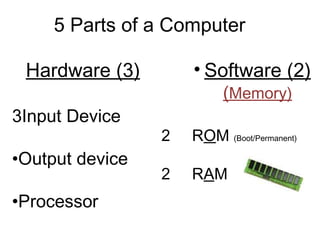
5 Parts of a Computer Hardware (3) Input Device Output device Processor Software (2)  ( Memory) R O M  (Boot/Permanent) 2 R A M
INPUT DEVICE- a part of the  computer that inputs information OUTPUT DEVICE- a part of the computer that displays information
 
 
Floppy Disk A  REMOVABLE DISK THAT STORES INFORMATION MAGNETICALLY . You can use a floppy disk to exchange information between computers, or to make a backup of your files.
 
 
Icon A LITTLE PICTURE  on your screen that you can click on with your mouse. A SHORTCUT.  An icon can represent a file, program, peripheral, or tool.
Menu Bar A  STRIP ACROSS THE TOP OF A WINDOW, LISTING ALL THE MENUS  available in that program.
Menu A LIST OF COMMANDS: File Edit View Insert
Command An INSTRUCTION
CURSOR A  FLASHING SYMBOL .
FONTS STYLES OF TYPE


Computer Basics Power Point

  • 1.
  • 2.
  • 3.
    5 Parts ofa Computer Hardware (3) Input Device Output device Processor Software (2) ( Memory) R O M (Boot/Permanent) 2 R A M
  • 4.
    INPUT DEVICE- apart of the computer that inputs information OUTPUT DEVICE- a part of the computer that displays information
  • 5.
  • 6.
  • 7.
    Floppy Disk A REMOVABLE DISK THAT STORES INFORMATION MAGNETICALLY . You can use a floppy disk to exchange information between computers, or to make a backup of your files.
  • 8.
  • 9.
  • 10.
    Icon A LITTLEPICTURE on your screen that you can click on with your mouse. A SHORTCUT. An icon can represent a file, program, peripheral, or tool.
  • 11.
    Menu Bar A STRIP ACROSS THE TOP OF A WINDOW, LISTING ALL THE MENUS available in that program.
  • 12.
    Menu A LISTOF COMMANDS: File Edit View Insert
  • 13.
  • 14.
    CURSOR A FLASHING SYMBOL .
  • 15.
  • 16.
  • 17.
  • 18.
  • 19.
  • 20.
  • 21.