
Computer Application Lab
University of Development
Alternative (UODA)
Submitted To:
Samsul Arifin
Lecturer
Submitted By:
Mst. Shahina Akther
Dept. of Computer Science &
Engineering
Faculty of Engineering
Topic’s Covered
 Purpose of this course
Learning Method
Learning Topic
Microsoft Word
Microsoft PowerPoint
Benefits of this course
What can I do by learning this course?
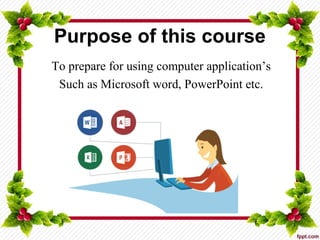
Purpose of this course
To prepare for using computer application’s
Such as Microsoft word, PowerPoint etc.
Learning Method
 Learn practically
 Learn by doing assignment
 Learn by class work
 Learn by group study
Learning Topic
Microsoft Office:
Microsoft Word
Microsoft PowerPoint
Microsoft Word
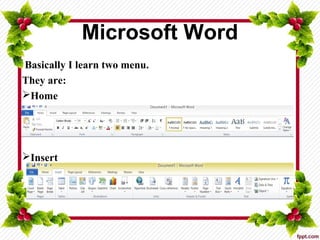
Basically I learn two menu.
They are:
Home
Insert
Microsoft Word
New document
Find
Save
Bold, Italic, Underline
Cut, Copy, Paste
Select, Select all
Shortcut
Header, Footer
Bookmarks, Hyperlink
Chart
Smart Art
Shapes, Clipart
Picture
Table
Page break
Blank Page
Corer Page
Insert
HomeHome InsertInsert
Microsoft PowerPoint
 New slide
 Layout
 Insert picture, Shapes
 Design
 Animation
 Slideshow
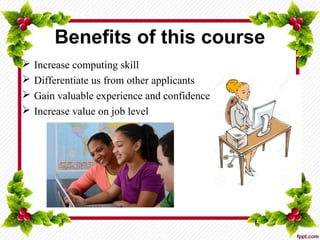
Benefits of this course
 Increase computing skill
 Differentiate us from other applicants
 Gain valuable experience and confidence
 Increase value on job level
What can I do by learning this course?
Key to future courses
Academic work
Job
Created by Mohammad Ali Khan
&
Shahina Akther
Dept. of Computer Science & Engineering
Faculty of Engineering
University of Development Alternative (UODA)

Computer Application Lab

  • 1.
    Computer Application Lab Universityof Development Alternative (UODA) Submitted To: Samsul Arifin Lecturer Submitted By: Mst. Shahina Akther Dept. of Computer Science & Engineering Faculty of Engineering
  • 2.
    Topic’s Covered  Purposeof this course Learning Method Learning Topic Microsoft Word Microsoft PowerPoint Benefits of this course What can I do by learning this course?
  • 3.
    Purpose of thiscourse To prepare for using computer application’s Such as Microsoft word, PowerPoint etc.
  • 4.
    Learning Method  Learnpractically  Learn by doing assignment  Learn by class work  Learn by group study
  • 5.
  • 6.
    Microsoft Word Basically Ilearn two menu. They are: Home Insert
  • 7.
    Microsoft Word New document Find Save Bold,Italic, Underline Cut, Copy, Paste Select, Select all Shortcut Header, Footer Bookmarks, Hyperlink Chart Smart Art Shapes, Clipart Picture Table Page break Blank Page Corer Page Insert HomeHome InsertInsert
  • 8.
    Microsoft PowerPoint  Newslide  Layout  Insert picture, Shapes  Design  Animation  Slideshow
  • 9.
    Benefits of thiscourse  Increase computing skill  Differentiate us from other applicants  Gain valuable experience and confidence  Increase value on job level
  • 10.
    What can Ido by learning this course? Key to future courses Academic work Job
  • 12.
    Created by MohammadAli Khan & Shahina Akther Dept. of Computer Science & Engineering Faculty of Engineering University of Development Alternative (UODA)