Computer Short
Course in Rawalpindi
Welcome to our Computer Short Course in Rawalpindi! In this
course, you'll learn practical skills to help you navigate the digital
world. Join us and take your first step to become a tech-savvy
individual.
Course Objectives
1 Basic Computer Knowledge 🧑💻
Learn fundamental computer concepts and operations.
2 Microsoft Office Suite Proficiency 📝
Develop expertise in MS Word, Excel, and Powerpoint.
3 Internet and Email 📧
Understand how to use email, browse the internet,
and protect your online identity.
4 Software Installation 🛠🧑
Get hands-on experience with software installation
and troubleshooting.
Course Structure
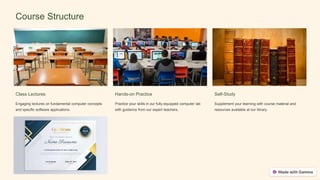
Class Lectures
Engaging lectures on fundamental computer concepts
and specific software applications.
Hands-on Practice
Practice your skills in our fully-equipped computer lab
with guidance from our expert teachers.
Self-Study
Supplement your learning with course material and
resources available at our library.
Course Content
Software Applications
• MS Word
• MS Excel
• MS Powerpoint
• Google Docs, Sheets, and Slides
Operating Systems
• Windows 10
• Linux Ubuntu
Computer Basics
• Computer components and
functions
• Storage devices and file
management
• Operating system
installation and configuration
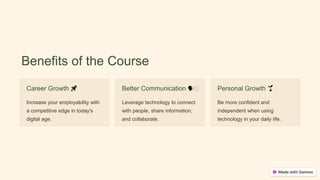
Benefits of the Course
Career Growth 🚀
Increase your employability with
a competitive edge in today's
digital age.
Better Communication 🗣🧑
Leverage technology to connect
with people, share information,
and collaborate.
Personal Growth 🌱
Be more confident and
independent when using
technology in your daily life.
Who Should Take this
Course
Computer Short Course in Rawalpindi is perfect for anyone who
wants to improve their computer skills, from novice users to people
with some basic knowledge of computers. Whether you're a student,
working professional, or retiree, this course is a great investment for
your personal and professional growth.
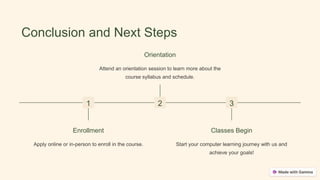
Conclusion and Next Steps
1
Enrollment
Apply online or in-person to enroll in the course.
2
Orientation
Attend an orientation session to learn more about the
course syllabus and schedule.
3
Classes Begin
Start your computer learning journey with us and
achieve your goals!

Computer Short Course in Rawalpindi

  • 1.
    Computer Short Course inRawalpindi Welcome to our Computer Short Course in Rawalpindi! In this course, you'll learn practical skills to help you navigate the digital world. Join us and take your first step to become a tech-savvy individual.
  • 2.
    Course Objectives 1 BasicComputer Knowledge 🧑💻 Learn fundamental computer concepts and operations. 2 Microsoft Office Suite Proficiency 📝 Develop expertise in MS Word, Excel, and Powerpoint. 3 Internet and Email 📧 Understand how to use email, browse the internet, and protect your online identity. 4 Software Installation 🛠🧑 Get hands-on experience with software installation and troubleshooting.
  • 3.
    Course Structure Class Lectures Engaginglectures on fundamental computer concepts and specific software applications. Hands-on Practice Practice your skills in our fully-equipped computer lab with guidance from our expert teachers. Self-Study Supplement your learning with course material and resources available at our library.
  • 4.
    Course Content Software Applications •MS Word • MS Excel • MS Powerpoint • Google Docs, Sheets, and Slides Operating Systems • Windows 10 • Linux Ubuntu Computer Basics • Computer components and functions • Storage devices and file management • Operating system installation and configuration
  • 5.
    Benefits of theCourse Career Growth 🚀 Increase your employability with a competitive edge in today's digital age. Better Communication 🗣🧑 Leverage technology to connect with people, share information, and collaborate. Personal Growth 🌱 Be more confident and independent when using technology in your daily life.
  • 6.
    Who Should Takethis Course Computer Short Course in Rawalpindi is perfect for anyone who wants to improve their computer skills, from novice users to people with some basic knowledge of computers. Whether you're a student, working professional, or retiree, this course is a great investment for your personal and professional growth.
  • 7.
    Conclusion and NextSteps 1 Enrollment Apply online or in-person to enroll in the course. 2 Orientation Attend an orientation session to learn more about the course syllabus and schedule. 3 Classes Begin Start your computer learning journey with us and achieve your goals!