How to Build
an Education
Website in 7
Simple
Steps?
Why Build an
Education Website?
• Understand the importance of
online education.
• Simplify the education website
building process.
• Highlight key steps for success.
• Suitable for beginners and
professionals.
• Achieve your education goals with
Step 1 - Define Your
Goals
• Identify your target audience (e.g.,
students, schools, or professionals).
• Decide on the website’s main
purpose (courses, resources, or live
classes).
• Set clear and measurable
objectives.
• Align website goals with audience
Step 2 - Select the
Right Technology
• Explore website builders like
WordPress or Wix.
• Consider LMS platforms such as
Moodle or Teachable.
• Choose custom development for
unique features.
• Evaluate the pros and cons of each
option.
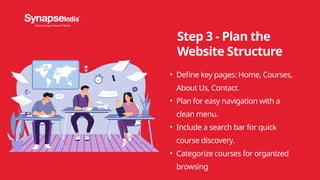
Step 3 - Plan the
Website Structure
• Define key pages: Home, Courses,
About Us, Contact.
• Plan for easy navigation with a
clean menu.
• Include a search bar for quick
course discovery.
• Categorize courses for organized
browsing
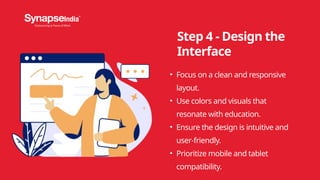
Step 4 - Design the
Interface
• Focus on a clean and responsive
layout.
• Use colors and visuals that
resonate with education.
• Ensure the design is intuitive and
user-friendly.
• Prioritize mobile and tablet
compatibility.
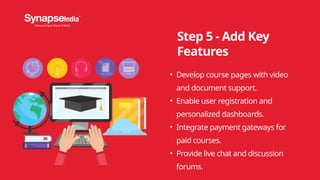
Step 5 - Add Key
Features
• Develop course pages with video
and document support.
• Enable user registration and
personalized dashboards.
• Integrate payment gateways for
paid courses.
• Provide live chat and discussion
forums.
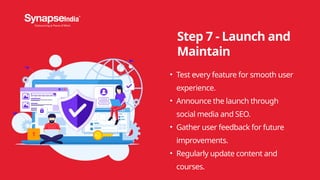
Step 7 - Launch and
Maintain
• Test every feature for smooth user
experience.
• Announce the launch through
social media and SEO.
• Gather user feedback for future
improvements.
• Regularly update content and
courses.
Phone Number
Email
Website
+1-855-796-2773
info@synapseindia.com
www.synapseindia.com
Contact Us

Comprehensive Education Software Development for Digital Learning

  • 1.
    How to Build anEducation Website in 7 Simple Steps?
  • 2.
    Why Build an EducationWebsite? • Understand the importance of online education. • Simplify the education website building process. • Highlight key steps for success. • Suitable for beginners and professionals. • Achieve your education goals with
  • 3.
    Step 1 -Define Your Goals • Identify your target audience (e.g., students, schools, or professionals). • Decide on the website’s main purpose (courses, resources, or live classes). • Set clear and measurable objectives. • Align website goals with audience
  • 4.
    Step 2 -Select the Right Technology • Explore website builders like WordPress or Wix. • Consider LMS platforms such as Moodle or Teachable. • Choose custom development for unique features. • Evaluate the pros and cons of each option.
  • 5.
    Step 3 -Plan the Website Structure • Define key pages: Home, Courses, About Us, Contact. • Plan for easy navigation with a clean menu. • Include a search bar for quick course discovery. • Categorize courses for organized browsing
  • 6.
    Step 4 -Design the Interface • Focus on a clean and responsive layout. • Use colors and visuals that resonate with education. • Ensure the design is intuitive and user-friendly. • Prioritize mobile and tablet compatibility.
  • 7.
    Step 5 -Add Key Features • Develop course pages with video and document support. • Enable user registration and personalized dashboards. • Integrate payment gateways for paid courses. • Provide live chat and discussion forums.
  • 8.
    Step 7 -Launch and Maintain • Test every feature for smooth user experience. • Announce the launch through social media and SEO. • Gather user feedback for future improvements. • Regularly update content and courses.
  • 9.