DON
BOSCO
TECHNICAL
INSTITUTE
VICTORIAS
WHERE SOUL EMPOWERS
TECHNOLOGY
DON BOSCO TECHNICAL INSTITUTE OF VICTORIAS, INC.
Where Soul Empowers Technology
O St. John Bosco Father and Teacher
of youth, who labored so much for the
salvation of souls be our guide in
seeking the good of our souls and the
salvation of our neighbor. Help us to be
mindful of all our actions and to
practice daily our faith.
DON BOSCO TECHNICAL INSTITUTE OF VICTORIAS, INC.
Where Soul Empowers Technology
Teach us to love Jesus in the Blessed
Sacrament, Mary Help of Christians
and our Holy Father the Pope and
obtain for us the grace of living and
dying as friends of God so that we may
all be gathered together with you in
heaven. Amen
Top ten
websites for
the young
Objectives
Discover the websites that could help
both you and the teachers widen your
search for knowledge
Know what each site has to offer and
use them for your lessons
Understand how to use each site as tools
to further your education
Top 10 educational websites for the
young
1.Funbrain.com
2.Starfall.com
3.National geographic kids
4.NASA kid’s club
5.Young ocean Explorer
6.Howstuffworks.com
7.Shaun the sheep game academy
8.ABCDmouse.com
9.Oxford owl
10.Discovery mind blown
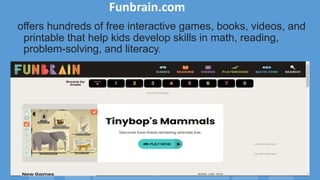
Funbrain.com
offers hundreds of free interactive games, books, videos, and
printable that help kids develop skills in math, reading,
problem-solving, and literacy.
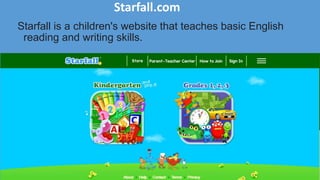
Starfall.com
Starfall is a children's website that teaches basic English
reading and writing skills.
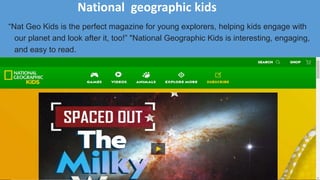
National geographic kids
“Nat Geo Kids is the perfect magazine for young explorers, helping kids engage with
our planet and look after it, too!” "National Geographic Kids is interesting, engaging,
and easy to read.
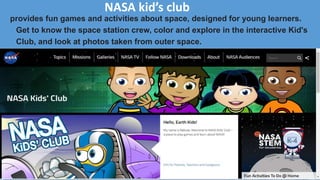
NASA kid’s club
provides fun games and activities about space, designed for young learners.
Get to know the space station crew, color and explore in the interactive Kid's
Club, and look at photos taken from outer space.
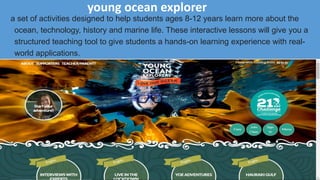
young ocean explorer
a set of activities designed to help students ages 8-12 years learn more about the
ocean, technology, history and marine life. These interactive lessons will give you a
structured teaching tool to give students a hands-on learning experience with real-
world applications.
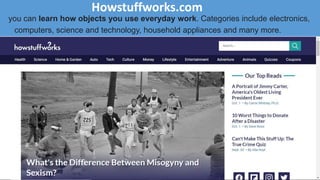
Howstuffworks.com
you can learn how objects you use everyday work. Categories include electronics,
computers, science and technology, household appliances and many more.
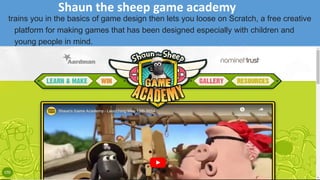
Shaun the sheep game academy
trains you in the basics of game design then lets you loose on Scratch, a free creative
platform for making games that has been designed especially with children and
young people in mind.
ABCDmouse.com
is a subscription-based, educational website for children ages 2 through 8. Created by
a team of educators, it offers a full online curriculum for kids in pre-K, kindergarten,
and early elementary school.
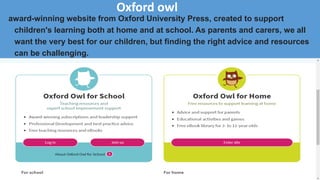
Oxford owl
award-winning website from Oxford University Press, created to support
children's learning both at home and at school. As parents and carers, we all
want the very best for our children, but finding the right advice and resources
can be challenging.
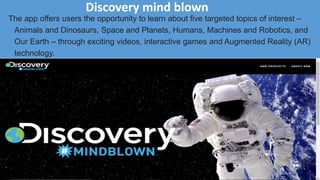
Discovery mind blown
The app offers users the opportunity to learn about five targeted topics of interest –
Animals and Dinosaurs, Space and Planets, Humans, Machines and Robotics, and
Our Earth – through exciting videos, interactive games and Augmented Reality (AR)
technology.
Hands on activity
Choose one website that I discuss earlier
and explore how to use that site
Blog site
Objectives
Learn what a blog site is
Discover the kinds of blogs
Identify other types of blogs by content
Know how to create your own blog site
Apply using editing and updating your
blog site
Explore controlling your blog site
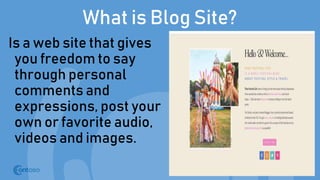
What is Blog Site?
Is a web site that gives
you freedom to say
through personal
comments and
expressions, post your
own or favorite audio,
videos and images.
General types of blogs
1. Personal Blog
2. Professional Blog
3. Corporate Blog
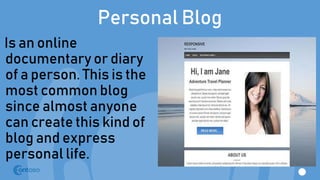
Personal Blog
Is an online
documentary or diary
of a person. This is the
most common blog
since almost anyone
can create this kind of
blog and express
personal life.
Professional Blog
A professional blog
could be an online
documentary,
discussion or
sharing of certain
professional or
industry expertise.
Corporate Blog
Is usually a private
blog for businesses
purposes. It gives
communication and
enhances its
business community
in bringing in
updated news from a
corporation.
A regular blog usually includes text, photos, videos
and links to other sites related to it, either blogs or
web pages. The whole collection of blog community
on the internet is called Blogosphere
The blogosphere is the social universe
created by online individuals using web
log publishing platforms.
Types of Blogs by
content
Photoblog
Is a type of blog
which specializes
in photographs and
could further be
grouped according
to kinds of people,
landscapes, close-
up photos and
others.
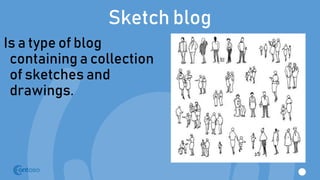
Sketch blog
Is a type of blog
containing a collection
of sketches and
drawings.
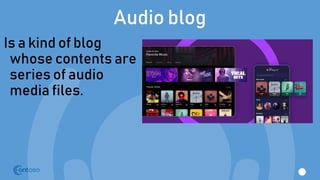
Audio blog
Is a kind of blog
whose contents are
series of audio
media files.
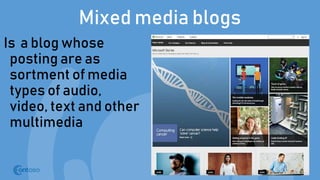
Mixed media blogs
Is a blog whose
posting are as
sortment of media
types of audio,
video, text and other
multimedia
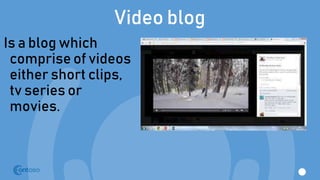
Video blog
Is a blog which
comprise of videos
either short clips,
tv series or
movies.
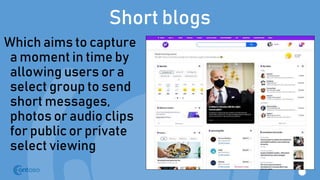
Short blogs
Which aims to capture
a moment in time by
allowing users or a
select group to send
short messages,
photos or audio clips
for public or private
select viewing
Home and family blog
Is a blog featuring
discussion about
home and family,
these blogs are
shared by family
clans and family
members
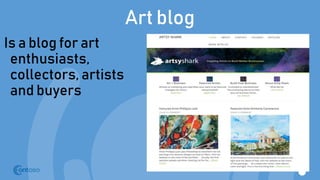
Art blog
Is a blog for art
enthusiasts,
collectors, artists
and buyers
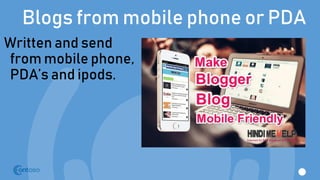
Blogs from mobile phone or PDA
Written and send
from mobile phone,
PDA’s and ipods.
Link blog
Is a blog that feature
links to other blog
sites and websites.
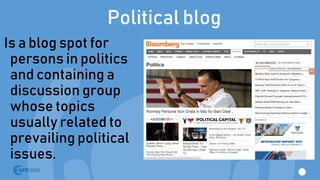
Political blog
Is a blog spot for
persons in politics
and containing a
discussion group
whose topics
usually related to
prevailing political
issues.
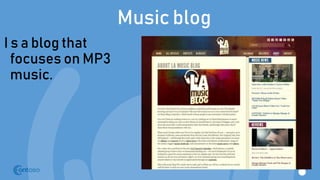
Music blog
I s a blog that
focuses on MP3
music.
Travel blog
Is a blog site
providing
information and
discussions of
travel sites and
places around the
world
Control in managing your blog
Dashboard
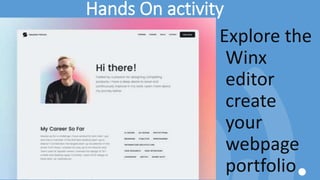
Hands On activity
Explore the
Winx
editor
create
your
webpage
portfolio
Netiquette
What is Netiquette?
It means simply a
set of rules and
guidelines
meant for
proper behavior
on the internet
Ten Essential Netiquettes
1. There is another human being on the other side of the internet
2. Review your message and correct mistakes before you click send
3. Be legal and ethical always on the internet
4. Help the newbie
5. Share your knowledge
6. Respect others
7. Be sensitive to other’s emotions and culture
8. Keep flame wars under control
9. Forgive and correct properly
10. Value other people’s time
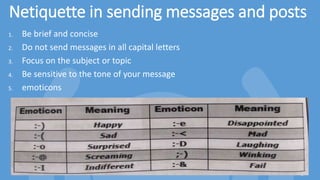
Netiquette in sending messages and posts
1. Be brief and concise
2. Do not send messages in all capital letters
3. Focus on the subject or topic
4. Be sensitive to the tone of your message
5. emoticons
Quiz 3
Identify the following emoticon below
1. 
2. 
3. :-@
4. :-e
5. :-o
6. :-<
7. :-D
8. :-I
9. ;-)
10. :-&
COMPUTER KEYBOARD
Prepared by: Cheneta Kenny Pasaje
Calvo
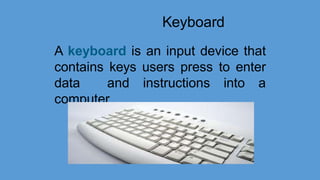
Keyboard
A keyboard is an input device that
contains keys users press to enter
data and instructions into a
computer
Christopher Latham Sholes was
the inventor of the
keyboard for computing devices.
He patented the typewriter that
we commonly use today in 1868.
Types of
Keyboard
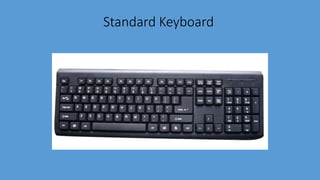
Standard Keyboard
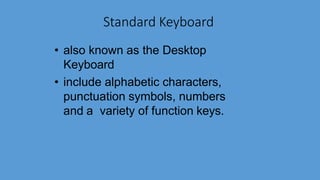
• also known as the Desktop
Keyboard
• include alphabetic characters,
punctuation symbols, numbers
and a variety of function keys.
Standard Keyboard
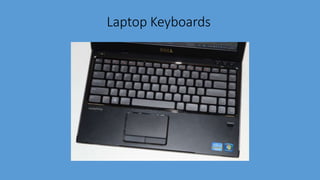
Laptop Keyboards
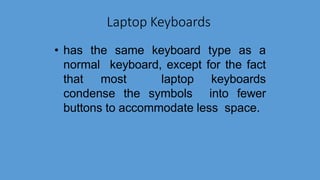
• has the same keyboard type as a
normal keyboard, except for the fact
that most laptop keyboards
condense the symbols into fewer
buttons to accommodate less space.
Laptop Keyboards
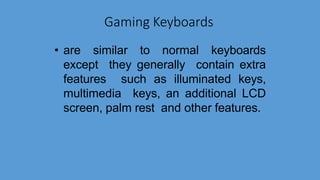
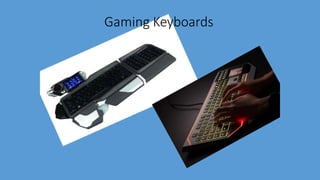
Gaming Keyboards
• are similar to normal keyboards
except they generally contain extra
features such as illuminated keys,
multimedia keys, an additional LCD
screen, palm rest and other features.
Gaming Keyboards
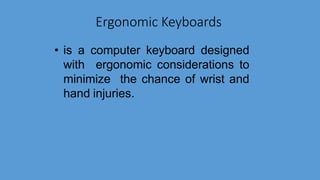
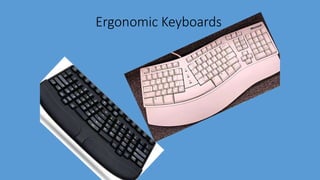
Ergonomic Keyboards
• is a computer keyboard designed
with ergonomic considerations to
minimize the chance of wrist and
hand injuries.
Ergonomic Keyboards
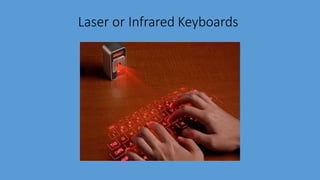
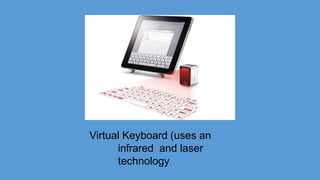
Laser or Infrared Keyboards
• this device projects the keyboard on
to a flat surface, such as a table or
desk.
Laser or Infrared Keyboards
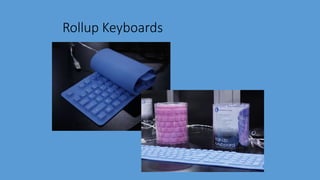
Rollup Keyboards
• are made of soft plastic or silicone
which can be rolled on itself for
travel.
Rollup Keyboards
Connection
Type
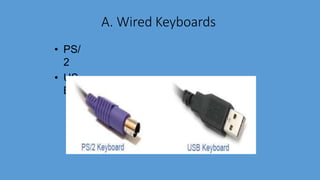
A. Wired Keyboards
• PS/
2
• US
B
B. Wireless Keyboards
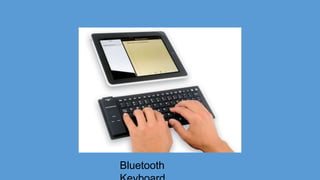
• Bluetooth
• Infrared (IR)
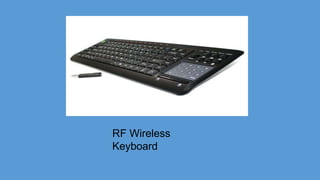
• Radio
Frequency
Bluetooth
Virtual Keyboard (uses an
infrared and laser
technology
RF Wireless
Keyboard
Parts of the Computer Keyboard
• Function Keys
Across the top of a keyboard are a row
of keys called the Function Keys. Each key
is composed of the letter F and a number,
ranging from F1 to F12. Each of the
Function Keys performs a specific
operation based upon what software is
being used.
• Numeric Keypad
Many larger keyboards have an extra
section to the right that contains the
Numeric Keypad. This consists of the
numbers 1 through 9, an asterisk, a slash,
a dash, a plus sign, an enter key and a
period. There is also is a "Num Lock" key,
which is used to turn on and off the
Numeric Keypad.
• Navigation Keys
The Navigation Keys, also called the
Direction Keys, are used to navigate
through documents and websites.
Examples of Navigation Keys are the up,
down, left and right arrows.
• Typewriter Keys
The center of the keyboard, which
contains the largest amount of keys,
includes letters and numbers. Most typing is
done with these keys.
• Special Keys
Other keys include the Alt and Ctrl
keys (used for specific functions), the Tab
key (used to insert the cursor) and the
Shift key (used to make capital letters or
symbols that are located on the number
keys).
• Escape
The Escape key is located in the upper
left- hand corner of the keyboard. It is used
to cancel operations.
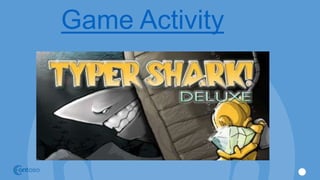
Game Activity
Comp.pptx

Comp.pptx

  • 1.
  • 2.
    DON BOSCO TECHNICALINSTITUTE OF VICTORIAS, INC. Where Soul Empowers Technology O St. John Bosco Father and Teacher of youth, who labored so much for the salvation of souls be our guide in seeking the good of our souls and the salvation of our neighbor. Help us to be mindful of all our actions and to practice daily our faith.
  • 3.
    DON BOSCO TECHNICALINSTITUTE OF VICTORIAS, INC. Where Soul Empowers Technology Teach us to love Jesus in the Blessed Sacrament, Mary Help of Christians and our Holy Father the Pope and obtain for us the grace of living and dying as friends of God so that we may all be gathered together with you in heaven. Amen
  • 5.
  • 6.
    Objectives Discover the websitesthat could help both you and the teachers widen your search for knowledge Know what each site has to offer and use them for your lessons Understand how to use each site as tools to further your education
  • 7.
    Top 10 educationalwebsites for the young 1.Funbrain.com 2.Starfall.com 3.National geographic kids 4.NASA kid’s club 5.Young ocean Explorer 6.Howstuffworks.com 7.Shaun the sheep game academy 8.ABCDmouse.com 9.Oxford owl 10.Discovery mind blown
  • 8.
    Funbrain.com offers hundreds offree interactive games, books, videos, and printable that help kids develop skills in math, reading, problem-solving, and literacy.
  • 9.
    Starfall.com Starfall is achildren's website that teaches basic English reading and writing skills.
  • 10.
    National geographic kids “NatGeo Kids is the perfect magazine for young explorers, helping kids engage with our planet and look after it, too!” "National Geographic Kids is interesting, engaging, and easy to read.
  • 11.
    NASA kid’s club providesfun games and activities about space, designed for young learners. Get to know the space station crew, color and explore in the interactive Kid's Club, and look at photos taken from outer space.
  • 12.
    young ocean explorer aset of activities designed to help students ages 8-12 years learn more about the ocean, technology, history and marine life. These interactive lessons will give you a structured teaching tool to give students a hands-on learning experience with real- world applications.
  • 13.
    Howstuffworks.com you can learnhow objects you use everyday work. Categories include electronics, computers, science and technology, household appliances and many more.
  • 14.
    Shaun the sheepgame academy trains you in the basics of game design then lets you loose on Scratch, a free creative platform for making games that has been designed especially with children and young people in mind.
  • 15.
    ABCDmouse.com is a subscription-based,educational website for children ages 2 through 8. Created by a team of educators, it offers a full online curriculum for kids in pre-K, kindergarten, and early elementary school.
  • 16.
    Oxford owl award-winning websitefrom Oxford University Press, created to support children's learning both at home and at school. As parents and carers, we all want the very best for our children, but finding the right advice and resources can be challenging.
  • 17.
    Discovery mind blown Theapp offers users the opportunity to learn about five targeted topics of interest – Animals and Dinosaurs, Space and Planets, Humans, Machines and Robotics, and Our Earth – through exciting videos, interactive games and Augmented Reality (AR) technology.
  • 18.
    Hands on activity Chooseone website that I discuss earlier and explore how to use that site
  • 19.
  • 20.
    Objectives Learn what ablog site is Discover the kinds of blogs Identify other types of blogs by content Know how to create your own blog site Apply using editing and updating your blog site Explore controlling your blog site
  • 21.
    What is BlogSite? Is a web site that gives you freedom to say through personal comments and expressions, post your own or favorite audio, videos and images.
  • 22.
    General types ofblogs 1. Personal Blog 2. Professional Blog 3. Corporate Blog
  • 23.
    Personal Blog Is anonline documentary or diary of a person. This is the most common blog since almost anyone can create this kind of blog and express personal life.
  • 24.
    Professional Blog A professionalblog could be an online documentary, discussion or sharing of certain professional or industry expertise.
  • 25.
    Corporate Blog Is usuallya private blog for businesses purposes. It gives communication and enhances its business community in bringing in updated news from a corporation.
  • 26.
    A regular blogusually includes text, photos, videos and links to other sites related to it, either blogs or web pages. The whole collection of blog community on the internet is called Blogosphere The blogosphere is the social universe created by online individuals using web log publishing platforms.
  • 27.
    Types of Blogsby content
  • 28.
    Photoblog Is a typeof blog which specializes in photographs and could further be grouped according to kinds of people, landscapes, close- up photos and others.
  • 29.
    Sketch blog Is atype of blog containing a collection of sketches and drawings.
  • 30.
    Audio blog Is akind of blog whose contents are series of audio media files.
  • 31.
    Mixed media blogs Isa blog whose posting are as sortment of media types of audio, video, text and other multimedia
  • 32.
    Video blog Is ablog which comprise of videos either short clips, tv series or movies.
  • 33.
    Short blogs Which aimsto capture a moment in time by allowing users or a select group to send short messages, photos or audio clips for public or private select viewing
  • 34.
    Home and familyblog Is a blog featuring discussion about home and family, these blogs are shared by family clans and family members
  • 35.
    Art blog Is ablog for art enthusiasts, collectors, artists and buyers
  • 36.
    Blogs from mobilephone or PDA Written and send from mobile phone, PDA’s and ipods.
  • 37.
    Link blog Is ablog that feature links to other blog sites and websites.
  • 38.
    Political blog Is ablog spot for persons in politics and containing a discussion group whose topics usually related to prevailing political issues.
  • 39.
    Music blog I sa blog that focuses on MP3 music.
  • 40.
    Travel blog Is ablog site providing information and discussions of travel sites and places around the world
  • 41.
  • 42.
  • 43.
    Hands On activity Explorethe Winx editor create your webpage portfolio
  • 44.
  • 45.
    What is Netiquette? Itmeans simply a set of rules and guidelines meant for proper behavior on the internet
  • 46.
    Ten Essential Netiquettes 1.There is another human being on the other side of the internet 2. Review your message and correct mistakes before you click send 3. Be legal and ethical always on the internet 4. Help the newbie 5. Share your knowledge 6. Respect others 7. Be sensitive to other’s emotions and culture 8. Keep flame wars under control 9. Forgive and correct properly 10. Value other people’s time
  • 47.
    Netiquette in sendingmessages and posts 1. Be brief and concise 2. Do not send messages in all capital letters 3. Focus on the subject or topic 4. Be sensitive to the tone of your message 5. emoticons
  • 49.
    Quiz 3 Identify thefollowing emoticon below 1.  2.  3. :-@ 4. :-e 5. :-o 6. :-< 7. :-D 8. :-I 9. ;-) 10. :-&
  • 50.
    COMPUTER KEYBOARD Prepared by:Cheneta Kenny Pasaje Calvo
  • 51.
    Keyboard A keyboard isan input device that contains keys users press to enter data and instructions into a computer
  • 52.
    Christopher Latham Sholeswas the inventor of the keyboard for computing devices. He patented the typewriter that we commonly use today in 1868.
  • 53.
  • 54.
    Standard Keyboard • alsoknown as the Desktop Keyboard • include alphabetic characters, punctuation symbols, numbers and a variety of function keys.
  • 55.
  • 56.
    Laptop Keyboards • hasthe same keyboard type as a normal keyboard, except for the fact that most laptop keyboards condense the symbols into fewer buttons to accommodate less space.
  • 57.
  • 58.
    Gaming Keyboards • aresimilar to normal keyboards except they generally contain extra features such as illuminated keys, multimedia keys, an additional LCD screen, palm rest and other features.
  • 59.
  • 60.
    Ergonomic Keyboards • isa computer keyboard designed with ergonomic considerations to minimize the chance of wrist and hand injuries.
  • 61.
  • 62.
    Laser or InfraredKeyboards • this device projects the keyboard on to a flat surface, such as a table or desk.
  • 63.
  • 64.
    Rollup Keyboards • aremade of soft plastic or silicone which can be rolled on itself for travel.
  • 65.
  • 66.
  • 67.
    A. Wired Keyboards •PS/ 2 • US B
  • 68.
    B. Wireless Keyboards •Bluetooth • Infrared (IR) • Radio Frequency
  • 69.
  • 70.
    Virtual Keyboard (usesan infrared and laser technology
  • 71.
  • 72.
    Parts of theComputer Keyboard • Function Keys Across the top of a keyboard are a row of keys called the Function Keys. Each key is composed of the letter F and a number, ranging from F1 to F12. Each of the Function Keys performs a specific operation based upon what software is being used.
  • 73.
    • Numeric Keypad Manylarger keyboards have an extra section to the right that contains the Numeric Keypad. This consists of the numbers 1 through 9, an asterisk, a slash, a dash, a plus sign, an enter key and a period. There is also is a "Num Lock" key, which is used to turn on and off the Numeric Keypad.
  • 74.
    • Navigation Keys TheNavigation Keys, also called the Direction Keys, are used to navigate through documents and websites. Examples of Navigation Keys are the up, down, left and right arrows.
  • 75.
    • Typewriter Keys Thecenter of the keyboard, which contains the largest amount of keys, includes letters and numbers. Most typing is done with these keys.
  • 76.
    • Special Keys Otherkeys include the Alt and Ctrl keys (used for specific functions), the Tab key (used to insert the cursor) and the Shift key (used to make capital letters or symbols that are located on the number keys).
  • 77.
    • Escape The Escapekey is located in the upper left- hand corner of the keyboard. It is used to cancel operations.
  • 78.