Composer
The Missing Package Manger for PHP
Why Bother ?
lAs a developer, you want to use consistent
version of libraries/dependencies and tools
lConsistent version across all team members
Composer
lDependency Manager per project .
lDependency manager for PHP like node has npm
and ruby has builder .
lCan be installed inside project or globally as well
Installing Composer
Locally
$ curl -sS https://getcomposer.org/installer | php
Globally
$ curl -sS https://getcomposer.org/installer | php
$ mv composer.phar /usr/local/bin/composer
Now You Can Use Composer
Composer
lHow does Composer guarantee consistency?
Composer
Composer.Json
lRequire key
lPackage Name : package version
lPackage version constraints can vary from single , range ,
hypen etc
lIf you want to get alpha , beta etc , you can define its stability
level as well ( can be per dependency or for all
dependencies)
Installing Dependencies
lTo fetch the dependencies , run composer install command in
your project directory, it will fetch all dependencies that are
defined in your project.json file.
lAll dependencies will be installed in vendor folder plus a
composer.lock file will be generated
lComposer.lock file mentioned exactly which version is being
used in project
lIts recommended to have this file in version control manager .
Why Composer.lock in Git or SVN?
Anyone who sets up the project will download the exact
same version of the dependencies. Your CI server,
production machines, other developers in your team,
everything and everyone runs on the same dependencies,
which mitigates the potential for bugs affecting only some
parts of the deployments. Even if you develop alone, in six
months when reinstalling the project you can feel confident
the dependencies installed are still working even if your
dependencies released many new versions since then.
Using Composer with Drupal
Existing Project:
lExecute composer install
lExecuting composer install will delete
everything in your core directory and download
the core version from the repository above. Any
modifications in core will be lost.
New Project:
lExecute composer create-project drupal/drupal
my_site_name 8.0.*@dev
lExecuting the command will download
drupal/drupal into a folder named my_site_name
and then execute composer install.
Using Composer with Drupal
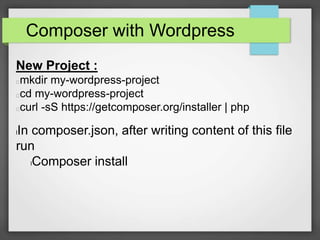
Composer with Wordpress
New Project :
mkdir my-wordpress-project
cd my-wordpress-project
curl -sS https://getcomposer.org/installer | php
lIn composer.json, after writing content of this file
run
lComposer install
Important Links
lhttp://www.smashingmagazine.com/2014/03/07/b
etter-dependency-management-team-based-
wordpress-projects-composer/
lhttps://roots.io/using-composer-with-wordpress/

Composer

  • 1.
  • 2.
    Why Bother ? lAsa developer, you want to use consistent version of libraries/dependencies and tools lConsistent version across all team members
  • 3.
    Composer lDependency Manager perproject . lDependency manager for PHP like node has npm and ruby has builder . lCan be installed inside project or globally as well
  • 4.
    Installing Composer Locally $ curl-sS https://getcomposer.org/installer | php Globally $ curl -sS https://getcomposer.org/installer | php $ mv composer.phar /usr/local/bin/composer Now You Can Use Composer
  • 5.
    Composer lHow does Composerguarantee consistency?
  • 6.
    Composer Composer.Json lRequire key lPackage Name: package version lPackage version constraints can vary from single , range , hypen etc lIf you want to get alpha , beta etc , you can define its stability level as well ( can be per dependency or for all dependencies)
  • 7.
    Installing Dependencies lTo fetchthe dependencies , run composer install command in your project directory, it will fetch all dependencies that are defined in your project.json file. lAll dependencies will be installed in vendor folder plus a composer.lock file will be generated lComposer.lock file mentioned exactly which version is being used in project lIts recommended to have this file in version control manager .
  • 8.
    Why Composer.lock inGit or SVN? Anyone who sets up the project will download the exact same version of the dependencies. Your CI server, production machines, other developers in your team, everything and everyone runs on the same dependencies, which mitigates the potential for bugs affecting only some parts of the deployments. Even if you develop alone, in six months when reinstalling the project you can feel confident the dependencies installed are still working even if your dependencies released many new versions since then.
  • 9.
    Using Composer withDrupal Existing Project: lExecute composer install lExecuting composer install will delete everything in your core directory and download the core version from the repository above. Any modifications in core will be lost.
  • 10.
    New Project: lExecute composercreate-project drupal/drupal my_site_name 8.0.*@dev lExecuting the command will download drupal/drupal into a folder named my_site_name and then execute composer install. Using Composer with Drupal
  • 11.
    Composer with Wordpress NewProject : mkdir my-wordpress-project cd my-wordpress-project curl -sS https://getcomposer.org/installer | php lIn composer.json, after writing content of this file run lComposer install
  • 12.