Composer Best
Practices
Abid H. Malik
Composer: Introduction
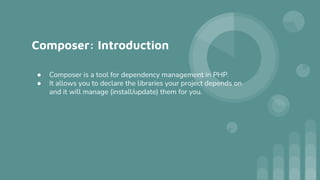
● Composer is a tool for dependency management in PHP.
● It allows you to declare the libraries your project depends on
and it will manage (install/update) them for you.
Composer: files
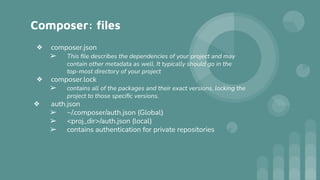
❖ composer.json
➢ This file describes the dependencies of your project and may
contain other metadata as well. It typically should go in the
top-most directory of your project
❖ composer.lock
➢ contains all of the packages and their exact versions, locking the
project to those specific versions.
❖ auth.json
➢ ~/.composer/auth.json (Global)
➢ <proj_dir>/auth.json (local)
➢ contains authentication for private repositories
Composer: repositories
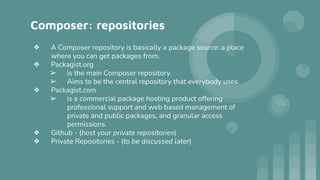
❖ A Composer repository is basically a package source: a place
where you can get packages from.
❖ Packagist.org
➢ Is the main Composer repository.
➢ Aims to be the central repository that everybody uses.
❖ Packagist.com
➢ is a commercial package hosting product offering
professional support and web based management of
private and public packages, and granular access
permissions.
❖ Github - (host your private repositories)
❖ Private Repositories - (to be discussed later)
Composer: Frequently used commands
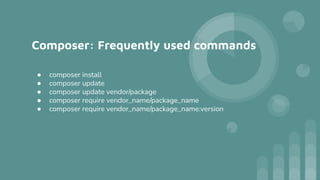
● composer install
● composer update
● composer update vendor/package
● composer require vendor_name/package_name
● composer require vendor_name/package_name:version
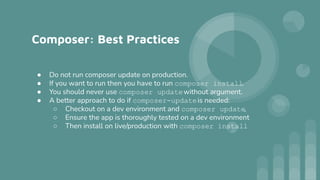
Composer: Best Practices
● Do not run composer update on production.
● If you want to run then you have to run composer install.
● You should never use composer updatewithout argument.
● A better approach to do if composer-updateis needed:
○ Checkout on a dev environment and composer update,
○ Ensure the app is thoroughly tested on a dev environment
○ Then install on live/production with composer install
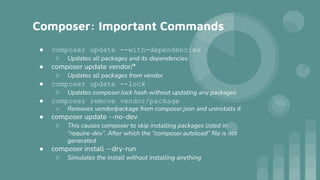
Composer: Important Commands
● composer update --with-dependencies
○ Updates all packages and its dependencies
● composer update vendor/*
○ Updates all packages from vendor
● composer update --lock
○ Updates composer.lock hash without updating any packages
● composer remove vendor/package
○ Removes vendor/package from composer.json and uninstalls it
● composer update --no-dev
○ This causes composer to skip installing packages listed in
“require-dev”. After which the “composer.autoload” file is not
generated
● composer install --dry-run
○ Simulates the install without installing anything
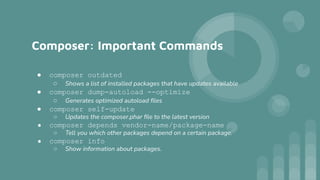
Composer: Important Commands
● composer outdated
○ Shows a list of installed packages that have updates available
● composer dump-autoload --optimize
○ Generates optimized autoload files
● composer self-update
○ Updates the composer.phar file to the latest version
● composer depends vendor-name/package-name
○ Tell you which other packages depend on a certain package.
● composer info
○ Show information about packages.
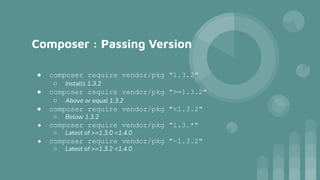
Composer : Passing Version
● composer require vendor/pkg "1.3.2"
○ Installs 1.3.2
● composer require vendor/pkg ">=1.3.2"
○ Above or equal 1.3.2
● composer require vendor/pkg "<1.3.2"
○ Below 1.3.2
● composer require vendor/pkg "1.3.*"
○ Latest of >=1.3.0 <1.4.0
● composer require vendor/pkg "~1.3.2"
○ Latest of >=1.3.2 <1.4.0
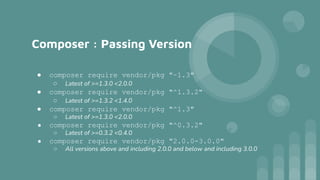
Composer : Passing Version
● composer require vendor/pkg "~1.3"
○ Latest of >=1.3.0 <2.0.0
● composer require vendor/pkg "^1.3.2"
○ Latest of >=1.3.2 <1.4.0
● composer require vendor/pkg "^1.3"
○ Latest of >=1.3.0 <2.0.0
● composer require vendor/pkg "^0.3.2"
○ Latest of >=0.3.2 <0.4.0
● composer require vendor/pkg "2.0.0-3.0.0"
○ All versions above and including 2.0.0 and below and including 3.0.0
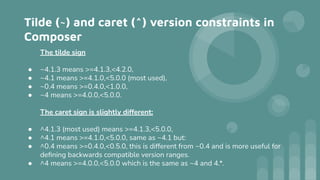
Tilde (~) and caret (^) version constraints in
Composer
The tilde sign
● ~4.1.3 means >=4.1.3,<4.2.0,
● ~4.1 means >=4.1.0,<5.0.0 (most used),
● ~0.4 means >=0.4.0,<1.0.0,
● ~4 means >=4.0.0,<5.0.0.
The caret sign is slightly different:
● ^4.1.3 (most used) means >=4.1.3,<5.0.0,
● ^4.1 means >=4.1.0,<5.0.0, same as ~4.1 but:
● ^0.4 means >=0.4.0,<0.5.0, this is different from ~0.4 and is more useful for
defining backwards compatible version ranges.
● ^4 means >=4.0.0,<5.0.0 which is the same as ~4 and 4.*.
Thank you

Composer Best Practices.pdf

  • 1.
  • 2.
    Composer: Introduction ● Composeris a tool for dependency management in PHP. ● It allows you to declare the libraries your project depends on and it will manage (install/update) them for you.
  • 3.
    Composer: files ❖ composer.json ➢This file describes the dependencies of your project and may contain other metadata as well. It typically should go in the top-most directory of your project ❖ composer.lock ➢ contains all of the packages and their exact versions, locking the project to those specific versions. ❖ auth.json ➢ ~/.composer/auth.json (Global) ➢ <proj_dir>/auth.json (local) ➢ contains authentication for private repositories
  • 4.
    Composer: repositories ❖ AComposer repository is basically a package source: a place where you can get packages from. ❖ Packagist.org ➢ Is the main Composer repository. ➢ Aims to be the central repository that everybody uses. ❖ Packagist.com ➢ is a commercial package hosting product offering professional support and web based management of private and public packages, and granular access permissions. ❖ Github - (host your private repositories) ❖ Private Repositories - (to be discussed later)
  • 5.
    Composer: Frequently usedcommands ● composer install ● composer update ● composer update vendor/package ● composer require vendor_name/package_name ● composer require vendor_name/package_name:version
  • 6.
    Composer: Best Practices ●Do not run composer update on production. ● If you want to run then you have to run composer install. ● You should never use composer updatewithout argument. ● A better approach to do if composer-updateis needed: ○ Checkout on a dev environment and composer update, ○ Ensure the app is thoroughly tested on a dev environment ○ Then install on live/production with composer install
  • 7.
    Composer: Important Commands ●composer update --with-dependencies ○ Updates all packages and its dependencies ● composer update vendor/* ○ Updates all packages from vendor ● composer update --lock ○ Updates composer.lock hash without updating any packages ● composer remove vendor/package ○ Removes vendor/package from composer.json and uninstalls it ● composer update --no-dev ○ This causes composer to skip installing packages listed in “require-dev”. After which the “composer.autoload” file is not generated ● composer install --dry-run ○ Simulates the install without installing anything
  • 8.
    Composer: Important Commands ●composer outdated ○ Shows a list of installed packages that have updates available ● composer dump-autoload --optimize ○ Generates optimized autoload files ● composer self-update ○ Updates the composer.phar file to the latest version ● composer depends vendor-name/package-name ○ Tell you which other packages depend on a certain package. ● composer info ○ Show information about packages.
  • 9.
    Composer : PassingVersion ● composer require vendor/pkg "1.3.2" ○ Installs 1.3.2 ● composer require vendor/pkg ">=1.3.2" ○ Above or equal 1.3.2 ● composer require vendor/pkg "<1.3.2" ○ Below 1.3.2 ● composer require vendor/pkg "1.3.*" ○ Latest of >=1.3.0 <1.4.0 ● composer require vendor/pkg "~1.3.2" ○ Latest of >=1.3.2 <1.4.0
  • 10.
    Composer : PassingVersion ● composer require vendor/pkg "~1.3" ○ Latest of >=1.3.0 <2.0.0 ● composer require vendor/pkg "^1.3.2" ○ Latest of >=1.3.2 <1.4.0 ● composer require vendor/pkg "^1.3" ○ Latest of >=1.3.0 <2.0.0 ● composer require vendor/pkg "^0.3.2" ○ Latest of >=0.3.2 <0.4.0 ● composer require vendor/pkg "2.0.0-3.0.0" ○ All versions above and including 2.0.0 and below and including 3.0.0
  • 11.
    Tilde (~) andcaret (^) version constraints in Composer The tilde sign ● ~4.1.3 means >=4.1.3,<4.2.0, ● ~4.1 means >=4.1.0,<5.0.0 (most used), ● ~0.4 means >=0.4.0,<1.0.0, ● ~4 means >=4.0.0,<5.0.0. The caret sign is slightly different: ● ^4.1.3 (most used) means >=4.1.3,<5.0.0, ● ^4.1 means >=4.1.0,<5.0.0, same as ~4.1 but: ● ^0.4 means >=0.4.0,<0.5.0, this is different from ~0.4 and is more useful for defining backwards compatible version ranges. ● ^4 means >=4.0.0,<5.0.0 which is the same as ~4 and 4.*.
  • 12.