Composer: Dependency
Manager for PHP
Guillermo A. Fisher
What is a Dependency?
A dependency is a library of code that your
project needs in order to function.
What is a Dependency?
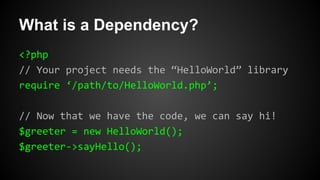
<?php
// Your project needs the “HelloWorld” library
require ‘/path/to/HelloWorld.php’;
// Now that we have the code, we can say hi!
$greeter = new HelloWorld();
$greeter->sayHello();
What is a Dependency?
The project in the example is dependent upon
the “HelloWorld” library.
Dependency Dependencies
Sometimes your dependencies will have their
own dependencies.
Dependency Dependencies
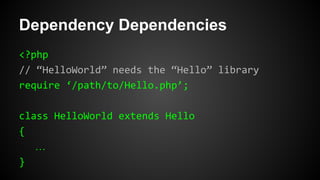
<?php
// “HelloWorld” needs the “Hello” library
require ‘/path/to/Hello.php’;
class HelloWorld extends Hello
{
…
}
Managing Dependencies
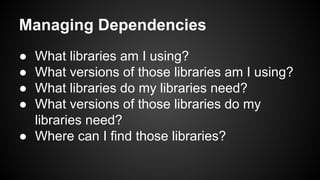
● What libraries am I using?
● What versions of those libraries am I using?
● What libraries do my libraries need?
● What versions of those libraries do my
libraries need?
● Where can I find those libraries?
Managing Dependencies
Dependency Managers
● Maven for Java
● bundler for Ruby
● npm for Node.js
PHP Dependency Managers
Composer - http://getcomposer.org
Use when managing dependencies for a
single project
PEAR - http://pear.php.net
Use when managing dependencies for PHP
on your system (multiple projects)
What is Composer?
“Composer is a tool for dependency
management in PHP. It allows you to declare
the dependent libraries your project needs and
it will install them in your project for you.”
Why Composer?
● You have a project that depends on a
number of libraries.
● Some of those libraries depend on other
libraries.
● You declare the things you depend on.
● Composer finds out which versions of which
packages need to be installed and installs
them.
Download Composer
● Need PHP 5.3.2+
● Download Composer
● For information about installing on your OS,
visit http://getcomposer.org/download
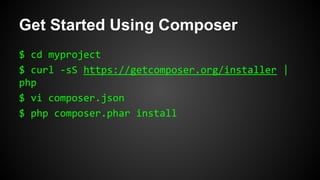
Get Started Using Composer
$ cd myproject
$ curl -sS https://getcomposer.org/installer |
php
$ vi composer.json
$ php composer.phar install
Declaring Dependencies
Project dependencies are declared in a
composer.json file.
Declaring Dependencies
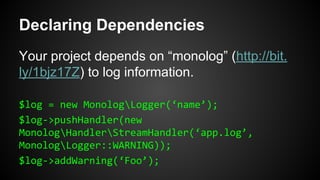
Your project depends on “monolog” (http://bit.
ly/1bjz17Z) to log information.
$log = new MonologLogger(‘name’);
$log->pushHandler(new
MonologHandlerStreamHandler(‘app.log’,
MonologLogger::WARNING));
$log->addWarning(‘Foo’);
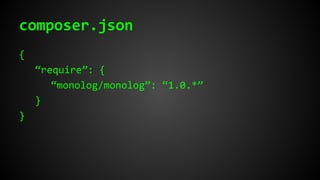
composer.json
{
“require”: {
“monolog/monolog”: “1.0.*”
}
}
composer.json : require
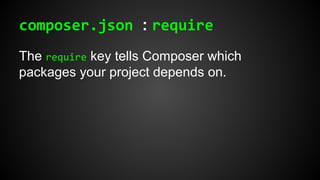
The require key tells Composer which
packages your project depends on.
composer.json : require
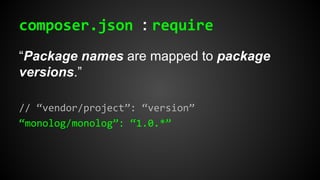
“Package names are mapped to package
versions.”
// “vendor/project”: “version”
“monolog/monolog”: “1.0.*”
Packagist
“Packagist (http://packagist.org) is the main
Composer repository. A Composer
repository is basically a package source: a
place where you can get packages from.”
Autoloading
“Composer generates a vendor/autoload.php file.
You can simply include this file and you will get
autoloading for free.”
composer.lock
“After installing the dependencies, Composer
writes the list of the exact versions it installed
into a composer.lock file. This locks the project to
those specific versions… Commit your
application’s composer.lock (along with composer.
json) into version control.”
Updating Dependencies
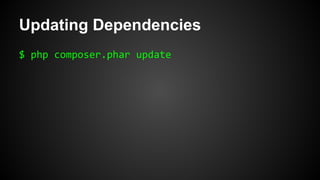
New versions of your project’s dependencies
will more than likely be released. “To update to
the new version, use [the] update command.
This will fetch the latest matching versions
(according to your composer.json file) and also
update the lock file with the new version.”
Updating Dependencies
$ php composer.phar update
References
Composer
http://getcomposer.org
Packagist
http://packagist.org
PHP The Right Way
http://phptherightway.com

Composer: Dependency Manager for PHP