Shop Talk
Some processes of ActiveLAMP
Code / Task
Management
Use version control.
        (Decentralized VCS recommended)


    Git

    Mercurial

    Bazaar

http://en.wikipedia.org/wiki/Comparison_of_revision_control_software
Use version control.
        (Decentralized VCS recommended)


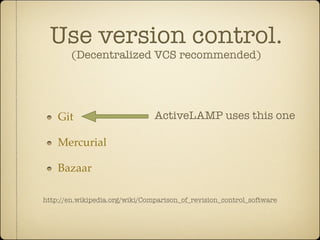
    Git                         ActiveLAMP uses this one

    Mercurial

    Bazaar

http://en.wikipedia.org/wiki/Comparison_of_revision_control_software
Turnkey
   Version Control

Github (https://github.com/)

Unfuddle (http://unfuddle.com/)

Beanstalk (http://beanstalkapp.com/)

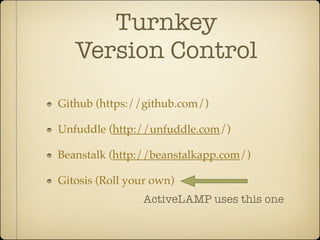
Gitosis (Roll your own)
Turnkey
   Version Control

Github (https://github.com/)

Unfuddle (http://unfuddle.com/)

Beanstalk (http://beanstalkapp.com/)

Gitosis (Roll your own)
                ActiveLAMP uses this one
Use an issue tracker

Basecamp (http://basecamp.com/)

Github

Unfuddle

Open Atrium (Roll your own http://openatrium.com/)
Use an issue tracker

Basecamp (http://basecamp.com/)

Github

Unfuddle

Open Atrium (Roll your own http://openatrium.com/)


ActiveLAMP uses this one
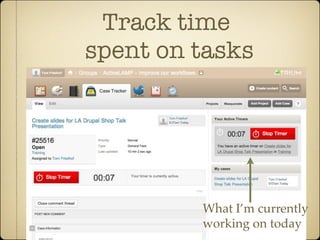
Track time
spent on tasks
Track time
spent on tasks
Track time
spent on tasks


         What I’m currently
         working on today
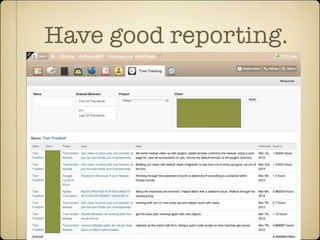
Have good reporting.
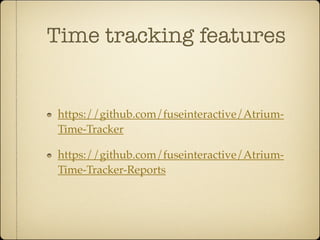
Time tracking features


 https://github.com/fuseinteractive/Atrium-
 Time-Tracker

 https://github.com/fuseinteractive/Atrium-
 Time-Tracker-Reports
Have good reporting.


 We use AppleScript to take data from Atrium
 and populate spreadsheets for easier analyzing
 of time and resources.

 Analyze data in spreadsheets. (Quicker)
Drupal Development
Use Drush
http://drupal.org/project/drush


     Improves efficiency
Use Drush Make
http://drupal.org/project/drush_make


       Improves efficiency
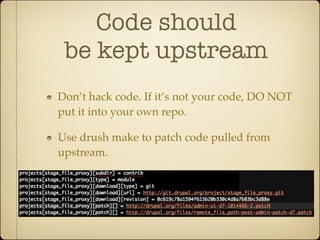
Code should
 be kept upstream
Don’t hack code. If it’s not your code, DO NOT
put it into your own repo.

Use drush make to patch code pulled from
upstream.
Good reading material
   (Keeping code upstream)


http://developmentseed.org/blog/2009/oct/
27/drupal-distributions-drush-make/

http://walkah.net/blog/every-drupal-site-
install-profile/
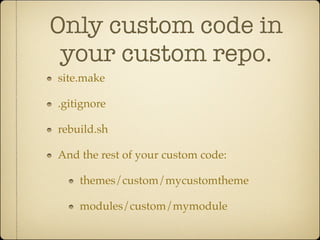
Only custom code in
 your custom repo.
site.make

.gitignore

rebuild.sh

And the rest of your custom code:

    themes/custom/mycustomtheme

    modules/custom/mymodule
Deployment
We use Capistrano

        Installs as a Ruby Gem

        Already contains all the rich logic you need.


https://github.com/capistrano/capistrano/wiki/Documentation-v2.x
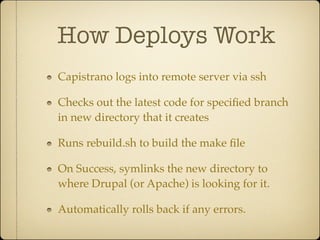
How Deploys Work
Capistrano logs into remote server via ssh

Checks out the latest code for specified branch
in new directory that it creates

Runs rebuild.sh to build the make file

On Success, symlinks the new directory to
where Drupal (or Apache) is looking for it.

Automatically rolls back if any errors.
How Rollbacks Work


A new “release” is created on every deploy.

Symlink is changed so that it points to the
previous release.
This is a
NON-DESTRUCTIVE
     deploy.
   (It’s a good idea to backup your
 database before running update.php)
Thank you.

  Questions?
Tom Friedhof
Developer at ActiveLAMP
Twitter: @activelamp @tomfriedhof


                          www.activelamp.com

ActiveLAMP Process

  • 1.
  • 2.
  • 3.
    Use version control. (Decentralized VCS recommended) Git Mercurial Bazaar http://en.wikipedia.org/wiki/Comparison_of_revision_control_software
  • 4.
    Use version control. (Decentralized VCS recommended) Git ActiveLAMP uses this one Mercurial Bazaar http://en.wikipedia.org/wiki/Comparison_of_revision_control_software
  • 5.
    Turnkey Version Control Github (https://github.com/) Unfuddle (http://unfuddle.com/) Beanstalk (http://beanstalkapp.com/) Gitosis (Roll your own)
  • 6.
    Turnkey Version Control Github (https://github.com/) Unfuddle (http://unfuddle.com/) Beanstalk (http://beanstalkapp.com/) Gitosis (Roll your own) ActiveLAMP uses this one
  • 7.
    Use an issuetracker Basecamp (http://basecamp.com/) Github Unfuddle Open Atrium (Roll your own http://openatrium.com/)
  • 8.
    Use an issuetracker Basecamp (http://basecamp.com/) Github Unfuddle Open Atrium (Roll your own http://openatrium.com/) ActiveLAMP uses this one
  • 9.
  • 10.
  • 11.
    Track time spent ontasks What I’m currently working on today
  • 12.
  • 13.
    Time tracking features https://github.com/fuseinteractive/Atrium- Time-Tracker https://github.com/fuseinteractive/Atrium- Time-Tracker-Reports
  • 14.
    Have good reporting. We use AppleScript to take data from Atrium and populate spreadsheets for easier analyzing of time and resources. Analyze data in spreadsheets. (Quicker)
  • 15.
  • 16.
  • 17.
  • 18.
    Code should bekept upstream Don’t hack code. If it’s not your code, DO NOT put it into your own repo. Use drush make to patch code pulled from upstream.
  • 19.
    Good reading material (Keeping code upstream) http://developmentseed.org/blog/2009/oct/ 27/drupal-distributions-drush-make/ http://walkah.net/blog/every-drupal-site- install-profile/
  • 20.
    Only custom codein your custom repo. site.make .gitignore rebuild.sh And the rest of your custom code: themes/custom/mycustomtheme modules/custom/mymodule
  • 21.
  • 22.
    We use Capistrano Installs as a Ruby Gem Already contains all the rich logic you need. https://github.com/capistrano/capistrano/wiki/Documentation-v2.x
  • 23.
    How Deploys Work Capistranologs into remote server via ssh Checks out the latest code for specified branch in new directory that it creates Runs rebuild.sh to build the make file On Success, symlinks the new directory to where Drupal (or Apache) is looking for it. Automatically rolls back if any errors.
  • 24.
    How Rollbacks Work Anew “release” is created on every deploy. Symlink is changed so that it points to the previous release.
  • 25.
    This is a NON-DESTRUCTIVE deploy. (It’s a good idea to backup your database before running update.php)
  • 26.
    Thank you. Questions? Tom Friedhof Developer at ActiveLAMP Twitter: @activelamp @tomfriedhof www.activelamp.com