Software Engineering Large Practical

Common Java problems when coding for
Android and advice for dealing with them

                     Stephen Gilmore

        School of Informatics, University of Edinburgh


                  October 24th, 2012


                Stephen Gilmore   Software Engineering Large Practical
Java problems


   For some, developing for the Android platform might provide their
   first experience of working with a complex, modern Java API. This
   may test your knowledge of the Java programming language,
   especially with regard to features such as generics. The Android
   APIs make use of generics throughout and so you will have to
   know how to create and handle generic classes.


                        Stephen Gilmore   Software Engineering Large Practical
Raw types


  Raw types are a backwards compatibility feature which allowed
  new generic Java code to use old non-generic libraries and to allow
  non-generic Java code to continue to compile and work on modern
  Java versions. Raw types are not needed when working with the
  Android API and your project should not contain them.


                        Stephen Gilmore   Software Engineering Large Practical
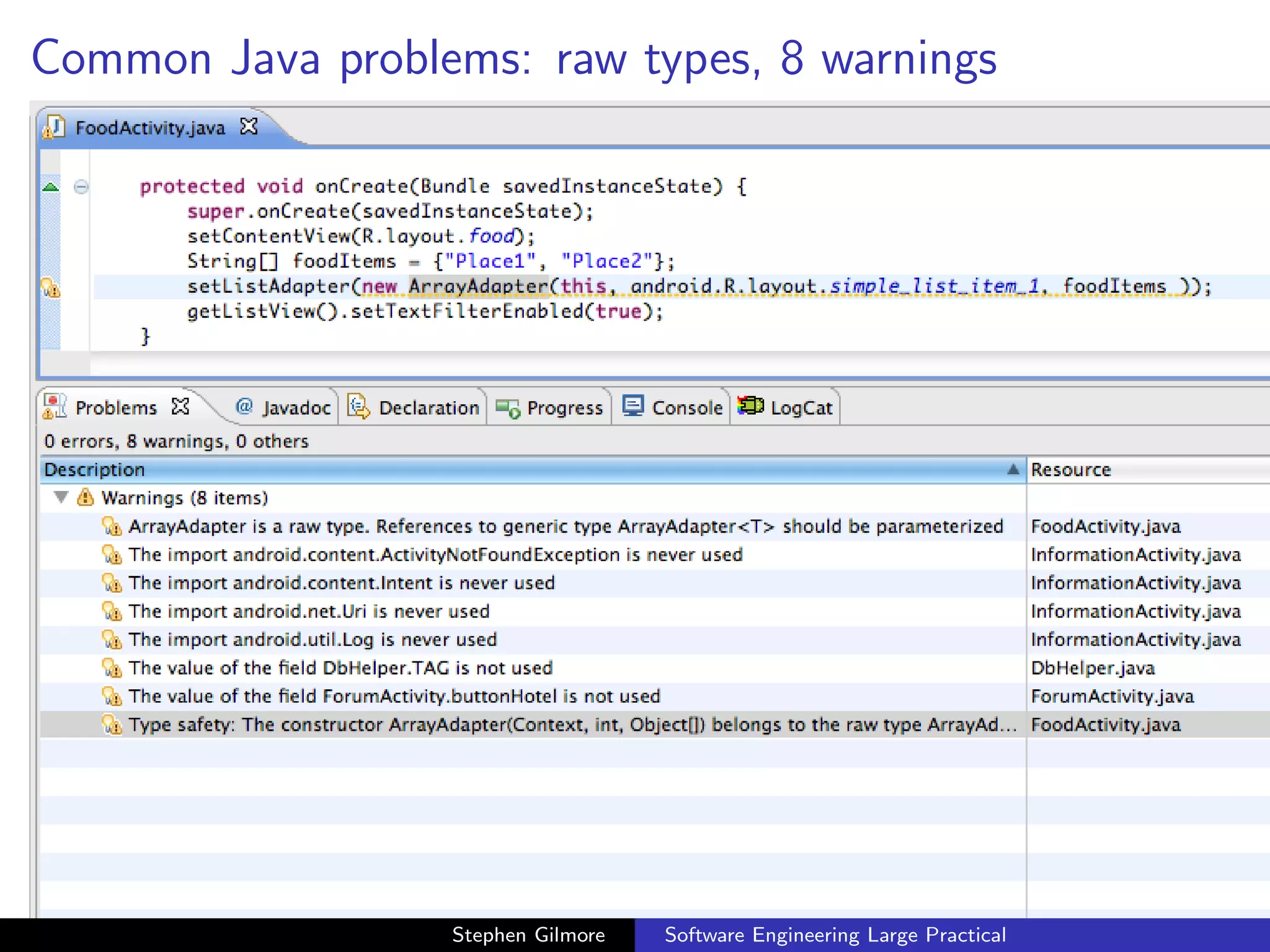
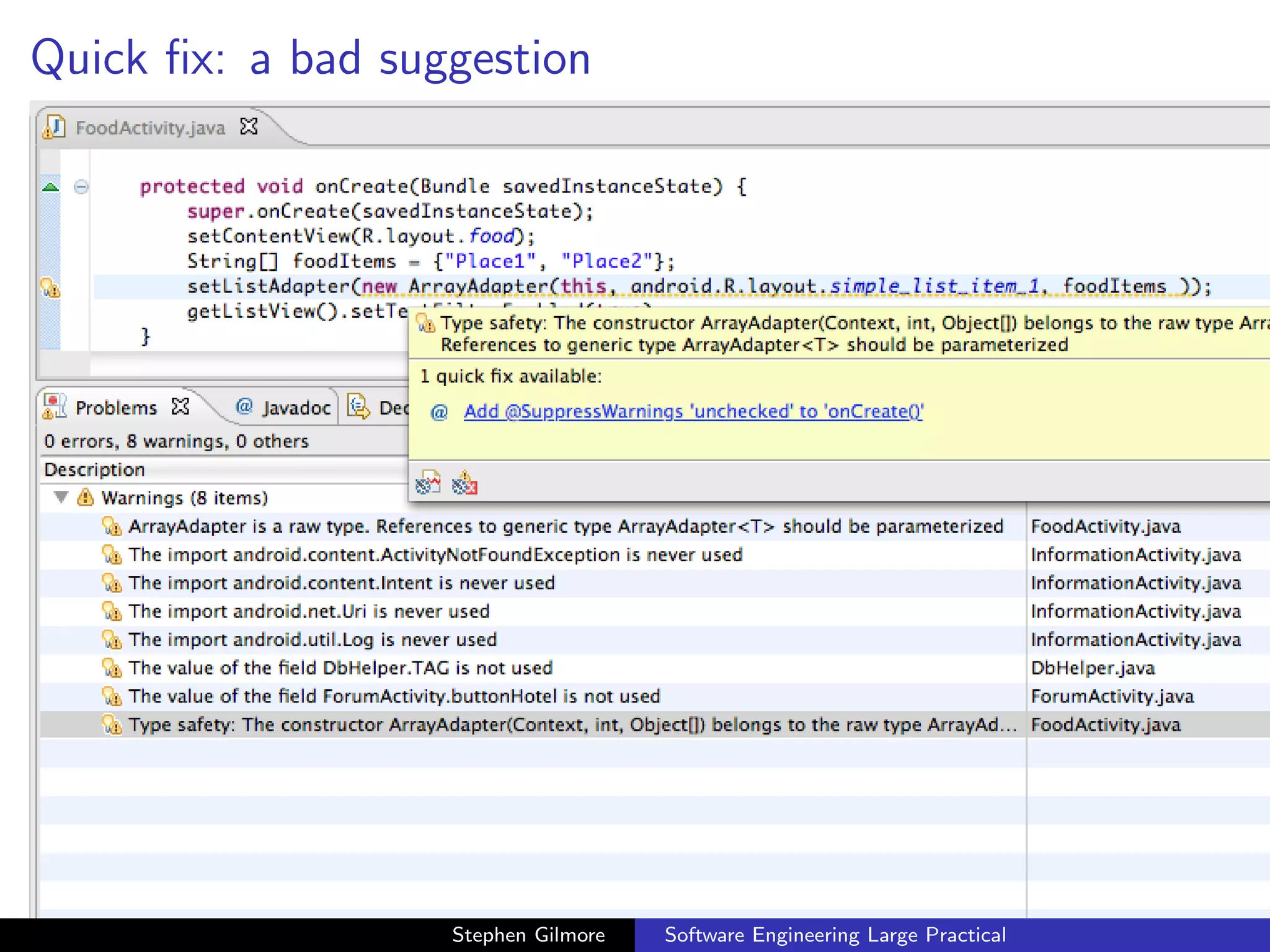
Common Java problems: raw types, 8 warnings


                  Stephen Gilmore   Software Engineering Large Practical
Quick fix: a bad suggestion


                   Stephen Gilmore   Software Engineering Large Practical
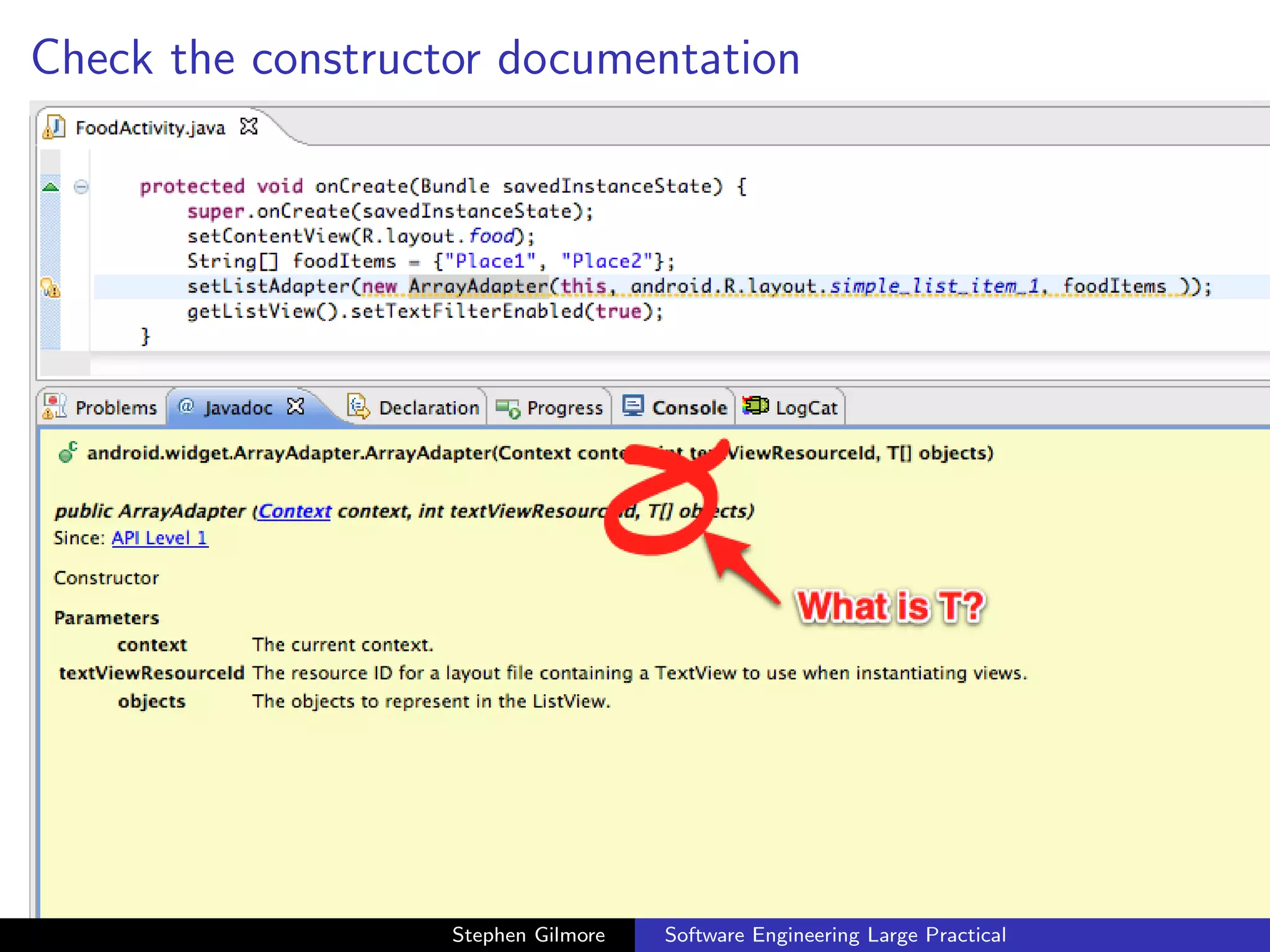
Check the constructor documentation


                   Stephen Gilmore   Software Engineering Large Practical
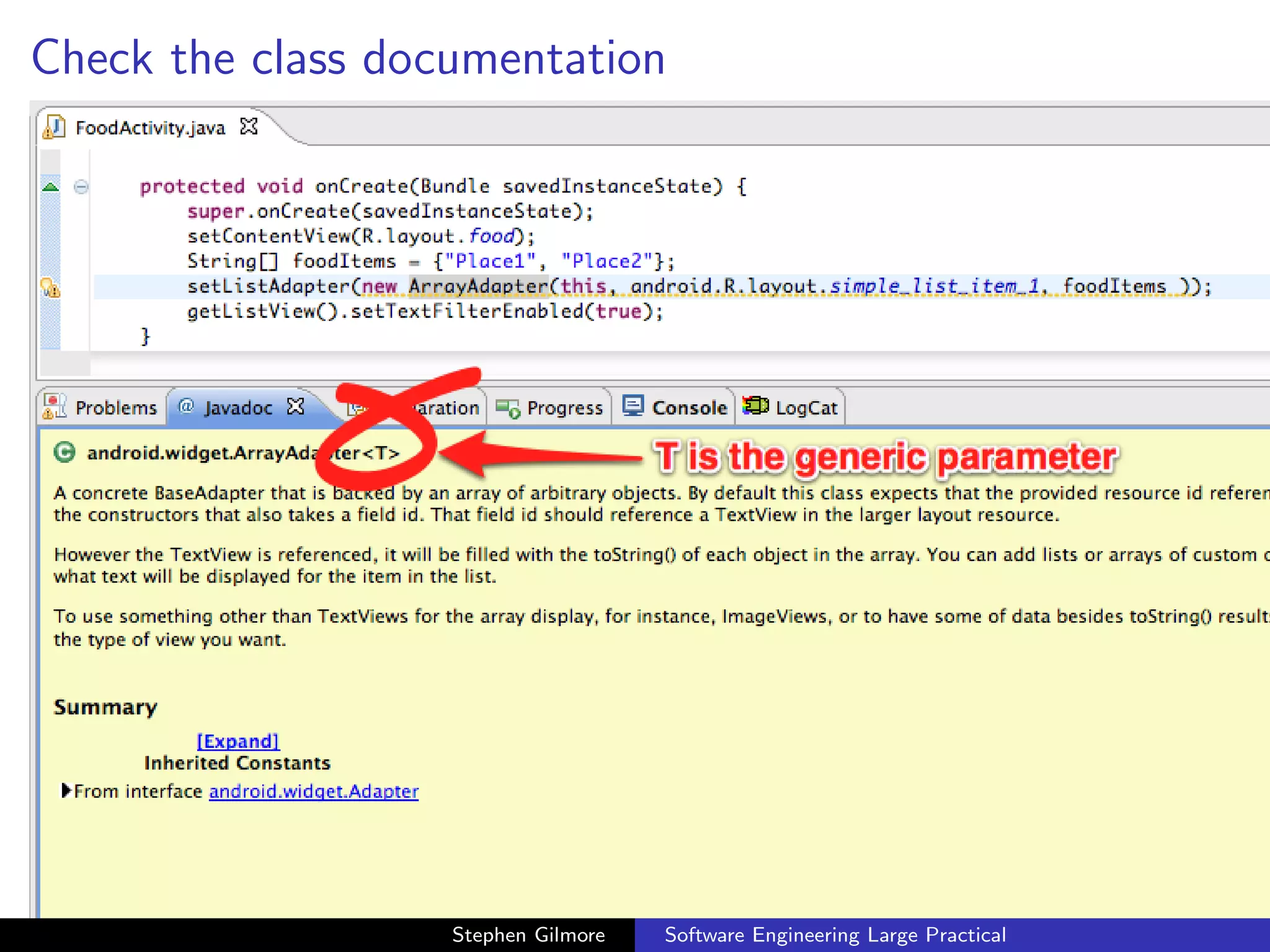
Check the class documentation


                   Stephen Gilmore   Software Engineering Large Practical
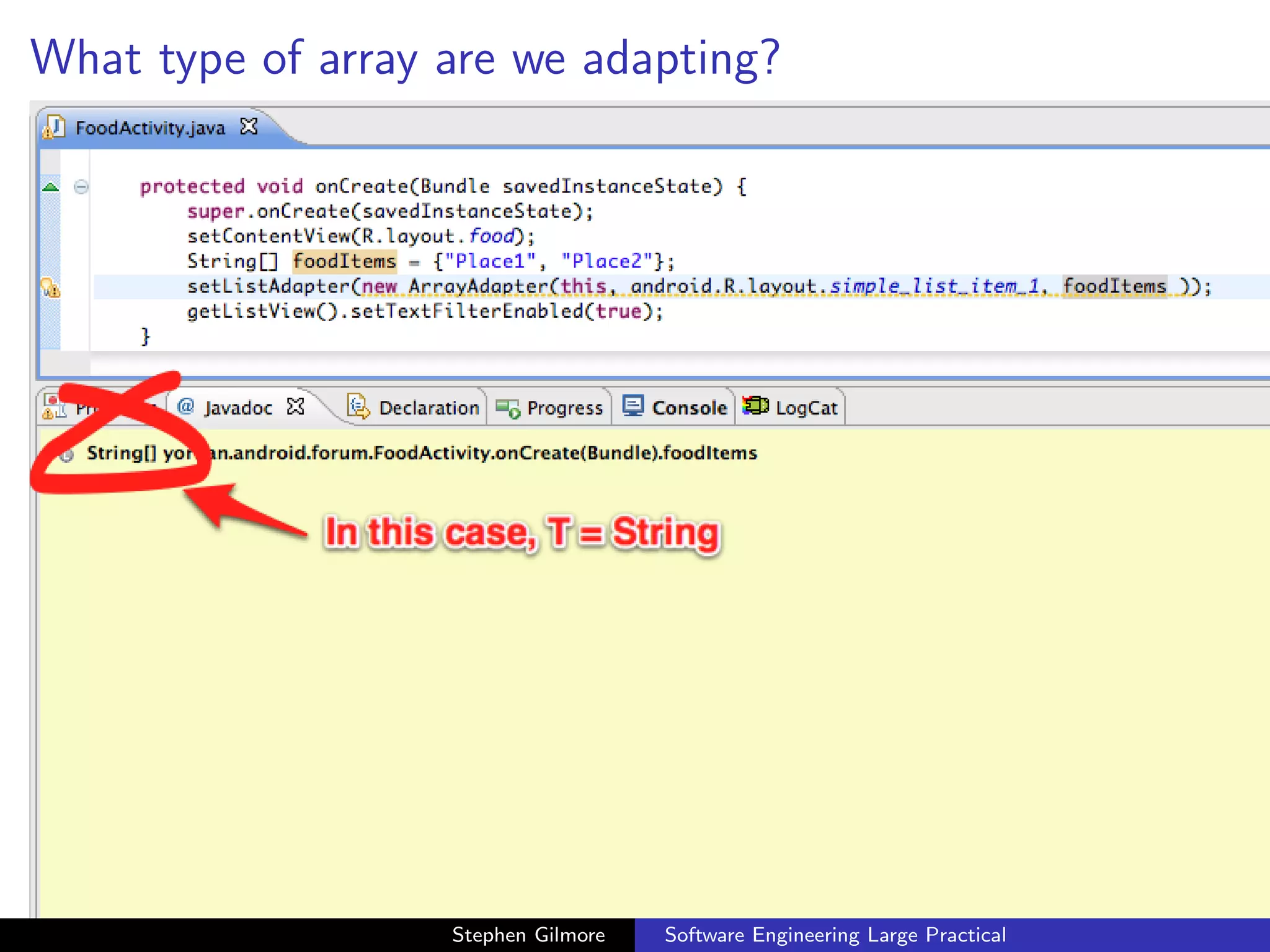
What type of array are we adapting?


                   Stephen Gilmore   Software Engineering Large Practical
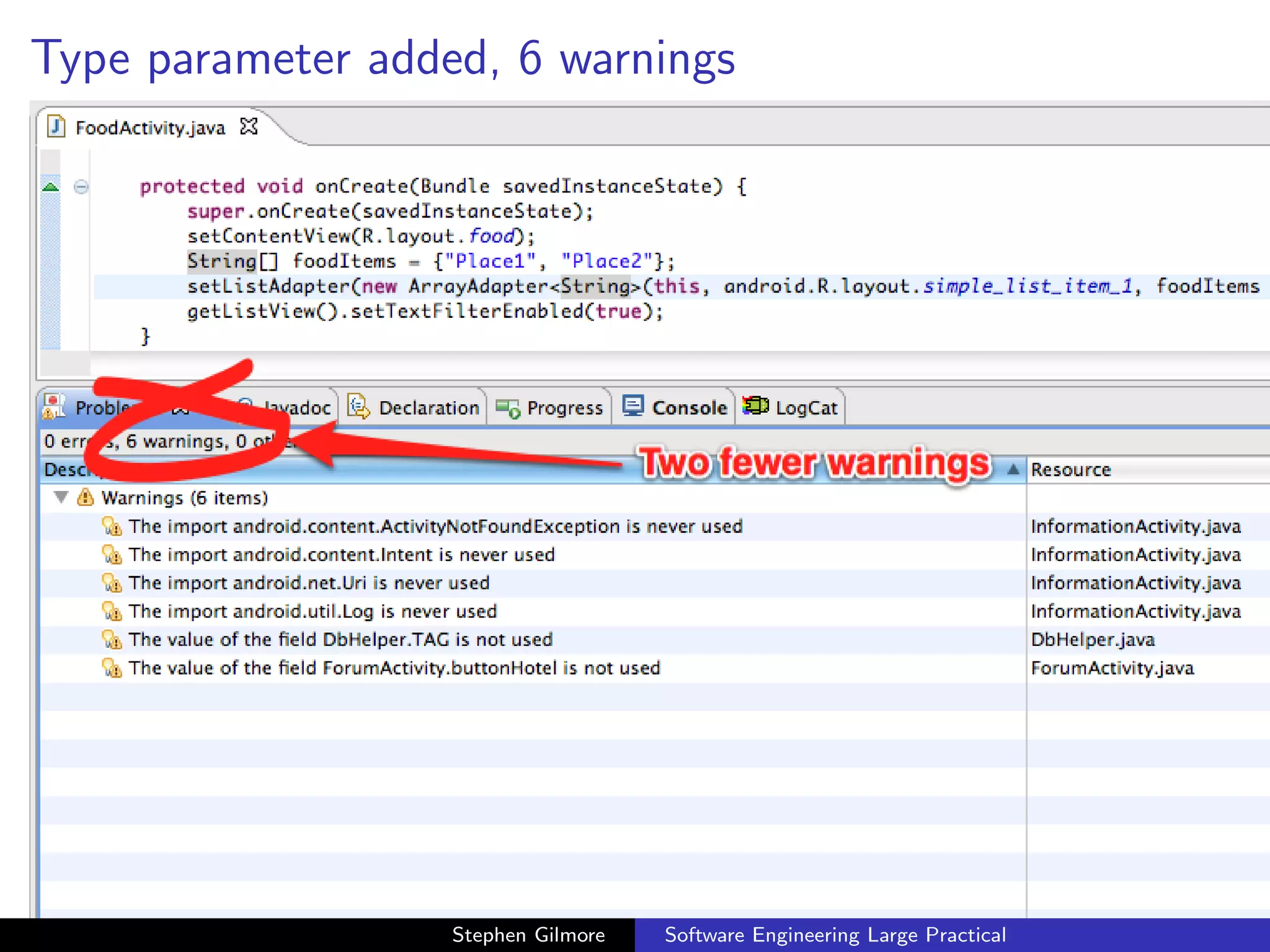
Type parameter added, 6 warnings


                   Stephen Gilmore   Software Engineering Large Practical
Raw type parameters


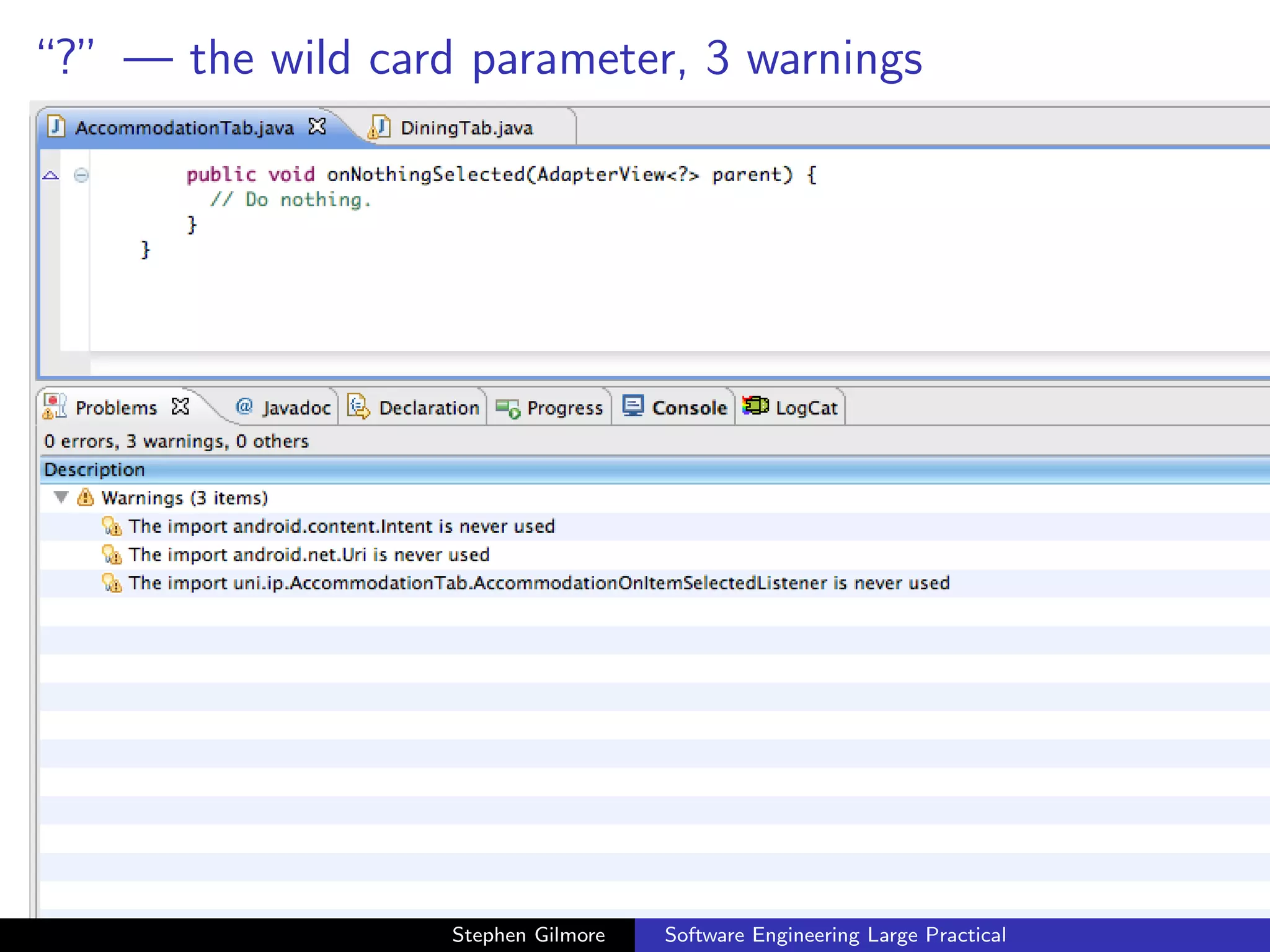
   Raw types need special treatment in method headers when
   instances of generic classes are being passed as parameters to
   methods. A special syntax is used to specify when we do not know
   the type of the parameter to the generic class.


                        Stephen Gilmore   Software Engineering Large Practical
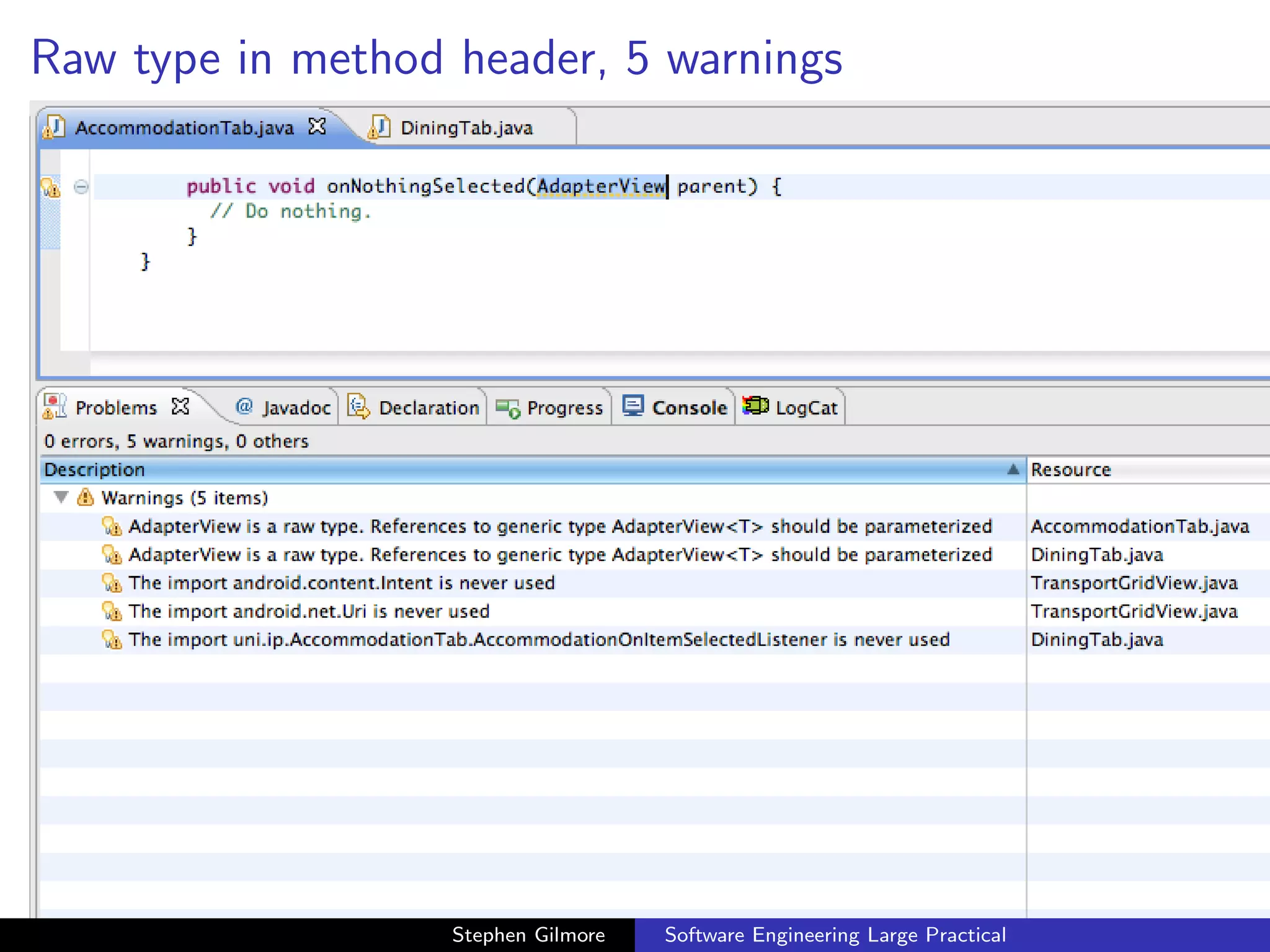
Raw type in method header, 5 warnings


                   Stephen Gilmore   Software Engineering Large Practical
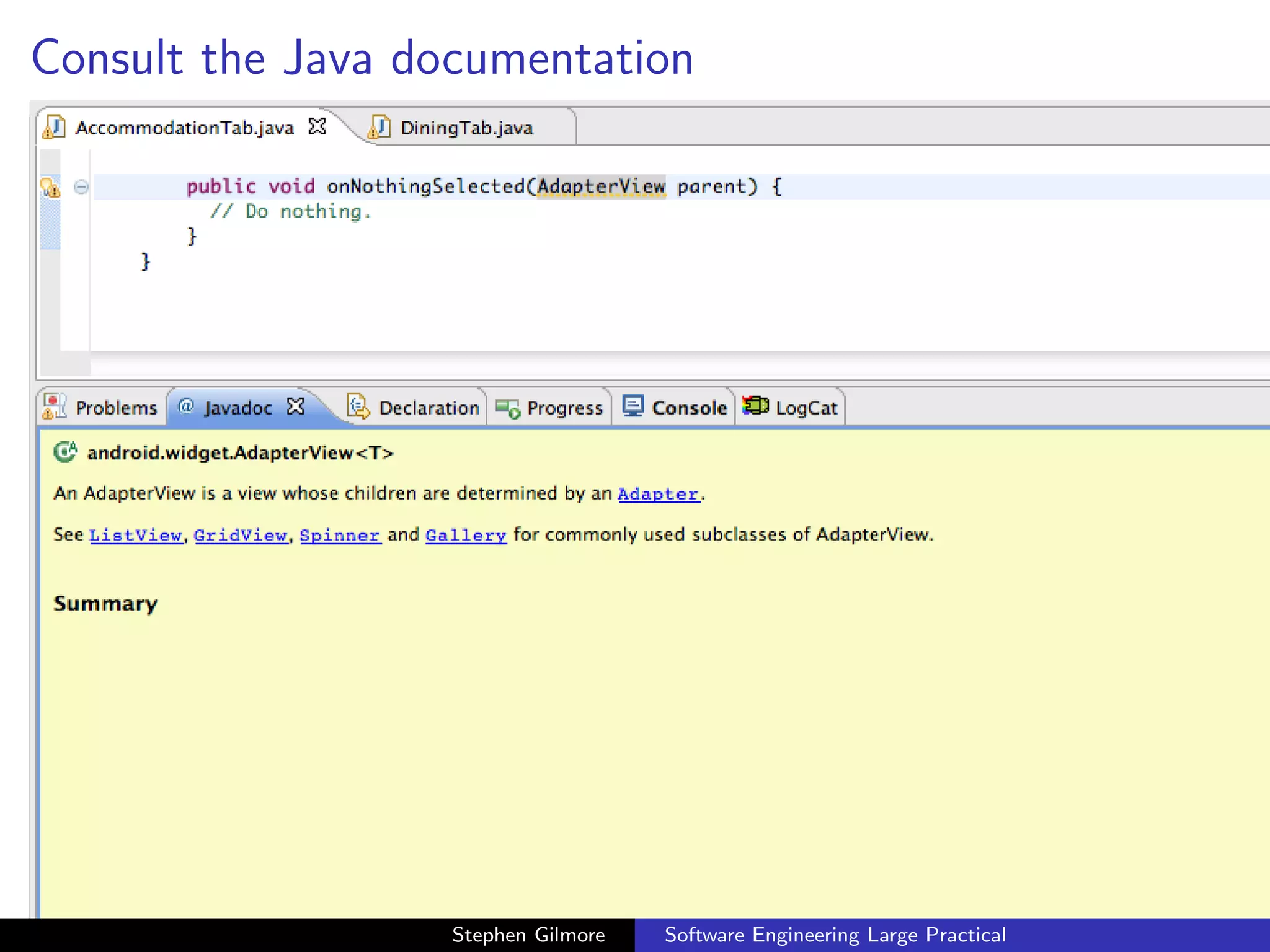
Consult the Java documentation


                   Stephen Gilmore   Software Engineering Large Practical
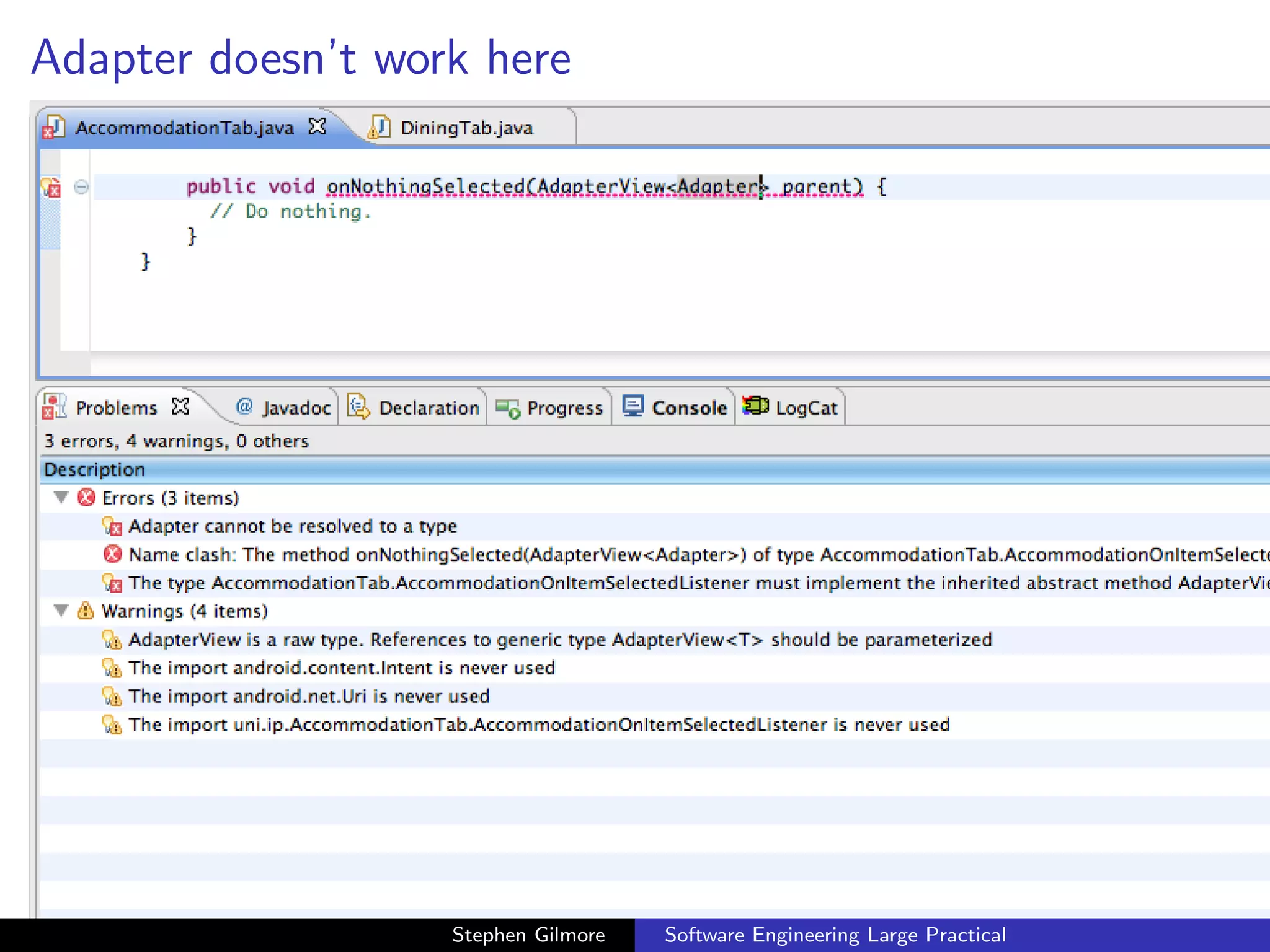
Adapter doesn’t work here


                   Stephen Gilmore   Software Engineering Large Practical
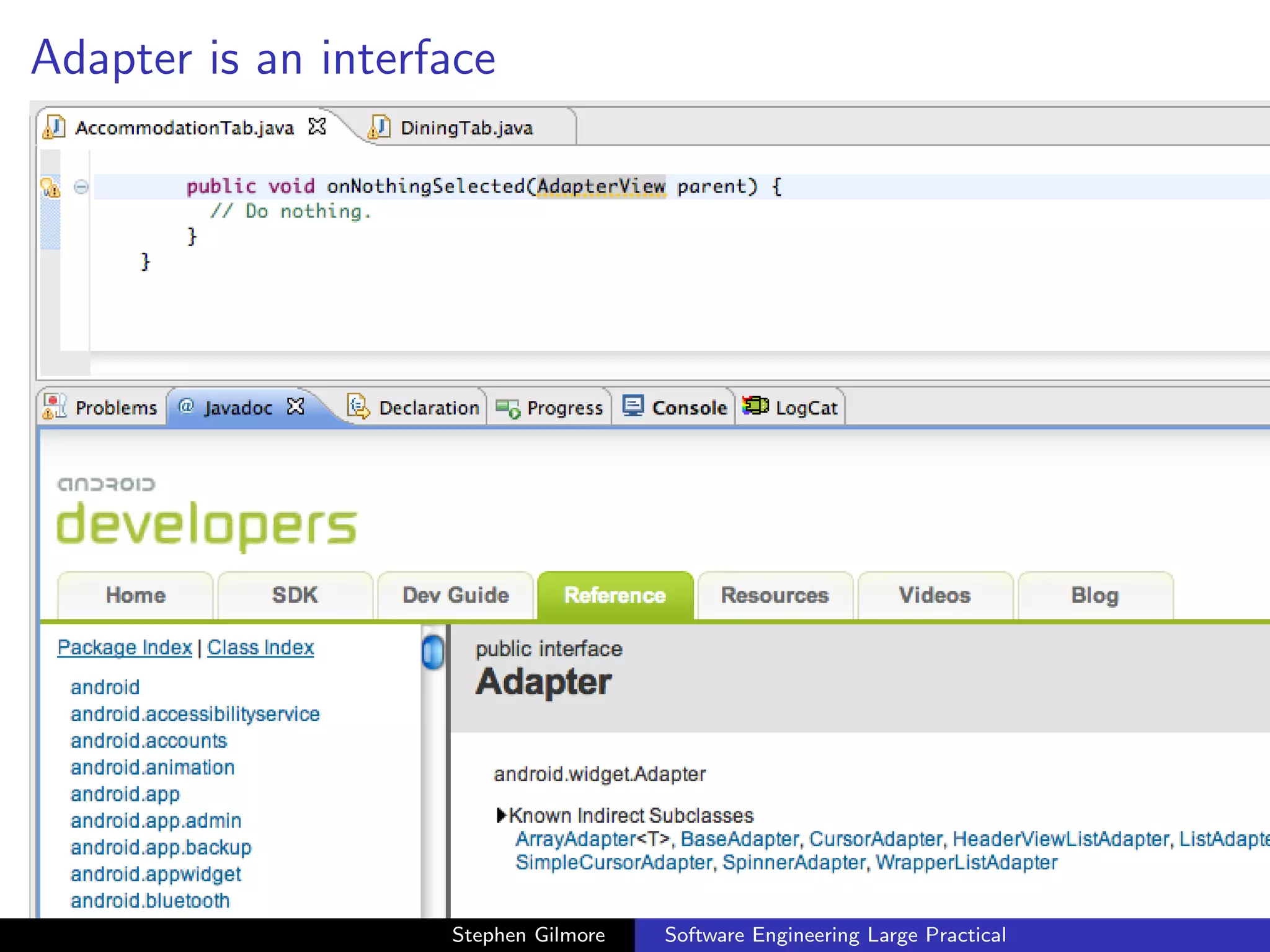
Adapter is an interface


                    Stephen Gilmore   Software Engineering Large Practical
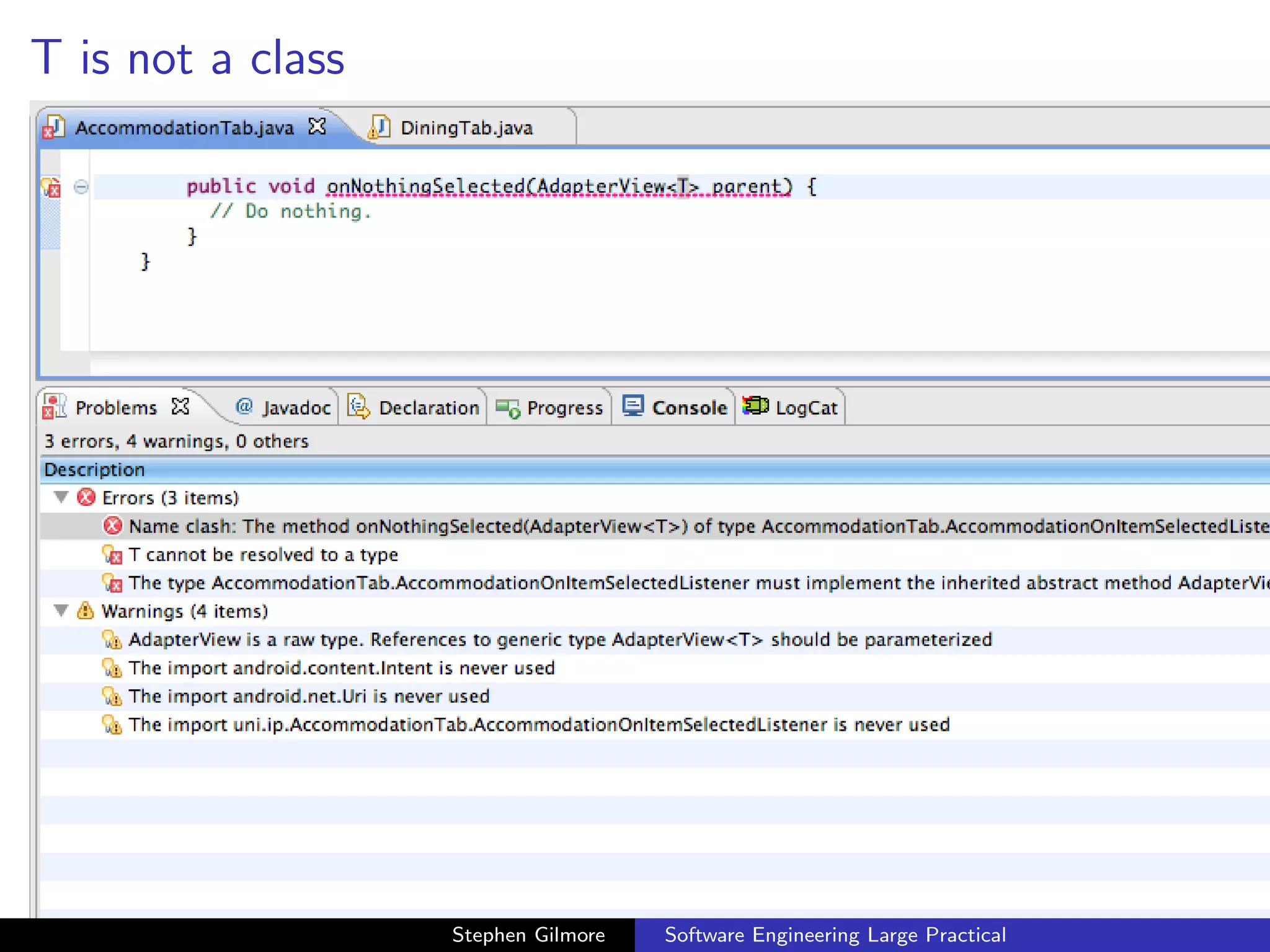
T is not a class


                   Stephen Gilmore   Software Engineering Large Practical
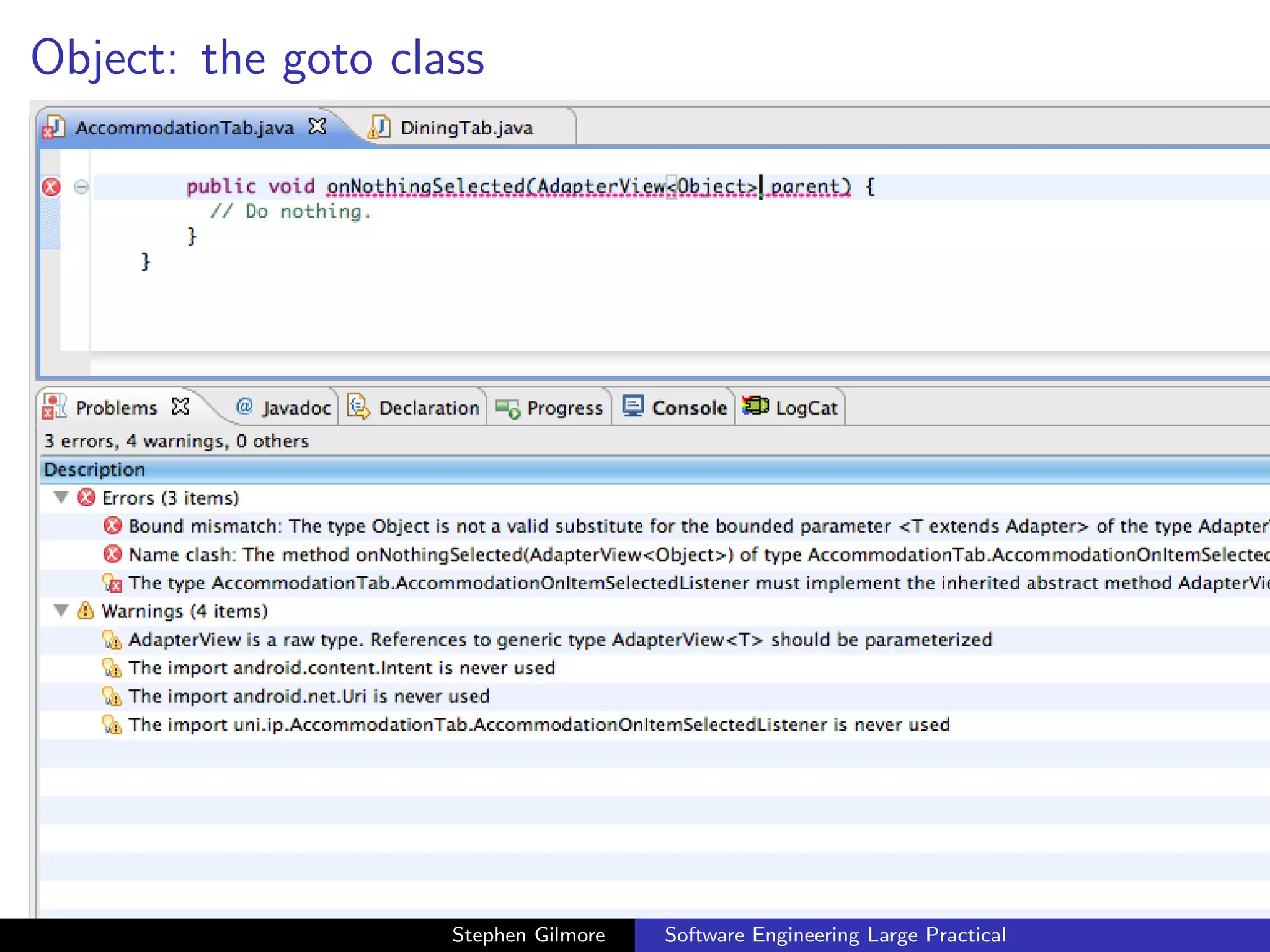
Object: the goto class


                    Stephen Gilmore   Software Engineering Large Practical
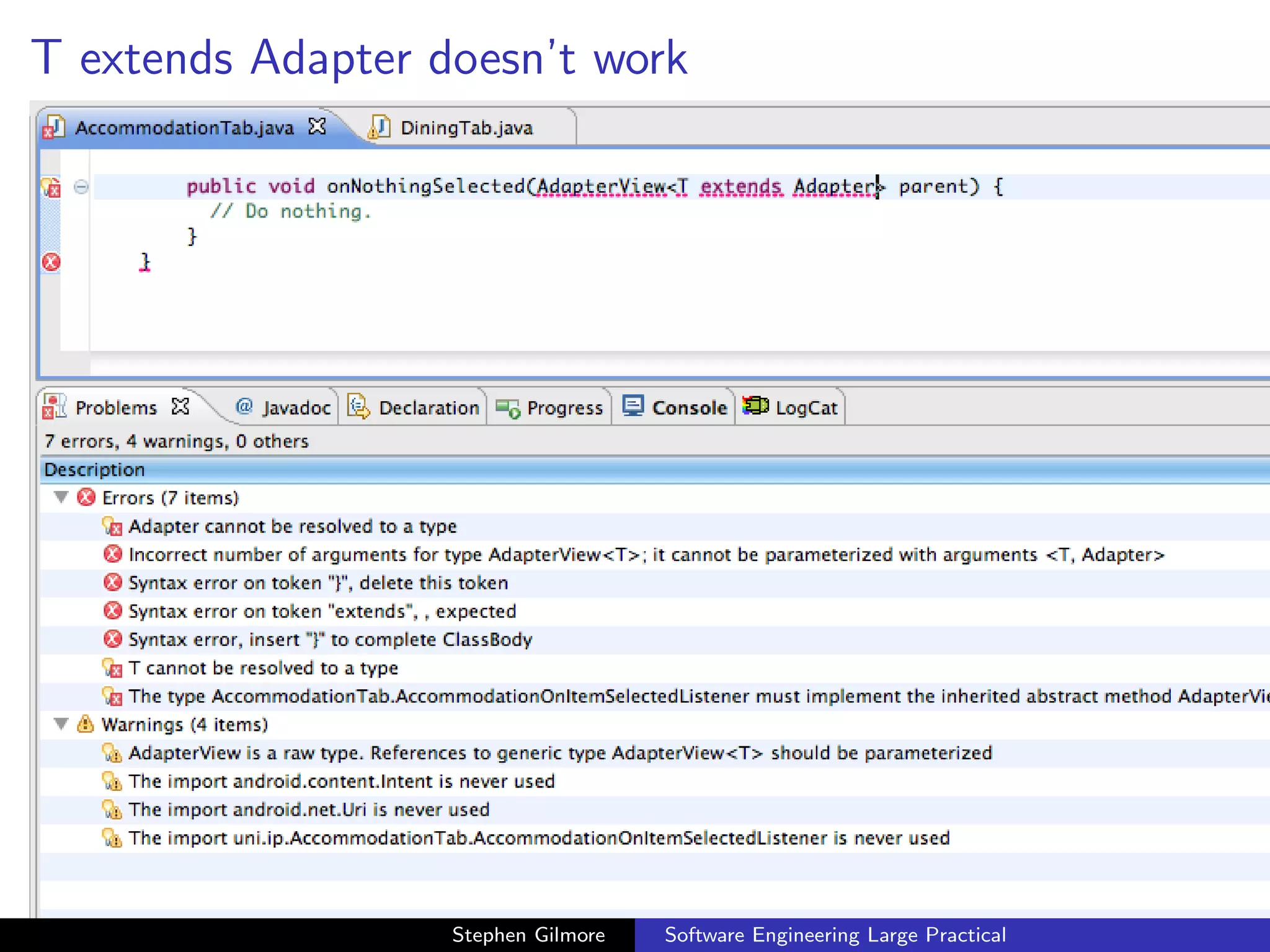
T extends Adapter doesn’t work


                   Stephen Gilmore   Software Engineering Large Practical
“?” — the wild card parameter, 3 warnings


                   Stephen Gilmore   Software Engineering Large Practical
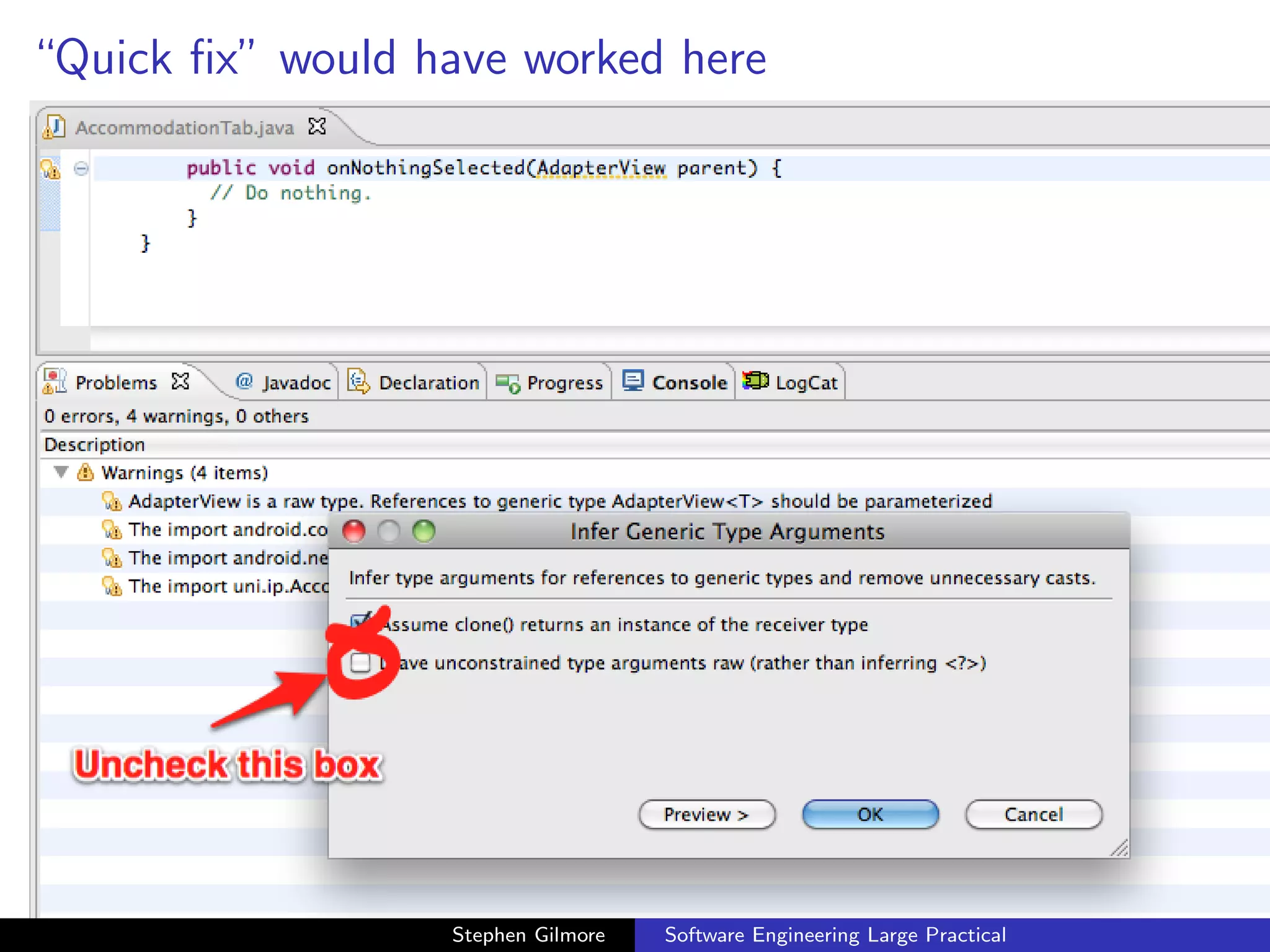
“Quick fix” would have worked here


                  Stephen Gilmore   Software Engineering Large Practical
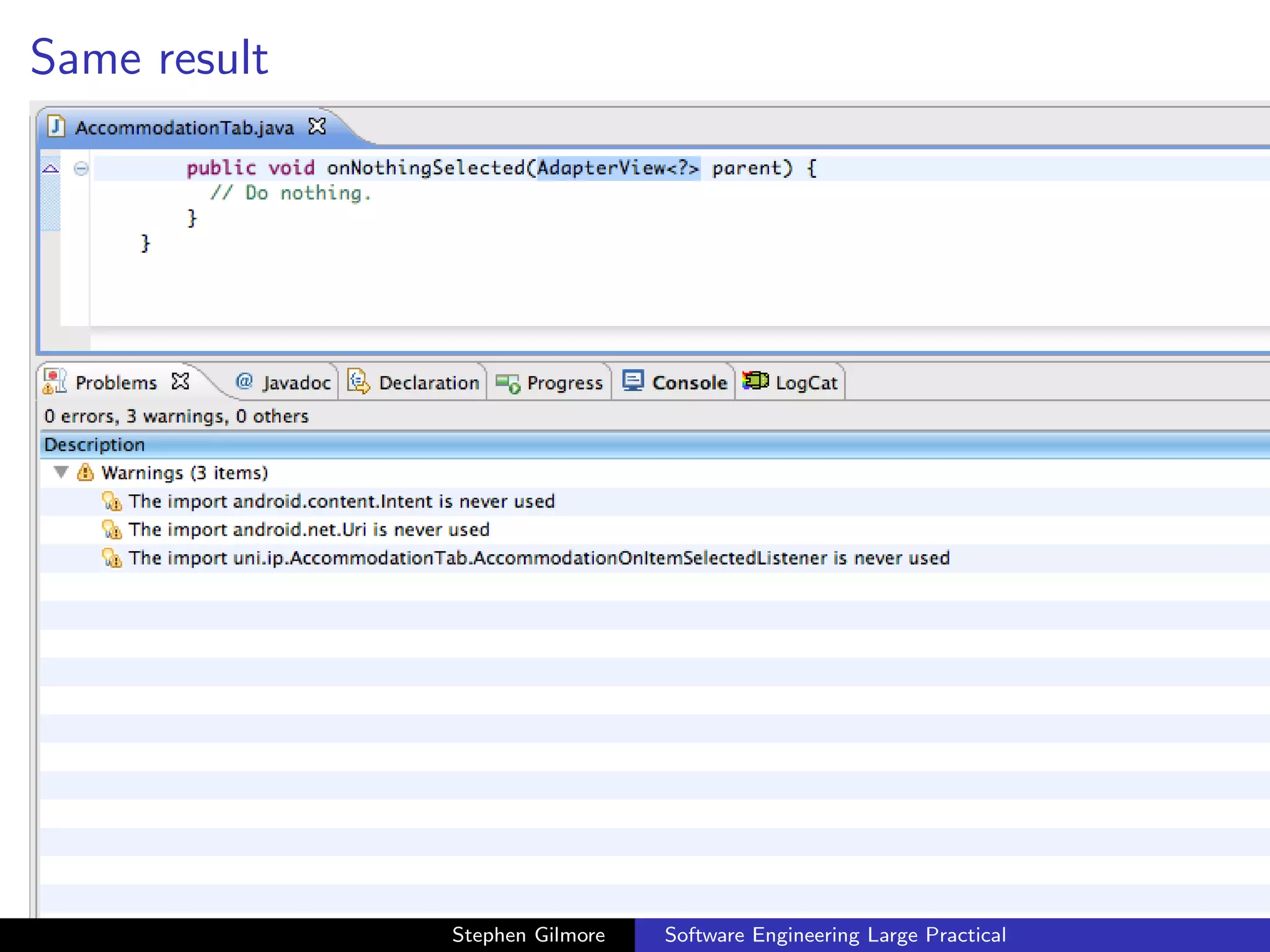
Same result


              Stephen Gilmore   Software Engineering Large Practical
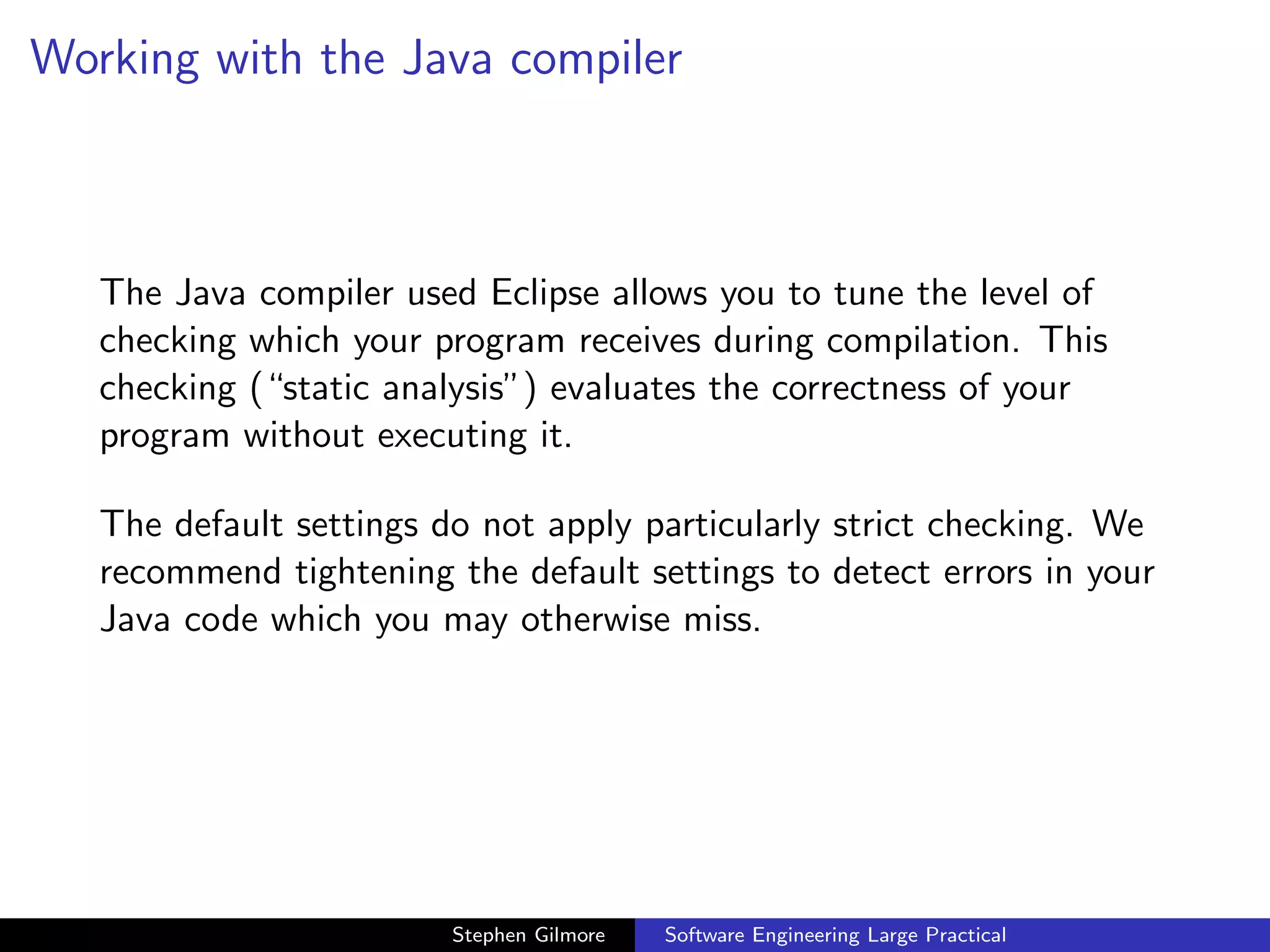
Working with the Java compiler


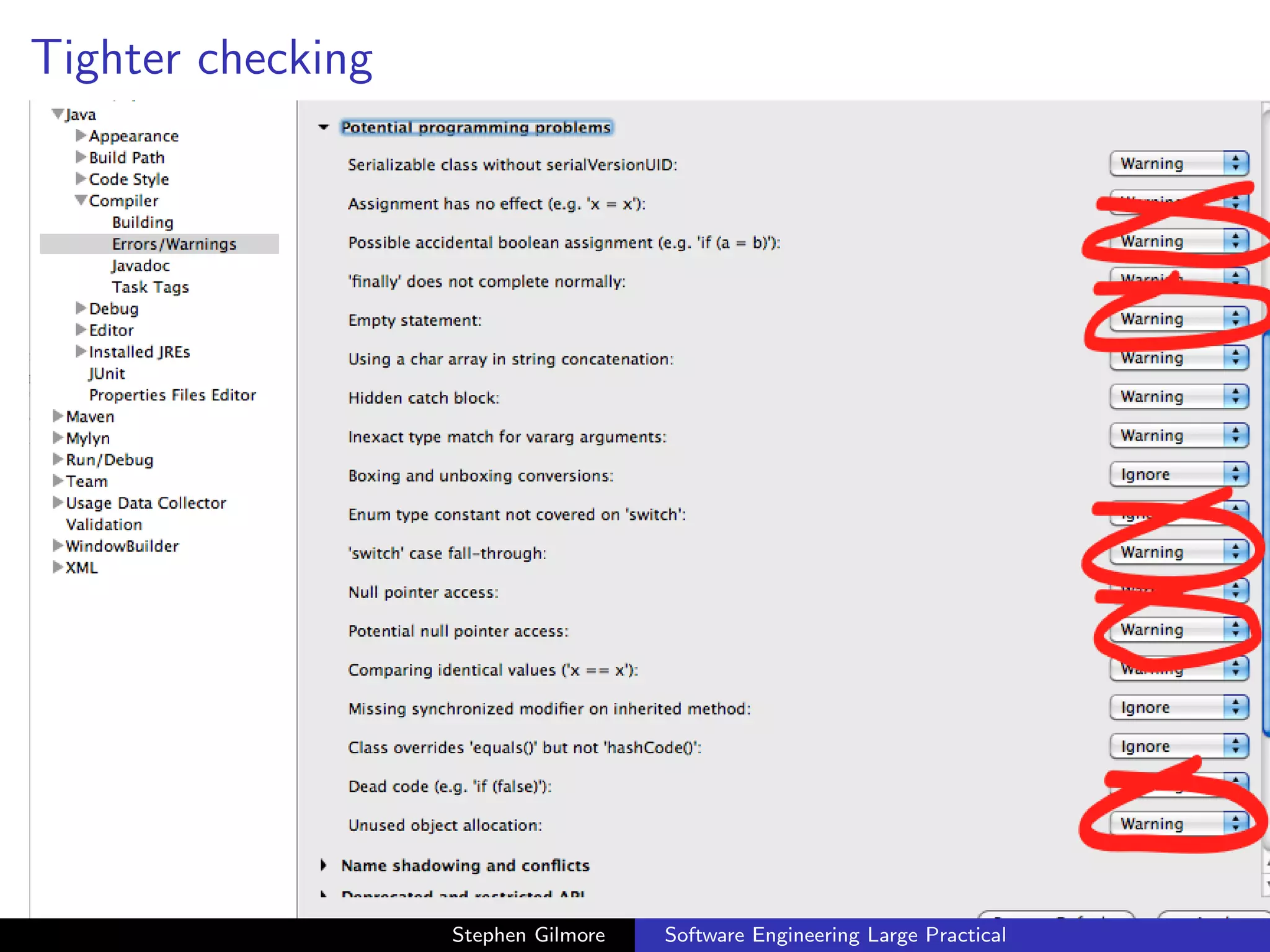
   The Java compiler used Eclipse allows you to tune the level of
   checking which your program receives during compilation. This
   checking (“static analysis”) evaluates the correctness of your
   program without executing it.

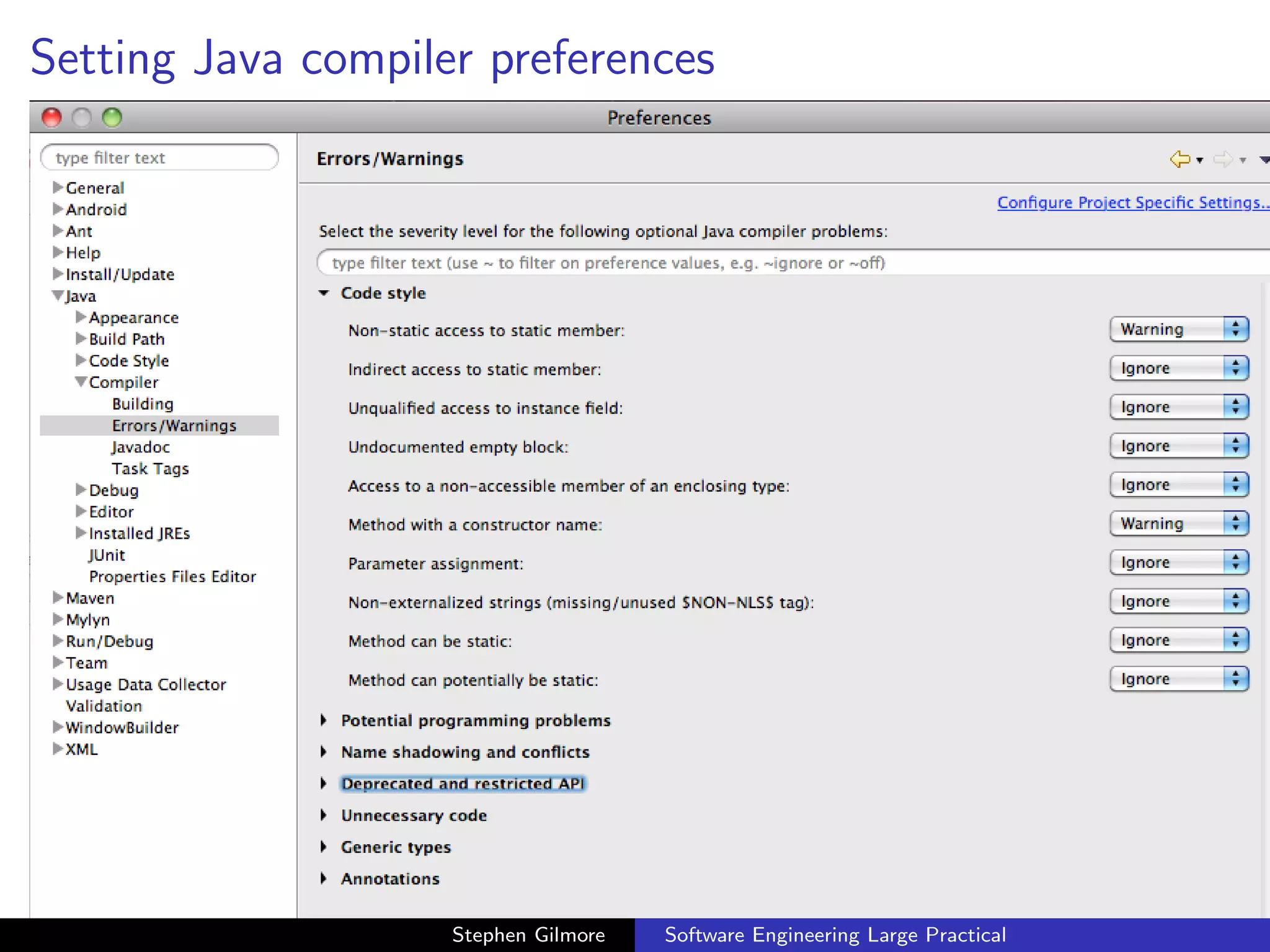
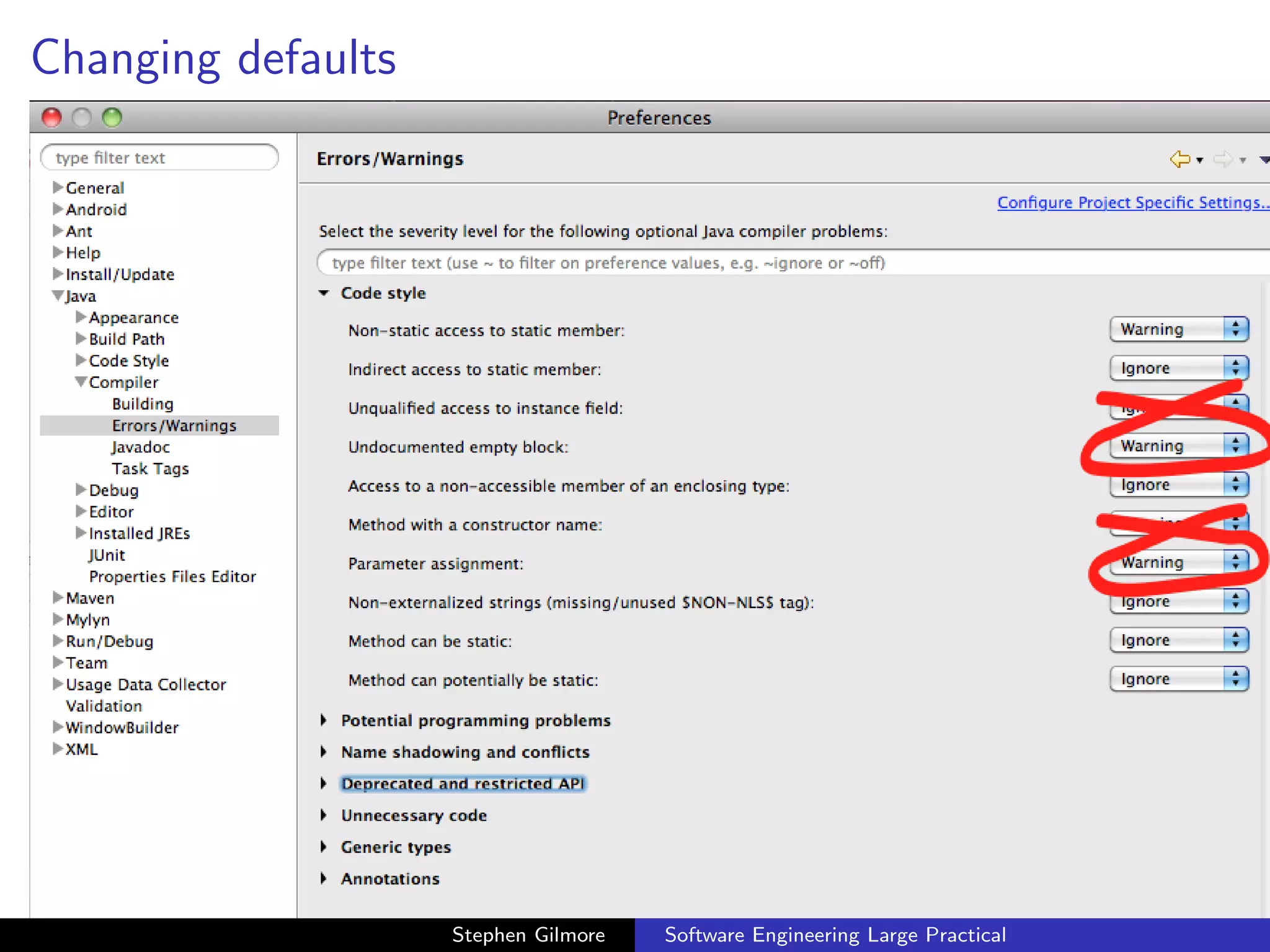
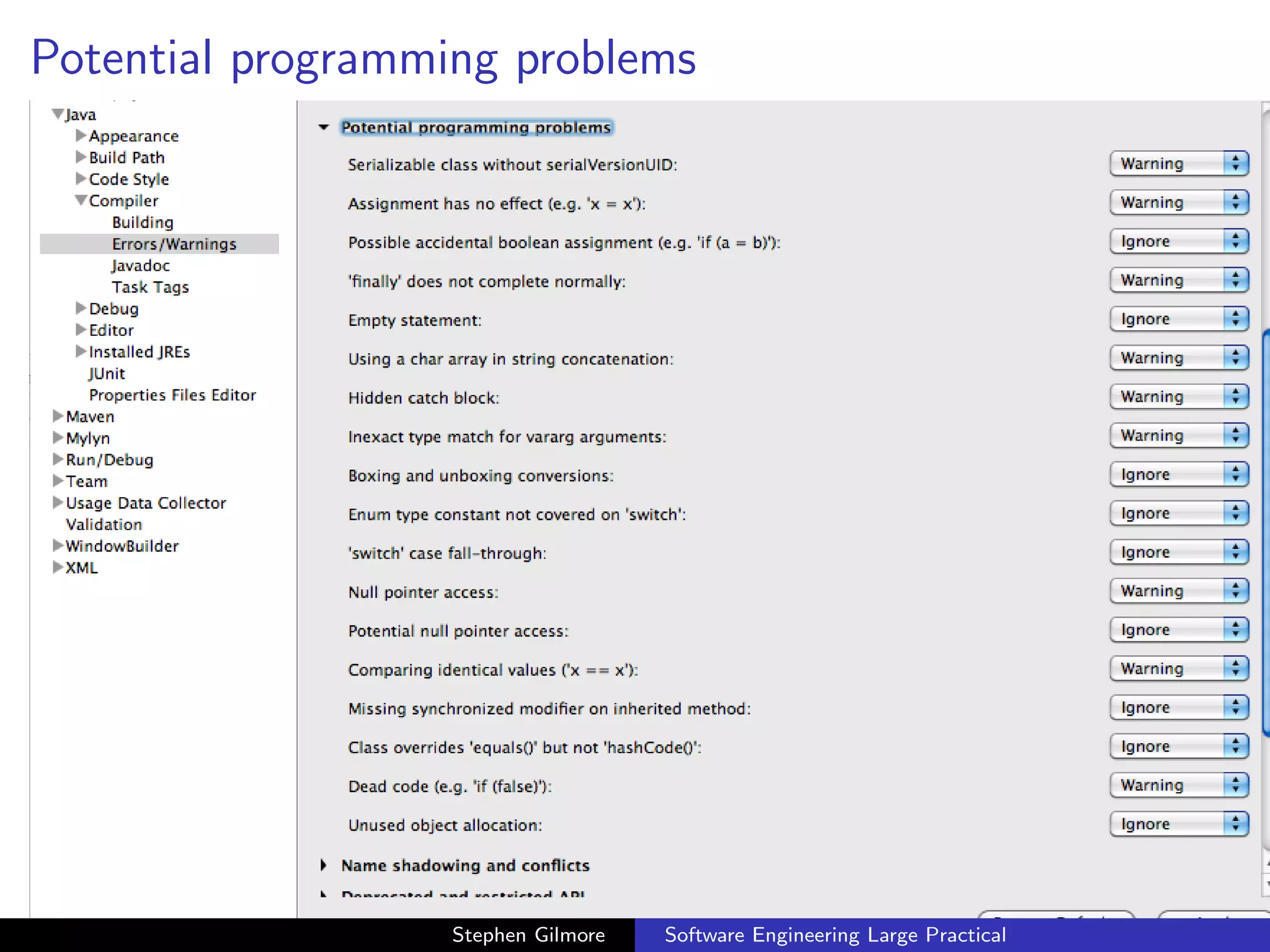
   The default settings do not apply particularly strict checking. We
   recommend tightening the default settings to detect errors in your
   Java code which you may otherwise miss.


                         Stephen Gilmore   Software Engineering Large Practical
Setting Java compiler preferences


                    Stephen Gilmore   Software Engineering Large Practical
Changing defaults


                    Stephen Gilmore   Software Engineering Large Practical
Potential programming problems


                  Stephen Gilmore   Software Engineering Large Practical
Tighter checking


                   Stephen Gilmore   Software Engineering Large Practical
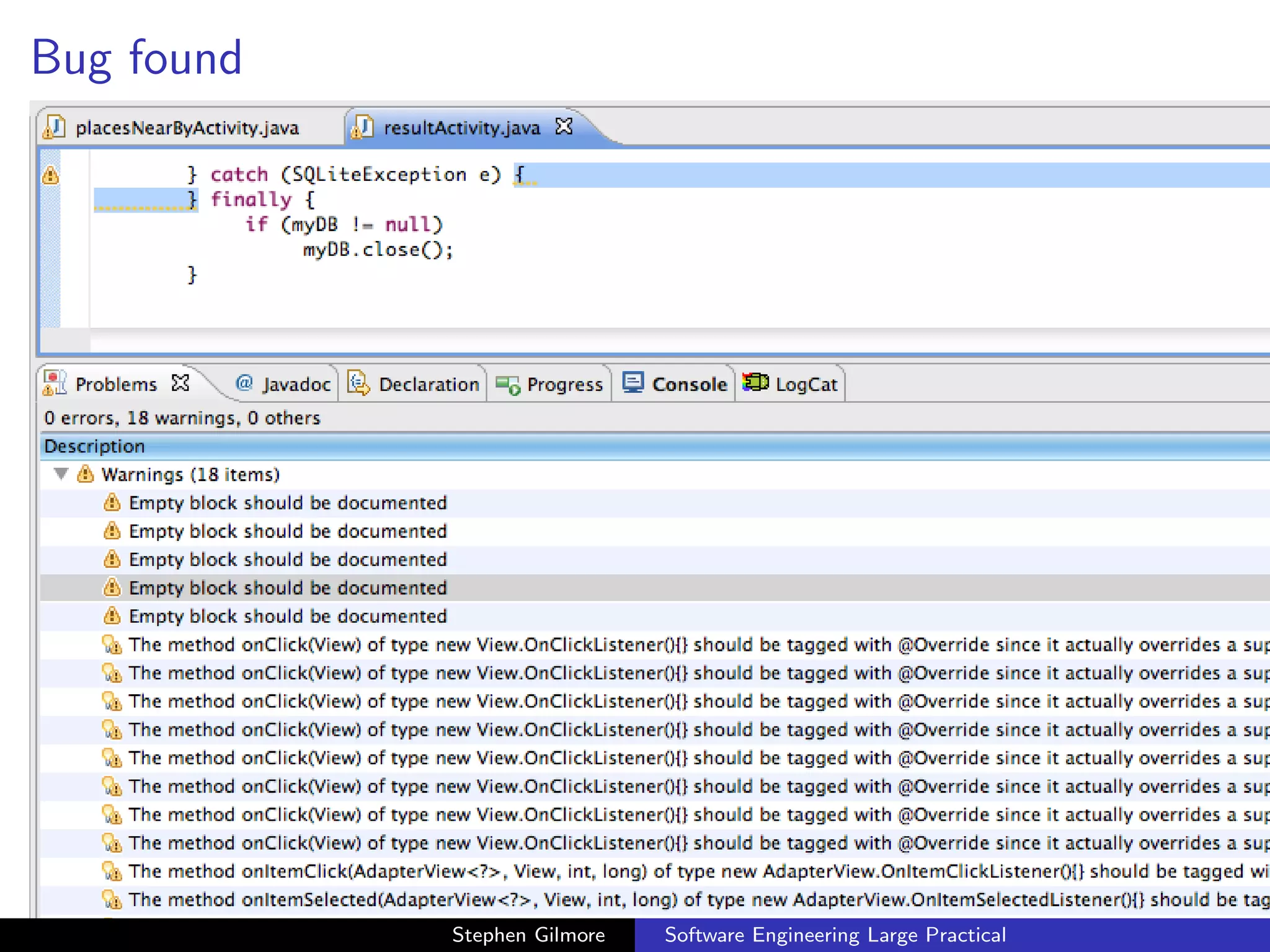
Bug found


            Stephen Gilmore   Software Engineering Large Practical
Remembering and forgetting while developing


   Leaving an empty block is a classic “I must remember to do that
   later” error. By turning on stricter checking with the static
   analysis tools in the Java compiler we get automatic reminders in
   the form of Java problems. These will persist in our project until
   we do go back and write the remaining code block.


                         Stephen Gilmore   Software Engineering Large Practical
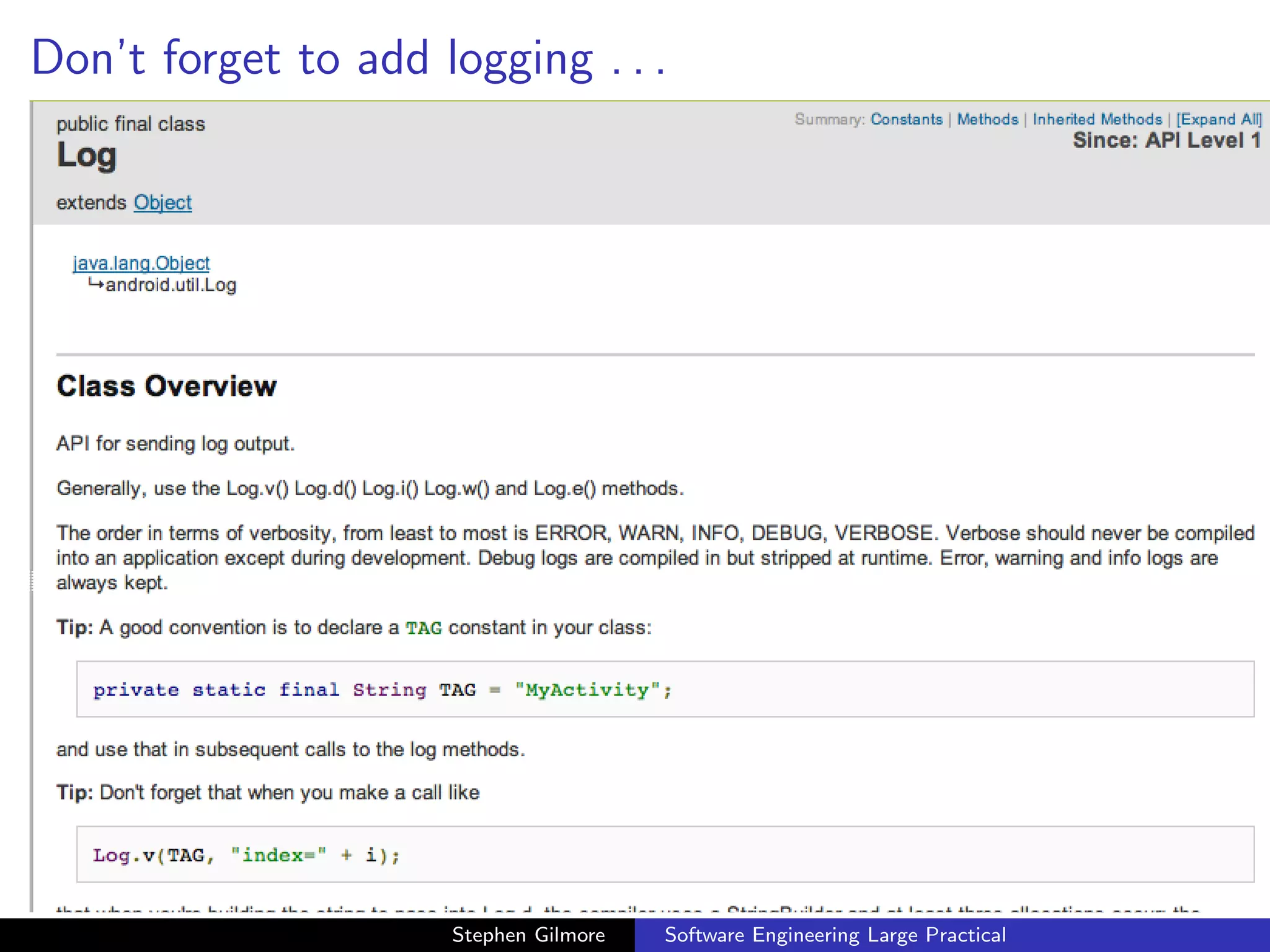
Logging


   As we have seen, the Android emulator occupies all of the screen
   real estate of our virtual device, in order to allow us to test apps as
   they will be used in practice. If we want to log informational
   messages for our own purposes then we should use the Android
   logging API.


                          Stephen Gilmore   Software Engineering Large Practical
Don’t forget to add logging . . .


ng
                          Stephen Gilmore   Software Engineering Large Practical

Common Java problems when developing with Android

  • 1.
    Software Engineering LargePractical Common Java problems when coding for Android and advice for dealing with them Stephen Gilmore School of Informatics, University of Edinburgh October 24th, 2012 Stephen Gilmore Software Engineering Large Practical
  • 2.
    Java problems For some, developing for the Android platform might provide their first experience of working with a complex, modern Java API. This may test your knowledge of the Java programming language, especially with regard to features such as generics. The Android APIs make use of generics throughout and so you will have to know how to create and handle generic classes. Stephen Gilmore Software Engineering Large Practical
  • 3.
    Raw types Raw types are a backwards compatibility feature which allowed new generic Java code to use old non-generic libraries and to allow non-generic Java code to continue to compile and work on modern Java versions. Raw types are not needed when working with the Android API and your project should not contain them. Stephen Gilmore Software Engineering Large Practical
  • 4.
    Common Java problems:raw types, 8 warnings Stephen Gilmore Software Engineering Large Practical
  • 5.
    Quick fix: abad suggestion Stephen Gilmore Software Engineering Large Practical
  • 6.
    Check the constructordocumentation Stephen Gilmore Software Engineering Large Practical
  • 7.
    Check the classdocumentation Stephen Gilmore Software Engineering Large Practical
  • 8.
    What type ofarray are we adapting? Stephen Gilmore Software Engineering Large Practical
  • 9.
    Type parameter added,6 warnings Stephen Gilmore Software Engineering Large Practical
  • 10.
    Raw type parameters Raw types need special treatment in method headers when instances of generic classes are being passed as parameters to methods. A special syntax is used to specify when we do not know the type of the parameter to the generic class. Stephen Gilmore Software Engineering Large Practical
  • 11.
    Raw type inmethod header, 5 warnings Stephen Gilmore Software Engineering Large Practical
  • 12.
    Consult the Javadocumentation Stephen Gilmore Software Engineering Large Practical
  • 13.
    Adapter doesn’t workhere Stephen Gilmore Software Engineering Large Practical
  • 14.
    Adapter is aninterface Stephen Gilmore Software Engineering Large Practical
  • 15.
    T is nota class Stephen Gilmore Software Engineering Large Practical
  • 16.
    Object: the gotoclass Stephen Gilmore Software Engineering Large Practical
  • 17.
    T extends Adapterdoesn’t work Stephen Gilmore Software Engineering Large Practical
  • 18.
    “?” — thewild card parameter, 3 warnings Stephen Gilmore Software Engineering Large Practical
  • 19.
    “Quick fix” wouldhave worked here Stephen Gilmore Software Engineering Large Practical
  • 20.
    Same result Stephen Gilmore Software Engineering Large Practical
  • 21.
    Working with theJava compiler The Java compiler used Eclipse allows you to tune the level of checking which your program receives during compilation. This checking (“static analysis”) evaluates the correctness of your program without executing it. The default settings do not apply particularly strict checking. We recommend tightening the default settings to detect errors in your Java code which you may otherwise miss. Stephen Gilmore Software Engineering Large Practical
  • 22.
    Setting Java compilerpreferences Stephen Gilmore Software Engineering Large Practical
  • 23.
    Changing defaults Stephen Gilmore Software Engineering Large Practical
  • 24.
    Potential programming problems Stephen Gilmore Software Engineering Large Practical
  • 25.
    Tighter checking Stephen Gilmore Software Engineering Large Practical
  • 26.
    Bug found Stephen Gilmore Software Engineering Large Practical
  • 27.
    Remembering and forgettingwhile developing Leaving an empty block is a classic “I must remember to do that later” error. By turning on stricter checking with the static analysis tools in the Java compiler we get automatic reminders in the form of Java problems. These will persist in our project until we do go back and write the remaining code block. Stephen Gilmore Software Engineering Large Practical
  • 28.
    Logging As we have seen, the Android emulator occupies all of the screen real estate of our virtual device, in order to allow us to test apps as they will be used in practice. If we want to log informational messages for our own purposes then we should use the Android logging API. Stephen Gilmore Software Engineering Large Practical
  • 29.
    Don’t forget toadd logging . . . ng Stephen Gilmore Software Engineering Large Practical