Software Engineering Large Practical

Working with databases in Android

                  Stephen Gilmore

     School of Informatics, University of Edinburgh


               October 17th, 2012


             Stephen Gilmore   Software Engineering Large Practical
A database example


   In this lecture we will look at an example Android application
   which creates a database of TODO notes, with reminders of things
   which need to be done, and descriptions of these.

   The application is due to Lars Vogel (http://www.vogella.com).


                        Stephen Gilmore   Software Engineering Large Practical
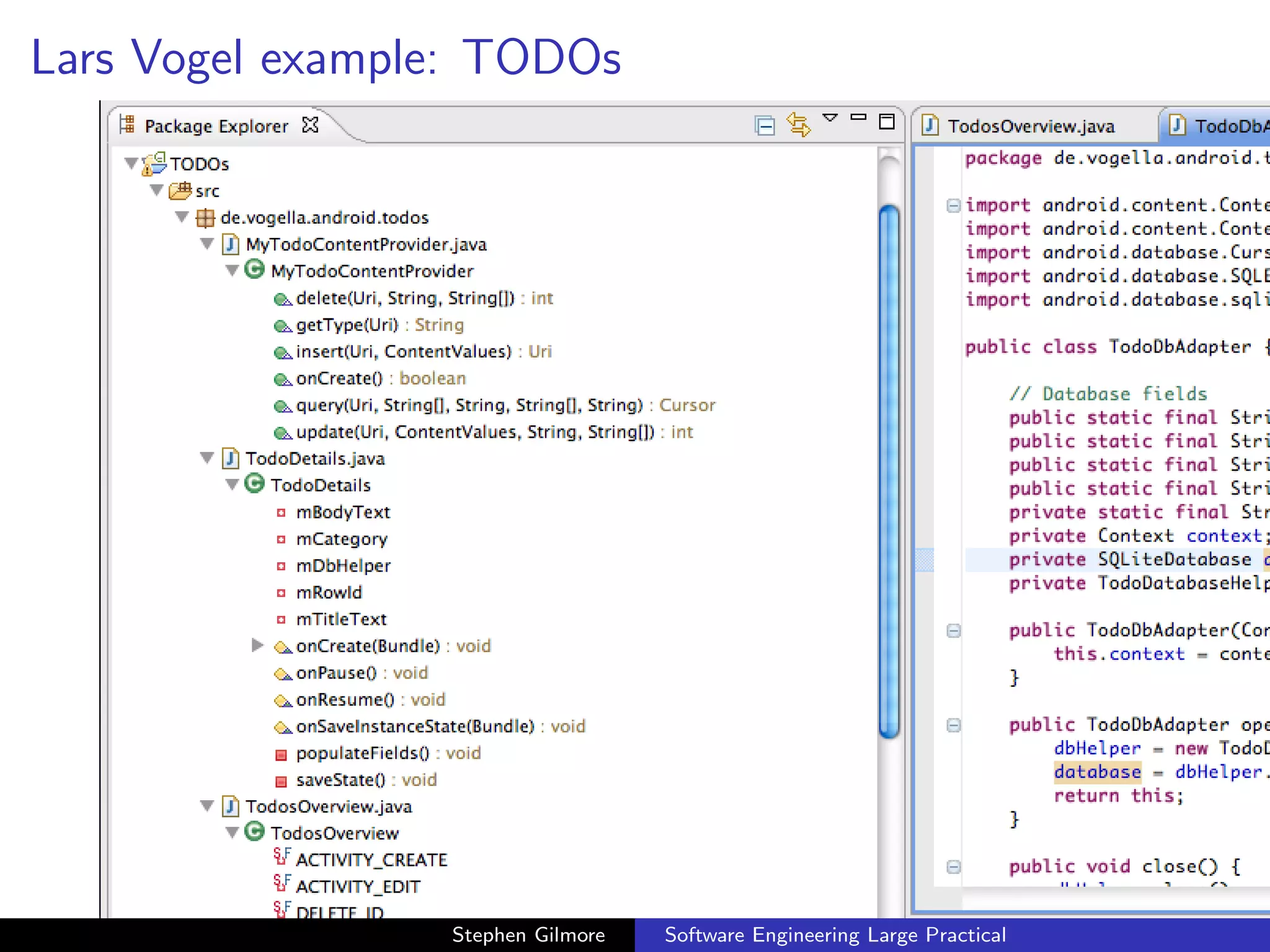
Lars Vogel example: TODOs


                 Stephen Gilmore   Software Engineering Large Practical
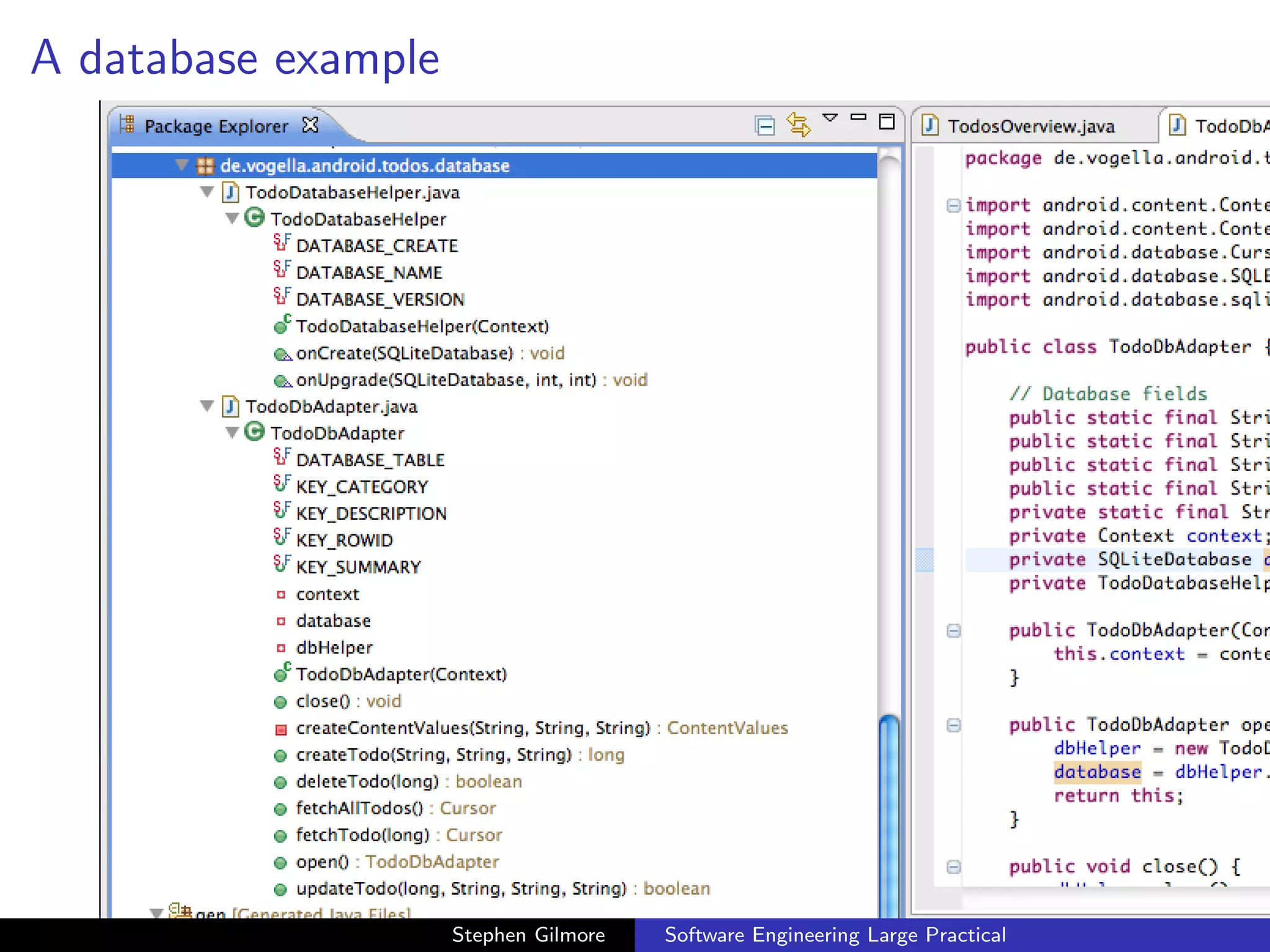
A database example


                     Stephen Gilmore   Software Engineering Large Practical
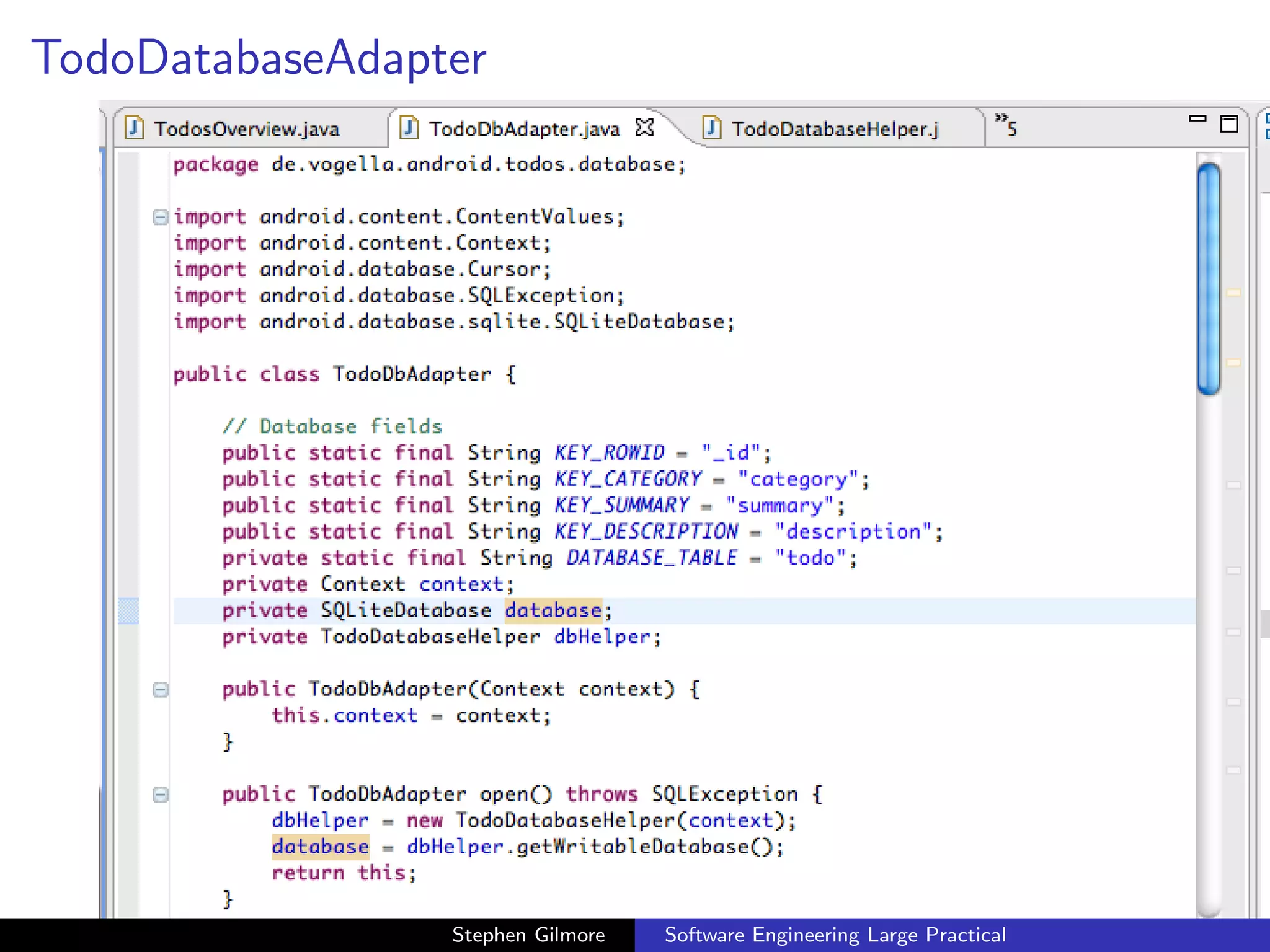
TodoDatabaseAdapter


                 Stephen Gilmore   Software Engineering Large Practical
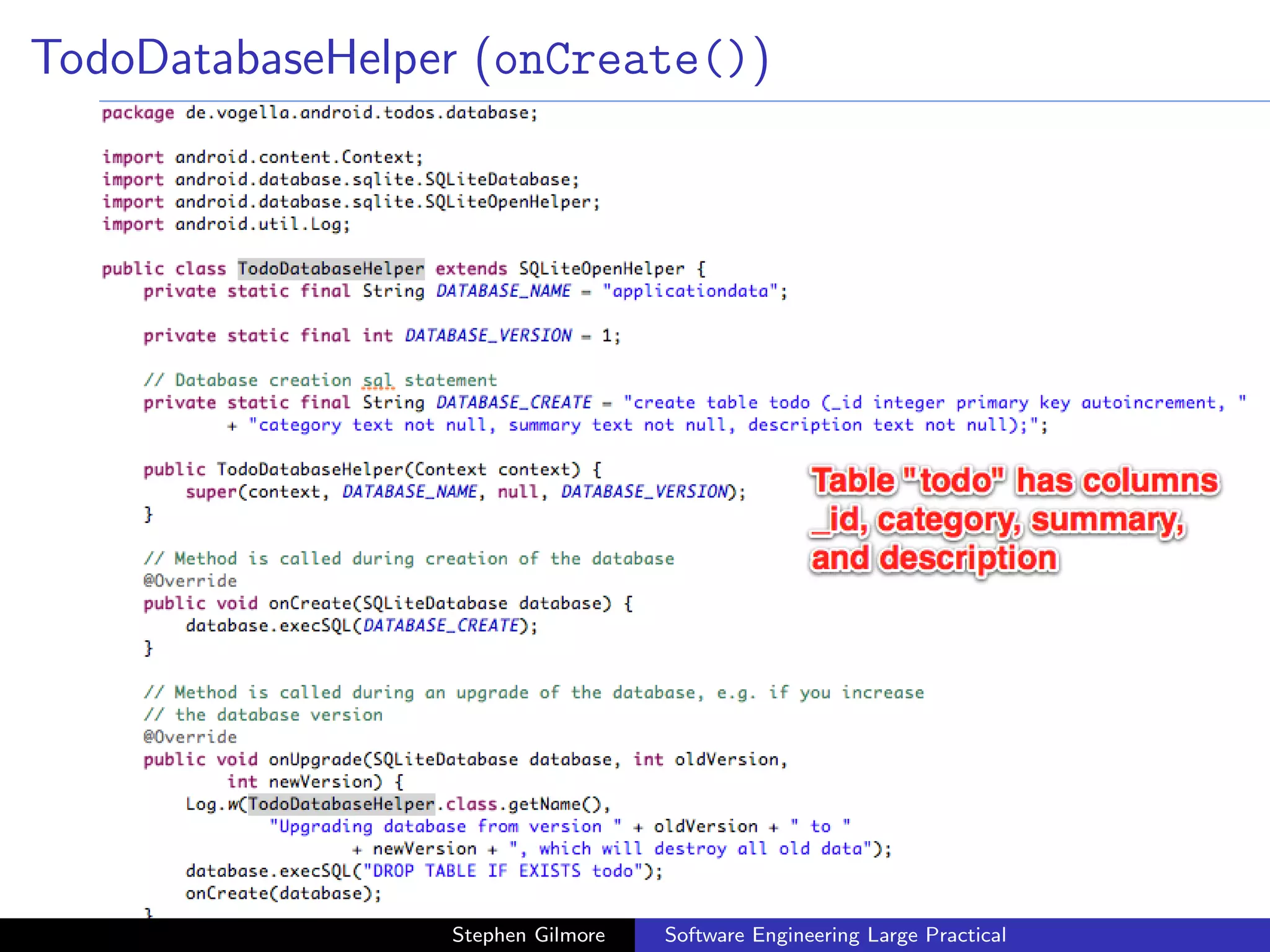
TodoDatabaseHelper (onCreate())


                 Stephen Gilmore   Software Engineering Large Practical
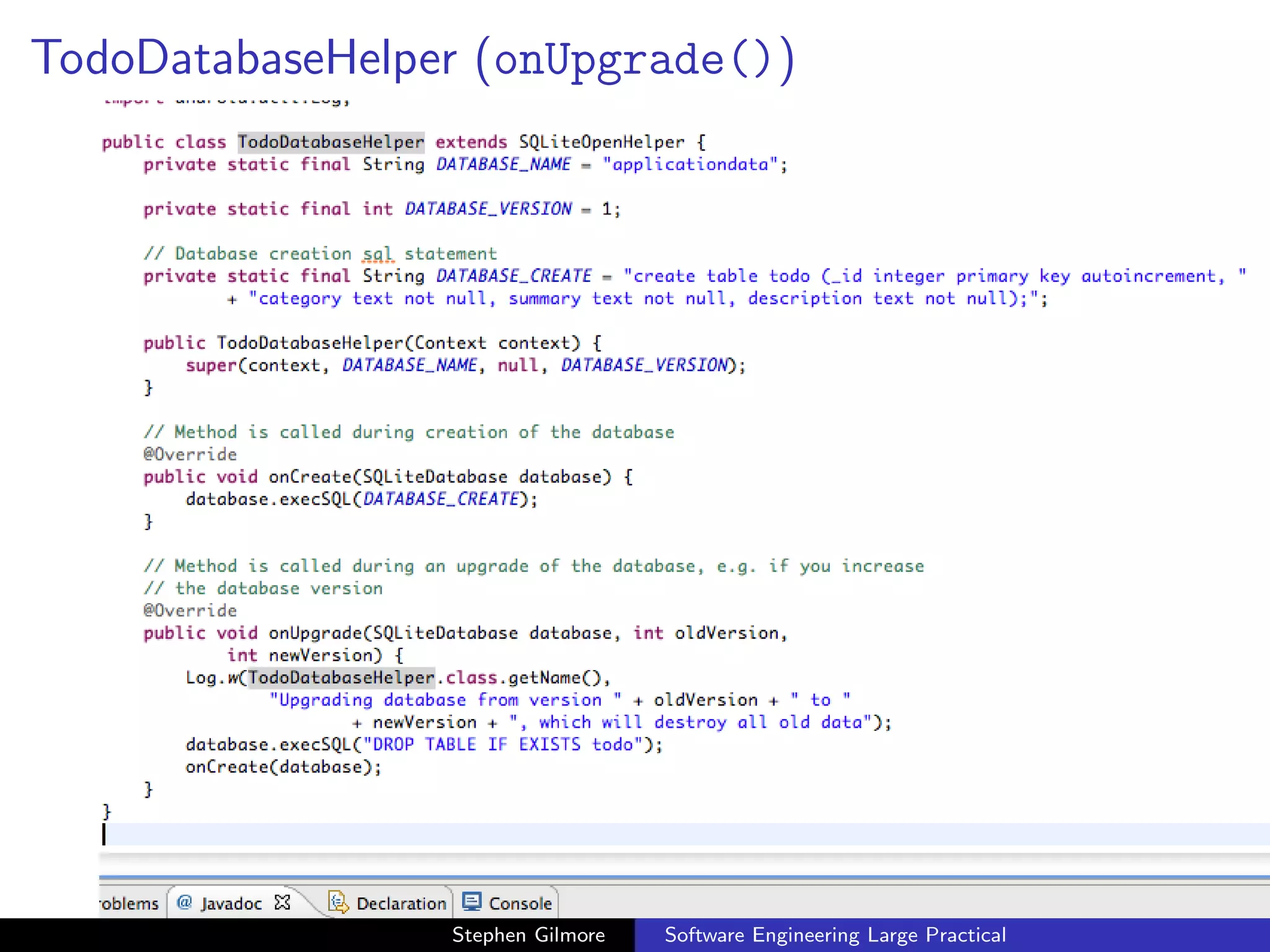
TodoDatabaseHelper (onUpgrade())


                 Stephen Gilmore   Software Engineering Large Practical
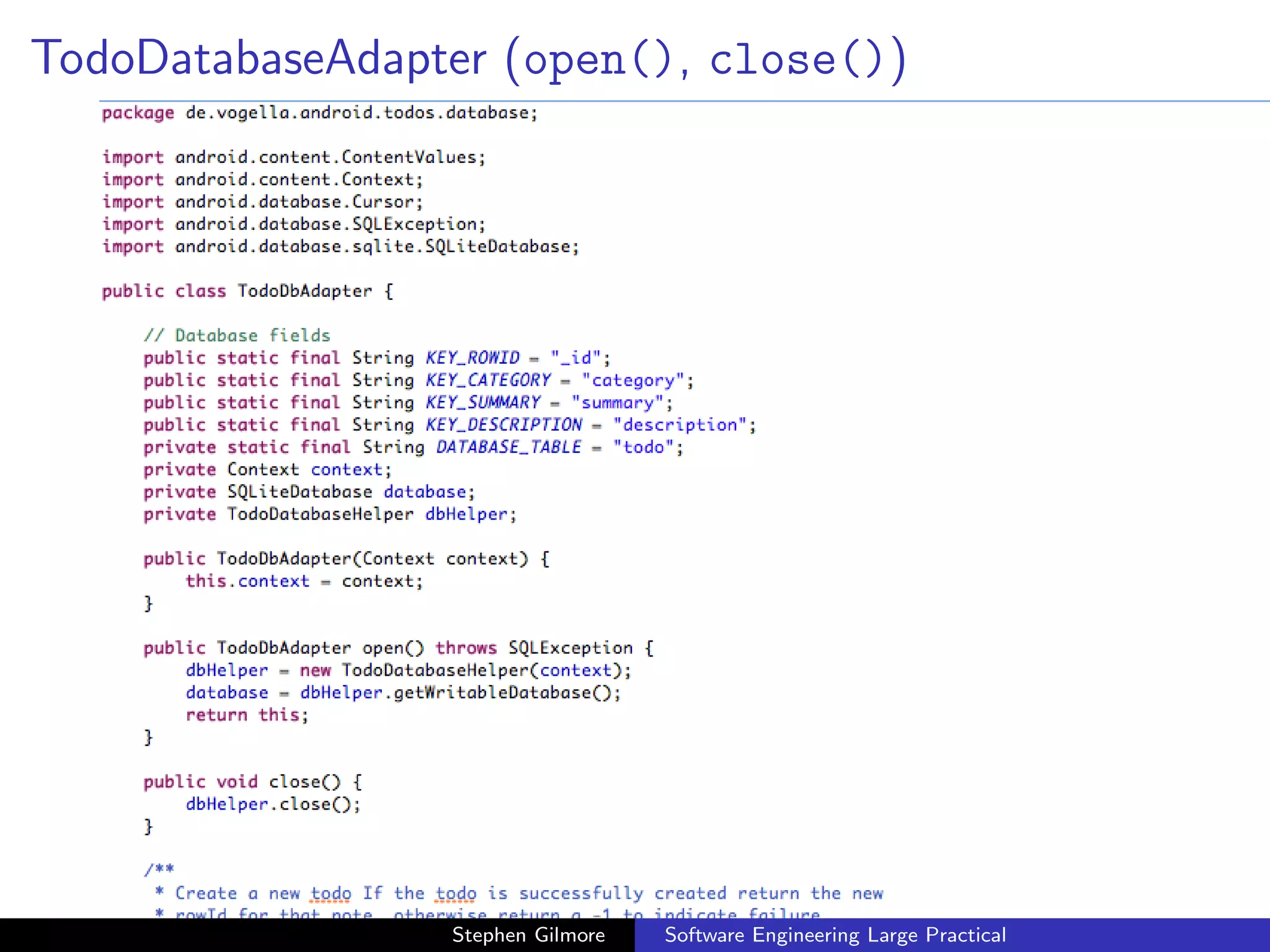
TodoDatabaseAdapter (open(), close())


                 Stephen Gilmore   Software Engineering Large Practical
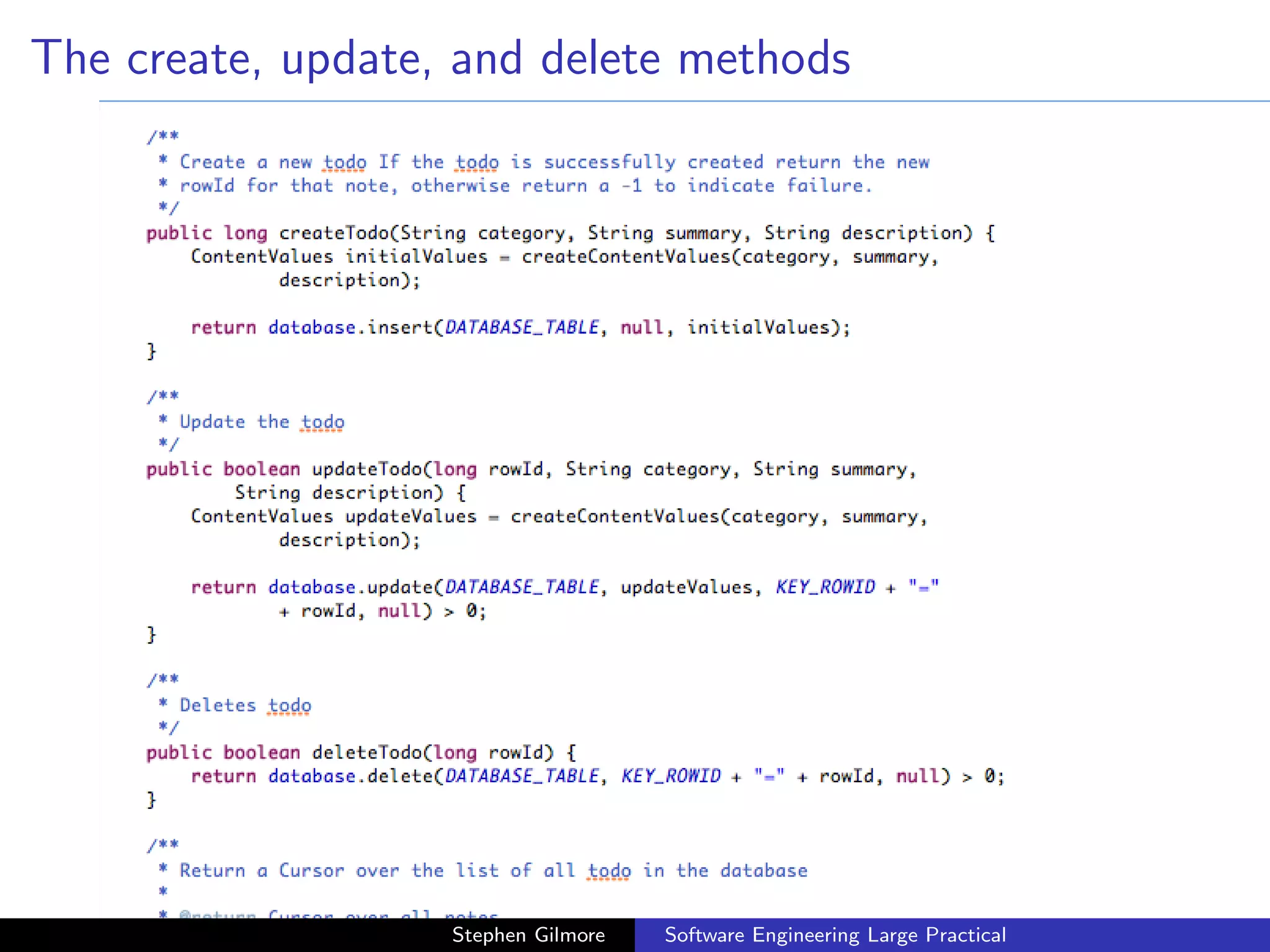
The create, update, and delete methods


                   Stephen Gilmore   Software Engineering Large Practical
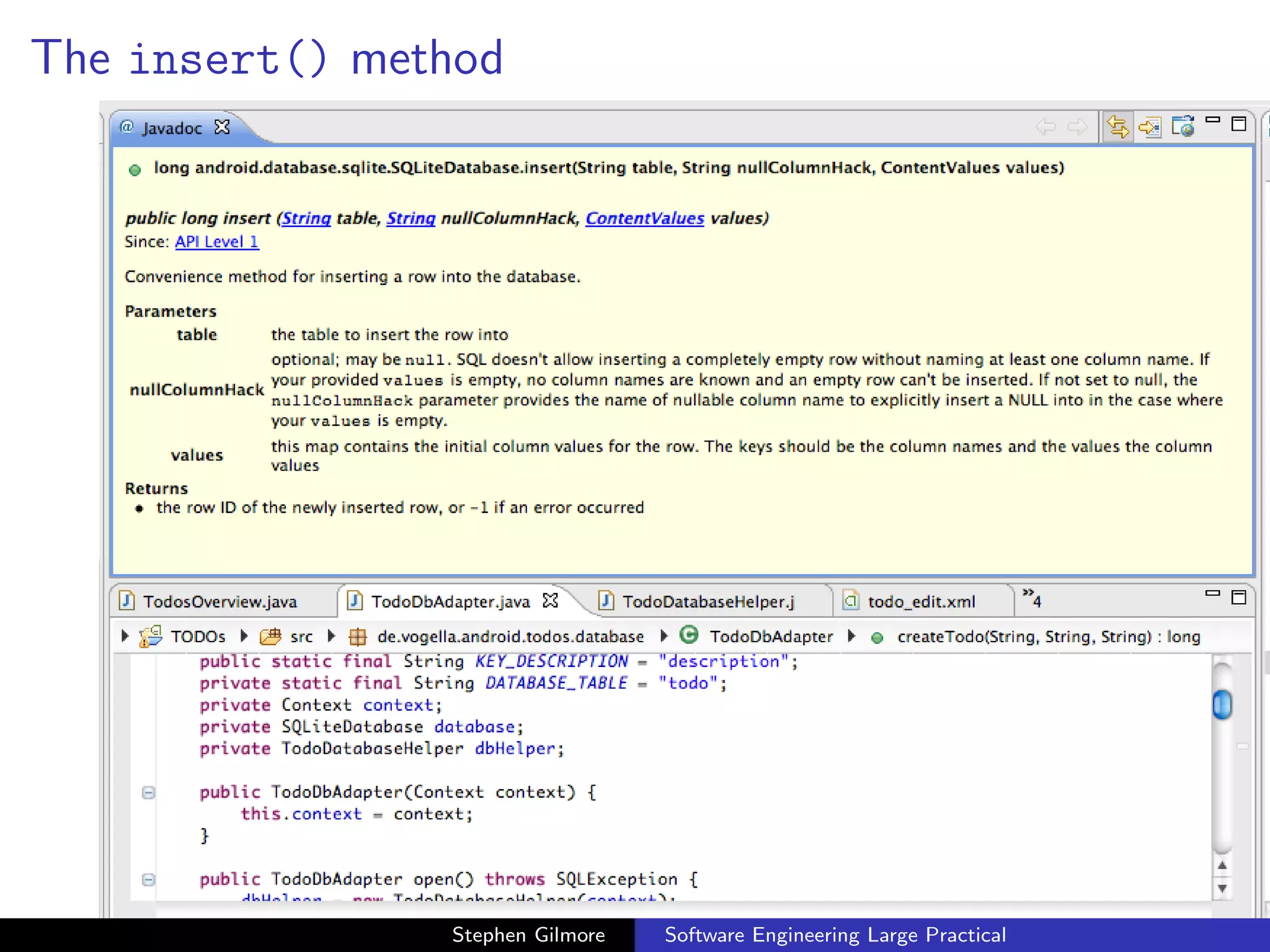
The insert() method


                Stephen Gilmore   Software Engineering Large Practical
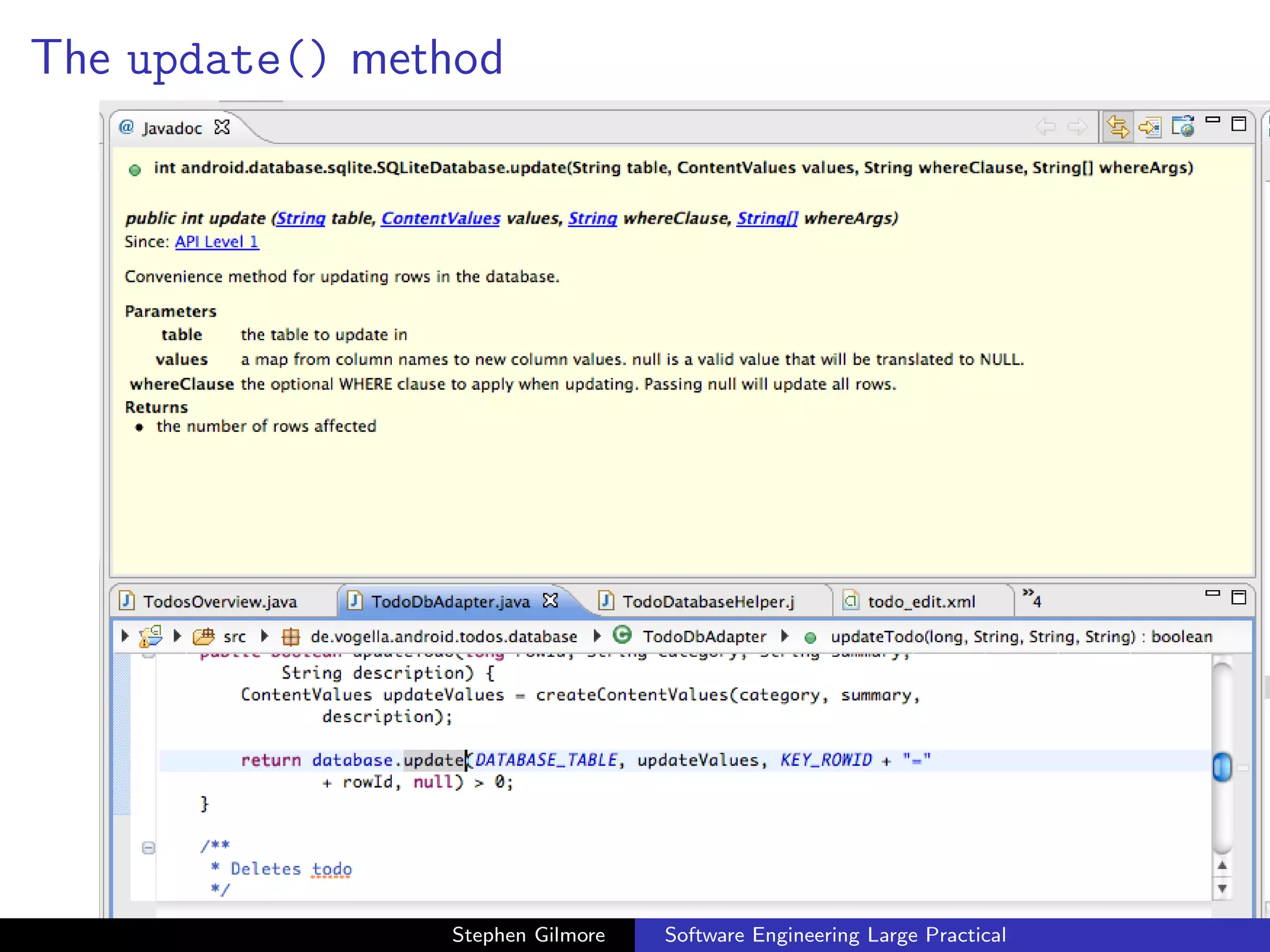
The update() method


                Stephen Gilmore   Software Engineering Large Practical
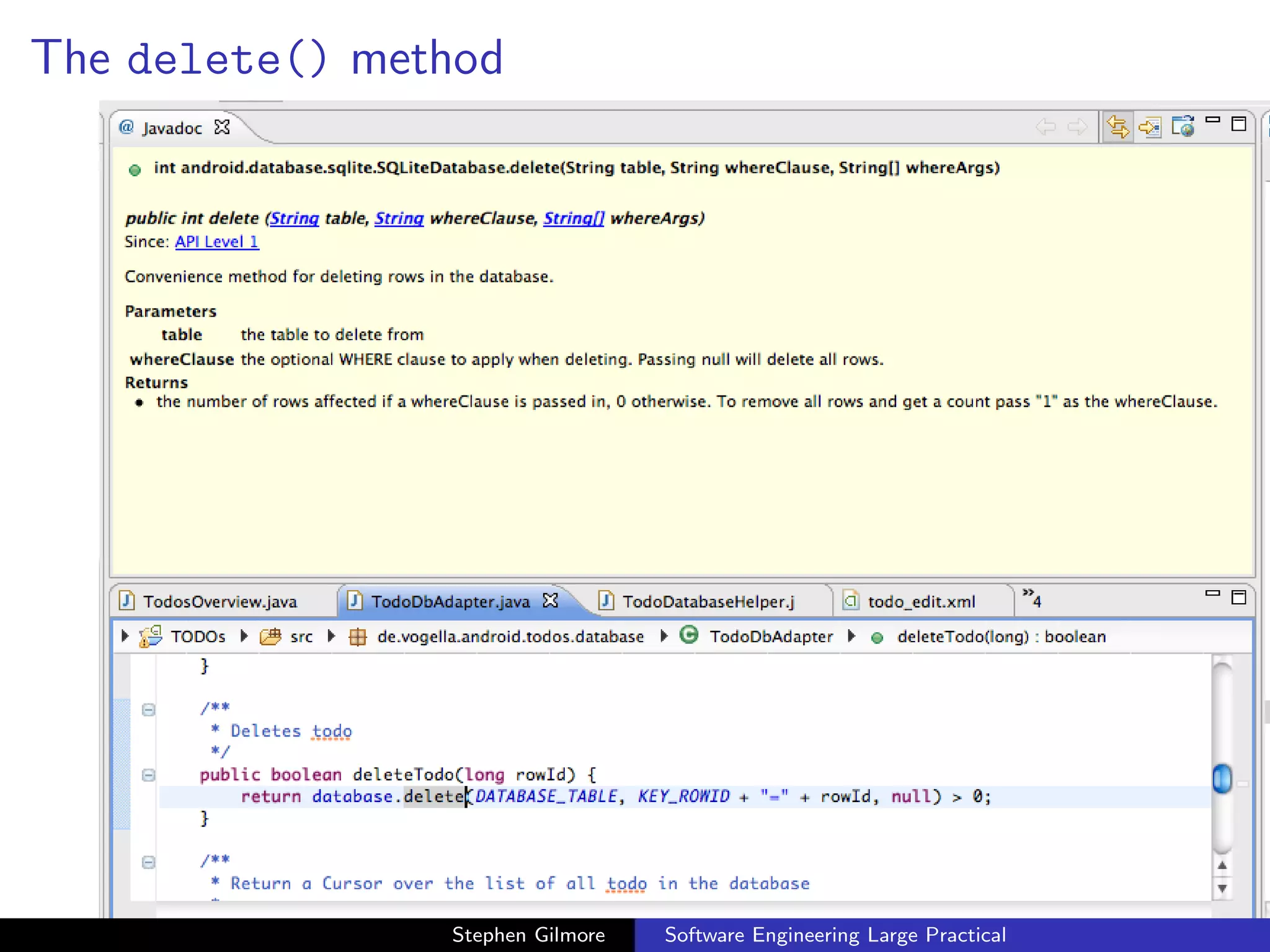
The delete() method


                Stephen Gilmore   Software Engineering Large Practical
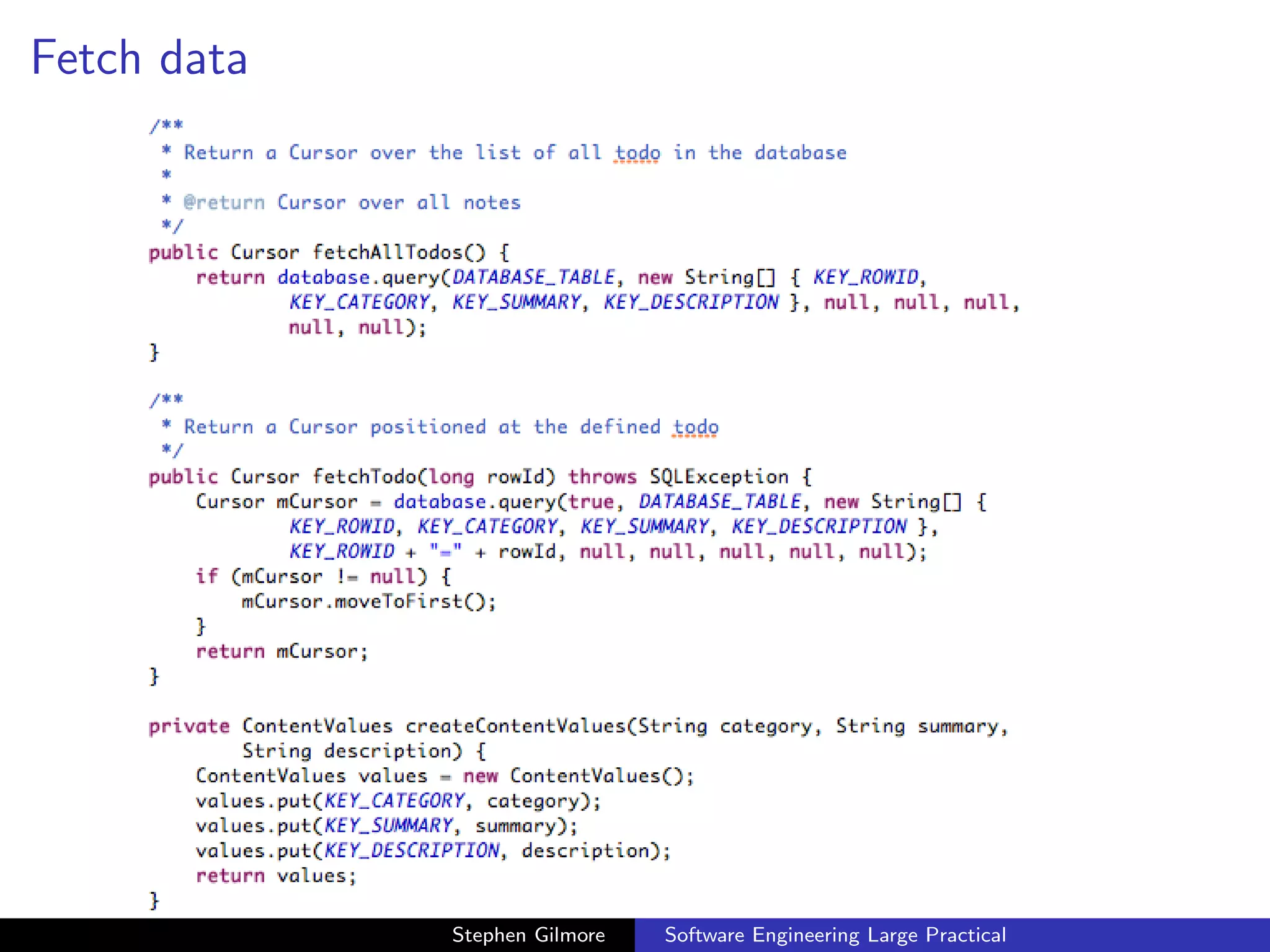
Fetch data


             Stephen Gilmore   Software Engineering Large Practical
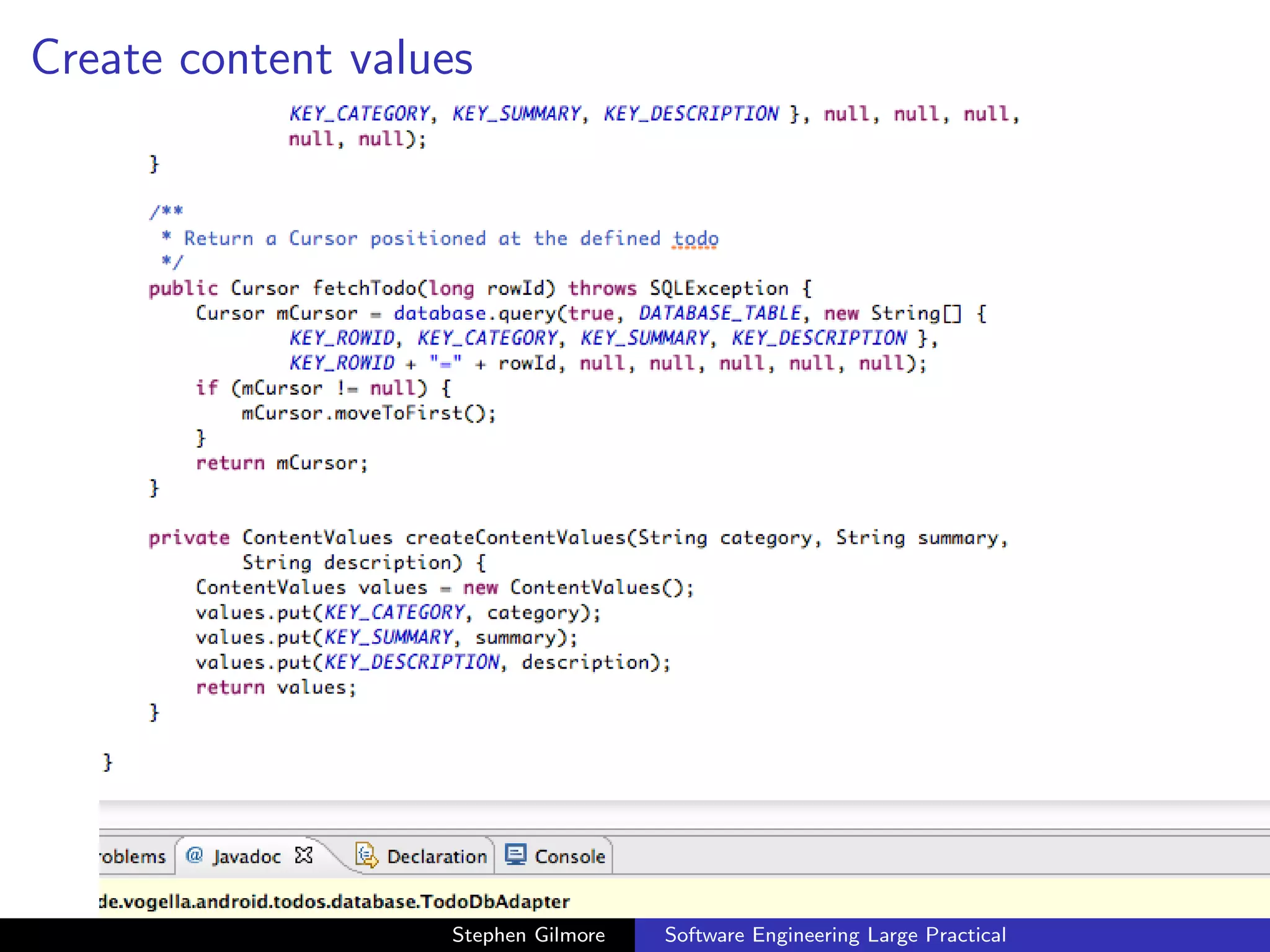
Create content values


                   Stephen Gilmore   Software Engineering Large Practical
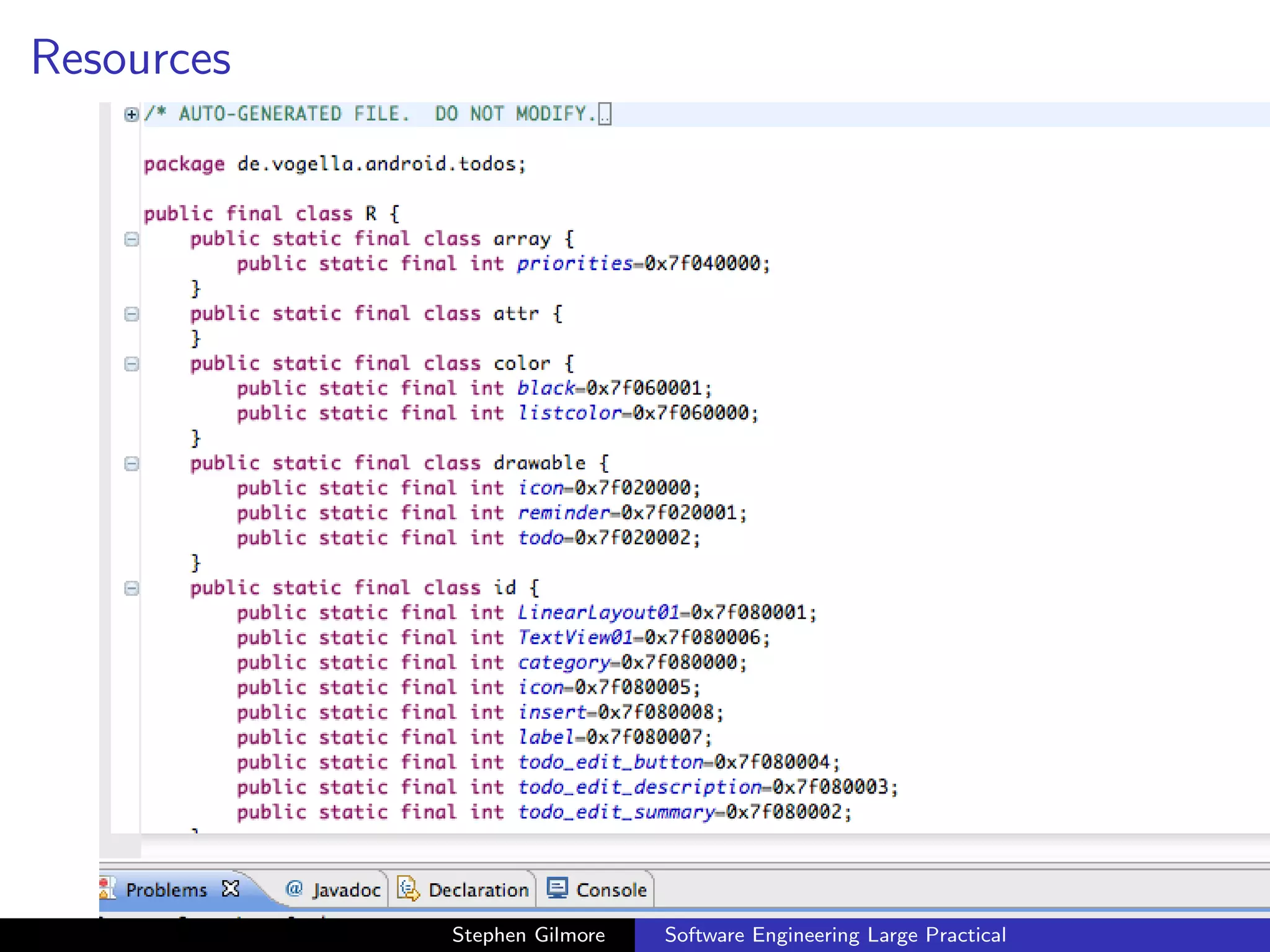
Resources


            Stephen Gilmore   Software Engineering Large Practical
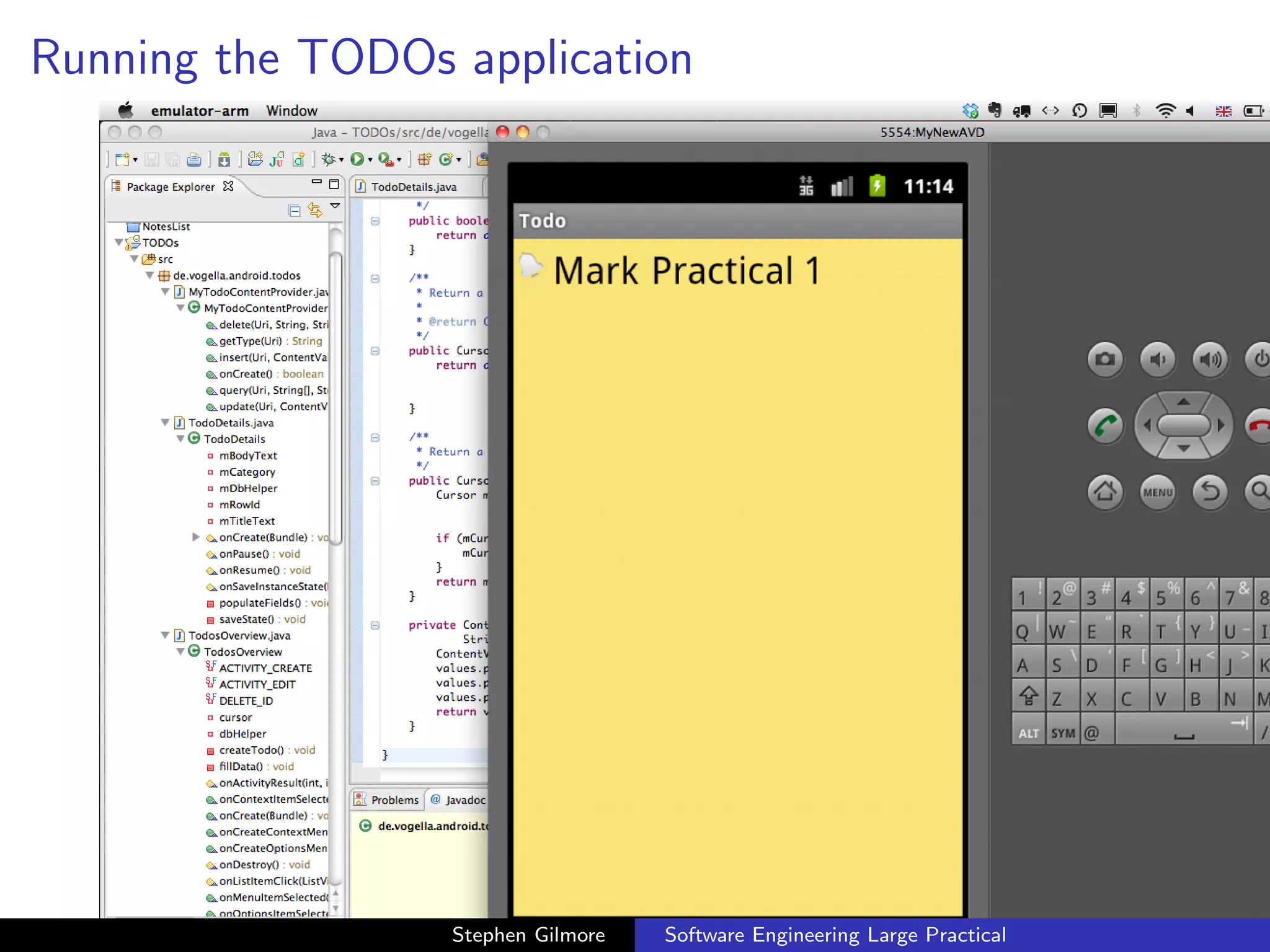
Running the application


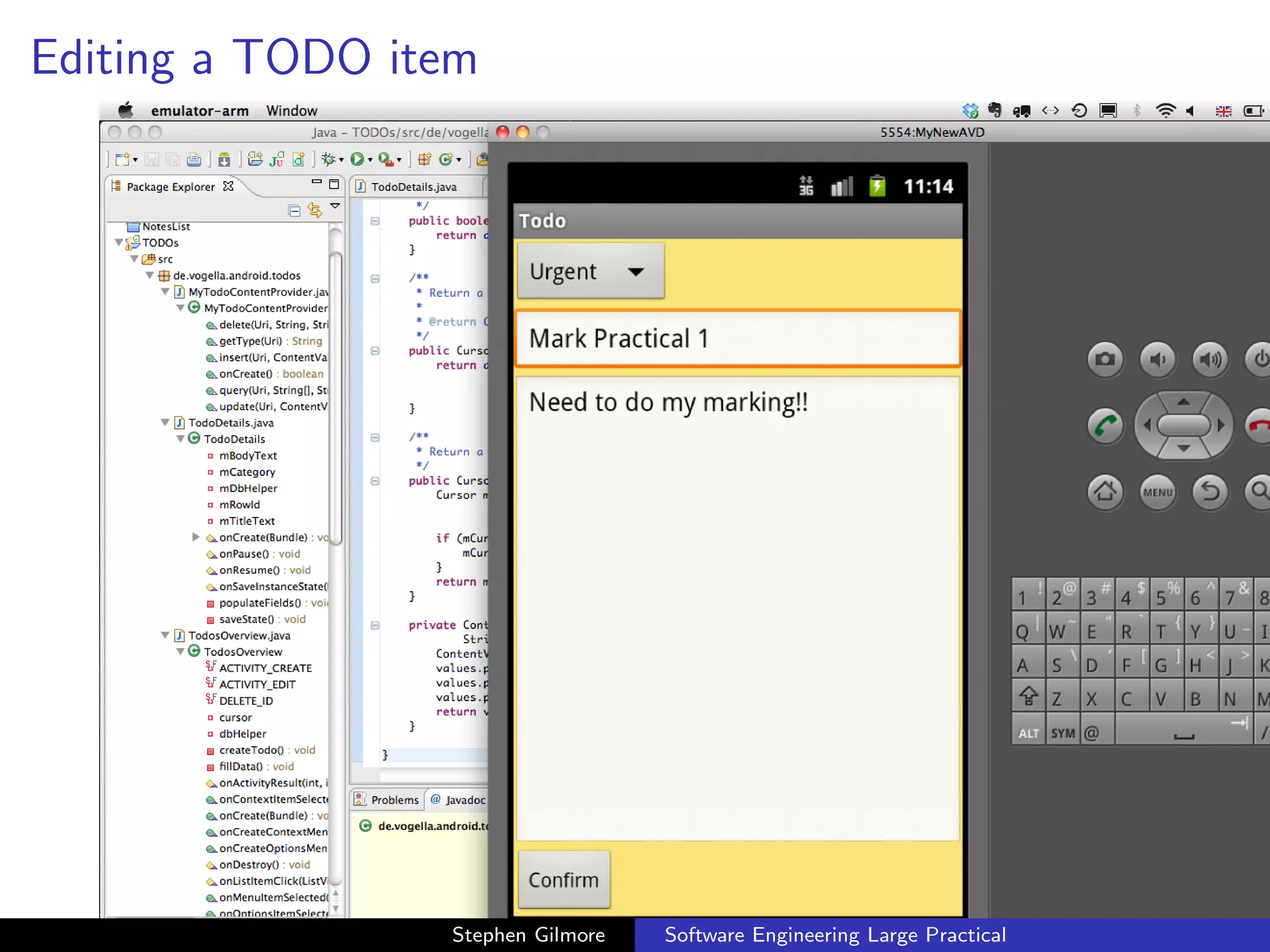
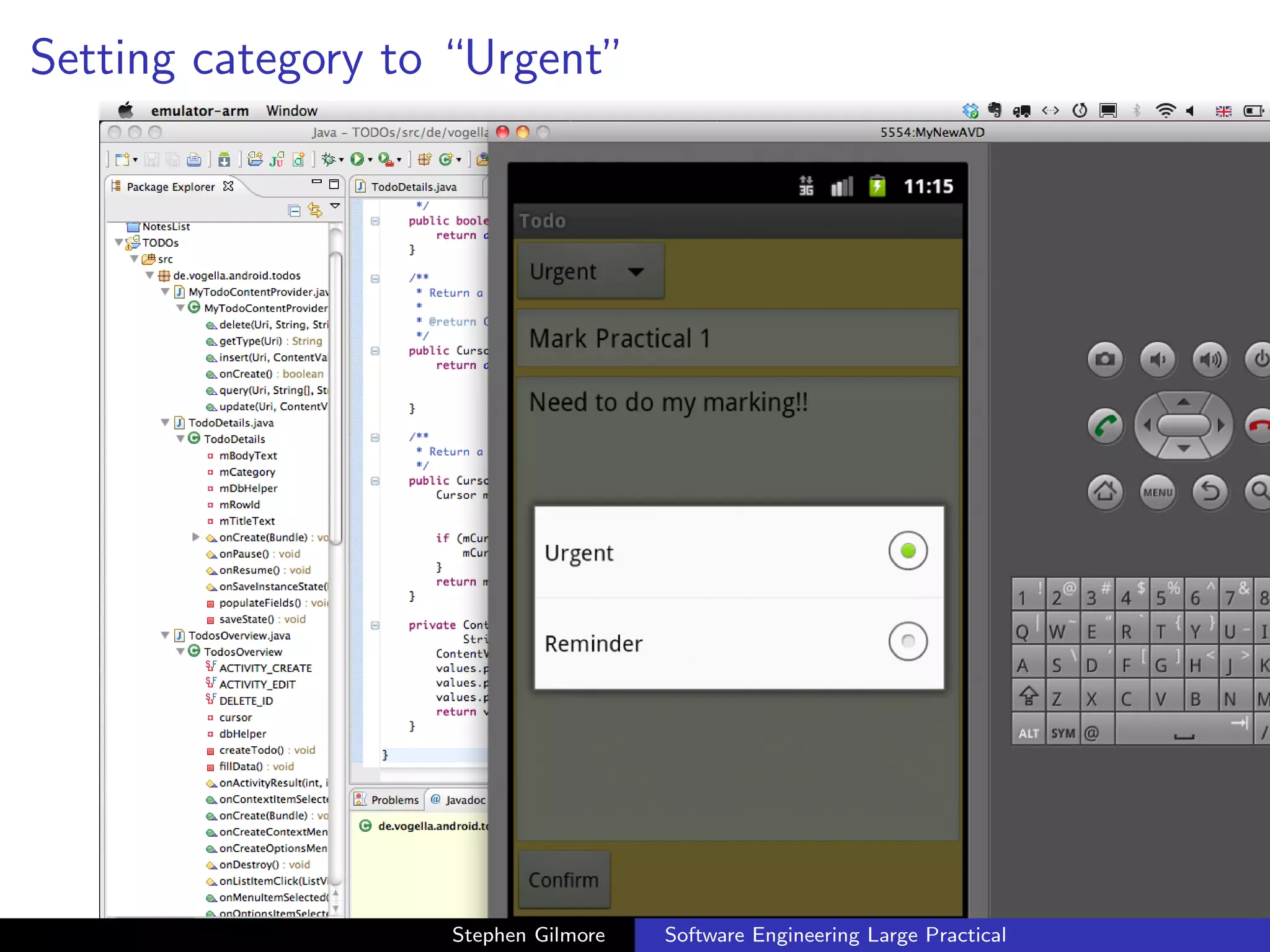
   When we run the application we are able to create a TODO note,
   and set its category to Urgent or Reminder.


                       Stephen Gilmore   Software Engineering Large Practical
Running the TODOs application


                  Stephen Gilmore   Software Engineering Large Practical
Editing a TODO item


                 Stephen Gilmore   Software Engineering Large Practical
Setting category to “Urgent”


                   Stephen Gilmore   Software Engineering Large Practical
TODOs application code


  We look at the application code to see how the Java code interacts
  with the XML layout and see how the database state is managed.


                       Stephen Gilmore   Software Engineering Large Practical
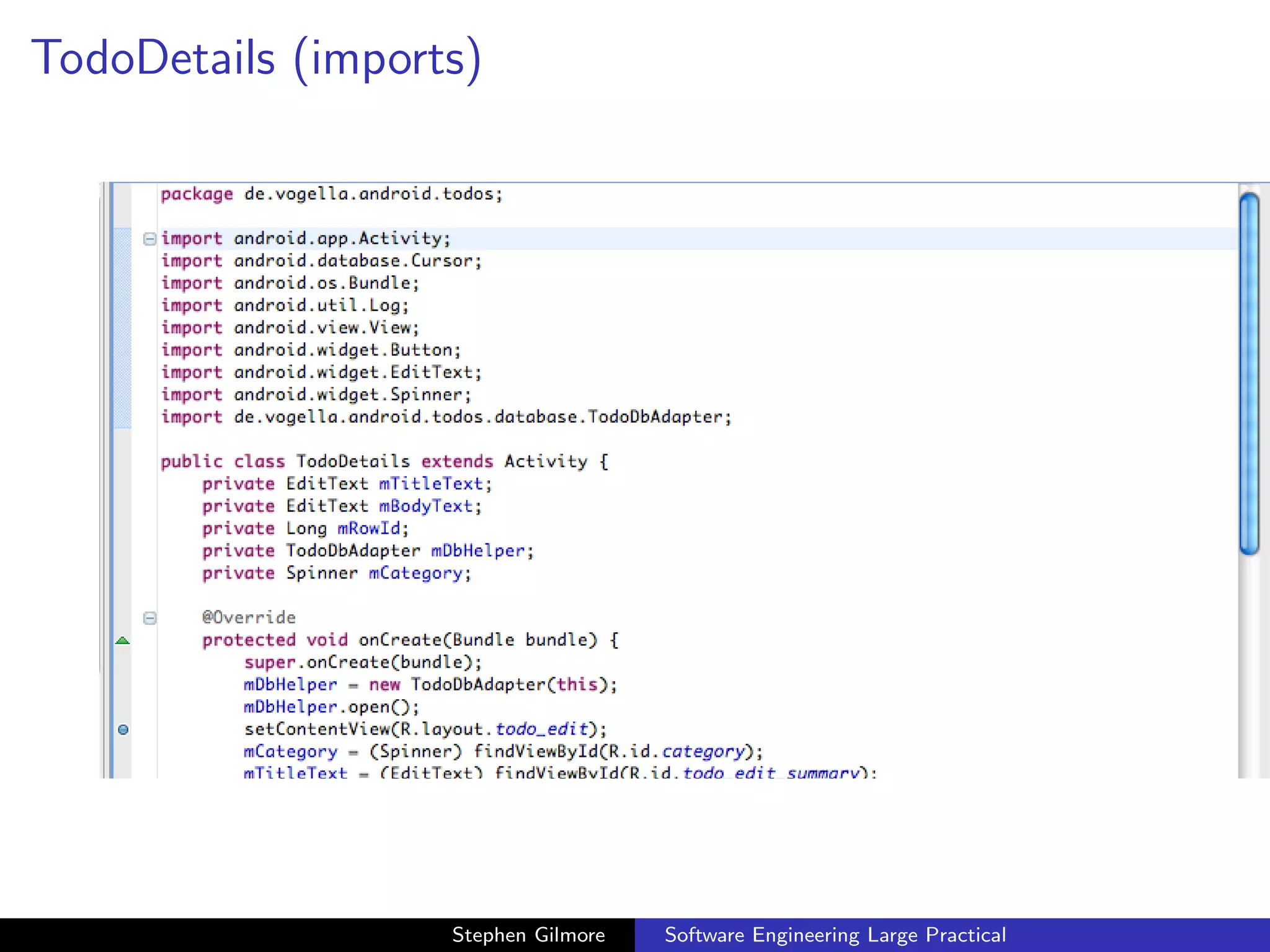
TodoDetails (imports)


.14.20.png


                      Stephen Gilmore   Software Engineering Large Practical
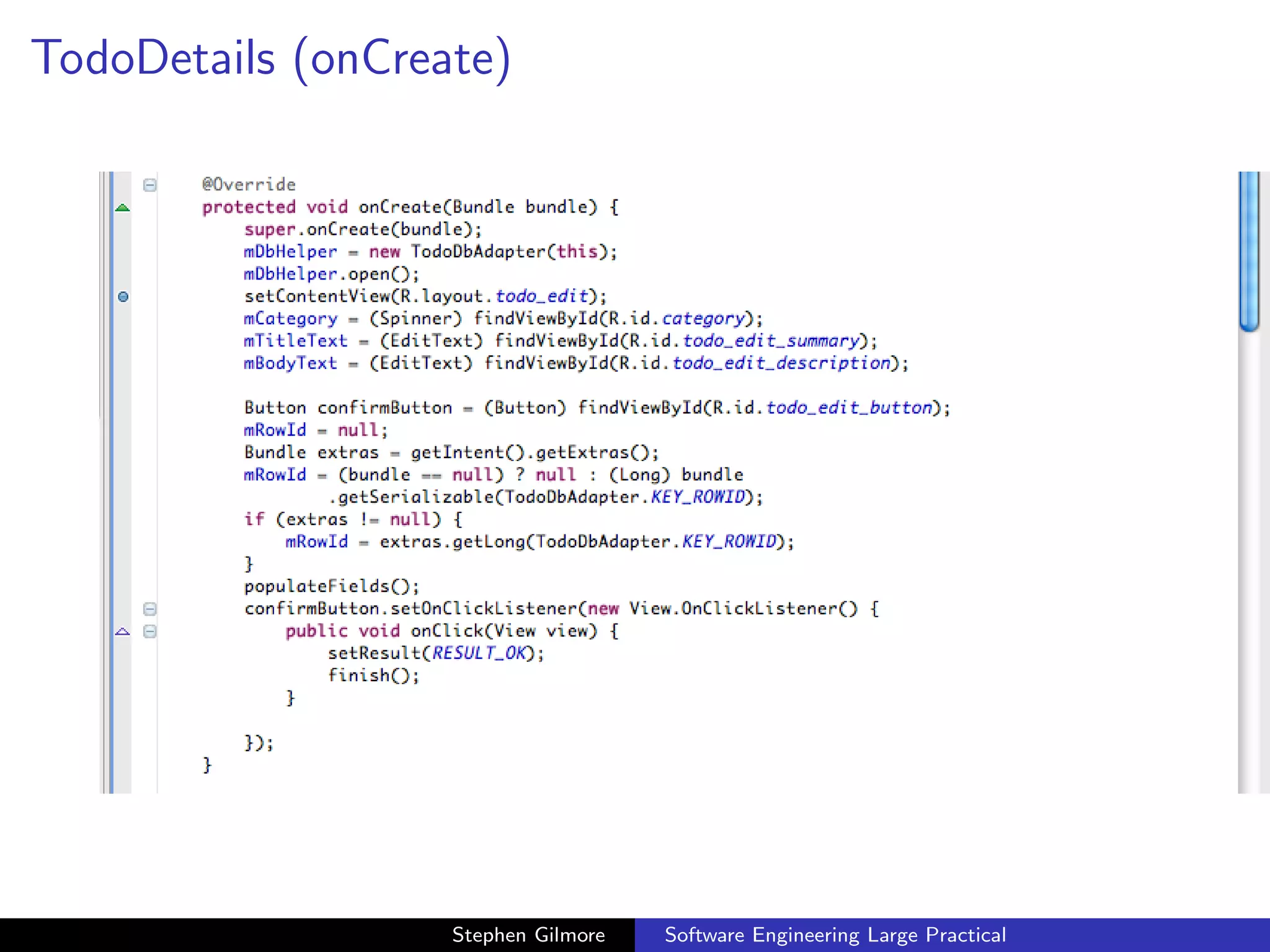
TodoDetails (onCreate)


.14.31.png


                      Stephen Gilmore   Software Engineering Large Practical
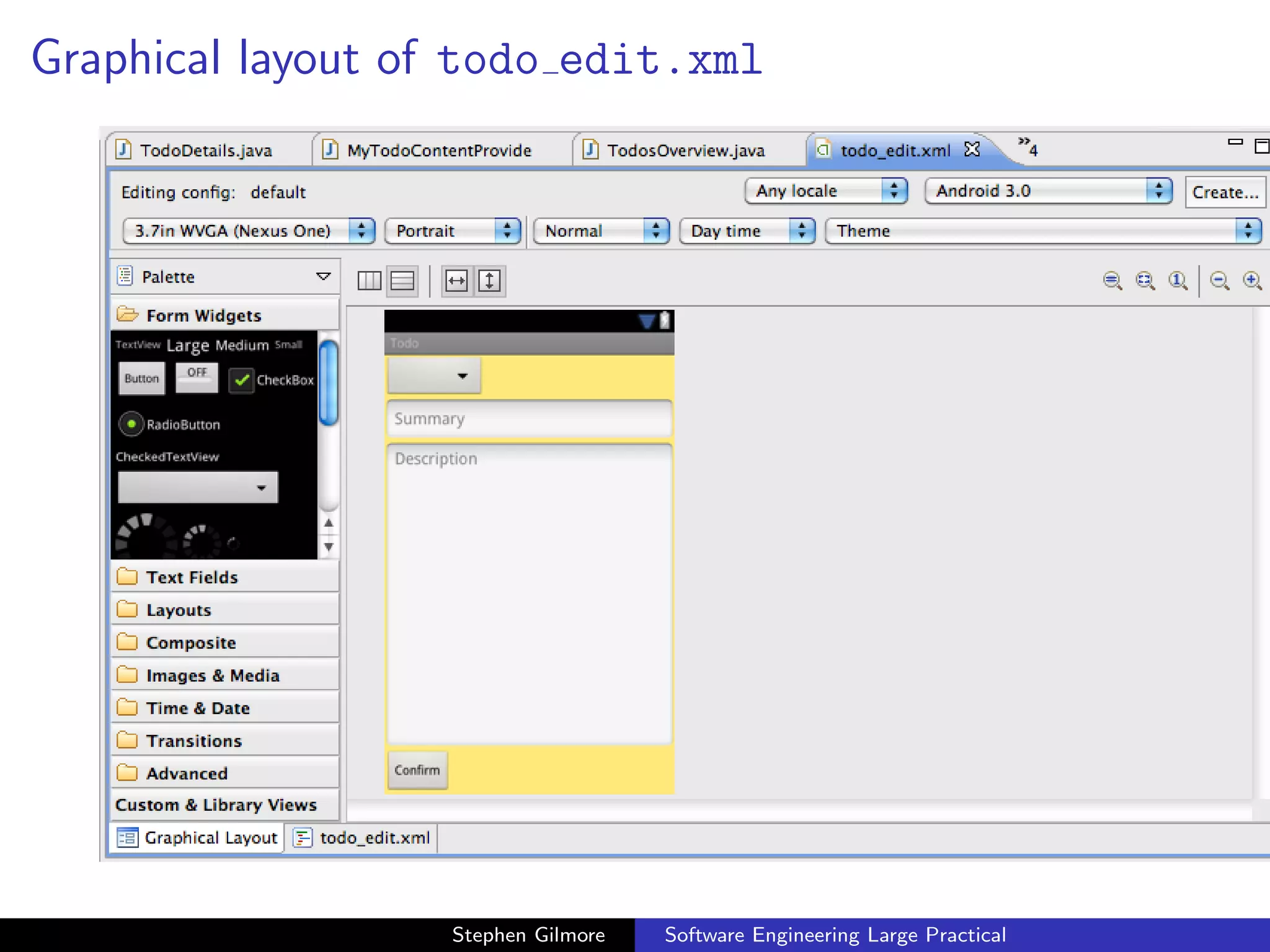
Graphical layout of todo edit.xml


.32.52.png


                     Stephen Gilmore   Software Engineering Large Practical
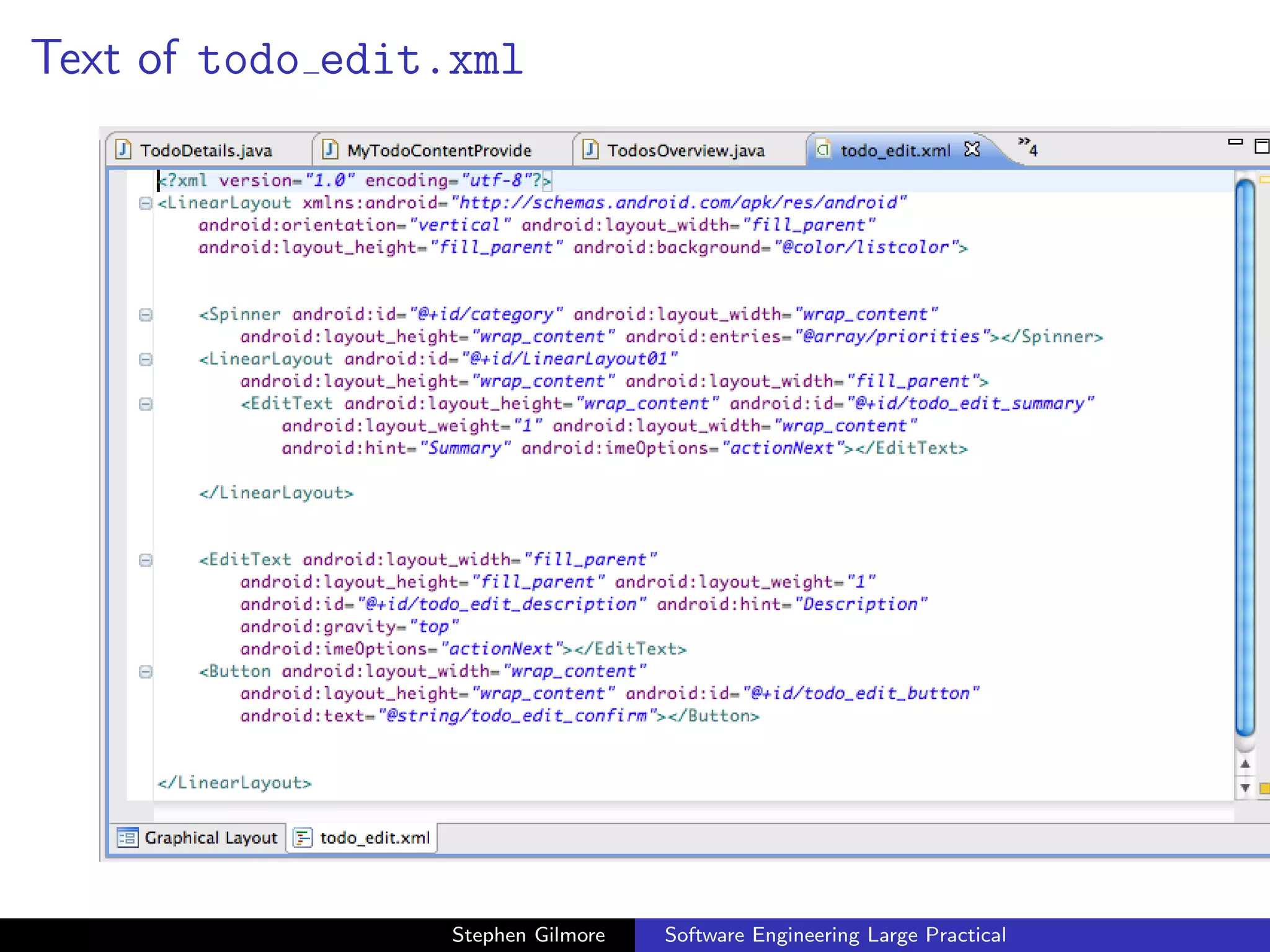
Text of todo edit.xml


.32.48.png


                    Stephen Gilmore   Software Engineering Large Practical
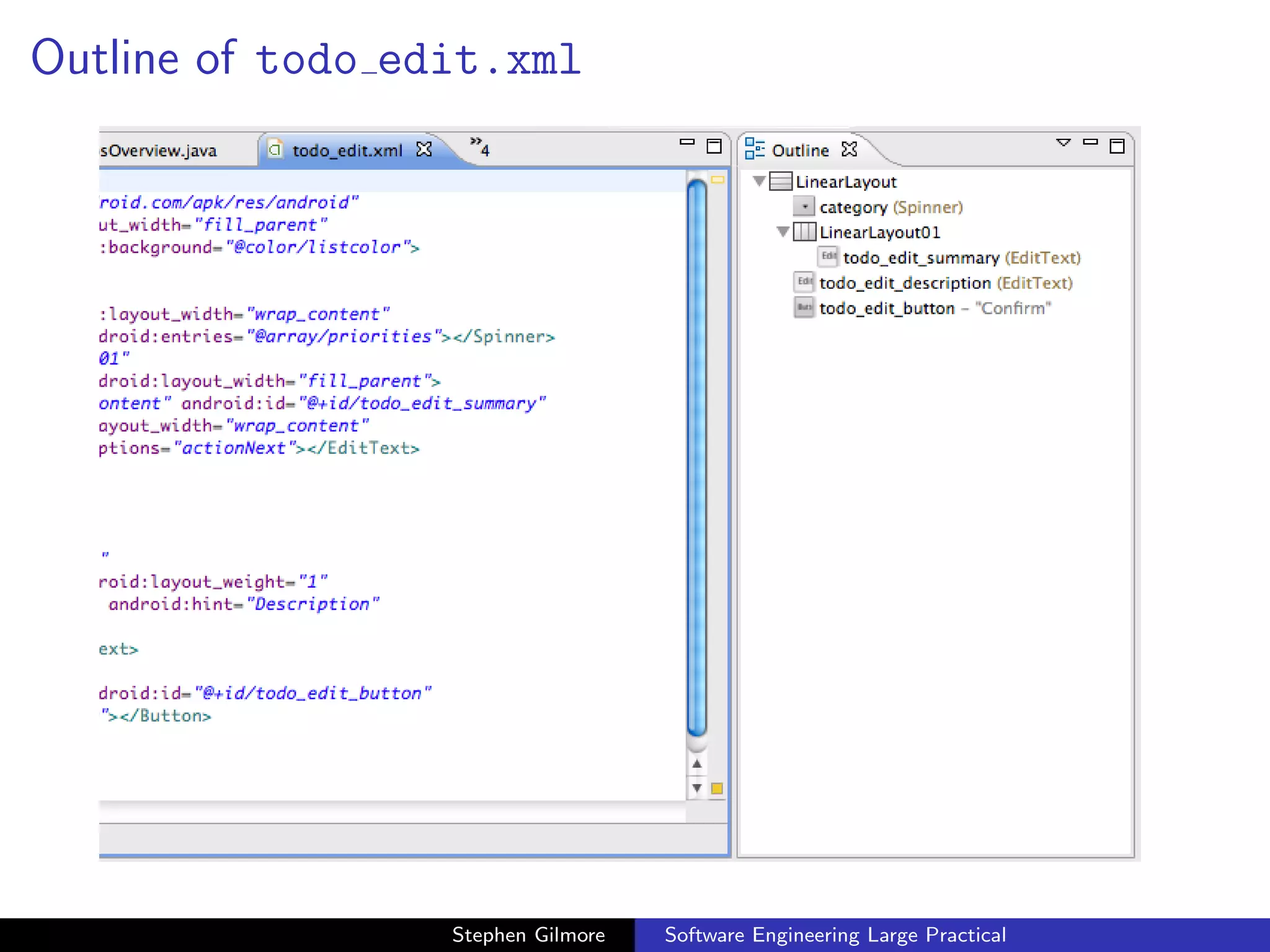
Outline of todo edit.xml


.32.48.png


                     Stephen Gilmore   Software Engineering Large Practical
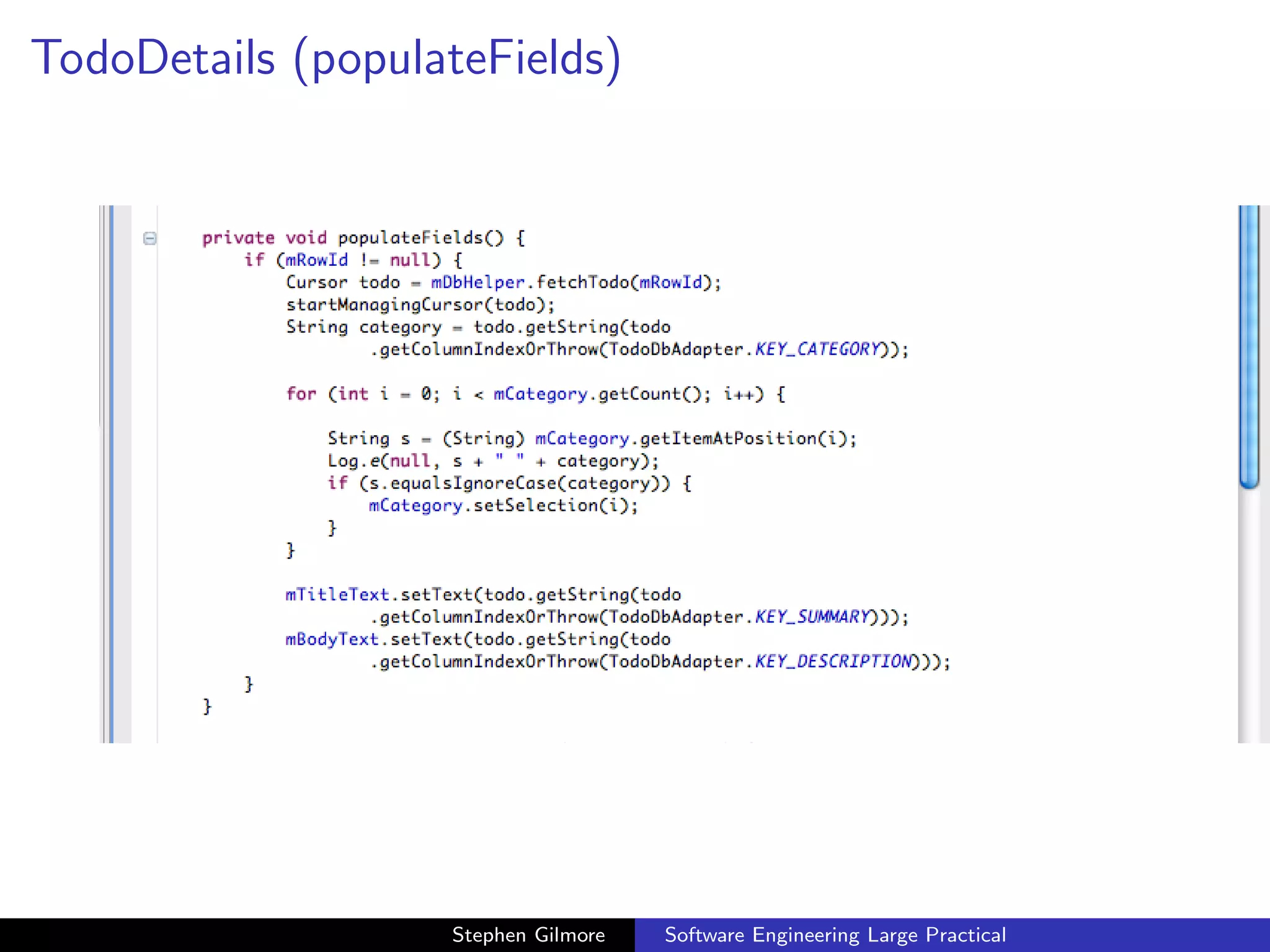
TodoDetails (populateFields)


.14.38.png


                      Stephen Gilmore   Software Engineering Large Practical
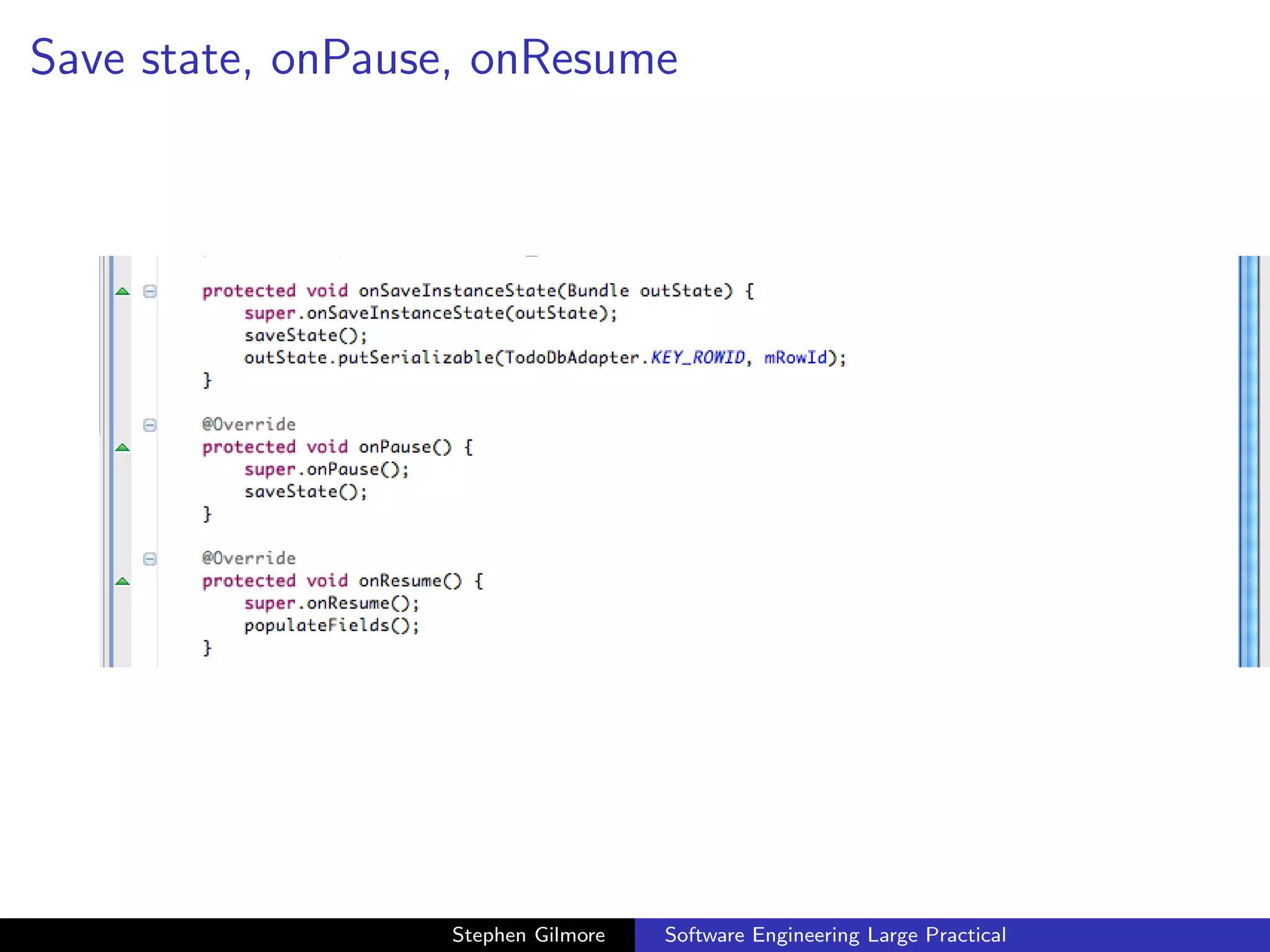
Save state, onPause, onResume


.14.48.png


                     Stephen Gilmore   Software Engineering Large Practical
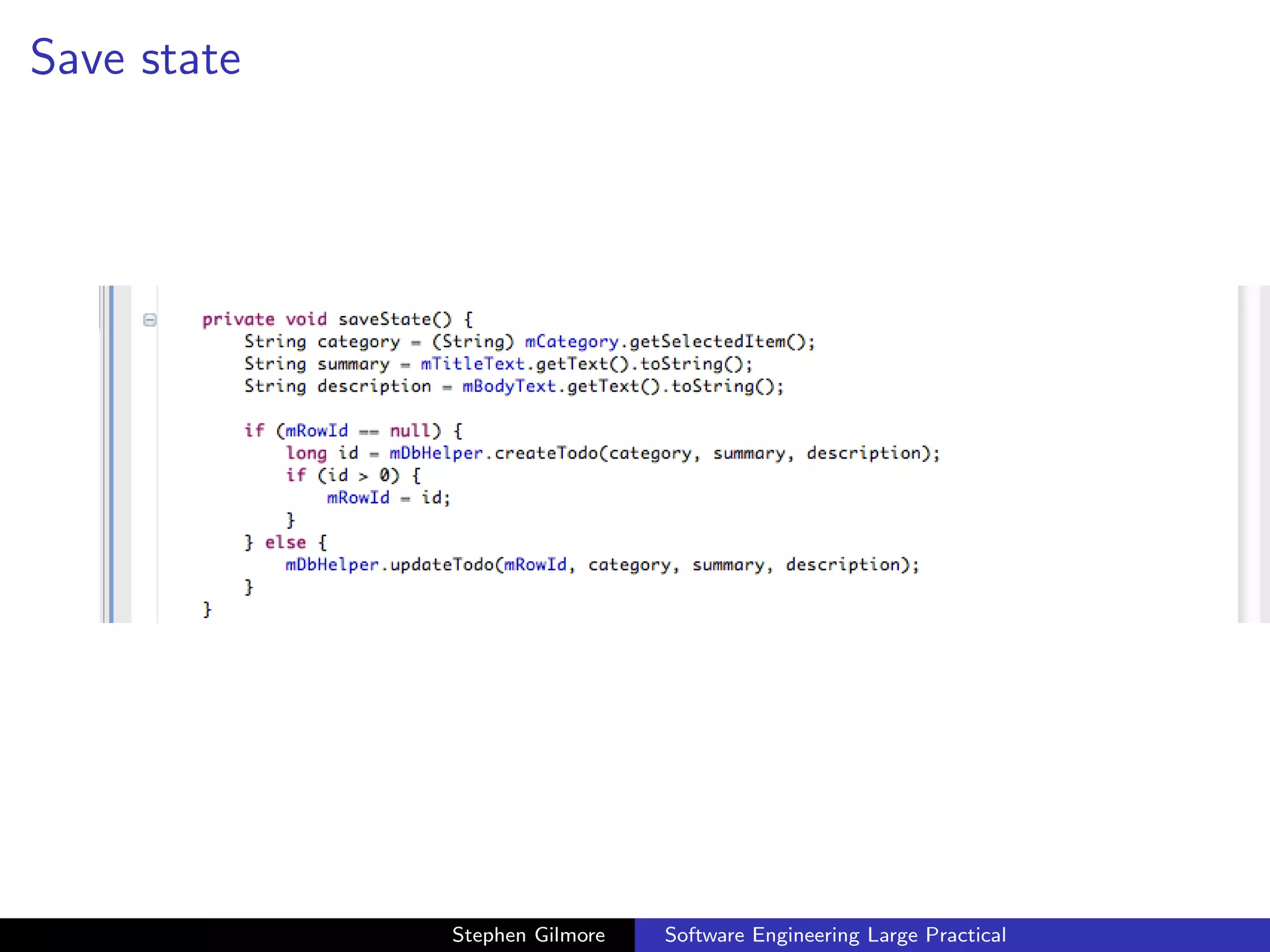
Save state


.14.56.png


                Stephen Gilmore   Software Engineering Large Practical
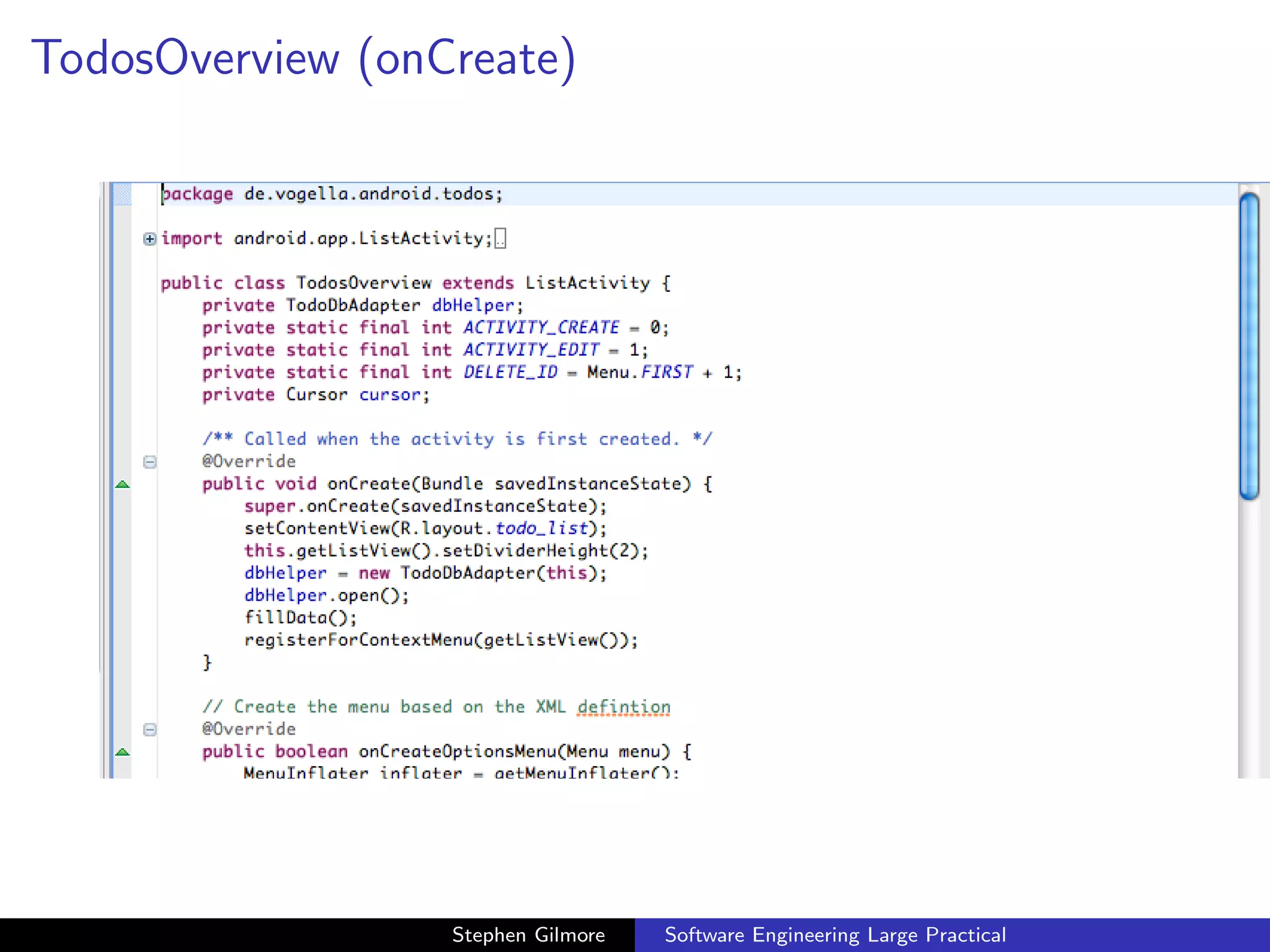
TodosOverview (onCreate)


.15.04.png


                     Stephen Gilmore   Software Engineering Large Practical
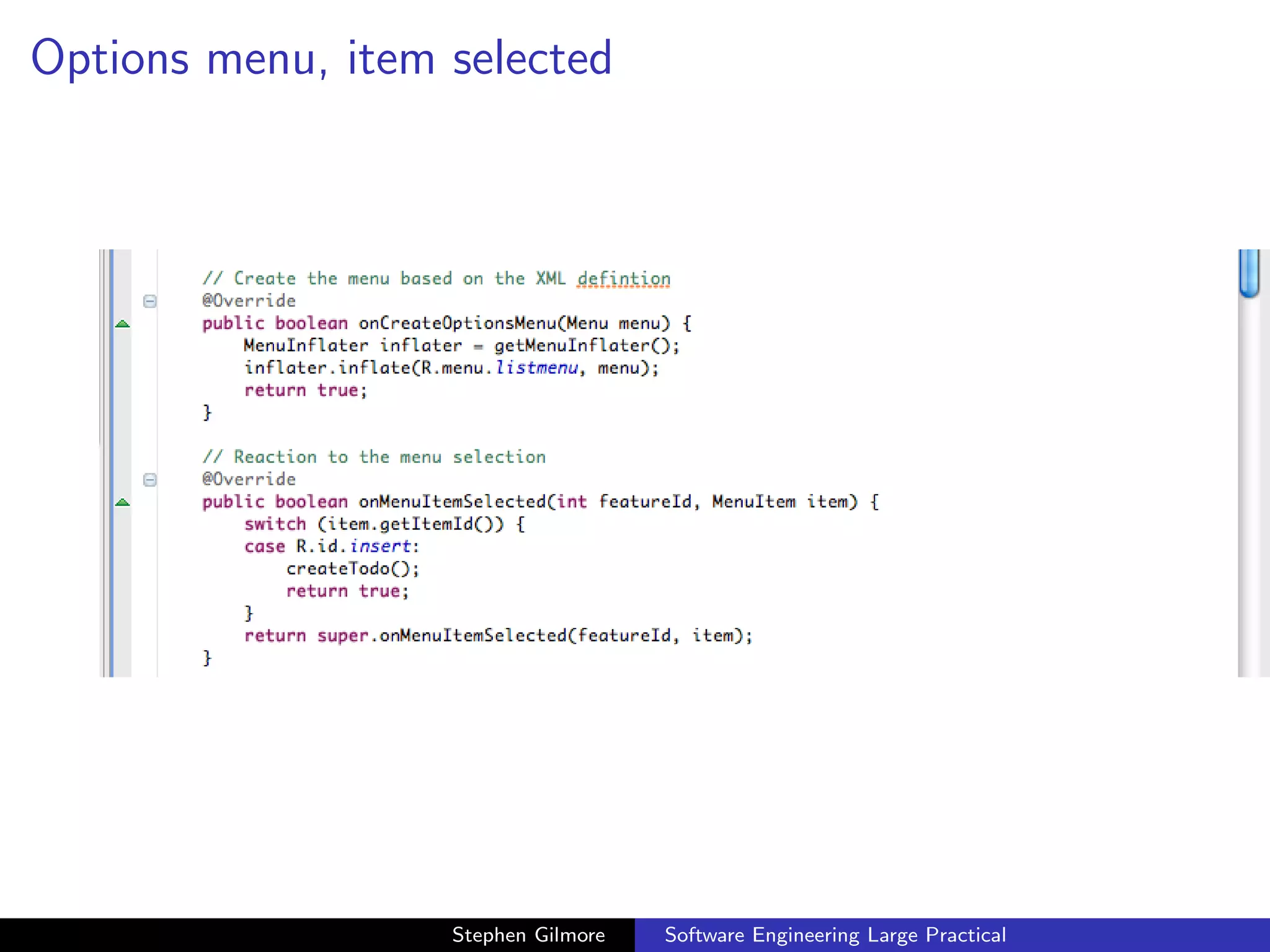
Options menu, item selected


.15.10.png


                      Stephen Gilmore   Software Engineering Large Practical
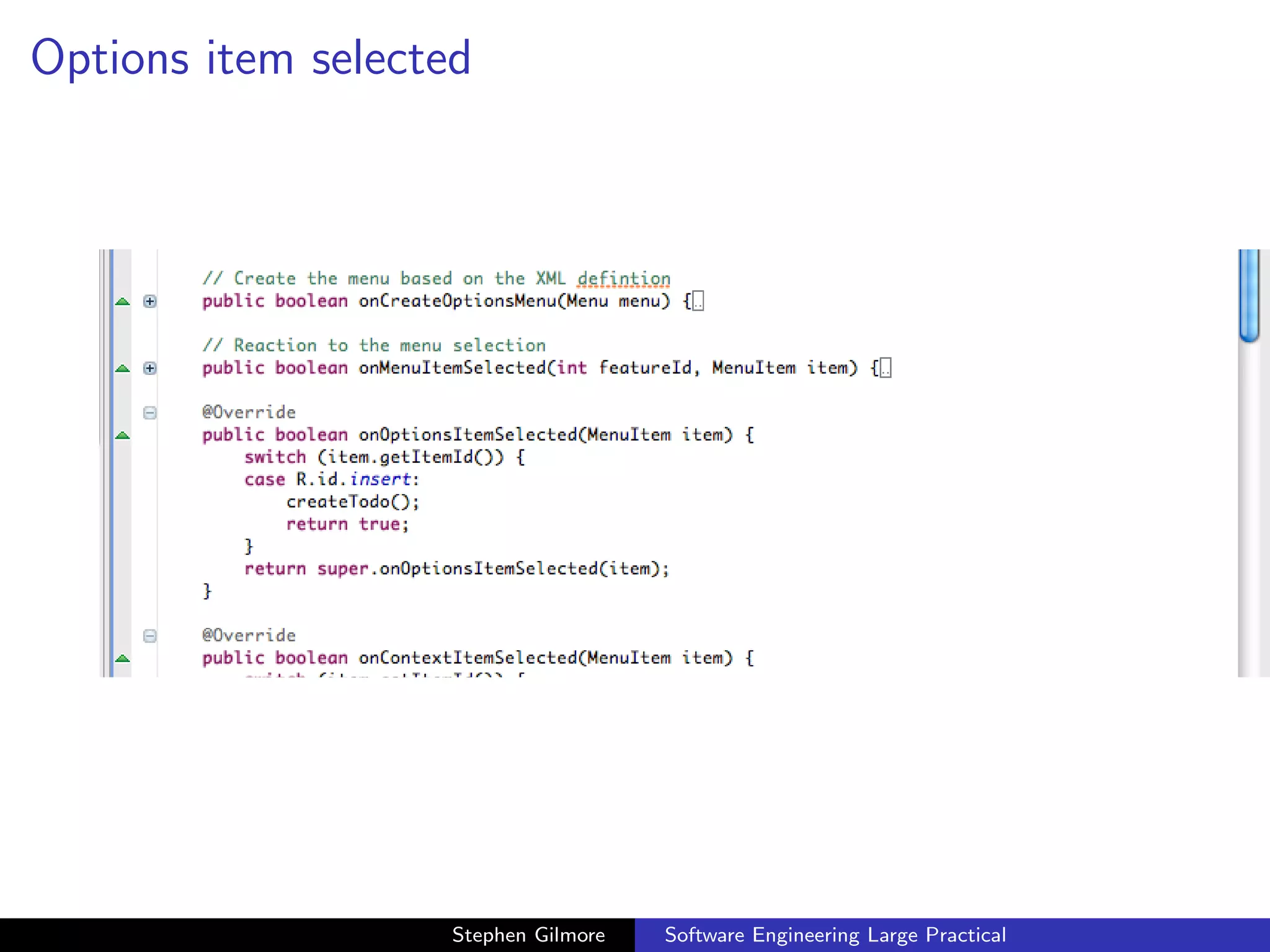
Options item selected


.15.22.png


                       Stephen Gilmore   Software Engineering Large Practical
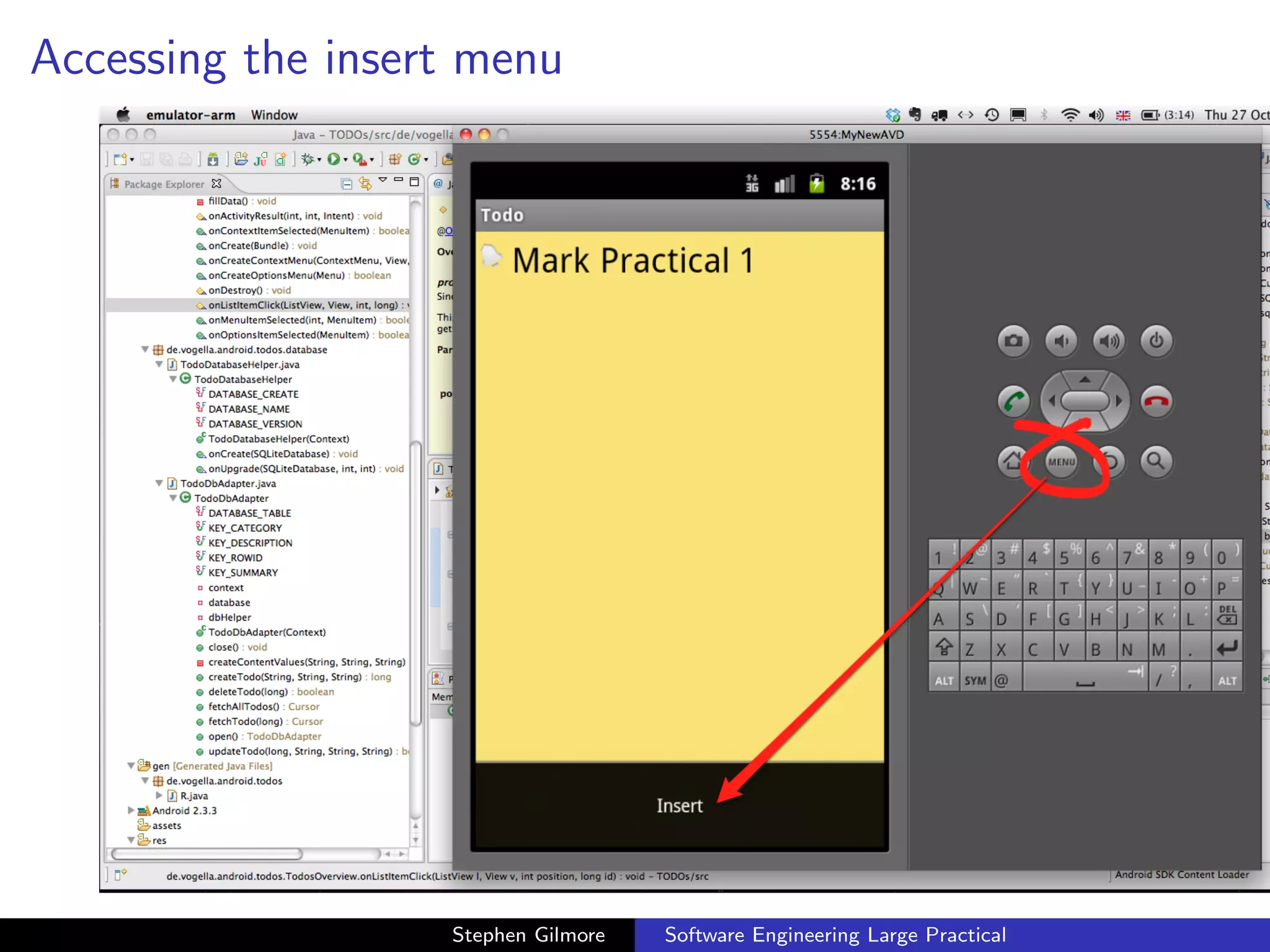
Accessing the insert menu


.16.16.png

                      Stephen Gilmore   Software Engineering Large Practical
Inspecting the database


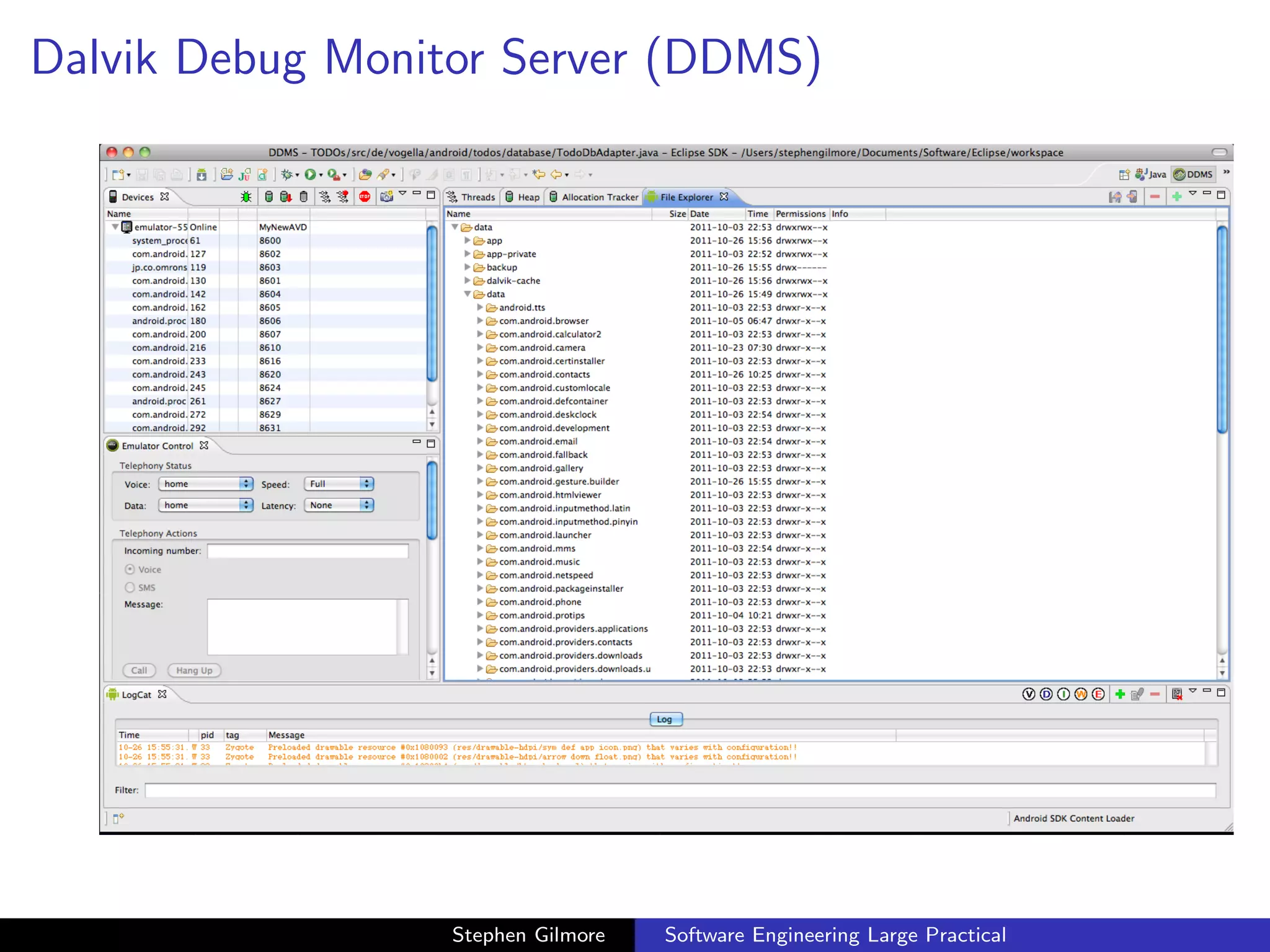
   During development we might have bugs in our code which cause
   problems with the database. In this case we would like to be able
   to see the content of the database and check that it is as we
   expect. We can use the Dalvik Debug Monitor Server (DDMS) to
   do this and we can also inspect the database using other tools for
   processing SQLlite databases.


                         Stephen Gilmore   Software Engineering Large Practical
Dalvik Debug Monitor Server (DDMS)


.21.38.png


                     Stephen Gilmore   Software Engineering Large Practical
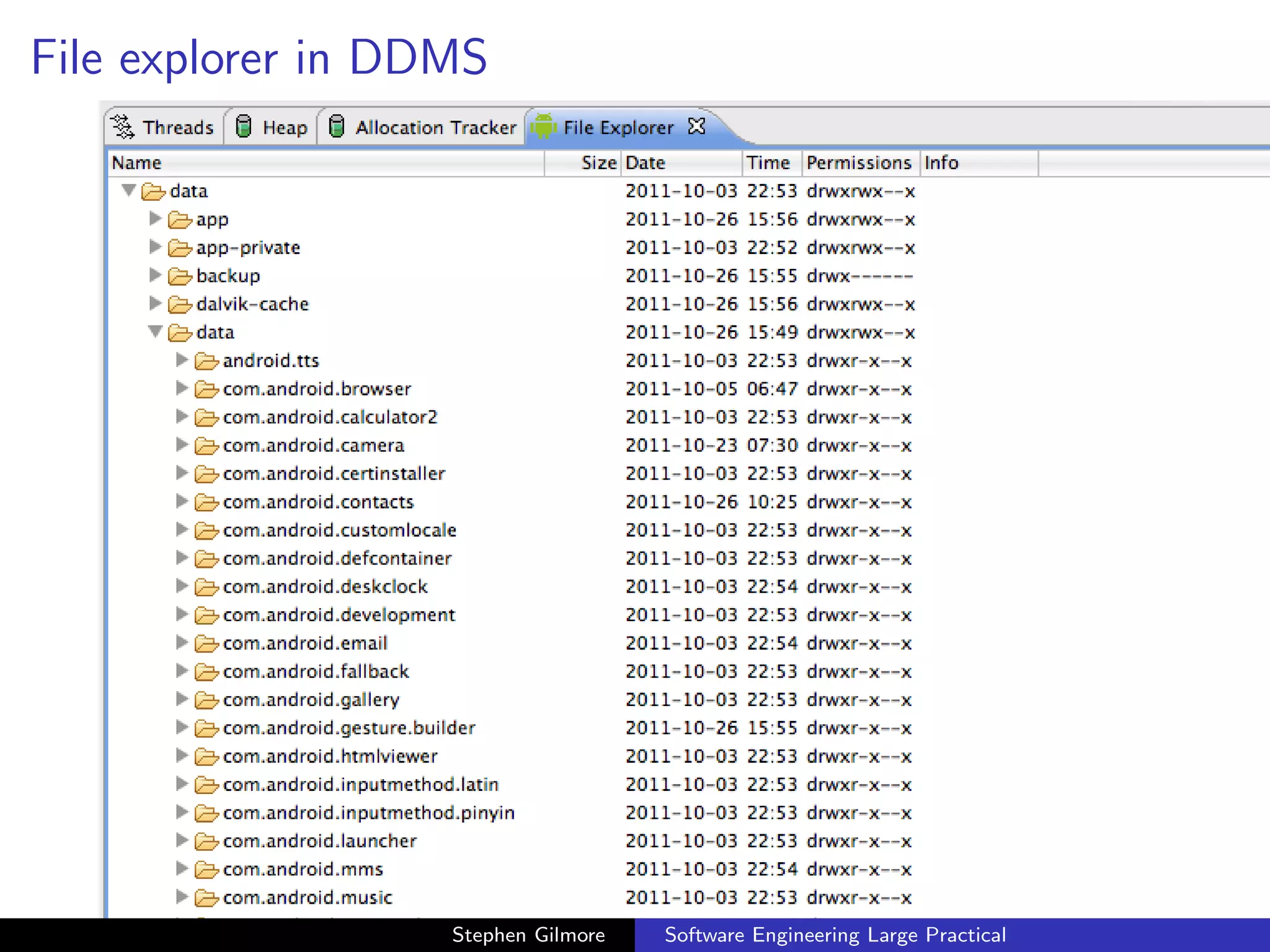
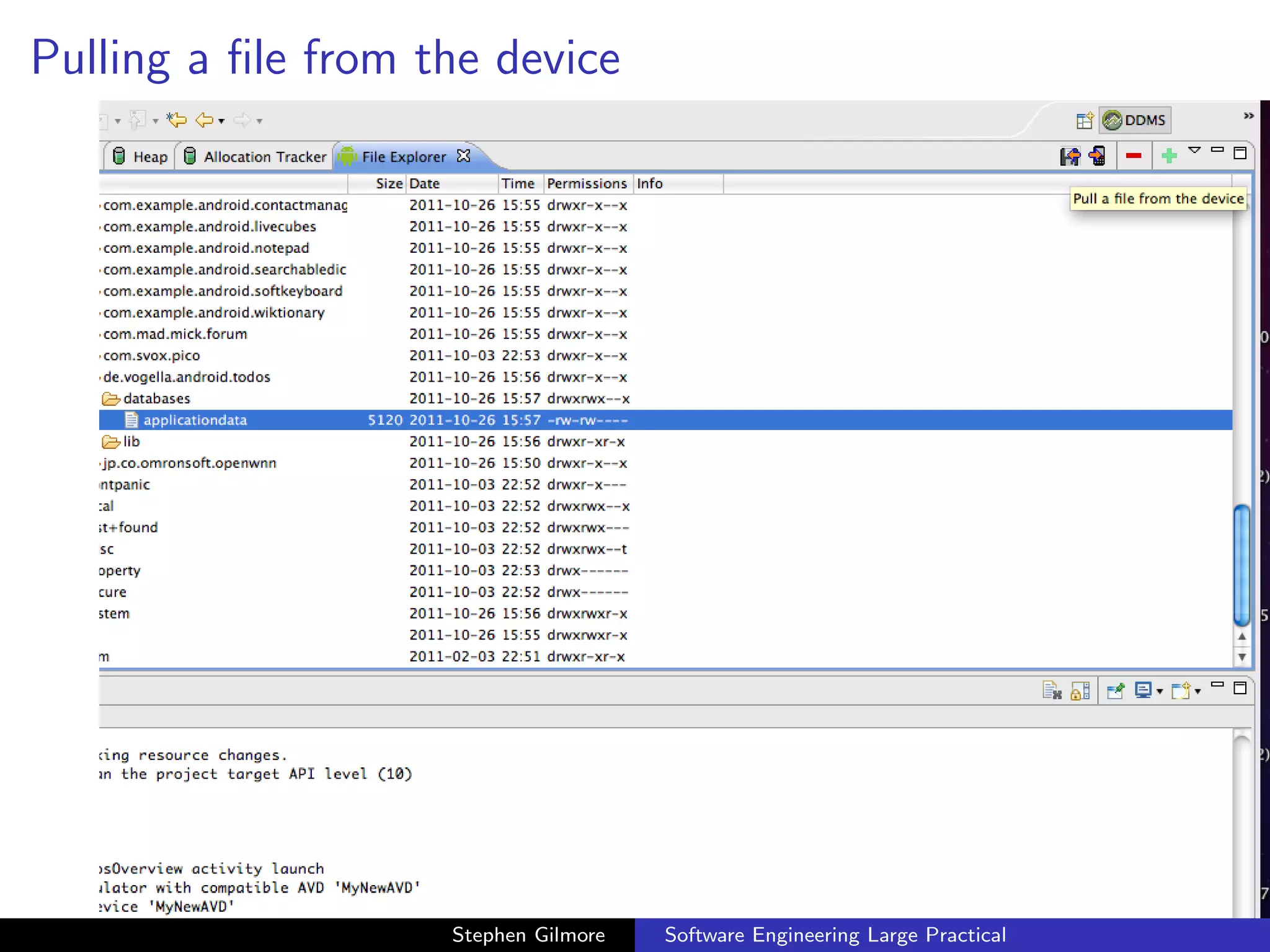
File explorer in DDMS


                   Stephen Gilmore   Software Engineering Large Practical
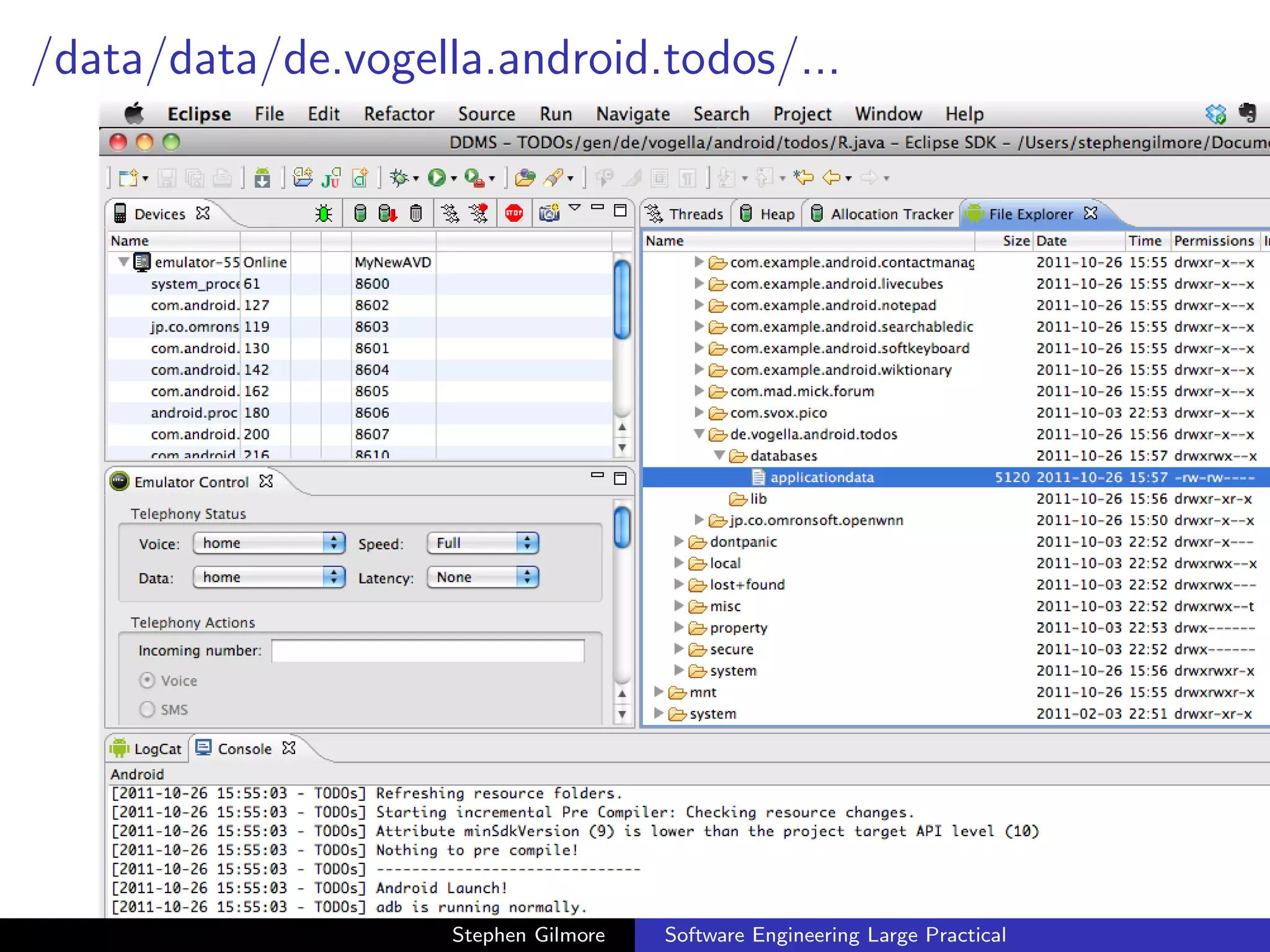
/data/data/de.vogella.android.todos/...


                    Stephen Gilmore   Software Engineering Large Practical
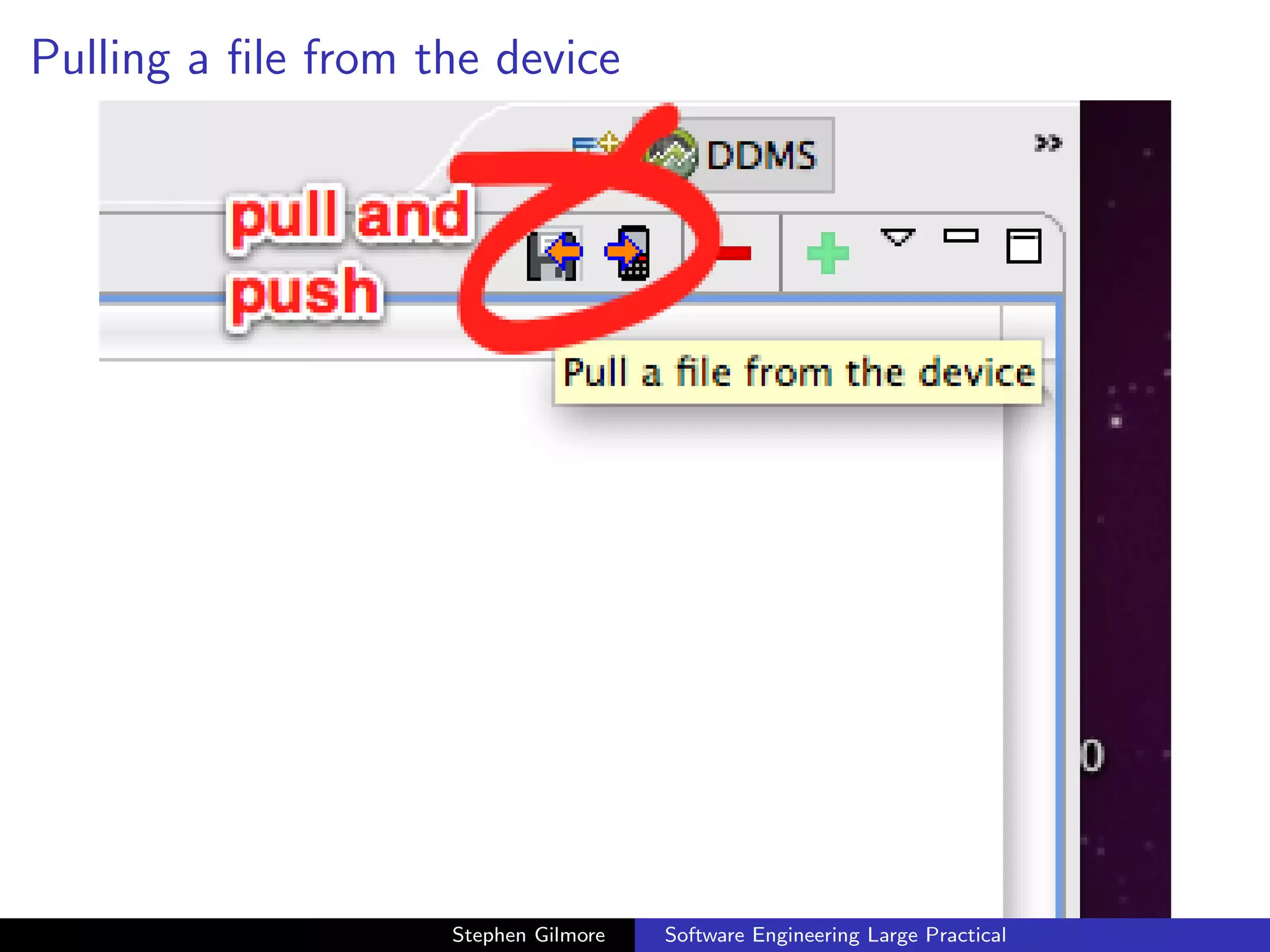
Pulling a file from the device


                    Stephen Gilmore   Software Engineering Large Practical
Pulling a file from the device


                    Stephen Gilmore   Software Engineering Large Practical
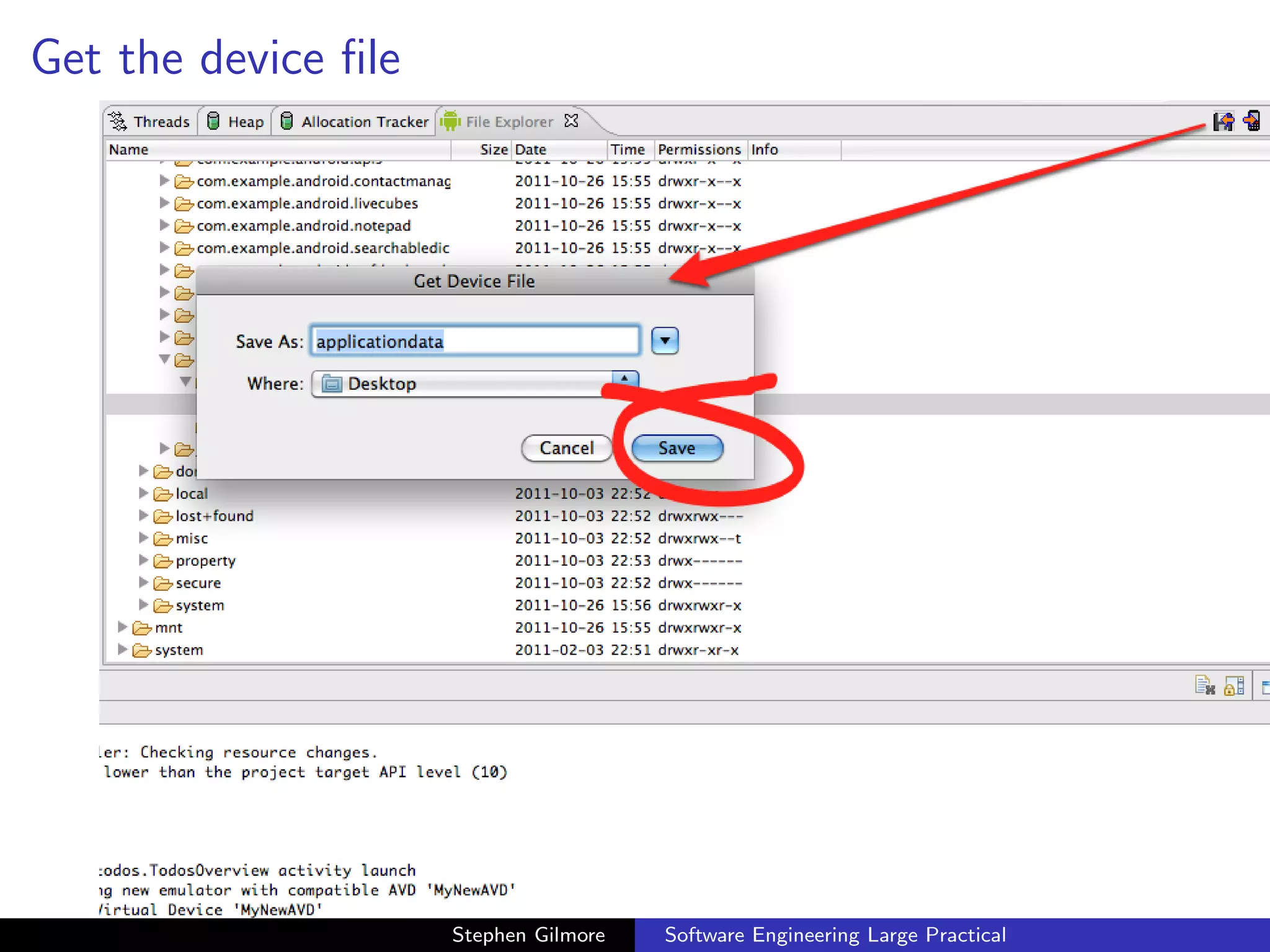
Get the device file


                     Stephen Gilmore   Software Engineering Large Practical
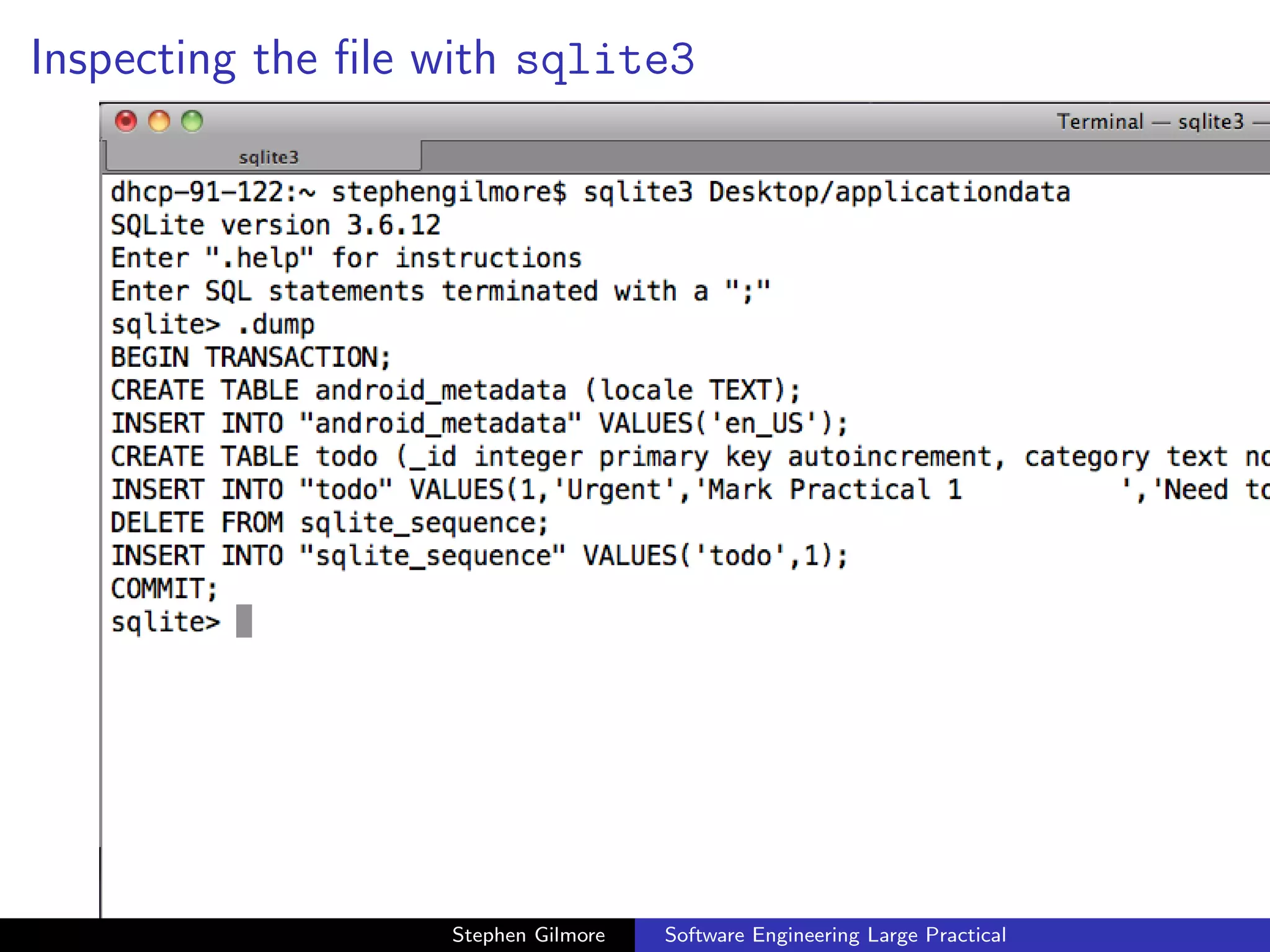
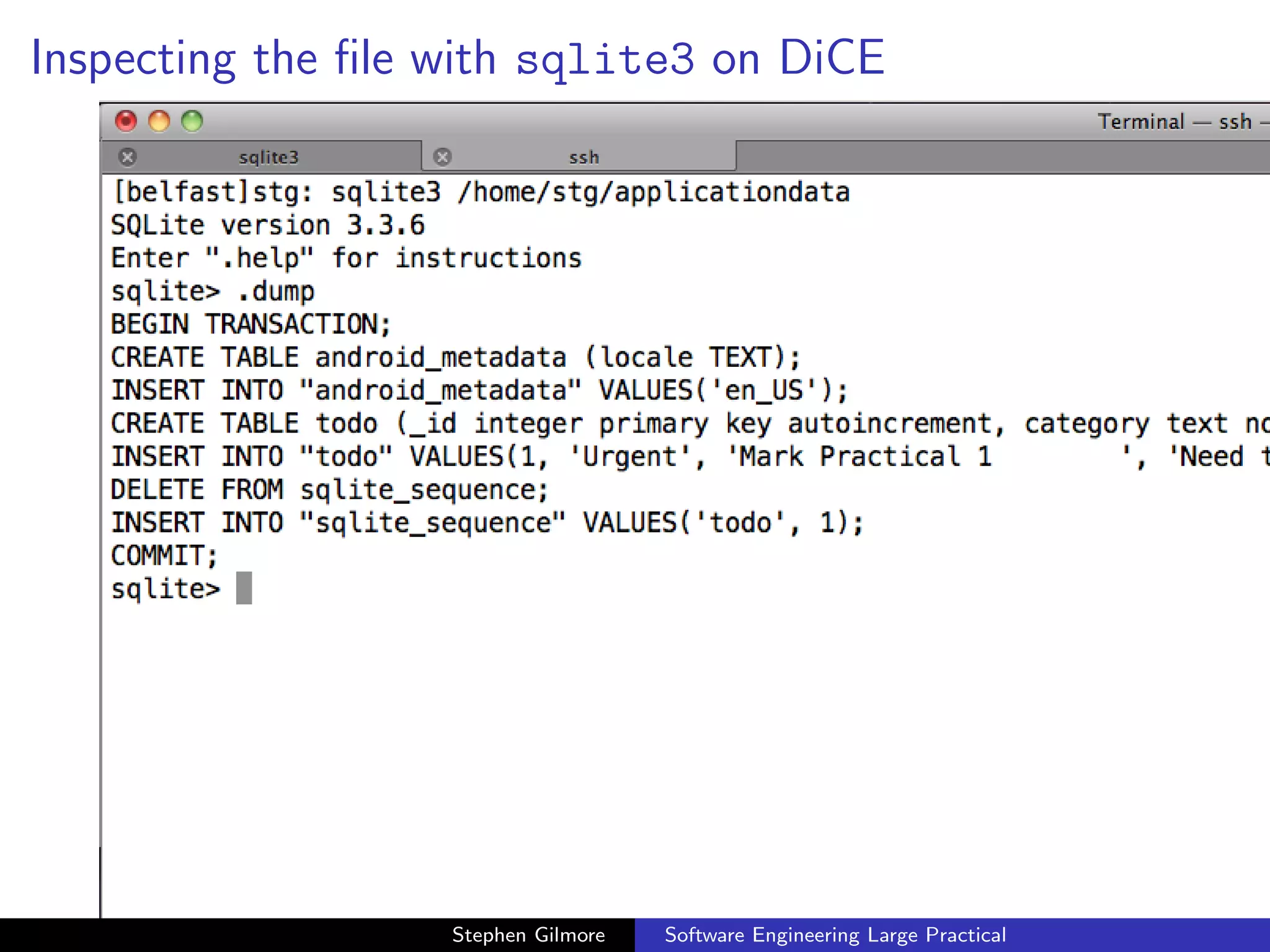
Inspecting the file with sqlite3


                   Stephen Gilmore   Software Engineering Large Practical
Inspecting the file with sqlite3 on DiCE


                   Stephen Gilmore   Software Engineering Large Practical
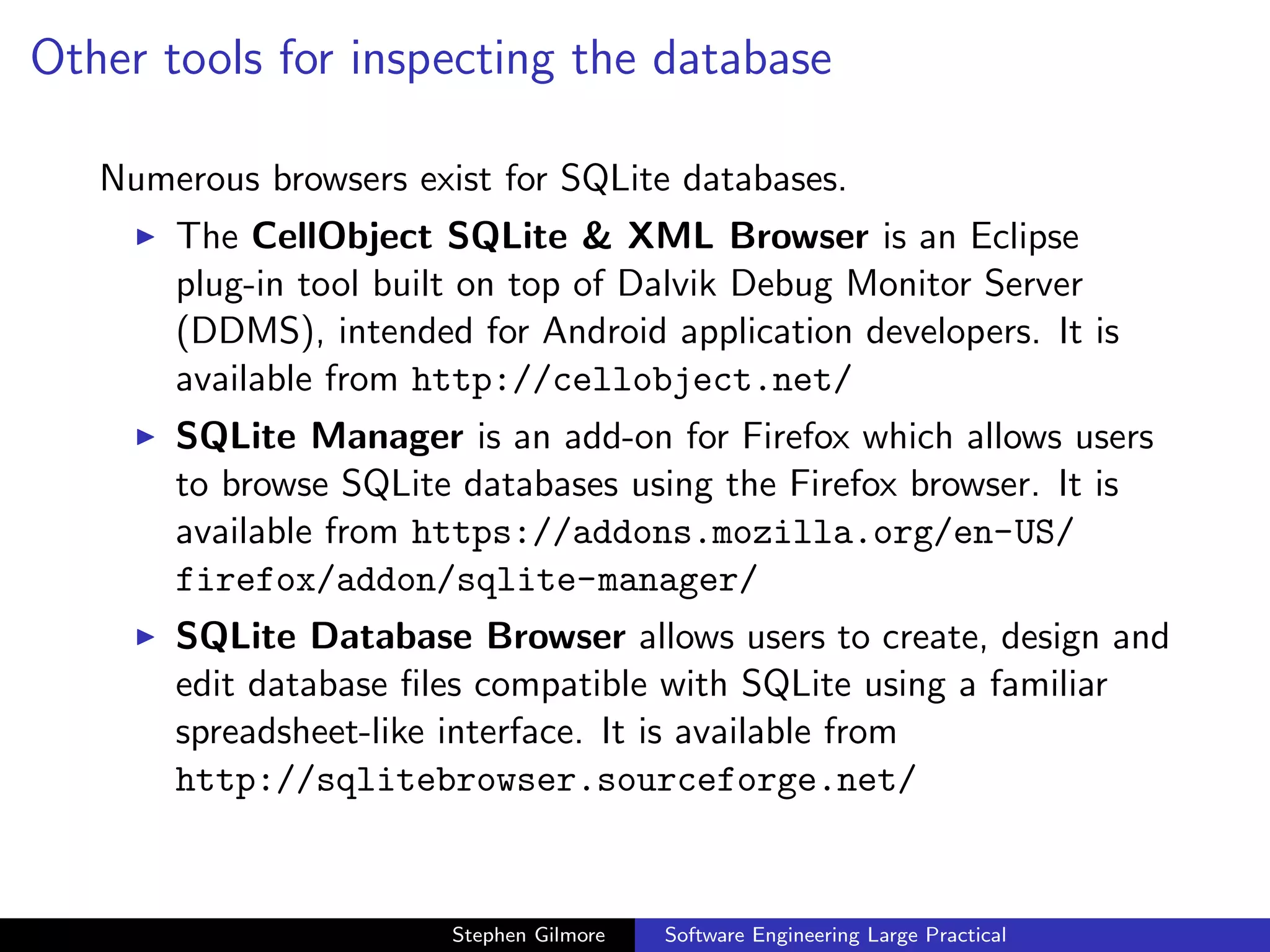
Other tools for inspecting the database

   Numerous browsers exist for SQLite databases.
       The CellObject SQLite & XML Browser is an Eclipse
       plug-in tool built on top of Dalvik Debug Monitor Server
       (DDMS), intended for Android application developers. It is
       available from http://cellobject.net/
       SQLite Manager is an add-on for Firefox which allows users
       to browse SQLite databases using the Firefox browser. It is
       available from https://addons.mozilla.org/en-US/
       firefox/addon/sqlite-manager/
       SQLite Database Browser allows users to create, design and
       edit database files compatible with SQLite using a familiar
       spreadsheet-like interface. It is available from
       http://sqlitebrowser.sourceforge.net/


                        Stephen Gilmore   Software Engineering Large Practical
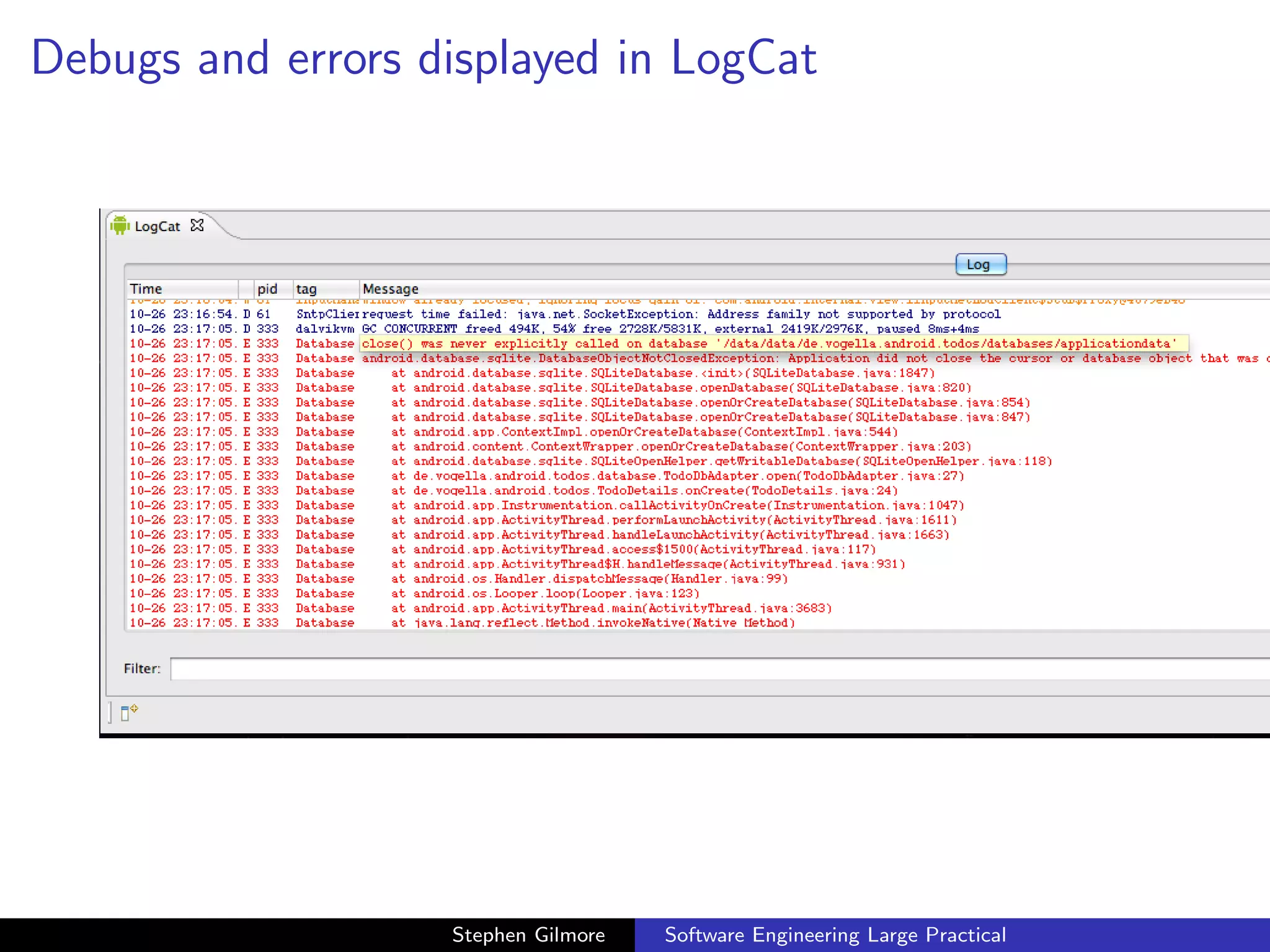
Using LogCat


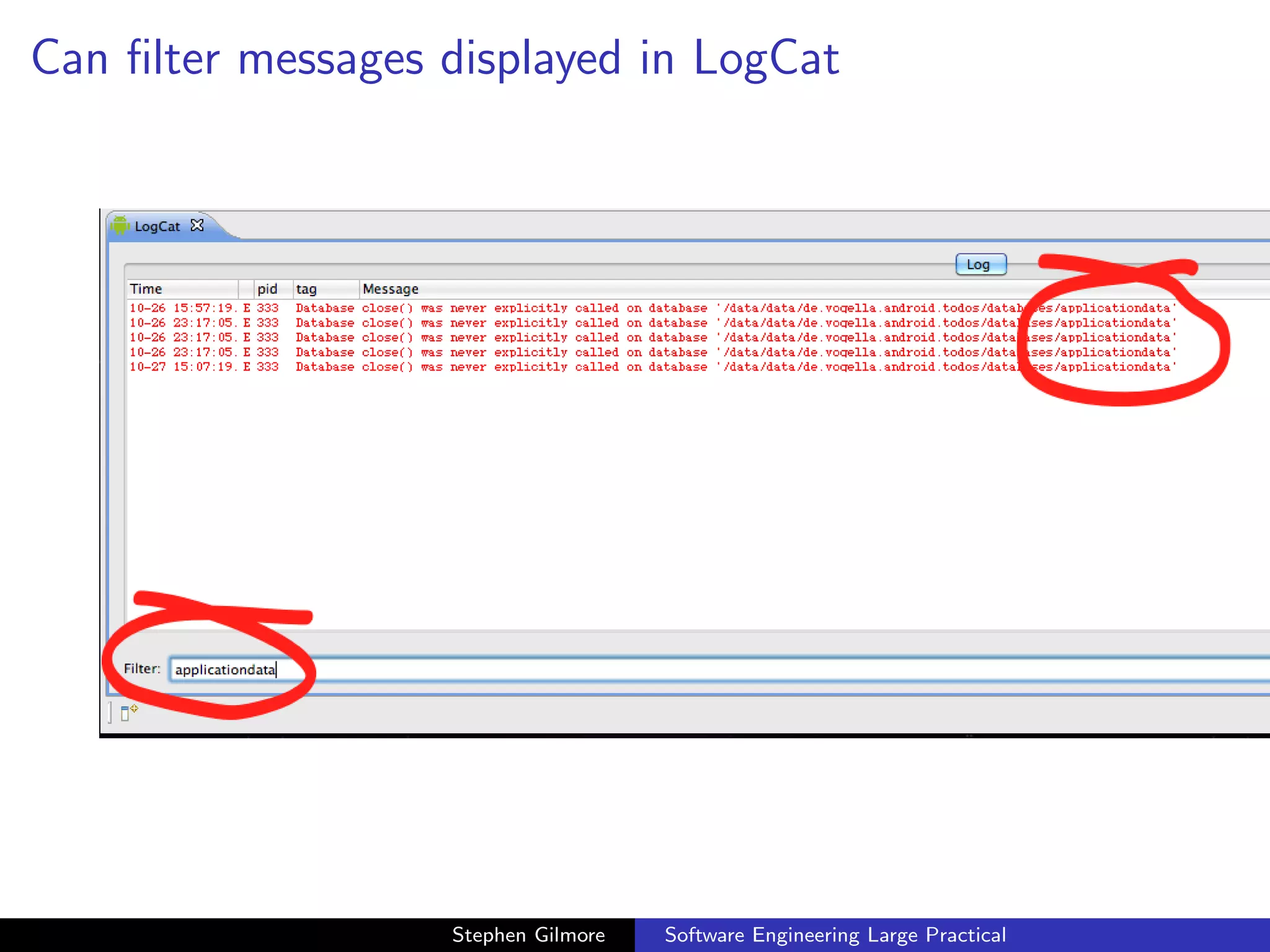
  As usual, the effect of Java exceptions and other problems will
  appear in the LogCat view.


                       Stephen Gilmore   Software Engineering Large Practical
Debugs and errors displayed in LogCat


.22.45.png


                      Stephen Gilmore   Software Engineering Large Practical
Can filter messages displayed in LogCat


.34.51.png


                      Stephen Gilmore   Software Engineering Large Practical
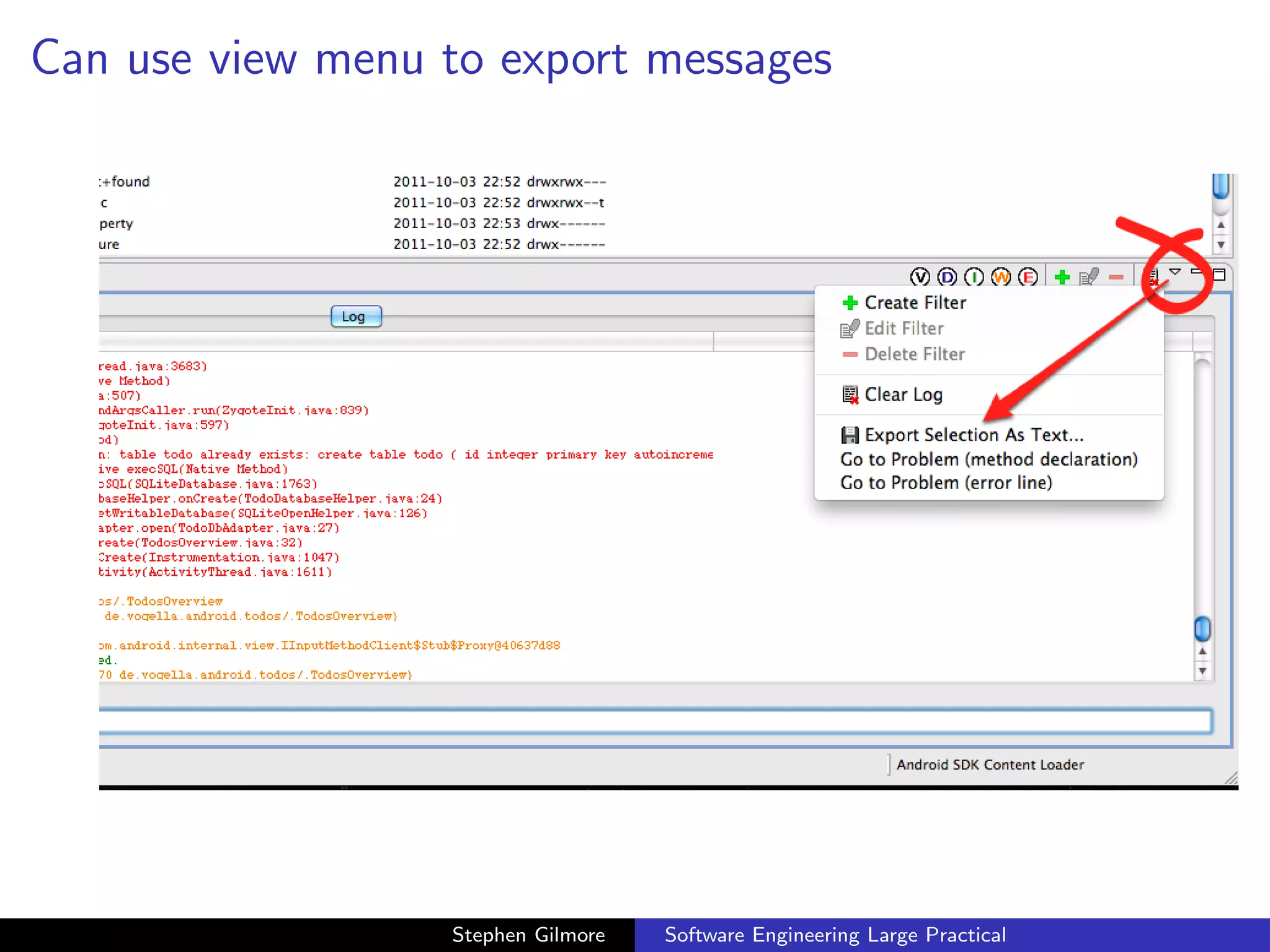
Can use view menu to export messages


.40.30.png


                     Stephen Gilmore   Software Engineering Large Practical

Working with databases in Android

  • 1.
    Software Engineering LargePractical Working with databases in Android Stephen Gilmore School of Informatics, University of Edinburgh October 17th, 2012 Stephen Gilmore Software Engineering Large Practical
  • 2.
    A database example In this lecture we will look at an example Android application which creates a database of TODO notes, with reminders of things which need to be done, and descriptions of these. The application is due to Lars Vogel (http://www.vogella.com). Stephen Gilmore Software Engineering Large Practical
  • 3.
    Lars Vogel example:TODOs Stephen Gilmore Software Engineering Large Practical
  • 4.
    A database example Stephen Gilmore Software Engineering Large Practical
  • 5.
    TodoDatabaseAdapter Stephen Gilmore Software Engineering Large Practical
  • 6.
    TodoDatabaseHelper (onCreate()) Stephen Gilmore Software Engineering Large Practical
  • 7.
    TodoDatabaseHelper (onUpgrade()) Stephen Gilmore Software Engineering Large Practical
  • 8.
    TodoDatabaseAdapter (open(), close()) Stephen Gilmore Software Engineering Large Practical
  • 9.
    The create, update,and delete methods Stephen Gilmore Software Engineering Large Practical
  • 10.
    The insert() method Stephen Gilmore Software Engineering Large Practical
  • 11.
    The update() method Stephen Gilmore Software Engineering Large Practical
  • 12.
    The delete() method Stephen Gilmore Software Engineering Large Practical
  • 13.
    Fetch data Stephen Gilmore Software Engineering Large Practical
  • 14.
    Create content values Stephen Gilmore Software Engineering Large Practical
  • 15.
    Resources Stephen Gilmore Software Engineering Large Practical
  • 16.
    Running the application When we run the application we are able to create a TODO note, and set its category to Urgent or Reminder. Stephen Gilmore Software Engineering Large Practical
  • 17.
    Running the TODOsapplication Stephen Gilmore Software Engineering Large Practical
  • 18.
    Editing a TODOitem Stephen Gilmore Software Engineering Large Practical
  • 19.
    Setting category to“Urgent” Stephen Gilmore Software Engineering Large Practical
  • 20.
    TODOs application code We look at the application code to see how the Java code interacts with the XML layout and see how the database state is managed. Stephen Gilmore Software Engineering Large Practical
  • 21.
    TodoDetails (imports) .14.20.png Stephen Gilmore Software Engineering Large Practical
  • 22.
    TodoDetails (onCreate) .14.31.png Stephen Gilmore Software Engineering Large Practical
  • 23.
    Graphical layout oftodo edit.xml .32.52.png Stephen Gilmore Software Engineering Large Practical
  • 24.
    Text of todoedit.xml .32.48.png Stephen Gilmore Software Engineering Large Practical
  • 25.
    Outline of todoedit.xml .32.48.png Stephen Gilmore Software Engineering Large Practical
  • 26.
    TodoDetails (populateFields) .14.38.png Stephen Gilmore Software Engineering Large Practical
  • 27.
    Save state, onPause,onResume .14.48.png Stephen Gilmore Software Engineering Large Practical
  • 28.
    Save state .14.56.png Stephen Gilmore Software Engineering Large Practical
  • 29.
    TodosOverview (onCreate) .15.04.png Stephen Gilmore Software Engineering Large Practical
  • 30.
    Options menu, itemselected .15.10.png Stephen Gilmore Software Engineering Large Practical
  • 31.
    Options item selected .15.22.png Stephen Gilmore Software Engineering Large Practical
  • 32.
    Accessing the insertmenu .16.16.png Stephen Gilmore Software Engineering Large Practical
  • 33.
    Inspecting the database During development we might have bugs in our code which cause problems with the database. In this case we would like to be able to see the content of the database and check that it is as we expect. We can use the Dalvik Debug Monitor Server (DDMS) to do this and we can also inspect the database using other tools for processing SQLlite databases. Stephen Gilmore Software Engineering Large Practical
  • 34.
    Dalvik Debug MonitorServer (DDMS) .21.38.png Stephen Gilmore Software Engineering Large Practical
  • 35.
    File explorer inDDMS Stephen Gilmore Software Engineering Large Practical
  • 36.
    /data/data/de.vogella.android.todos/... Stephen Gilmore Software Engineering Large Practical
  • 37.
    Pulling a filefrom the device Stephen Gilmore Software Engineering Large Practical
  • 38.
    Pulling a filefrom the device Stephen Gilmore Software Engineering Large Practical
  • 39.
    Get the devicefile Stephen Gilmore Software Engineering Large Practical
  • 40.
    Inspecting the filewith sqlite3 Stephen Gilmore Software Engineering Large Practical
  • 41.
    Inspecting the filewith sqlite3 on DiCE Stephen Gilmore Software Engineering Large Practical
  • 42.
    Other tools forinspecting the database Numerous browsers exist for SQLite databases. The CellObject SQLite & XML Browser is an Eclipse plug-in tool built on top of Dalvik Debug Monitor Server (DDMS), intended for Android application developers. It is available from http://cellobject.net/ SQLite Manager is an add-on for Firefox which allows users to browse SQLite databases using the Firefox browser. It is available from https://addons.mozilla.org/en-US/ firefox/addon/sqlite-manager/ SQLite Database Browser allows users to create, design and edit database files compatible with SQLite using a familiar spreadsheet-like interface. It is available from http://sqlitebrowser.sourceforge.net/ Stephen Gilmore Software Engineering Large Practical
  • 43.
    Using LogCat As usual, the effect of Java exceptions and other problems will appear in the LogCat view. Stephen Gilmore Software Engineering Large Practical
  • 44.
    Debugs and errorsdisplayed in LogCat .22.45.png Stephen Gilmore Software Engineering Large Practical
  • 45.
    Can filter messagesdisplayed in LogCat .34.51.png Stephen Gilmore Software Engineering Large Practical
  • 46.
    Can use viewmenu to export messages .40.30.png Stephen Gilmore Software Engineering Large Practical