

Collaboration Projects

                         Projects
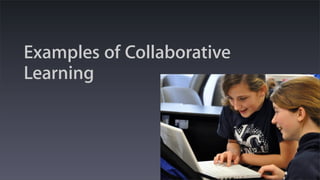
Examples of Collaborative
Learning
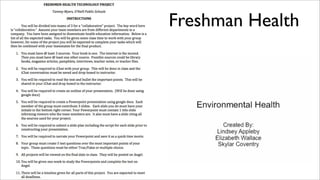
Freshman Health
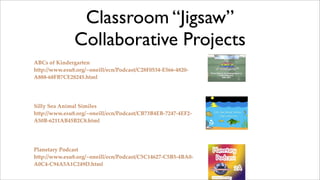
Classroom “Jigsaw”
               Collaborative Projects
ABCs of Kindergarten
http://www.esu8.org/~oneill/ecn/Podcast/C28F0534-E566-4820-
A888-68FB7CE28245.html


Silly Sea Animal Similes
http://www.esu8.org/~oneill/ecn/Podcast/CB73B4EB-7247-4EF2-
A50B-6211AB45B2C8.html


Planetary Podcast
http://www.esu8.org/~oneill/ecn/Podcast/C5C14627-C5B5-4BA0-
A0C4-C94A5A1C249D.html
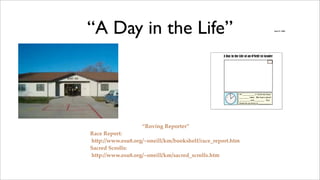
“A Day in the Life”                                                                                                April 21, 2009


                                                 A Day in the Life of an O'Neill 1st Grader


                                                           11
                                                                12
                                                                     1
                                                                                 At _________ o'clock we have
                                                   10                    2
                                                                                 _______ class. We learn about
                                                   9                         3
                                                       8                 4       ________ and _______. Our
                                                                                 favorite activity is _________.
                                                           7         5
                                                                6


                   “Roving Reporter”
Race Report:
http://www.esu8.org/~oneill/km/bookshelf/race_report.htm
Sacred Scrolls:
http://www.esu8.org/~oneill/km/sacred_scrolls.htm
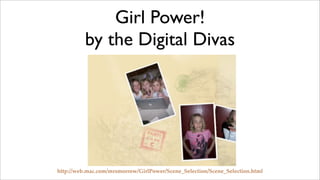
Girl Power!
          by the Digital Divas


http://web.mac.com/mrsmorrow/GirlPower/Scene_Selection/Scene_Selection.html
Eagle Eye News


http://www.esu8.org/~oneill/km/eagleeyenews.htm
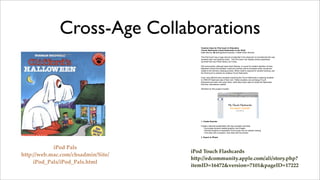
Cross-Age Collaborations
                                        Creative Uses for iPod touch in Education
                                        iTouch flashcards (visual flashcards on the iPod)
                                        Katie Morrow, ! Distinguished Educator, O"Neill Public Schools

                                        The iPod touch has a huge amount of potential in the classroom to revolutionize the way
                                        students learn and teachers teach. The iPod touch can display photos seamlessly
                                        synched from any iPhoto library via iTunes.

                                        Drill and practice, although lower-level thinking, is crucial for student retention of facts.
                                        Research shows that students' recall and memory will be increased when visuals are
                                        added to the memory-creating process. When recall is required for student learning, use
                                        the iPod touch to practice by creating iTouch flashcards.

                                        Even more effective than students practicing the iTouch flashcards is allowing students
                                        to CREATE flashcard sets of their own. Fellow students can exchange iTouch
                                        flashcards and learn from each other, while they rarely need to review the flashcards
                                        that they, themselves created.

                                        Workflow for this project includes:


                                        1. Create Keynote

                                        Create a keynote presentation with key concepts and facts.
                                          * Encourage student-created graphics and images
                                          * Remind students of destination iPod screen size for easiest viewing
                                          * One slide with a question; next slide with the answer

                                        2. Export to iPhoto


            iPod Pals
                                    iPod Touch Flashcards
http://web.mac.com/chsadmin/Site/
                                    http://edcommunity.apple.com/ali/story.php?
     iPod_Pals/iPod_Pals.html
                                    itemID=16472&version=7101&pageID=17222
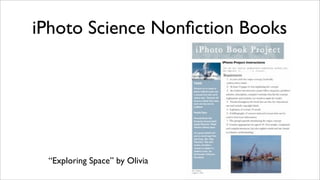
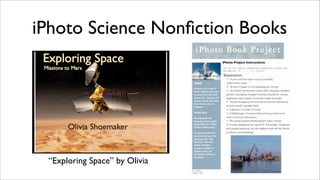
iPhoto Science Nonfiction Books


 “Exploring Space” by Olivia
iPhoto Science Nonfiction Books


 “Exploring Space” by Olivia
Collaborate with your Community:
                Third Grade Time Travelers


http://www.esu8.org/~oneill/ecn/Podcast/60CAA161-4727-4929-89AF-BE816E264E97.html
Hometown Heroes
                                                  Hometown Heroes
                                                  “Inspiration” iMovies
                                                  8th Grade Technology Trends
                                                  - 2009

                                                  1. Find a local community member who is inspirational to others
                                                  2. Work as an individual or find a partner who wants to work with you. (They do not
                                                     have to be in this class.)
                                                  3. Contact the person to see when a good interview time would be.
                                                  4. Write a list of interview questions.
                                                  5. Interview method choices:
                                                     1. Video camera
                                                     2. iSight camera in PhotoBooth
                                                     3. Voice recorder - audio only - Garage Band
                                                     4. Digital camera for stills
                                                     5. Video iChat > Video > Record Chat
                                                     6. Pencil and paper
                                                  6. Information Gathering
                                                     1. Take NOTES! - paper or Google doc.
                                                     2. Jot down ideas - statements that stand out, B-roll footage ideas, scenes and
                                                         shots you may want to gather
                                                     3. Follow-up questions
                                                     4. Action items (To-do list)
                                                     5. Keep track of any and all sources
                                                  7. Project Planning
                                                     1. Paper plan and storyboard must be approved prior to editing or additional filming
                                                     2. Storyboard Options
                                                         1. Paper storyboard
                                                         2. Inspiration
                                                         3. Spreadsheet or word processing document
                                                         4. Comic Life

                                                  REQUIREMENTS:
                                                  !approx. 2-3 min. movie for final product
                                                  !All images, music, etc. MUST BE ORIGINAL and created by YOU
                                                  !Use a variety of shots, camera, angles, A-roll/B-roll, etc.
                                                  !The movie must address the following KEY IDEAS:
                                                    • Why is this person inspirational?
                                                    • Message/Advice to others
                                                    • Share some new knowledge gained about this person/ Something you know now
                                                       that you didn!t know before/ Something the rest of the world should know about
                                                       this hometown hero.


http://ops.esu8.org/users/ohsdigitalmedia/weblog/28d0e/Support_our_Troops.html
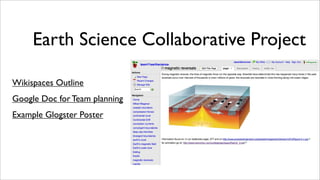
Earth Science Collaborative Project

Wikispaces Outline
Google Doc for Team planning
Example Glogster Poster
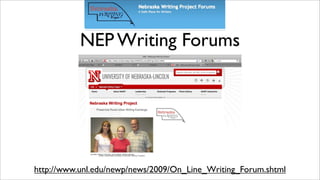
NEP Writing Forums


http://www.unl.edu/newp/news/2009/On_Line_Writing_Forum.shtml
NEP Writing Forums


http://www.unl.edu/newp/news/2009/On_Line_Writing_Forum.shtml
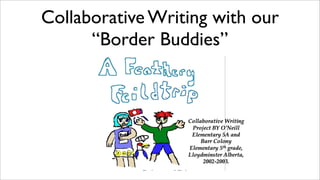
Collaborative Writing with our
      “Border Buddies”
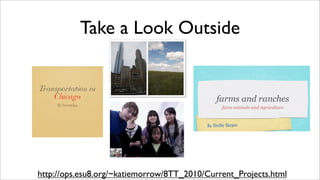
Take a Look Outside


http://ops.esu8.org/~katiemorrow/8TT_2010/Current_Projects.html
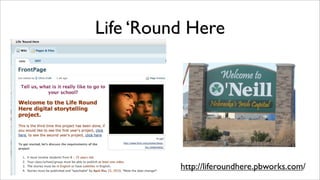
Life ‘Round Here


          http://liferoundhere.pbworks.com/
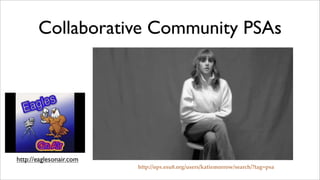
Collaborative Community PSAs


           http://ops.esu8.org/users/katiemorrow/search/?tag=psa
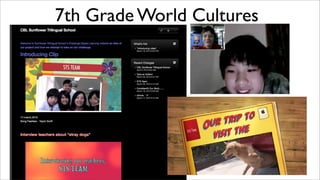
7th Grade World Cultures
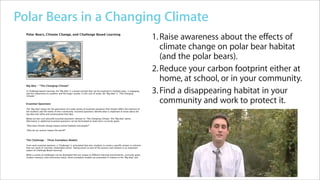
Apple Learning Interchange - Polar Bears in a Changing Climate            http://edcommunity.apple.com/ali/story.php?itemID=19605&ve...


Polar Bears in a Changing Climate
                Home
                               Polar Bears in a Changing Climate
                Member Directory
                Group Directory
                                                                                        Home   >   Apple Distinguished Educators Showcase


                                               Climate Change Lessons from the Arctic


         Polar Bears, Climate Change, and Challenge Based Learning
                                                                                                                                                 1. Raise awareness about the effects of
                                                                                                                                                    climate change on polar bear habitat
                                                                                                                                                    (and the polar bears).
                                                                                                                                                 2. Reduce your carbon footprint either at
                                                                                                                                                    home, at school, or in your community.
         Big Idea - "The Changing Climate"

         In Challenge Based Learning, the "Big Idea" is a broad concept that can be explored in multiple ways, is engaging,
         and has importance to students and the larger society. In this unit of study, the "Big Idea" is "The Changing
         Climate."
                                                                                                                                                 3. Find a disappearing habitat in your
         Essential Questions
                                                                                                                                                    community and work to protect it.
         The "Big Idea" allows for the generation of a wide variety of essential questions that should reflect the interests of
         the students and the needs of their community. Essential questions identify what is important to know about the
         big idea and refine and contextualize that idea.

         Below are two such possible essential questions relevant to "The Changing Climate," the "Big Idea" above.
         Alternative or additional essential questions can be formulated to meet one's curricular goals.

         "How does climate change impact animal habitats and people?"

         "How do our actions impact the world?"


         The Challenge - Three Exemplary Models

         From each essential question, a "Challenge" is articulated that asks students to create a specific answer or solution
         that can result in concrete, meaningful action. Taking action as part of the process and solution is an important
         aspect of Challenge Based Learning.

         While a variety of challenges can be developed that are unique to different learning environments, curricular goals,
         student interests, and community needs, three exemplary models are presented in relation to the "Big Idea" and


1 of 2                                                                                                                         4/6/10 10:25 AM
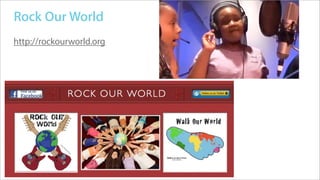
Rock Our World
http://rockourworld.org
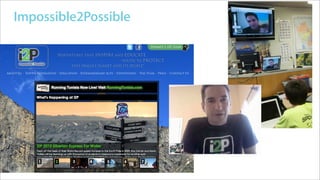
Impossible2Possible
TeachersConnecting.com
Reflect and Process
•   http://todaysmeet.com/icollaborate

•   Share your personal favorite collaboration project and how it enhances
    learning.

•   OR

•   What concerns do you still have about implementing collaborative projects
    with students?

Collaboration Projects

  • 1.
  • 2.
  • 3.
  • 4.
    Classroom “Jigsaw” Collaborative Projects ABCs of Kindergarten http://www.esu8.org/~oneill/ecn/Podcast/C28F0534-E566-4820- A888-68FB7CE28245.html Silly Sea Animal Similes http://www.esu8.org/~oneill/ecn/Podcast/CB73B4EB-7247-4EF2- A50B-6211AB45B2C8.html Planetary Podcast http://www.esu8.org/~oneill/ecn/Podcast/C5C14627-C5B5-4BA0- A0C4-C94A5A1C249D.html
  • 5.
    “A Day inthe Life” April 21, 2009 A Day in the Life of an O'Neill 1st Grader 11 12 1 At _________ o'clock we have 10 2 _______ class. We learn about 9 3 8 4 ________ and _______. Our favorite activity is _________. 7 5 6 “Roving Reporter” Race Report: http://www.esu8.org/~oneill/km/bookshelf/race_report.htm Sacred Scrolls: http://www.esu8.org/~oneill/km/sacred_scrolls.htm
  • 6.
    Girl Power! by the Digital Divas http://web.mac.com/mrsmorrow/GirlPower/Scene_Selection/Scene_Selection.html
  • 7.
  • 8.
    Cross-Age Collaborations Creative Uses for iPod touch in Education iTouch flashcards (visual flashcards on the iPod) Katie Morrow, ! Distinguished Educator, O"Neill Public Schools The iPod touch has a huge amount of potential in the classroom to revolutionize the way students learn and teachers teach. The iPod touch can display photos seamlessly synched from any iPhoto library via iTunes. Drill and practice, although lower-level thinking, is crucial for student retention of facts. Research shows that students' recall and memory will be increased when visuals are added to the memory-creating process. When recall is required for student learning, use the iPod touch to practice by creating iTouch flashcards. Even more effective than students practicing the iTouch flashcards is allowing students to CREATE flashcard sets of their own. Fellow students can exchange iTouch flashcards and learn from each other, while they rarely need to review the flashcards that they, themselves created. Workflow for this project includes: 1. Create Keynote Create a keynote presentation with key concepts and facts. * Encourage student-created graphics and images * Remind students of destination iPod screen size for easiest viewing * One slide with a question; next slide with the answer 2. Export to iPhoto iPod Pals iPod Touch Flashcards http://web.mac.com/chsadmin/Site/ http://edcommunity.apple.com/ali/story.php? iPod_Pals/iPod_Pals.html itemID=16472&version=7101&pageID=17222
  • 9.
    iPhoto Science NonfictionBooks “Exploring Space” by Olivia
  • 10.
    iPhoto Science NonfictionBooks “Exploring Space” by Olivia
  • 11.
    Collaborate with yourCommunity: Third Grade Time Travelers http://www.esu8.org/~oneill/ecn/Podcast/60CAA161-4727-4929-89AF-BE816E264E97.html
  • 12.
    Hometown Heroes Hometown Heroes “Inspiration” iMovies 8th Grade Technology Trends - 2009 1. Find a local community member who is inspirational to others 2. Work as an individual or find a partner who wants to work with you. (They do not have to be in this class.) 3. Contact the person to see when a good interview time would be. 4. Write a list of interview questions. 5. Interview method choices: 1. Video camera 2. iSight camera in PhotoBooth 3. Voice recorder - audio only - Garage Band 4. Digital camera for stills 5. Video iChat > Video > Record Chat 6. Pencil and paper 6. Information Gathering 1. Take NOTES! - paper or Google doc. 2. Jot down ideas - statements that stand out, B-roll footage ideas, scenes and shots you may want to gather 3. Follow-up questions 4. Action items (To-do list) 5. Keep track of any and all sources 7. Project Planning 1. Paper plan and storyboard must be approved prior to editing or additional filming 2. Storyboard Options 1. Paper storyboard 2. Inspiration 3. Spreadsheet or word processing document 4. Comic Life REQUIREMENTS: !approx. 2-3 min. movie for final product !All images, music, etc. MUST BE ORIGINAL and created by YOU !Use a variety of shots, camera, angles, A-roll/B-roll, etc. !The movie must address the following KEY IDEAS: • Why is this person inspirational? • Message/Advice to others • Share some new knowledge gained about this person/ Something you know now that you didn!t know before/ Something the rest of the world should know about this hometown hero. http://ops.esu8.org/users/ohsdigitalmedia/weblog/28d0e/Support_our_Troops.html
  • 13.
    Earth Science CollaborativeProject Wikispaces Outline Google Doc for Team planning Example Glogster Poster
  • 14.
  • 15.
  • 16.
    Collaborative Writing withour “Border Buddies”
  • 17.
    Take a LookOutside http://ops.esu8.org/~katiemorrow/8TT_2010/Current_Projects.html
  • 18.
    Life ‘Round Here http://liferoundhere.pbworks.com/
  • 19.
    Collaborative Community PSAs http://ops.esu8.org/users/katiemorrow/search/?tag=psa
  • 20.
  • 21.
    Apple Learning Interchange- Polar Bears in a Changing Climate http://edcommunity.apple.com/ali/story.php?itemID=19605&ve... Polar Bears in a Changing Climate Home Polar Bears in a Changing Climate Member Directory Group Directory Home > Apple Distinguished Educators Showcase Climate Change Lessons from the Arctic Polar Bears, Climate Change, and Challenge Based Learning 1. Raise awareness about the effects of climate change on polar bear habitat (and the polar bears). 2. Reduce your carbon footprint either at home, at school, or in your community. Big Idea - "The Changing Climate" In Challenge Based Learning, the "Big Idea" is a broad concept that can be explored in multiple ways, is engaging, and has importance to students and the larger society. In this unit of study, the "Big Idea" is "The Changing Climate." 3. Find a disappearing habitat in your Essential Questions community and work to protect it. The "Big Idea" allows for the generation of a wide variety of essential questions that should reflect the interests of the students and the needs of their community. Essential questions identify what is important to know about the big idea and refine and contextualize that idea. Below are two such possible essential questions relevant to "The Changing Climate," the "Big Idea" above. Alternative or additional essential questions can be formulated to meet one's curricular goals. "How does climate change impact animal habitats and people?" "How do our actions impact the world?" The Challenge - Three Exemplary Models From each essential question, a "Challenge" is articulated that asks students to create a specific answer or solution that can result in concrete, meaningful action. Taking action as part of the process and solution is an important aspect of Challenge Based Learning. While a variety of challenges can be developed that are unique to different learning environments, curricular goals, student interests, and community needs, three exemplary models are presented in relation to the "Big Idea" and 1 of 2 4/6/10 10:25 AM
  • 22.
  • 23.
  • 24.
  • 25.
    Reflect and Process • http://todaysmeet.com/icollaborate • Share your personal favorite collaboration project and how it enhances learning. • OR • What concerns do you still have about implementing collaborative projects with students?