Lesson 1
Overview of Programming and
      Problem Solving

                    COIS 240


     Copyright © 2007 Angel G. Díaz. All rights reserved.
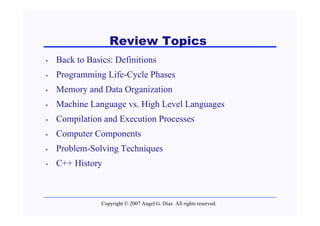
Review Topics
•   Back to Basics: Definitions
•   Programming Life-Cycle Phases
•   Memory and Data Organization
•   Machine Language vs. High Level Languages
•   Compilation and Execution Processes
•   Computer Components
•   Problem-Solving Techniques
•   C++ History


                Copyright © 2007 Angel G. Díaz. All rights reserved.
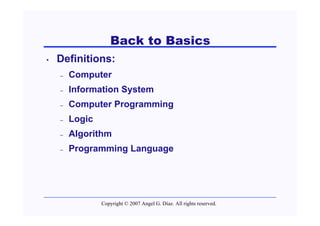
Back to Basics
•   Definitions:
    –   Computer
    –   Information System
    –   Computer Programming
    –   Logic
    –   Algorithm
    –   Programming Language


                Copyright © 2007 Angel G. Díaz. All rights reserved.
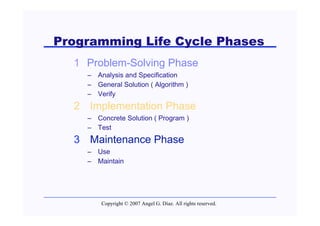
Programming Life Cycle Phases
  1 Problem-Solving Phase
    – Analysis and Specification
    – General Solution ( Algorithm )
    – Verify
  2 Implementation Phase
    – Concrete Solution ( Program )
    – Test
  3 Maintenance Phase
    – Use
    – Maintain


        Copyright © 2007 Angel G. Díaz. All rights reserved.
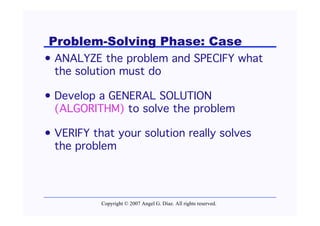
Problem-Solving Phase: Case
• ANALYZE the problem and SPECIFY what
  the solution must do

• Develop a GENERAL SOLUTION
  (ALGORITHM) to solve the problem

• VERIFY that your solution really solves
  the problem


           Copyright © 2007 Angel G. Díaz. All rights reserved.
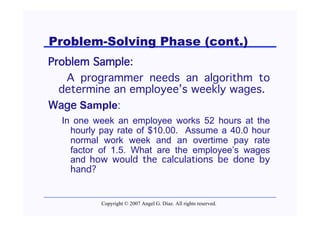
Problem-Solving Phase (cont.)
Problem Sample:
   A programmer needs an algorithm to
  determine an employee’s weekly wages.
Wage Sample:
  In one week an employee works 52 hours at the
    hourly pay rate of $10.00. Assume a 40.0 hour
    normal work week and an overtime pay rate
    factor of 1.5. What are the employee’s wages
    and how would the calculations be done by
    hand?


          Copyright © 2007 Angel G. Díaz. All rights reserved.
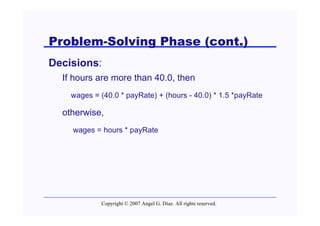
Problem-Solving Phase (cont.)
Decisions:
  If hours are more than 40.0, then
    wages = (40.0 * payRate) + (hours - 40.0) * 1.5 *payRate

  otherwise,
    wages = hours * payRate


            Copyright © 2007 Angel G. Díaz. All rights reserved.
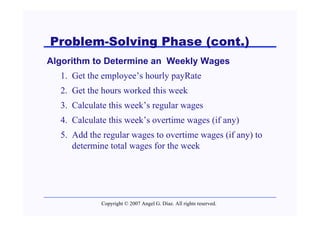
Problem-Solving Phase (cont.)
Algorithm to Determine an Weekly Wages
  1. Get the employee’s hourly payRate
  2. Get the hours worked this week
  3. Calculate this week’s regular wages
  4. Calculate this week’s overtime wages (if any)
  5. Add the regular wages to overtime wages (if any) to
     determine total wages for the week


            Copyright © 2007 Angel G. Díaz. All rights reserved.
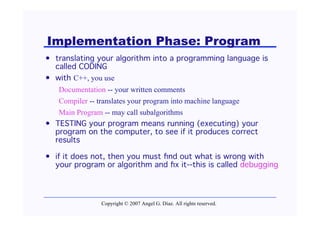
Implementation Phase: Program
• translating your algorithm into a programming language is
  called CODING
• with C++, you use
   Documentation -- your written comments
   Compiler -- translates your program into machine language
   Main Program -- may call subalgorithms
• TESTING your program means running (executing) your
  program on the computer, to see if it produces correct
  results

• if it does not, then you must find out what is wrong with
  your program or algorithm and fix it--this is called debugging


                Copyright © 2007 Angel G. Díaz. All rights reserved.
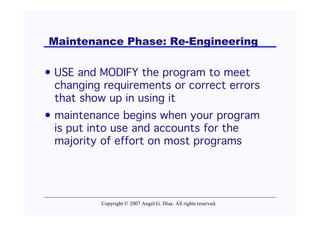
Maintenance Phase: Re-Engineering

• USE and MODIFY the program to meet
  changing requirements or correct errors
  that show up in using it
• maintenance begins when your program
  is put into use and accounts for the
  majority of effort on most programs


          Copyright © 2007 Angel G. Díaz. All rights reserved.
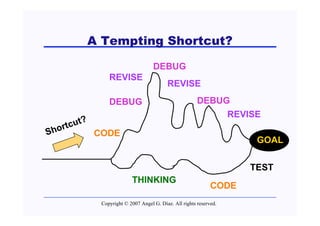
A Tempting Shortcut?

                                  DEBUG
              REVISE
                                        REVISE

              DEBUG                                   DEBUG
                                                           REVISE
          ?
     tcut
S hor       CODE
                                                                    GOAL

                                                                   TEST
                        THINKING
                                                            CODE
           Copyright © 2007 Angel G. Díaz. All rights reserved.
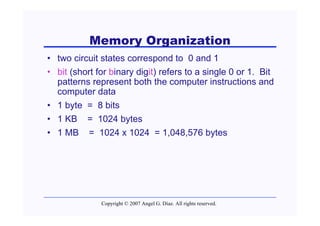
Memory Organization
• two circuit states correspond to 0 and 1
• bit (short for binary digit) refers to a single 0 or 1. Bit
  patterns represent both the computer instructions and
  computer data
• 1 byte = 8 bits
• 1 KB = 1024 bytes
• 1 MB = 1024 x 1024 = 1,048,576 bytes


              Copyright © 2007 Angel G. Díaz. All rights reserved.
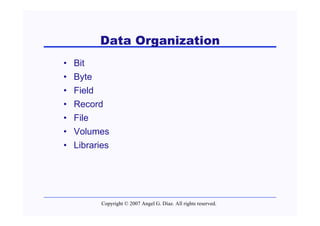
Data Organization
•   Bit
•   Byte
•   Field
•   Record
•   File
•   Volumes
•   Libraries


           Copyright © 2007 Angel G. Díaz. All rights reserved.
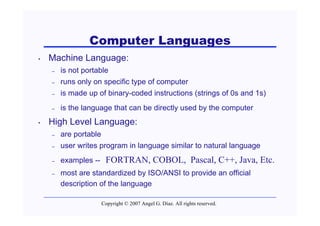
Computer Languages
•   Machine Language:
    –   is not portable
    –   runs only on specific type of computer
    –   is made up of binary-coded instructions (strings of 0s and 1s)
    –   is the language that can be directly used by the computer
•   High Level Language:
    –   are portable
    –   user writes program in language similar to natural language
    –   examples --     FORTRAN, COBOL, Pascal, C++, Java, Etc.
    –   most are standardized by ISO/ANSI to provide an official
        description of the language

                       Copyright © 2007 Angel G. Díaz. All rights reserved.
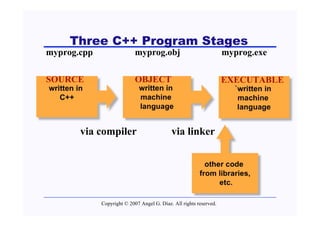
Three C++ Program Stages
myprog.cpp                  myprog.obj                              myprog.exe

SOURCE                      OBJECT                                  EXECUTABLE
written in                   written in                               `written in
   C++                       machine                                   machine
                             language                                  language


         via compiler                       via linker

                                                           other code
                                                         from libraries,
                                                               etc.

             Copyright © 2007 Angel G. Díaz. All rights reserved.
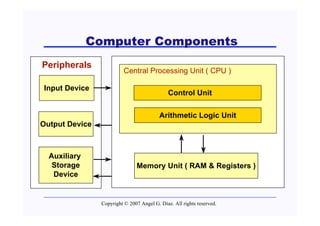
Computer Components
Peripherals
                          Central Processing Unit ( CPU )

Input Device
                                              Control Unit

                                          Arithmetic Logic Unit
Output Device


  Auxiliary
   Storage                     Memory Unit ( RAM & Registers )
   Device


                Copyright © 2007 Angel G. Díaz. All rights reserved.
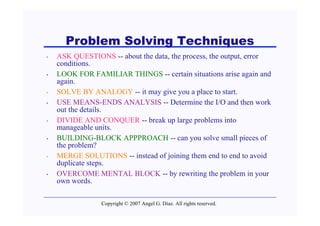
Problem Solving Techniques
•   ASK QUESTIONS -- about the data, the process, the output, error
    conditions.
•   LOOK FOR FAMILIAR THINGS -- certain situations arise again and
    again.
•   SOLVE BY ANALOGY -- it may give you a place to start.
•   USE MEANS-ENDS ANALYSIS -- Determine the I/O and then work
    out the details.
•   DIVIDE AND CONQUER -- break up large problems into
    manageable units.
•   BUILDING-BLOCK APPPROACH -- can you solve small pieces of
    the problem?
•   MERGE SOLUTIONS -- instead of joining them end to end to avoid
    duplicate steps.
•   OVERCOME MENTAL BLOCK -- by rewriting the problem in your
    own words.

                 Copyright © 2007 Angel G. Díaz. All rights reserved.
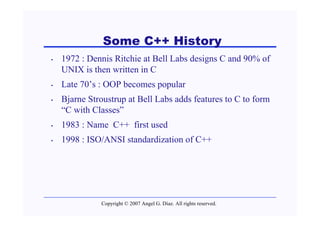
Some C++ History
•   1972 : Dennis Ritchie at Bell Labs designs C and 90% of
    UNIX is then written in C
•   Late 70’s : OOP becomes popular
•   Bjarne Stroustrup at Bell Labs adds features to C to form
    “C with Classes”
•   1983 : Name C++ first used
•   1998 : ISO/ANSI standardization of C++


              Copyright © 2007 Angel G. Díaz. All rights reserved.
End of Lesson 1


Copyright © 2007 Angel G. Díaz. All rights reserved.

Cois240 lesson01

  • 1.
    Lesson 1 Overview ofProgramming and Problem Solving COIS 240 Copyright © 2007 Angel G. Díaz. All rights reserved.
  • 2.
    Review Topics • Back to Basics: Definitions • Programming Life-Cycle Phases • Memory and Data Organization • Machine Language vs. High Level Languages • Compilation and Execution Processes • Computer Components • Problem-Solving Techniques • C++ History Copyright © 2007 Angel G. Díaz. All rights reserved.
  • 3.
    Back to Basics • Definitions: – Computer – Information System – Computer Programming – Logic – Algorithm – Programming Language Copyright © 2007 Angel G. Díaz. All rights reserved.
  • 4.
    Programming Life CyclePhases 1 Problem-Solving Phase – Analysis and Specification – General Solution ( Algorithm ) – Verify 2 Implementation Phase – Concrete Solution ( Program ) – Test 3 Maintenance Phase – Use – Maintain Copyright © 2007 Angel G. Díaz. All rights reserved.
  • 5.
    Problem-Solving Phase: Case •ANALYZE the problem and SPECIFY what the solution must do • Develop a GENERAL SOLUTION (ALGORITHM) to solve the problem • VERIFY that your solution really solves the problem Copyright © 2007 Angel G. Díaz. All rights reserved.
  • 6.
    Problem-Solving Phase (cont.) ProblemSample: A programmer needs an algorithm to determine an employee’s weekly wages. Wage Sample: In one week an employee works 52 hours at the hourly pay rate of $10.00. Assume a 40.0 hour normal work week and an overtime pay rate factor of 1.5. What are the employee’s wages and how would the calculations be done by hand? Copyright © 2007 Angel G. Díaz. All rights reserved.
  • 7.
    Problem-Solving Phase (cont.) Decisions: If hours are more than 40.0, then wages = (40.0 * payRate) + (hours - 40.0) * 1.5 *payRate otherwise, wages = hours * payRate Copyright © 2007 Angel G. Díaz. All rights reserved.
  • 8.
    Problem-Solving Phase (cont.) Algorithmto Determine an Weekly Wages 1. Get the employee’s hourly payRate 2. Get the hours worked this week 3. Calculate this week’s regular wages 4. Calculate this week’s overtime wages (if any) 5. Add the regular wages to overtime wages (if any) to determine total wages for the week Copyright © 2007 Angel G. Díaz. All rights reserved.
  • 9.
    Implementation Phase: Program •translating your algorithm into a programming language is called CODING • with C++, you use Documentation -- your written comments Compiler -- translates your program into machine language Main Program -- may call subalgorithms • TESTING your program means running (executing) your program on the computer, to see if it produces correct results • if it does not, then you must find out what is wrong with your program or algorithm and fix it--this is called debugging Copyright © 2007 Angel G. Díaz. All rights reserved.
  • 10.
    Maintenance Phase: Re-Engineering •USE and MODIFY the program to meet changing requirements or correct errors that show up in using it • maintenance begins when your program is put into use and accounts for the majority of effort on most programs Copyright © 2007 Angel G. Díaz. All rights reserved.
  • 11.
    A Tempting Shortcut? DEBUG REVISE REVISE DEBUG DEBUG REVISE ? tcut S hor CODE GOAL TEST THINKING CODE Copyright © 2007 Angel G. Díaz. All rights reserved.
  • 12.
    Memory Organization • twocircuit states correspond to 0 and 1 • bit (short for binary digit) refers to a single 0 or 1. Bit patterns represent both the computer instructions and computer data • 1 byte = 8 bits • 1 KB = 1024 bytes • 1 MB = 1024 x 1024 = 1,048,576 bytes Copyright © 2007 Angel G. Díaz. All rights reserved.
  • 13.
    Data Organization • Bit • Byte • Field • Record • File • Volumes • Libraries Copyright © 2007 Angel G. Díaz. All rights reserved.
  • 14.
    Computer Languages • Machine Language: – is not portable – runs only on specific type of computer – is made up of binary-coded instructions (strings of 0s and 1s) – is the language that can be directly used by the computer • High Level Language: – are portable – user writes program in language similar to natural language – examples -- FORTRAN, COBOL, Pascal, C++, Java, Etc. – most are standardized by ISO/ANSI to provide an official description of the language Copyright © 2007 Angel G. Díaz. All rights reserved.
  • 15.
    Three C++ ProgramStages myprog.cpp myprog.obj myprog.exe SOURCE OBJECT EXECUTABLE written in written in `written in C++ machine machine language language via compiler via linker other code from libraries, etc. Copyright © 2007 Angel G. Díaz. All rights reserved.
  • 16.
    Computer Components Peripherals Central Processing Unit ( CPU ) Input Device Control Unit Arithmetic Logic Unit Output Device Auxiliary Storage Memory Unit ( RAM & Registers ) Device Copyright © 2007 Angel G. Díaz. All rights reserved.
  • 17.
    Problem Solving Techniques • ASK QUESTIONS -- about the data, the process, the output, error conditions. • LOOK FOR FAMILIAR THINGS -- certain situations arise again and again. • SOLVE BY ANALOGY -- it may give you a place to start. • USE MEANS-ENDS ANALYSIS -- Determine the I/O and then work out the details. • DIVIDE AND CONQUER -- break up large problems into manageable units. • BUILDING-BLOCK APPPROACH -- can you solve small pieces of the problem? • MERGE SOLUTIONS -- instead of joining them end to end to avoid duplicate steps. • OVERCOME MENTAL BLOCK -- by rewriting the problem in your own words. Copyright © 2007 Angel G. Díaz. All rights reserved.
  • 18.
    Some C++ History • 1972 : Dennis Ritchie at Bell Labs designs C and 90% of UNIX is then written in C • Late 70’s : OOP becomes popular • Bjarne Stroustrup at Bell Labs adds features to C to form “C with Classes” • 1983 : Name C++ first used • 1998 : ISO/ANSI standardization of C++ Copyright © 2007 Angel G. Díaz. All rights reserved.
  • 19.
    End of Lesson1 Copyright © 2007 Angel G. Díaz. All rights reserved.