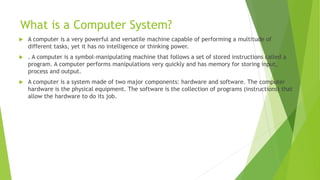
What is aComputer System?
A computer is a very powerful and versatile machine capable of performing a multitude of
different tasks, yet it has no intelligence or thinking power.
. A computer is a symbol-manipulating machine that follows a set of stored instructions called a
program. A computer performs manipulations very quickly and has memory for storing input,
process and output.
A computer is a system made of two major components: hardware and software. The computer
hardware is the physical equipment. The software is the collection of programs (instructions) that
allow the hardware to do its job.
3.
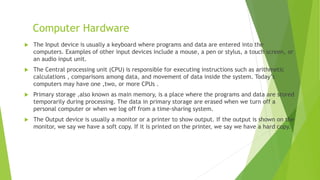
Computer Hardware
TheInput device is usually a keyboard where programs and data are entered into the
computers. Examples of other input devices include a mouse, a pen or stylus, a touch screen, or
an audio input unit.
The Central processing unit (CPU) is responsible for executing instructions such as arithmetic
calculations , comparisons among data, and movement of data inside the system. Today’s
computers may have one ,two, or more CPUs .
Primary storage ,also known as main memory, is a place where the programs and data are stored
temporarily during processing. The data in primary storage are erased when we turn off a
personal computer or when we log off from a time-sharing system.
The Output device is usually a monitor or a printer to show output. If the output is shown on the
monitor, we say we have a soft copy. If it is printed on the printer, we say we have a hard copy.
4.
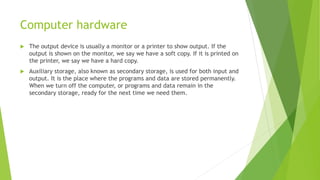
Computer hardware
Theoutput device is usually a monitor or a printer to show output. If the
output is shown on the monitor, we say we have a soft copy. If it is printed on
the printer, we say we have a hard copy.
Auxiliary storage, also known as secondary storage, is used for both input and
output. It is the place where the programs and data are stored permanently.
When we turn off the computer, or programs and data remain in the
secondary storage, ready for the next time we need them.
5.
Computer Software
Computersoftware is divided in to two broad categories: system software and
application software .
System software manages the computer resources .It provides the interface
between the hardware and the users.
Application software, on the other hand is directly responsible for helping
users solve their problems.
6.
System S/W andApplication S/W
System software consists of programs that manage the hardware resources of a computer and
perform required information processing tasks. These programs are divided into three classes:
the operating system, system support, and system development.
Application software is broken in to two classes :general-purpose software and application –
specific software.
General purpose software is purchased from a software developer and can be used for more
than one application. Examples of general purpose software include word processors ,database
management systems ,and computer aided design systems. They are labeled general purpose
because they can solve a variety of user computing problems.
Application –specific software can be used only for its intended purpose.
7.
Computer languages
MachineLanguage-Each computer has its own machine language, which is made of streams of 0’s
and 1’s. The internal circuits of a computer are made of switches transistors and other
electronic devices that can be in one of two states: off or on. The off state is represented by 0 ,
the on state is represented by 1.
Assembly/Symbolic Language-symbols of mnemonics to represent the various machine language
instructions. A special program called assembler translates symbolic code into machine
language.
High-Level language-High-level languages are designed to relieve the programmer from the
details of the assembly language.They must be converted into machine language. The process of
converting them is known as compilation.
8.
‘C’
‘C’ isa high-level language used for system software and new application
code.
‘C’ language was developed by Dennis M. Ritchie at the Bell Telephone
Laboratories in 1972.
9.
What is aProblem Solving Approach?
It is a systematic approach to find and implement the solution to a problem
A computer cannot solve a problem on its own.
One has to provide step by step solutions of the problem to the computer.
10.
What is Programand how it runs?
It is a set of instructions written in any computer language.
Set of instructions of the high level language used to code a problem to find its solution is
reffered to as Source Program.
A translator program called a compiler or interpreter, translates the source program into the
object program. This is the compilation or interpretation phase.
If there is no error, the source program is transformed into the machine language program called
Object Program.
The Object Program is executed to perform calculations. This stage is the execution phase.
Data, if required by the program, are supplied now and the results are obtained on the output
device.
11.
Steps of Problemsolving
1.Understanding the problem- Understand the problem to be solved completely.
2. Analyzing the problem- Search/analyze an appropriate solution to the problem under
consideration.
3. Developing the solution- Form a detailed step by step solution to the problem under
consideration.
4. Coding and implementation- The last stage of the problem solving is the conversion of the
detailed sequence of operations in to a language that the computer can understand.
12.
Algorithm
An algorithmcan be defined as “a complete, unambiguous, finite
number of logical steps for solving a specific problem “. It is language
independent.
Steps Involved are-
Step1. Identification of input: The input is to be indentified first for any specified problem.
Step2: Identification of output: at least one quantity is produced for any specified problem.
Step3 : Identification the processing operations : All the calculations to be performed in order to lead to
output from the input are to be identified in an orderly manner.
Step4 : Processing Definiteness : The instructions composing the algorithm must be clear and there should
not be any ambiguity in them.
Step5 : Processing Finiteness : If we go through the algorithm, then for all cases, the algorithm should
terminate after a finite number of steps.
Step6 : Possessing Effectiveness : The instructions in the algorithm must be sufficiently basic and in
practice they can be carries out easily.
13.
Algorithm possess followingproperties:-
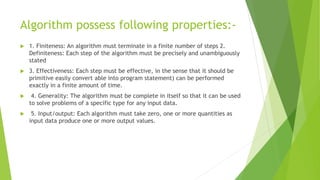
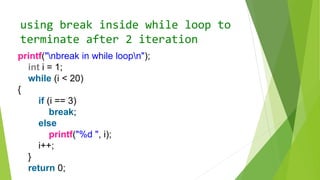
1. Finiteness: An algorithm must terminate in a finite number of steps 2.
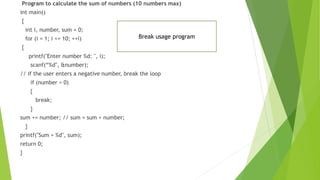
Definiteness: Each step of the algorithm must be precisely and unambiguously
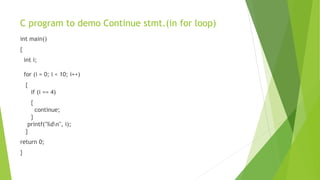
stated
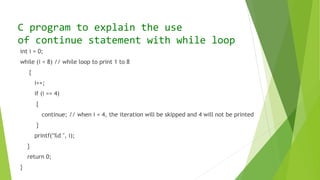
3. Effectiveness: Each step must be effective, in the sense that it should be
primitive easily convert able into program statement) can be performed
exactly in a finite amount of time.
4. Generality: The algorithm must be complete in itself so that it can be used
to solve problems of a specific type for any input data.
5. Input/output: Each algorithm must take zero, one or more quantities as
input data produce one or more output values.
14.
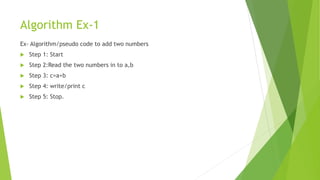
Algorithm Ex-1
Ex- Algorithm/pseudocode to add two numbers
Step 1: Start
Step 2:Read the two numbers in to a,b
Step 3: c=a+b
Step 4: write/print c
Step 5: Stop.
15.
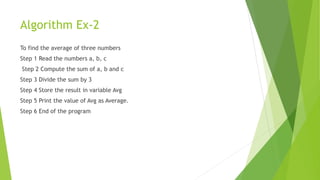
Algorithm Ex-2
To findthe average of three numbers
Step 1 Read the numbers a, b, c
Step 2 Compute the sum of a, b and c
Step 3 Divide the sum by 3
Step 4 Store the result in variable Avg
Step 5 Print the value of Avg as Average.
Step 6 End of the program
16.
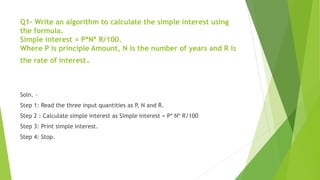
Q1- Write analgorithm to calculate the simple interest using
the formula.
Simple interest = P*N* R/100.
Where P is principle Amount, N is the number of years and R is
the rate of interest.
Soln. -
Step 1: Read the three input quantities as P, N and R.
Step 2 : Calculate simple interest as Simple interest = P* N* R/100
Step 3: Print simple interest.
Step 4: Stop.
17.
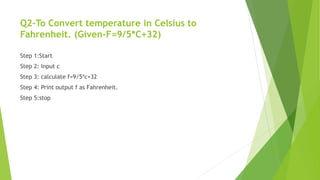
Q2-To Convert temperaturein Celsius to
Fahrenheit. (Given-F=9/5*C+32)
Step 1:Start
Step 2: Input c
Step 3: calculate f=9/5*c+32
Step 4: Print output f as Fahrenheit.
Step 5:stop
18.
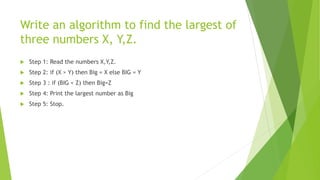
Write an algorithmto find the largest of
three numbers X, Y,Z.
Step 1: Read the numbers X,Y,Z.
Step 2: if (X > Y) then Big = X else BIG = Y
Step 3 : if (BIG < Z) then Big=Z
Step 4: Print the largest number as Big
Step 5: Stop.
19.
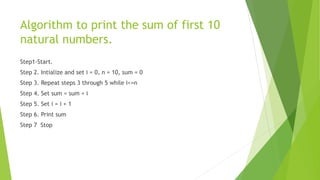
Algorithm to printthe sum of first 10
natural numbers.
Step1-Start.
Step 2. Intialize and set i = 0, n = 10, sum = 0
Step 3. Repeat steps 3 through 5 while i<=n
Step 4. Set sum = sum + i
Step 5. Set i = i + 1
Step 6. Print sum
Step 7 Stop
20.
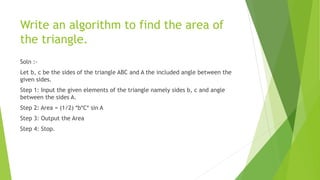
Write an algorithmto find the area of
the triangle.
Soln :-
Let b, c be the sides of the triangle ABC and A the included angle between the
given sides.
Step 1: Input the given elements of the triangle namely sides b, c and angle
between the sides A.
Step 2: Area = (1/2) *b*C* sin A
Step 3: Output the Area
Step 4: Stop.
21.
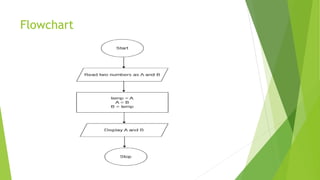
Write an algorithmto swap/exchange
values to two variables
Step 1: Start
Step 2: Read two numbers as A and B.
Step 3: temp = A
A = B
B = temp
Step 4: Display A and B
Step 5: Stop
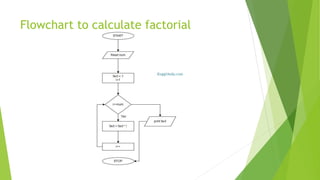
Algorithm to calculatefactorial
Step 1: Start
Step 2: Input number of which factorial need to be calculated as num.
Step 2: Declare and initialize variables fact = 1 and i = 1
Step 4: Repeat the loop until i<=num
fact = fact * i
i = i++
Step 5: Print fact as the factorial of a given number
Step 6: Stop
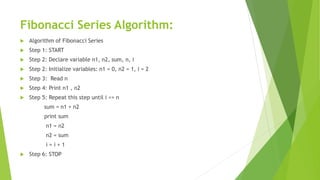
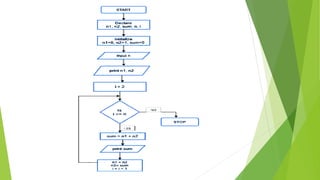
Fibonacci Series Algorithm:
Algorithm of Fibonacci Series
Step 1: START
Step 2: Declare variable n1, n2, sum, n, i
Step 2: Initialize variables: n1 = 0, n2 = 1, i = 2
Step 3: Read n
Step 4: Print n1 , n2
Step 5: Repeat this step until i <= n
sum = n1 + n2
print sum
n1 = n2
n2 = sum
i = i + 1
Step 6: STOP
Introduction to ‘C’
‘C’ is high level language and is the upgraded version of
another language (Basic Combined Program Language).
C language was designed at Bell laboratories in the early
1970’s by Dennis Ritchie.
The most popular Operating system UNIX is written in C
language.
This language also has the features of low level languages
and hence called as “System Programming Language”
29.
Features of Clanguage
Simple, versatile, general purpose language
It has rich set of Operators
Program execution are fast and efficient
Can easily manipulates with bits, bytes and addresses
Varieties of data types are available
Separate compilation of functions is possible and such
functions can be called by any C program
Block- structured language
Can be applied in System programming areas like operating
systems, compilers & Interpreters, Assembles, Text Editors,
Print Spoolers, Network Drivers, Modern Programs, Data Bases,
Language Interpreters, Utilities etc.
30.
Character Set
Thecharacter set is the fundamental raw-material for any
language. Like natural languages, computer languages will
also have well defined character-set, which is useful to
build the programs.
The C language consists of two character sets namely –
source character set and execution character set.
Source character set is useful to construct the statements
in the source program.
Execution character set is employed at the time of
execution of the program.
31.
Source character set
Thistype of character set includes three types of characters
namely
alphabets, Decimals and special symbols.
Alphabets : A to Z, a to z and Underscore( _ )
Decimal digits : 0 to 9
Special symbols : + - * / ^ % = & ! ( ) { } [ ] “ etc
White Spaces : blank spaces
32.
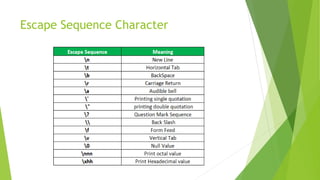
Execution Character SetIn C
The execution character set, also known as the control
character set in C programming, comprises character sets
that are used during the execution of a C program.
Control characters are vital for managing the flow of the
program, formatting output, and handling input.
Control Characters: Characters that do not represent a
printable symbol but rather perform a control function,
such as n (newline), t (tab), b (backspace), and r
(carriage return).
Structure of a‘C’ Program
The basic components of a C program are:
main()
pair of braces { }
declarations and statements
user defined functions
35.
C TOKENS
Thesmallest individual units in a C program are called tokens.
The alphabets, numbers and special symbols are combined to forms
these tokens. The types of tokens in C are : -
1. Keywords
2. Identifiers
3. Constants
4. Strings
5. Special Symbols
6. Operators
36.
Keywords
Keywords arewords whose meanings have already been defined and these
meanings cannot be changed.
Keywords are also called as reserved words. Keywords should not be used as
variable names (though some compilers allow you to construct variable names
like keywords).
All the keywords must be written in lowercase.
There are 32 keywords in C as given below :
auto double if static break else int
struct case enum long switch char
extern near typedef const float
register union continue far return unsigned
default for short void do goto signed while
37.
Identifiers
Identifiers arenames given to variables, functions and arrays.
These are the names which are user defined.
Rules to Name an Identifier in C
A programmer has to follow certain rules while naming variables. For the valid
identifier, we must follow the given below set of rules.
An identifier can include letters (a-z or A-Z), and digits (0-9).
An identifier cannot include special characters except the ‘_’ underscore.
Spaces are not allowed while naming an identifier.
An identifier can only begin with an underscore or letters.
We cannot name identifiers the same as keywords because they are reserved
words to perform a specific task. For example, printf, scanf, int, char, struct, etc.
If we use a keyword’s name as an identifier the compiler will throw an error.
The identifier must be unique in its namespace.
C language is case-sensitive so, ‘name’ and ‘NAME’ are different identifiers.
38.
Constant
A constant inC is a fixed value which does not change during the
execution of a program.
They are defined using keyword ‘const’ like
const int i= 5;
The basic classification of constants is :
Numeric Constants like 9, 6.7
Character constants like ‘A’, ‘Ashu’ , ‘Ram Kumar’
39.
Strings
Strings are nothingbut an array of characters ended with a null character
(‘0’). This null character indicates the end of the string.
Strings are always enclosed in double quotes.
Whereas, a character is enclosed in single quotes in C and C++.
For example-
Char name[50] = “Problem Solving Techniques”;
char string[20] = “geeksforgeeks”;
40.
Special Symbols
Thefollowing special symbols are used in C having some special meaning and thus, cannot be used
for some other purpose. Some of these are listed below:
Brackets[]: Opening and closing brackets are used as array element references. These indicate
single and multidimensional subscripts.
Parentheses(): These special symbols are used to indicate function calls and function parameters.
Braces{}: These opening and ending curly braces mark the start and end of a block of code
containing more than one executable statement.
Comma (, ): It is used to separate more than one statement like for separating parameters in
function calls.
Colon(:): It is an operator that essentially invokes something called an initialization list.
Semicolon(;): It is known as a statement terminator. It indicates the end of one logical entity.
That’s why each individual statement must be ended with a semicolon.
Asterisk (*): It is used to create a pointer variable and for the multiplication of variables.
Assignment operator(=): It is used to assign values and for logical operation validation.
Pre-processor (#): The preprocessor is a macro processor that is used automatically by the compiler
to transform your program before actual compilation.
Period (.): Used to access members of a structure or union.
Tilde(~): Bitwise One’s Complement Operator.
41.
Variable
A variableis a data name used to store a data value.
A variable name is a combination of alphabets, digits or underscores.
The first character however must be an alphabet. No commas, or
blanks are allowed while constructing variables.
The variable name should not be a keyword.
Variables are case sensitive i.e. sum and SUM are two distinct
variables.
Some valid variable names are :Max_length , age , sum , xyz , avg ,
a1 , T1 etc
Int sum=6;
42.
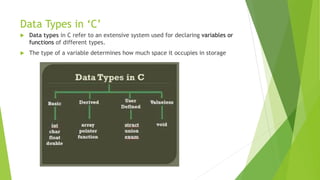
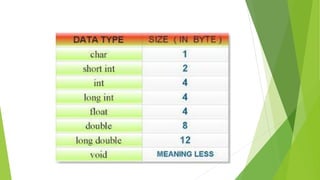
Data Types in‘C’
Data types in C refer to an extensive system used for declaring variables or
functions of different types.
The type of a variable determines how much space it occupies in storage
44.
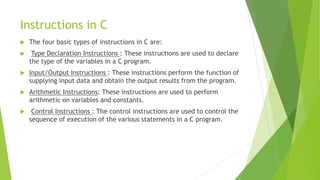
Instructions in C
The four basic types of instructions in C are:
Type Declaration Instructions : These instructions are used to declare
the type of the variables in a C program.
Input/Output Instructions : These instructions perform the function of
supplying input data and obtain the output results from the program.
Arithmetic Instructions: These instructions are used to perform
arithmetic on variables and constants.
Control Instructions : The control instructions are used to control the
sequence of execution of the various statements in a C program.
45.
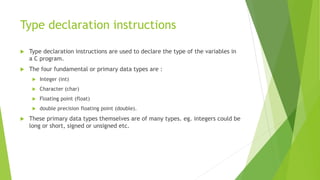
Type declaration instructions
Type declaration instructions are used to declare the type of the variables in
a C program.
The four fundamental or primary data types are :
Integer (int)
Character (char)
Floating point (float)
double precision floating point (double).
These primary data types themselves are of many types. eg. integers could be
long or short, signed or unsigned etc.
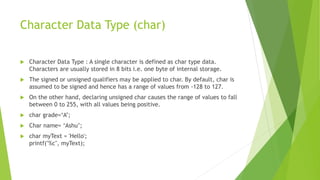
46.
Character Data Type(char)
Character Data Type : A single character is defined as char type data.
Characters are usually stored in 8 bits i.e. one byte of internal storage.
The signed or unsigned qualifiers may be applied to char. By default, char is
assumed to be signed and hence has a range of values from -128 to 127.
On the other hand, declaring unsigned char causes the range of values to fall
between 0 to 255, with all values being positive.
char grade=‘A’;
Char name= ‘Ashu’;
char myText = 'Hello';
printf("%c", myText);
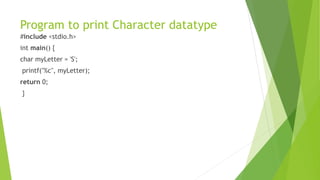
47.
Program to printCharacter datatype
#include <stdio.h>
int main() {
char myLetter = 'S';
printf("%c", myLetter);
return 0;
}
48.
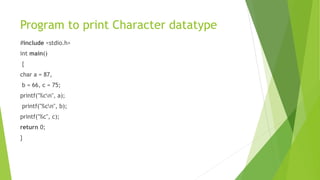
Program to printCharacter datatype
#include <stdio.h>
int main()
{
char a = 87,
b = 66, c = 75;
printf("%cn", a);
printf("%cn", b);
printf("%c", c);
return 0;
}
49.
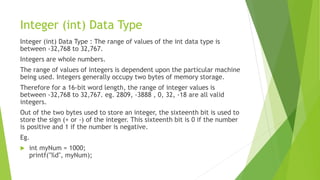
Integer (int) DataType
Integer (int) Data Type : The range of values of the int data type is
between -32,768 to 32,767.
Integers are whole numbers.
The range of values of integers is dependent upon the particular machine
being used. Integers generally occupy two bytes of memory storage.
Therefore for a 16-bit word length, the range of integer values is
between -32,768 to 32,767. eg. 2809, -3888 , 0, 32, -18 are all valid
integers.
Out of the two bytes used to store an integer, the sixteenth bit is used to
store the sign (+ or -) of the integer. This sixteenth bit is 0 if the number
is positive and 1 if the number is negative.
Eg.
int myNum = 1000;
printf("%d", myNum);
50.
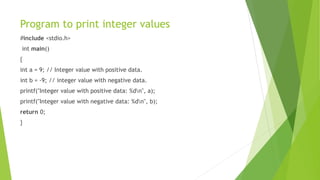
Program to printinteger values
#include <stdio.h>
int main()
{
int a = 9; // Integer value with positive data.
int b = -9; // integer value with negative data.
printf("Integer value with positive data: %dn", a);
printf("Integer value with negative data: %dn", b);
return 0;
}
51.
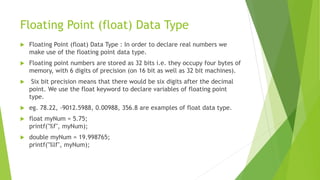
Floating Point (float)Data Type
Floating Point (float) Data Type : In order to declare real numbers we
make use of the floating point data type.
Floating point numbers are stored as 32 bits i.e. they occupy four bytes of
memory, with 6 digits of precision (on 16 bit as well as 32 bit machines).
Six bit precision means that there would be six digits after the decimal
point. We use the float keyword to declare variables of floating point
type.
eg. 78.22, -9012.5988, 0.00988, 356.8 are examples of float data type.
float myNum = 5.75;
printf("%f", myNum);
double myNum = 19.998765;
printf("%lf", myNum);
52.
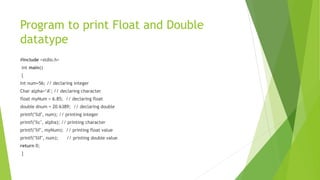
Program to printFloat and Double
datatype
#include <stdio.h>
int main()
{
Int num=56; // declaring integer
Char alpha=‘A’; // declaring character
float myNum = 6.85; // declaring float
double dnum = 20.6389; // declaring double
printf("%d", num); // printing integer
printf("%c", alpha); // printing character
printf("%f", myNum); // printing float value
printf("%lf", num); // printing double value
return 0;
}
53.
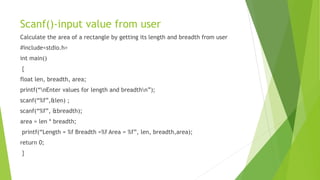
Scanf()-input value fromuser
Calculate the area of a rectangle by getting its length and breadth from user
#include<stdio.h>
int main()
{
float len, breadth, area;
printf(“nEnter values for length and breadthn”);
scanf(“%f”,&len) ;
scanf(“%f”, &breadth);
area = len * breadth;
printf(“Length = %f Breadth =%f Area = %f”, len, breadth,area);
return 0;
}
54.
Operators – Unary,Binaryand Ternary
Operators are symbols that trigger an action when applied to C
variables and other objects. The data items on which operators act
are called operands.
Depending on the number of operands that an operator can act upon,
operators can be classified as follows:
55.
Unary Operator
UnaryOperators: Those operators that require only a single operand to act
upon are known as unary operators.
For Example increment (++) and decrement operators (--)
56.
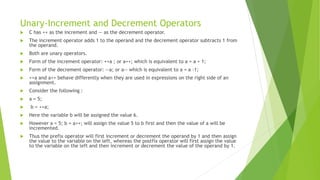
Unary-Increment and DecrementOperators
C has ++ as the increment and — as the decrement operator.
The increment operator adds 1 to the operand and the decrement operator subtracts 1 from
the operand.
Both are unary operators.
Form of the increment operator: ++a ; or a++; which is equivalent to a = a + 1;
Form of the decrement operator: --a; or a-- which is equivalent to a = a -1;
++a and a++ behave differently when they are used in expressions on the right side of an
assignment.
Consider the following :
a = 5;
b = ++a;
Here the variable b will be assigned the value 6.
However a = 5; b = a++; will assign the value 5 to b first and then the value of a will be
incremented.
Thus the prefix operator will first increment or decrement the operand by 1 and then assign
the value to the variable on the left, whereas the postfix operator will first assign the value
to the variable on the left and then increment or decrement the value of the operand by 1.
57.
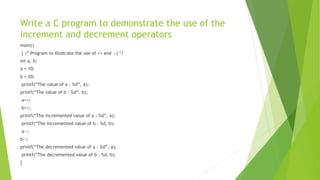
Write a Cprogram to demonstrate the use of the
increment and decrement operators
main()
{ /* Program to illustrate the use of ++ and —) */
int a, b;
a = 10;
b = 20;
printf(“The value of a : %d”, a);
printf(“The value of b : %d”, b);
a++;
b++;
printf(“The incremented value of a : %d”, a);
printf(“The incremented value of b : %d, b);
a--;
b--;
printf(“The decremented value of a : %d”, a);
printf(“The decremented value of b : %d, b);
}
58.
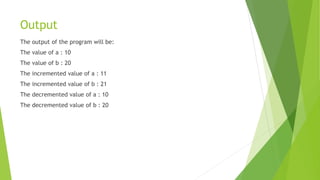
Output
The output ofthe program will be:
The value of a : 10
The value of b : 20
The incremented value of a : 11
The incremented value of b : 21
The decremented value of a : 10
The decremented value of b : 20
59.
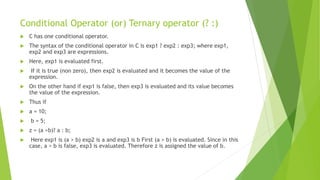
Conditional Operator (or)Ternary operator (? :)
C has one conditional operator.
The syntax of the conditional operator in C is exp1 ? exp2 : exp3; where exp1,
exp2 and exp3 are expressions.
Here, exp1 is evaluated first.
If it is true (non zero), then exp2 is evaluated and it becomes the value of the
expression.
On the other hand if exp1 is false, then exp3 is evaluated and its value becomes
the value of the expression.
Thus if
a = 10;
b = 5;
z = (a >b)? a : b;
Here exp1 is (a > b) exp2 is a and exp3 is b First (a > b) is evaluated. Since in this
case, a > b is false, exp3 is evaluated. Therefore z is assigned the value of b.
60.
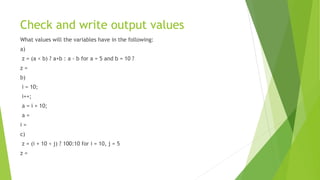
Check and writeoutput values
What values will the variables have in the following:
a)
z = (a < b) ? a+b : a - b for a = 5 and b = 10 ?
z =
b)
i = 10;
i++;
a = i + 10;
a =
i =
c)
z = (i + 10 < j) ? 100:10 for i = 10, j = 5
z =
61.
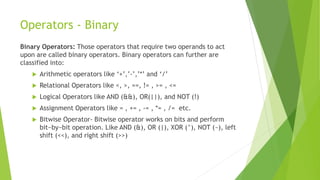
Operators - Binary
BinaryOperators: Those operators that require two operands to act
upon are called binary operators. Binary operators can further are
classified into:
Arithmetic operators like ‘+’,’-’,’*’ and ‘/’
Relational Operators like <, >, ==, != , >= , <=
Logical Operators like AND (&&), OR(||), and NOT (!)
Assignment Operators like = , += , -= , *= , /= etc.
Bitwise Operator- Bitwise operator works on bits and perform
bit−by−bit operation. Like AND (&), OR (|), XOR (^), NOT (~), left
shift (<<), and right shift (>>)
62.
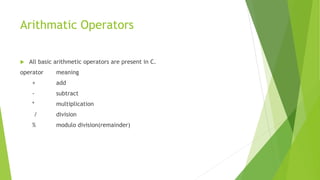
Arithmatic Operators
Allbasic arithmetic operators are present in C.
operator meaning
+ add
- subtract
* multiplication
/ division
% modulo division(remainder)
63.
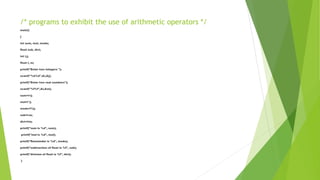
/* programs toexhibit the use of arithmetic operators */
main()
{
int sum, mul, modu;
float sub, divi;
int i,j;
float l, m;
printf("Enter two integers ");
scanf("%d%d",&i,&j);
printf("Enter two real numbers");
scanf("%f%f",&l,&m);
sum=i+j;
mul=i*j;
modu=i%j;
sub=l-m;
divi=l/m;
printf("sum is %d", sum);
printf("mul is %d", mul);
printf("Remainder is %d", modu);
printf("subtraction of float is %f", sub);
printf("division of float is %f", divi);
}
64.
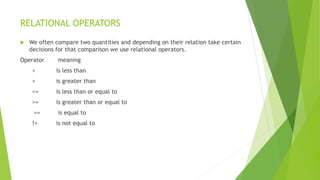
RELATIONAL OPERATORS
Weoften compare two quantities and depending on their relation take certain
decisions for that comparison we use relational operators.
Operator meaning
< is less than
> is greater than
<= is less than or equal to
>= is greater than or equal to
== is equal to
!= is not equal to
65.
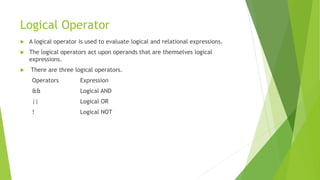
Logical Operator
Alogical operator is used to evaluate logical and relational expressions.
The logical operators act upon operands that are themselves logical
expressions.
There are three logical operators.
Operators Expression
&& Logical AND
|| Logical OR
! Logical NOT
66.
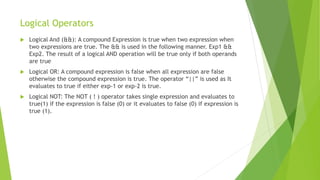
Logical Operators
LogicalAnd (&&): A compound Expression is true when two expression when
two expressions are true. The && is used in the following manner. Exp1 &&
Exp2. The result of a logical AND operation will be true only if both operands
are true
Logical OR: A compound expression is false when all expression are false
otherwise the compound expression is true. The operator “||” is used as It
evaluates to true if either exp-1 or exp-2 is true.
Logical NOT: The NOT ( ! ) operator takes single expression and evaluates to
true(1) if the expression is false (0) or it evaluates to false (0) if expression is
true (1).
67.
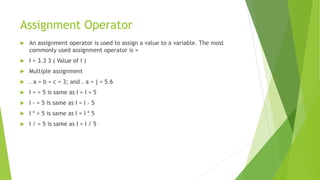
Assignment Operator
Anassignment operator is used to assign a value to a variable. The most
commonly used assignment operator is =
I = 3.3 3 ( Value of I )
Multiple assignment
. a = b = c = 3; and . a = j = 5.6
I + = 5 is same as I = I + 5
I - = 5 is same as I = I – 5
I * = 5 is same as I = I * 5
I / = 5 is same as I = I / 5
68.
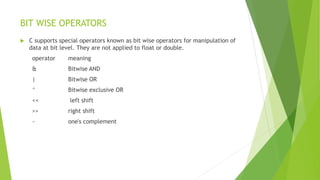
BIT WISE OPERATORS
C supports special operators known as bit wise operators for manipulation of
data at bit level. They are not applied to float or double.
operator meaning
& Bitwise AND
| Bitwise OR
^ Bitwise exclusive OR
<< left shift
>> right shift
~ one's complement
69.
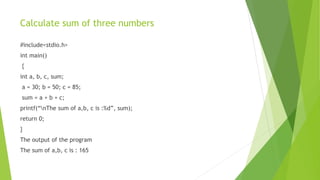
Calculate sum ofthree numbers
#include<stdio.h>
int main()
{
int a, b, c, sum;
a = 30; b = 50; c = 85;
sum = a + b + c;
printf(“nThe sum of a,b, c is :%d”, sum);
return 0;
}
The output of the program
The sum of a,b, c is : 165
70.
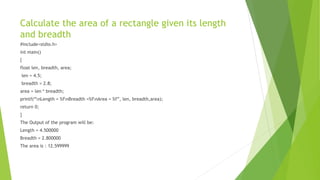
Calculate the areaof a rectangle given its length
and breadth
#include<stdio.h>
int main()
{
float len, breadth, area;
len = 4.5;
breadth = 2.8;
area = len * breadth;
printf(“nLength = %fnBreadth =%fnArea = %f”, len, breadth,area);
return 0;
}
The Output of the program will be:
Length = 4.500000
Breadth = 2.800000
The area is : 12.599999
71.
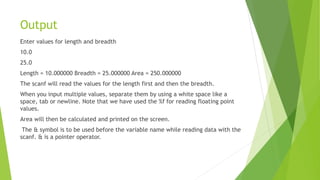
Output
Enter values forlength and breadth
10.0
25.0
Length = 10.000000 Breadth = 25.000000 Area = 250.000000
The scanf will read the values for the length first and then the breadth.
When you input multiple values, separate them by using a white space like a
space, tab or newline. Note that we have used the %f for reading floating point
values.
Area will then be calculated and printed on the screen.
The & symbol is to be used before the variable name while reading data with the
scanf. & is a pointer operator.
72.
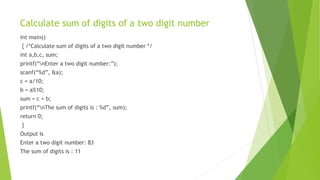
Calculate sum ofdigits of a two digit number
int main()
{ /*Calculate sum of digits of a two digit number */
int a,b,c, sum;
printf(“nEnter a two digit number:”);
scanf(“%d”, &a);
c = a/10;
b = a%10;
sum = c + b;
printf(“nThe sum of digits is : %d”, sum);
return 0;
}
Output is
Enter a two digit number: 83
The sum of digits is : 11
73.
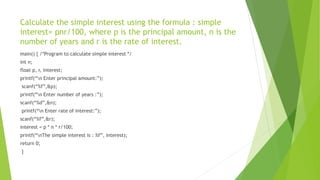
Calculate the simpleinterest using the formula : simple
interest= pnr/100, where p is the principal amount, n is the
number of years and r is the rate of interest.
main() { /*Program to calculate simple interest */
int n;
float p, r, interest;
printf(“n Enter principal amount:”);
scanf(“%f”,&p);
printf(“n Enter number of years :”);
scanf(“%d”,&n);
printf(“n Enter rate of interest:”);
scanf(“%f”,&r);
interest = p * n * r/100;
printf(“nThe simple interest is : %f”, interest);
return 0;
}
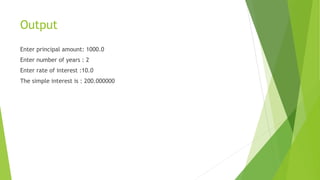
74.
Output
Enter principal amount:1000.0
Enter number of years : 2
Enter rate of interest :10.0
The simple interest is : 200.000000
75.
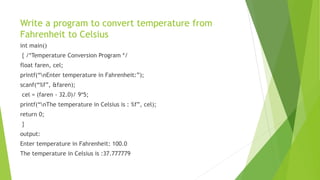
Write a programto convert temperature from
Fahrenheit to Celsius
int main()
{ /*Temperature Conversion Program */
float faren, cel;
printf(“nEnter temperature in Fahrenheit:”);
scanf(“%f”, &faren);
cel = (faren - 32.0)/ 9*5;
printf(“nThe temperature in Celsius is : %f”, cel);
return 0;
}
output:
Enter temperature in Fahrenheit: 100.0
The temperature in Celsius is :37.777779
76.
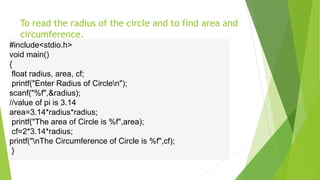
To read theradius of the circle and to find area and
circumference.
#include<stdio.h>
void main()
{
float radius, area, cf;
printf("Enter Radius of Circlen");
scanf("%f",&radius);
//value of pi is 3.14
area=3.14*radius*radius;
printf("The area of Circle is %f",area);
cf=2*3.14*radius;
printf("nThe Circumference of Circle is %f",cf);
}
77.
Conditional Statements
Theconditional expressions are mainly used for decision
making.
The following statements are used to perform the task of
the conditional operations.
a. if statement.
b. If-else statement. Or 2 way if statement
c. Nested else-if statement.
d. Nested if –else statement.
e. Switch statement.
78.
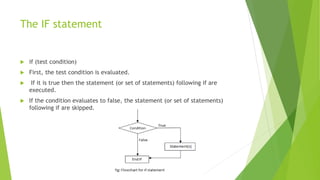
The IF statement
if (test condition)
First, the test condition is evaluated.
If it is true then the statement (or set of statements) following if are
executed.
If the condition evaluates to false, the statement (or set of statements)
following if are skipped.
79.
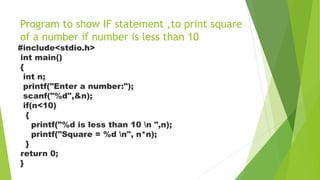
Program to showIF statement ,to print square
of a number if number is less than 10
#include<stdio.h>
int main()
{
int n;
printf("Enter a number:");
scanf("%d",&n);
if(n<10)
{
printf("%d is less than 10 n ",n);
printf("Square = %d n", n*n);
}
return 0;
}
80.
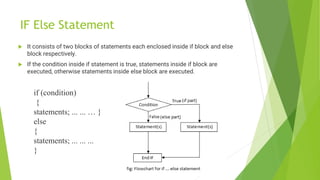
IF Else Statement
It consists of two blocks of statements each enclosed inside if block and else
block respectively.
If the condition inside if statement is true, statements inside if block are
executed, otherwise statements inside else block are executed.
if (condition)
{
statements; ... ... … }
else
{
statements; ... ... ...
}
81.
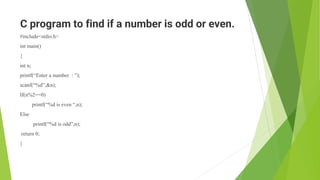
C program tofind if a number is odd or even.
#include<stdio.h>
int main()
{
int n;
printf(“Enter a number : ”);
scanf(“%d”,&n);
If(n%2==0)
printf(“%d is even “,n);
Else
printf(“%d is odd”,n);
return 0;
}
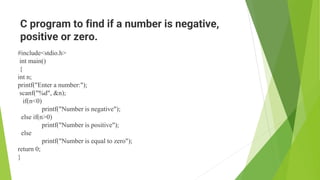
C program tofind if a number is negative,
positive or zero.
#include<stdio.h>
int main()
{
int n;
printf("Enter a number:");
scanf("%d", &n);
if(n<0)
printf("Number is negative");
else if(n>0)
printf("Number is positive");
else
printf("Number is equal to zero");
return 0;
}
84.
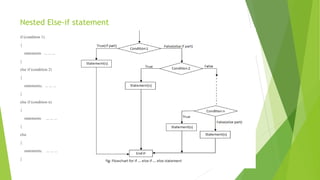
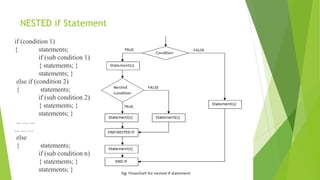
NESTED if Statement
if(condition 1)
{ statements;
if (sub condition 1)
{ statements; }
statements; }
else if (condition 2)
{ statements;
if (sub condition 2)
{ statements; }
statements; }
... ... ...
... ... ...
else
{ statements;
if (sub condition n)
{ statements; }
statements; }
85.
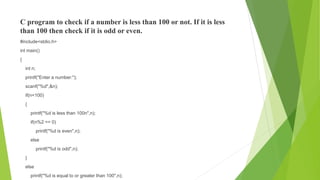
C program tocheck if a number is less than 100 or not. If it is less
than 100 then check if it is odd or even.
#include<stdio.h>
int main()
{
int n;
printf("Enter a number:");
scanf("%d",&n);
if(n<100)
{
printf("%d is less than 100n",n);
if(n%2 == 0)
printf("%d is even",n);
else
printf("%d is odd",n);
}
else
printf("%d is equal to or greater than 100",n);
86.
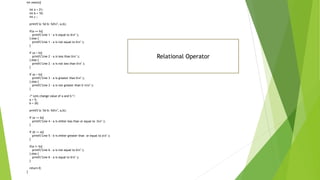
int main(){
int a= 21;
int b = 10;
int c ;
printf("a: %d b: %dn", a,b);
if(a == b){
printf("Line 1 - a is equal to bn" );
} else {
printf("Line 1 - a is not equal to bn" );
}
if (a < b){
printf("Line 2 - a is less than bn" );
} else {
printf("Line 2 - a is not less than bn" );
}
if (a > b){
printf("Line 3 - a is greater than bn" );
} else {
printf("Line 3 - a is not greater than b nn" );
}
/* Lets change value of a and b */
a = 5;
b = 20;
printf("a: %d b: %dn", a,b);
if (a <= b){
printf("Line 4 - a is either less than or equal to bn" );
}
if (b >= a){
printf("Line 5 - b is either greater than or equal to an" );
}
if(a != b){
printf("Line 6 - a is not equal to bn" );
} else {
printf("Line 6 - a is equal to bn" );
}
return 0;
}
Relational Operator
87.
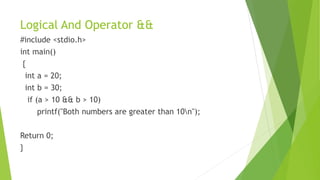
Logical And Operator&&
#include <stdio.h>
int main()
{
int a = 20;
int b = 30;
if (a > 10 && b > 10)
printf("Both numbers are greater than 10n");
Return 0;
}
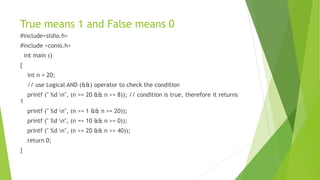
88.
True means 1and False means 0
#include<stdio.h>
#include <conio.h>
int main ()
{
int n = 20;
// use Logical AND (&&) operator to check the condition
printf (" %d n", (n == 20 && n >= 8)); // condition is true, therefore it returns
1
printf (" %d n", (n >= 1 && n >= 20));
printf (" %d n", (n == 10 && n >= 0));
printf (" %d n", (n >= 20 && n <= 40));
return 0;
}
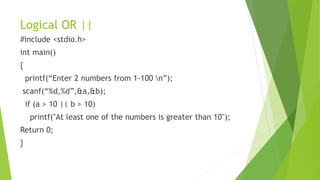
89.
Logical OR ||
#include<stdio.h>
int main()
{
printf(“Enter 2 numbers from 1-100 n”);
scanf(“%d,%d”,&a,&b);
if (a > 10 || b > 10)
printf("At least one of the numbers is greater than 10");
Return 0;
}
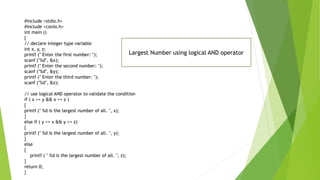
90.
#include <stdio.h>
#include <conio.h>
intmain ()
{
// declare integer type variable
int x, y, z;
printf (" Enter the first number: ");
scanf ("%d", &x);
printf (" Enter the second number: ");
scanf ("%d", &y);
printf (" Enter the third number: ");
scanf ("%d", &z);
// use logical AND operator to validate the condition
if ( x >= y && x >= z )
{
printf (" %d is the largest number of all. ", x);
}
else if ( y >= x && y >= z)
{
printf (" %d is the largest number of all. ", y);
}
else
{
printf ( " %d is the largest number of all. ", z);
}
return 0;
}
Largest Number using logical AND operator
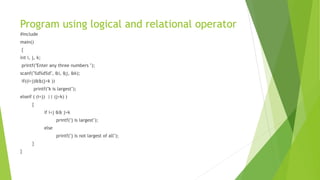
91.
Program using logicaland relational operator
#include
main()
{
int i, j, k;
printf("Enter any three numbers ");
scanf("%d%d%d", &i, &j, &k);
if((i<j)&&(j<k ))
printf("k is largest");
elseif ( (i<j) || (j>k) )
{
if i<j && j>k
printf("j is largest");
else
printf("j is not largest of all");
}
}
92.
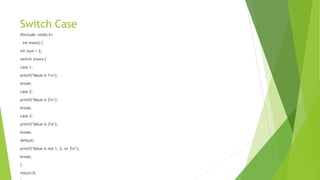
Switch Case
#include <stdio.h>
intmain() {
int num = 2;
switch (num) {
case 1:
printf("Value is 1n");
break;
case 2:
printf("Value is 2n");
break;
case 3:
printf("Value is 3n");
break;
default:
printf("Value is not 1, 2, or 3n");
break;
}
return 0;
93.
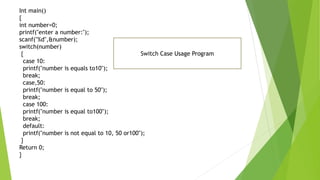
Int main()
{
int number=0;
printf("entera number:");
scanf("%d",&number);
switch(number)
{
case 10:
printf("number is equals to10");
break;
case,50:
printf("number is equal to 50");
break;
case 100:
printf("number is equal to100");
break;
default:
printf("number is not equal to 10, 50 or100");
}
Return 0;
}
Switch Case Usage Program
Loop statements –While , Do-While and
For loop
Loop statements are used to execute the statements
repeatedly as long as an expression is true.
When the expression becomes false then the control
transferred out of the loop.
There are three kinds of loops in C.
a) while b) do-while c) for
96.
While Loop
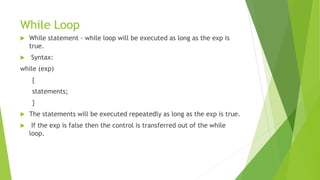
Whilestatement - while loop will be executed as long as the exp is
true.
Syntax:
while (exp)
{
statements;
}
The statements will be executed repeatedly as long as the exp is true.
If the exp is false then the control is transferred out of the while
loop.
97.
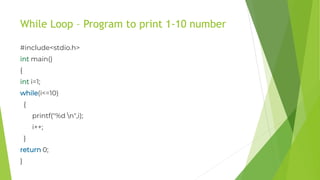
While Loop –Program to print 1-10 number
#include<stdio.h>
int main()
{
int i=1;
while(i<=10)
{
printf("%d n",i);
i++;
}
return 0;
}
98.
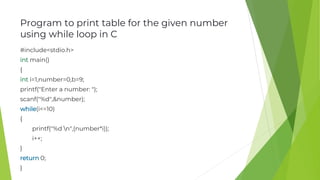
Program to printtable for the given number
using while loop in C
#include<stdio.h>
int main()
{
int i=1,number=0,b=9;
printf("Enter a number: ");
scanf("%d",&number);
while(i<=10)
{
printf("%d n",(number*i));
i++;
}
return 0;
}
99.
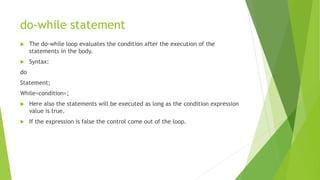
do-while statement
Thedo-while loop evaluates the condition after the execution of the
statements in the body.
Syntax:
do
Statement;
While<condition>;
Here also the statements will be executed as long as the condition expression
value is true.
If the expression is false the control come out of the loop.
100.
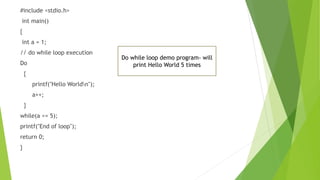
#include <stdio.h>
int main()
{
inta = 1;
// do while loop execution
Do
{
printf("Hello Worldn");
a++;
}
while(a <= 5);
printf("End of loop");
return 0;
}
Do while loop demo program- will
print Hello World 5 times
101.
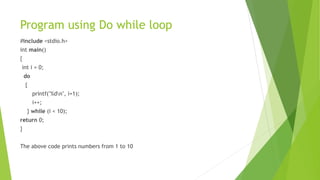
Program using Dowhile loop
#include <stdio.h>
int main()
{
int i = 0;
do
{
printf("%dn", i+1);
i++;
} while (i < 10);
return 0;
}
The above code prints numbers from 1 to 10
102.
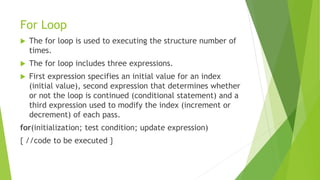
For Loop
Thefor loop is used to executing the structure number of
times.
The for loop includes three expressions.
First expression specifies an initial value for an index
(initial value), second expression that determines whether
or not the loop is continued (conditional statement) and a
third expression used to modify the index (increment or
decrement) of each pass.
for(initialization; test condition; update expression)
{ //code to be executed }
103.
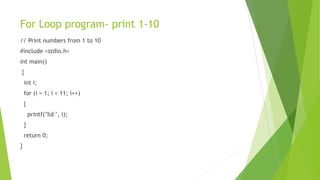
For Loop program-print 1-10
// Print numbers from 1 to 10
#include <stdio.h>
int main()
{
int i;
for (i = 1; i < 11; i++)
{
printf("%d ", i);
}
return 0;
}
104.
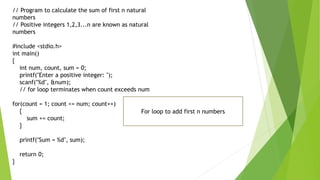
// Program tocalculate the sum of first n natural
numbers
// Positive integers 1,2,3...n are known as natural
numbers
#include <stdio.h>
int main()
{
int num, count, sum = 0;
printf("Enter a positive integer: ");
scanf("%d", &num);
// for loop terminates when count exceeds num
for(count = 1; count <= num; count++)
{
sum += count;
}
printf("Sum = %d", sum);
return 0;
}
For loop to add first n numbers
105.
C program forpassword check
#include <stdio.h>
#include <string.h>
int main() {
char password[] = "secret";
char input[20];
Do
{
printf("Enter the password: ");
scanf("%s", input);
} while (strcmp(input, password) != 0);
printf("Access granted!n");
return 0;
}
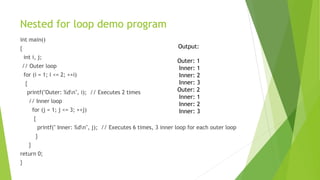
Nested for loopdemo program
int main()
{
int i, j;
// Outer loop
for (i = 1; i <= 2; ++i)
{
printf("Outer: %dn", i); // Executes 2 times
// Inner loop
for (j = 1; j <= 3; ++j)
{
printf(" Inner: %dn", j); // Executes 6 times, 3 inner loop for each outer loop
}
}
return 0;
}
Output:
Outer: 1
Inner: 1
Inner: 2
Inner: 3
Outer: 2
Inner: 1
Inner: 2
Inner: 3
108.
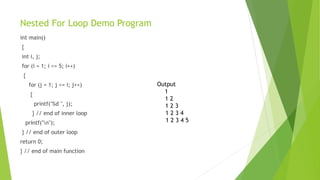
Nested For LoopDemo Program
int main()
{
int i, j;
for (i = 1; i <= 5; i++)
{
for (j = 1; j <= i; j++)
{
printf("%d ", j);
} // end of inner loop
printf("n");
} // end of outer loop
return 0;
} // end of main function
Output
1
1 2
1 2 3
1 2 3 4
1 2 3 4 5
109.
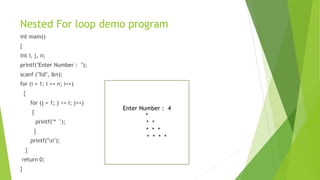
Nested For loopdemo program
int main()
{
int i, j, n;
printf("Enter Number : ");
scanf ("%d", &n);
for (i = 1; i <= n; i++)
{
for (j = 1; j <= i; j++)
{
printf("* ");
}
printf("n");
}
return 0;
}
Enter Number : 4
*
* *
* * *
* * * *
110.
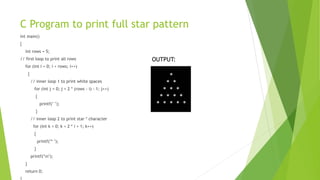
C Program toprint full star pattern
int main()
{
int rows = 5;
// first loop to print all rows
for (int i = 0; i < rows; i++)
{
// inner loop 1 to print white spaces
for (int j = 0; j < 2 * (rows - i) - 1; j++)
{
printf(" ");
}
// inner loop 2 to print star * character
for (int k = 0; k < 2 * i + 1; k++)
{
printf("* ");
}
printf("n");
}
return 0;
OUTPUT:
111.
Break and Continuestatement
The break statement ends the loop immediately when it is encountered.
Break keyword is used. break;
Continue keyword will skip over the remaining body of the current loop, and
continue to the next iteration.
Continue keyword is used. continue;
112.
C Program todemonstrate break statement
with for loop
#include <stdio.h>
int main()
{
// using break inside for loop to terminate after 2
// iteration
printf("break in for loopn");
for (int i = 1; i < 5; i++) {
if (i == 3)
{
break;
}
else
{
printf("%d ", i);
}
}
113.
using break insidewhile loop to
terminate after 2 iteration
printf("nbreak in while loopn");
int i = 1;
while (i < 20)
{
if (i == 3)
break;
else
printf("%d ", i);
i++;
}
return 0;
114.
Program to calculatethe sum of numbers (10 numbers max)
int main()
{
int i, number, sum = 0;
for (i = 1; i <= 10; ++i)
{
printf("Enter number %d: ", i);
scanf(“%d", &number);
// if the user enters a negative number, break the loop
if (number < 0)
{
break;
}
sum += number; // sum = sum + number;
}
printf("Sum = %d", sum);
return 0;
}
Break usage program
115.
C program todemo Continue stmt.(in for loop)
int main()
{
int i;
for (i = 0; i < 10; i++)
{
if (i == 4)
{
continue;
}
printf("%dn", i);
}
return 0;
}
116.
int i =0;
while (i < 8) // while loop to print 1 to 8
{
i++;
if (i == 4)
{
continue; // when i = 4, the iteration will be skipped and 4 will not be printed
}
printf("%d ", i);
}
return 0;
}
C program to explain the use
of continue statement with while loop
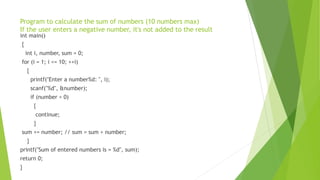
117.
Program to calculatethe sum of numbers (10 numbers max)
If the user enters a negative number, it's not added to the result
int main()
{
int i, number, sum = 0;
for (i = 1; i <= 10; ++i)
{
printf("Enter a number%d: ", i);
scanf("%d", &number);
if (number < 0)
{
continue;
}
sum += number; // sum = sum + number;
}
printf("Sum of entered numbers is = %d", sum);
return 0;
}
118.
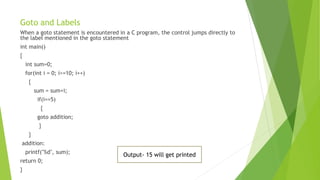
Goto and Labels
Whena goto statement is encountered in a C program, the control jumps directly to
the label mentioned in the goto statement
int main()
{
int sum=0;
for(int i = 0; i<=10; i++)
{
sum = sum+i;
if(i==5)
{
goto addition;
}
}
addition:
printf("%d", sum);
return 0;
}
Output- 15 will get printed
119.
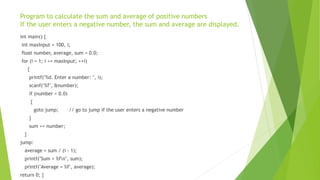
Program to calculatethe sum and average of positive numbers
If the user enters a negative number, the sum and average are displayed.
int main() {
int maxInput = 100, i;
float number, average, sum = 0.0;
for (i = 1; i <= maxInput; ++i)
{
printf("%d. Enter a number: ", i);
scanf("%f", &number);
if (number < 0.0)
{
goto jump; // go to jump if the user enters a negative number
}
sum += number;
}
jump:
average = sum / (i - 1);
printf("Sum = %fn", sum);
printf("Average = %f", average);
return 0; }
120.
Arrays
Array inC is one of the most used data structures in C programming.
An array in C is a fixed-size collection of similar data items stored in
contiguous memory locations.
Arrays are used to store multiple values in a single variable, instead of
declaring separate variables for each value.
To access an array element, refer to its index number.
Array indexes start with 0: [0] is the first element. [1] is the second element,
etc.
For example :
int marks[] = {25, 50, 75, 100};
printf("%d", myNumbers[0]); // print 25
121.
Demo Program forArray in C
#include <stdio.h>
int main() {
int myNumbers[] = {25, 50, 75, 100};
int i;
for (i = 0; i < 4; i++) {
printf("%dn", myNumbers[i]);
}
return 0;
}
OUTPUT:
25
50
75
100
122.
Demo Program forArray in C
#include <stdio.h>
int main()
{
int myNumbers[] = {25, 50, 75, 100};
myNumbers[0] = 33;
printf("%d", myNumbers[0]);
return 0;
}
Output is 33
123.
C Program toillustrate element access using array
subscript
int main()
{
// array declaration and initialization
int arr[5] = { 15, 25, 35, 45, 55 };
// accessing element at index 2 i.e 3rd element
printf("Element at arr[2]: %dn", arr[2]);
// accessing element at index 4 i.e last element
printf("Element at arr[4]: %dn", arr[4]);
// accessing element at index 0 i.e first element
printf("Element at arr[0]: %d", arr[0]);
return 0;
}
OUTPUT:
Element at arr[2]: 35
Element at arr[4]: 55
Element at arr[0]: 15
![Source character set
This type of character set includes three types of characters
namely
alphabets, Decimals and special symbols.
Alphabets : A to Z, a to z and Underscore( _ )
Decimal digits : 0 to 9
Special symbols : + - * / ^ % = & ! ( ) { } [ ] “ etc
White Spaces : blank spaces](https://image.slidesharecdn.com/bcapstnotes-250804052249-a6563460/85/BCA-1st-semester-Problem-Solving-Notes-using-C-pdf-31-320.jpg)
![Strings
Strings are nothing but an array of characters ended with a null character
(‘0’). This null character indicates the end of the string.
Strings are always enclosed in double quotes.
Whereas, a character is enclosed in single quotes in C and C++.
For example-
Char name[50] = “Problem Solving Techniques”;
char string[20] = “geeksforgeeks”;](https://image.slidesharecdn.com/bcapstnotes-250804052249-a6563460/85/BCA-1st-semester-Problem-Solving-Notes-using-C-pdf-39-320.jpg)
![Special Symbols
The following special symbols are used in C having some special meaning and thus, cannot be used
for some other purpose. Some of these are listed below:
Brackets[]: Opening and closing brackets are used as array element references. These indicate
single and multidimensional subscripts.
Parentheses(): These special symbols are used to indicate function calls and function parameters.
Braces{}: These opening and ending curly braces mark the start and end of a block of code
containing more than one executable statement.
Comma (, ): It is used to separate more than one statement like for separating parameters in
function calls.
Colon(:): It is an operator that essentially invokes something called an initialization list.
Semicolon(;): It is known as a statement terminator. It indicates the end of one logical entity.
That’s why each individual statement must be ended with a semicolon.
Asterisk (*): It is used to create a pointer variable and for the multiplication of variables.
Assignment operator(=): It is used to assign values and for logical operation validation.
Pre-processor (#): The preprocessor is a macro processor that is used automatically by the compiler
to transform your program before actual compilation.
Period (.): Used to access members of a structure or union.
Tilde(~): Bitwise One’s Complement Operator.](https://image.slidesharecdn.com/bcapstnotes-250804052249-a6563460/85/BCA-1st-semester-Problem-Solving-Notes-using-C-pdf-40-320.jpg)
![C program for password check
#include <stdio.h>
#include <string.h>
int main() {
char password[] = "secret";
char input[20];
Do
{
printf("Enter the password: ");
scanf("%s", input);
} while (strcmp(input, password) != 0);
printf("Access granted!n");
return 0;
}](https://image.slidesharecdn.com/bcapstnotes-250804052249-a6563460/85/BCA-1st-semester-Problem-Solving-Notes-using-C-pdf-105-320.jpg)
![Arrays
Array in C is one of the most used data structures in C programming.
An array in C is a fixed-size collection of similar data items stored in
contiguous memory locations.
Arrays are used to store multiple values in a single variable, instead of
declaring separate variables for each value.
To access an array element, refer to its index number.
Array indexes start with 0: [0] is the first element. [1] is the second element,
etc.
For example :
int marks[] = {25, 50, 75, 100};
printf("%d", myNumbers[0]); // print 25](https://image.slidesharecdn.com/bcapstnotes-250804052249-a6563460/85/BCA-1st-semester-Problem-Solving-Notes-using-C-pdf-120-320.jpg)
![Demo Program for Array in C
#include <stdio.h>
int main() {
int myNumbers[] = {25, 50, 75, 100};
int i;
for (i = 0; i < 4; i++) {
printf("%dn", myNumbers[i]);
}
return 0;
}
OUTPUT:
25
50
75
100](https://image.slidesharecdn.com/bcapstnotes-250804052249-a6563460/85/BCA-1st-semester-Problem-Solving-Notes-using-C-pdf-121-320.jpg)
![Demo Program for Array in C
#include <stdio.h>
int main()
{
int myNumbers[] = {25, 50, 75, 100};
myNumbers[0] = 33;
printf("%d", myNumbers[0]);
return 0;
}
Output is 33](https://image.slidesharecdn.com/bcapstnotes-250804052249-a6563460/85/BCA-1st-semester-Problem-Solving-Notes-using-C-pdf-122-320.jpg)
![C Program to illustrate element access using array
subscript
int main()
{
// array declaration and initialization
int arr[5] = { 15, 25, 35, 45, 55 };
// accessing element at index 2 i.e 3rd element
printf("Element at arr[2]: %dn", arr[2]);
// accessing element at index 4 i.e last element
printf("Element at arr[4]: %dn", arr[4]);
// accessing element at index 0 i.e first element
printf("Element at arr[0]: %d", arr[0]);
return 0;
}
OUTPUT:
Element at arr[2]: 35
Element at arr[4]: 55
Element at arr[0]: 15](https://image.slidesharecdn.com/bcapstnotes-250804052249-a6563460/85/BCA-1st-semester-Problem-Solving-Notes-using-C-pdf-123-320.jpg)


