COCOAPODS
Ian Kunneke
William Kunneke
– Technical Ninjas
WHAT IS COCOAPODS
 According to Cocoapods.org:
 The dependency manager for Swift and Objective-C Cocoa projects
 Over ten thousand libraries and can help you scale your projects elegantly
 Built with Ruby and is installable with the default Ruby available on OS X
 Built for XCode
 You can specify a specific version of a library so that breaking
changes don’t break you
COCOAPODS COMPARED TO
 Gradle build scripts - .gradle files auto generated in Android
Studio. You don’t have to know much about Gradle to use it since
Android Studio does the heavy lifting for you.
 Maven – Great for Java projects, especially large scale cross
team projects.
 Cocoapods – De facto standard for iOS. Well supported
community,
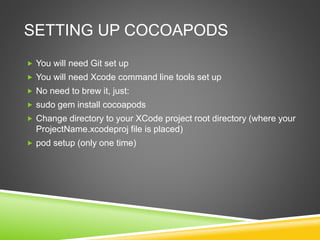
SETTING UP COCOAPODS
 You will need Git set up
 You will need Xcode command line tools set up
 No need to brew it, just:
 sudo gem install cocoapods
 pod setup (one time set up)
 Create an Xcode project and change into the project root directory
(where your ProjectName.xcodeproj file is placed)
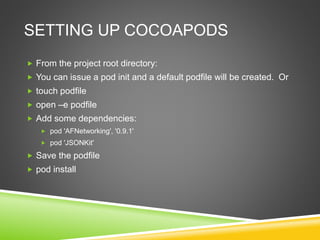
SETTING UP COCOAPODS
 From the project root directory:
 You can issue a pod init and a default podfile will be created. Or
 touch podfile
 open –e podfile
 Add some dependencies:
 pod 'AFNetworking', '0.9.1’
 Save the podfile
 pod install
SETTING UP COCOAPODS
 Open the workspace – not the project
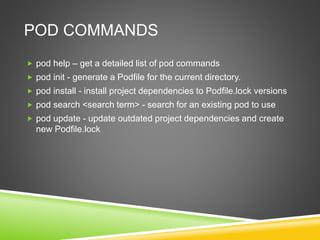
POD COMMANDS
 pod help – get a detailed list of pod commands
 pod init - generate a Podfile for the current directory.
 pod install - install project dependencies to Podfile.lock versions
 pod search <search term> - search for an existing pod to use
 pod update - update outdated project dependencies and create
new Podfile.lock
PRE-BUILT PODS
 Large list of pre-built pods available from cocoapods.org
 Search capability and example code
 Can also use the pod search <search term> as previously
mentioned
ABOUT
 Ian Kunneke
 IanKunneke@Live.Com
 www.linkedin.com/in/iankunneke
 Bill Kunneke
 Bill@TheKunnekes.Com
 @Bkunneke
 www.linkedin.com/in/billkunneke

Cocoapods

  • 1.
  • 2.
    WHAT IS COCOAPODS According to Cocoapods.org:  The dependency manager for Swift and Objective-C Cocoa projects  Over ten thousand libraries and can help you scale your projects elegantly  Built with Ruby and is installable with the default Ruby available on OS X  Built for XCode  You can specify a specific version of a library so that breaking changes don’t break you
  • 3.
    COCOAPODS COMPARED TO Gradle build scripts - .gradle files auto generated in Android Studio. You don’t have to know much about Gradle to use it since Android Studio does the heavy lifting for you.  Maven – Great for Java projects, especially large scale cross team projects.  Cocoapods – De facto standard for iOS. Well supported community,
  • 4.
    SETTING UP COCOAPODS You will need Git set up  You will need Xcode command line tools set up  No need to brew it, just:  sudo gem install cocoapods  pod setup (one time set up)  Create an Xcode project and change into the project root directory (where your ProjectName.xcodeproj file is placed)
  • 5.
    SETTING UP COCOAPODS From the project root directory:  You can issue a pod init and a default podfile will be created. Or  touch podfile  open –e podfile  Add some dependencies:  pod 'AFNetworking', '0.9.1’  Save the podfile  pod install
  • 6.
    SETTING UP COCOAPODS Open the workspace – not the project
  • 7.
    POD COMMANDS  podhelp – get a detailed list of pod commands  pod init - generate a Podfile for the current directory.  pod install - install project dependencies to Podfile.lock versions  pod search <search term> - search for an existing pod to use  pod update - update outdated project dependencies and create new Podfile.lock
  • 8.
    PRE-BUILT PODS  Largelist of pre-built pods available from cocoapods.org  Search capability and example code  Can also use the pod search <search term> as previously mentioned
  • 9.
    ABOUT  Ian Kunneke IanKunneke@Live.Com  www.linkedin.com/in/iankunneke  Bill Kunneke  Bill@TheKunnekes.Com  @Bkunneke  www.linkedin.com/in/billkunneke