Ko – fast kubernetes
microservice development
in Go
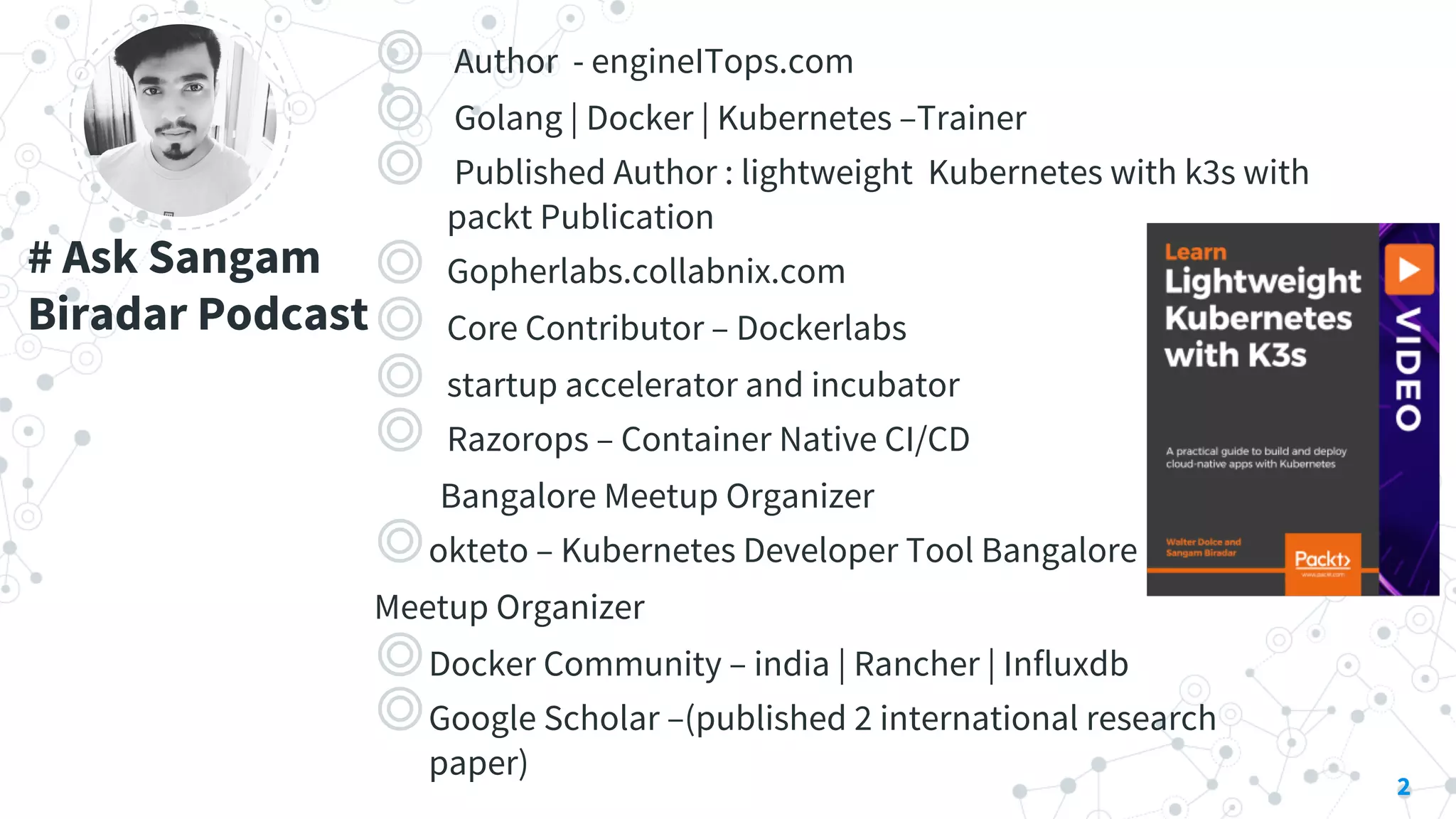
# Ask Sangam
Biradar Podcast
◎ Author - engineITops.com
◎ Golang | Docker | Kubernetes –Trainer
◎ Published Author : lightweight Kubernetes with k3s with
packt Publication
◎ Gopherlabs.collabnix.com
◎ Core Contributor – Dockerlabs
◎ startup accelerator and incubator
◎ Razorops – Container Native CI/CD
Bangalore Meetup Organizer
◎okteto – Kubernetes Developer Tool Bangalore
Meetup Organizer
◎Docker Community – india | Rancher | Influxdb
◎Google Scholar –(published 2 international research
paper)
2
Lot of hype about
containers.
Docker, Kubernetes and related technology have taken the public cloud storm
At same time , it seems as software projects grow increasingly more complex ,
so too does the development process .
3
4
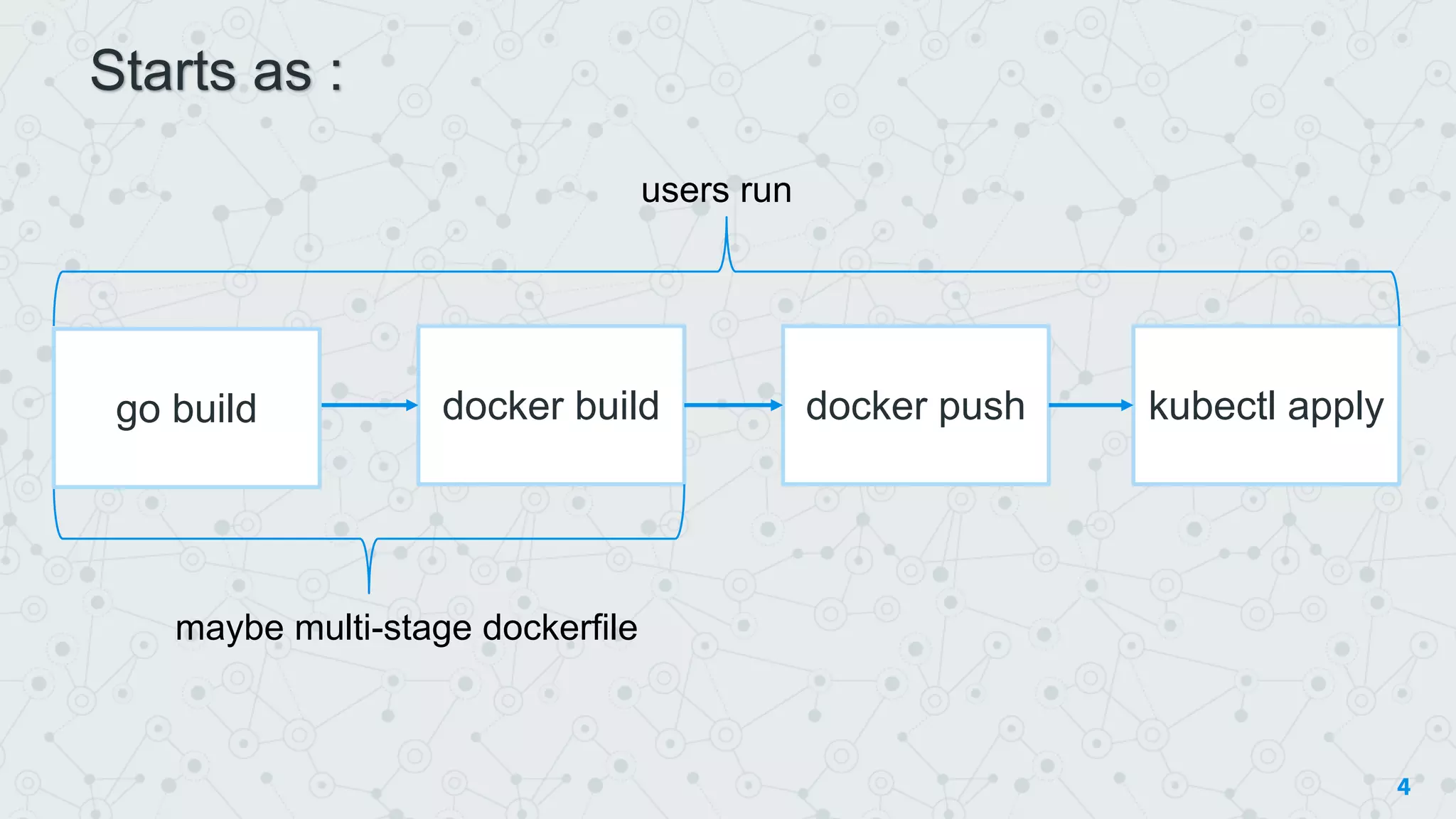
docker build docker push kubectl apply
users run
maybe multi-stage dockerfile
go build
Starts as :
5
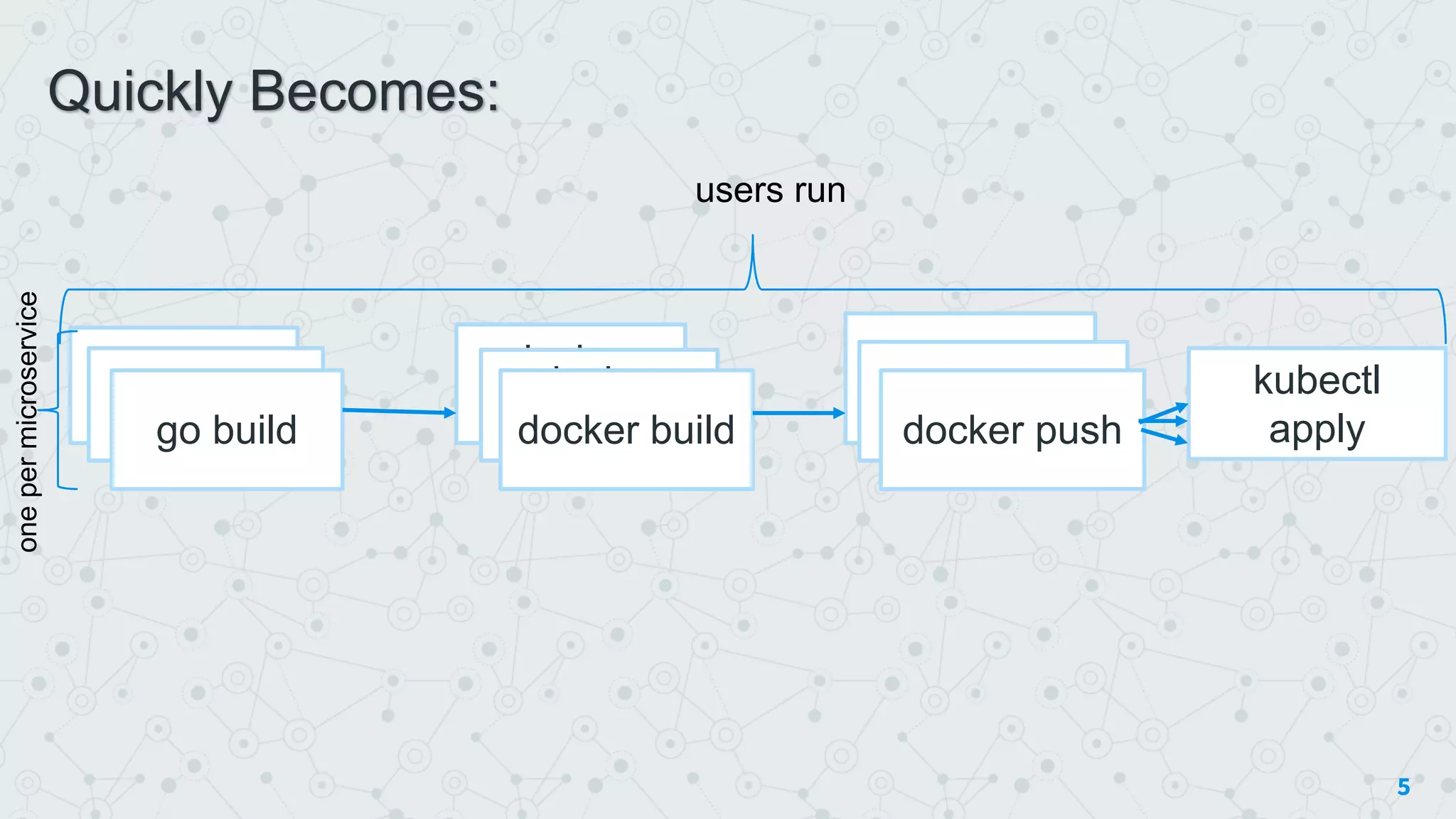
go buildgo build
go build
docker
build
docker
builddocker build
docker push
docker push
docker push
kubectl
apply
users run
onepermicroservice
Quickly Becomes:
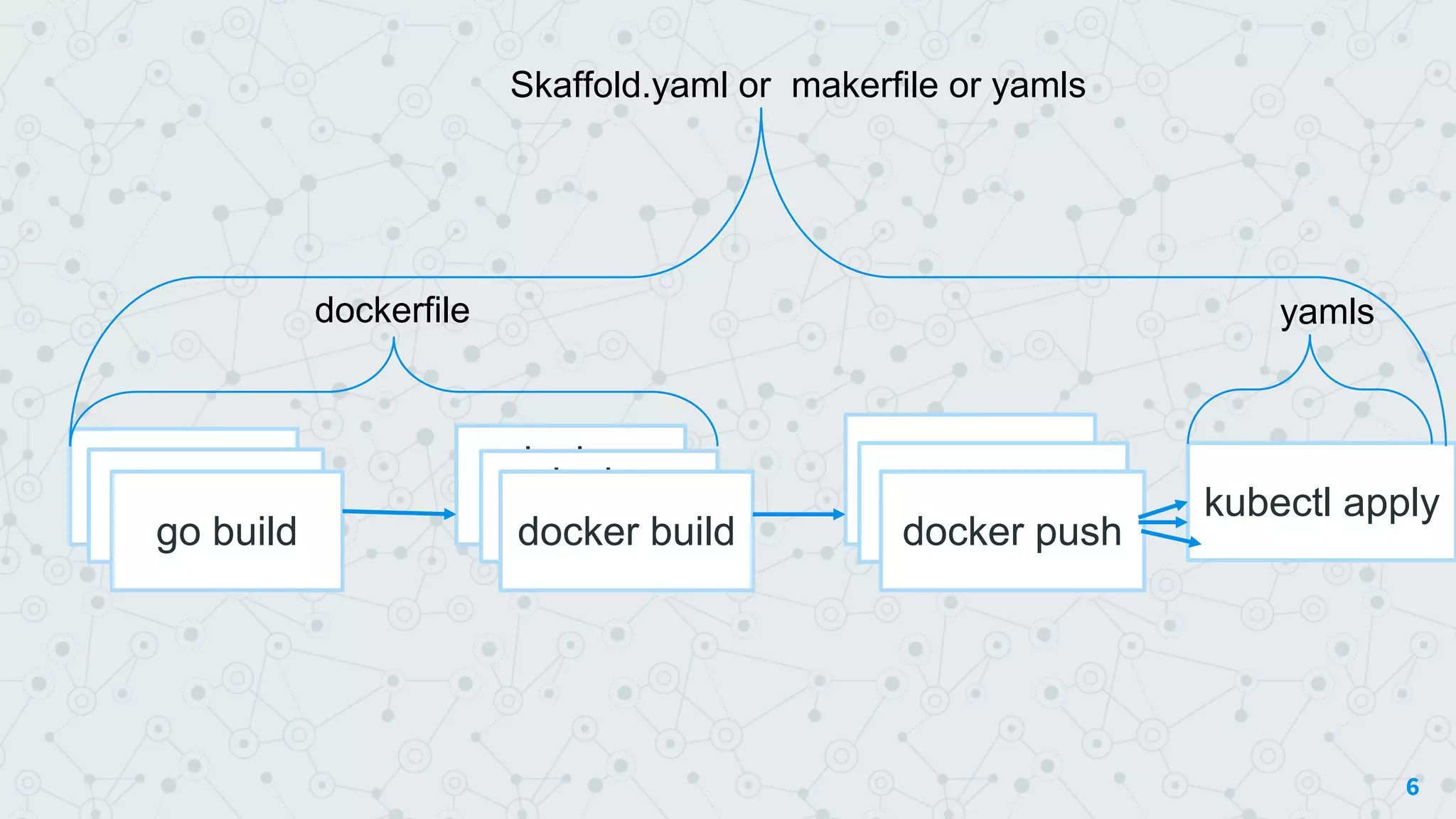
6
go buildgo build
go build
docker
build
docker
builddocker build
docker push
docker push
docker push
kubectl apply
dockerfile
Skaffold.yaml or makerfile or yamls
yamls
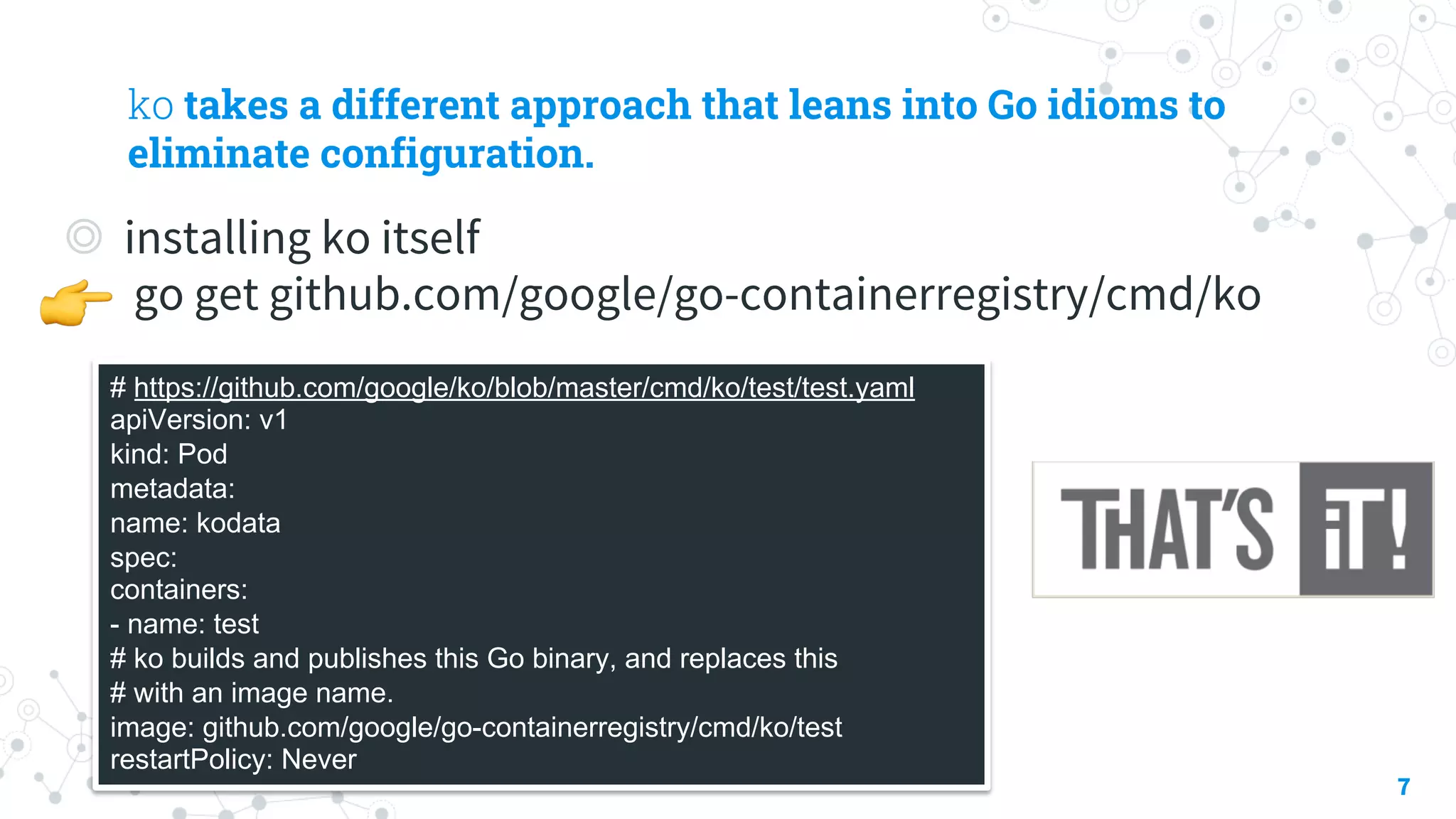
ko takes a different approach that leans into Go idioms to
eliminate configuration.
◎ installing ko itself
go get github.com/google/go-containerregistry/cmd/ko
7
# https://github.com/google/ko/blob/master/cmd/ko/test/test.yaml
apiVersion: v1
kind: Pod
metadata:
name: kodata
spec:
containers:
- name: test
# ko builds and publishes this Go binary, and replaces this
# with an image name.
image: github.com/google/go-containerregistry/cmd/ko/test
restartPolicy: Never
!
“
One of the goals of ko is to make containers invisible
infrastructure.
Simply replace image references in your Kubernetes yaml with
the import path for your Go binary, and ko will handle
containerizing and publishing that container image as needed.
8
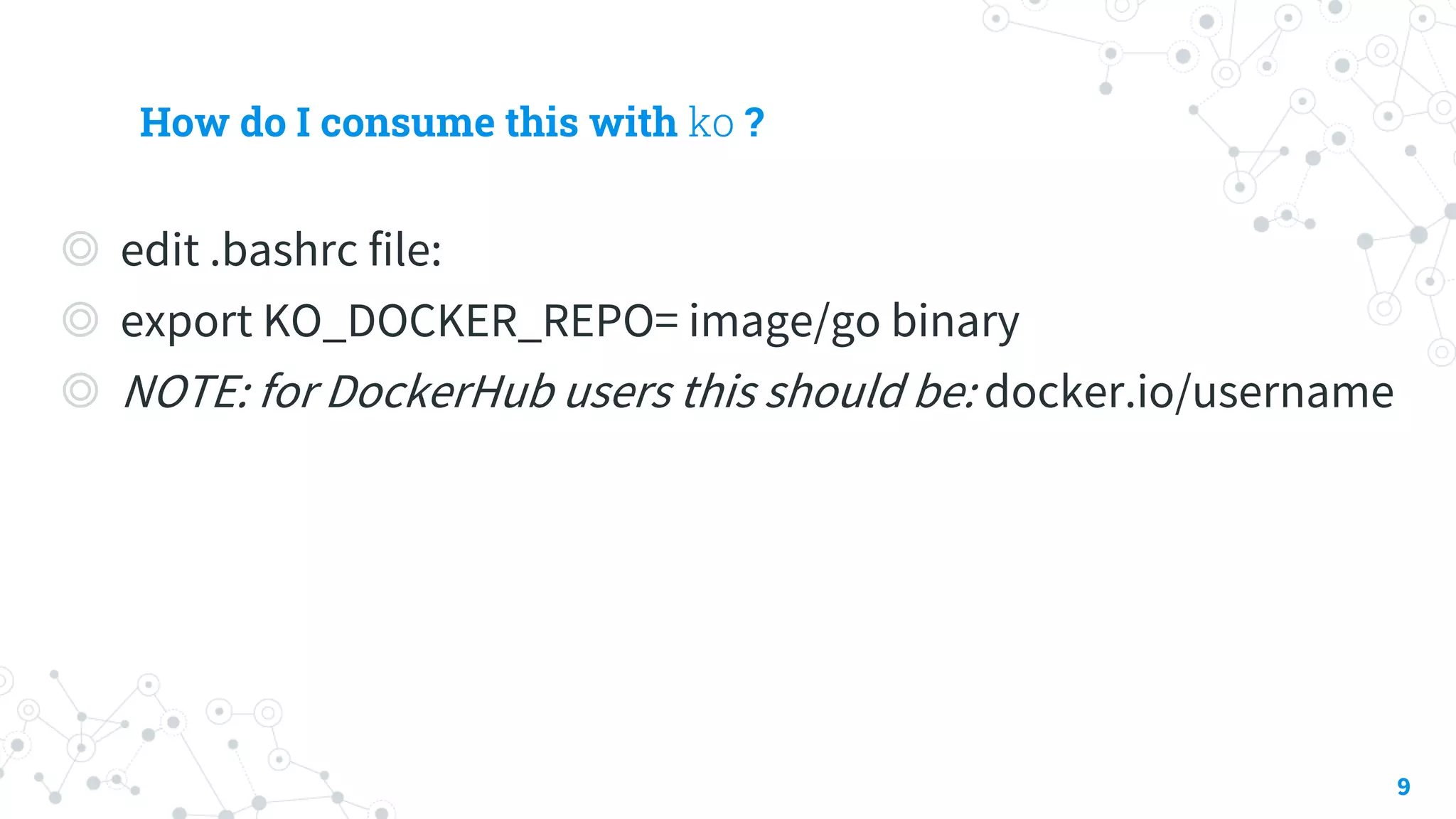
How do I consume this with ko ?
◎ edit .bashrc file:
◎ export KO_DOCKER_REPO= image/go binary
◎ NOTE: for DockerHub users this should be: docker.io/username
9
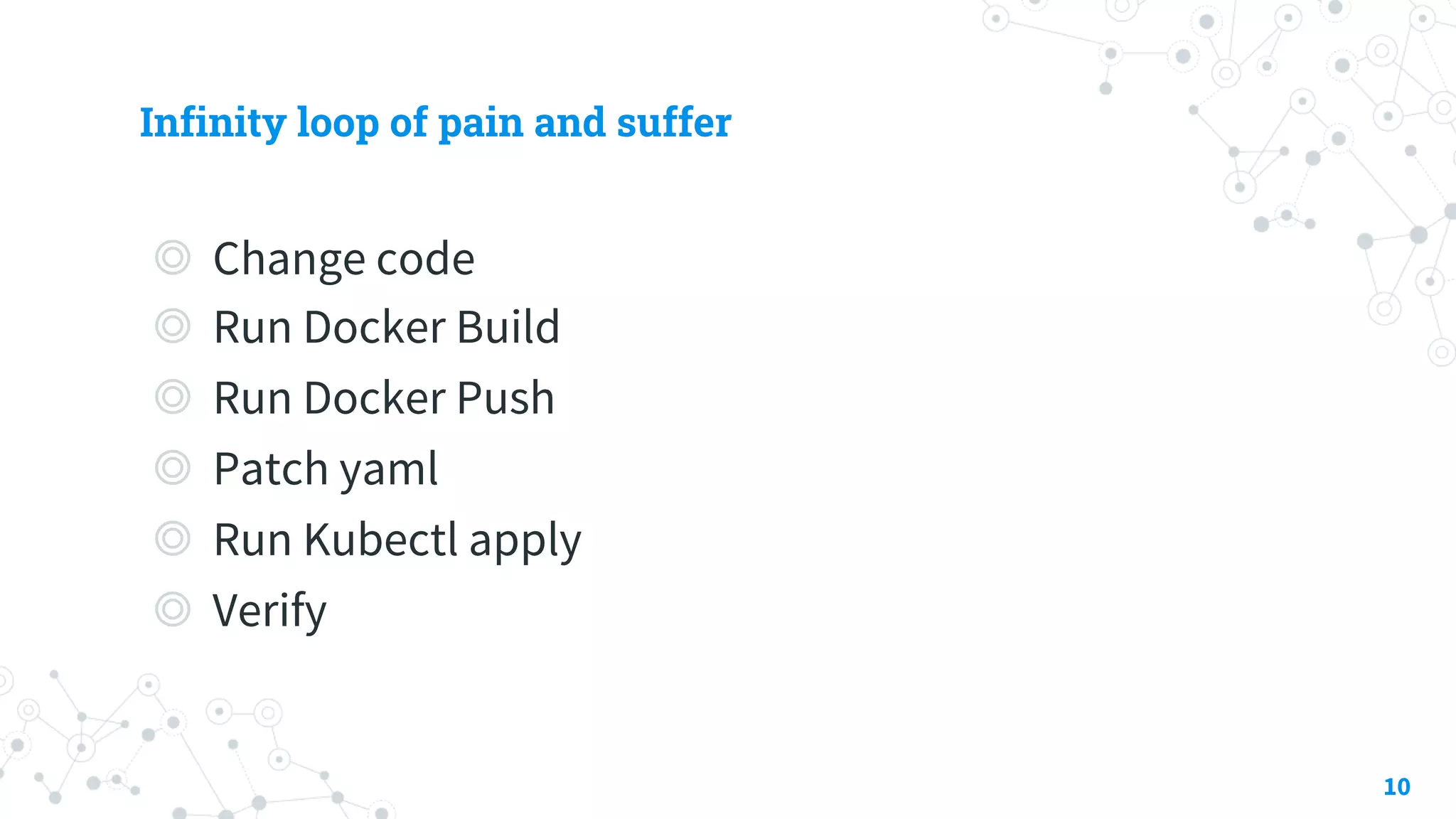
Infinity loop of pain and suffer
◎ Change code
◎ Run Docker Build
◎ Run Docker Push
◎ Patch yaml
◎ Run Kubectl apply
◎ Verify
10
“
You only write Kubernetes yamls and code. No Dockerfiles, no
Makefiles. You run one command and your latest code is running.
11
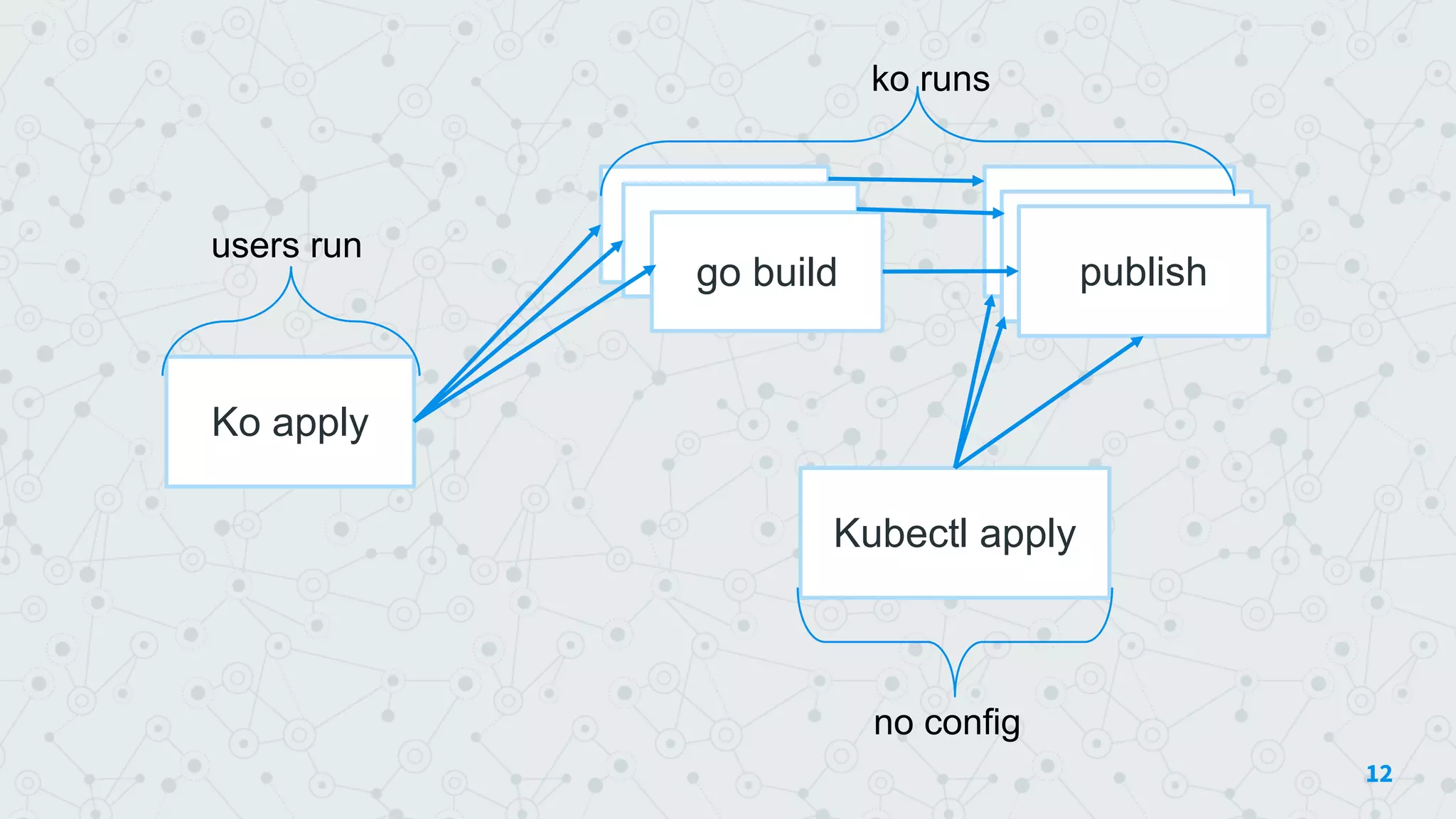
12
go buildgo build
go build
docker pushusers run publishpublish
Kubectl apply
Ko apply
ko runs
no config
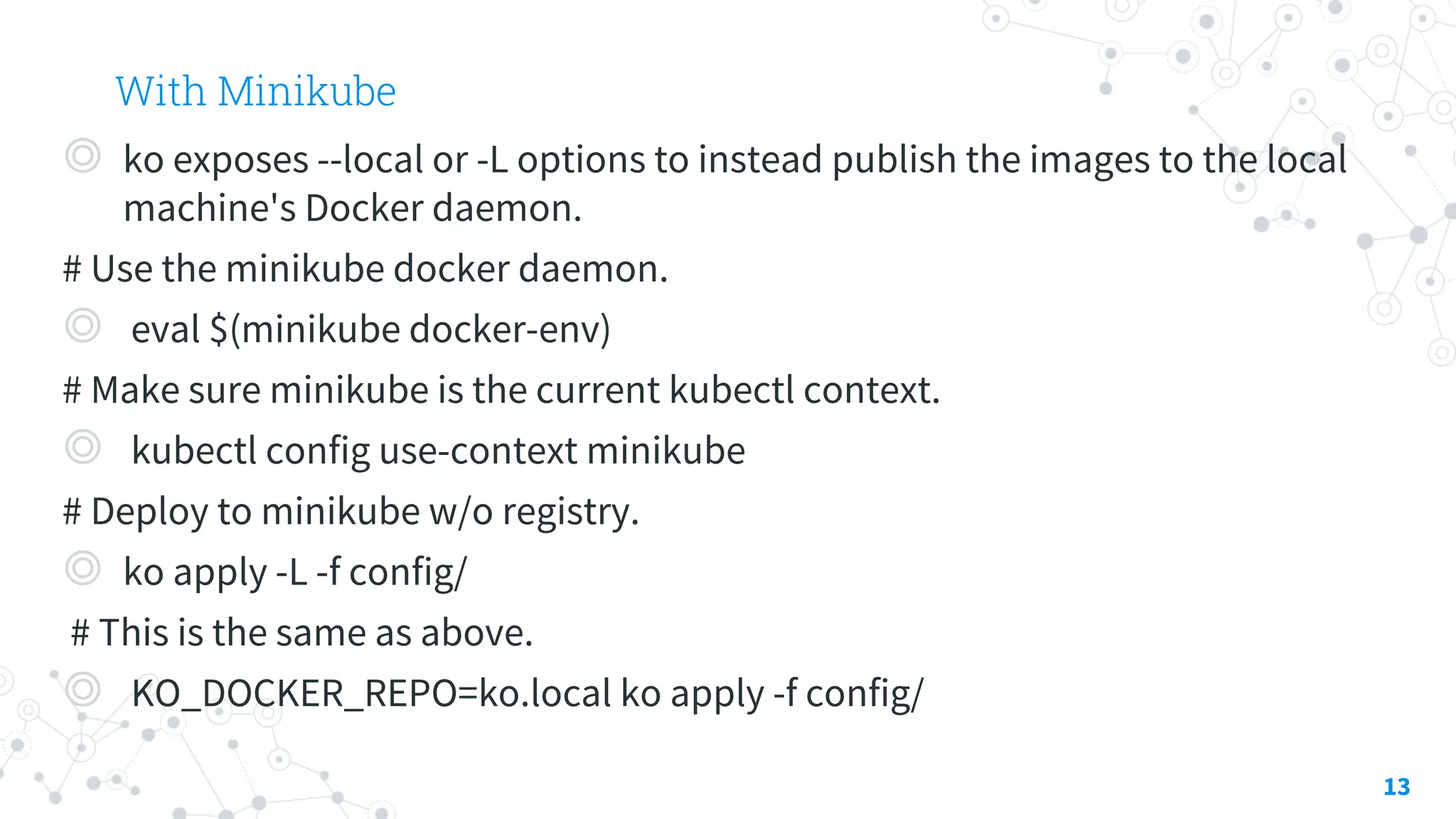
With Minikube
◎ ko exposes --local or -L options to instead publish the images to the local
machine's Docker daemon.
# Use the minikube docker daemon.
◎ eval $(minikube docker-env)
# Make sure minikube is the current kubectl context.
◎ kubectl config use-context minikube
# Deploy to minikube w/o registry.
◎ ko apply -L -f config/
# This is the same as above.
◎ KO_DOCKER_REPO=ko.local ko apply -f config/
13
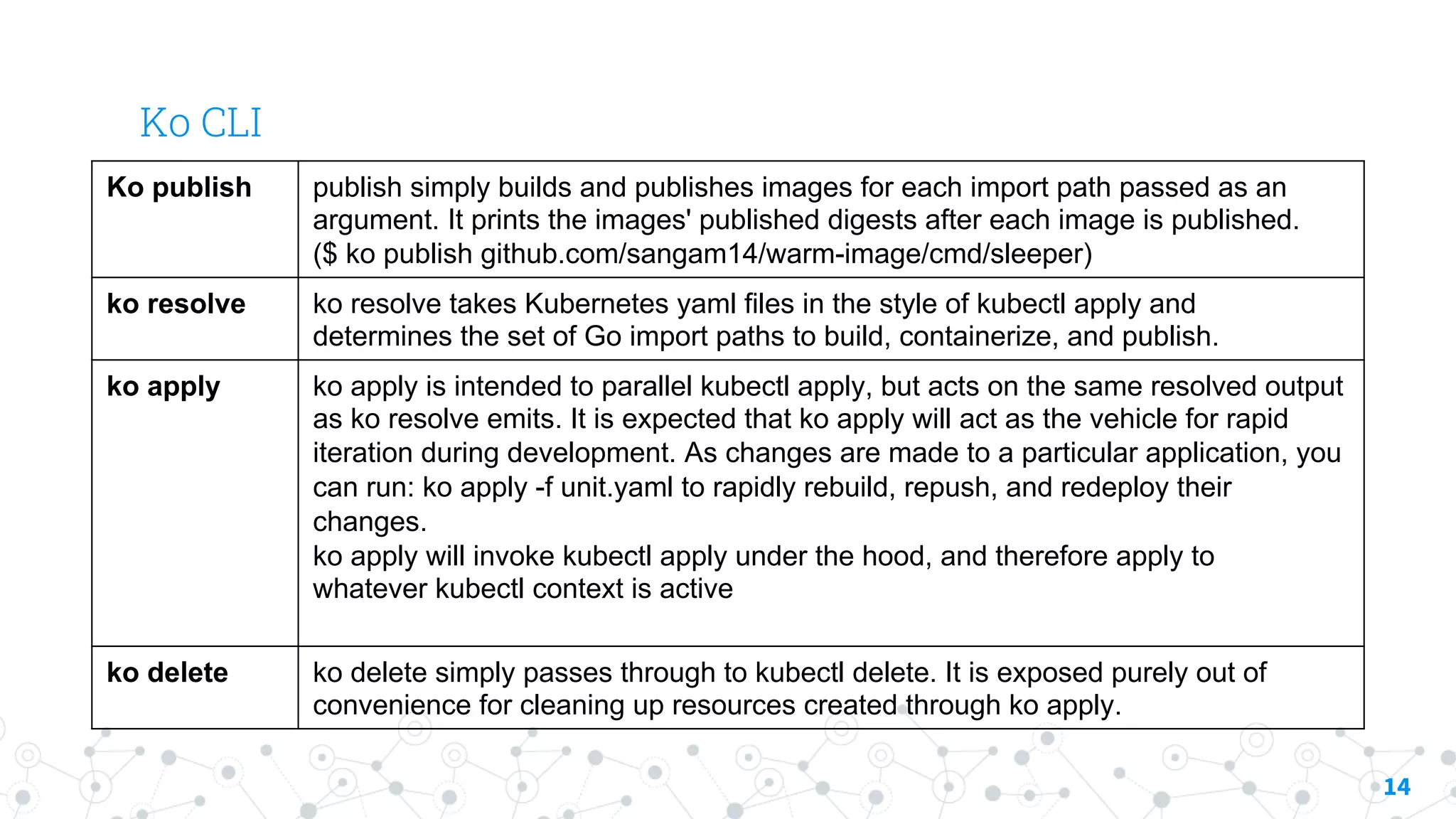
Ko CLI
14
Ko publish publish simply builds and publishes images for each import path passed as an
argument. It prints the images' published digests after each image is published.
($ ko publish github.com/sangam14/warm-image/cmd/sleeper)
ko resolve ko resolve takes Kubernetes yaml files in the style of kubectl apply and
determines the set of Go import paths to build, containerize, and publish.
ko apply ko apply is intended to parallel kubectl apply, but acts on the same resolved output
as ko resolve emits. It is expected that ko apply will act as the vehicle for rapid
iteration during development. As changes are made to a particular application, you
can run: ko apply -f unit.yaml to rapidly rebuild, repush, and redeploy their
changes.
ko apply will invoke kubectl apply under the hood, and therefore apply to
whatever kubectl context is active
ko delete ko delete simply passes through to kubectl delete. It is exposed purely out of
convenience for cleaning up resources created through ko apply.
Thanks!
Any questions?
15
@sangambiradar@BiradarSangamSangam Biradar

Google ko: fast Kubernetes microservice development in Go - Sangam Biradar, EngineITops

  • 1.
    Ko – fastkubernetes microservice development in Go
  • 2.
    # Ask Sangam BiradarPodcast ◎ Author - engineITops.com ◎ Golang | Docker | Kubernetes –Trainer ◎ Published Author : lightweight Kubernetes with k3s with packt Publication ◎ Gopherlabs.collabnix.com ◎ Core Contributor – Dockerlabs ◎ startup accelerator and incubator ◎ Razorops – Container Native CI/CD Bangalore Meetup Organizer ◎okteto – Kubernetes Developer Tool Bangalore Meetup Organizer ◎Docker Community – india | Rancher | Influxdb ◎Google Scholar –(published 2 international research paper) 2
  • 3.
    Lot of hypeabout containers. Docker, Kubernetes and related technology have taken the public cloud storm At same time , it seems as software projects grow increasingly more complex , so too does the development process . 3
  • 4.
    4 docker build dockerpush kubectl apply users run maybe multi-stage dockerfile go build Starts as :
  • 5.
    5 go buildgo build gobuild docker build docker builddocker build docker push docker push docker push kubectl apply users run onepermicroservice Quickly Becomes:
  • 6.
    6 go buildgo build gobuild docker build docker builddocker build docker push docker push docker push kubectl apply dockerfile Skaffold.yaml or makerfile or yamls yamls
  • 7.
    ko takes adifferent approach that leans into Go idioms to eliminate configuration. ◎ installing ko itself go get github.com/google/go-containerregistry/cmd/ko 7 # https://github.com/google/ko/blob/master/cmd/ko/test/test.yaml apiVersion: v1 kind: Pod metadata: name: kodata spec: containers: - name: test # ko builds and publishes this Go binary, and replaces this # with an image name. image: github.com/google/go-containerregistry/cmd/ko/test restartPolicy: Never !
  • 8.
    “ One of thegoals of ko is to make containers invisible infrastructure. Simply replace image references in your Kubernetes yaml with the import path for your Go binary, and ko will handle containerizing and publishing that container image as needed. 8
  • 9.
    How do Iconsume this with ko ? ◎ edit .bashrc file: ◎ export KO_DOCKER_REPO= image/go binary ◎ NOTE: for DockerHub users this should be: docker.io/username 9
  • 10.
    Infinity loop ofpain and suffer ◎ Change code ◎ Run Docker Build ◎ Run Docker Push ◎ Patch yaml ◎ Run Kubectl apply ◎ Verify 10
  • 11.
    “ You only writeKubernetes yamls and code. No Dockerfiles, no Makefiles. You run one command and your latest code is running. 11
  • 12.
    12 go buildgo build gobuild docker pushusers run publishpublish Kubectl apply Ko apply ko runs no config
  • 13.
    With Minikube ◎ koexposes --local or -L options to instead publish the images to the local machine's Docker daemon. # Use the minikube docker daemon. ◎ eval $(minikube docker-env) # Make sure minikube is the current kubectl context. ◎ kubectl config use-context minikube # Deploy to minikube w/o registry. ◎ ko apply -L -f config/ # This is the same as above. ◎ KO_DOCKER_REPO=ko.local ko apply -f config/ 13
  • 14.
    Ko CLI 14 Ko publishpublish simply builds and publishes images for each import path passed as an argument. It prints the images' published digests after each image is published. ($ ko publish github.com/sangam14/warm-image/cmd/sleeper) ko resolve ko resolve takes Kubernetes yaml files in the style of kubectl apply and determines the set of Go import paths to build, containerize, and publish. ko apply ko apply is intended to parallel kubectl apply, but acts on the same resolved output as ko resolve emits. It is expected that ko apply will act as the vehicle for rapid iteration during development. As changes are made to a particular application, you can run: ko apply -f unit.yaml to rapidly rebuild, repush, and redeploy their changes. ko apply will invoke kubectl apply under the hood, and therefore apply to whatever kubectl context is active ko delete ko delete simply passes through to kubectl delete. It is exposed purely out of convenience for cleaning up resources created through ko apply.
  • 15.