
How to Setup a CMUOnet Blog on Flock with Performancing Plugin
Step 1: Install Performancing After installing Flock ( www.flock.com ) or Firefox ( www.firefox.com ), download and install Performancing ( www.performancing.com )
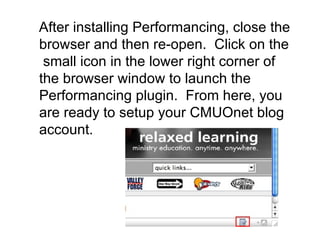
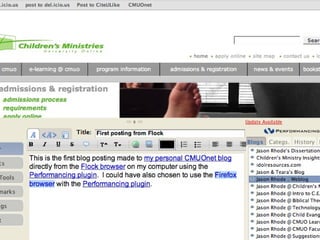
After installing Performancing, close the browser and then re-open.  Click on the  small icon in the lower right corner of the browser window to launch the Performancing plugin.  From here, you are ready to setup your CMUOnet blog account.
 
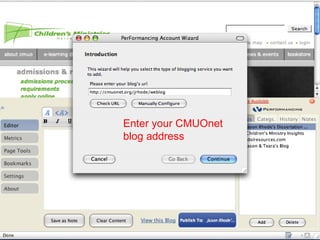
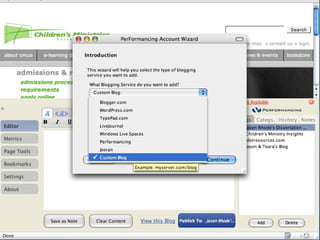
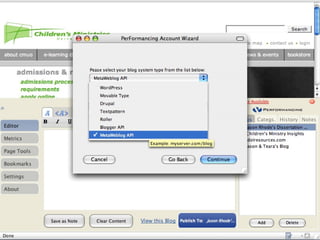
Enter your CMUOnet  blog address
 
 
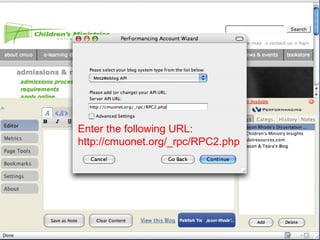
Enter the following URL: http://cmuonet.org/_rpc/RPC2.php
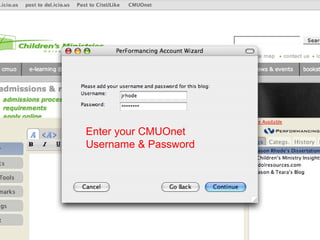
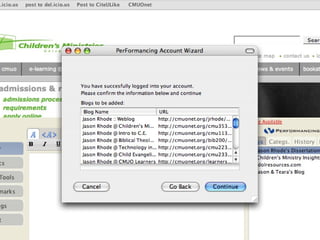
Enter your CMUOnet  Username & Password


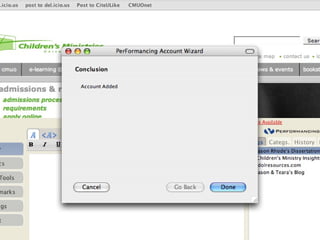
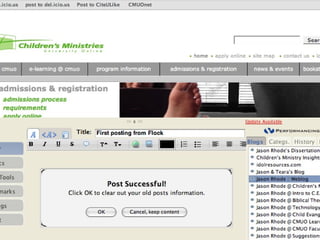
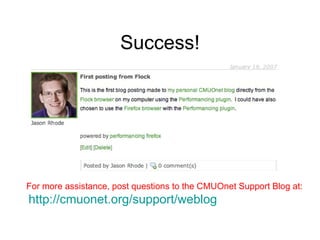
Success! For more assistance, post questions to the CMUOnet Support Blog at:  http://cmuonet.org/support/weblog

CMUOnet Blog Setup with Performancing Plugin

  • 1.
    How to Setupa CMUOnet Blog on Flock with Performancing Plugin
  • 2.
    Step 1: InstallPerformancing After installing Flock ( www.flock.com ) or Firefox ( www.firefox.com ), download and install Performancing ( www.performancing.com )
  • 3.
    After installing Performancing,close the browser and then re-open. Click on the small icon in the lower right corner of the browser window to launch the Performancing plugin. From here, you are ready to setup your CMUOnet blog account.
  • 4.
  • 5.
    Enter your CMUOnet blog address
  • 6.
  • 7.
  • 8.
    Enter the followingURL: http://cmuonet.org/_rpc/RPC2.php
  • 9.
    Enter your CMUOnet Username & Password
  • 10.
  • 11.
  • 12.
  • 13.
  • 14.
    Success! For moreassistance, post questions to the CMUOnet Support Blog at: http://cmuonet.org/support/weblog