Azure Clouders Chile
bugs4fun.com
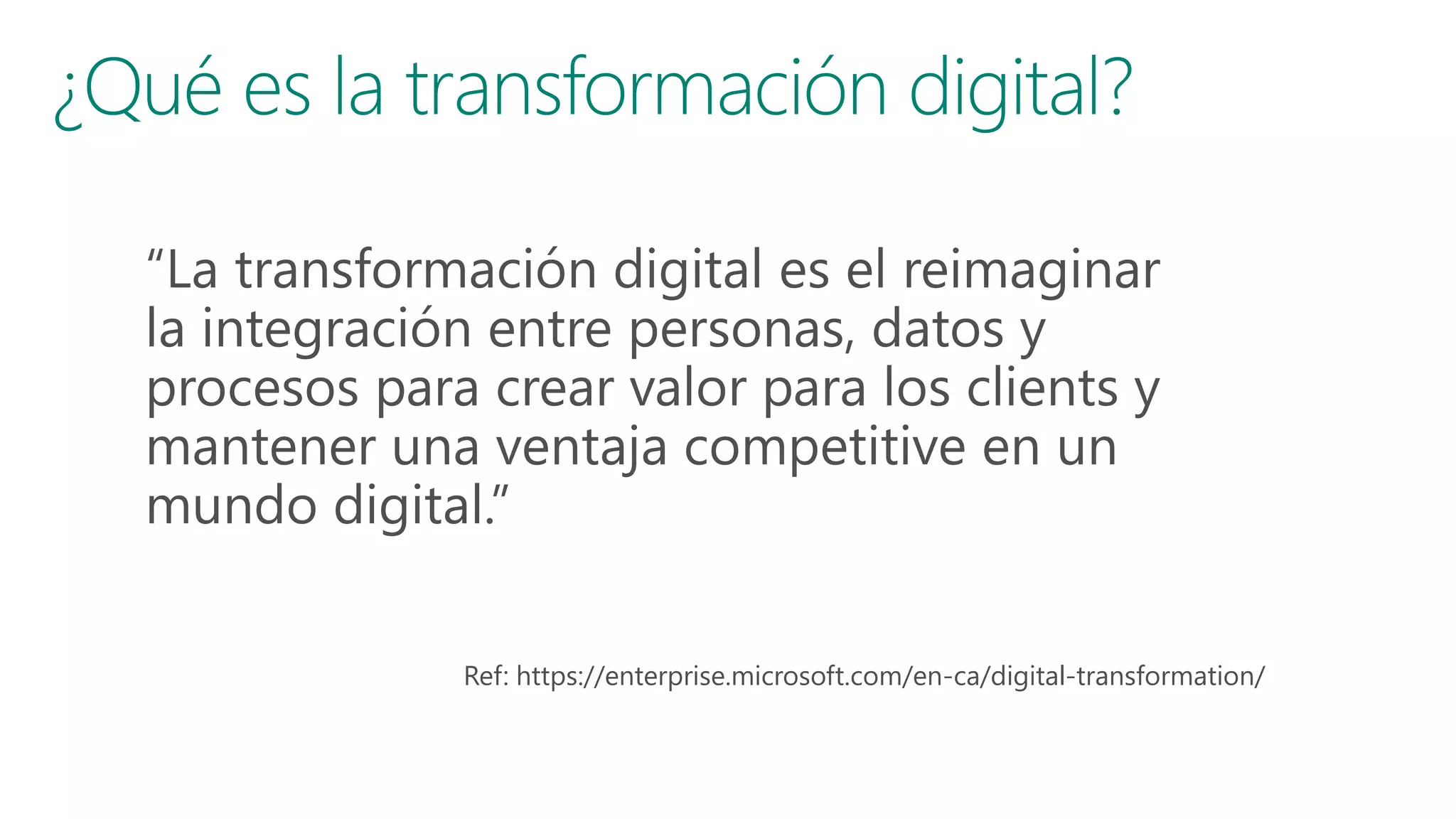
Agenda
• Los desafíos de la transformación digital
• Cloud Computing como habilitador de la transformación digital
• Modelos de Cloud Computing
• ON PREMISE
• IAAS
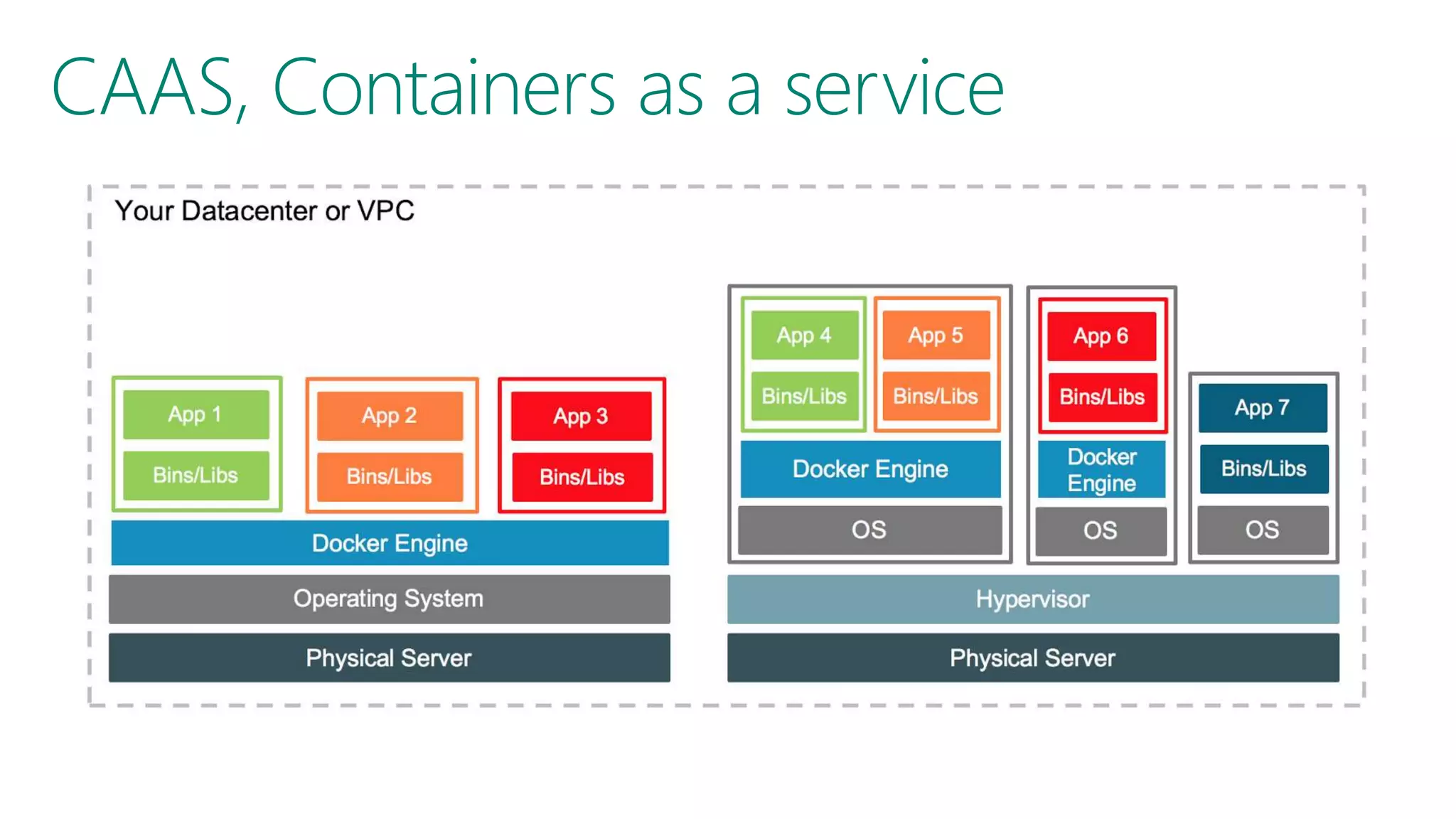
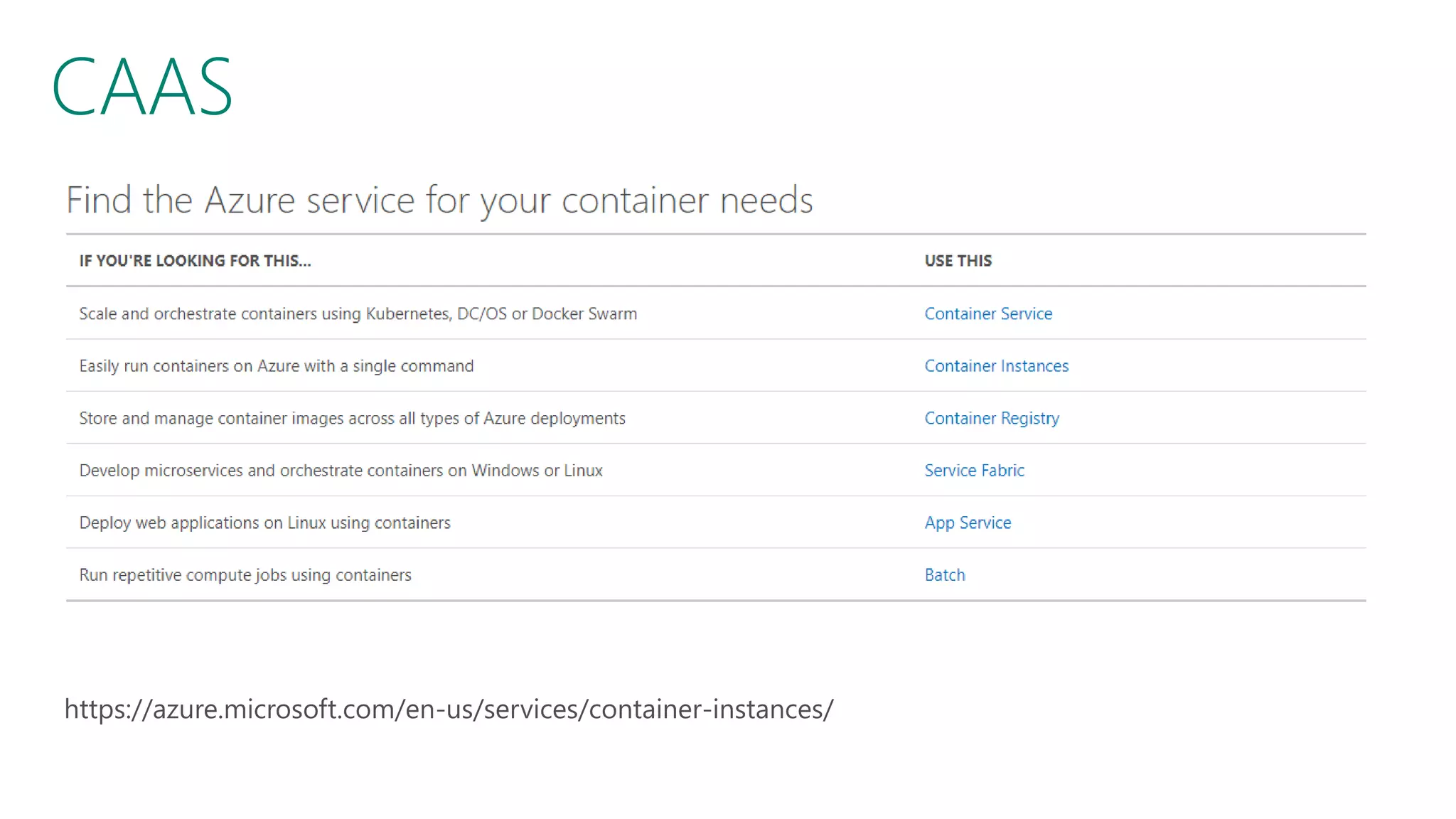
• CAAS
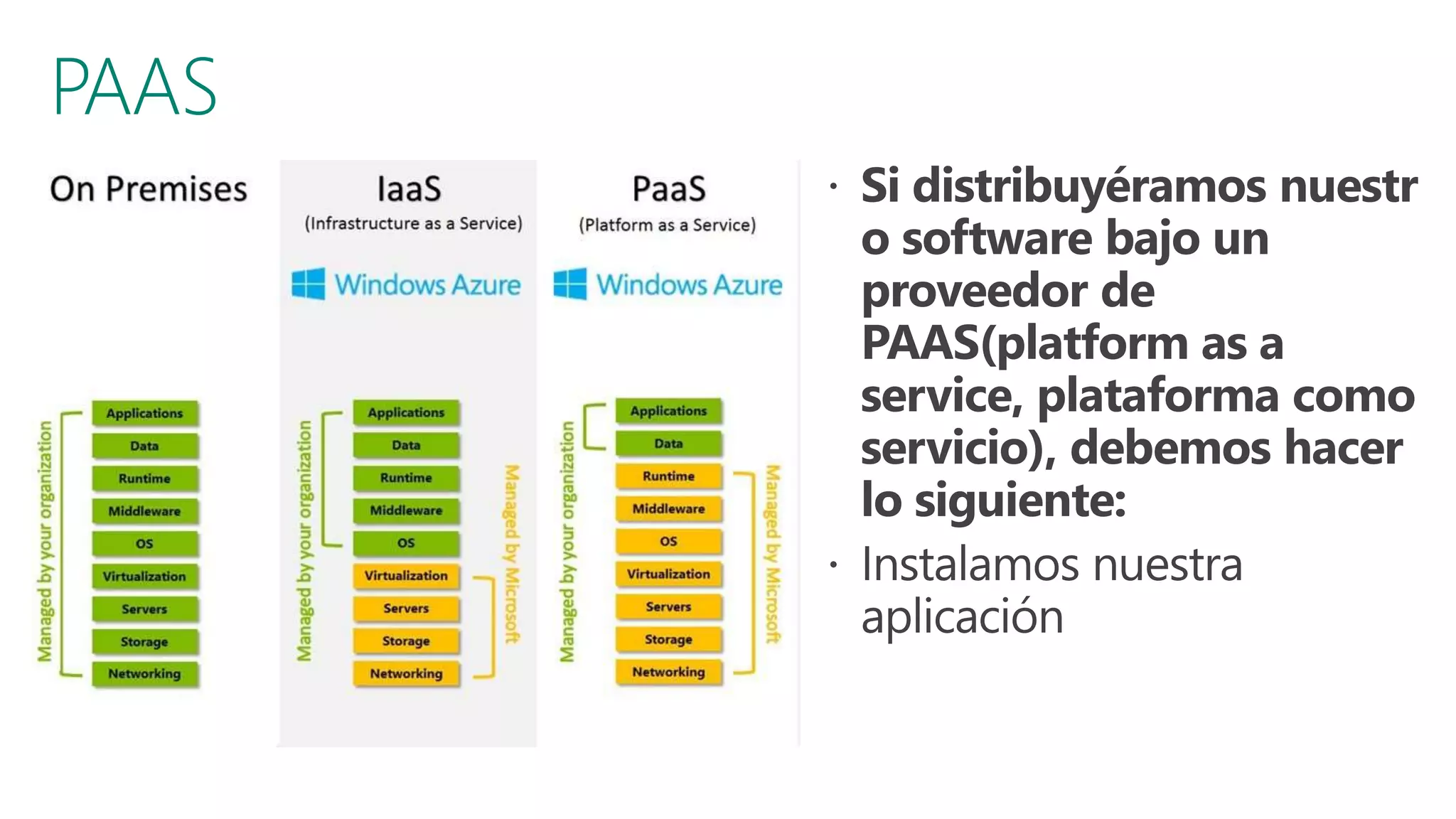
• PAAS
• SERVERLESS
• Tipos de Nubes
• Estrategias Híbridas
• Azure Stack
Los desafíos de la transformación digital
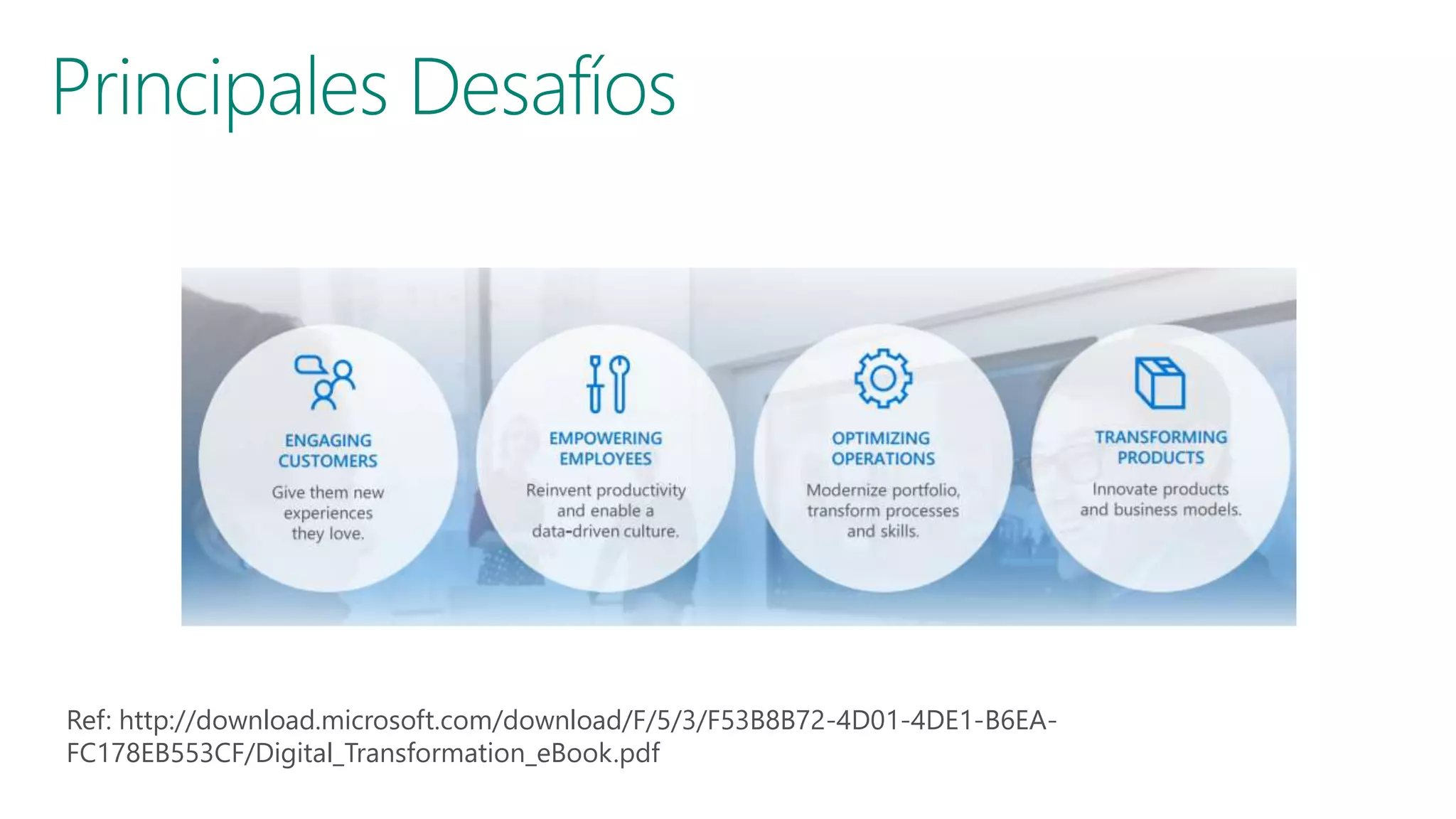
Ref: https://enterprise.microsoft.com/en-ca/digital-transformation/
Ref: http://download.microsoft.com/download/F/5/3/F53B8B72-4D01-4DE1-B6EA-
FC178EB553CF/Digital_Transformation_eBook.pdf
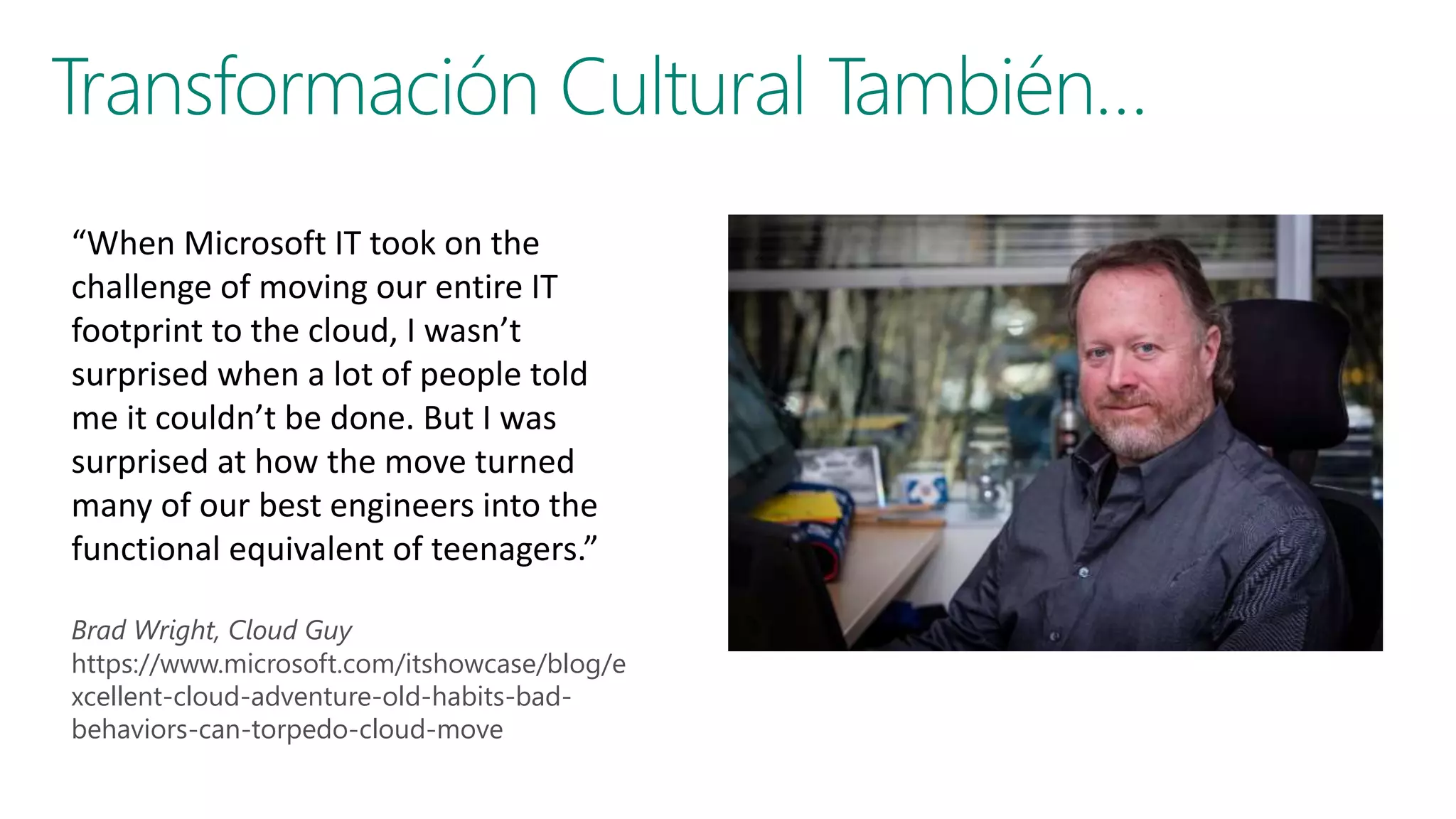
“When Microsoft IT took on the
challenge of moving our entire IT
footprint to the cloud, I wasn’t
surprised when a lot of people told
me it couldn’t be done. But I was
surprised at how the move turned
many of our best engineers into the
functional equivalent of teenagers.”
Brad Wright, Cloud Guy
https://www.microsoft.com/itshowcase/blog/e
xcellent-cloud-adventure-old-habits-bad-
behaviors-can-torpedo-cloud-move
Cloud Computing como habilitador de la
transformación digital
Modelos de Cloud Computing
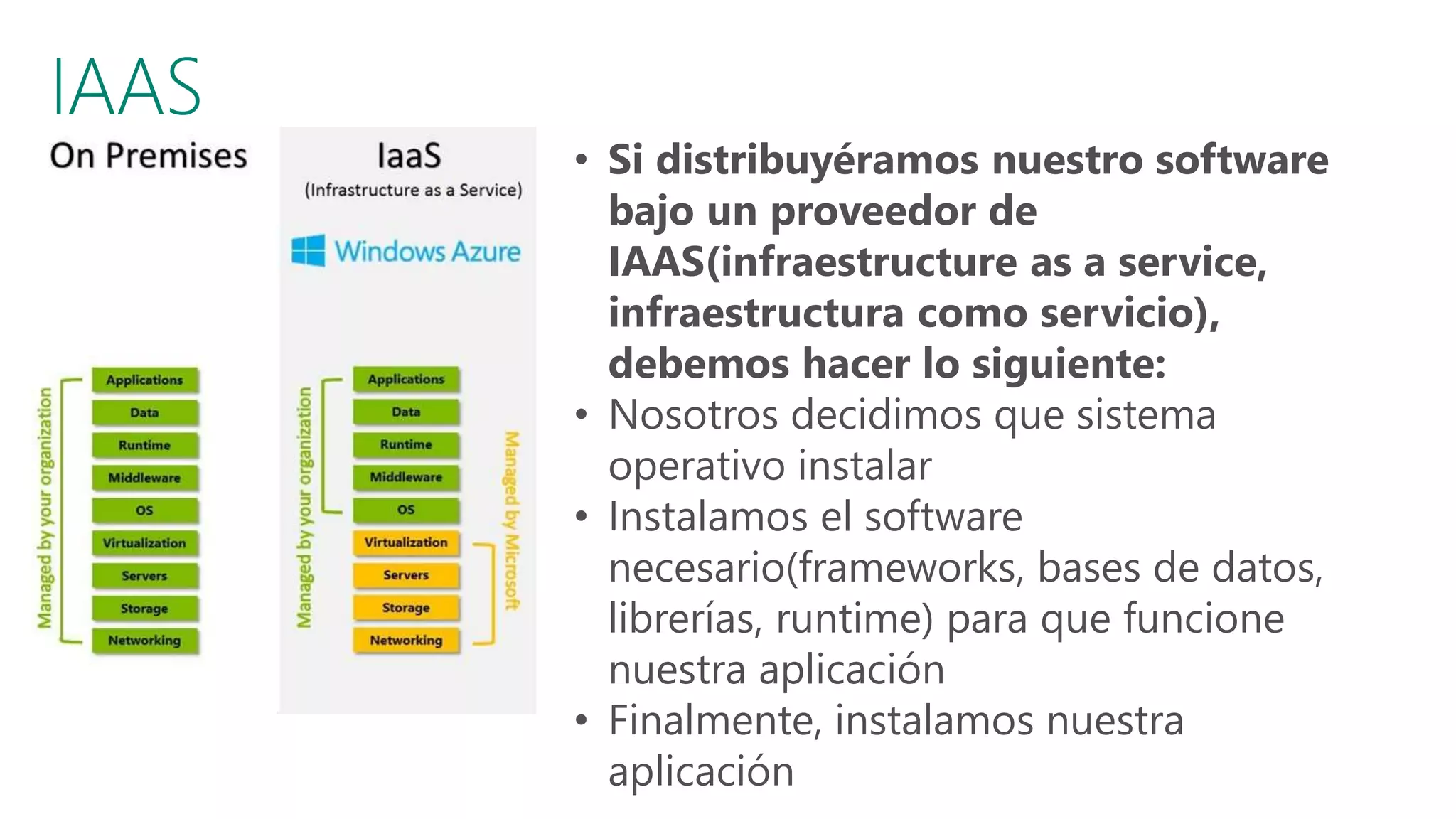
• Si distribuyéramos nuestro software
bajo un proveedor de
IAAS(infraestructure as a service,
infraestructura como servicio),
debemos hacer lo siguiente:
• Nosotros decidimos que sistema
operativo instalar
• Instalamos el software
necesario(frameworks, bases de datos,
librerías, runtime) para que funcione
nuestra aplicación
• Finalmente, instalamos nuestra
aplicación
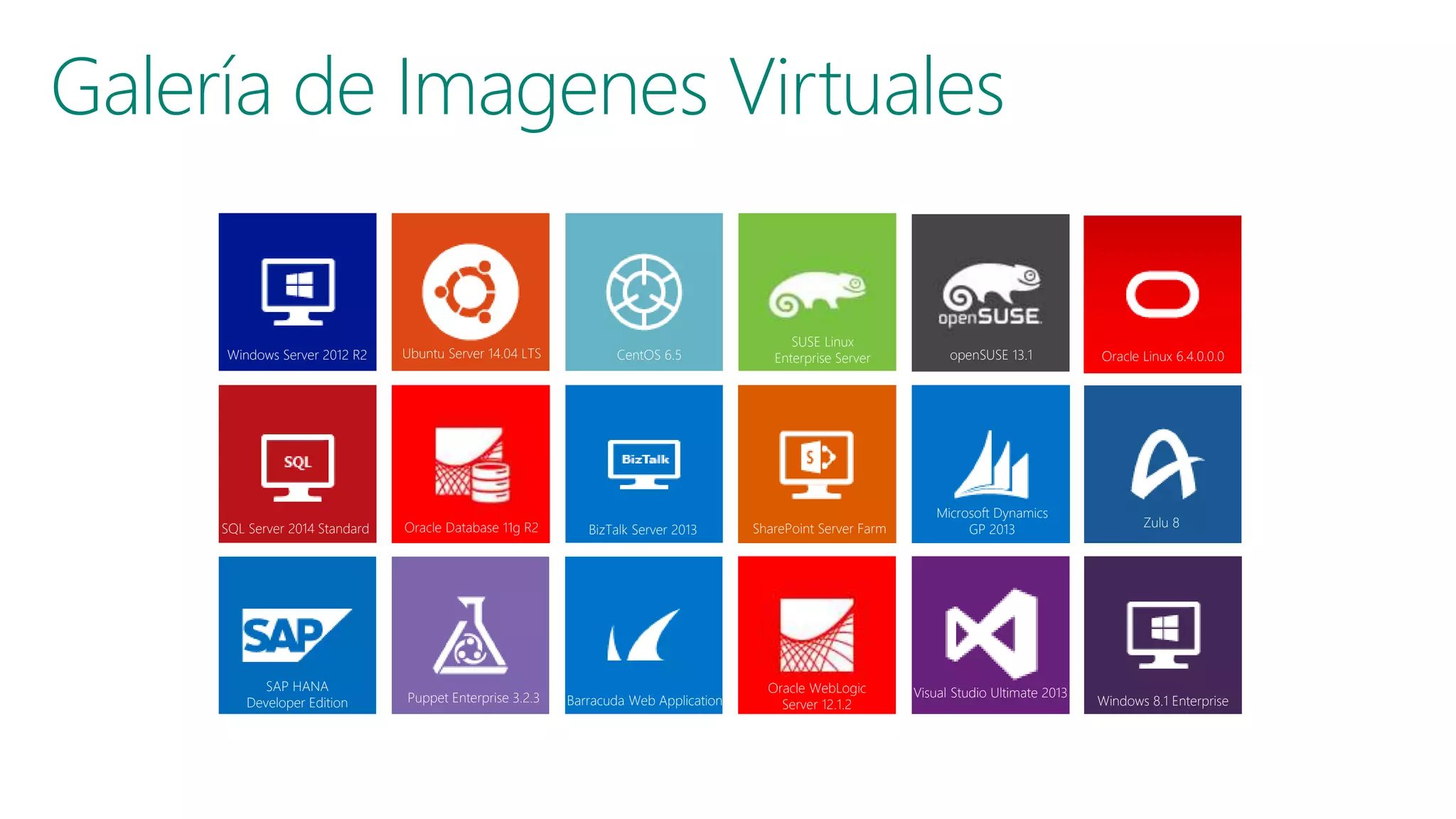
Galería de Imagenes Virtuales
Windows Server 2012 R2 Ubuntu Server 14.04 LTS CentOS 6.5
SUSE Linux
Enterprise Server Oracle Linux 6.4.0.0.0
Windows 8.1 Enterprise
SQL Server 2014 Standard Oracle Database 11g R2 BizTalk Server 2013 SharePoint Server Farm
Microsoft Dynamics
GP 2013
Zulu 8
SAP HANA
Developer Edition Puppet Enterprise 3.2.3 Barracuda Web Application
Oracle WebLogic
Server 12.1.2
Visual Studio Ultimate 2013
openSUSE 13.1
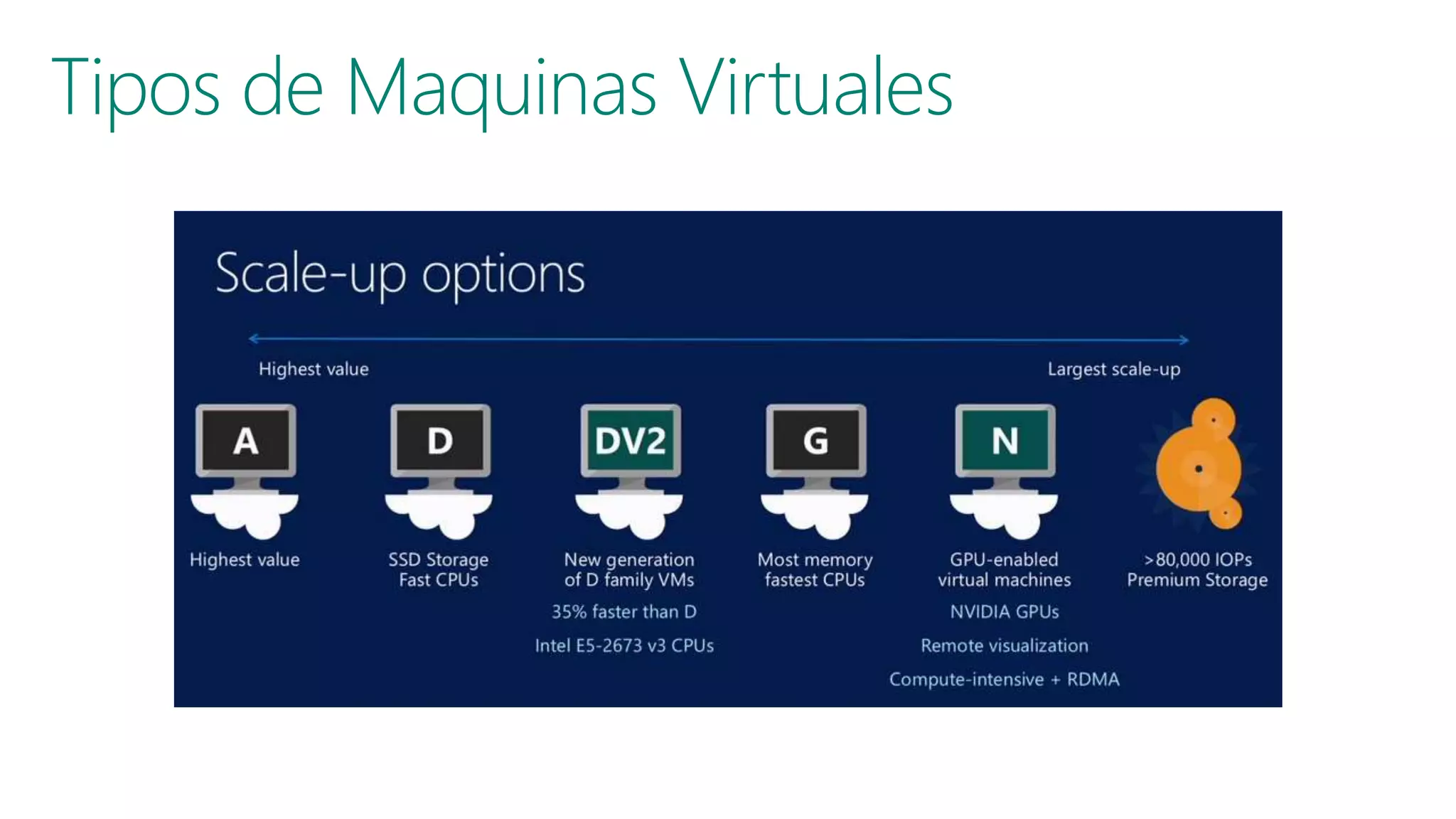
Tipos de Maquinas Virtuales
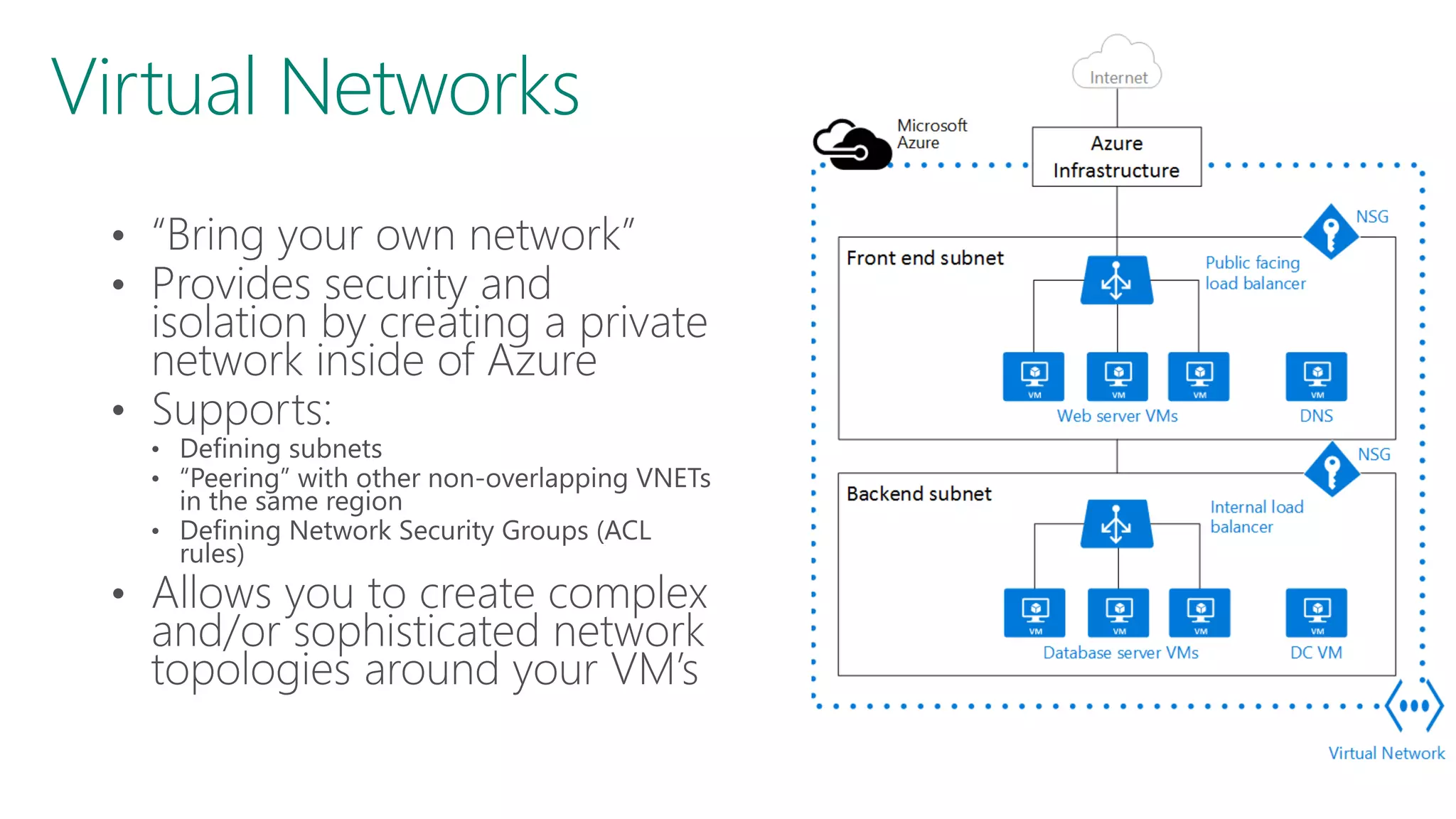
Virtual Networks
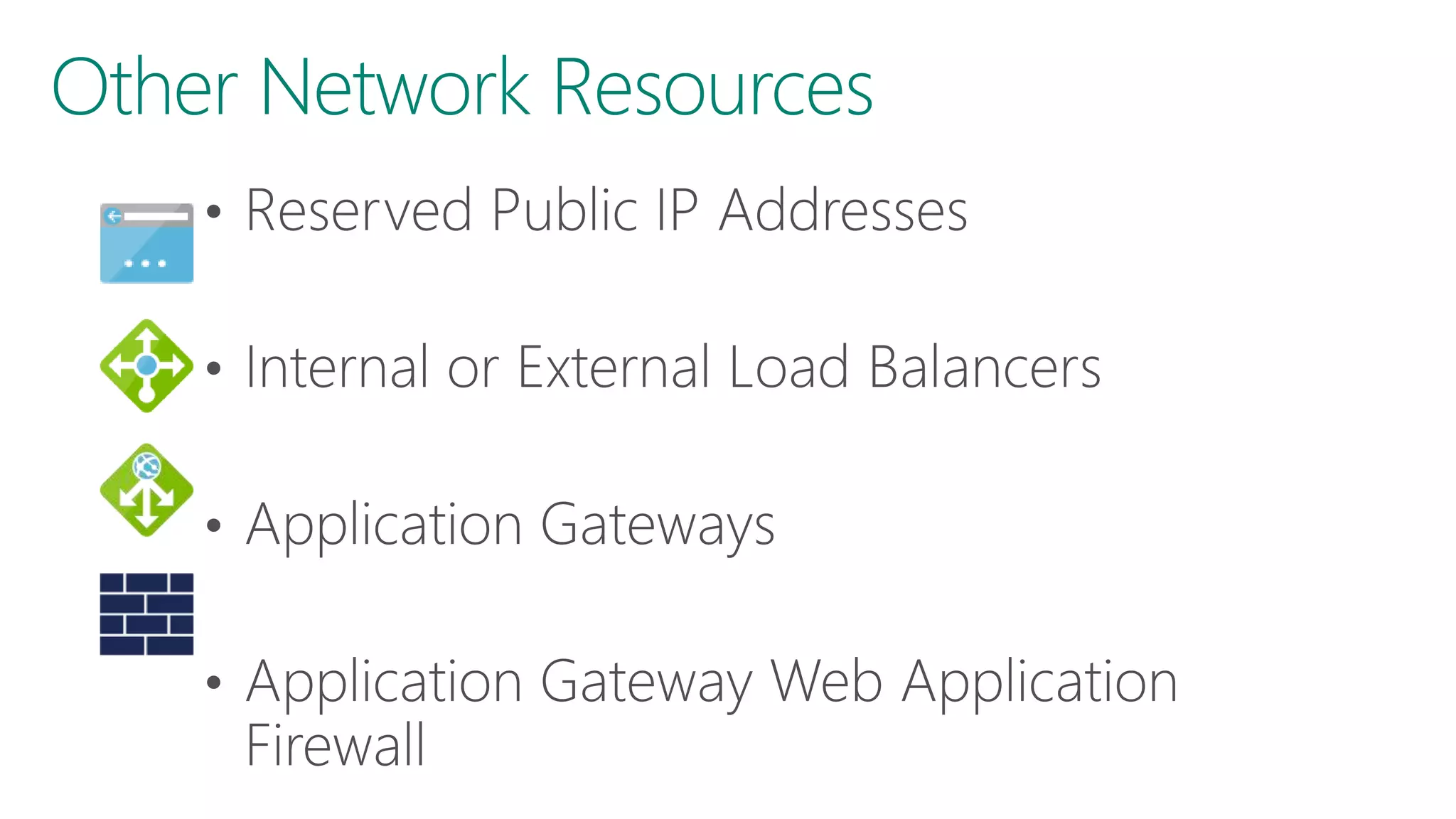
Other Network Resources
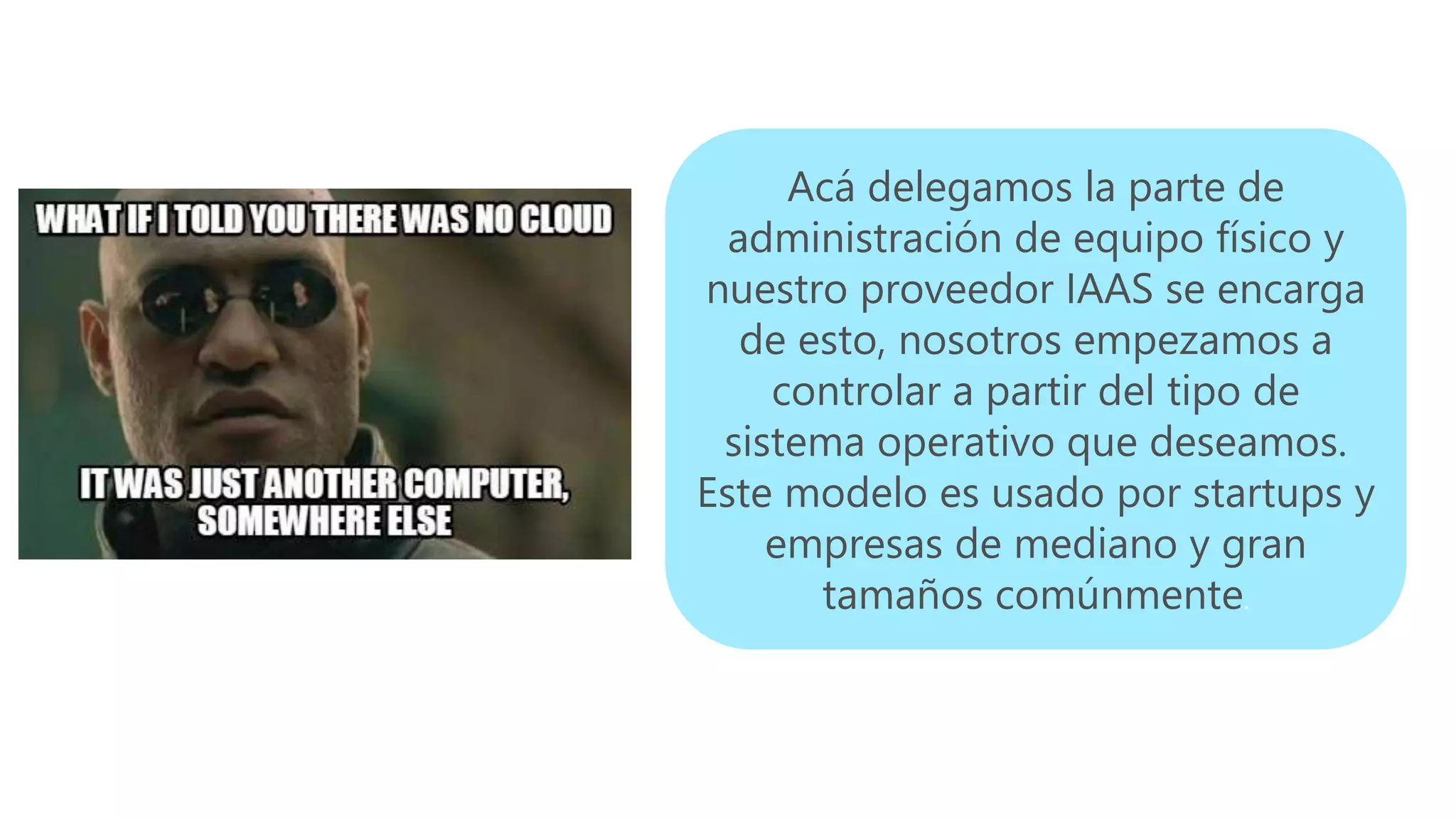
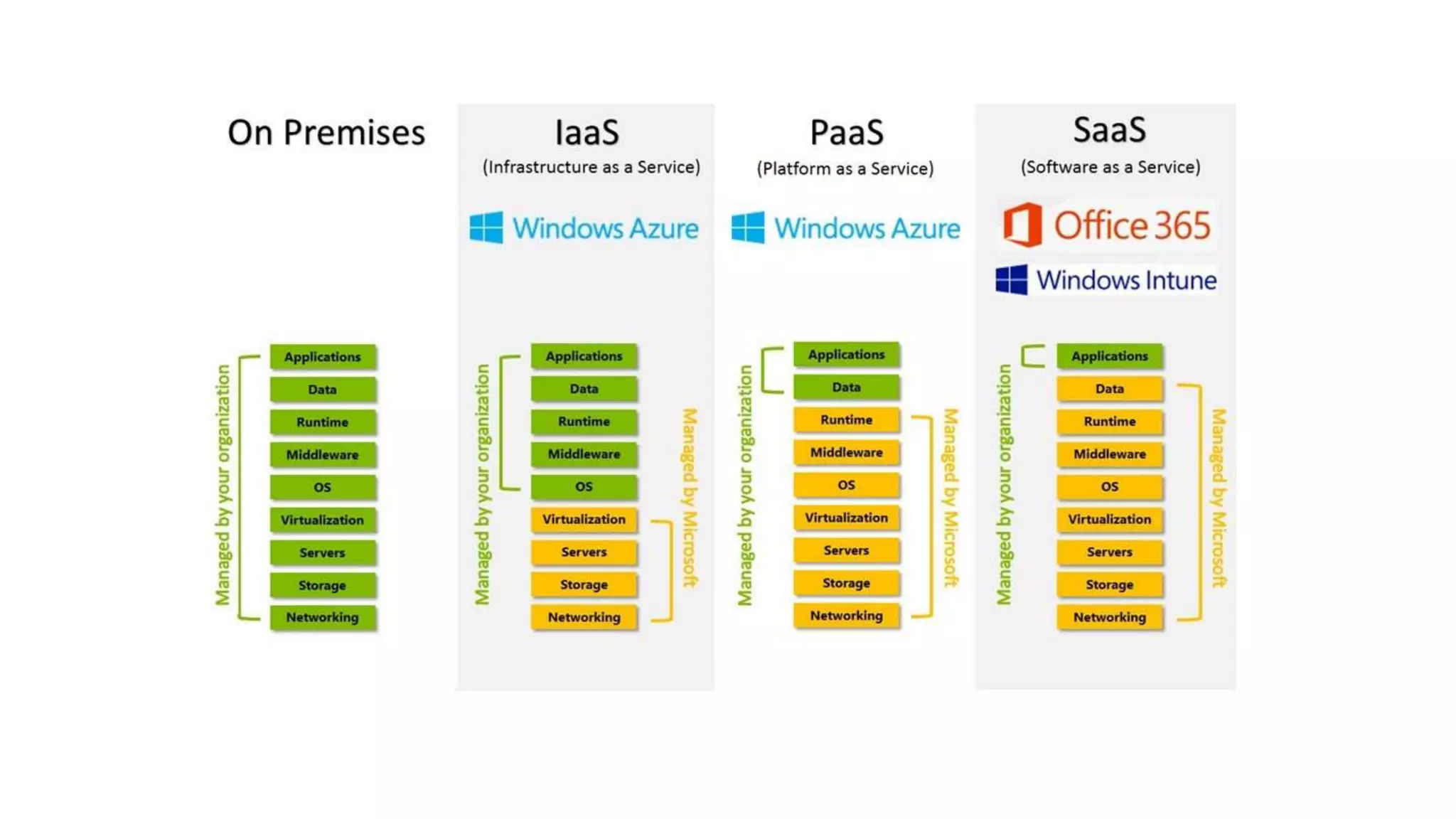
Acá delegamos la parte de
administración de equipo físico y
nuestro proveedor IAAS se encarga
de esto, nosotros empezamos a
controlar a partir del tipo de
sistema operativo que deseamos.
Este modelo es usado por startups y
empresas de mediano y gran
tamaños comúnmente.
https://azure.microsoft.com/en-us/services/container-instances/
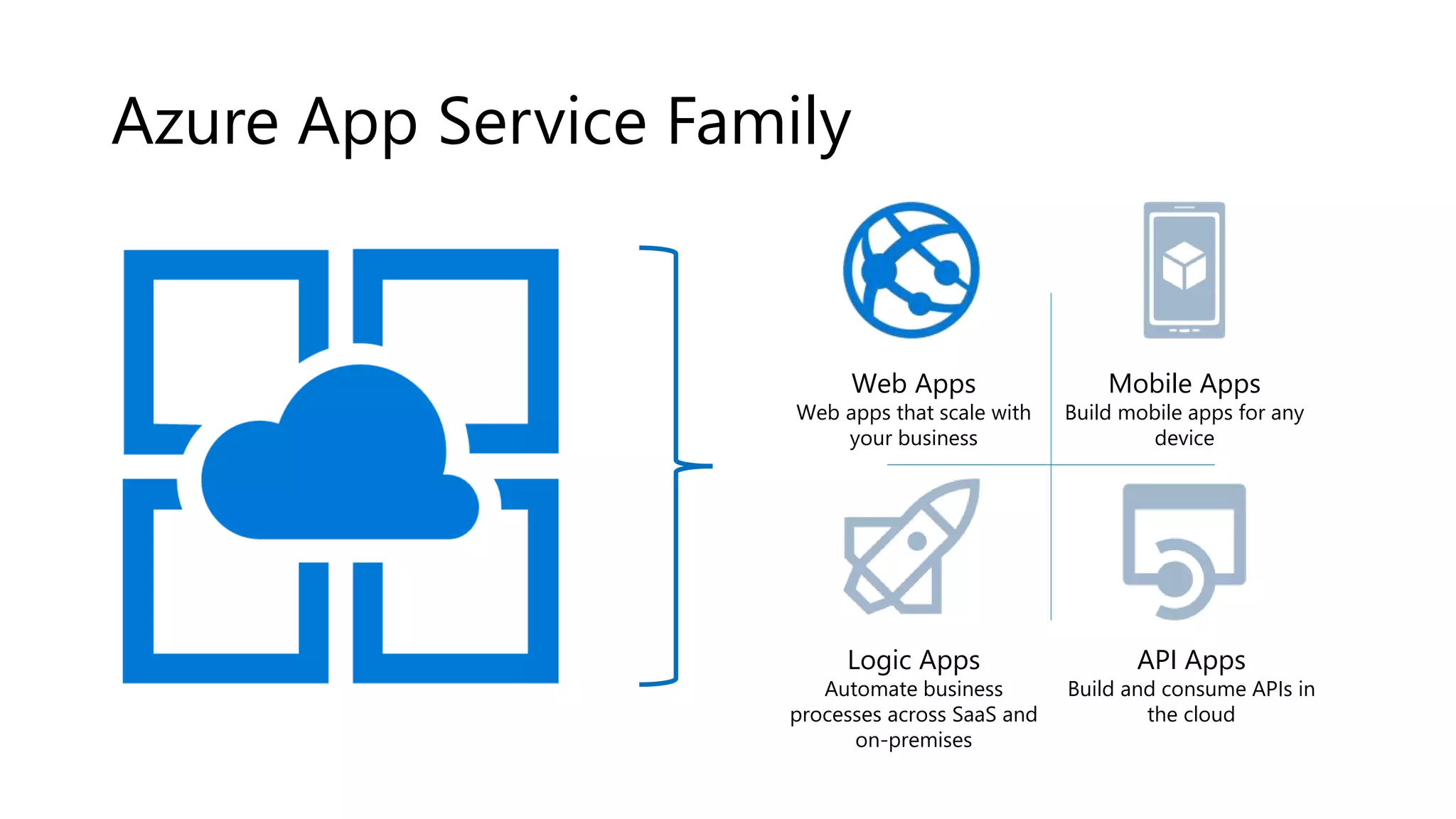
Azure App Service Family
Web Apps
Web apps that scale with
your business
Mobile Apps
Build mobile apps for any
device
Logic Apps
Automate business
processes across SaaS and
on-premises
API Apps
Build and consume APIs in
the cloud
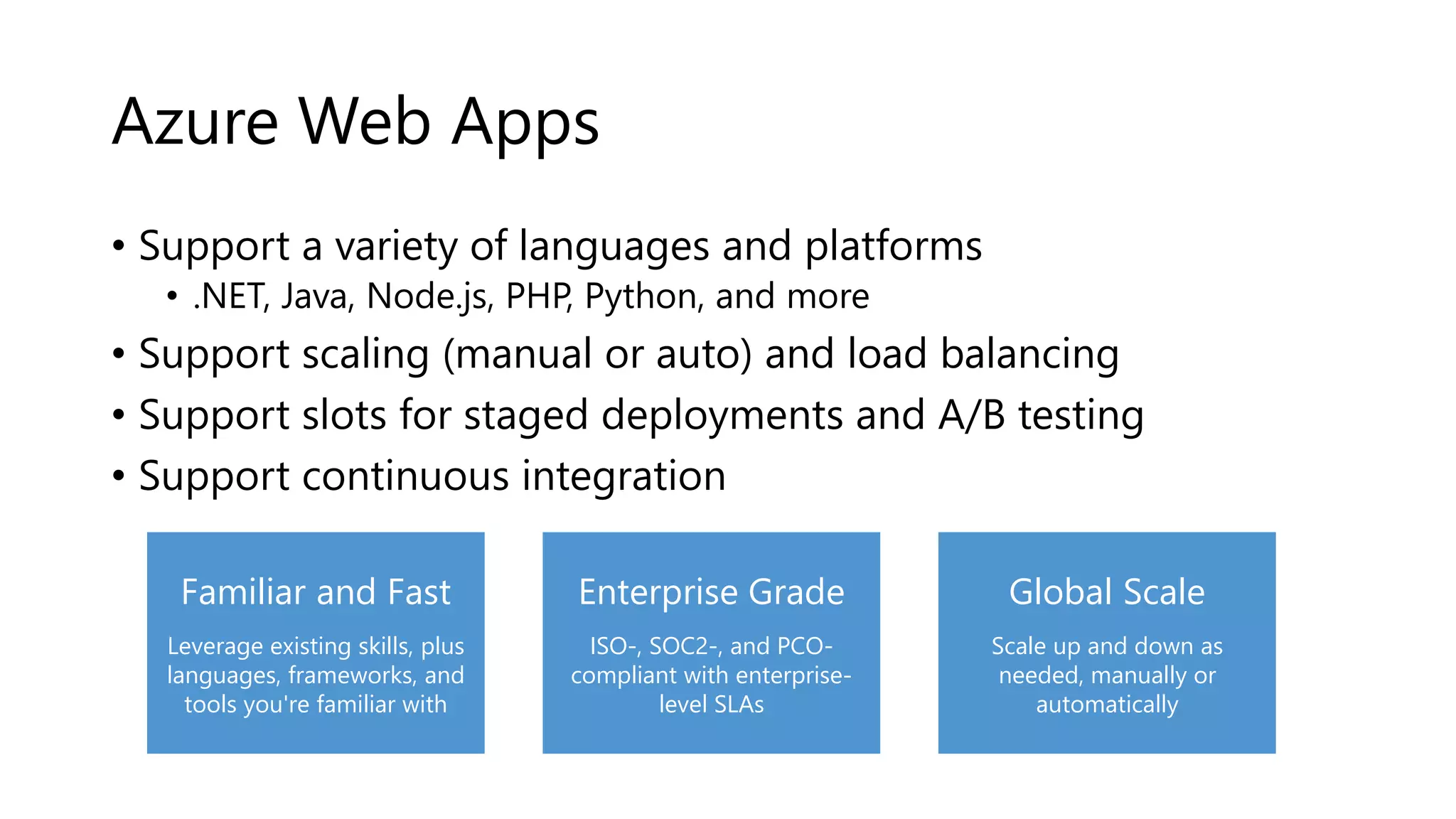
Azure Web Apps
• Support a variety of languages and platforms
• .NET, Java, Node.js, PHP, Python, and more
• Support scaling (manual or auto) and load balancing
• Support slots for staged deployments and A/B testing
• Support continuous integration
Global Scale
Scale up and down as
needed, manually or
automatically
Enterprise Grade
ISO-, SOC2-, and PCO-
compliant with enterprise-
level SLAs
Familiar and Fast
Leverage existing skills, plus
languages, frameworks, and
tools you're familiar with
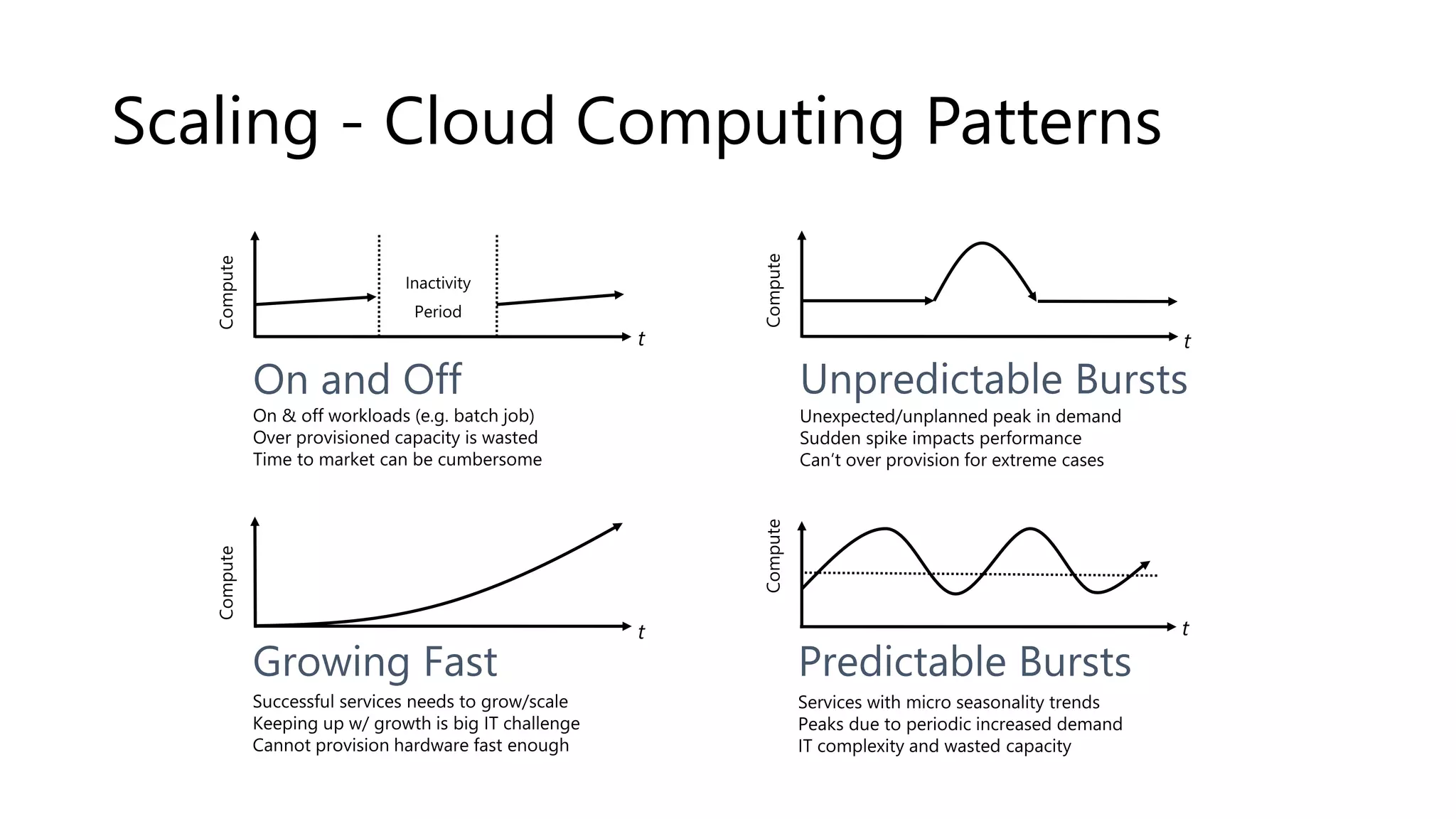
Scaling - Cloud Computing Patterns
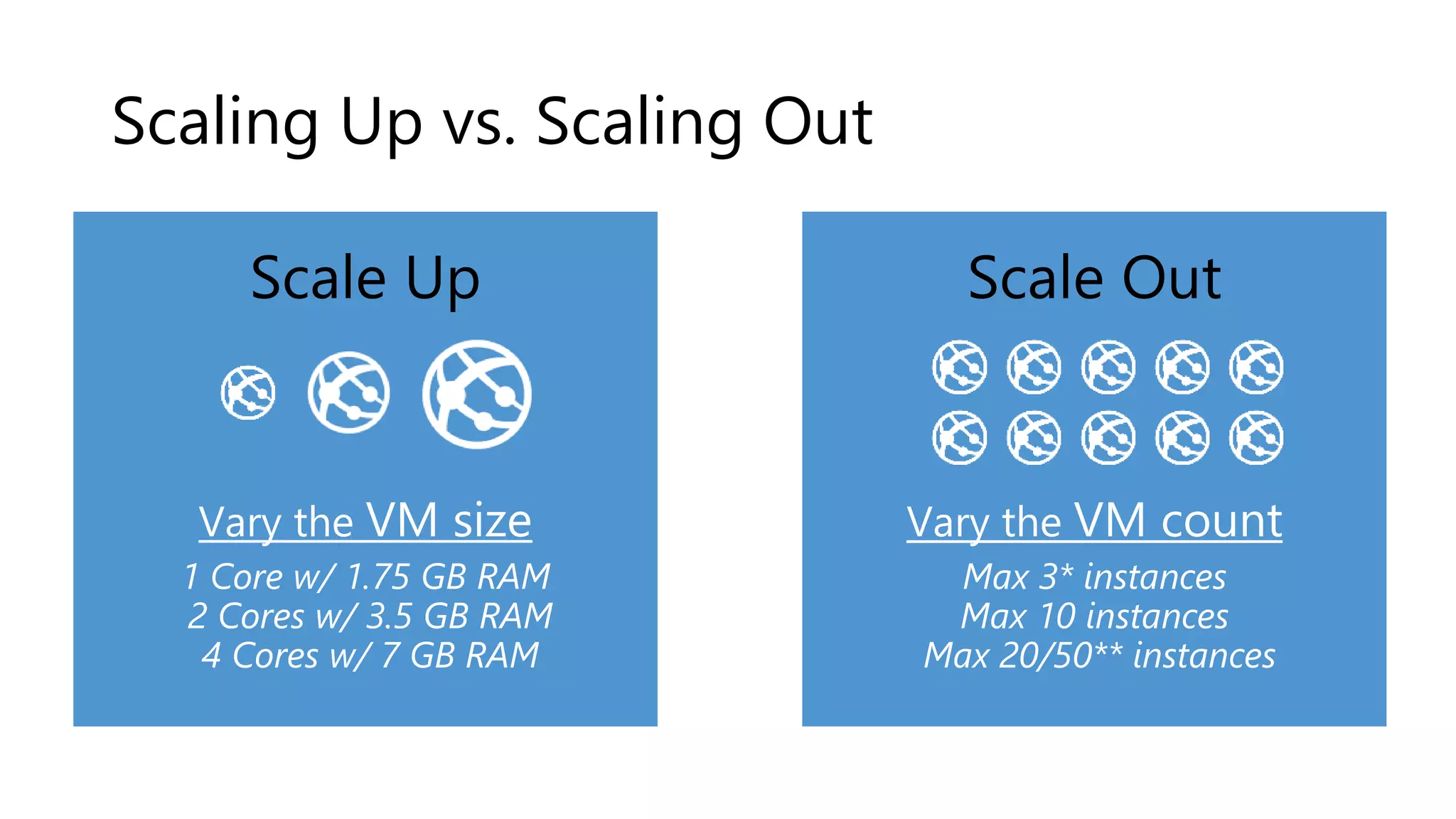
Scaling Up vs. Scaling Out
Scale Up
Vary the VM size
1 Core w/ 1.75 GB RAM
2 Cores w/ 3.5 GB RAM
4 Cores w/ 7 GB RAM
Scale Out
Vary the VM count
Max 3* instances
Max 10 instances
Max 20/50** instances
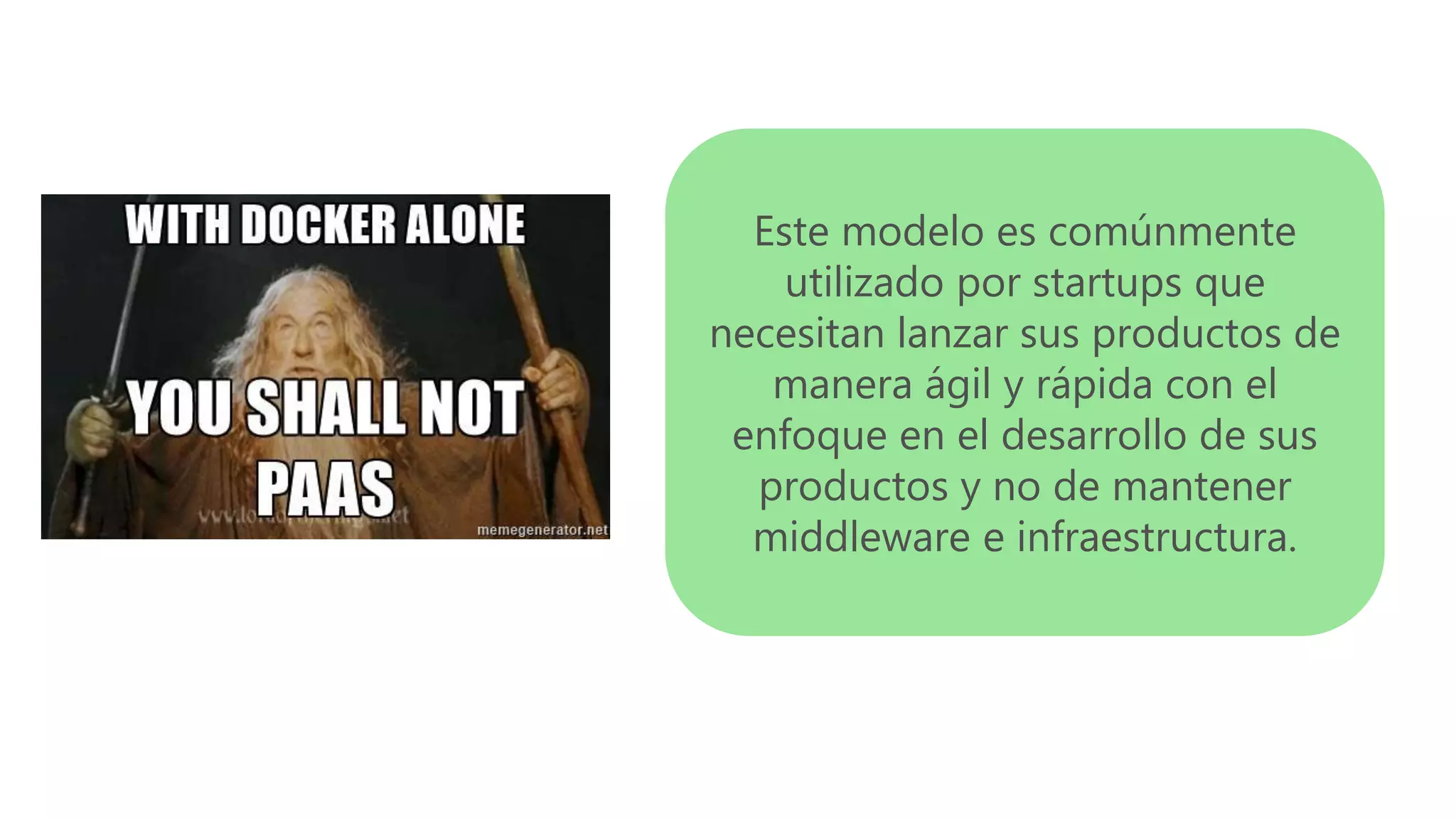
Este modelo es comúnmente
utilizado por startups que
necesitan lanzar sus productos de
manera ágil y rápida con el
enfoque en el desarrollo de sus
productos y no de mantener
middleware e infraestructura.
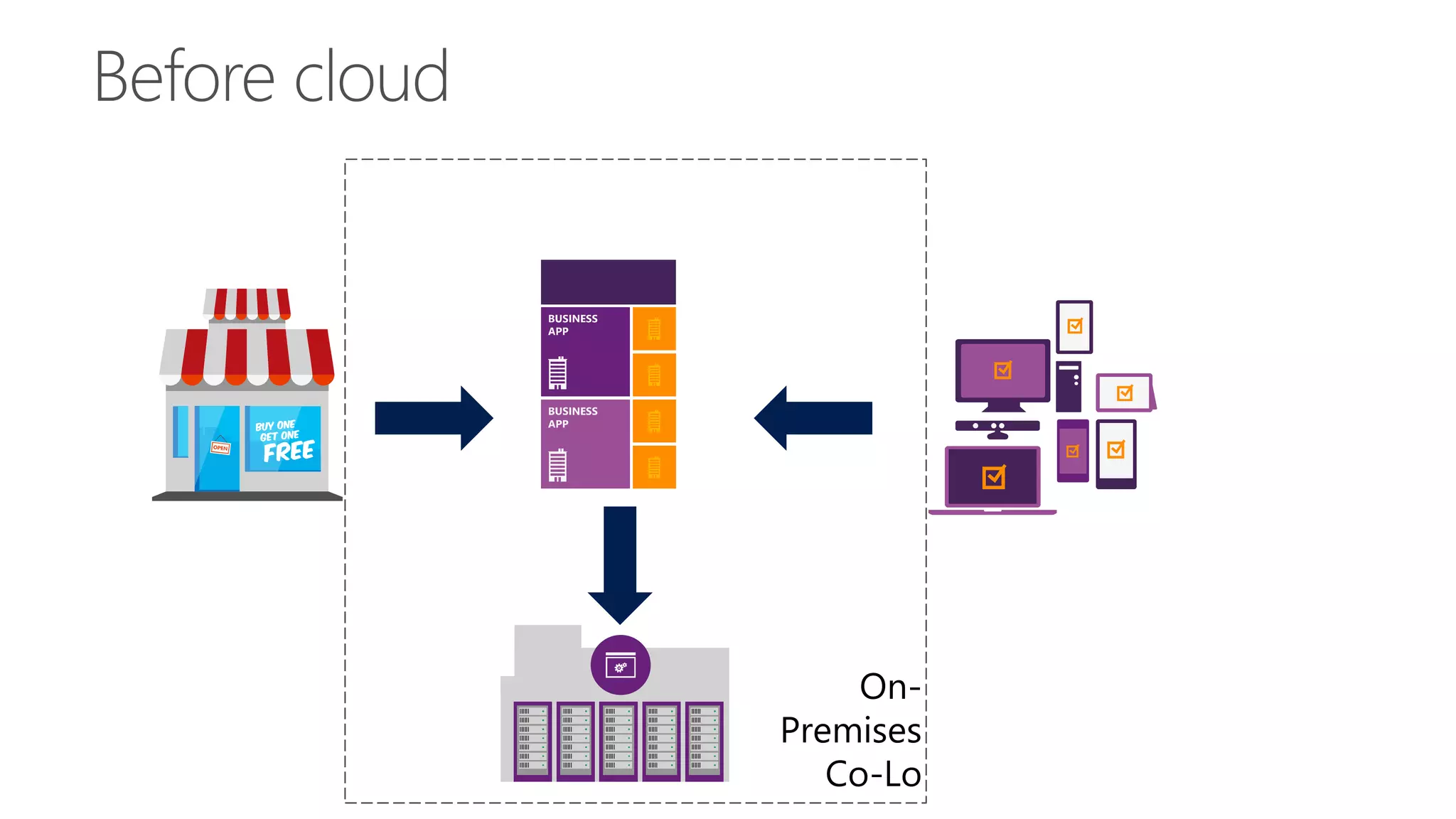
On-
Premises
Co-Lo
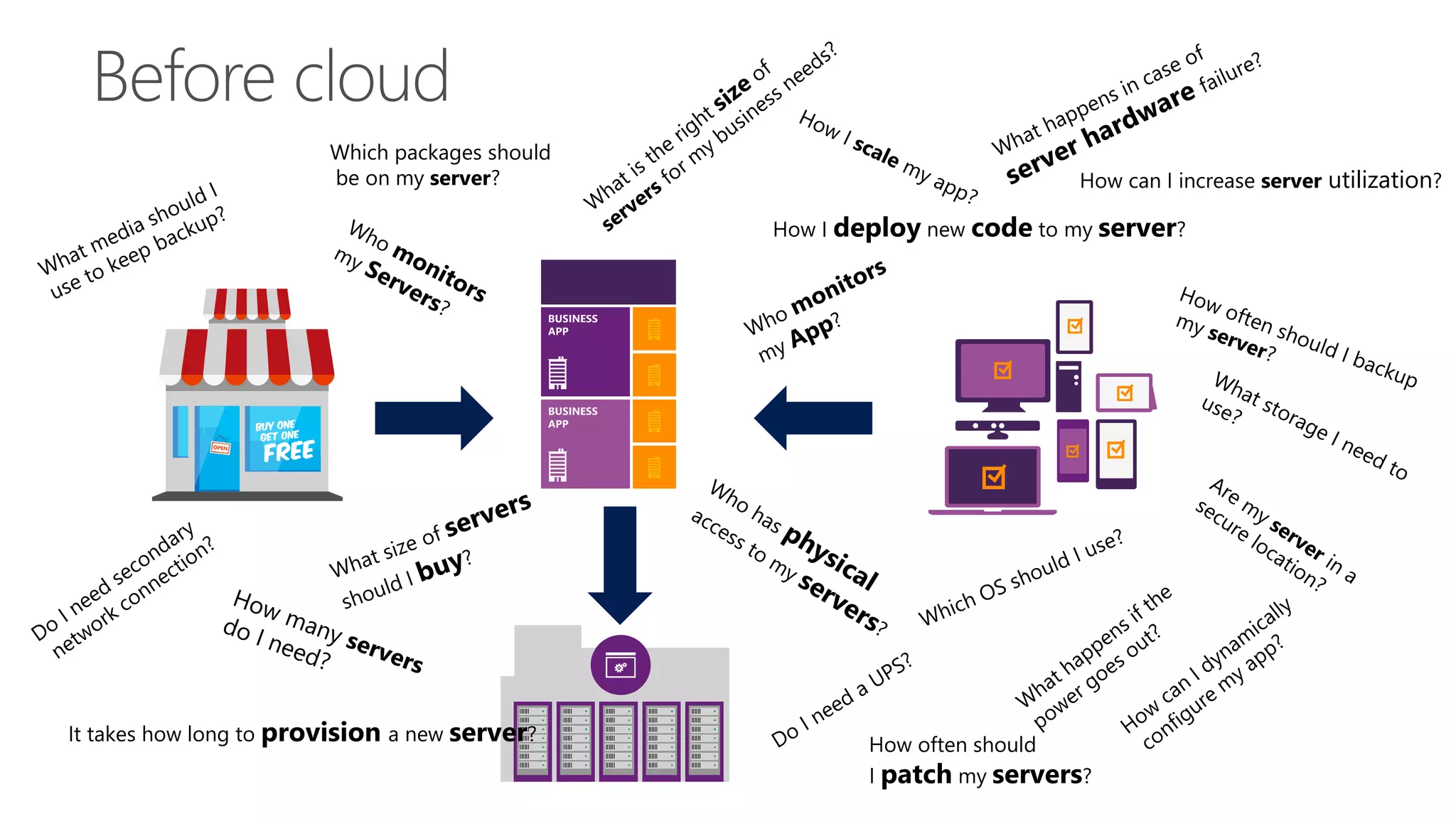
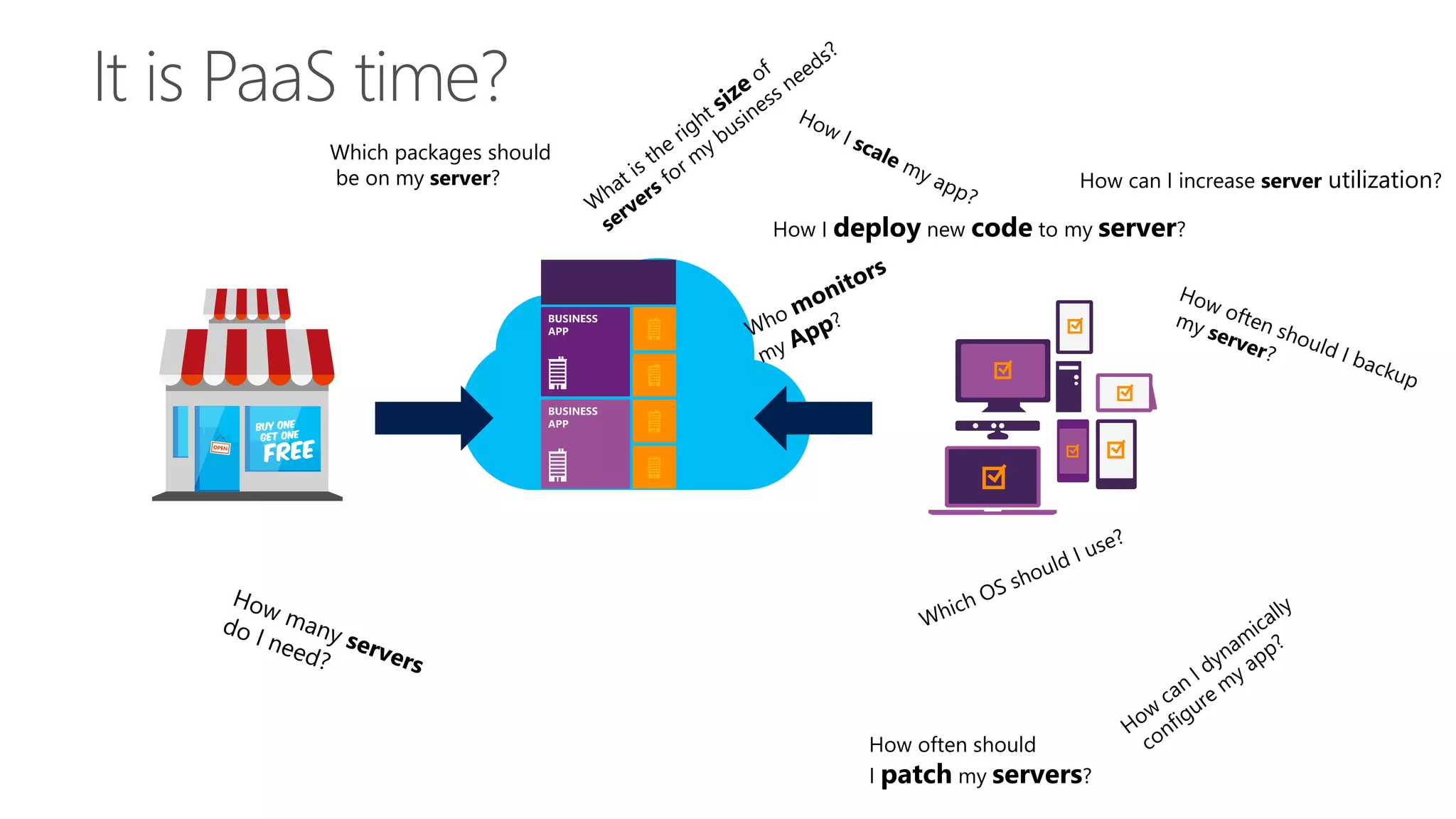
How often should
I patch my servers?
How can I increase server utilization?
How I deploy new code to my server?
Which packages should
be on my server?
It takes how long to provision a new server?
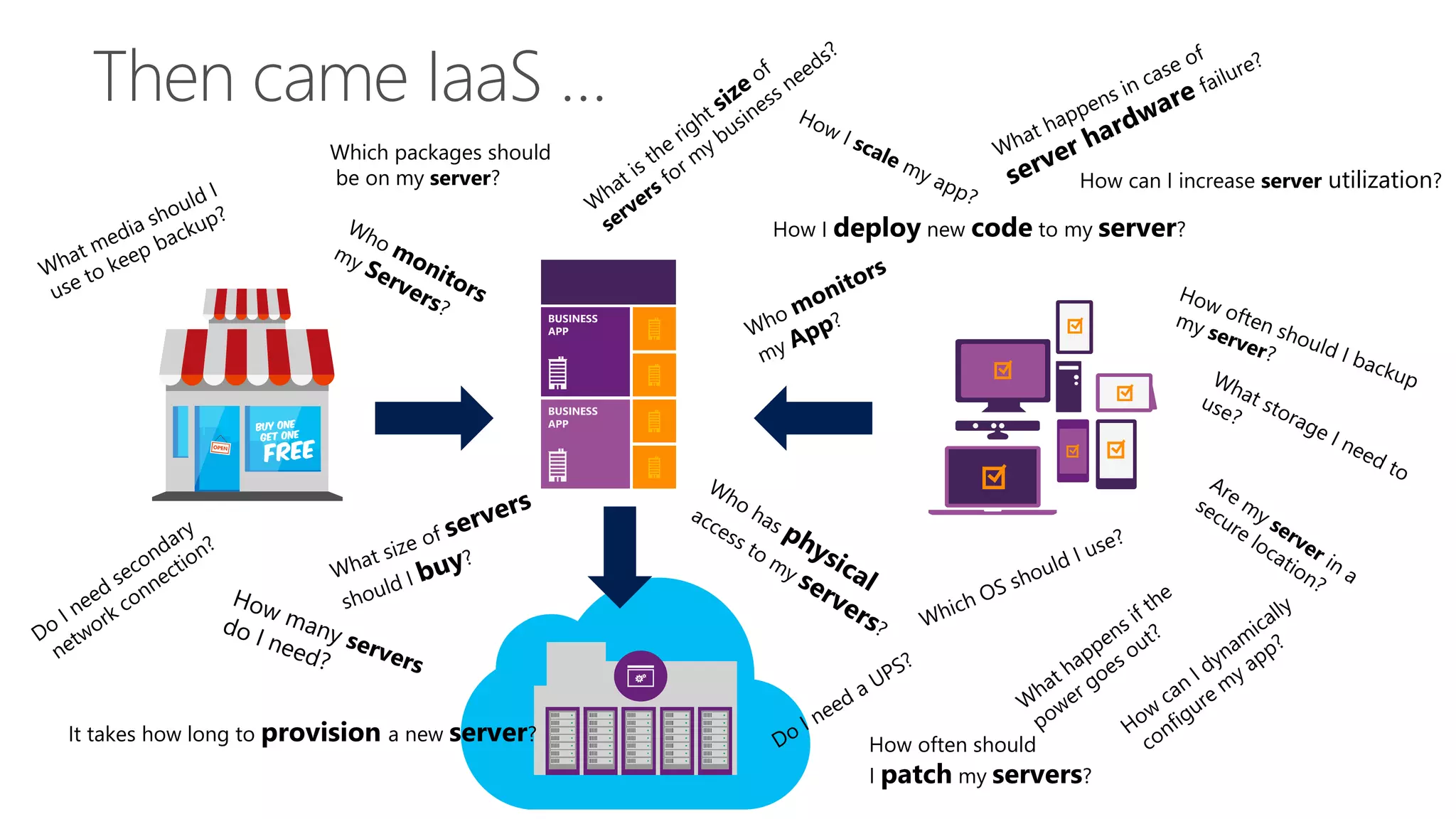
How often should
I patch my servers?
How can I increase server utilization?
How I deploy new code to my server?
Which packages should
be on my server?
It takes how long to provision a new server?
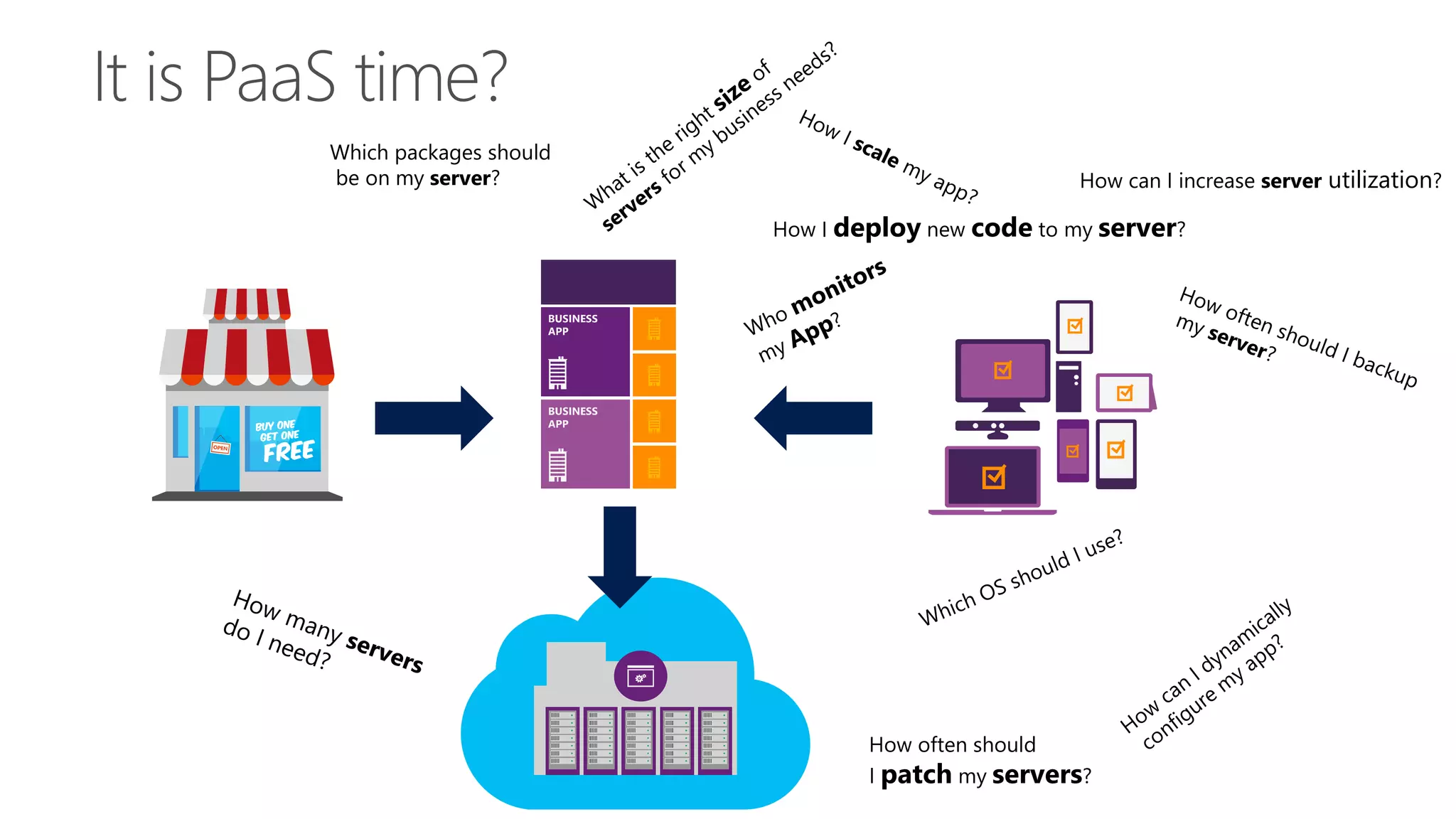
How often should
I patch my servers?
How can I increase server utilization?
How I deploy new code to my server?
Which packages should
be on my server?
How often should
I patch my servers?
How can I increase server utilization?
How I deploy new code to my server?
Which packages should
be on my server?
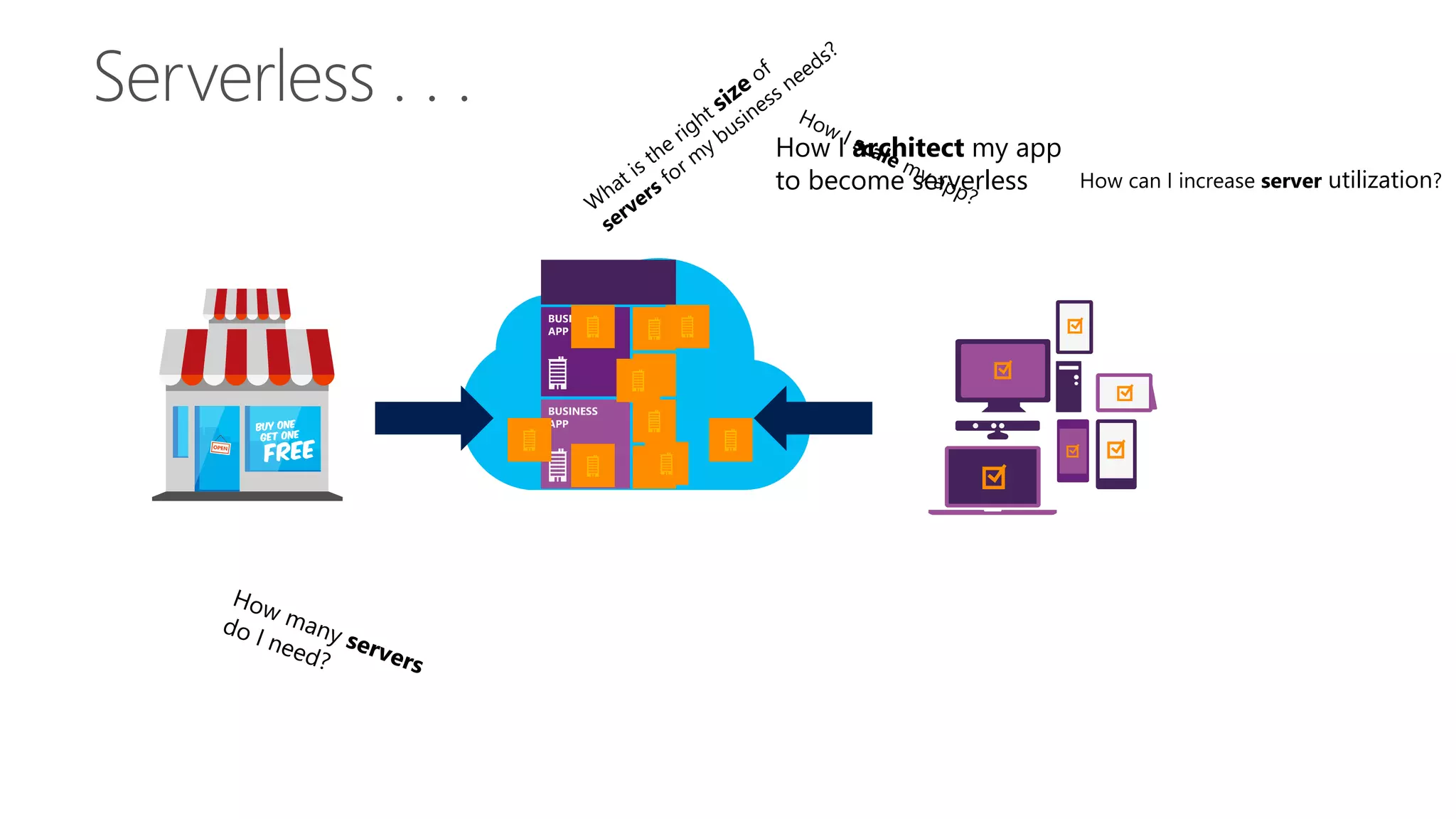
How I architect my app
to become serverless How can I increase server utilization?
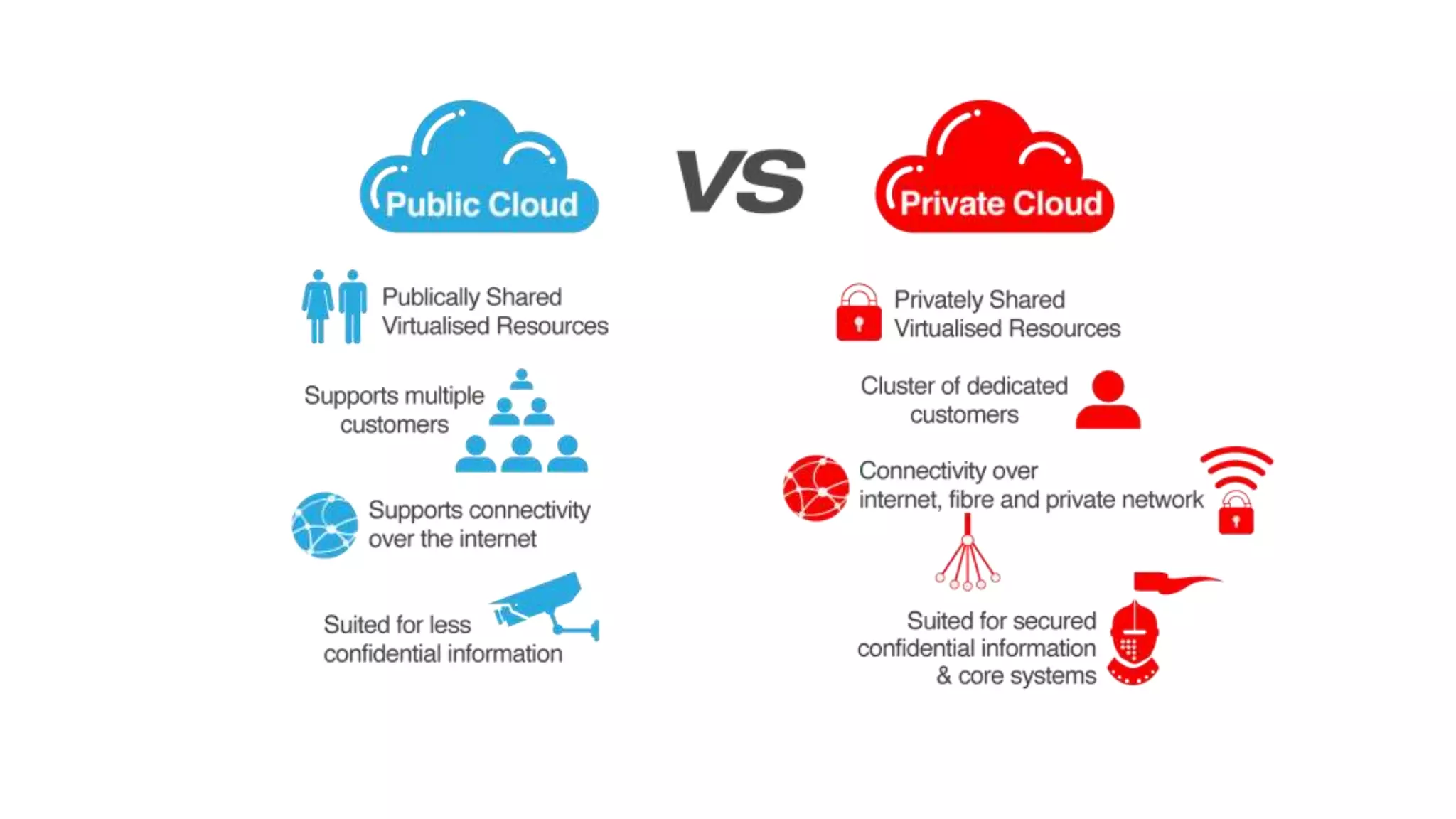
Tipos de Nubes
Estrategias Híbridas
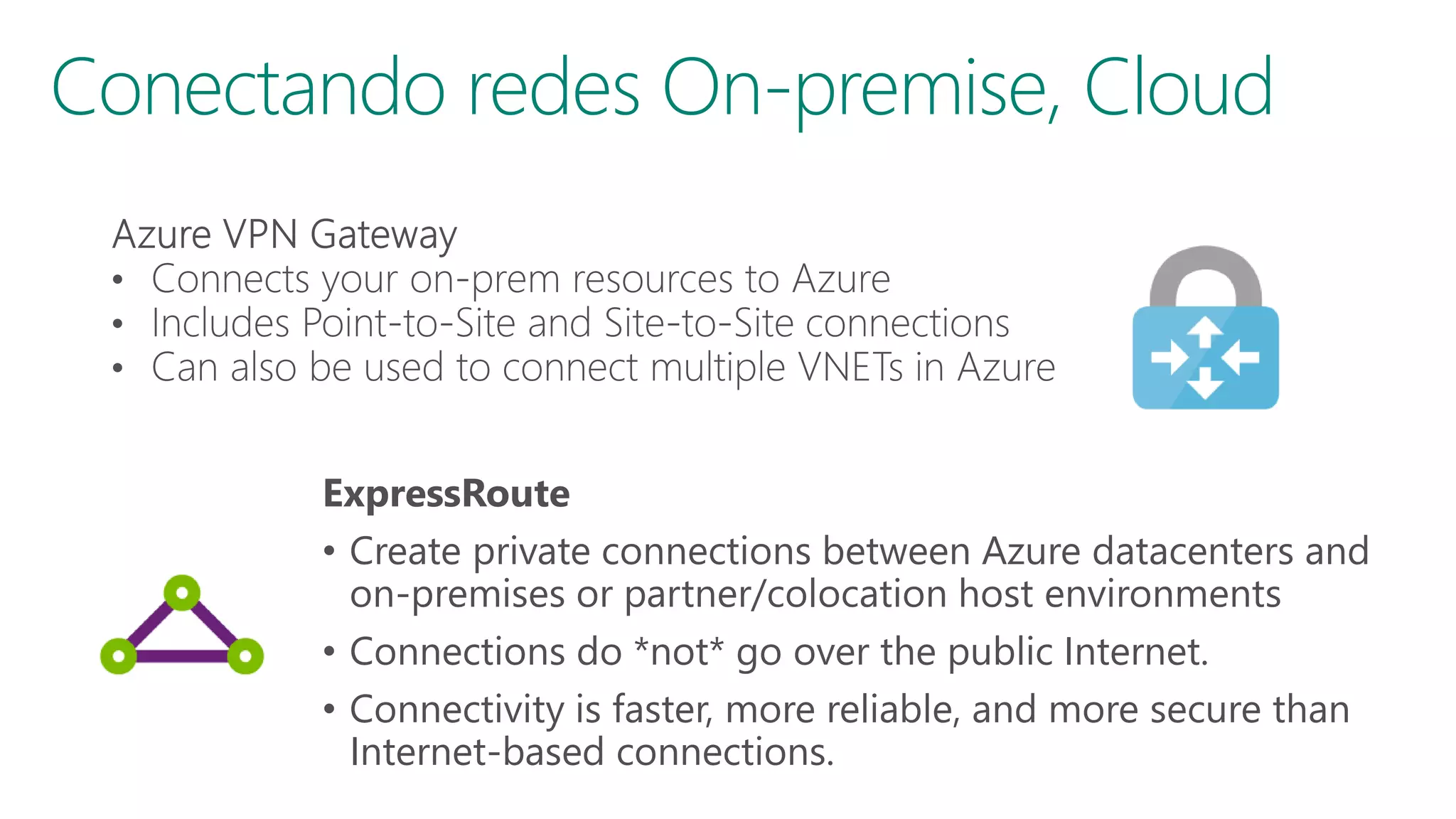
Conectando redes On-premise, Cloud
ExpressRoute
• Create private connections between Azure datacenters and
on-premises or partner/colocation host environments
• Connections do *not* go over the public Internet.
• Connectivity is faster, more reliable, and more secure than
Internet-based connections.
Microsoft Azure
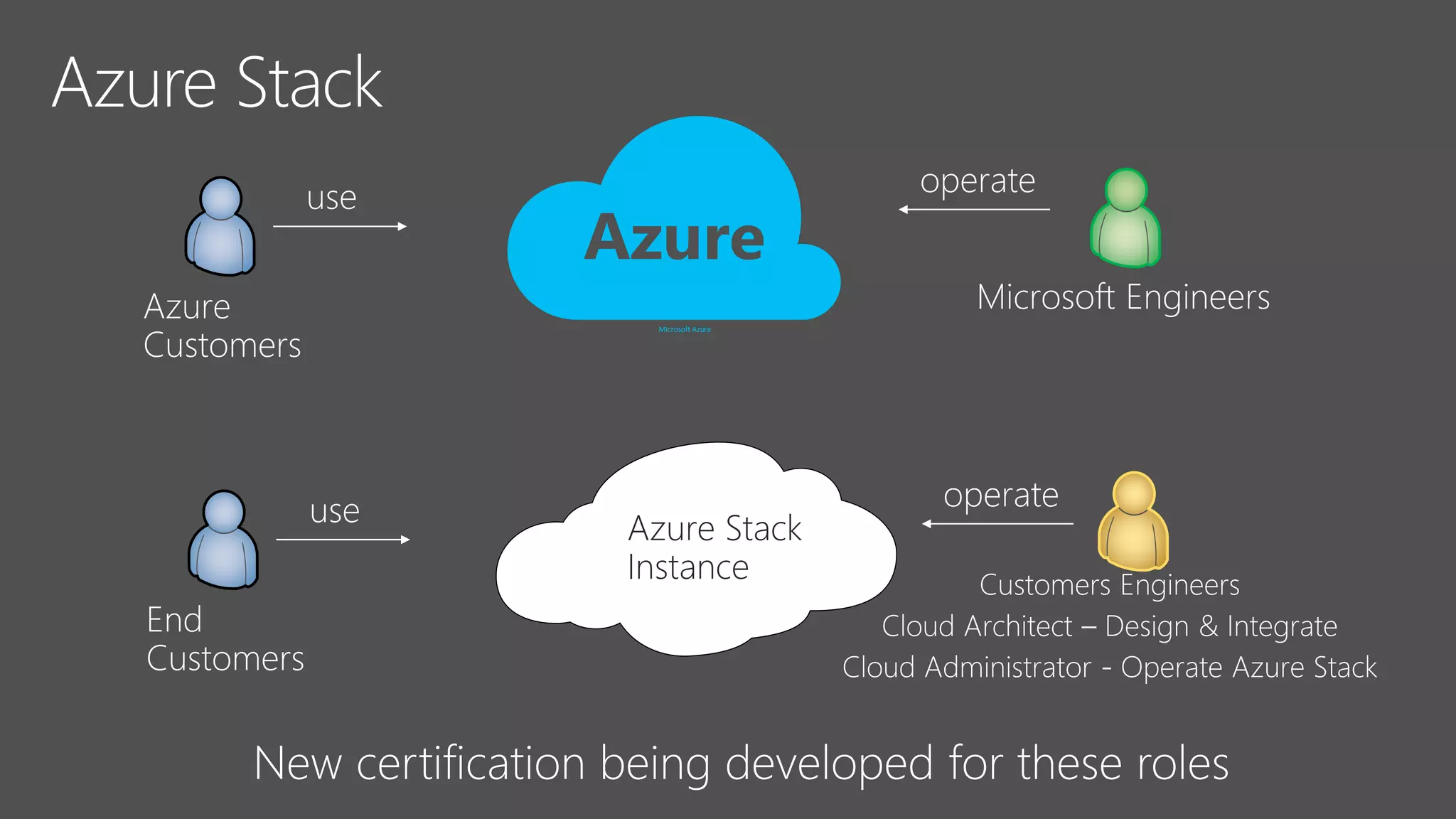
Azure Stack
Instance
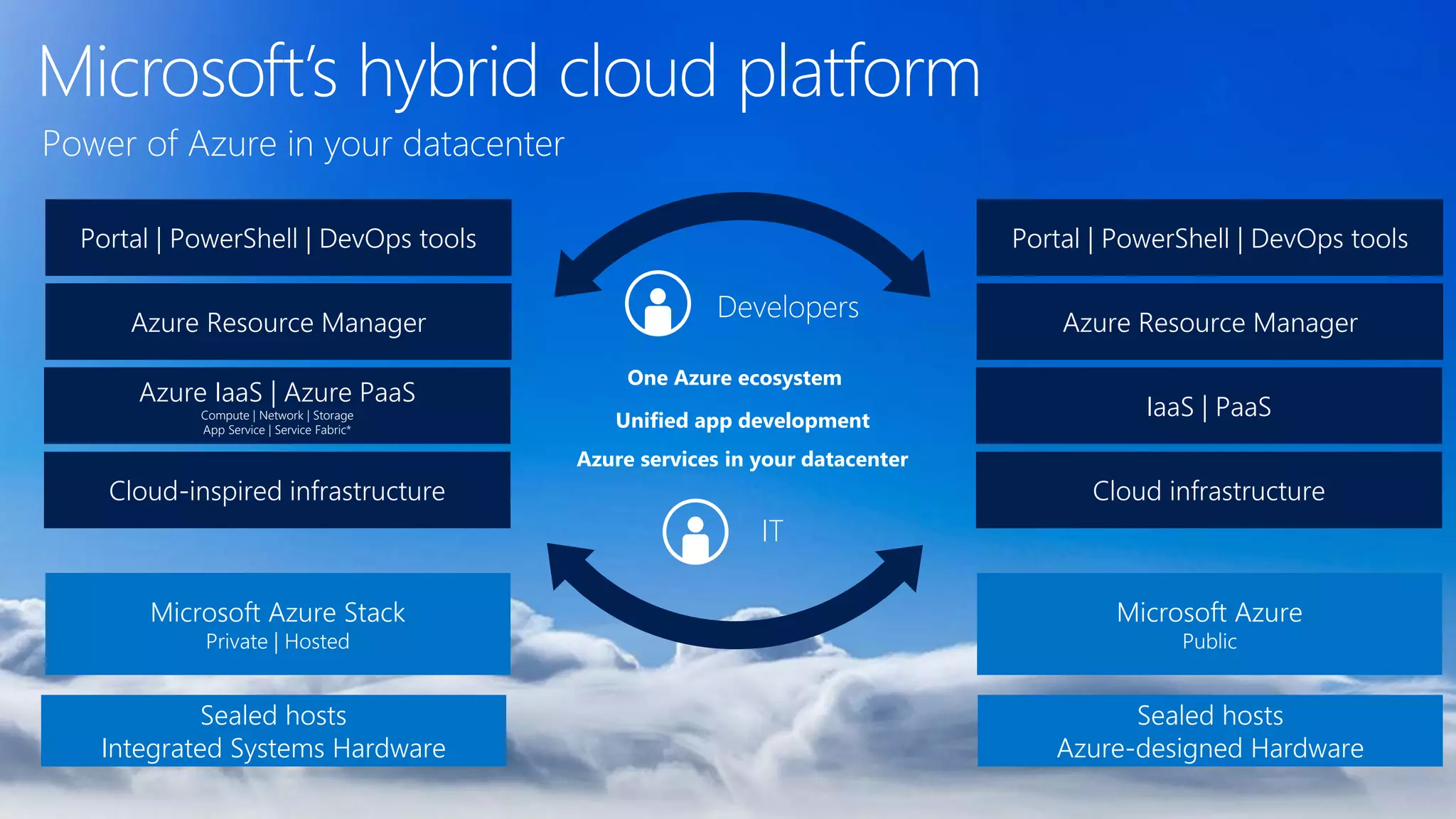
Microsoft’s hybrid cloud platform
Cloud-inspired infrastructure
Azure IaaS | Azure PaaS
Compute | Network | Storage
App Service | Service Fabric*
Azure Resource Manager
Portal | PowerShell | DevOps tools
Microsoft Azure Stack
Private | Hosted
Cloud infrastructure
IaaS | PaaS
Azure Resource Manager
Portal | PowerShell | DevOps tools
Microsoft Azure
Public
Sealed hosts
Azure-designed Hardware
Sealed hosts
Integrated Systems Hardware
Cloud-inspired infrastructure
Azure IaaS | Azure PaaS
Compute | Network | Storage
App Service | Service Fabric*
Azure Resource Manager
Portal | PowerShell | DevOps tools
Microsoft Azure Stack
Private | Hosted
Azure services in your datacenter
Unified app development
One Azure ecosystem
Developers
IT
Power of Azure in your datacenter
Azure Clouders Chile
bugs4fun.com

Cloud Computing101 Azure, updated june 2017

  • 1.
    Azure Clouders Chile AzureClouders Chile bugs4fun.com
  • 2.
    Agenda • Los desafíosde la transformación digital • Cloud Computing como habilitador de la transformación digital • Modelos de Cloud Computing • ON PREMISE • IAAS • CAAS • PAAS • SERVERLESS • Tipos de Nubes • Estrategias Híbridas • Azure Stack
  • 3.
    Los desafíos dela transformación digital
  • 4.
  • 8.
  • 9.
    “When Microsoft ITtook on the challenge of moving our entire IT footprint to the cloud, I wasn’t surprised when a lot of people told me it couldn’t be done. But I was surprised at how the move turned many of our best engineers into the functional equivalent of teenagers.” Brad Wright, Cloud Guy https://www.microsoft.com/itshowcase/blog/e xcellent-cloud-adventure-old-habits-bad- behaviors-can-torpedo-cloud-move
  • 10.
    Cloud Computing comohabilitador de la transformación digital
  • 12.
  • 13.
    • Si distribuyéramosnuestro software bajo un proveedor de IAAS(infraestructure as a service, infraestructura como servicio), debemos hacer lo siguiente: • Nosotros decidimos que sistema operativo instalar • Instalamos el software necesario(frameworks, bases de datos, librerías, runtime) para que funcione nuestra aplicación • Finalmente, instalamos nuestra aplicación
  • 14.
    Galería de ImagenesVirtuales Windows Server 2012 R2 Ubuntu Server 14.04 LTS CentOS 6.5 SUSE Linux Enterprise Server Oracle Linux 6.4.0.0.0 Windows 8.1 Enterprise SQL Server 2014 Standard Oracle Database 11g R2 BizTalk Server 2013 SharePoint Server Farm Microsoft Dynamics GP 2013 Zulu 8 SAP HANA Developer Edition Puppet Enterprise 3.2.3 Barracuda Web Application Oracle WebLogic Server 12.1.2 Visual Studio Ultimate 2013 openSUSE 13.1
  • 15.
  • 16.
  • 17.
  • 18.
    Acá delegamos laparte de administración de equipo físico y nuestro proveedor IAAS se encarga de esto, nosotros empezamos a controlar a partir del tipo de sistema operativo que deseamos. Este modelo es usado por startups y empresas de mediano y gran tamaños comúnmente.
  • 21.
  • 24.
    Azure App ServiceFamily Web Apps Web apps that scale with your business Mobile Apps Build mobile apps for any device Logic Apps Automate business processes across SaaS and on-premises API Apps Build and consume APIs in the cloud
  • 25.
    Azure Web Apps •Support a variety of languages and platforms • .NET, Java, Node.js, PHP, Python, and more • Support scaling (manual or auto) and load balancing • Support slots for staged deployments and A/B testing • Support continuous integration Global Scale Scale up and down as needed, manually or automatically Enterprise Grade ISO-, SOC2-, and PCO- compliant with enterprise- level SLAs Familiar and Fast Leverage existing skills, plus languages, frameworks, and tools you're familiar with
  • 26.
    Scaling - CloudComputing Patterns
  • 27.
    Scaling Up vs.Scaling Out Scale Up Vary the VM size 1 Core w/ 1.75 GB RAM 2 Cores w/ 3.5 GB RAM 4 Cores w/ 7 GB RAM Scale Out Vary the VM count Max 3* instances Max 10 instances Max 20/50** instances
  • 29.
    Este modelo escomúnmente utilizado por startups que necesitan lanzar sus productos de manera ágil y rápida con el enfoque en el desarrollo de sus productos y no de mantener middleware e infraestructura.
  • 32.
  • 33.
    How often should Ipatch my servers? How can I increase server utilization? How I deploy new code to my server? Which packages should be on my server? It takes how long to provision a new server?
  • 34.
    How often should Ipatch my servers? How can I increase server utilization? How I deploy new code to my server? Which packages should be on my server? It takes how long to provision a new server?
  • 35.
    How often should Ipatch my servers? How can I increase server utilization? How I deploy new code to my server? Which packages should be on my server?
  • 36.
    How often should Ipatch my servers? How can I increase server utilization? How I deploy new code to my server? Which packages should be on my server?
  • 37.
    How I architectmy app to become serverless How can I increase server utilization?
  • 41.
  • 43.
  • 44.
    Conectando redes On-premise,Cloud ExpressRoute • Create private connections between Azure datacenters and on-premises or partner/colocation host environments • Connections do *not* go over the public Internet. • Connectivity is faster, more reliable, and more secure than Internet-based connections.
  • 45.
  • 46.
    Microsoft’s hybrid cloudplatform Cloud-inspired infrastructure Azure IaaS | Azure PaaS Compute | Network | Storage App Service | Service Fabric* Azure Resource Manager Portal | PowerShell | DevOps tools Microsoft Azure Stack Private | Hosted Cloud infrastructure IaaS | PaaS Azure Resource Manager Portal | PowerShell | DevOps tools Microsoft Azure Public Sealed hosts Azure-designed Hardware Sealed hosts Integrated Systems Hardware Cloud-inspired infrastructure Azure IaaS | Azure PaaS Compute | Network | Storage App Service | Service Fabric* Azure Resource Manager Portal | PowerShell | DevOps tools Microsoft Azure Stack Private | Hosted Azure services in your datacenter Unified app development One Azure ecosystem Developers IT Power of Azure in your datacenter
  • 49.
    Azure Clouders Chile AzureClouders Chile bugs4fun.com

Editor's Notes

  • #15 Objective: To illustrate a sampling of the array of different kinds of VM images available in the VM Gallery. Notes: One of the ways a VM can be provisioned is by selecting a predefined image from the VM Gallery, which offers a wide variety of vendor/partner-provided pre-configured VM images that you can choose from. Examples include Windows Server versions/editions or Linux Servers SQL Server database or Oracle database MSDN subscribers also get access to Windows images pre-populated with Visual Studio and Windows Client OS versions for use in DevTest scenarios
  • #16 Objective: To illustrate a sampling of the array of different kinds of VM images available in the VM Gallery. Notes: One of the ways a VM can be provisioned is by selecting a predefined image from the VM Gallery, which offers a wide variety of vendor/partner-provided pre-configured VM images that you can choose from. Examples include Windows Server versions/editions or Linux Servers SQL Server database or Oracle database MSDN subscribers also get access to Windows images pre-populated with Visual Studio and Windows Client OS versions for use in DevTest scenarios
  • #17 Objective: To introduce the concept of Virtual Networks (VNETs) in Azure Notes: A VNET is “your private network within the overall Azure network” Along with the VNET, you can leverage other tools like Load Balancers, Network Service Gateways, Application Gateways, Public IP Addresses, etc. Peering (new feature) allows 2 VNETs to be maintained as separate resources, but VMs in those VNETs can communicate with each other directly via IP Address. VNETs can define Network Security Groups, which contain ACL rules that allow or deny traffic to VM instances in a VNET. NSG’s can be associated with subnets or individual VM instances Illustration source: https://azure.microsoft.com/en-us/documentation/articles/virtual-networks-overview/
  • #18 Objective: To introduce some other Azure Networking resources that often complement VNETs. Notes: Reserved Public IP Addresses Can be dynamic or reserved IP addresses Load balancers act as a NAT Public IP address can be associated to it (public), private is assigned an address in the subnet (and is accessed via that address) Private load balancers are usually found in multi-tier apps/deployments, where only one (front) tier is internet-facing. Also, with VPNs, the ILB can ensure company resource are only available internally to other systems on the same VNET Supports hashed distribution of traffic, as well as port forwarding, auto-reconfiguration (scaling), service monitoring (probes), source NAT Application Gateways Work at application layer compared to Load Balancer working at the transport layer (Layer 7 vs Layer 4) Acts as a reverse-proxy…client connections are terminated and requests are then forwarded to back-end endpoints. HTTP & HTTPS only Differ from Load Balancer in that this is URL/content-based routing & load balancing Web Application Firewall (recently announced/in preview) Preconfigured to prevent OWASP core top 10 vulnerabilities Custom rules coming soon You can also stand up a virtual appliance – dedicated VM running 3rd party SW that provides layer-7 security (NSG is layer-4)
  • #20 Iaas Crear una maquina virtual en el portal Conectarme a la maquina virtual Crear una maquina virtual desde terminal Conectarme a la maquina virtual Paas Crear un app service portal Deployar sitio nodejs Crear un app service terminal
  • #23 Iaas Crear una maquina virtual en el portal Conectarme a la maquina virtual Crear una maquina virtual desde terminal Conectarme a la maquina virtual Paas Crear un app service portal Deployar sitio nodejs Crear un app service terminal
  • #25 Azure App Service is a PaaS offering that comprises four separate (but related) services: Web Apps is a fully managed compute platform optimized to host Web sites and Web applications Mobile Apps provides infrastructure for hosting back-ends for mobile apps -- for example, it provides infrastructure for sending push notifications not only to Windows clients, but to iOS and Android clients as well API Apps makes it easy to host APIs in the cloud, features integrated support for Swagger (http://swagger.io/), and offers a built-in authentication service for restricting access to APIs Logic Apps allows you to automate business processes and workflow -- for example, automatically finding negative tweets about your company and sending notifications to a Slack channel Together, these services comprise a ready-made solution to many of the challenges involved in publishing Web sites, Web apps, Web services, mobile apps, and more.
  • #26 The focus of this presentation is Azure Web Apps (https://azure.microsoft.com/en-us/documentation/articles/app-service-web-overview/). This service supports multiple languages and frameworks, including ASP.NET, Node.js, Java, PHP, and Python, so you can "use what you know" to begin leveraging it quickly. It supports scaling (manually or automatically) so capacity can grow as demand grows. It supports deployment slots for staged deployments -- for example, publish to staging, test your changes there, and then swap it into production only after you're confident it is ready. And it supports continuous integration, enabling you to be agile and aggressive in fixing bugs, adding features, and doing everything else needed to keep your site fresh and up to date.
  • #27 Deploy a Web app on a single server and you'll hit a wall when the demand on that server reaches a certain level. Deploy it in Azure, however, and you can handle bursts through auto-scaling or steady growth through manual scaling.
  • #28 With a traditional server farm, there are two ways to scale to meet demand: Scale up by beefing up the servers (more RAM, more cores, etc.) Scale out by adding servers The same holds true for virtual server farms. In App Services, scale up is a choice between B/S/P 1-3, where 1 = 1 Core, 1/75 GB RAM, 2 = 2 Core, 3.5 GB RAM, 3 = 4 Core, 7 GB RAM. You can also scale up/down between tiers (B/S/P), which impacts local HDD storage (10/50/250 GB) as well as the cap on number of instances (3/10/50). * For 3 instances on Basic, only manual scaling is supported ** For Premium Tier, there is a max of 20 if not using ASEs, and 50 if using ASE’s
  • #31 Iaas Crear una maquina virtual en el portal Conectarme a la maquina virtual Crear una maquina virtual desde terminal Conectarme a la maquina virtual Paas Crear un app service portal Deployar sitio nodejs Crear un app service terminal
  • #41 Iaas Crear una maquina virtual en el portal Conectarme a la maquina virtual Crear una maquina virtual desde terminal Conectarme a la maquina virtual Paas Crear un app service portal Deployar sitio nodejs Crear un app service terminal
  • #45 Objective: To introduce the networking options in Azure for extending connectivity of a VNET into your on –premises or other networks Notes: VPN Gateway – whereas Peering only allows non-overlapping VNET connection in same Region, VPN Gateway allows connections that span regions and even subscriptions (even different deployment models) Point-to-Site VPN Allows creating a secure connection to your VNET from an individual computer. Cert-based Used primarily for dev/test, small-scale deployments Does not require dedicated VPN device, run software from the client computer Connect to network from home/hotel Can be used with S2S connections through the same VPN Gateway Site-to-Site VPN IPSec VPN tunnel connection Requires a dedicated VPN device on-premises with a public IP address ExpressRoute Direct connection to the Azure networking infrastructure Speed, security (avoids the public internet) Azure Point-to-Site & Site-to-Site VPN P2S is VPN Client to server connectivity, certificate-based connectivity S2S Network-to-network connectivity VPN on premises (VPN appliance using IPSec)/leveraging appliance P2S is limited to ~128 concurrent connections, no infrastructure S2S – need infrastructure (software-based appliances, or true hardware appliances) Private WAN connectivity with ExpressRoute S2S & P2S go over the Internet ExpressRoute goes direct – not over Internet ExpressRoute is not limited to VNet access (can connect to all Azure services) VPN gateway – connect VNETs either with or across regions ExpressRoute – Leverage a high-throughput private Fiber connection to an Azure Data Center
  • #48 Objective: To introduce the networking options in Azure for extending connectivity of a VNET into your on –premises or other networks Notes: VPN Gateway – whereas Peering only allows non-overlapping VNET connection in same Region, VPN Gateway allows connections that span regions and even subscriptions (even different deployment models) Point-to-Site VPN Allows creating a secure connection to your VNET from an individual computer. Cert-based Used primarily for dev/test, small-scale deployments Does not require dedicated VPN device, run software from the client computer Connect to network from home/hotel Can be used with S2S connections through the same VPN Gateway Site-to-Site VPN IPSec VPN tunnel connection Requires a dedicated VPN device on-premises with a public IP address ExpressRoute Direct connection to the Azure networking infrastructure Speed, security (avoids the public internet) Azure Point-to-Site & Site-to-Site VPN P2S is VPN Client to server connectivity, certificate-based connectivity S2S Network-to-network connectivity VPN on premises (VPN appliance using IPSec)/leveraging appliance P2S is limited to ~128 concurrent connections, no infrastructure S2S – need infrastructure (software-based appliances, or true hardware appliances) Private WAN connectivity with ExpressRoute S2S & P2S go over the Internet ExpressRoute goes direct – not over Internet ExpressRoute is not limited to VNet access (can connect to all Azure services) VPN gateway – connect VNETs either with or across regions ExpressRoute – Leverage a high-throughput private Fiber connection to an Azure Data Center